Qemu est un émulateur basé sur la translation dynamique de code, qui lui permet d’obtenir de très bonnes performances. Il permet actuellement d’exécuter des programmes pour ix86, arm, sparc et powerpc sur diverses plateformes (PC, PPC, alpha, arm, sparc, amd64, mips, ia64, …) et de lancer des OS pour PC ou PPC. Inclus les images systèmes et les fichiers bat pour i386, mipsel, arm, sparc et PCC. QEMU émule en permanence le processeur et cela peut réduire la performance d’un facteur cinq à dix. Pour pouvoir obtenir des performances plus comparables à un système non virtualisé ou à VMware (réduction de performance d’un facteur 1 à 2 seulement), il faut utiliser un module d’accélération, ce qui nécessite un système Linux sur architecture x86 ou x86_64 avec un noyau 2.4.x ou 2.6.x.
 
Qemu
 
Les changements sont visibles ici.


Télécharger QEMU (x86) v7.2.0 (152 Mo)

Télécharger QEMU (x64) v11 RC0 (177 Mo)

Site Officiel

En savoir plus…

shadPS4 est un émulateur PlayStation 4 open-source. Depuis la version 0.12.1, il abandonne son interface graphique intégrée pour fonctionner uniquement en ligne de commande.
 
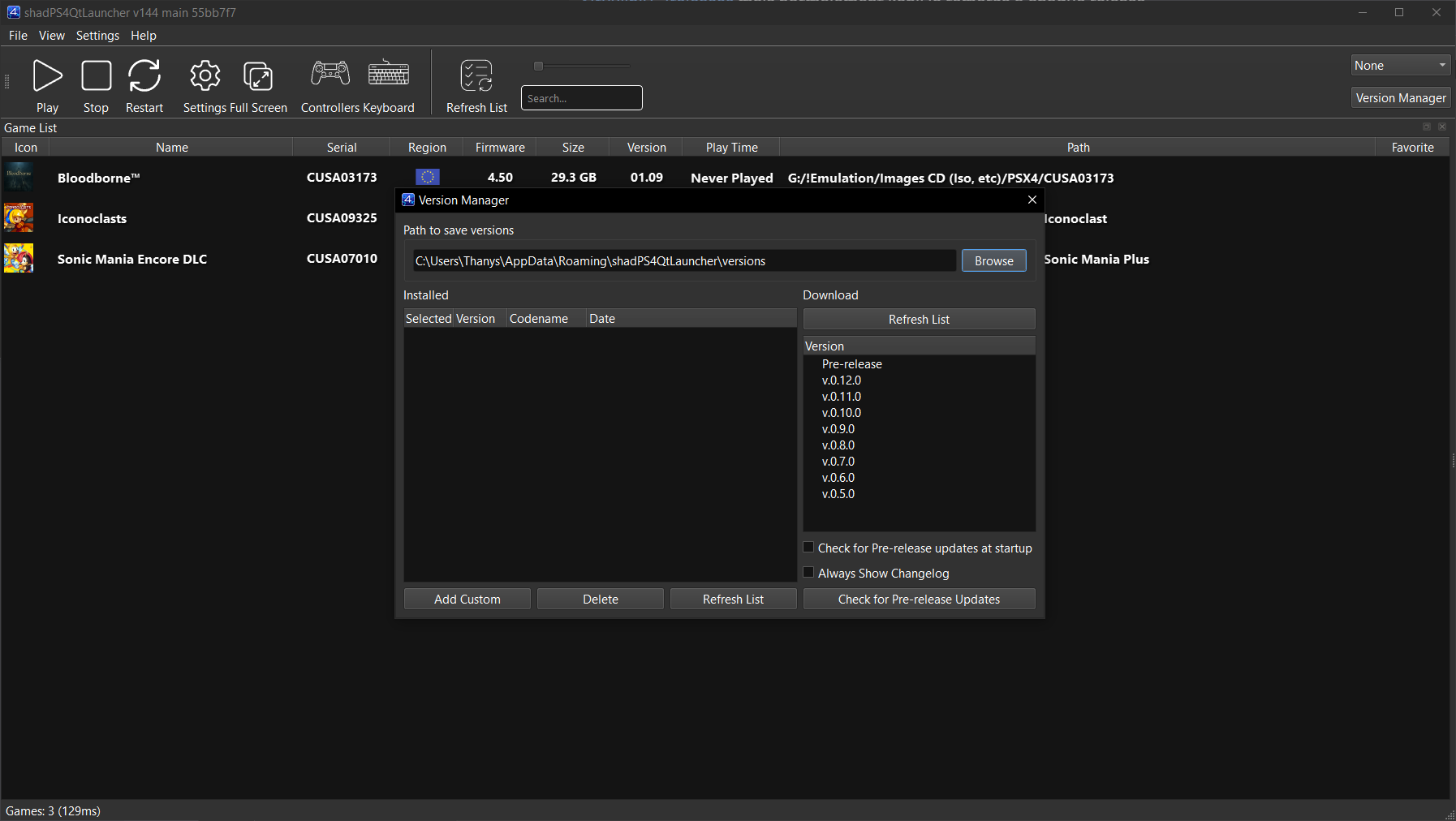
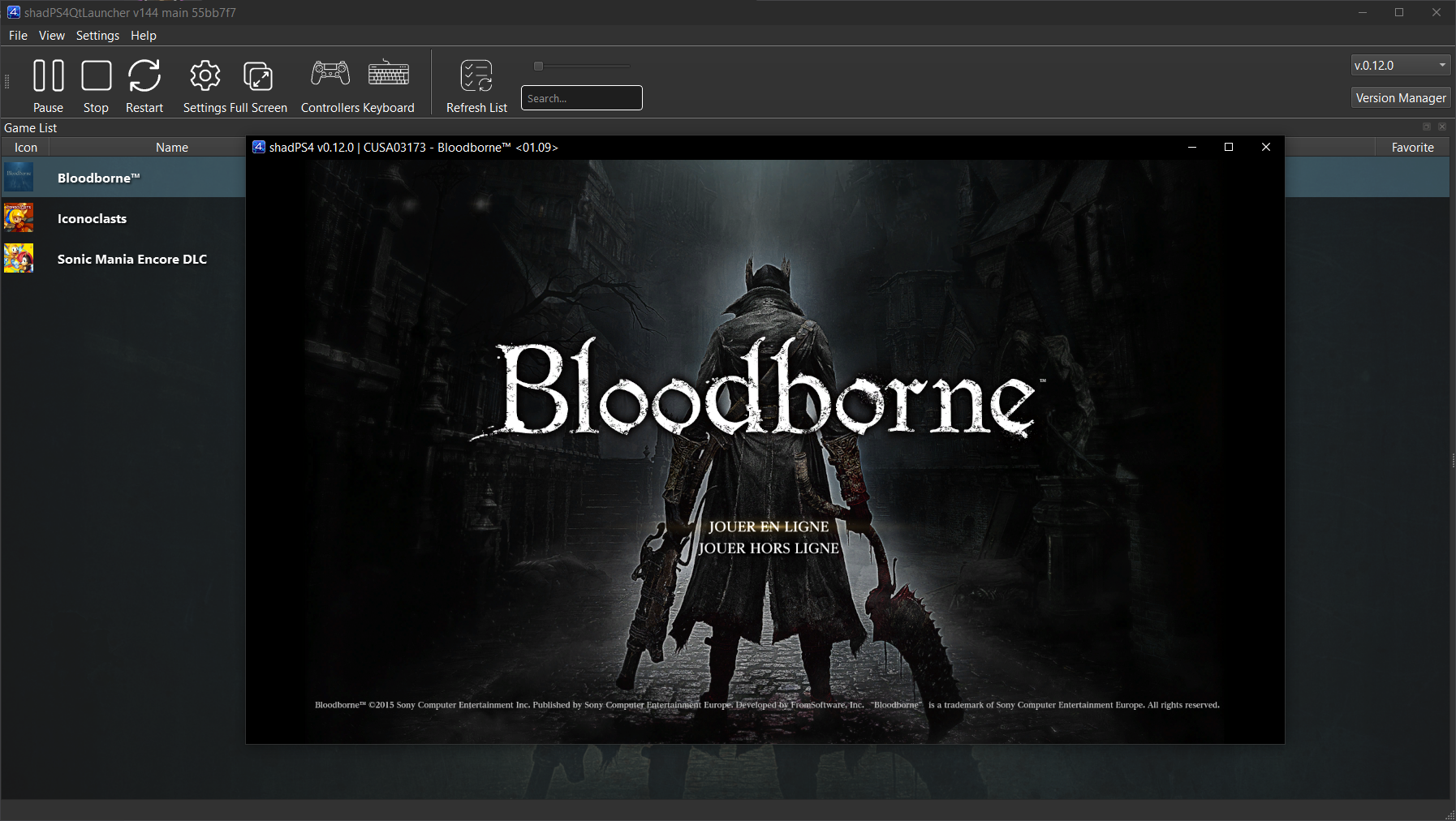
Pour faciliter son usage, une interface externe est disponible. Elle permet de lancer des jeux, configurer les options, et suivre les performances via une interface visuelle simple et intuitive.
 

Cette interface est développée séparément et reste compatible avec les futures versions de shadPS4.


Les changements:
– New Crowdin updates
– Fix git clone link and directories in Linux build guide (#266)
– Add a CMake flag to hide the version manager for Flathub release (#268)
– Misc fixes


Télécharger ShadPS4 (GUI) v223 (25.4 Mo)

Site Officiel

En savoir plus…

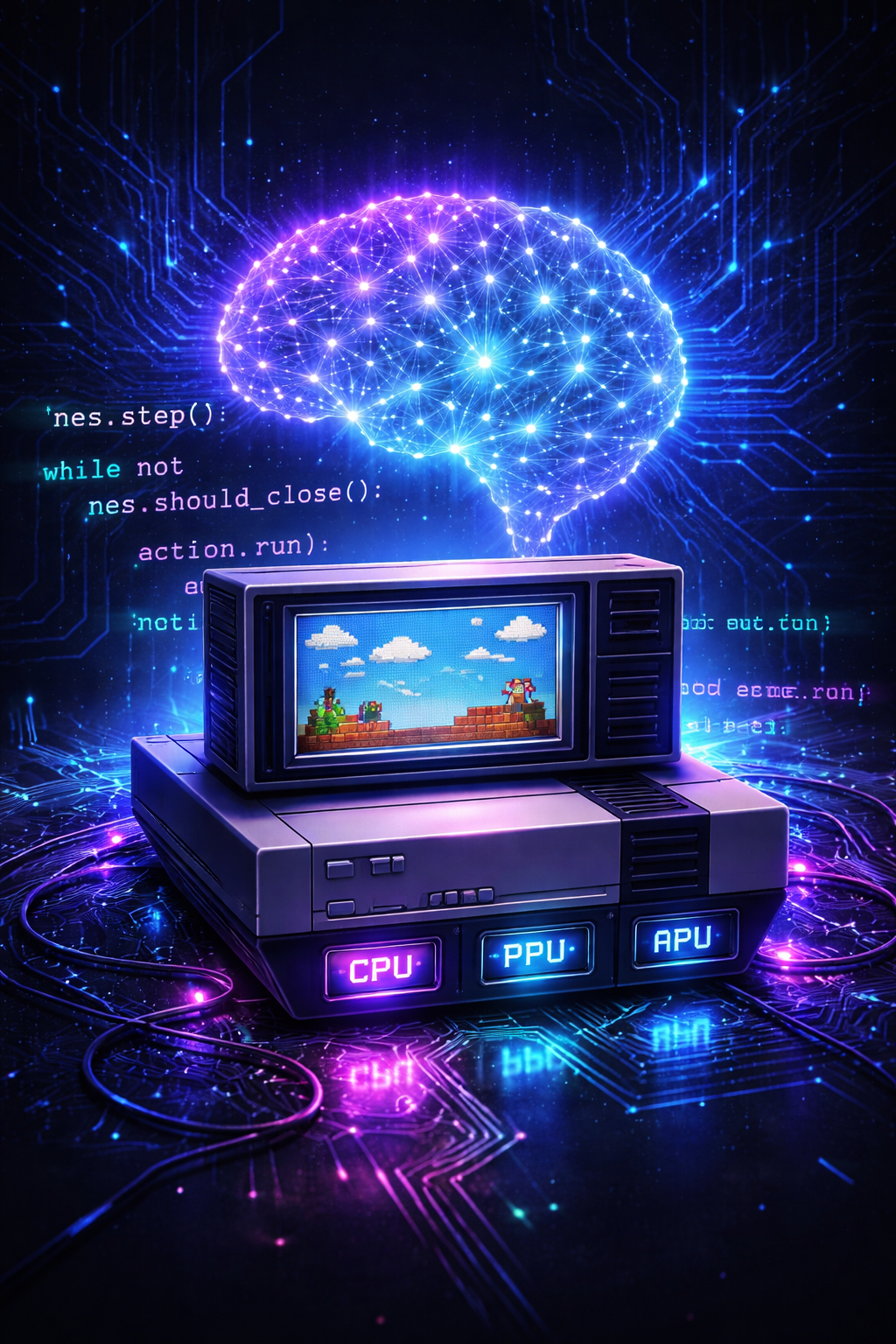
Cynes est un émulateur NES écrit en C/C++ avec des bindings Python, capable de tourner en mode headless ou avec fenêtre via SDL2, offrant un CPU/PPU/APU cycle‑accurate, des accès mémoire directs, des save states et un contrôle précis du pad.


Télécharger Cynes v0.1.2 (52 Ko)

Site Officiel

En savoir plus…

Un service centralisé de gestion de bibliothèque/collection de jeux, axé sur l’émulation. Configurez une fois, jouez n’importe où.


Télécharger Retrom v0.8.0 (18.5 Mo)

Site Officiel

En savoir plus…

Un émulateur de Sinclair ZX Spectrum multi-plateformes.


Télécharger Spectral v1.14 (3.1 Mo)

Site Officiel

En savoir plus…

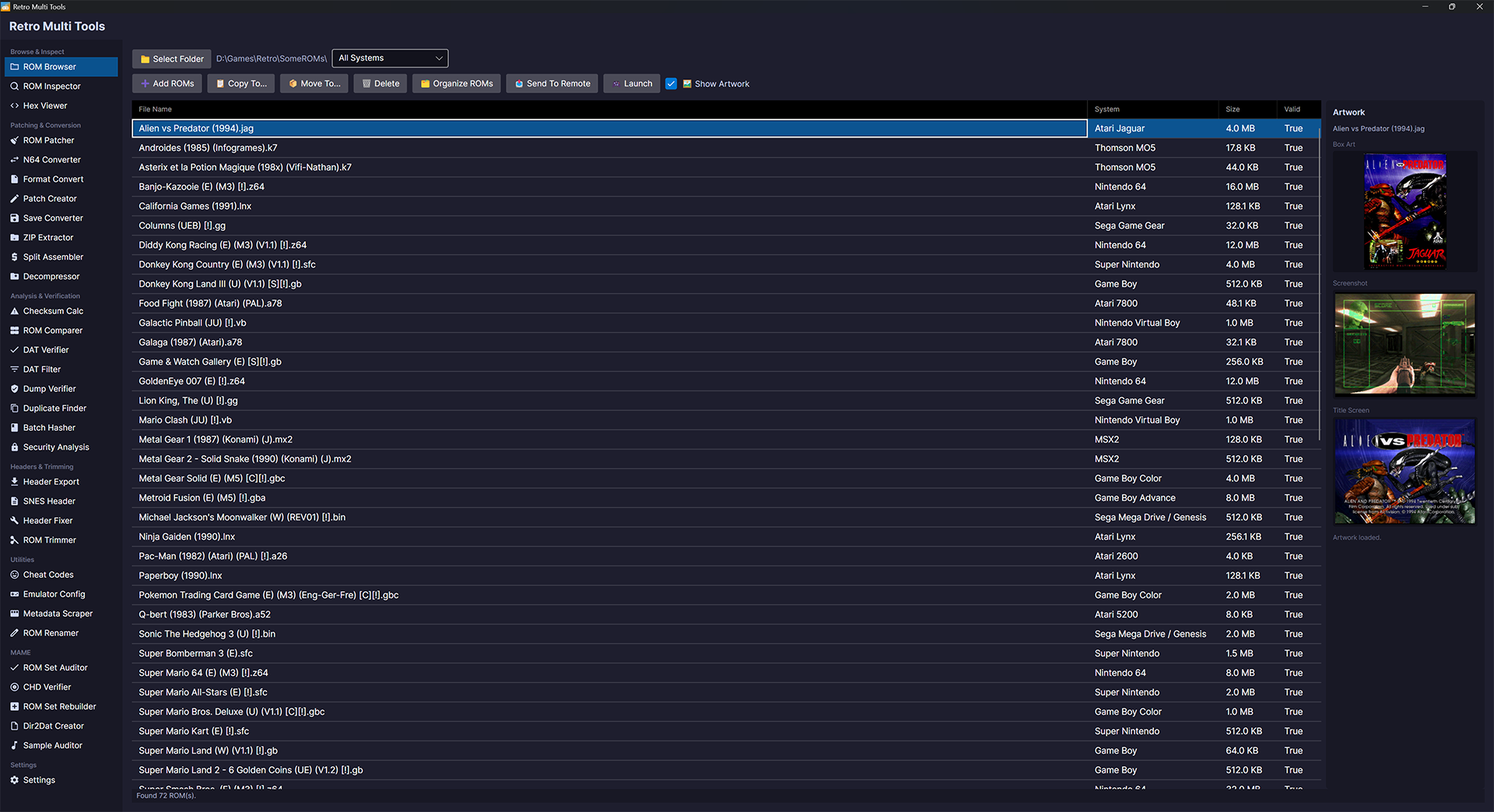
RetroMultiTools est un utilitaire multiplateforme dédié à la gestion, l’inspection, la conversion et la modification de ROMs rétro. Il vise à centraliser en une seule application les fonctions habituellement dispersées entre plusieurs outils spécialisés.


Systèmes supportés (non exhaustif):

  • Nintendo : NES, SNES, N64, GB, GBC, GBA, VB, GameCube, Wii
  • Sega : Master System, Mega Drive, 32X, Game Gear, Sega CD, Saturn, Dreamcast
  • Atari : 2600, 5200, 7800, Jaguar, Lynx
  • NEC : PC Engine / TurboGrafx‑16
  • Ordinateurs : Amstrad CPC, MSX/MSX2, Oric, Thomson MO5, Color Computer
  • Autres : 3DO, Amiga CD32, ColecoVision, Intellivision, Supervision…


Télécharger RetroMultiTools v2 (15.8 Mo)

Site Officiel

En savoir plus…

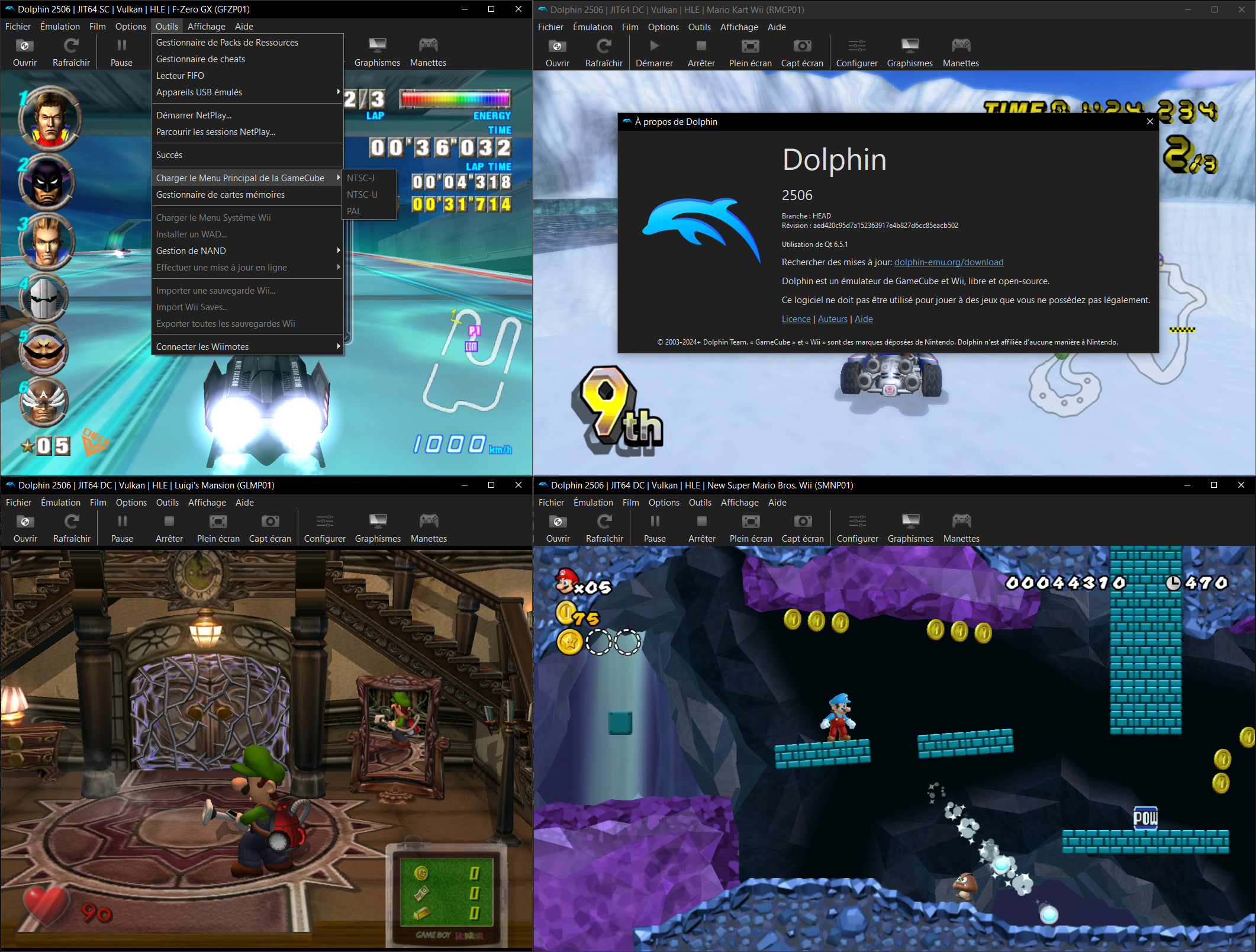
Créé par Ector et F|res, voici la dernière version de Dolphin, un émulateur GameCube/Wii et également Tri-Force (système d’arcade élaboré par Nintendo-Sega-Namco dont le hardware est basé sur celui de la GameCube).


Lire l’article concernant les changements apportés par cette version ici.
 
Le changelog en résumé:
 
– Fixed some issues with RetroAchievements support in preparation for the launch of Wii achievements.
– Temporarily disabled page table fastmem in TimeSplitters: Future Perfect to work around a bug that caused the game to crash.
– Fixed an issue where Dolphin might crash on macOS when changing settings if the current graphics backend was set to an invalid value.
– Fixed an issue where Dolphin would hang when taking a screenshot while replaying a FIFO log.
– Fixed a build-time issue where Dolphin could link to system libraries even if disabled.
This issue may have caused official Dolphin builds of 2603 running on macOS 14 and older to crash when opening a ZIP file.
– Fixed a build-time issue where Dolphin used a header only available in {fmt} 11.0 or newer, despite our minimum requirement being 10.1.


Télécharger Dolphin v2603a (17.8 Mo)

Site Officiel

En savoir plus…

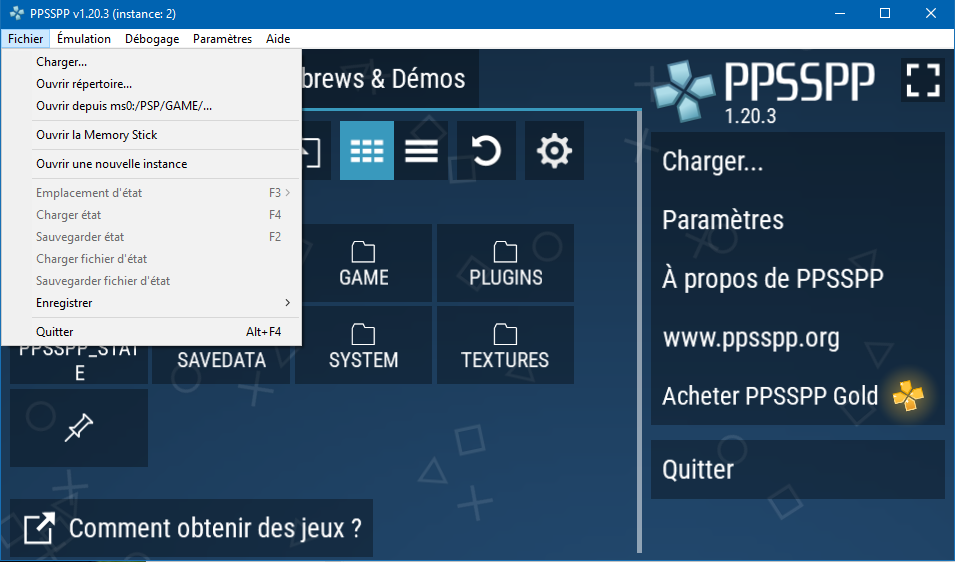
Il s’agit de l’émulateur de Sony PSP traduit en français.


Télécharger PPSSPP (Français) v1.20.3 (26.1 Mo)

Site Officiel

En savoir plus…

Mupen64 RR Lua (ou Mupen64 Re-recording Lua) est un fork (le 3eme) de Mupen64 permettant l’enregistrement de vidéo.


Les changements sont:
 
⚡ Performance
– Faster plugin initialization (#530)
 
✨ Features
– Config – Disable fast dispatcher by default (#544)
– MovieDialog – Default to latest movie in playback dialog (#538)
– Lua – d2d.get_target_fps and d2d.set_target_fps APIs (#541)
– Capture – Allow continuing capture across resets between ROMs with same VI/s (#531)
 
🐞 Bugfixes
– TASVideo – Corrupted text in microcode dialog (#529)
– Main window potentially restoring outside the visible area (#528)
– TASInput – Unreliable window dragging (#527)
– TASInput – Broken sizing when started on non-primary monitor (#526)

 
Site original. Fork 1. Fork 2. Fork 3.
 

Télécharger Mupen64 RR Lua v1.3.0-19 (+AVI Fixes builds) (3.4 Mo)

En savoir plus…

Un émulateur NES écrit en Dart et Flutter. Supporte macOS, Windows, Android et Linux (testé sur Steam Deck).


Télécharger NESd v0.14 (15.6 Mo)

Site Officiel

En savoir plus…

ShadPS4 est un émulateur préliminaire de PS4 pour Windows et Linux écrit en C++ créé par Shadow (d’ou il tire son nom), auteur et contributeur de projets prestigieux comme PCSX, PCSX2, PCSP, JPCSP, Arcadeflex, RPCS3…


Les changements principaux en résumé:
Missed us already? Here is a brand new shadPS4 release for you out there. A lot of new features is here to improve compatibility and general user experience as well. It is recommended to use 0.15.0 for some time since there are a lot of breaking changes coming to 0.15.1 WIP (that will correct and improve a lot of things), but we hope it will be production ready quite soon..


Core
– Automatically add missing hotkeys to the global input config
– Fixed in Settings:InternalScreenWidth would get internalScreenHeight instead of InternalScreenWidth
– Kernel.Pthreads: Remove unreachable in posix_pthread_mutex_timedlock
– Volume hotkey: show volume value, set game_specific arg correctly, clamp value
– Kernel.Process: Implement sceKernelGetModuleInfo2, sceKernelGetModuleList2
– Log: Group same lines with counter
– Prevent protects during unmaps
– Mount system fonts
– Kernel.Equeue: Only reset trigger state on events that clear.
– Filesystem: fix crashes caused by returning a pointer from an std::vector
– Threads: initialize TLS on thread creation
– Implement guest signal handlers
– Mount /data to /data instead of /data/gameid
– Kernel.Event: Implement kqueue and kevent
– IPC: Tweak LoadFigure and RemoveFigure
– Improved signal emulutation
– Fixed game arguments with CLI11
– PSF: close file after encode
– Shader recompiler
– Handle operand fields execlo and exechi for S_MOV
– Fixed r128
– Support 32 thread sharing mode
– Implemented IMAGE_ATOMIC_CMPSWAP
 
Libraries
– Improved sceAudioOut and SDL3 backend
– Implemented npWebApi library
– Added sceAudioOutGetSystemState
– Added some NPTus Functions
– Implemented some HLE libcInternal calls
– Fixed some issues in scePad and refactoring
– Improved motion controls emulation
– Lib.GnmDriver: Fix flip arg for sceGnmSubmitAndFlipCommandBuffers
– Lib.VideoOut: Fix pending flips limit
– Fix some logic bugs in sceHttpUriParse
 
Audio3d SDL improvements
– Lib.Net: Proper resolver errors when isConnectedToNetwork is disabled
– Lib.GnmDriver: Implement sceGnmDrawIndirectMulti
– Lib.Net: Fix Windows-specific incorrect error in PosixSocket::Connect
– SSL module returned an empty certificate data instead of no certs
– SysModule HLE implementation
– Stub data for sceSslGetCaCerts
 
GPU
– Copy image handle 2d->3d copies and opossite now
– Skipped guest/host marker parsing/calls when disabled
– Added Relaxed,precise modes in readbacks
– Force subgroup size to 64 when possible

 
Liste de compatibilité ici.


Télécharger ShadPS4 v0.15 (15.1 Mo)

Télécharger ShadPS4 (GUI) v223 (25.4 Mo)

Site Officiel

En savoir plus…

Il s’agit d’un émulateur de Sinclair ZX Spectrum.


Les changements sont:
– users can now choose to autohide UIs (poke, tape) when not hovered.
– UIs now display within ZX Spectrum’s border, to save vertical space.
– UIs now look clearer and support holding down mouse button


Télécharger ZXIAN v34 (1.3 Mo)

Site Officiel

En savoir plus…


Casino-en-ligne-fiable.com

https://getourbonus.com/fr/accueil

https://www.romspedia.com/

https://www.casinoonlinefrancais.fr

Lucky 7 bonus

https://www.casinogratuitsansdepot.com

pablocasino.org

critiquejeu.info

playbonus

casinodoc.org

laplanquedujoueur.com

casinoonlinefrancais