Le premier émulateur de Sega Model 3 créé par Bart Trzynadlowski, Ville Linde et Stefano Teso dans sa version de développement (voir ici) [source].


Les changements:

svn 685
– Fix the smallest texture lods (Harry Tuttle)
svn 684
– fix array out of bounds
svn 683
– remove debug code


Ajout:
– correction des musiques dans sega rally 2 (mix)
– correction musique 1er niveau 2joueurs (la cave rouge) dans vf3 (pas sûr de la modif, et donc cela peut éventuellement entrainer d’autre problèmes sonore sur d’autre jeux).(inclut officiellement)

 
Les fichiers sont compilés par spindizzi et/ou KOF2112, merci à eux.


Télécharger SuperModel v0.4 Build 261116 (5.2 Mo)

Télécharger SuperModel WIP (XP) v0.3a r862 (6.3 Mo)

Site Officiel

En savoir plus…

Voici les derniers émulateurs (et aussi les plus fréquemment mis à jour) en cours de développements.


VDosplus: Emulateur de DOS.

Citra: Emulateur de 3DS.

Decaf: Emulateur de WiiU.

RPCS3: Emulateur de Playstation 3.

Redream: Emulateur de Sega Dreamcast.

CXBX: Emulateur de Microsoft X-Box.

Xenia: Emulateur de Microsoft X-Box 360.

Cen64: Emulateur de Nintendo 64 Préliminaire.


Télécharger vDosPlus (2018/03/01) (1.8 Mo)

Télécharger Citra (Final build) (2024/03/07) (140 Mo)

Télécharger Decaf-Emu Build 231109 (40.8 Mo)

Télécharger RPCS3 (WIP) v0.0.43 Alpha (2026/11/16) (35.5 Mo)

Télécharger Redream v1.5.0.1239 (3.1 Mo)

Télécharger Xenia v1.0.2844 (2026/11/16) (3.9 Mo)

Télécharger CXBX Reloaded v0.1.0 (1.3 Mo)

Télécharger Cen64 (WIP) (2022/10/02) (2.6 Mo)

Télécharger Cen64 (Debugger) r2015.01.18 + (DEV) r2017.04.23 (3.4 Mo)

Applewin est un excellent émulateur Apple IIe pour Windows et développé par Tom Charlesworth. Applewin est basé sur la version originale 1.10.4 d’Oliver Schmidt.
 
Changes:

[Bug #504] Full-screen: hide mouse pointer after 2 seconds of inactivity (and show again if mouse is moved)
[Bug #469] New -no-printscreen-key switch to prevent the PrintScreen key from being registered.
[Bug #488] New -fs-height= switch to select a better resolution for full-screen mode.
best: picks the highest resolution where the height is an integer multiple of (192*2)
nnnn: select a specific resolution with height=nnnn pixels
NB. This switch changes the display resolution (and restores it on exit).
[Bug #477] Help doc: Document behaviour of full-speed mode
[Bug #428] Input option to use PC Joystick 1 Thumbstick 2 for emulated Joystick 2
Swapping disks while a drive is on now warns and prompts if you still wish to do this instead of silently failing with no feedback.
[Bug #323] Skip hard disk boot by holding down the Open-Apple key during an Apple II restart
[Bug #224] Added Config checkbox for ‘Full-Screen: Show drive/keyboard status’
[PR #441] Update zlib to latest version 1.2.11
[PR #275] Attenuate speaker (and 8-bit DAC) output sample after 0.25s of inactivity
[Bug #483] Debugger: Shift+Left mouse button to toggle 6502 Status flag bits
[Bug #479, #476, #473] Debugger: Various UI and other fixes
[Bug #462] Debugger: Changed Left mouse button (LMB) to Shift+LMB to toggle display items
[Bug #406] Debugger: Support LC and MMU status & updated Help doc
 
Fixes:

[Bug #516] Internal video-mode was having PAGE2 permanently cleared (instead of just masked) when 80STORE was set.
[Bug #514] Emulator restart (or reset) wasn’t clearing any pending Mousecard interrupt
[Bug #499] Flush current track (if dirty) before ‘Send to CiderPress’
[Bug #496] Support polling of Mockingboard’s & Phasor’s 6522 IFR.Timer1
[Bug #492] UI fixes for full-screen & 2x windowed-mode
[Bug #486] Peripheral card’s expansion ROM ($C800-CFFF, eg. SSC) wasn’t being correctly restored from a save-state
Resulting in regression: Mousecard crash to monitor (#495).
[Bug #484] Debugger: Some corrections to APPLE2E.SYM
[Bug #464] Fix for full-screen: bottom line missing when vertical resolution is 768
[Bug #460] Debugger: F2 whilst debugger active will immediately stop the drive spinning (allowing disk swap)
[Bug #456] Fix strange speaker clicks when changing configuration – DirectSound wasn’t being uninitialised on a restart
[Bug #452] Fix for unmounted HD now gives « NO DEVICE CONNECTED » (before gave « I/O ERROR »)
[Bug #450] Persist debugger state across an F2 (reset machine state)
[Bug #445] Debugger: BPM cmd: Support trigger on stack access for BRK,JSR,PLn,PHn,RTI,RTS
[Bug #437] AppleWin.chm blocked from opening – delete the AppleWin.chm:Zone.Identifier ADS
[Bug #423] Full support for INTC8ROM soft switch (fixes transient a2audit.dsk & Bejeweled failures)
[Bug #418] Fix for slot-3 ROM not returning floating bus when Uthernet card is enabled
[Bug #417] Typos in Uthernet documentation
[Bug #415] Fix for not being able to select Pravets 82
[Bug #413] Save-state: bug when saving >9 RAMWorks III 64K banks
[Bug #409] Fix for AppleWorks 5.1 flickering when booting (latent bug from 2006!)
[Bug #405] Screen flicker in full-speed mode
[Bug #403] PrintScreen from Color TV or B&W TV video modes is missing top line
[Bug #392] Fixes for a2audit.dsk
Resulting in regressions in LC support for Gemstone Warriors (#395), Quark Catalyst V3 and BeagleWrite (#400).
[Bug #389] Disk’s write-protect detection mis-reporting when motor off
[Bug #387] Support for 40-track .nib files
[Bug #386] SSC:
Experimental support for 6551’s DTR, DCD and DSR bits via -modem switch
ie. -modem is shorthand for passing -dtr -dcd -dsr
Experimental support for 6551’s control bit: DTR via -dtr switch
Experimental support for 6551’s status bits: DCD and DSR via -dcd and -dsr switches
[Bug #383] « Enhanced disk speed » is very slow when debugger is active
[Bug #320] Mockingboard/Phasor: support ‘inactive’ function like real hardware
[Bug #308] SSC ACIA Status register’s interrupt bit not set when IRQ enabled and using TCP Port 1977
[Bug #269] When stepping, ESC no longer exits back to debugger (use F7, Pause keys or Debugger button instead).
[Bug #250] Debugger: When MODE_STEPPING, fix issue with disk LEDs staying on
[Bug #217] Debugger G(o) command should use normal speed

 
applewin


Télécharger AppleWin v1.32.1 (4.3 Mo)

Site Officiel

En savoir plus…

Un joli frontend pour Mame (ou autres), très configurable. Emu Loader est une interface graphique qui se greffe principalement sur les émulateurs Arcade comme MAME, SEGA Model 2, SuperModel ou Daphne. Emuloader permet de gérer votre collection de roms, de vérifier vos jeux et de lancer vos émulateurs.


el


Télécharger Emuloader v8.9.4 (32.8 Mo)

Site Officiel

En savoir plus…

Un émulateur d’Atari 5200 créé par Brian Berlin.
 

Voici les changements depuis la version 0.7.1:
 
– Added : RetroArch GLSL shader support
– Check for shaders here:
https://github.com/libretro/glsl-shaders
– Added : Redesigned sound module
– +improves sound for many games
– +added 48kHz Sound sample frequency
– +Improves (fixes?) Linux sound using ALSA
– Added : Combo Inputs
– Added : User warned when input conficts occur
– Added : User can make kat5200 portable
– Added : -reset_config command line parameter
– Added : Several conversions/homebrews to default database
– Changed: -config loads alternate db3 config file
– Fixed : Atari 800 Pitfall crash on start (Added LAX CPU op)
– Fixed : CPU cycle counts for page crossing
– Fixed : Input conflicts on 8-bit computer default profile
– Fixed : Atari 800 ‘A’ key updates not loaded
– Fixed : Recall state loads incorrect video/input profiles
– Fixed : Simualte Analog needs to respect Sensitivity
– Fixed : Couple of potential crashes
 
Notes:
– Only supporting modern OpenGL, no shaders on Raspberry Pi
When obtaining shaders from the RetroArch site above, download
the zip and extract somewhere reachable by kat5200
– See Manual for portable use and importing shaders
– Check version 0.7.0 for other notes


Ancien site.

Télécharger Kat5200 v1.0.2 (11.3 Mo)

Site Officiel

En savoir plus…

DS4Windows est un programme portable qui vous permet d’obtenir la meilleure expérience lors de l’utilisation d’un DualShock 4 sur votre PC, en émulant un contrôleur Xbox 360, beaucoup de jeux deviennent alors accessibles.


– Trimmed code run for touchpad untouched path
– Removed extra gyro controls dead zone. Necessary to use DS4 as a steering wheel


Télécharger DS4Windows (original) (x86) v3.3.3 (2.6 Mo)

Télécharger DS4Windows (original) (x64) v3.3.3 (2.6 Mo)

Site Officiel

En savoir plus…

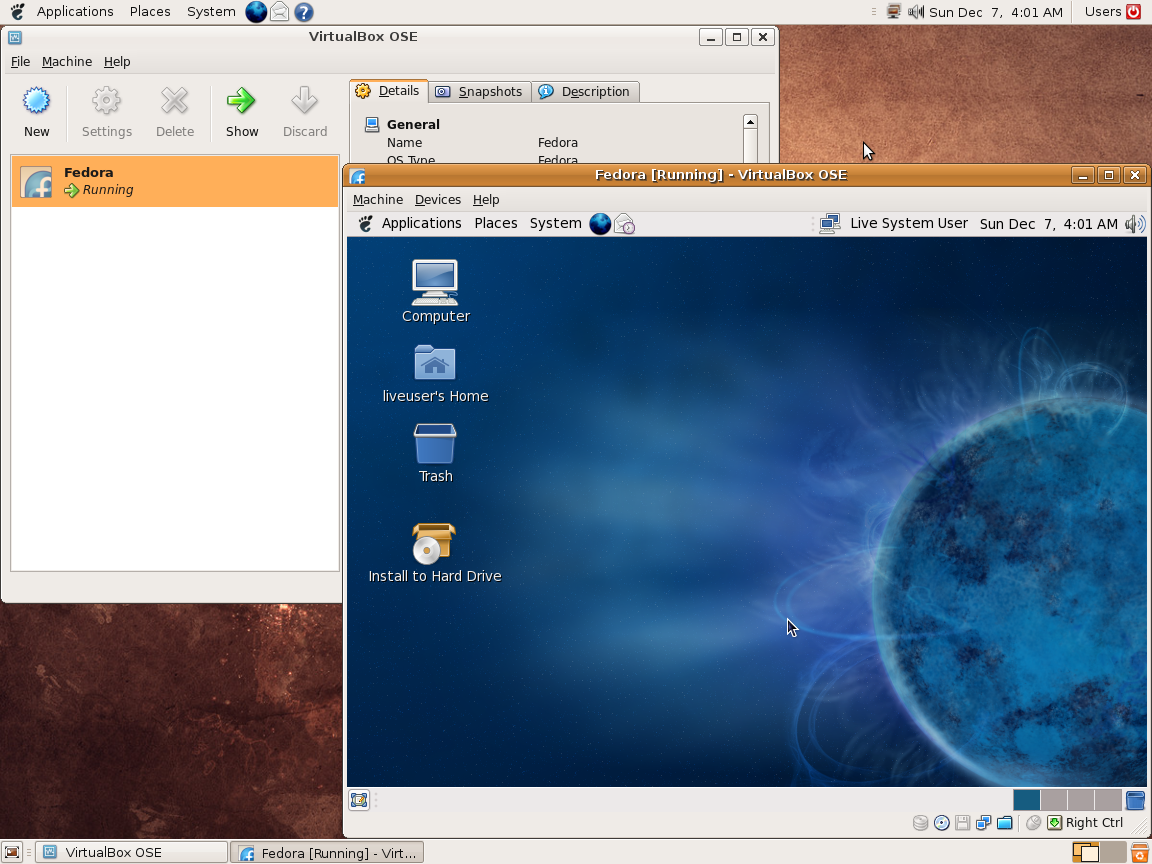
Ce programme permet d’émuler un PC sous plusieurs OS. Il tourne sous Windows, Linux ou Mac. Il permet de faire tourner des machines virtuelles sous différents OS (Windows de tout type, Linux, FreeBSD OS/2 etc.).


Vitualbox est également open-source et gratuit (pour les particuliers). Les solutions existantes de virtualisation étant soit très chères pour le particulier, soit incomplètes au niveau du support des systèmes, VirtualBox propose donc une alternative intéressante à Vmware et VirtualPC.


Les améliorations sont lisibles ici.


Télécharger VirtualBox v7.2.22 (170 Mo)

Télécharger VirtualBox - Oracle VM VirtualBox Extension Pack v7.2.22 (19.1 Mo)

Site Officiel

En savoir plus…

ScummVM est un logiciel qui vous permet de jouer certain jeux d’aventures graphiques de type ‘point-and-click’ (pointer et cliquer), à condition que vous possédiez les fichiers de données du jeu. Le plus astucieux : ScummVM remplace juste les exécutables fournis avec les jeux, vous permettant de jouer sur les systèmes pour lesquels ils n’ont jamais été conçus !
 
ScummVM supporte de nombreux jeux d’aventure, y compris les jeux LucasArts basés sur le système SCUMM (tel que Monkey Island 1-3, Day of the Tentacle, Sam & Max, …), de nombreux jeux Sierra utilisant les système AGI ou SCI (tel que King’s Quest 1-7, Space Quest 1-6, …), Discworld 1 et 2, Simon the Sorcerer 1 et 2, Beneath A Steel Sky, Lure of the Temptress, Les chevaliers de Baphomet (Broken Sword I), Les Boucliers de Quetzalcoatl (Broken Sword II), L’amazone queen (Flight of the Amazon Queen), Gobliiins 1-3, Legend of Kyrandia 1-3, un grand nombre de jeux pour enfants de Humongous Entertainment (incluant les jeux Marine Malice et Pouce-Pouce) et bien plus encore.

 
Juste à temps pour les fêtes, la version finale de ScummVM 2.0 est arrivée ! Cette version ajoute la prise en charge de 23 nouveaux jeux, dont presque tous les jeux d’aventure Sierra 32 bits :


  • Cranston Manor
  • Full Pipe
  • Gabriel Knight
  • Gabriel Knight 2
  • King’s Quest VII
  • King’s Questions
  • Leisure Suit Larry 6 (hi-res)
  • Leisure Suit Larry 7
  • Lighthouse
  • Ballades au pays de la Mère l’Oie (Mixed-Up Mother Goose Deluxe)
  • Phantasmagoria
  • Phantasmagoria 2
  • Plumbers Don’t Wear Ties
  • Police Quest 4
  • RAMA
  • Riven: La suite de Myst
  • Shivers
  • Space Quest 6
  • Starship Titanic
  • The Dark Crystal
  • Time Zone
  • Torin’s Passage
  • Ulysses and the Golden Fleece

 
Et ce n’est pas tout ! De nombreux jeux existants ont été améliorés, beaucoup de travail a été fait pour améliorer l’ensemble des systèmes audio et vidéo, et certains joueurs apprécieront également la meilleure prise en charge des joysticks et les diverses petites améliorations suggérées par nos utilisateurs. Une liste plus complète des modifications apportées à cette version se trouve ci-dessous.


ScummVm
 
New Games:
– Added support for Full Pipe.
– Added support for Hi-Res Adventure #3: Cranston Manor.
– Added support for Hi-Res Adventure #4: Ulysses and the Golden Fleece.
– Added support for Hi-Res Adventure #5: Time Zone.
– Added support for Hi-Res Adventure #6: The Dark Crystal.
– Added support for Riven.
– Added support for Starship Titanic English & German.
 
New Games (Sierra SCI2 – SCI3):
– Added support for Gabriel Knight.
– Added support for Gabriel Knight 2.
– Added support for King’s Quest VII.
– Added support for King’s Questions.
– Added support for Leisure Suit Larry 6 (hires).
– Added support for Leisure Suit Larry 7.
– Added support for Lighthouse.
– Added support for Mixed-Up Mother Goose Deluxe.
– Added support for Phantasmagoria.
– Added support for Phantasmagoria 2.
– Added support for Police Quest 4.
– Added support for RAMA.
– Added support for Shivers.
– Added support for Space Quest 6.
– Added support for Torin’s Passage.
 
New ports:
– Added PSP Vita port.
– Added RISC OS port.
 
General:
– Added bilinear filtering option for SDL2 fullscreen mode.
– Fixed a bug that caused a crash in the options dialog of the GUI.
– Added a command-line option to automatically scan for supported games in the current or a specified directory.
– Added possibility to apply changes in the options dialog without closing the dialog.
– Added support for on-the-fly GUI language switching.
– Updated Munt MT-32 emulation code to version 2.0.3.
– Improved handling of joysticks.
– Improved audio latency.
– Improved management of the ScummVM window in games that switch display modes.
– Fixed list view drawing over text above it (for example in the save dialog).
– Changed location where screenshot are saved. This fixes issues when scummvm
is installed in a read-only directory. Also added setting to allow changing this location.
– Changed screenshot format to png.
– Fixed multithreading issue that could cause a crash in games using MP3 audio.
 
ADL:
– Fixed application freeze when reading sign in rocket in Mission Asteroid.
 
AGI:
– Fixed game script blocking forever after loading a savegame that was saved
while music was playing (this could happen for example in Police Quest 1
poker back room.
– Fixed cursor behaviour in Manhunter.
– Fixed nightclub arcade sequence speed for Manhunter Apple IIgs version.
– Reduced fastest game speed to a maximum of 40 FPS to ensure the games do
not run too fast.
 
AGOS:
– Fixed subtitle speed setting in the Hebrew version of Simon the Sorcerer 1.
 
Composer:
– Added save/load from General Main Menu.
– Fixed the detection for the French Gregory.
– Added detection for German Baba Yaga.
 
Cruise:
– Fixed font rendering.
 
Drascula:
– Fixed bug that made it impossible to talk to the drunkard more than once in the inn.
– Added handling of the master volume and fix volume synchronization between
the game and ScummVM options.
– Added possibility to load and save games using GMM.
 
Dreamweb:
– Fixed crash when collecting last stones under church.
– Fixed detection of Italian CD release.
 
Kyra:
– Fixed a buffer overflow in Lands of Lore.
– Fixed crash due to missing palette data for Legend of Kyrandia floppy version.
 
MADE:
– Fixed badly distorted sound (bug #9753).
 
MADS:
– Fixed a bug that caused a crash after starting Rex Nebular and the Cosmic Gender Bender.
– Fix rare crash that can happen when Rex is first locked up
 
MOHAWK:
– Added patch to the original data files to correct the vault access
instructions in Myst ME.
– Fixed situations where Myst could appear to be unresponsive.
– Reworked sound handling in Myst to be more accurate.
– Fixed crash in Myst piano puzzle.
 
Neverhood:
– Fixed crash in musical hut in Russian DR version.
– Fixed late game notes crash in Russian DR version.
 
Pegasus:
– Fixed loading a game from the launcher after returning to the launcher.
– Ignored events occuring while the GUI is visible. This for example fixed an
issue where closing the GMM using Escape would also opens the game’s own
menu.
– Fixed several crashes when toggling the shared screen space.
– Improved performances when fading screen.
 
SAGA:
– Fixed crash when using the give verb on an actor in IHNM.
– Fixed Gorrister invisible and stuck when reloading at mooring ring in IHNM.
– Fixed the conversation panel background color in IHNM.
– Added support French Fan Translation of Inherit the Earth.
 
SCI:
– Fixed a script bug in Laura Bow 2: Dagger of Amon Ra that made it impossible
to exit the party room with the large golden head inside the museum (room 350).
This bug is also present, when using the original interpreter.
– Improved startup speed when using the MT-32 emulator.
– Improved handling of MT-32 reverb in SCI0 games.
– Improved selection of synthesized sound effects in SCI0 games.
– Improved selection of digital audio in SQ4.
– Improved resource bounds checking.
– Improved error handling of corrupt MIDI data.
– Fixed slow leak of small amounts of data into save games over time.
– Fixed broken day/night cycle in QFG3.
– Fixed a script bug in Police Quest 3 to now grant 10 points when giving the
locket to Marie. Now it’s possible to beat the game with a perfect score.
This bug is also present when using the original interpreter.
– Fixed various other script bugs.
– Improved audio volume and settings synchronization.
 
SCUMM:
– Fixed crash in amiga games.
– Fixed two soundtracks playing at once in Monkey Island 2.
– Fixed Caponians dont disguise after using blue crystal in Zak McKracken.
– Fixed Dr. Fred facing wrong way in lab cutscene in Maniac Mansion.
– Fixed actors being drawn one line too high in V0 and V1 games.
– Fixed Purple Tentacle appears in Lab Entry after being chased out in maniac Mansion.
– Fixed power not turning back on in Maniac Mansion when entering the lab
while Dr. Fred has the power off.
– Fixed actors skipping between certain walk-boxes in Maniac Mansion.
 
Sherlock:
– Fixed detection for Italian fan translation of Serrated Scalpel.
 
Sky:
– Fixed collision detection.
 
Sword1:
– Added thumbnail when saving from in-game dialog.
– Fixed audio and subtitles settings being changed when open the load/save
in-game dialog.
 
Tinsel:
– Fixed some Discworld 2 text/voice not displaying & playing all the way through
– Fix crash in in-game save menu when all slots are used with long names
 
TsAGE:
– Fixed regression preventing animations in Return to Ringworld from playing.
– Fixed display issues in Return to Ringworld Demo.
– Fixed loading Return to Ringworld savegames with unreferenced dynamic objects.
– Fixed deadlock in audio code.
– Fixed crash on Return to Launcher.
 
Voyeur:
– Fixed backgrounds not showing for static rooms.
– Fixed playback of audio events on VCR.
– Fixed exiting game from the VCR screen.
– Added workaround for original game bug using invalid hotspot Ids
 
macOS X port:
– Added support for selecting any connected MIDI devices instead of automatically
using the first one.
– Improved behaviour of the file browser.


Télécharger ScummVM (x86) v2026.4 (116 Mo)

Site Officiel

En savoir plus…

Il s’agit du Frontend GameEX mais optimisé pour les jeux d’arcade.
 
Il est plus léger, possède des améliorations cosmétiques et prend en charge les nouveaux thèmes vidéo de chez EmuMovies.
 
Il prend en charge les systèmes de MAME et d’arcade et présente les différences de caractéristiques suivantes par rapport à la version standard de GameEx:
 
– Supporte les thèmes vidéo.
– Moins de code. Plus léger. Moins d’options.
– Design optimisé pour les écrans de télévision et d’arcade.
– Support des résolutions basse (640 x 480).
– Apparence plus proche d’un HyperSpin.


Télécharger GameEx Multiplatform Arcade Edition v19.97 (271 Mo)

Site Officiel

En savoir plus…

GameEx est une interface graphique pour vos émulateurs. Elle sert également de lecteur vidéo, DVD et CD.


Certaines fonctionnalités de GameEx :
– lit aussi les fichiers audio.
– supporte les affichages LCD/VFD, ArcadeVGA.
– peut adapter son affichage pour les écrans larges, elle peut aussi tourner l’affichage de 90° (vertical).
– peut être contrôlée à distance, ou par une manette ou par la souris uniquement.
– supporte les contrôleurs arcade : HotRod, X-Arcade, SlikStik et IPAC.
– est compatible avec les interfaces entre PC et cartes arcade : U360, I-PAC, J-PAC.
– intègre un Jukebox qui supporte les fichiers ogg, mp3, wma, m4a, et flac.
– Les musiques peuvent être lues et changées pendant que vous êtes en train de jouer.


Ce frontend est disponible en version gratuite & payante (17 $) incluant de nombreuses autres fonctions.


Télécharger GameEx v19.98 (460 Mo)

Site Officiel

En savoir plus…

Il s’agit d’une mise à jour du pack d’icônes de Mamu_ par Antopisa. Antopisa a repris la gestion des icônes de MAMu_, se basant sur son dernier set connu, Antopisa renomme ou copie les icônes pour être le plus à jour possible en conformité avec les derniers sets de MAME. En attendant que MAMu_ se décide à reprendre son set, il remercie Antopisa d’ici la…


Télécharger MAMU Icons Pack Update (non officielle) v0.192 (6,4 Mo)

Site Officiel

En savoir plus…

Un émulateur de vieux ordinateurs de type :

 
– Acermate 386SX/25N
– AMI XT clone
– AMI 286 clone
– AMI 386 clone
– AMI 486 clone
– AMI WinBIOS 486 clone
– Amstrad PC1512
– Amstrad PC1640
– Amstrad PC2086
– Amstrad PC3086
– Amstrad MegaPC
– Award SiS496/497 486 PCI clone
– Award i430VX clone
– Commodore PC30-III
– Compaq Deskpro 386
– Dell System 200
– DTK XT clone
– DTK 386SX clone
– Generic XT clone
– IBM 5150 PC
– IBM 5160 XT
– IBM AT
– IBM PCjr
– IBM PS/1 Model 2011
– Intel Premiere/PCI (Batman’s Revenge)
– Intel Advanced/EV (Endeavor)
– Juko XT clone
– Olivetti M24
– Phoenix XT clone
– Phoenix 386 clone
– Schneider EuroPC
– Sinclair PC200
– Tandy 1000
– VTech Laser Turbo XT
– VTech Laser XT3


Nouveautés:
– Minor recompiler tweak, fixed slowdown in some situations (mainly seen on Windows 9x just after booting)
– Fixed issues with PCJr/Tandy sound on some Sierra games
– Fixed plasma display on Toshiba 3100e
– Fixed handling of configurations with full stops in the name
– Fixed sound output gain when using OpenAL Soft
– Switched to using OpenAL Soft by default


Télécharger PCem v13.1 (11,1 Mo)

Site Officiel

En savoir plus…


https://getourbonus.com/fr/accueil

https://www.romspedia.com/