La dernière version béta publique de l’excellent WinUAE, l’émulateur Commodore Amiga.

 
– Many saved accelerator board enabled configurations loaded incorrectly in b7.
– PicassoIV ROM selection in expansion panel caused crashes. (b6)
– Added DCTV emulation. Colors are not yet correct. Blurriness is mostly correct, DCTV is composite out only, horizontal resolution is only 320 pixels, color resolution is worse (color bleeding). Some filtering is still needed to simulate real composite signal.
– Another Cirrus Logic mode change crash fix. (x86 bridgeboard reset when in text mode).
– x86 bridgeboard 720k/1440k floppy images supported.


Source: Forum des versions Betas.

Télécharger WinUAE (Public Beta) v3.2.0 Beta 8 (3,2 Mo)

Télécharger WinUAE (Public Beta) [32 bits] v6.1.0 Beta 23 FR (5.4 Mo)

Site Officiel

En savoir plus…

Un émulateur de GameBoy Advance écrit en langage C par Jeffrey Pfau (endrift) et basé (sensiblement) sur GBA.js et qui a comme objectif d’être un émulateur de haute qualité. Disponible pour Windows (Vista et +), Linux et Mac OSX.

 
mgba

Les changements:


Features:

  • Ability to hide individual background layers, or OBJs
  • Ability to mute individual audio channels
  • Palette viewer and exporter
  • Volume control
  • More shortcuts are editable (e.g. quick save/load)
  • Rewind now shows the frame after rewinding
  • Import/Export of GameShark/Action Replay snapshots
  • Add “Step backwards” item for single increment rewind
  • Deadzone estimation for game controllers
  • Analog inputs can be used for shortcuts
  • Menu items for specific solar sensor brightness levels
  • Remappable controls for tilt and gyroscope sensors
  • Status messages for actions taken while a game is running (e.g. save/load state)
  • Memory inspector
  • Screensaver can now be suspended while a game is running
  • Load/save the most recent savestate slot
  • Support varible speed (PWM) rumble
  • Ability to cap fast forward speed
  • Finer control over FPS target
  • Holdable shortcut for rewinding one frame at a time
  • Ability to boot directly into the BIOS
  • Preliminary support for yanking out the game pak while a game is running
  • Thumb-drive mode by putting a file called portable.ini in the same folder
  • Configurable display driver, between software and OpenGL
  • Undo-able savestate loading and saving
  • Controller profiles now store shortcut settings
  • Default controller profiles for several common controllers
  • Libretro now supports BIOS, rumble and solar sensor
  • Implement BIOS call Stop, for sleep mode
  • Automatically load patches, if found
  • Improved video synchronization
  • Configurable audio output sample rate


Bugfixes:

  • ARM7: Fix SWI and IRQ timings
  • ARM7: Fix Thumb MUL timing
  • ARM7: Fix timing of multiplies to use N cycles
  • ARM7: ARMHotplugDetach should call deinit
  • Debugger: Fix use-after-free in breakpoint clearing code
  • GBA: Fix crash if a 512kb flash save is loaded when a game has a 1Mb flash override
  • GBA: Cap audio FIFO read size during deserialization
  • GBA: Check for corrupted savestates when loading
  • GBA: Check for improperly sized savestates when loading
  • GBA: Check for savestates made from differently sized ROMs
  • GBA: Fix calls to endian-independent loadstores
  • GBA: Fix timing of reading from timer registers
  • GBA: Ensure cycles never go negative
  • GBA Audio: Force audio FIFOs to 32-bit
  • GBA Audio: Fix audio pitch changing when adjusting buffer size
  • GBA Audio: Fix sample order in audio channel 3
  • GBA Audio: Fix 8-bit writes to audio channel 3 frequency
  • GBA Cheats: Fix Pro Action Replay and GameShark issues when used together
  • GBA Memory: Improve Thumb open bus behavior
  • GBA Memory: Fix potential DMA issue when loading a savestate
  • GBA Memory: Fix load/store multiple video memory waitstates
  • GBA SIO: Fix reseting when there are SIO devices attached
  • GBA Video: Blended sprites should never have other effects applied
  • GBA Video: Fix out-of-bounds tiles in mosaic
  • GBA Video: Fix windows not affecting sprites
  • GBA Video: Prevent tiles < 512 from being used in modes 3 – 5
  • GBA Video: Fix timing on first scanline
  • Qt: Better cleanup when a game crashes
  • Qt: Fix open ROM dialog filtering for archive formats
  • Qt: Cap the maximum number of multiplayer windows
  • Qt: Fix maximum year in sensor override
  • Qt: Fix window being too tall after exiting fullscreen
  • Qt: Fix a missing va_end call in the log handler lambda within the GameController constructor
  • Qt: Fix analog buttons not getting unmapped
  • Qt: Fix passing command line options
  • Qt: Fix crashes on Windows by using using QMetaObject to do cross-thread calls
  • SDL: Fix SDL build when OpenGL is missing
  • Util: Allow loading IPS patches that grow the ROM
  • VFS: Fix resource leaks if some allocations fail
  • VFS: Fix line-reading to return proper values
  • Video: Fix an issue with very long filenames
  • Util: Fix formatting of floats


Misc:

  • All: Add –help flag for command line programs
  • All: Fix sanitize-deb script to set file permissions properly if run as (fake)root
  • All: Enable static linking for Windows
  • All: Enable static linking for OS X
  • All: Threads are now named
  • All: Proper handling of Unicode file paths
  • ARM7: Add emulation for Undefined CPU mode
  • ARM7: Reduce the size of the Thumb instruction table
  • GBA: Add status log level
  • GBA: GBARewind now returns how many states it has rewound
  • GBA: SIO logging layer
  • GBA BIOS: Stub out SoundBias
  • GBA: More accurate cycle estimation for ROM prefetch and flash save chips
  • GBA: Don’t include GBACLIDebugger struct unless needed
  • GBA: Savedata is now synced shortly after data finishes being written
  • GBA: Process multiple timer events at once, if necessary
  • GBA Audio: Implement audio reset for channels A/B
  • GBA Audio: Process multiple audio events at once, if necessary
  • GBA Hardware: Backport generic RTC source into core
  • GBA Input: Allow axes and buttons to be mapped to the same key
  • GBA Memory: Run multiple DMAs in a tight loop if they all occur before present
  • GBA SIO: Add a dummy driver for Normal mode
  • GBA Thread: Add functionality for running callbacks on the GBA thread
  • GBA Thread: Split GBASync into a separate file
  • GBA Video: Refactor software renderer into separate files
  • GBA Video: Slightly optimize mode 0 mosaic rendering
  • Debugger: Free watchpoints in addition to breakpoints
  • Qt: Handle saving input settings better
  • Qt: Move GL frame drawing back onto its own thread
  • Qt: Fast forward (held) option moved from Other to Emulation menu
  • Qt: Show version info in window title
  • Qt: Migrate multiplayer window handling into GBAApp
  • Qt: Unified file opening and saving with last location
  • Qt: Fix windows being resizable when they shouldn’t have been
  • Qt: Only hide cursor in full screen
  • Qt: Replace pause-after-frame mutex with an atomic
  • Qt: Add application icon and XDG desktop files
  • Qt: Rename “Fullscreen” to “Toggle fullscreen”
  • Qt: Don’t save window size when entering fullscreen
  • Qt: Make the default fullscreen binding for Windows be Alt-Enter
  • Qt: Gamepads can now have both buttons and analog axes mapped to the same key
  • Qt: Increase usability of key mapper
  • Qt: Show checkmark for window sizes
  • Qt: Set window path to loaded ROM
  • Perf: Ability to load savestates immediately on launch
  • SDL: Properly check for initialization
  • SDL: Clean up initialization functions
  • SDL: Clean up GL context
  • Util: Allow disabling the threading code entirely
  • VFS: Add sync method to force syncing with backing


Télécharger mGBA v0.3.0 (9,0 Mo)

Site Officiel

En savoir plus…

Voici la version française de cet émulateur Game Boy.


Télécharger Bgb (Français) v1.5.2 (537,4 Ko)

Site Officiel

En savoir plus…

Créé par Avery Lee (l’auteur de VirtualDub), il s’agit d’un émulateur d’Atari 8 bits (800/800XL/130XE) disponible en 32 et 64 bits. Il dispose de beaucoup d’options ainsi que d’une bonne compatibilité. Il prend en charge les jeux protégés conformément à l’émulation.


Topic des versions Beta.

Télécharger Altirra v2.70 Test 21 (3,5 Mo)

Site Officiel

En savoir plus…

GameEx est une interface graphique pour vos émulateurs. Elle sert également de lecteur vidéo, DVD et CD.


Certaines fonctionnalités de GameEx :
–  lit aussi les fichiers audio.
– supporte les affichages LCD/VFD, ArcadeVGA.
– peut adapter son affichage pour les écrans larges, elle peut aussi tourner l’affichage de 90° (vertical).
– peut être contrôlée à distance, ou par une manette ou par la souris uniquement.
– supporte les contrôleurs arcade : HotRod, X-Arcade, SlikStik et IPAC.
– est compatible avec les interfaces entre PC et cartes arcade : U360, I-PAC, J-PAC.
– intègre un Jukebox qui supporte les fichiers ogg, mp3, wma, m4a, et flac.
– Les musiques peuvent être lues et changées pendant que vous êtes en train de jouer.


Ce frontend est disponible en version gratuite & payante (17 $) incluant de nombreuses autres fonctions.


Télécharger GameEx v14.35 (31,1 Mo)

Site Officiel

En savoir plus…

C’est le meilleur émulateur Game Boy et Game Boy Color. Extrêmement précis et fidèle, il ne lance pas les PD qui ne marchent pas sur une vraie Game Boy par défaut (on peut néanmoins activer un hack).
Tous les jeux fonctionnent parfaitement à l’exception d’une poignée utilisant un chip spécial additionnel dans la cartouche.


bgb


– Fixed a large number of bugs and problems, including: glitches in pokemon linking. Screensaver now doesn’t start if you play with gamepad. Crash/stability fixes. Many small improvements, including efficiency improvements. Added support for more joypad axes (xbox 360 controller). Various debugger GUI improvements including local symbols.


Télécharger Bgb v1.5.2 (395,3 Ko)

Site Officiel

En savoir plus…

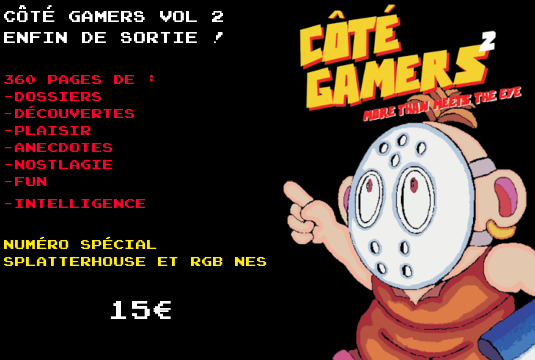
Une petite news pour vous signaler que le magazine COTE GAMERS n°2 est sortie et que l’on y trouve, entre autre, un article sur le CPC réalisé par l’équipe de nos partenaires de chez CPC-POWERS 🙂
 
cpc


Site Officiel

Site Officiel de CPC-Powers

Il s’agit d’un programme (gratuit) qui permet de mapper les touches d’un clavier/souris sur une manette à l’instar des autres programmes incontournables tels que Xpadder, Joytokey ou vJoy.


Changements :

  • Perform event simulation in its own thread. Timer used for mouse speed calculations has improved as a result.
  • Slow down Enhanced Precision mouse acceleration curve slightly. Changes were mainly due to overall mouse emulation being tweaked.
  • Distributing 64 bit builds for Windows again.
  • Using a simulated event to click the minimize button in title bar now works on Windows. The move to using a dedicated thread for event simulation allows that to work now.
  • Simplified Chinese translation added thanks to zzpxyx.


Télécharger AntiMicro (no SSE) v2.23 (22.0 Mo)

Télécharger AntiMicro (x86) v2.23 (22.4 Mo)

Télécharger AntiMicro (x64) v2.24 (31.2 Mo)

Site Officiel

En savoir plus…

DSP est un émulateur Sinclair Spectrum mais aussi Amstrad CPC, Arcade, NES, GameBoy, Coleco Vision… développé par Leniad Soft 2003. Il supporte les Spectrum 48K, Spectrum 128K et des jeux d’arcades comme Phoenix, BombJack ou encore Ghost’n’Goblins. Il s’agit d’un projet Open Source développé en Delphi+Lazarus+Free Pascal.


babyjo


Télécharger DSP (x86) v0.15b3 (1,3 Mo)

Télécharger DSP (x64) v0.20 (16/07/2022) (3.5 Mo)

Site Officiel

En savoir plus…

LaunchBox a été conçu comme une interface attrayante pour DOSBox, mais a depuis été élargi pour supporter à la fois les jeux PC modernes et les consoles émulées. DOSBox continuera d’être une priorité principale pour LaunchBox.


Il peut rechercher dans la database TheGamesDB.net (une base de données en ligne communautaire qui permet à quiconque de contribuer)  pour les metadatas & box-arts. Il peut exporter les fichiers image, dispose d’une meilleure compatibilité avec dropbox.


LaunchBox comprend des processus d’importations automatiques pour Steam, D-Fend Reloaded, et les fichiers ROM pour des gains de vitesse.


LaunchBox-3.6


Télécharger LaunchBox v5.0 (53,0 Mo)

Site Officiel

En savoir plus…

AmiArcadia est le port amélioré de Tunix2001 ex ‘Win Arcadia 2001′ (par Gavin Turner) pour Amiga. Ecrit par James Jacobs et Gavin Turner, cette version est en fait le port Windows du port Amiga ! (un backport)


Il émule les consoles basées sur la famille des Arcadia2001 : Bandai, Emerson, Grandstand, Hanimex, Intervision, Leisure-Vision, Leonardo, MPT-03, Ormatu, Palladium, Poppy, Robdajet, Rowtron, Tele-Fever, Tempest, Tryom, Tunix, etc.


Il supporte aussi l’Interton VC 4000 et l’Elektor TV Games Computer.


winarcadia


Télécharger Win Arcadia (Ami Arcadia) v24.2 (2,3 Mo)

Site Officiel

En savoir plus…

FS-UAE est un émulateur multi-plateformes (sur Linux , Mac OsX et Windows) reprenant les travaux de WinUAE/E-UAE/PUAE en mettant l’accent sur l’émulation des jeux sur lecteur de disquette et CD-Rom. A noter que cette version propose un launcher dédié.  Il s’agit de la version en cours de développement.


Télécharger FS-UAE (Instable) v2.5.39 DEV (47,8 Mo)

Site Officiel

En savoir plus…


https://getourbonus.com/fr/accueil

https://www.romspedia.com/