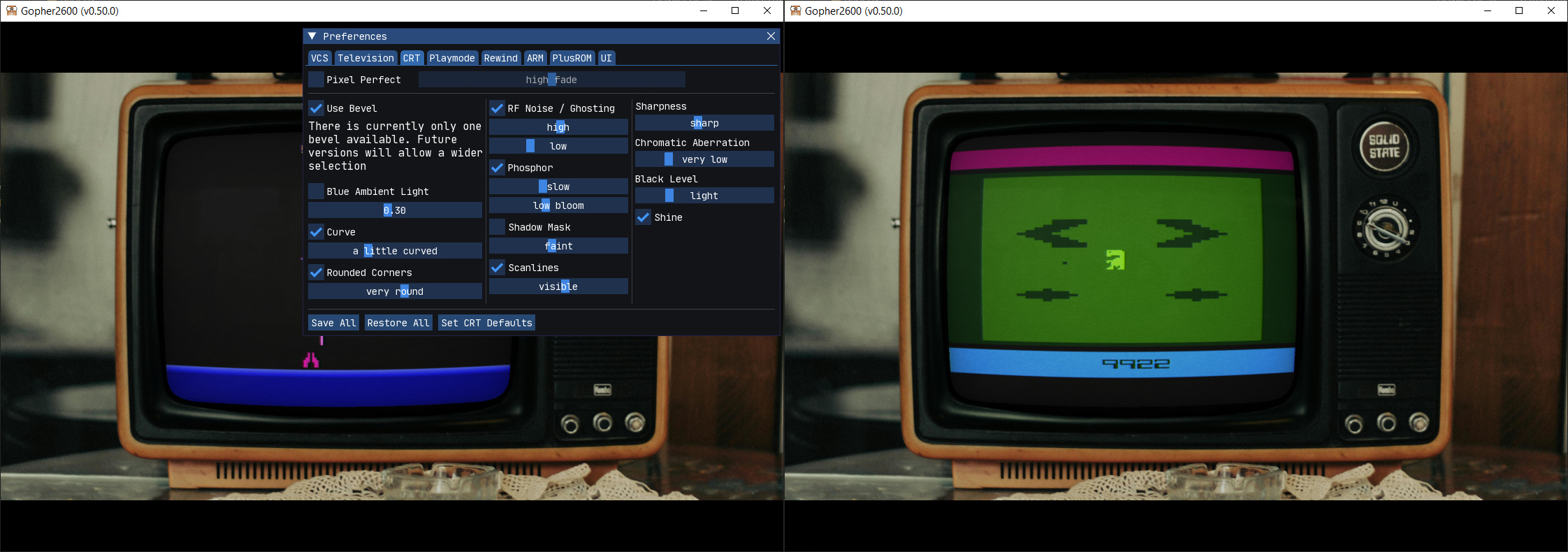
Gopher2600 est un émulateur d’Atari 2600. Bien que les performances ne soient pas aussi efficaces que certains autres émulateurs, il convient néanmoins pour jouer à des jeux sur un ordinateur raisonnablement moderne.
0 commentaire



Gopher2600 est un émulateur d’Atari 2600. Bien que les performances ne soient pas aussi efficaces que certains autres émulateurs, il convient néanmoins pour jouer à des jeux sur un ordinateur raisonnablement moderne.
Cet émulateur Apple‑1 moderne, réécrit en C++ avec Dear ImGui et OpenGL, dérive d’un ancien projet initialement développé en Java et offre désormais une émulation fidèle, rapide et multiplateforme, tout en prenant en charge l’ensemble des cartes d’extension P‑LAB — modem Wi‑Fi, terminal, microSD, A1‑SID, carte graphique TMS9918 — ainsi que la carte graphique couleur GEN2 d’Uncle Bernie.
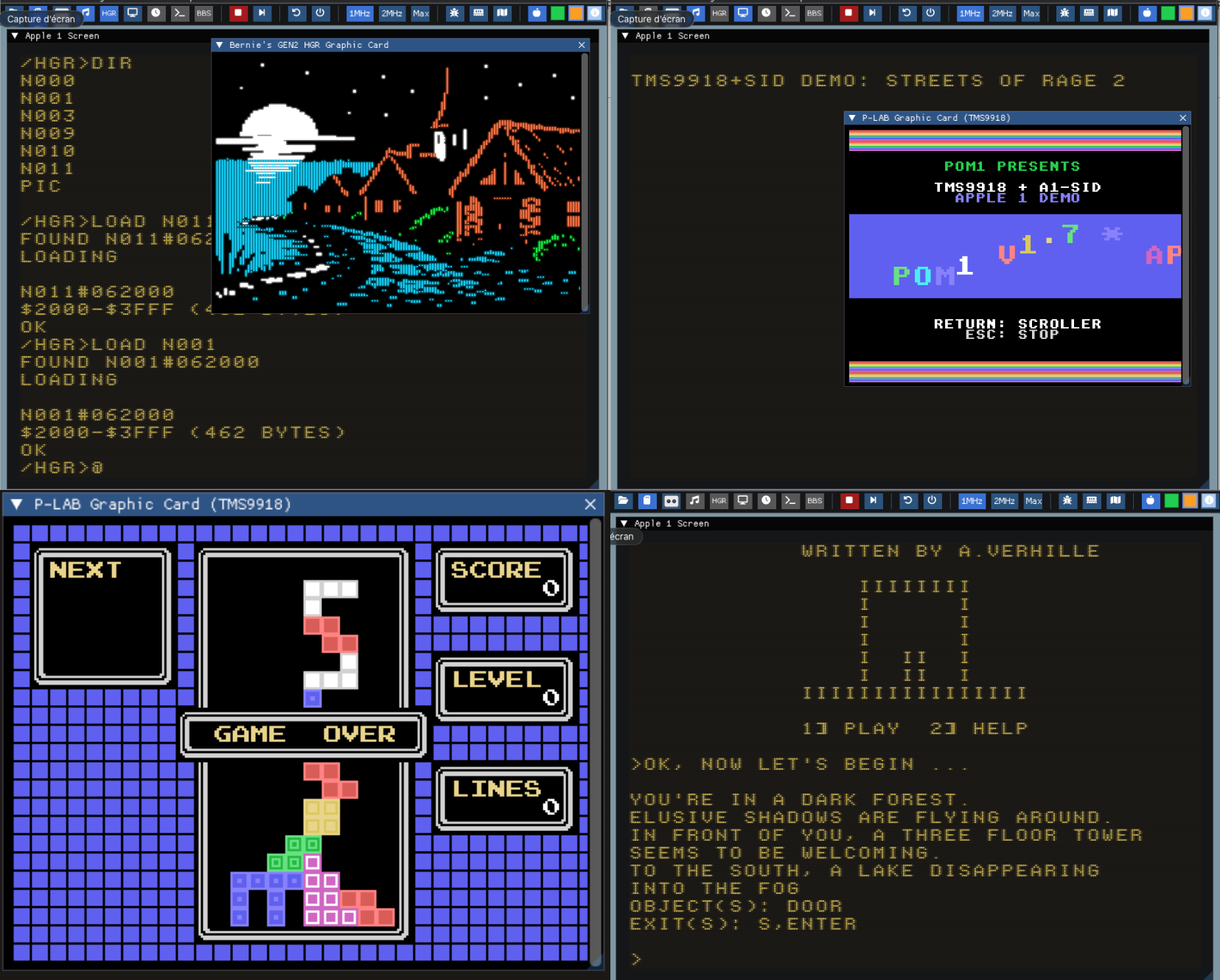
Pour célébrer les 50 ans d’Apple (1976–2026), la version 1.7 de POM1 est publiée en hommage au demi‑siècle d’Apple Computer, fondée le 1er avril 1976.
Il intègre désormais la prise en charge des composants matériels suivants :
– Modem Wi-Fi P-LAB
– Carte Terminal P-LAB
– Carte de stockage microSD P-LAB
– Carte son P-LAB A1-SID
– Carte graphique P-LAB Apple-1 (TMS9918)
– Carte graphique couleur GEN2 d’Uncle Bernie
Version en ligne disponible ici.
Télécharger Pom1 v1.7 (1.0 Mo)
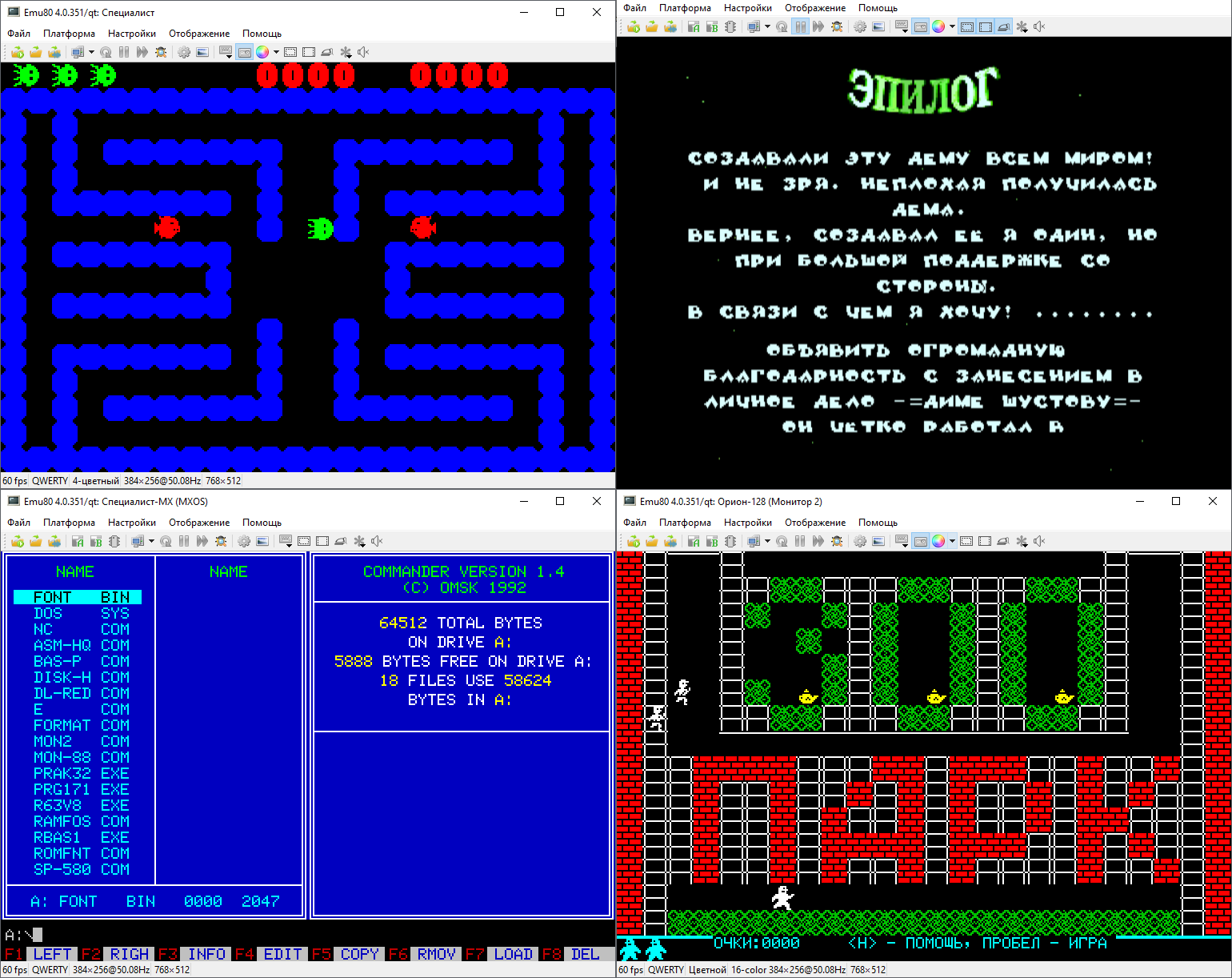
Emu80 est un émulateur de plateformes « Radio-86RK », « Partner », « Apogee », « Mikrosha », « specialist », « Orion », « Micro-80 », « UT-88 » pour Windows.
Version 4.0.559 from 07.04.2026
[+] Implemented “Full Throttle” mode with state locking (Alt-Del)
[+] Implemented 8‑bit interface with CompactFlash card
[+] RK86: for the RAMFONT scheme, color support implemented according to the CC_Color scheme
[+] RK86: added configuration with CF card and the “Mir” OS by Dmitry Ivanov (https://zx-pk.ru/threads/36573-quot-mir-quot-os-dlya-i8080.html)
[+] Orion: added support for the Z80‑Card II configuration
[+] Orion: added AY support, available in the Z80‑Card II configuration
[+] Orion: added support for 480×256 video mode, available in the Z80‑Card II configuration
[+] Implemented partial support for the KR512VI1 real‑time clock, support added in Orion DSDOS and Z80‑Card II configurations
[*] Added fixed window‑size presets in the menu for common resolutions. For best image quality, it is recommended to use them together with the pixellate shader
[*] The option to save window size in the settings dialog is now duplicated in the menu
[*] Added the ability to switch smoothing modes in the debugger window
[*] Web version: added the ability to select disk B (relevant for Okean)
[*] Okean: default ROM version changed to REL.6
[*] Implemented mid‑frame character generator switching on Apogey and Mikrosha (accurate to the character row)
[*] Vector: added the ability to load WAV files via drag‑and‑drop, command line, or the built‑in loader
[*] Added a third parameter — offset — to the AddrSpaceMapper object, useful for simplifying many configuration files
[*] Added a new object — the AddrDecoder address decoder, providing an interface alternative to AddrSpace
[*] Program name is now displayed more correctly in the Linux system mixer and in some other cases
[*] Documentation updated with a full 10‑page description of emulator settings
[-] Fixed an issue that sometimes caused uncontrolled growth of the ini file and subsequent delays when working with the emulator
[-] Fixed an issue where the emulator window did not restore its size after switching platforms when fixed window size mode was enabled
[-] Okean: fixed a file‑loading issue, mostly occurring when loading from the command line
[-] Okean: fixed hex‑file loading, which did not always work
[-] Lvov: fixed an issue in the smart keyboard layout that caused the Russian layout to “stick” and prevented switching back to Latin
[-] Fixed an issue in the VN59 interrupt controller emulation that sometimes caused freezes on Korvet
[-] Fixed an issue that could cause the keyboard to stop responding after opening a dialog window (screenshot, file operations, etc.)
[-] Removed non‑working programs from the RK‑86 SD card directory (mostly intended for other platforms)
[-] Fixed noticed typos
[+] Innovation
[*] Change / improvement
[-] Bug fixed
[!] Known issue
Télécharger Emu80 v4.0.559 (14.6 Mo)
Il s’agit d’un fichier permettant à MAME/MAMEUI de connaître la procédure à suivre pour l’initialisation d’un jeu.
Il contient des procédures générales d’utilisation des ordinateurs, comme la manière de charger une cassette. Certaines procédures d’installation complexes pour les jeux d’arcade y sont également décrites.
Principalement destiné aux utilisateurs de MAMEUI, certaines procédures se réfèrent spécifiquement à MAMEUI. Cependant, les équivalents pour MAME sont faciles à utiliser.
Créé en étroite collaboration entre Antopisa et Robbbert.

CpcAlive est un environnement de programmation compatible Amstrad CPC pour la création d’animations graphiques. L’originalité de l’émulateur est qu’il peut fonctionner sur tous les supports acceptant l’émulateur Dos « Dosbox« .
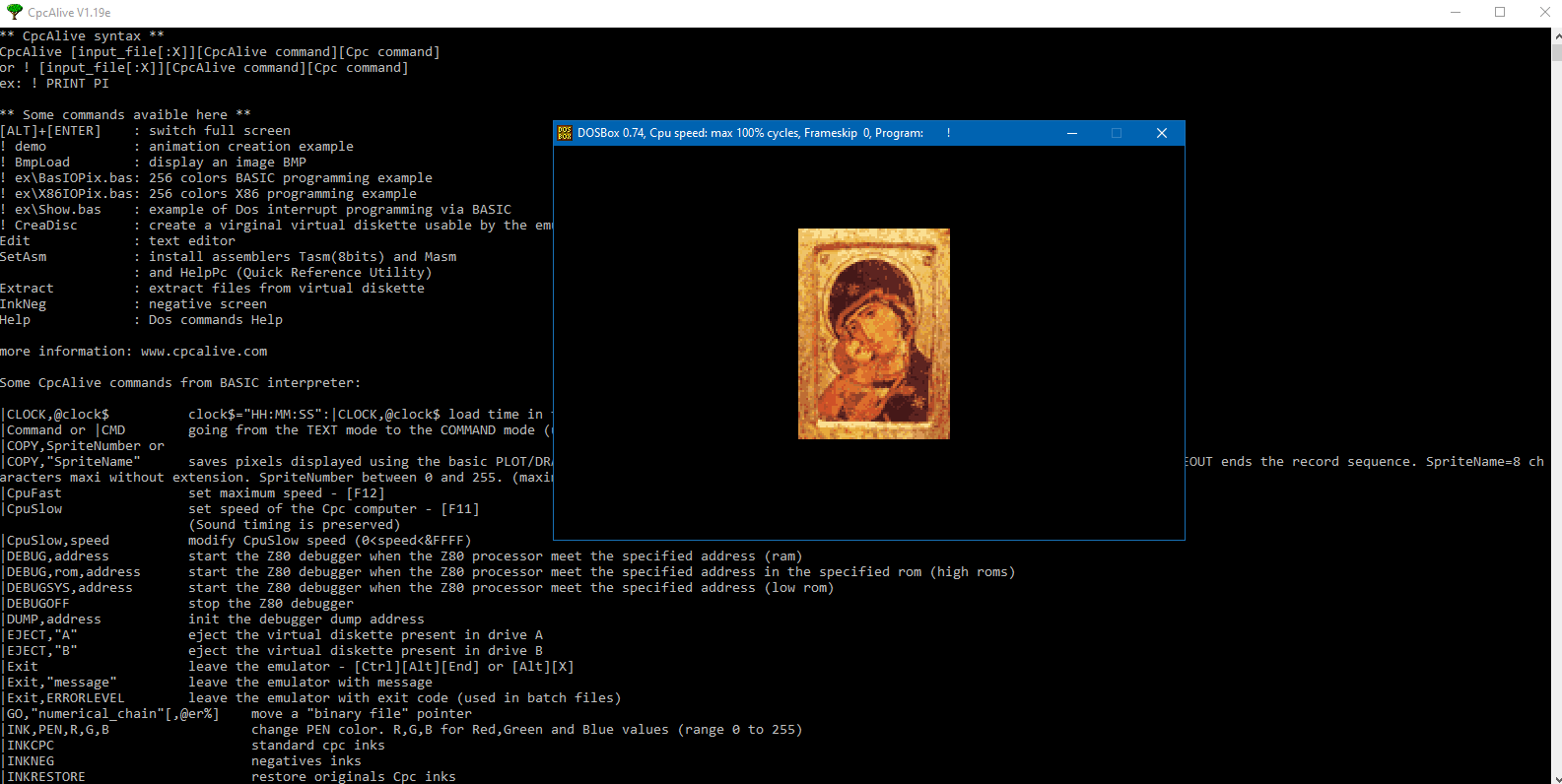
Spécificités de l’émulateur CpcAlive :
* gestion sources basic avec étiquettes
* modes graphiques 160*200*16, 320*200*256 et 640*200*16
* environnement de programmation X86 (16Mo)
* sorties écran au format BMP et animations FLI
* instructions BASIC programmables
* possibilité de traiter à partir de l’interpréteur basic du Cpc, tt fichier présent sur le hdd ou autre support.
* création d’images d’environnement autoexécutables.
* intègre un assembleur/débogueur Z80 ainsi qu’un débogueur BASIC
* gestion des fichiers créés par le compilateur C PhrozenC
Ce programme est prévu pour les programmes standards développés pour le Cpc ou spécifiques à l’émulateur. Les manettes de jeux et l’overscan ne sont pas émulés.
Il s’agit ici de CpcAlive pour Dosbox et de l’installateur Windows.
Changements :
– new CpcAlive commands JOYON,DIS,DISDUMP,DUMP,BASI,JOYON + corrections
Télécharger CpcAlive (Dos) v1.20 (2.0 Mo)
dgVoodoo est un glide wrapper mais aussi un wrapper DirectDraw/Direct3D (v1 à 7, 8.1 et 9) vers Direct3D11/12. Pour simplifier grandement, ça émule une carte 3DFX qui va pouvoir gérer la bibliothèque propriétaire Glide (Glide 2.11, Glide 2.45, Glide 3.1 et Napalm) mais également les vieilles cartes graphiques compatibles DD/D3D v1 à v9. Quel est l’intérêt ? Jouer aux anciens jeux qui fonctionnent mal sur les nouvelles cartes graphiques (parce qu’ils ont été optimisés pour le Glide ou de vieilles versions de DirectX et non pour d’autres API telles que OpenGL ou DirectX v11 ou v12) ou tout simplement utiliser un émulateur qui lui aussi utilise le Glide. Cette version est destiné à Windows Vista/7/8/10/11 avec DirectX 11 (ou supérieur) d’installé et vous devez posséder une carte graphique (compatible DirectX Level 10.1) supportant les Shaders Model v4 ou v5.

Vous aurez besoin de ces bibliothèques pour activer certaines fonctions graphiques.
A noter que des patchs pour certains jeux sont disponibles ici.
Les changements:
– Fixing the x64 D3D9 crash
– Fixing a crash in the D3D debug layer
– Fixing a crash with the D3D12 backend (Legend Of Grimrock 1/2)
– Improving fake fullscreen mode to resemble real fullscreen with potential resolution changing
– Fixing some annoying unwanted window resizing coming from dgVoodoo in fullscreen mode
Télécharger dgVoodoo v2.87.1 (31.7 Mo)
Télécharger 3Dfx splash / D3D Compiler for DgVoodoo2 v4.x (3.2 Mo)
Des news en provenance de MAME:

J’espère que vous avez apprécié notre annonce du 1er avril. Maintenant que c’est passé, il est temps d’aborder les véritables changements à venir pour MAME. Nous mettons à jour la norme du langage de développement, passant de C++17 à C++20, et nous retirons la prise en charge de configurations obsolètes. Nous allons également réduire un peu la fréquence des sorties : il n’y aura plus de version presque chaque mois. Il n’y aura pas de sortie en avril ; la prochaine version arrivera vers la fin du mois de mai.
Résumé des exigences mises à jour :
Résumé des fonctionnalités supprimées :
Lisez la suite pour plus de contexte et de détails.
Nous avons décidé qu’il était temps de passer à la version suivante du standard C++ et de commencer à tirer parti des nouvelles fonctionnalités. Cela fait suffisamment longtemps pour que les bibliothèques et outils compatibles C++20 soient largement disponibles. Nous prendrons en charge la compilation avec GCC 11 et GNU libstdc++ 11 ou plus récent. Si vous utilisez clang pour compiler MAME, notez que clang 11 et 12 contiennent des bugs inacceptables dans leur implémentation de C++20, et que clang 13 peut planter lors de la compilation de certains éléments. Vous aurez donc peut‑être besoin d’une version assez récente de clang pour continuer à l’utiliser.
De même, Qt 6 est disponible dans MSYS2 et fourni depuis longtemps par toutes les grandes distributions Linux. Nous estimons que c’est le bon moment pour retirer la prise en charge de Qt 5.
En raison de l’augmentation de l’utilisation mémoire dans les versions récentes de GCC, et du retrait de clang et d’autres paquets LLVM du dépôt MSYS2 MINGW32, il n’est plus réaliste de créer des builds Windows 32 bits x86 de MAME. Les fonctionnalités liées au support du x86 32 bits sous Windows deviendront donc non maintenues. Comme le support du x86 32 bits est également en recul sur les autres systèmes d’exploitation, nous avons décidé que cela ne valait plus l’effort de maintenir des fonctionnalités spécifiques à cette architecture. Nous retirons en même temps les fonctionnalités spécifiques à PowerPC, devenues tout aussi difficiles à maintenir.
Nous allons passer à des builds Windows x86‑64 utilisant clang, la bibliothèque standard libc++, et la bibliothèque d’exécution Microsoft Universal CRT (UCRT). Cela permettra d’utiliser les mêmes outils et bibliothèques pour les versions x86‑64 et ARM.
Il est devenu évident que le support des environnements MSYS2 utilisant l’ancienne bibliothèque MSVCRT est en train d’être abandonné. Divers paquets sont retirés des dépôts au lieu d’être mis à jour. Il deviendra nécessaire de migrer vers un environnement utilisant la bibliothèque UCRT, c’est‑à‑dire UCRT64 ou CLANG64 pour le x86‑64, ou CLANGARM64 pour l’ARM 64 bits. Nos scripts de build prennent déjà en charge ces environnements sans effort supplémentaire.
Les environnements MSYS2 prépackagés que nous fournissons présentent plusieurs problèmes :
Nous recommandons donc d’installer un environnement MSYS2 standard et d’installer les paquets nécessaires via le gestionnaire de paquets pacman. Nous listons les paquets requis dans notre documentation, et nos workflows Windows sur GitHub Actions montrent les paquets nécessaires de manière structurée.
Il y aura forcément quelques difficultés avec un changement majeur comme celui‑ci, mais nous pensons que c’est une étape nécessaire pour assurer la viabilité du développement de MAME sur le long terme.
Avec cette annonce, c’est désormais acté : le support du 32 bits touche à sa fin, et nos propres binaires compatibles Windows XP — qui n’était déjà plus officiellement pris en charge depuis des années — vont eux aussi disparaître d’ici peu.
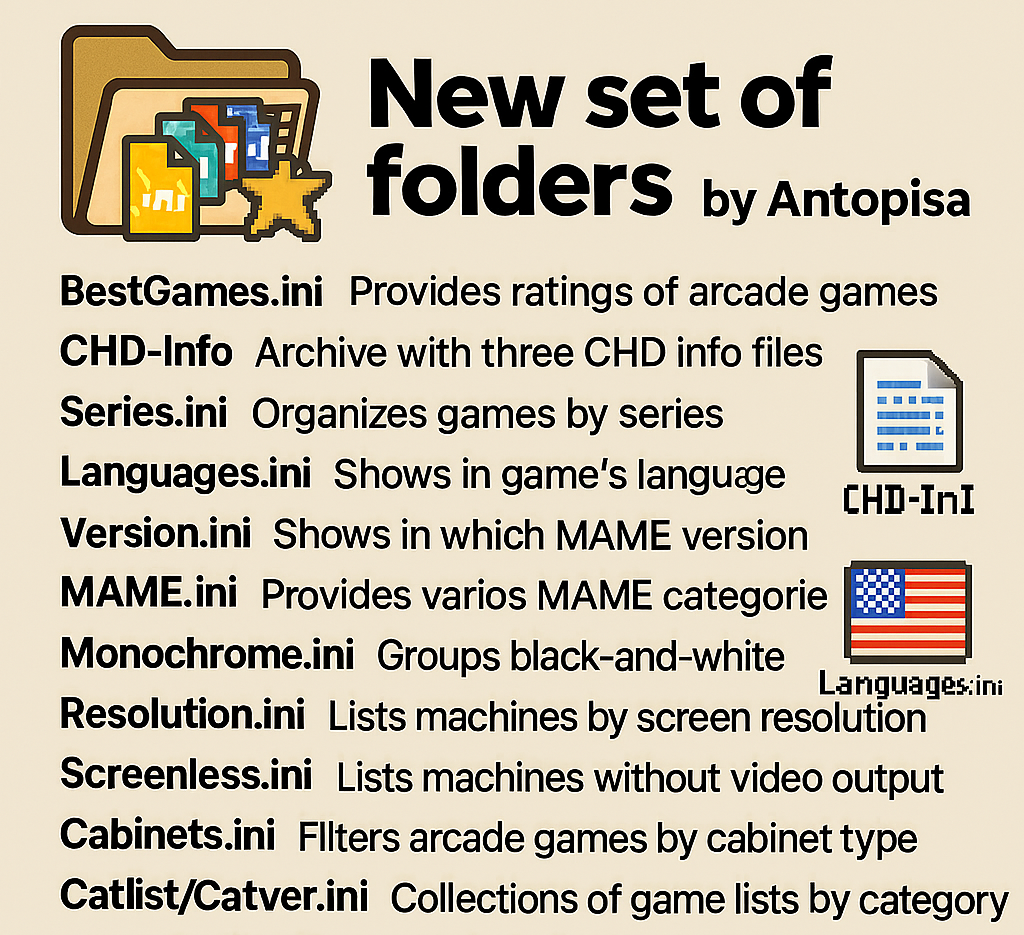
Nouvelle version de la suite de folders d’Antopisa pour MAME/MAMEUI et/ou Frontends conforme à la dernière version de MAME en date et valable aussi bien pour MAME, les frontends ou les clones de l’émulateur.
BestGames.ini: Inspiré du rankings.ini, ce fichier donne une note aux jeux d’arcade qu’émule MAME. Rappelez-vous que ce sont les évaluations personnelles d’Antopisa et que cela n’est pas forcément conforme aux avis généralement admis dans les magazines.
CHD-Info: Dans cette archive, vous trouverez trois fichiers: « CHD-Info_vXXX.txt », avec des informations détaillées sur tous les CHDs disponible dans MAME; « CHD_diff_vXXX_vXXX.dat » qui est un dat pour managers indiquant les changements entre les deux dernières versions publiées de MAME et « MAME_CHD_vXXX.dat » qui est un dat pour managers de roms listant tous les CHDs.
Series.ini: Ce fichier folder pour MAMEUI vous permettra de trier vos jeux par séries. Il est bien sûr à mettre dans le sous-répertoire Folders de MAME(Arcade).
Languages.ini: Un fichier ini pour MAME(Arcade) qui vous dira le langage qu’utilise le jeu: Japonais, Anglais, Chinois…
Version.ini: Il s’agit d’un fichier ini destiné à MAMEUI (Arcade + consoles + ordinateurs) mais également à MAME (v0.171 et supérieur) et permettant de connaitre, pour chaque jeux, la version de Mame dans laquelle ils ont été ajoutés.
Le pack qui inclut le « version.ini » propose également les fichiers dédiés à MAME: Arcade.ini (Liste des jeux d’arcade), Arcade_NOBIOS.ini (Liste des jeux d’arcade moins les BIOS) et MESS.ini (Liste des jeux consoles/ordinateurs).
Category.ini: Fichier destiné à MAME/MAMEUI/MESSUI et permettant de connaitre, pour chaque jeux, la version ou la catégorie de MAME dans laquelle ils ont été ajoutés. Fichier disponible dans l’archive « category.zip ».
Monochrome.ini:
Il s’agit d’un folder pour MAMEUI/MESSUI mais aussi pour MAME (v0.171 et supérieur), permettant de classer les jeux qui sont en noir et blanc. Fichier disponible dans l’archive « category.zip ».
Resolution.ini: Ce fichier répertorie toutes les machines émulées par MAME et triées par résolution d’écran. A mettre dans le dossier « Folders » de l’émulateur. Fichier disponible dans l’archive « category.zip ».
Screenless.ini: Ce fichier répertorie toutes les machines émulées par MAME (ou clones) qui n’affichent pas d’informations vidéo. Fichier disponible dans l’archive « category.zip ».
Cabinets.ini: Dédié à MAME (Arcade uniquement), il s’agit d’un fichier permettant de trier par type de borne d’arcade (on parle ici du meuble). Fichier disponible dans l’archive « category.zip ».
FreePlay.ini: Ce fichier dédié à MAME (Arcade seulement) permet de trier les jeux qui possèdent un mode « free-play ». Fichier disponible dans l’archive « category.zip ».
Driver.ini: Ce fichier classe les jeux qu’émule MAME par pilotes. Fichier disponible dans l’archive « category.zip ».
Mechanicals Arcade: Liste des machines d’arcade mécanique (pour compléter MAMEUI). Fichier disponible dans l’archive « category.zip ».
Non Mechanicals Arcade: Liste des machines d’arcade non mécaniques (pour compléter MAMEUI). Fichier disponible dans l’archive « category.zip ».
Originals Arcade: Liste des machines originales d’arcade [parents/clones] (pour compléter MAMEUI). Fichier disponible dans l’archive « category.zip ».
Clones Arcade: Liste des clones des machines d’arcade [parents/clones] (pour compléter MAMEUI). Fichier disponible dans l’archive « category.zip ».
Working Arcade: Liste des machines d’arcade qui fonctionnent (pour compléter MAMEUI). Fichier disponible dans l’archive « category.zip ».
Not Working Arcade: Liste des machines d’arcade qui ne fonctionne pas (pour compléter MAMEUI). Fichier disponible dans l’archive « category.zip ».
Catlist/Catver.ini: Collections de folders très utiles pour MAME/MAMEUI (FX/Plus!), contenant un tri par genre très complet, et aussi version, bios, aspect, orientation, résolution…
Le Catver est principalement destiné aux frontends. (il s’agit des versions d’Antopisa, en attendant les versions officielles).
Gaming History: Il s’agit de fichiers ini de haute qualité destinés à MAMEUI (Arcade + consoles + ordinateurs) mais également à MAME, toujours à jour et basés sur plus de 25 ans de recherche sur plus de 500 000 jeux. Ces fichiers ne sont pas d’Antopisa (mais de Fan2Mame) et s’intègrent parfaitement dans cette publication.
Les fichiers seront à jour au fur et à mesure.
Télécharger BestGames.ini v0.280 (18 Ko)
Télécharger CHD-Info v0.287 (903 Ko)
Télécharger Series.ini v0.287 (58 Ko)
Télécharger Languages.ini v0.287 (103 Ko)
Télécharger Version.ini v0.287 (368 Ko)
Télécharger Category Inifiles pack v0.287 (1.1 Mo)
Télécharger Catlist (MAMEUI) v0.287 (307 Ko)
Télécharger Catver (Frontend) v0.287 (322 Ko)
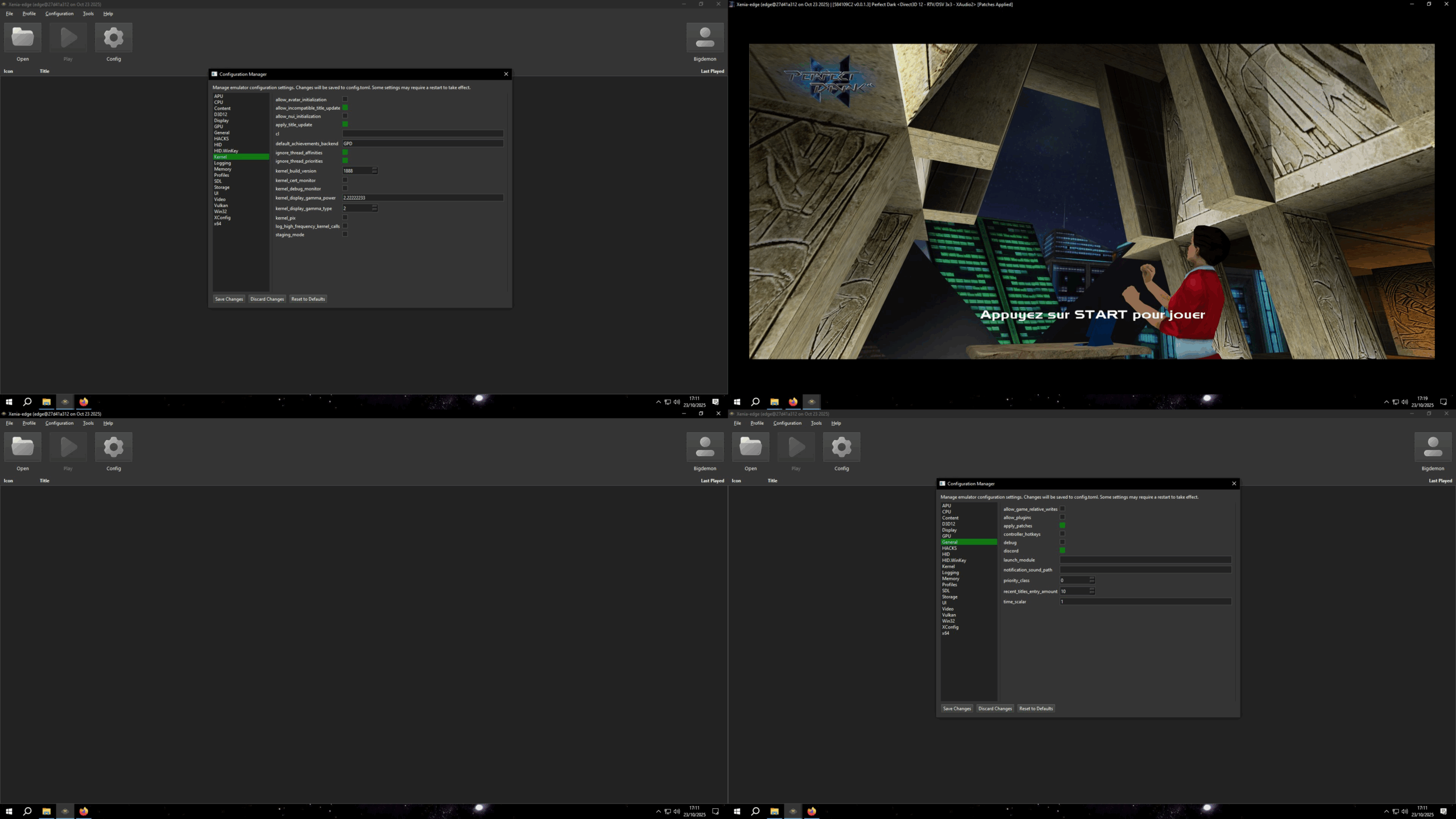
Xenia Manager est un outil conçu pour simplifier l’utilisation de l’émulateur Xenia. Il vise à rendre les jeux et l’installation de correctifs spécifiques plus simples et plus conviviaux, tout en fournissant une interface facile à utiliser pour ajuster les paramètres de Xenia. Ce projet n’est en aucun cas affilié à l’équipe Xenia.
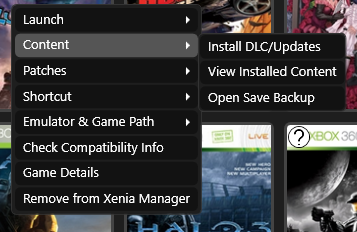
Caractéristiques principales:
– Installation de Xenia en 1 clic avec création automatique de profil
– Mise à jour automatique de Xenia (paramétrable)
– Installation et gestion faciles du contenu : DLC/TUs sans lancer Xenia
– Prise en charge des patches Canary & Netplay, avec gestion avancée (ajout, édition, suppression, doublons)
– Profils de configuration par jeu, incluant des réglages optimisés par la communauté
– Gestion complète des profils Xenia : import, export, édition, sauvegardes automatiques
– Interface dynamique des paramètres, s’adaptant à la structure du fichier de config
– Création de raccourcis Steam avec prise en charge des artworks
– Détection fiable clavier/souris via un Input Listener multiplateforme
– Importation et exportation des sauvegardes de jeu avec système de backup basé sur le XUID
– Faible utilisation des ressources grâce au chargement à la demande
– Paramètres de jeux optimisés disponibles ici

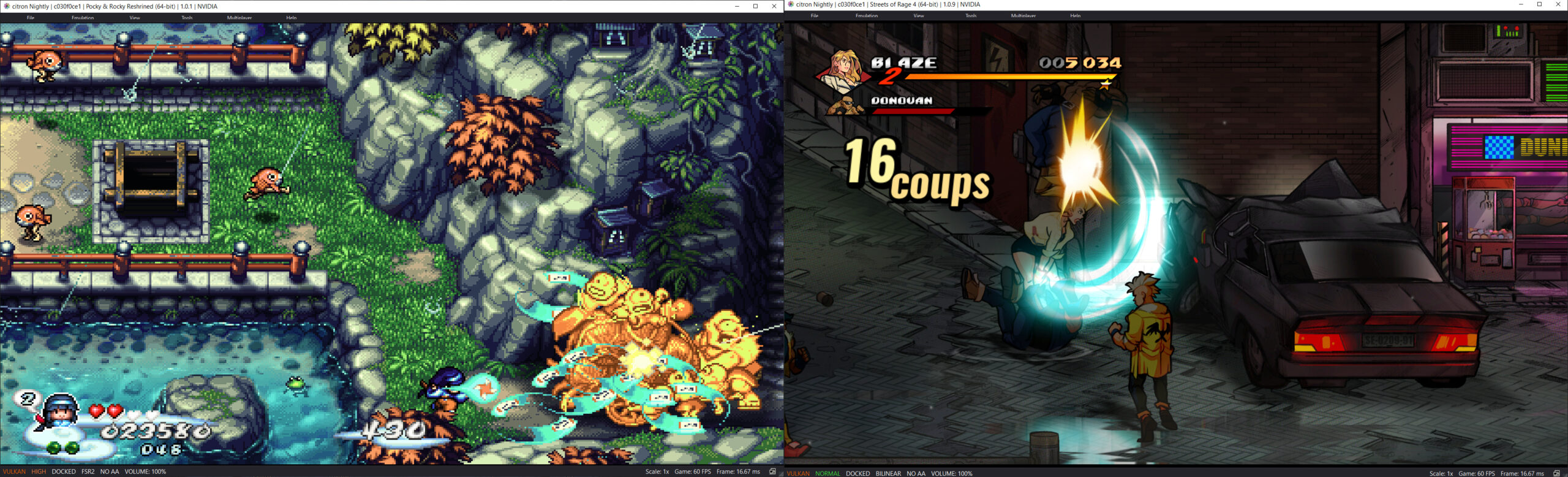
Il s’agit d’un fork de l’émulateur Switch Citron, repris exactement à l’endroit où son développement s’était arrêté.
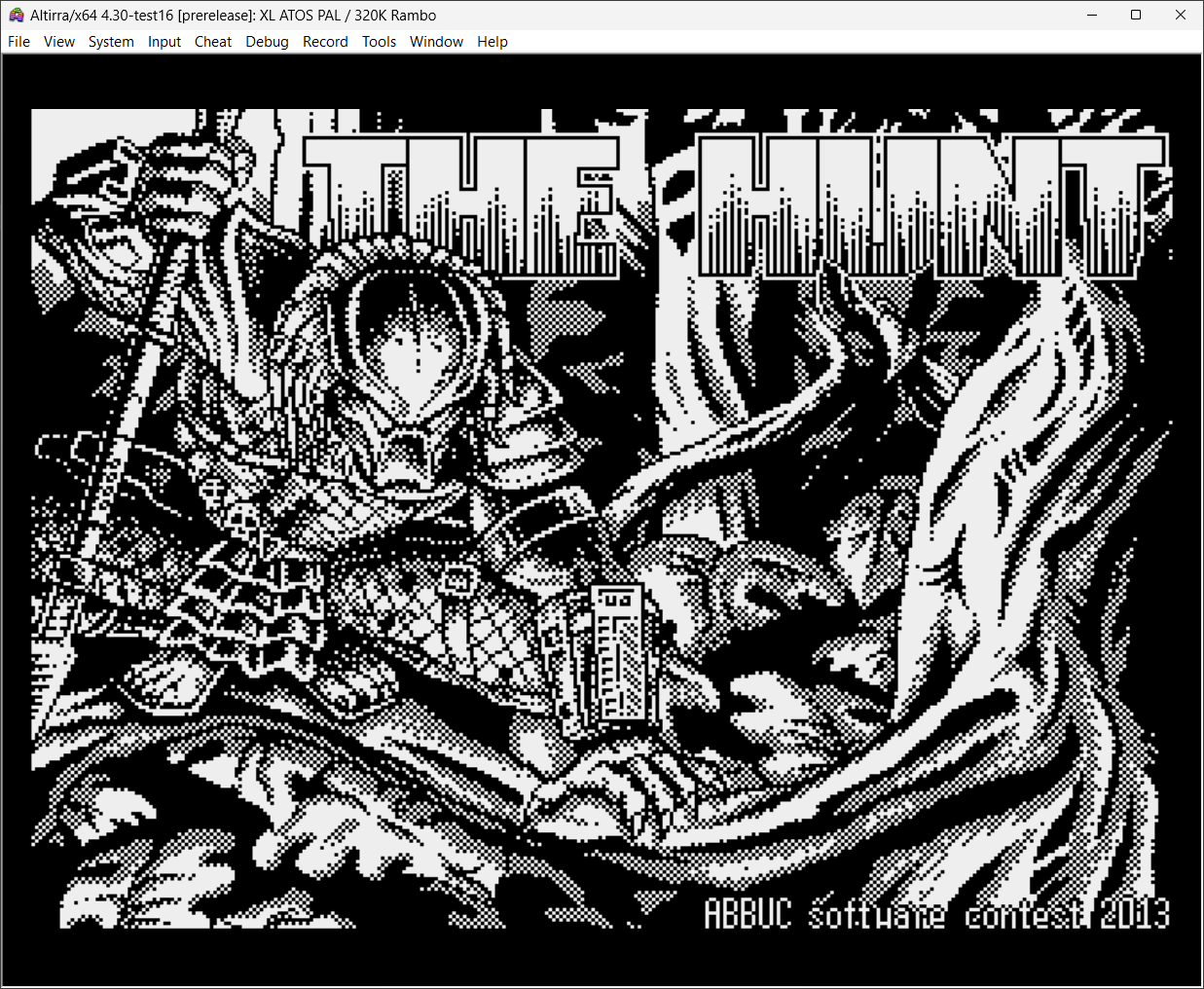
Créé par Avery Lee (l’auteur de VirtualDub), il s’agit d’un émulateur d’Atari 8 bits (800/800XL/130XE) disponible en 32 et 64 bits. Il dispose de beaucoup d’options ainsi que d’une bonne compatibilité. Il prend en charge les jeux protégés conformément à l’émulation. Il s’agit d’une version de développement au stade de béta.
Le projet GitHub xenia-edge est un fork expérimental de l’émulateur Xbox 360 Xenia, basé sur la branche Canary. Il vise à centraliser les dernières avancées techniques issues de divers forks dans un seul package. Le projet est conçu pour la recherche et l’expérimentation autour de l’émulation Xbox 360, avec une compatibilité Windows et Linux. Il propose un script de build personnalisé (xb) pour simplifier la compilation, une liste de compatibilité des jeux maintenue par la communauté, et une intégration continue via Buildbot. Le code est majoritairement écrit en C++, avec des contributions en Assembly, Python, Lua, HLSL et C#. Le dépôt contient des ressources utiles comme un guide de démarrage rapide, une FAQ et des instructions de compilation.