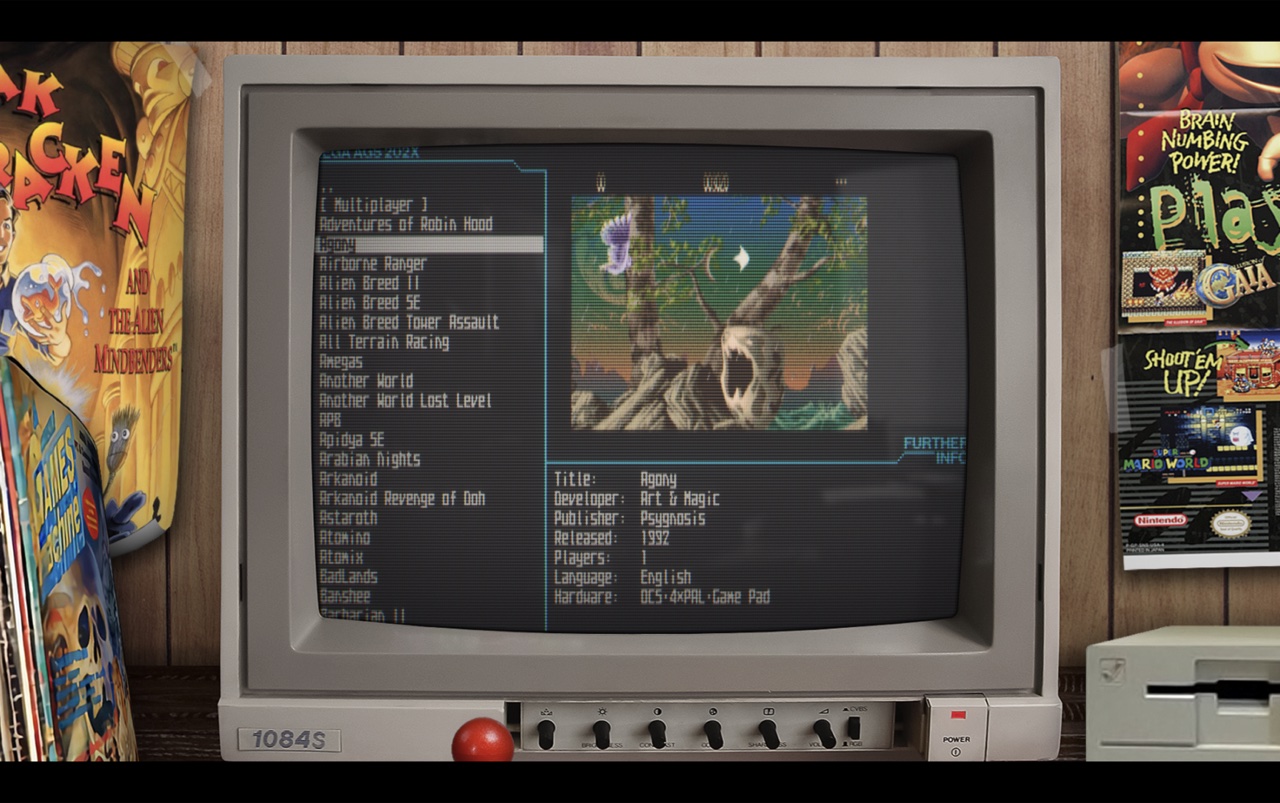
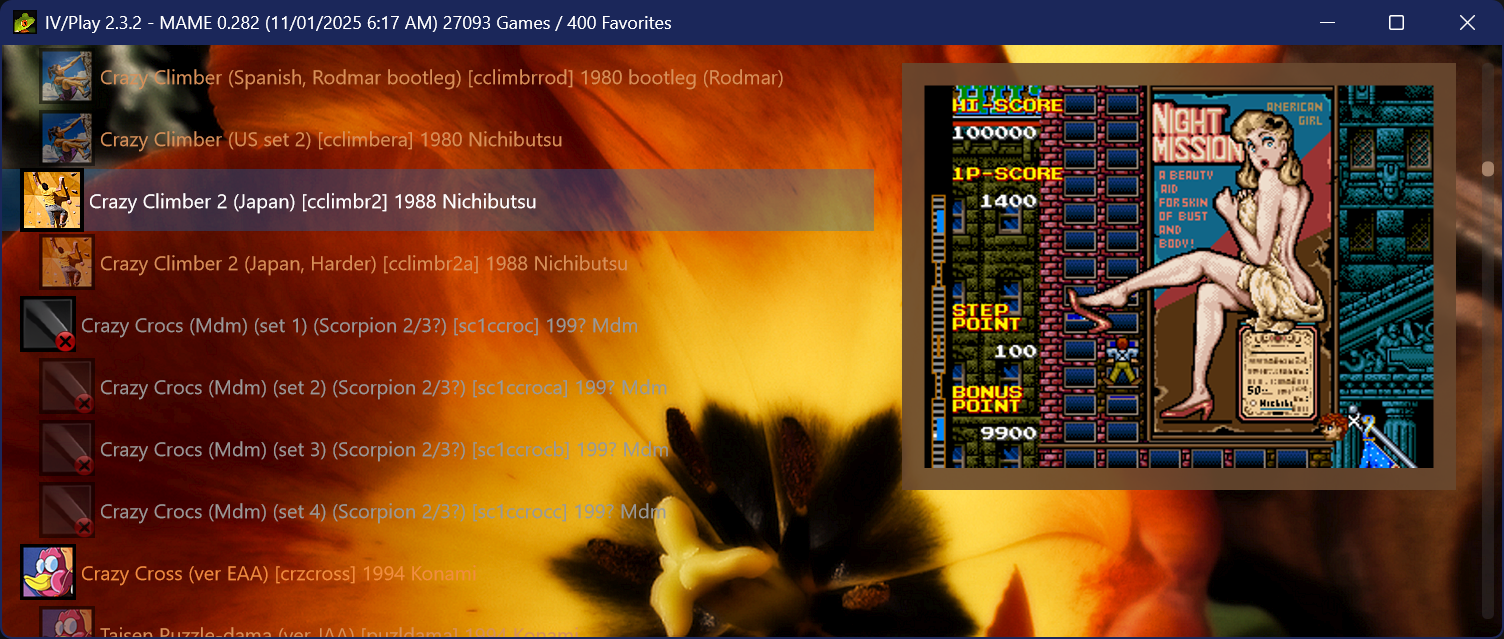
IV/Play (prononcé «Four Play») est une interface graphique pour MAME. Il a été conçu par un codeur rémunéré par John IV comme une alternative à MAMEUI (que Robbbert maintient). IV/Play mise sur une séparation réelle entre frontend et code MAME afin que les changements sur MAME n’affectent plus le frontend. Il vous faudra .NET 10.0 pour le lancer.
FLAT VIEW & GLOBAL SORT
Added a new flat view which displays all machines alphabetically and non indented; clones decoupled from their parents, favorites not pinned, parents at full opacity. Accessible via the TAB cycle or the F1 View dropdown. Flat View is also the only mode that supports global sort, which orders the list by default, description, machine name, manufacturer, or year. The selected sort field persists through restarts; direction resets to its natural default. Sort cycles via Alt S or the F1 Sort dropdown; especially useful when a filter result contains thousands of entries.
DEEPER DAT INTEGRATION FOR FILTER SEARCHES
History.xml, MAMEINFO.dat, and CatList.ini are now indexed/hydrated at first use and integrated into the Ctrl F filter system. history: (or hist:) searches the descriptive text from History.xml, while genre: (gg:) queries CatList.ini categories and subgenres. MAMEINFO.dat contributes first appearance version data, exposed through mameversion: and mv: along with natural language forms such as “version 53.” These sources also participate in the natural language layer, allowing combined queries like “imperfect shooters from 1995” or “platformers added in 0.99.” Two new operators workingstatus: and supportstatus: extend filtering to MAME’s internal status flags for both arcade and softlist items. See the down arrow on the Filter dialogue for a series of examples.
AVAILABLE ROMS GAMELIST
The ‘Available’ gamelist, accessible from the F1 Custom Gamelist dropdown or via the shortcut cycle key Alt‑INS/DEL, performs a simple .zip/.7z audit on the rompath entries defined in MAME.ini and matches those against machines in the XML, providing a list of only found items. Detection is non‑recursive and name‑only. Clones’ presence is assumed when using fully merged ROM sets. The gamelist intentionally does not show ROM‑less games like Pong; switch back to the full gamelist to see those entries. To activate this feature it is necessary to hit F12 to do a quick audit of archival ROMs in MAME’s -rompath.
PLATFORM-BASED SOFTLIST FILTER GROUPING
When a filter (Ctrl-F) returns software list results, IV/Play now collapses them into platform-level family nodes rather than producing one row per software item per hardware variant. A search for ‘zaxxon’ produces a single ‘Zaxxon (Atari 2600)’ entry, a single ‘Zaxxon (ColecoVision)’ entry, a single ‘Zaxxon (MSX1)’ entry, and so on; one row per platform, regardless of how many hardware machine variants or regional releases exist for that platform in MAME. Pressing Enter on a family node drills down into it, showing the parent release and any clones (regional variants, alternate revisions) for that platform. The parent entry shows its clone count, and each clone shows its parent name in brackets. Press Alt-Left Arrow, Backspace, or ESC to return to the platform-level filter results. Adding ‘noclones’ to the filter suppresses clone entries before grouping runs, so only parent releases appear and drill-down shows a single launchable entry.
NATIVE AOT TRANSITION / PERFORMANCE
IV/Play now ships as a native Ahead-of-Time (AOT) build, producing a smaller, fully self contained executable that no longer requires users to install the .NET 10 runtime (Note: the .exe size increases as a byproduct). Startup behavior is more consistent across machines, with faster warm launches and smoother recovery after full XML exports or database rebuilds. Overall responsiveness improves due to native code generation, and memory usage is slightly reduced.
MACHINE STATUS AWARE ICON BORDERS
This configuration feature surfaces the status of MAME machines that appear in Alt-Enter properties as not working (red), imperfect (orange), and working (green) by using the black border of the existing icons and changing them to that color (or any user chosen in the *.cfg). Further, since the imperfect games are the most in need of visual differentiation, they are now defaulted to a bkground derived themed color to complement the auto-theme feature. This auto color for the imperfect status border can be turned off in F1 to return to user chosen RGB settings. It also extends to softlist machine media items.
HIDDEN.INI
IV/Play now supports a hidden.ini file at the executable level for permanently suppressing entries from the game list before any filter or display logic runs. Each line takes one of three prefix forms: type: targets a machine category, machine: targets a specific short name, and driver: targets all machines sharing a source driver. Excluded entries are removed from the dataset entirely — they do not appear in filter results, favorites, or any custom gamelist. The file follows the same precedence rules as Favorites.ini and survives factory resets. It is generated automatically if not present and contains the syntax/usage information. Its creation can be suppressed by a toggle in the *.cfg if desired.
CUSTOM GAME LIST GENERATION FROM FILTER RESULTS
Using Alt-L from a filter result set will now automatically create an entry in the custom-list.ini file.
NUMBER OF CLONES / PARENT
Added the ability to show the number of clones a machine has on the gamelist, as well as the counterpart `[parent: x]` on clone entries. Clone counts use singular/plural forms (“1 clone” / “5 clones”) and appear left‑anchored immediately after the machine description. This can reveal interesting historical patterns where widely bootlegged games may have dozens of clones. Accessible in F1 as two independent toggles.
COMMAND LINE OVERRIDE AUTOCOMPLETE
Returning from IV/Play 1.8, MAME’s `-showusage` output is captured and used for the command line override text input.
ADDITIONAL FEATURES
• DPI detection and display has been hardened; IV/Play now flows better when dragged across multiple monitors with different DPIs and scaling settings.
• Added toggles for ‘Show Parents’ and ‘Show Machines’ to create even more display permutations. These can also be accessed via natural language queries in Ctrl‑F such as “Parents” or “Machines Only.”
• Added new randomized splash screens which appear on full MAME XML export and .db rebuilds at launch.
• Added Shift‑F8 to show all the new internal splash screens in an overlay panel.
• Added two new 3-way filter operators to Ctrl-F: workingstatus:working / :imperfect / :notworking (alias ws:) distinguishes fully-working from imperfect-emulation machines, going beyond the boolean working only phrase. supportstatus:yes / artial / :no (alias ss:) filters softlist items by their MAME support level. Combine with a system name for best results: snes supportstatus:yes. Natural language aliases such as imperfect machines, broken games, and partially supported are also supported.
• Added a ‘snapshot’ of the entire user configuration taken on launch and available in the F2 log. If changes are made through the session, they are flagged by a color change and delta icon (Δ) on the next F2 to make for easier debugging/diagnostic work.
• Added Genre, MAME version, and machine type to Alt-Enter properties since we consume all of that and hydrate it now. Requires History.xml, MAMEINFO.dat, and CatList.ini.
• Added a subtle configuration/F1 button at the bottom of the vertical scrollbar. This is the first time in the app’s history that the configuration dialogue is accessible without a keypress.
• Added current game list in use to the titlebar.
• Add Alt-O to select a new random bkground. Note shortcut keys are all assignable in the *.cfg and some major ones in the F1 dialogue.
• Rename favorites and custom gamelist in the distribution packages so they don’t overwrite users’ own files.
• Added the ability to return the app to center of screen and its default dimensions. Double click the titlebar or use Ctrl-Shift-0.
• Added an OS aware System / Dark / Off mode drop-down in F1.
• Added a browser-like Ctrl-F (Find) inside the overlays, including F2 & F3, and the DAT peeks.
• Modernized the font and color pickers in F1.
• Removed hardcoded Segoe UI usage through out the rest of the app, main UI font now set in the F1 config and will propagate. New default per Windows 11 is Segoe UI Variable Text.
• Created a TTF font based on MAME’s very old uismall.bdf for use in MAME’s internal UI. Double-click it, choose ‘Install’ to bring it into Windows 11, then use ‘-uifont MAMEUISmallMod’ in the MAME.ini to utilise it, in-game. It also looks nice as the UI font in IV/Play itself, set in F1. Added to the distribution package.
• Added a third font picker field in F1, this for the rest of the UI, including dialogues. This allows a separate gamelist font setting to be decoupled and individualized.
• No longer including favorites.ini and the custom gamelist.ini in the distribution package so there is no accidental overwriting on decompressing the archive.
Télécharger IV/Play v2.6.2 (14.6 Mo)
Site Officiel
En savoir plus…