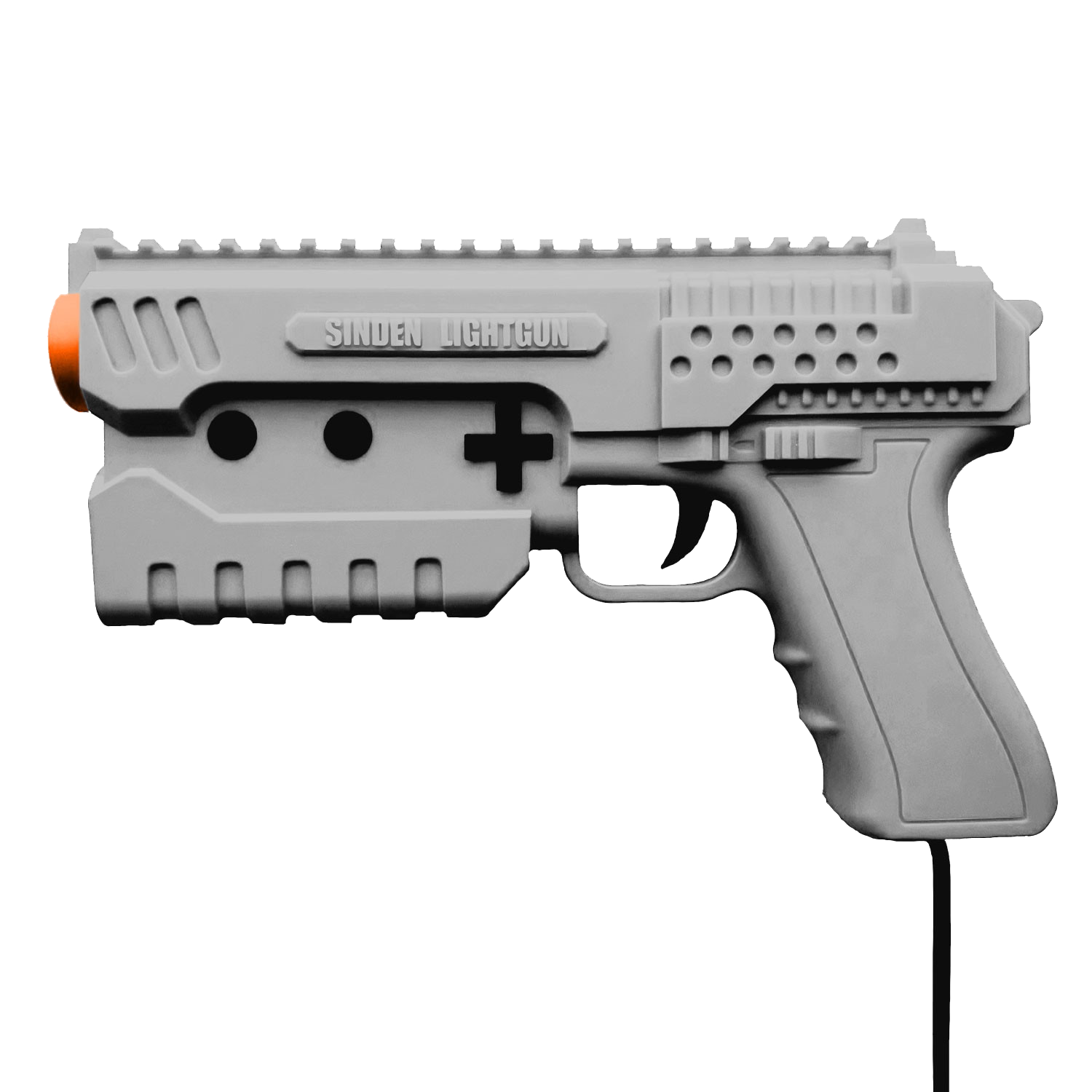
Il s’agit d’un fork de l’émulateur Sega Model 3 nommé SuperModel mais qui prend en charge l’utilisation du LightGun appelé Sinden.
Télécharger SuperModel Sinden Edition v0.3a r261024 (3.0 Mo)
0 commentaire



Il s’agit d’un fork de l’émulateur Sega Model 3 nommé SuperModel mais qui prend en charge l’utilisation du LightGun appelé Sinden.
Télécharger SuperModel Sinden Edition v0.3a r261024 (3.0 Mo)
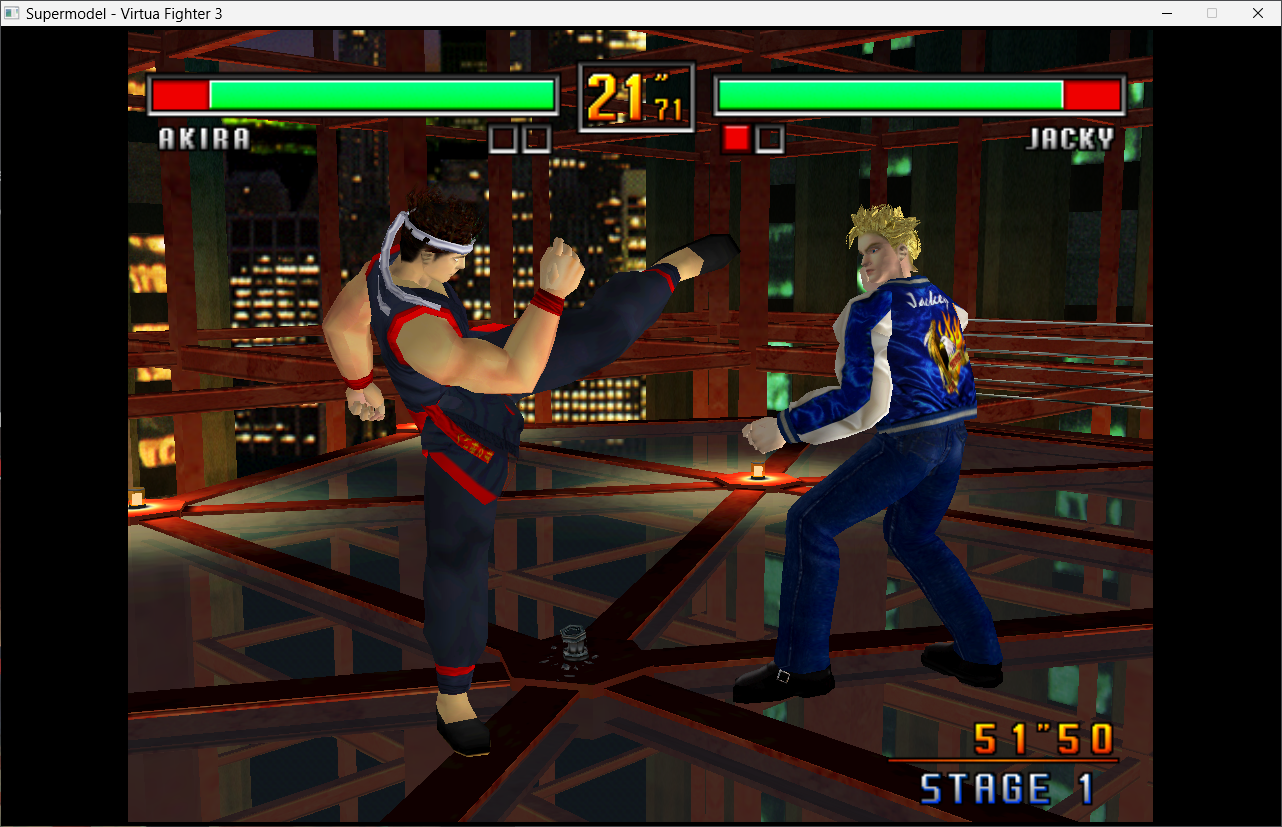
Le premier émulateur de Sega Model 3 créé par Bart Trzynadlowski, Ville Linde et Stefano Teso dans sa version de développement (voir ici ou là) [source].
Fichiers de configurations préparés ici.

Les changements:
Le système de mise à jour passe de SVN à GIT, du coup le nom des versions changent, par simplicité j’utiliserai un système par date de release plus compréhensible que le par défaut de GIT.
– Fix the billboard output. It’s now it’s own separate device rather than sharing code with the driveboard. The device only runs if you set actual outputs. Made the output class thread safe.
– Misc fixes
A noter qu’un nouveau fork ajoutant le support du Sinden est dispo ici.
Ajout:
– correction des musiques dans sega rally 2 (mix)
– correction musique 1er niveau 2joueurs (la cave rouge) dans vf3 (pas sûr de la modif, et donc cela peut éventuellement entrainer d’autre problèmes sonore sur d’autre jeux).
Pour générer un dat vous pouvez utiliser cet outil.
Télécharger SuperModel (WIP) v0.3a Build 261024 (10.1 Mo)
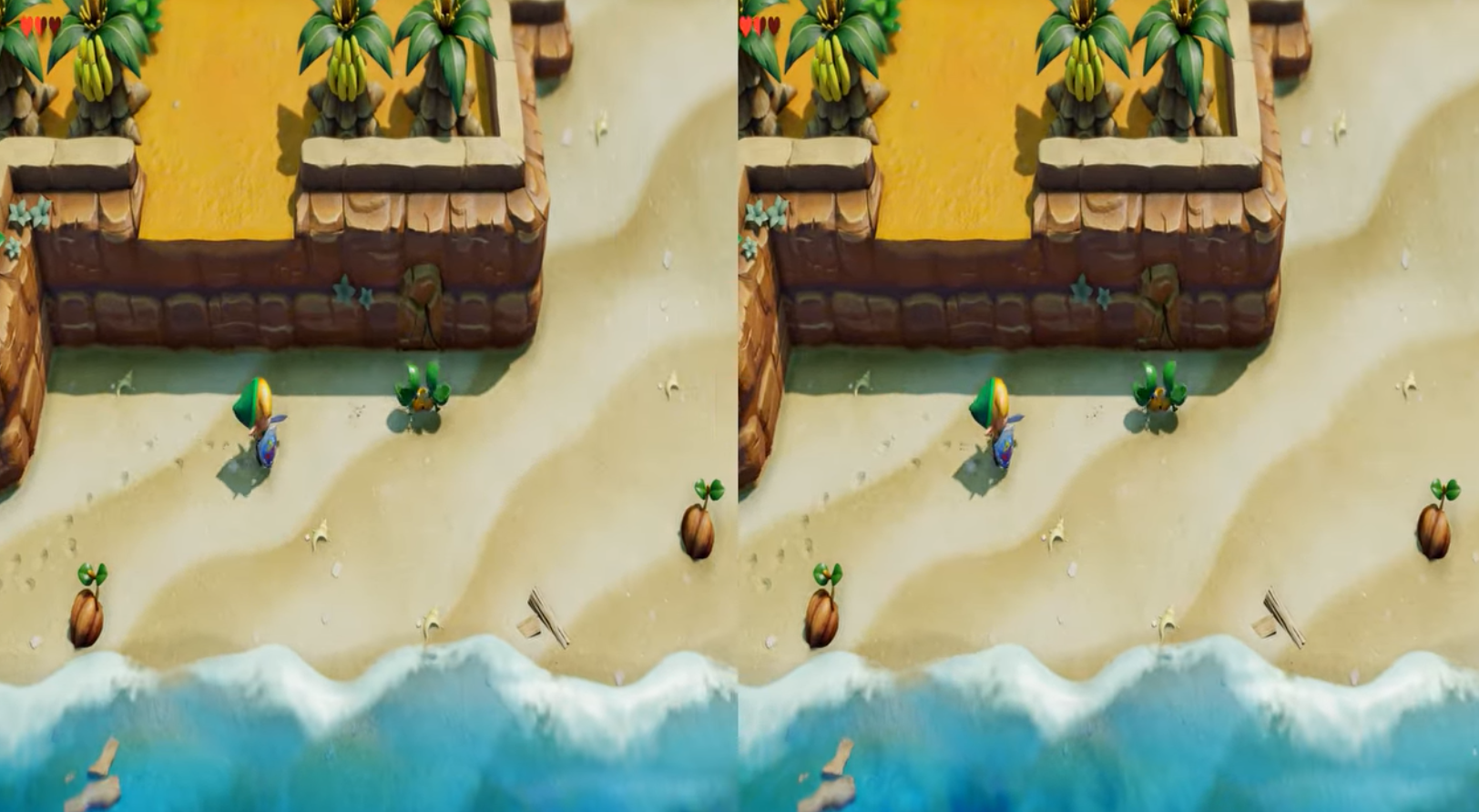
Ryujinx Stereo est une variante de l’émulateur Nintendo Switch Ryujinx qui ajoute la prise en charge de la 3D stéréoscopique. Le projet modifie le rendu graphique afin de générer une image en relief, avec une séparation des vues permettant de restituer la profondeur des scènes.
Plusieurs modes de sortie sont proposés, notamment Side-by-Side (SBS) et Over-Under, pour différents types d’affichage stéréoscopique. Des paramètres permettent également d’ajuster la profondeur et la convergence.
La compatibilité dépend des jeux et des adaptations réalisées par le développeur. Le projet reste expérimental.
Ce programme permet d’émuler un PC sous plusieurs OS. Il tourne sous Windows, Linux ou Mac. Il permet de faire tourner des machines virtuelles sous différents OS (Windows de tout type, Linux, FreeBSD OS/2 etc.).
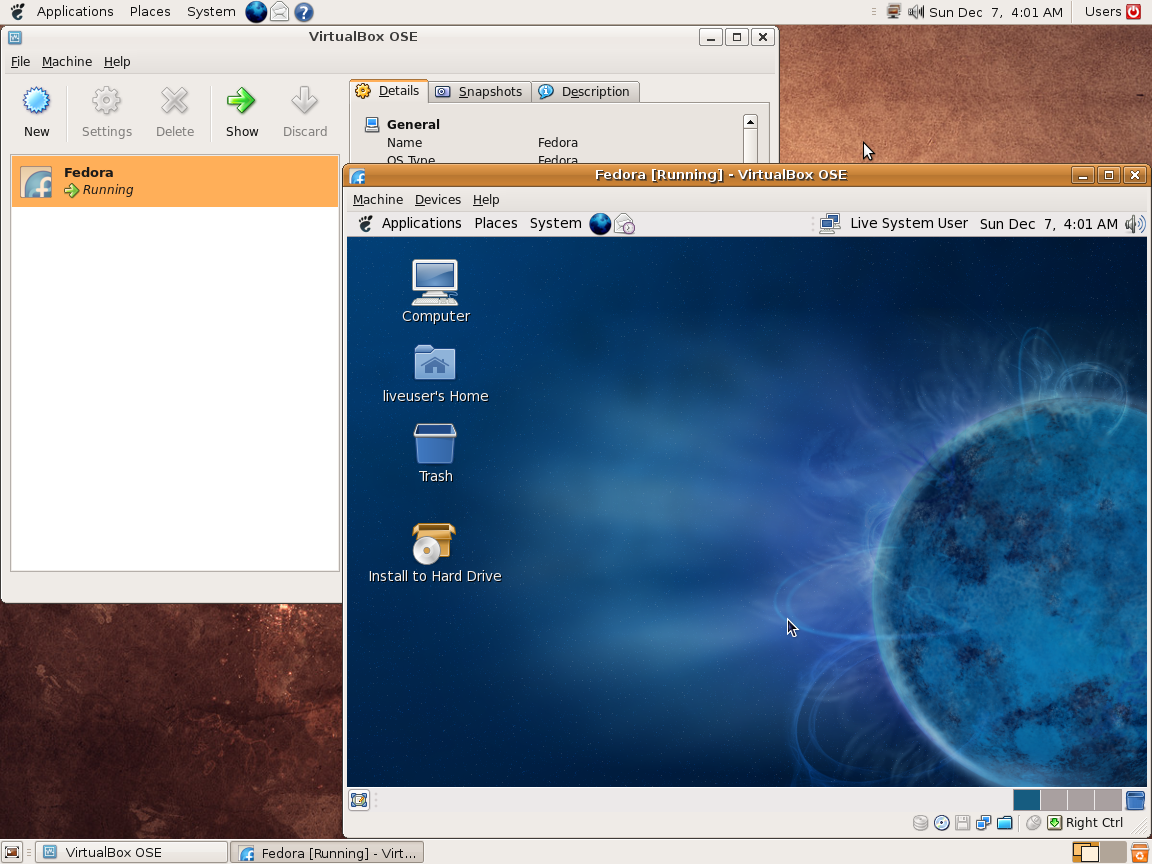
Vitualbox est également open-source et gratuit (pour les particuliers). Les solutions existantes de virtualisation étant soit très chères pour le particulier, soit incomplètes au niveau du support des systèmes, VirtualBox propose donc une alternative intéressante à Vmware et VirtualPC.
Les améliorations sont lisibles ici.
Télécharger VirtualBox v7.2.22 (170 Mo)
Télécharger VirtualBox - Oracle VM VirtualBox Extension Pack v7.2.22 (19.1 Mo)
Voici les derniers émulateurs en développement, ainsi que ceux bénéficiant des mises à jour les plus fréquentes.

Télécharger DuckStation v0.1 build 12XXX (70.5 Mo)
Télécharger RPCS3 (WIP) v0.0.43 Alpha (2026/10/23) (35.2 Mo)
Télécharger KytyPS5 r261024 (28.2 Mo)
Télécharger Citron Neo (2026/10/22) (62.2 Mo)
Télécharger Xenia v1.0.2844 (2026/10/23) (3.5 Mo)
Télécharger Xenia Edge (2026/10/23) (10.7 Mo)
Télécharger Vita3K v0.2.1 (2026/10/23) (36.1 Mo)
Télécharger EKA2L1 v0.0.9 r261023 (70.2 Mo)
Télécharger PCSX Redux (64 bits) (2026/10/23) (47.5 Mo)
Télécharger Pureikyubu (64 bits) v2.0 (2026/10/23) (2.4 Mo)
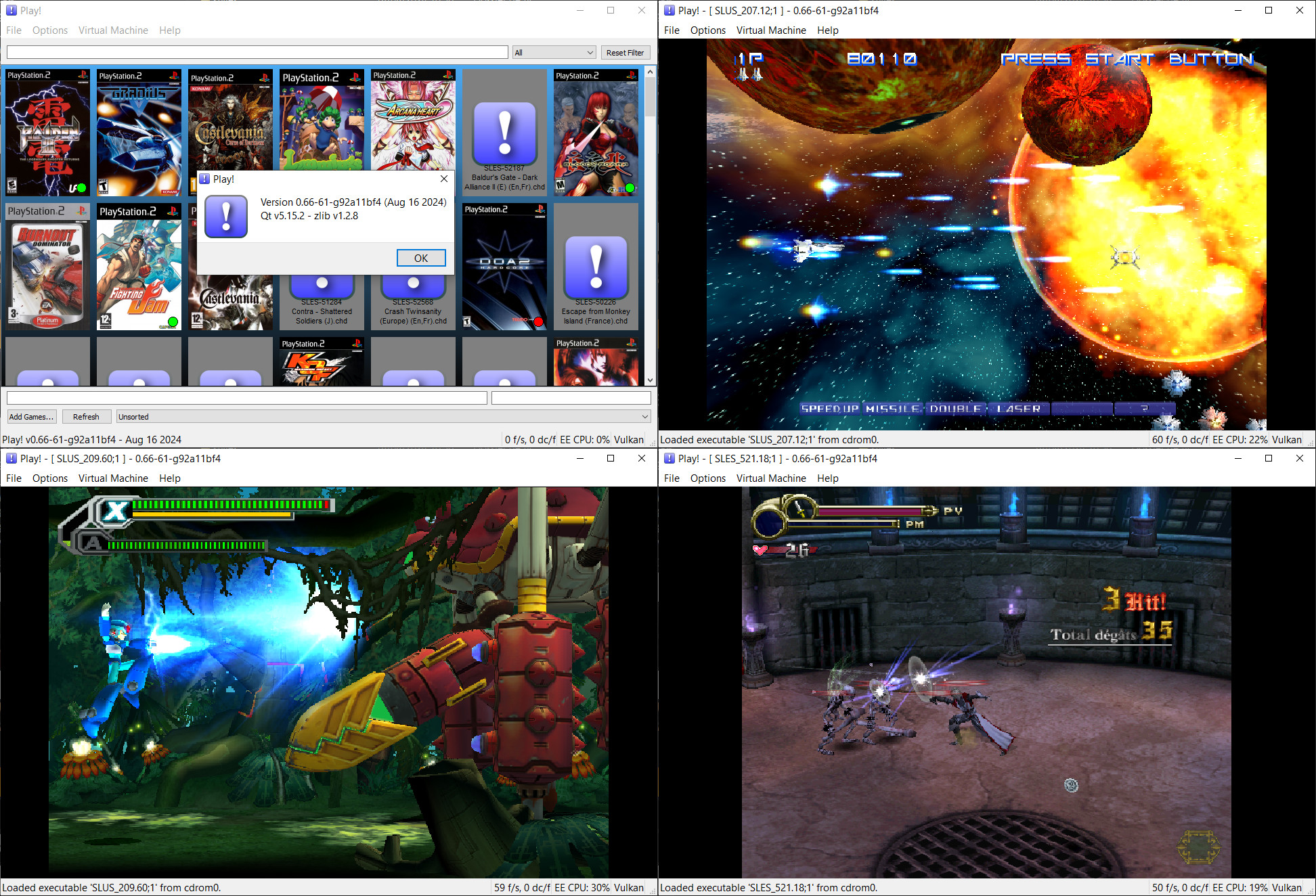
Play! est un émulateur de PlayStation 2 et Namco System 2X6 (ainsi que les variantes System 147/148) sous Windows / MacOS / iOS / Android. Il est actuellement écrit en C / C + + et utilise un système de mise en cache / de recompilation d’instruction pour obtenir de meilleures performances tout en émulant le CPU.
L’émulateur peut faire fonctionner un ensemble de jeux. L’objectif de l’auteur est d’atteindre un niveau de qualité qui permettra à quiconque de jouer à son jeu favori PlayStation 2 sur son PC.
– Android: Wrap bootable creation with local frame.
– CI: Use latest compiler version on Linux.
– CI: Fix Typescript compile step.
– ISO9660: Support backslashes in directory path lookups
– ui_js: Make initVm idempotent and auto-initialize in boot functions
– Js_DiscImageDeviceStream: Add read timeout protection and reduce polling frequency
– SPU: Skip rendering stopped and silent channels
– FrameLimiter: Bypass worker sleep throttling on Emscripten
– WebAssembly: Add lock-free WebAudio backend with WSOLA pitch-preserving time stretching
– Eliminate worker thread buffer polling stalls and audio drops in SH_OpenALProxy
– Fix Emscripten OpenAL buffer recycling and increase buffer pool
– Fix WebAssembly audio pipeline: stereo frame calculation, WebAudio streaming, and rate adaptation
– Misc fixes
Télécharger Play! (x86) GIT v0.77 (2026/10/23) (8.9 Mo)
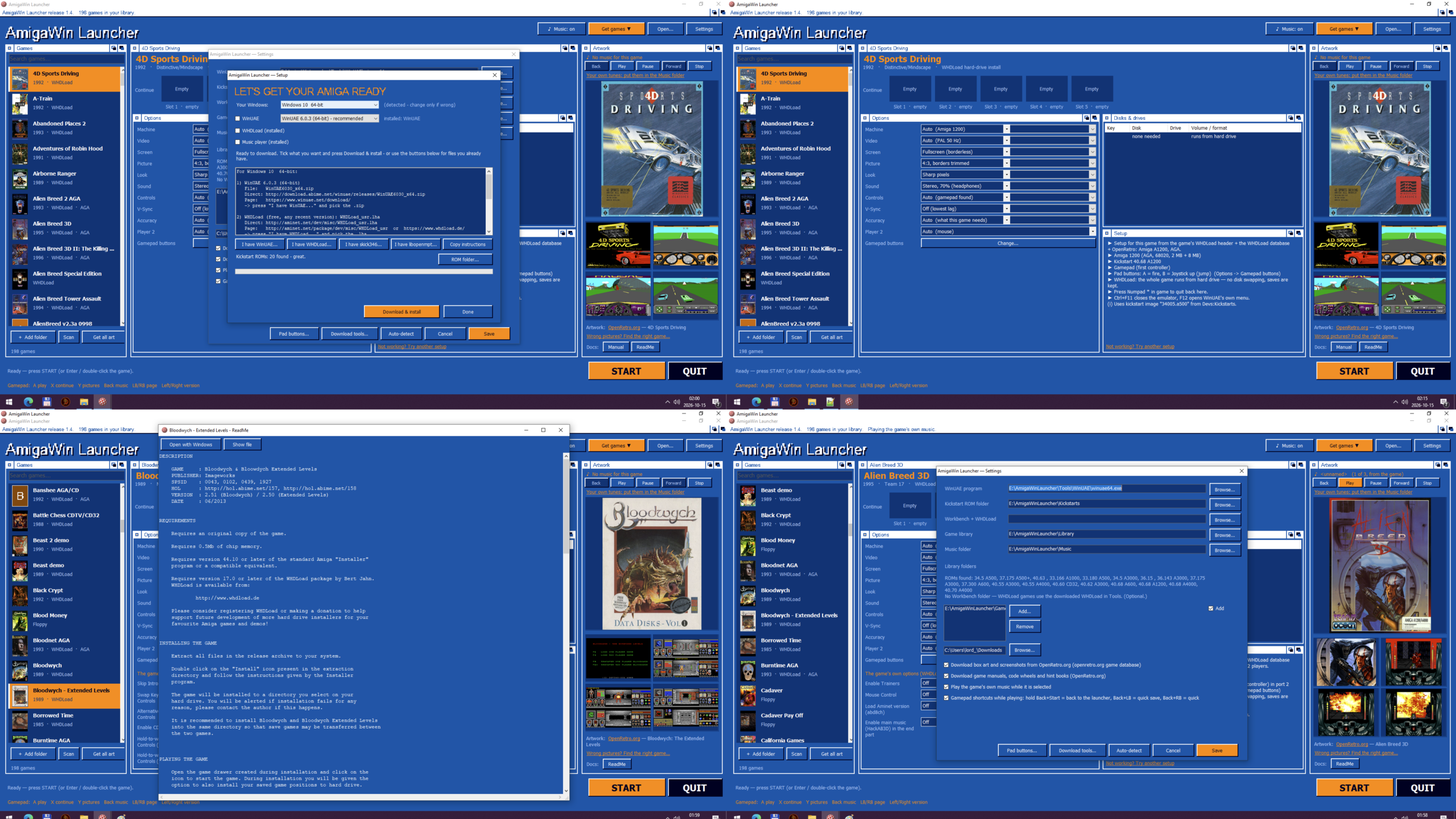
AmigaWinLauncher est un lanceur destiné aux jeux Commodore Amiga 500, Amiga 1200 et Amiga CD32 sous Windows. Il propose une interface inspirée du Workbench, accessible à la souris, au clavier ou à la manette.
Il intègre un outil de téléchargement permettant d’installer automatiquement WinUAE et les utilitaires nécessaires. Le logiciel peut également récupérer automatiquement les illustrations, configurations et documentations associées aux jeux, ainsi que proposer les options de configuration WHDLoad disponibles.
Compatible avec Windows XP à Windows 11, AmigaWinLauncher prend en charge différents formats de jeux et permet d’ajouter automatiquement de nouveaux titres ou de les importer par glisser-déposer. Portable, il peut fonctionner sans connexion Internet une fois les éléments nécessaires disponibles.
Le logiciel est proposé gratuitement ou avec une contribution libre.
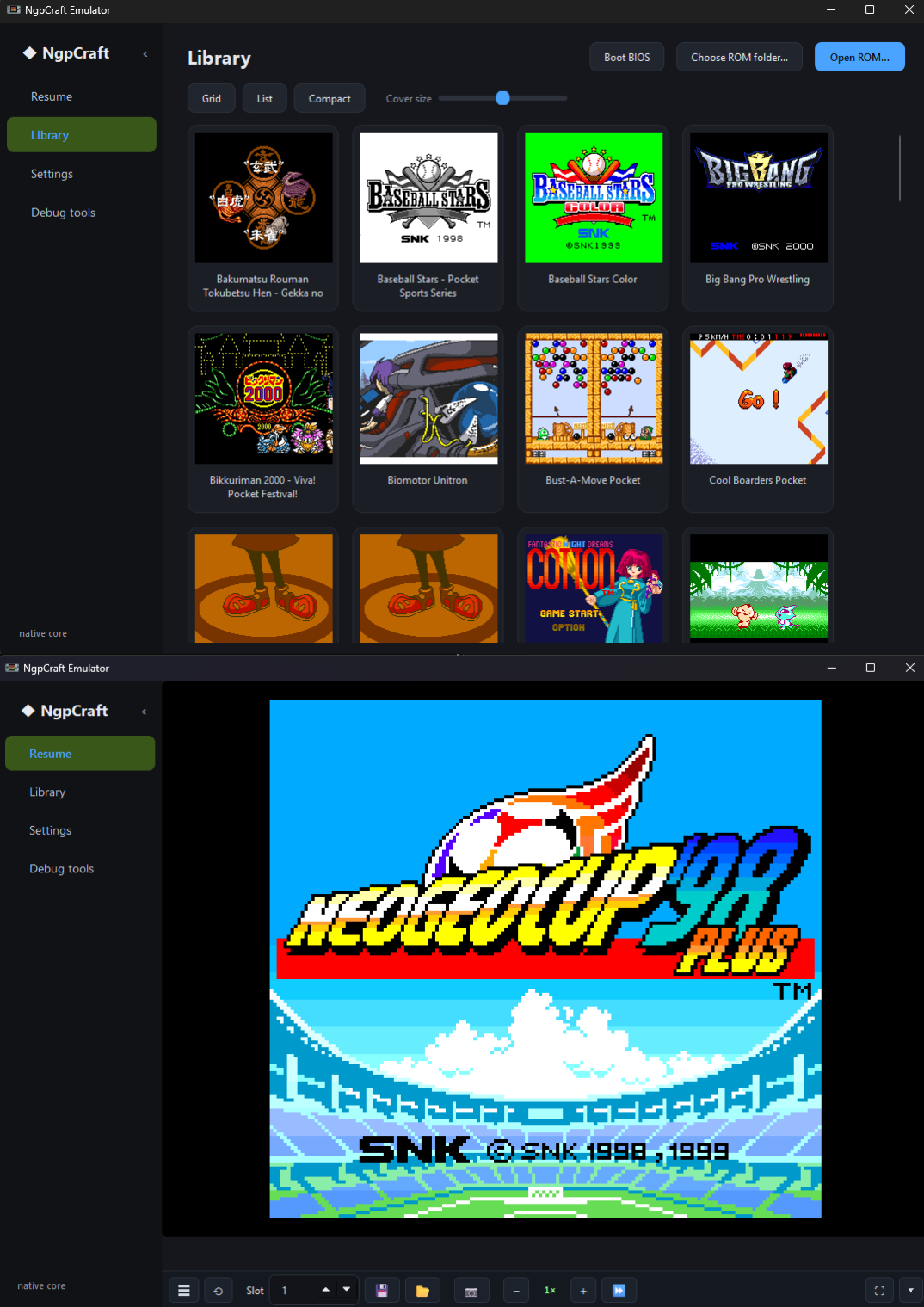
Ngpcraft est un émulateur Neo Geo Pocket et Neo Geo Pocket Color qui combine la vitesse d’un cœur natif en C++ avec l’élégance d’une interface graphique en PyQt6. Son moteur est méticuleusement calibré sur le matériel d’origine, ajustant chaque cycle microprocesseur et temps d’accès à la mémoire flash pour que des jeux auto-cadencés comme Densha de Go tournent enfin à leurs 30 images par seconde réelles.
L’expérience de jeu y est particulièrement soignée grâce à une bibliothèque dynamique avec vignettes de pochettes, recherche avancée, tri par temps de jeu et gestion des favoris. La console reproduit le démarrage BIOS officiel avec sa séquence d’intro originale, garde en mémoire la pile bouton pour maintenir la date et l’horloge RTC à jour, et permet même de déclencher les alarmes intégrées aux jeux au bon moment.
Pour le confort visuel et matériel, le logiciel s’adapte à vos envies grâce à un redimensionnement fenêtré ou plein écran, divers filtres vidéo (LCD-grid, CRT, scanlines), la gestion des thèmes sombre et clair sans redémarrage, ainsi qu’une prise en charge complète des manettes Xbox (XInput) avec autofire réglable et remappage intuitif sur un schéma visuel de la console.
Côté fonctionnalités en partie, vous disposez de 8 emplacements de save states par jeu, de sauvegardes internes NVRAM, d’une option de rembobinage en direct (rewind avec tampon de 10 à 30 secondes), du pas-à-pas image par image, de la capture d’écran d’un clic (F12) et de l’accélération ou du ralenti de 0,25× à 4×. Même les cartouches noir et blanc profitent d’une palette de colorisation automatique lorsqu’elles tournent en mode Pocket Color.
Enfin, c’est un outil formidable pour le développement et la préservation de ROMs: son moteur intègre un véritable débogueur complet (points d’arrêt, inspection de la pile, recherche RAM, export audio VGM), un module d’analyse automatique testant les jeux sur 400 frames sans planter, ainsi qu’un générateur de rapports de crash ultra-détaillés en cas d’erreur sur une instruction.
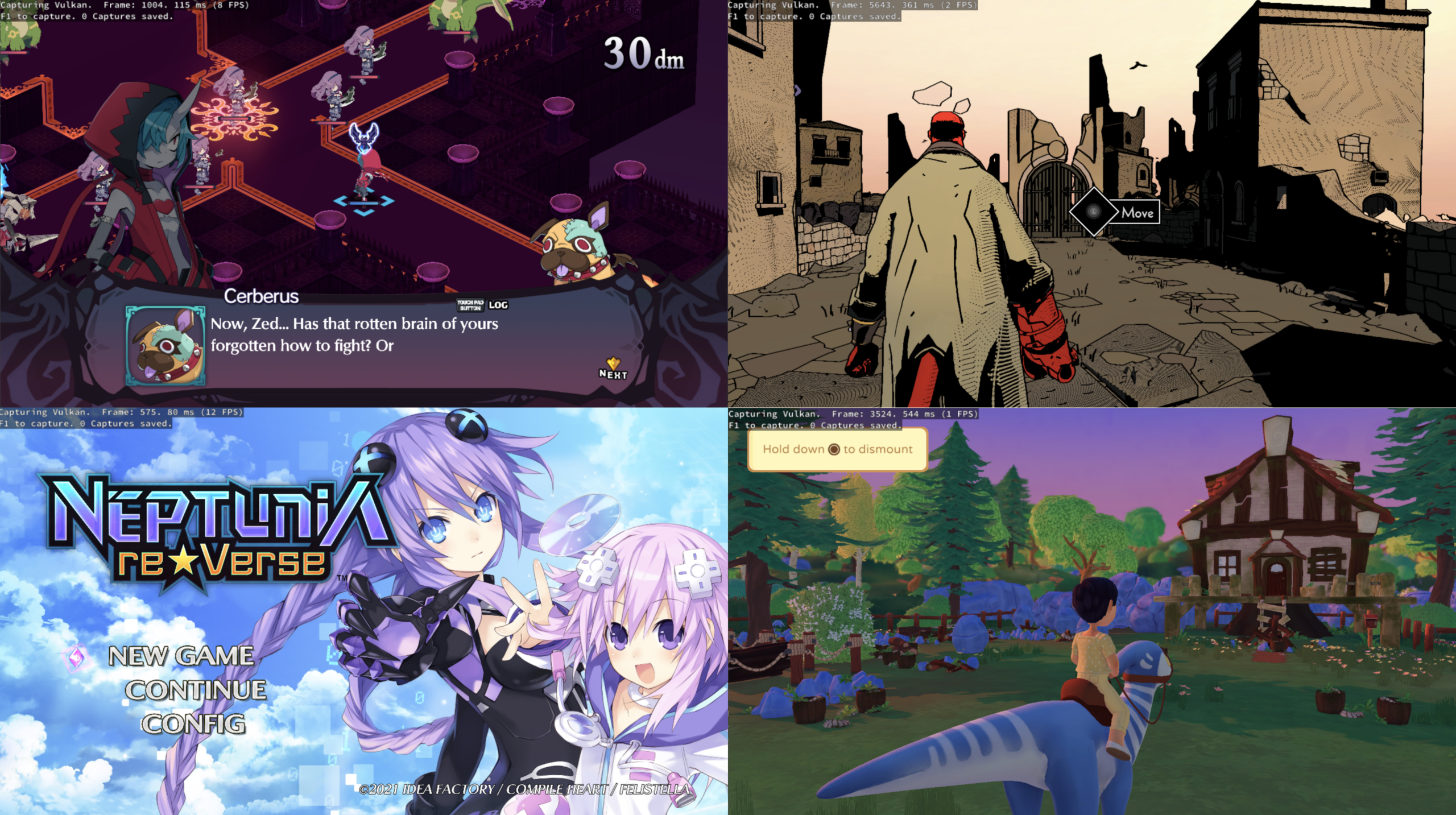
KytyPlus est un fork de KytyPS5, lui-même dérivé du projet original Kyty. Il reprend son émulation de la PlayStation 5 tout en ajoutant plusieurs améliorations, notamment le support expérimental des jeux PS4 via shadPS4, le FSR 1.0, un cache Vulkan permettant de conserver les pipelines compilés et différentes optimisations destinées aux GPU intégrés (iGPU). Il permet également l’installation des fichiers PKG depuis son interface et propose une gestion unifiée des jeux PS4 et PS5. Le projet est encore en développement et de nombreux jeux peuvent rencontrer des plantages, des écrans noirs ou des problèmes graphiques.
OpenEmux est une interface graphique libre et open source inspirée d’OpenEmu, conçue pour simplifier l’utilisation de RetroArch. Développé en Python avec GTK4 et libadwaita, ce frontend permet de parcourir et d’organiser une bibliothèque de jeux rétro par système, avec affichage des jaquettes récupérées depuis les dépôts de miniatures de Libretro.
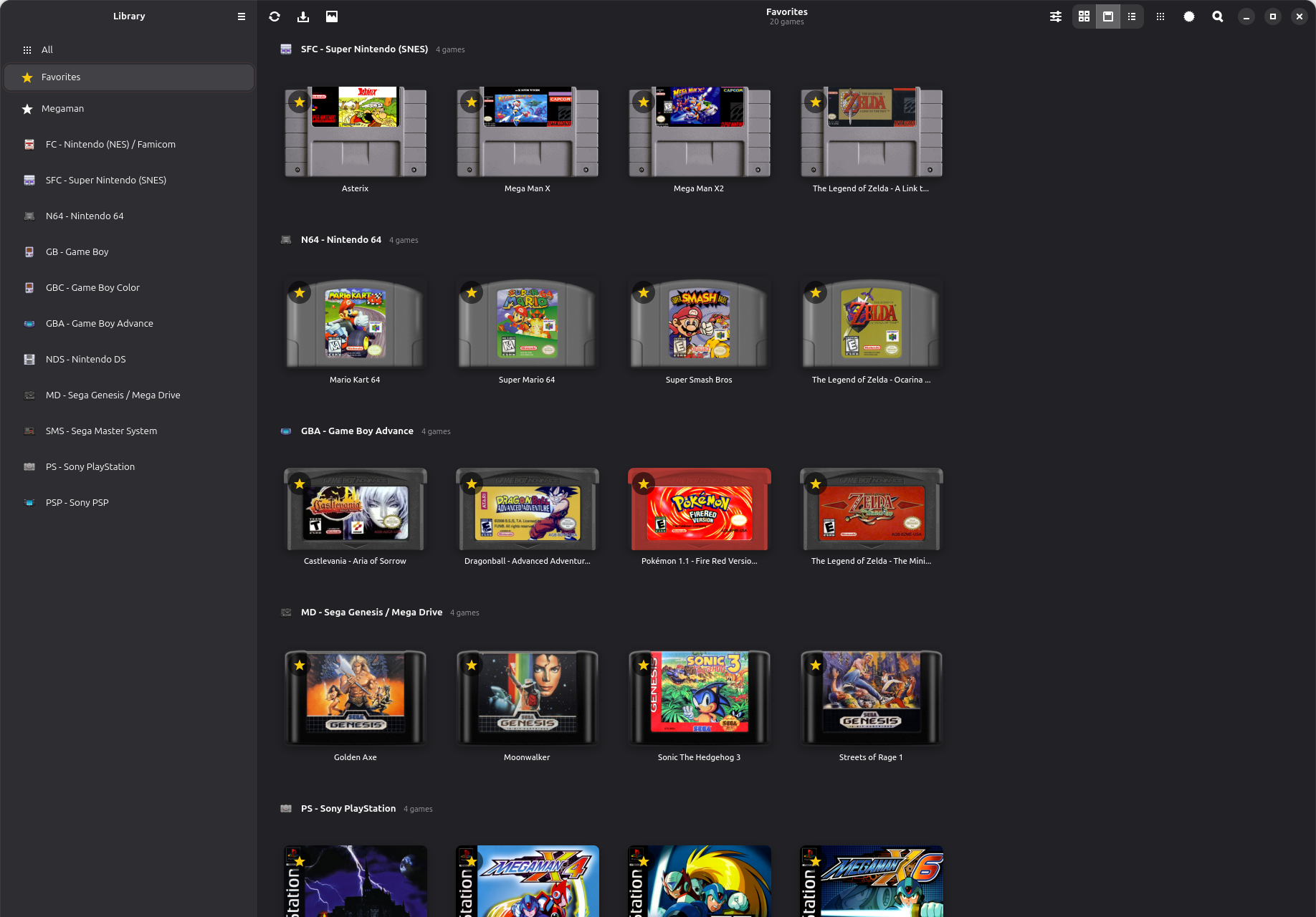
OpenEmux s’appuie sur RetroArch pour l’émulation et facilite sa configuration depuis une interface unifiée. Il permet notamment de définir les répertoires de jeux, de vérifier la présence des BIOS requis, de configurer les commandes clavier et manette pour chaque système et de gérer les shaders. Lors du premier lancement, l’application prépare son environnement et télécharge les cœurs Libretro nécessaires.
Initialement conçu pour Linux, le projet propose également une version pour Windows, distribuée sous forme d’archive portable et d’installateur, intégrant les dépendances nécessaires, ainsi qu’une version pour Android. Le portage Windows est développé et testé séparément de la plateforme Linux d’origine.
OpenEmux ne fournit aucun jeu ni BIOS. Le projet est distribué sous licence MIT, indépendamment des licences propres à RetroArch et aux composants tiers embarqués.
Geartowns est un émulateur open source du Fujitsu FM Towns / FM Towns Marty, écrit en C++ et disponible pour Windows, macOS, Linux et BSD. Il prend également la forme d’un cœur Libretro compatible avec RetroArch.
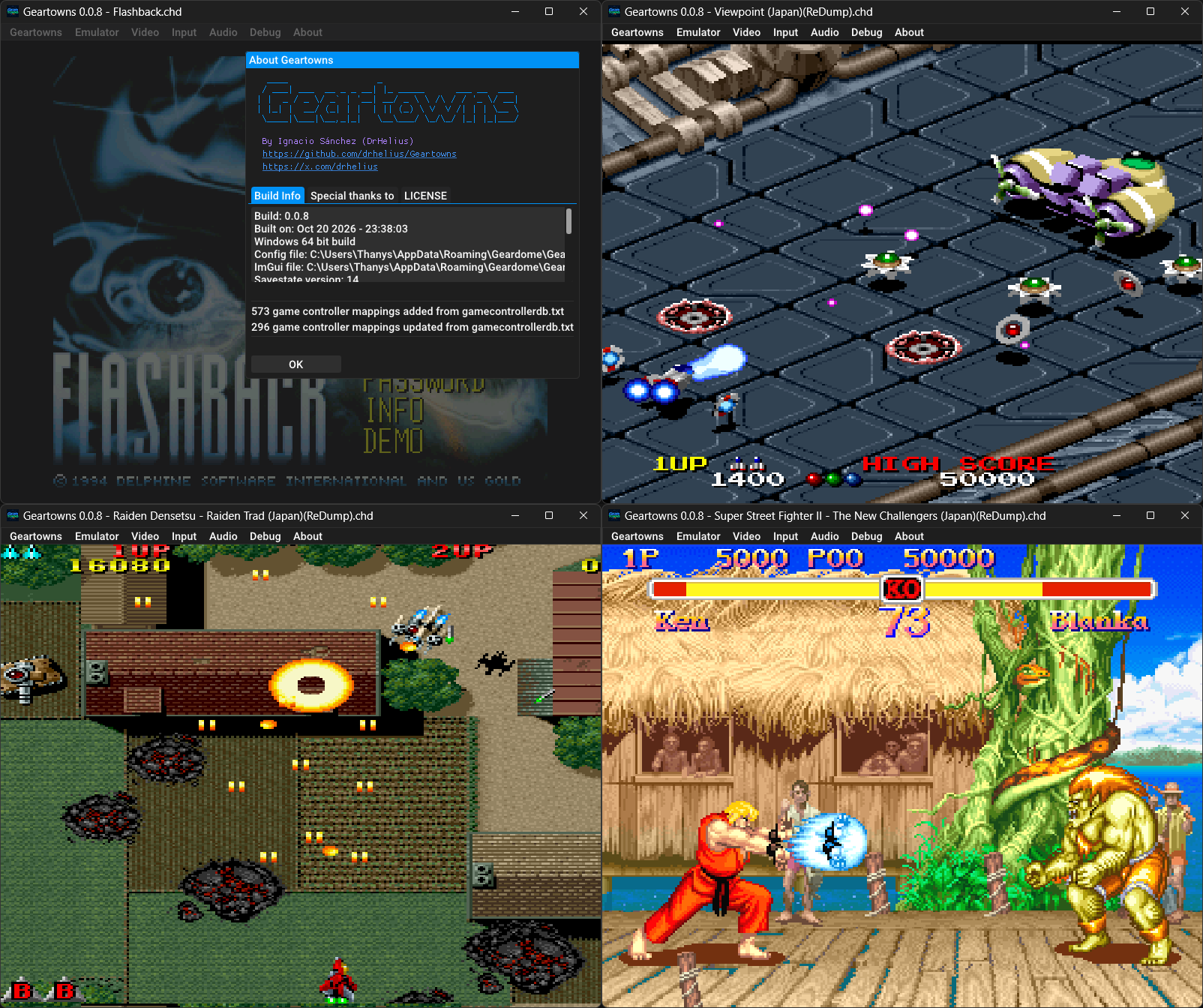
Il prend en charge les CD-ROM aux formats CHD, CUE/BIN et ISO, ainsi que les disquettes aux formats D77, D88, HDM, XDF, IMG et MFM. Il propose également les sauvegardes d’état, le rembobinage, les filtres graphiques par shaders, la capture vidéo au format AVI, les captures d’écran et l’enregistrement audio VGM.
Geartowns intègre par ailleurs un débogueur avec désassembleur, points d’arrêt et outils d’inspection de la mémoire. Un serveur MCP permet également de connecter des assistants IA à ces outils pour faciliter l’analyse et le débogage des jeux. L’émulateur nécessite les ROM système du FM Towns et est distribué sous licence GNU GPL v3.
Les changements sont:
💿 Improved CD-ROM compatibility
🧠 More reliable MCP server
🐛 Bug fixes and improvements
Créé par David Raingeard (Cal2), BeBox-Emu est un émulateur de la BeBox, la machine bi-processeur PowerPC de Be Inc. (1995-1997). Il reproduit les configurations Dual603-66 et Dual603e-133 et permet de faire tourner BeOS R4.5.2 comme sur la machine d’origine, avec le son, le réseau, un dossier partagé avec le PC et même une carte 3D 3dfx Voodoo Graphics.
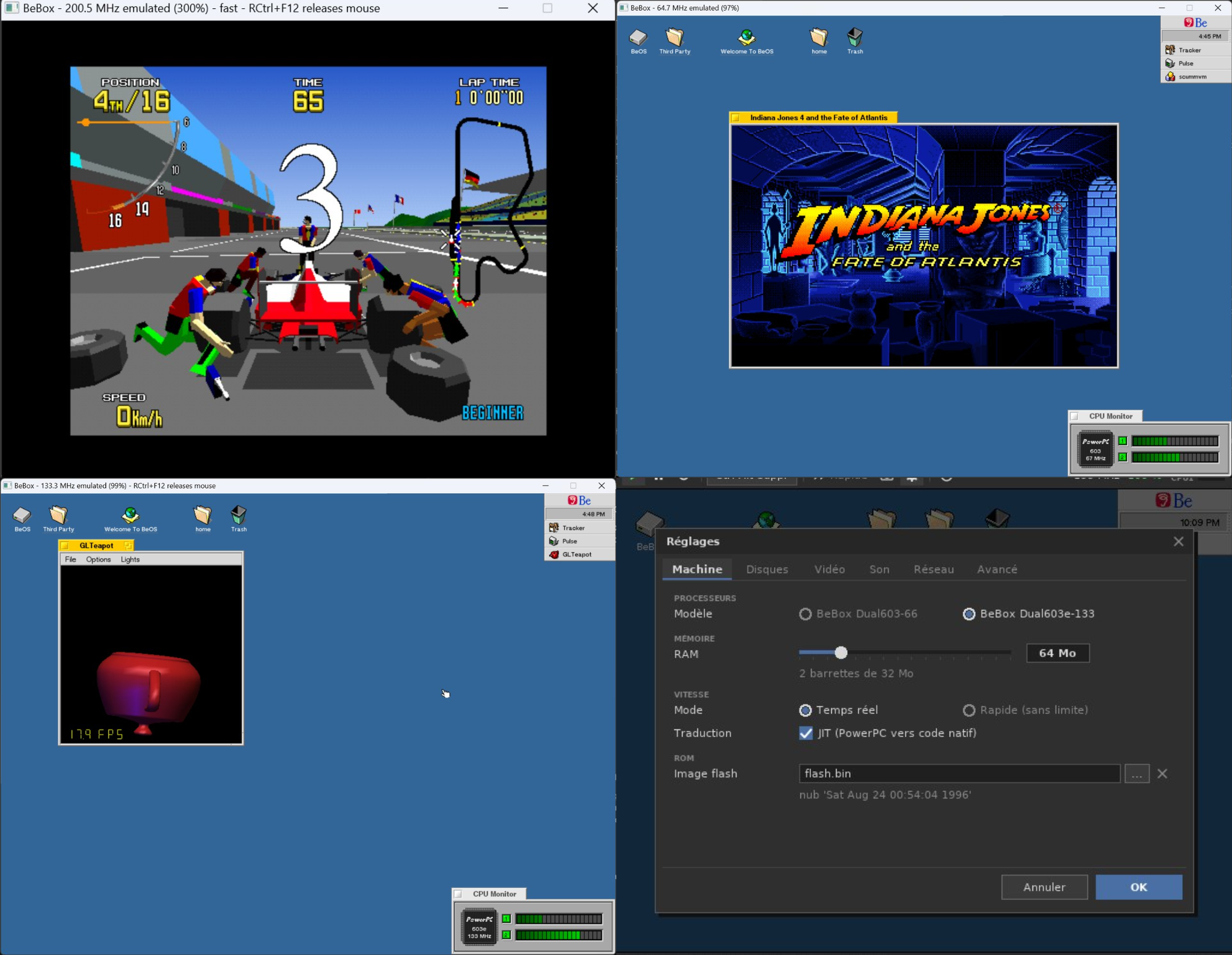
L’émulateur reproduit les principaux composants de la BeBox, avec 16 à 256 Mo de mémoire vive et la ROM de démarrage d’origine. Il émule les contrôleurs IDE et SCSI, prend en charge les images disque et CD-ROM aux formats ISO et CUE, le changement de CD à chaud et le démarrage depuis un périphérique SCSI.
L’affichage repose sur une carte Cirrus Logic GD5434 de 4 Mo, permettant une résolution maximale de 1024 × 768 en 32 bits. La carte 3dfx Voodoo Graphics est compatible avec Glide et OpenGL via Mesa, permettant notamment de faire tourner des jeux 3D. Le son est assuré par l’émulation du codec CS4231A, tandis qu’une carte réseau NE2000 permet à BeOS d’accéder au réseau et à Internet. Un dossier partagé facilite les échanges de fichiers entre la machine émulée et le PC hôte.
BeBox-Emu utilise une traduction dynamique du code PowerPC vers le code natif de la plateforme hôte, x86 sous Windows ou PowerPC sous BeOS. L’émulation peut fonctionner à vitesse réelle ou sans limitation de vitesse. L’interface propose également des témoins d’activité, différents réglages, la création d’images disque ainsi que des fonctions de suspension et de reprise de la machine.
Les changements:
– Installer BeOS sans ROM : au premier lancement, l’assistant « Nouvelle BeBox » prépare la machine (CD de BeOS, disque, cartes) et démarre sur le CD ; l’installeur de BeOS fait le reste. Expérimental : essayé avec BeOS R4.5.2 en SCSI.
– Un installeur Windows : pour votre compte, sans droits d’administrateur, avec le menu Démarrer ; vos machines sont rangées dans Documents\BeBox.
– Les BeBox Tools, comme les outils d’une machine virtuelle : un CD à insérer depuis le menu du lecteur, qui installe dans BeOS l’Accélérateur 2D et le support de la carte 3D.
– L’Accélérateur 2D (carte bbvideo) : jusqu’à 1600×1200 en 8, 15, 16 et 32 bits, avec dessin accéléré et curseur matériel.
– L’émulateur en anglais : la fenêtre suit la langue du système, ou celle choisie dans les réglages.
– Le sélecteur de fichiers ne montre que les fichiers utiles, une nouvelle icône, et de nombreuses corrections.

