Nouvelle version de ce frontend multi-systèmes avec peu de nouveautés portant uniquement sur le support du dat PSP (no-intro) et des émulateurs PSP.
Réalisé par notre Space1 national, le spécialiste des screenshots de jeux. Il s’agit d’une interface multi-système qui prend en charge plus de 90 machines différentes, plus de 150 émulateurs, avec MAME et fichiers musicaux. Un GUI bien conçu, intuitif et clair.
bsnes-plus (ou bsnes+) est un fork de bsnes (basé sur bsnes-classic) destiné à introduire de nouvelles fonctionnalités et améliorations, la plupart visant au débogage. Il s’agit donc d’une version améliorée de bsnes 073 ou l’on retrouve donc l’ancienne interface ainsi que les anciens menus. Plus d’informations ici.
Changements: – add option to show hdot or hcounter in log
– only open debug log files at cart load time
Cette version est compatible avec le pack de shaders disponible ici.
Il s’agit d’un émulateur de Commodore C64 en allemand et aussi en anglais.
– FileBrowser updated window for floppy, Datasette and cartridge
– Delete in the FileBrowser is now possible
– Courtesy of style64.org, C64_Pro-STYLE.ttf is now used for the DiskImage Inahltanzeigen.
– automatically hide the pointer about the C64 Bildschirm.Die time is adjustable
– The position and size of the C64 screen is located at the end now also noted and restored on next startup
– New graphics for the joystick solution, inserted by Selmiak
– Datasetten functionality were now completely ported
– Sound buffer was doubled
– FIXED BUG #47: at the end of the Setup window now also an open joystick mapping window is closed
– FIXED BUG #72: After the start should the C64 screen now always in the foreground to be
– BUGFIX #76: the status of the floppy disk icon window works again
– FIXED BUG #78: file name should now be sorted (update also helps)
La dernière version béta publique de l’excellent WinUAE, l’émulateur Commodore Amiga. La traduction est signée Tradu-France.
– GUI created pre-formatted DD disks had wrong root block allocation in bitmap. (b7 or somewhere close)
– Enabling Quickstart mode didn’t reset all new memory parameters (autoconfig etc), only size.
– Fixed WASAPI sound hang if sound device disappeared/changed modes when emulation was waiting for too full buffer to empty.
– Handle AUDCLNT_E_INVALID_DEVICE_PERIOD and AUDCLNT_E_EXCLUSIVE_MODE_NOT_ALLOWED, do not disable sound.
– WASAPI sound attempts to re-open automatically if for example Windows sound control panel parameters have been changed.
– Changing CPU config during reset (for example using reset input event) didn’t always re-initialize all required CPU settings.
– Added RAM to UAESND board. (8M if Z3, 32k if Z2) Can be used for 1:1 physical/logical mapped sample set or sample data storage.
– UAESND sample type variable added, unused for now but if/when there needs to be compressed format support that can be transparently uncompressed using Windows codecs. (mp3 etc..). Sample set structure is not compatible with old version anymore.
– Added keyboard connected chipset option. Inserting keyboard on the fly does usual powerup keycode sequence like any real removable keyboard (for example A1000). Logica diagnostics ROM uses this to detect connected keyboard.
– Sprite to bitplane collision optimization, skip the collision calculation if collision bit(s) are already set (=program does not use collisions), previous fix removed (bad) optimization and unnecessarily increased CPU power requirements when program uses lots of sprites and does not care about collisions.
– Replaced Vector Falcon 8000 v7.1 ROM with correctly odd/even split version and added v7.6.
Il s’agit d’un nouveau build de l’émulateur de X1/X1 Turbo nommé X Millennium et basé sur la version 0.26d disponible depuis quelques années déjà et qui était lui même basé sur X1Emu. Cette version ajoute des fonctions en provenance de Neko Project II.
Créé par Avery Lee (l’auteur de VirtualDub), il s’agit d’un émulateur d’Atari 8 bits (800/800XL/130XE) disponible en 32 et 64 bits. Il dispose de beaucoup d’options ainsi que d’une bonne compatibilité. Il prend en charge les jeux protégés conformément à l’émulation. Il s’agit d’une version de développement au stade de béta.
– Fixes reboot issue with Happy 1050. The problem was that the controller CPU was getting reset before the ROM banking logic, so sometimes it was trying to boot from one bank with the reset vector of the other.
– Rename Tiger 1050 -> Tygrys 1050. The firmware tag and device name have changed, so you will have to re-set those up.
– Reimplemented SIO transmissions from full drive to POKEY. This eliminates a byte delay that was causing Happy warp mode to fail, since it has a very fast speed switch between ACK and Complete.
– Drive emulation speed is now adjusted for NTSC/PAL. This is unfortunately the result of investigating high-speed write issues with the Speedy 1050, which turned out to be due to a marginal read loop on the drive side. Speedy 1050 high speed mode operates at a POKEY divisor of 9, or 32 computer cycles per bit. Reads are fine, but data frame writes are tight on the drive because the read loop is 180 cycles at 1MHz. In PAL, this just barely works because 320 cycles @ 1.77MHz comes out to 180.8 drive cycles, but in NTSC 320 cycles @ 1.79MHz = 178.7 drive cycles. This was causing the drive to lose a bit halfway through the data frame in NTSC. 🙁
– Disk change is now emulated, including the write protect sensor and the not ready bit on the 1050. This is necessary for the 1050 to recheck density and for enhanced drives to flush their track read buffer. As a result, you will now hear the motor spin up and possibly a seek when switching disks. The not ready status bit is also now continuously updated after type II/III commands, as this is required by the 1050 (and yet another omission in the FDC docs).
– Fixed FDC transfer timing being too fast for single density in 1050 drives.
– Read/write operations now fail on half tracks.
– Formatting is now supported for MFM formats (enhanced/double density).
– Tweaked the FDC to work around some firmwares locking up when trying to format a disk with formatting blocked (VRWSafe mode) because they cannot handle a write protect error on the Write Track command. 810 and 1050 now fail the format command quickly; some enhanced drive firmwares will still attempt the format, and for protected disks on those drives you will need to force the disk mode to full read-only (R/O).
– Fixed transmission errors with full drive emulation when SIO burst mode is enabled for disk drives; this is now ignored by the full drive emulator since it is not supported.
– Fixed a bug with the standard drive emulator not getting re-enabled when removing a full disk drive.
– The swap/rotate commands now work for full disk drives.
– Added .fdc and .riot commands in the debugger.
Un très bon émulateur de TI-99/4A tournant sous Windows. Il fut connu sous le nom d’AMI99, mais fut renommé car beaucoup de personnes pensaient qu’il s’agissait d’un émulateur Commodore Amiga.
Les fonctionnalités :
-Les roms systèmes & plusieurs cartouches sont inclues sous licence Texas Instruments
-démarre et fait fonctionner correctement toutes les fonctions OS (excepté l’I/O et le TI BASIC,
-la plupart des modules fonctionnent très bien
-Le switch des cartouches XB/Atarisoft/Jon379/SuperSpace cartridge est supporté
-Emulation complète du son sur tous les channels, en incluant le support du son digitalisé
-Speech implémenté à la fois sur les roms et sur le speak externe.
-Le scan CRU du clavier est implémenté
-Support du joystick et du timer 9901
-Le disque supporte les fichiers V9T9, TIFILES/Xmodem, les fichies natifs Windows, les images disque V9T9 DSK & PC99 DSK (les images DSK sont en lecture seule)
-DirectX fenetré et plein écran, comme les modes fenétrés non-DirectX
-détection des collisions (par pattern)
-Nombreux filtres vidéos en option (HQ4X, 2xSAI, SuperEagle, NTSC, etc)
-débugger intégré en single step
-Emulation clavier PS/2 keyboard
-Sélection des menus par souris (double-cliquer sur l’écran)
-Support de la carte 1MB Super AMS
-Code source complet inclus
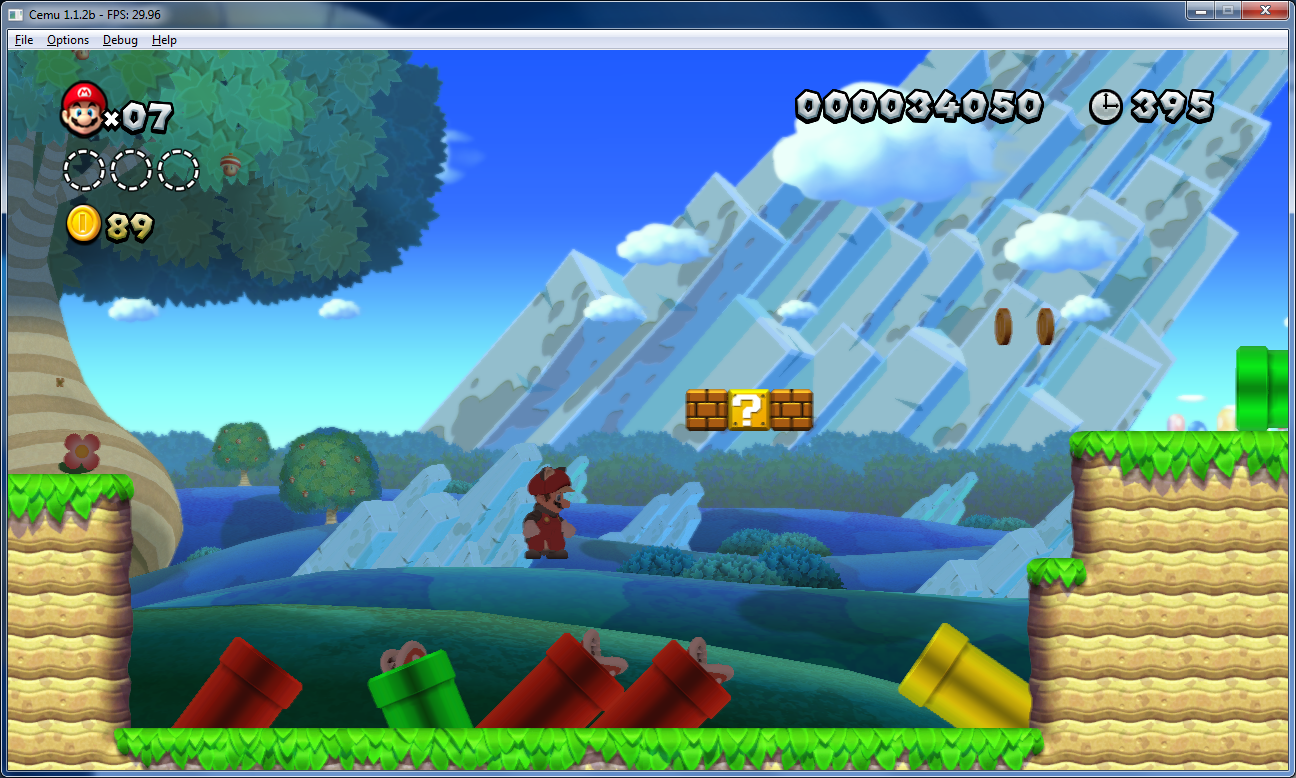
Créé par Exzap, il s’agit du second émulateur de Wii U à être disponible au public mais le premier à pousser jusqu’à l’émulation de jeux commerciaux. Il peut décrypter les images Wii U qui utilisent le format Wud mais également les fichiers RPS ou RPL. La résolution interne peu aller jusqu’à 1920×1080 selon les jeux. A noter que pour le moment, un seul contrôleur est accepté, il s’agit du DRC (GamePad) de la Nintendo Wii U. Cette version n’est compatible que pour les Windows x64 avec une carte graphique gérant OpenGL 4.0 ou supérieur.
Les changements:
En résumé: – Hardware acceleration for Streamout
– Recompiler improvements
– Optimized file operations + AES-NI support
– Minor bugfixes, graphic and compatibility improvements
En détails: # CEMU 1.6.2c
– CPU: Fixed a bug in recompiler PSQ_STU instruction
# CEMU 1.6.2 + 1.6.2b
– CPU: Fixed a rare crash bug that could occur when the recompiler attempted to analyze certain functions
– CPU: Improved detection of function entry points for recompiler
– CPU: Added instructions LBZUX, SRW., PSQ_LU, PSQ_STU and PS_DIV to recompiler
– CPU: Adjusted recompiler PS_MERGE10 instruction to generate faster code
– FS: Various optimizations to FSA thread, resulting in quicker processing of file operations
– FS: If available, AES-NI is now used for filesystem decryption
– AX: Added API AXAcquireMultiVoice()
– NFP: Deactivate event will now be correctly signaled
– GX2: Added support for Streamout emulation via OpenGL’s Transform Feedback
– GX2: Slightly reduced the number of shaders that need to be compiled (by optimizing away render states that previously affected the generated shader code)
– GX2: Improved handling of bottom of pipe event
– GX2: Added API GX2DrawIndexedImmediateEx()
– GX2: Fixed a bug in the buffer cache that could cause out-of-bounds allocations which would result in CEMU crashing
– GX2: Fixed a bug where textures would be immediately reloaded from RAM after being updated by a GPU-side operation
fs-uae est un emulateur multi-plateformes (sur Linux , mac osX et windows) reprenant les travaux de WinUAE/E-UAE/PUAE en mettant l’accent sur l’émulation des jeux sur lecteur de disquette et CD-Rom. A noter que cette version propose un launcher dédié.
Une caractéristique unique est le jeu en ligne. Vous pouvez maintenant jouer à des jeux Amiga contre (ou avec) des amis sur Internet.
L’émulateur utilise le dernier code d’émulation Amiga WinUAE du projet et nécessite un ordinateur moyennement rapide avec accélération graphique (OpenGL) pour travailler. Une manette de jeu ou d’un joystick est recommandé, mais pas obligatoire (FS-UAE peut émuler une manette de jeu en utilisant les touches fléchées et Ctrl de droite / touches ALT).
Le launcher est relié au site OAGD, immense base de données sur l’Amiga et permet parfois de vous mener directement à la page de téléchargement du jeu. Il simplifie grandement les réglages relatifs à WinUAE. Formidable !
Les nouveautés:
– Alt+F4 and Cmd+Q will no longer quit FS-UAE (in full keyboard emulation mode).
– Use raw input on Windows again (allows grabbing of Windows keys, etc).
– New option raw_input = 0 will disable use of raw input for keyboard.
– Fixed loading shaders from fs-uae.dat.
– Updated Xbox 360 configs for Linux.
Changes in FS-UAE Launcher 2.8.1:
– Fixed problem where rating could be reset for first loaded game/variant.
– New experimental option: relative_temp_feature.
Changes in FS-UAE Arcade 2.8.1:
– Added stretch / keep aspect toggle button to top right menu.
– Added V-Sync toggle button to top right menu.
– Ability to see and change variant before starting the game.
– Make menu rendering conformant to FS-UAE style.
– More transition animations.
– New cover rendering for non-portrait covers.
– Use –platform= to start with a given platform filter, e.g. –platform=cd32.
– Variant sort order fixed to be same as in FS-UAE Launcher.
– Fixed arrow keys for FS-UAE Arcade on MacOS.
– Reversed position of platform and publisher names.
GameEx est une interface graphique pour vos émulateurs. Elle sert également de lecteur vidéo, DVD et CD.
Certaines fonctionnalités de GameEx :
– lit aussi les fichiers audio.
– supporte les affichages LCD/VFD, ArcadeVGA.
– peut adapter son affichage pour les écrans larges, elle peut aussi tourner l’affichage de 90° (vertical).
– peut être contrôlée à distance, ou par une manette ou par la souris uniquement.
– supporte les contrôleurs arcade : HotRod, X-Arcade, SlikStik et IPAC.
– est compatible avec les interfaces entre PC et cartes arcade : U360, I-PAC, J-PAC.
– intègre un Jukebox qui supporte les fichiers ogg, mp3, wma, m4a, et flac.
– Les musiques peuvent être lues et changées pendant que vous êtes en train de jouer.
Ce frontend est disponible en version gratuite & payante (17 $) incluant de nombreuses autres fonctions.
VMware vous permet de lancer plusieurs systèmes d’exploitation sur un même PC sans avoir besoin de partitionner votre disque et sans reboot. Vous pouvez facilement isoler et protéger chaque environnement, et bien entendu les applications et données qui tourne dessous. Il permet aux utilisateurs de configurer facilement chacun des systèmes d’exploitation, ce qui inclut un interface réseau complet, gestion de périphériques, partage de fichiers, copier/coller et annuler les changements fait durant un session. VMware permet aux « opérateurs » d’encapsuler et de manipuler chaque environnement, la possibilité de faire un retour arrière en redémarrant une application ou encore de déplacer un environnement a travers différentes machines configurées.
Les changements sont visibles ici. A télécharger ici.