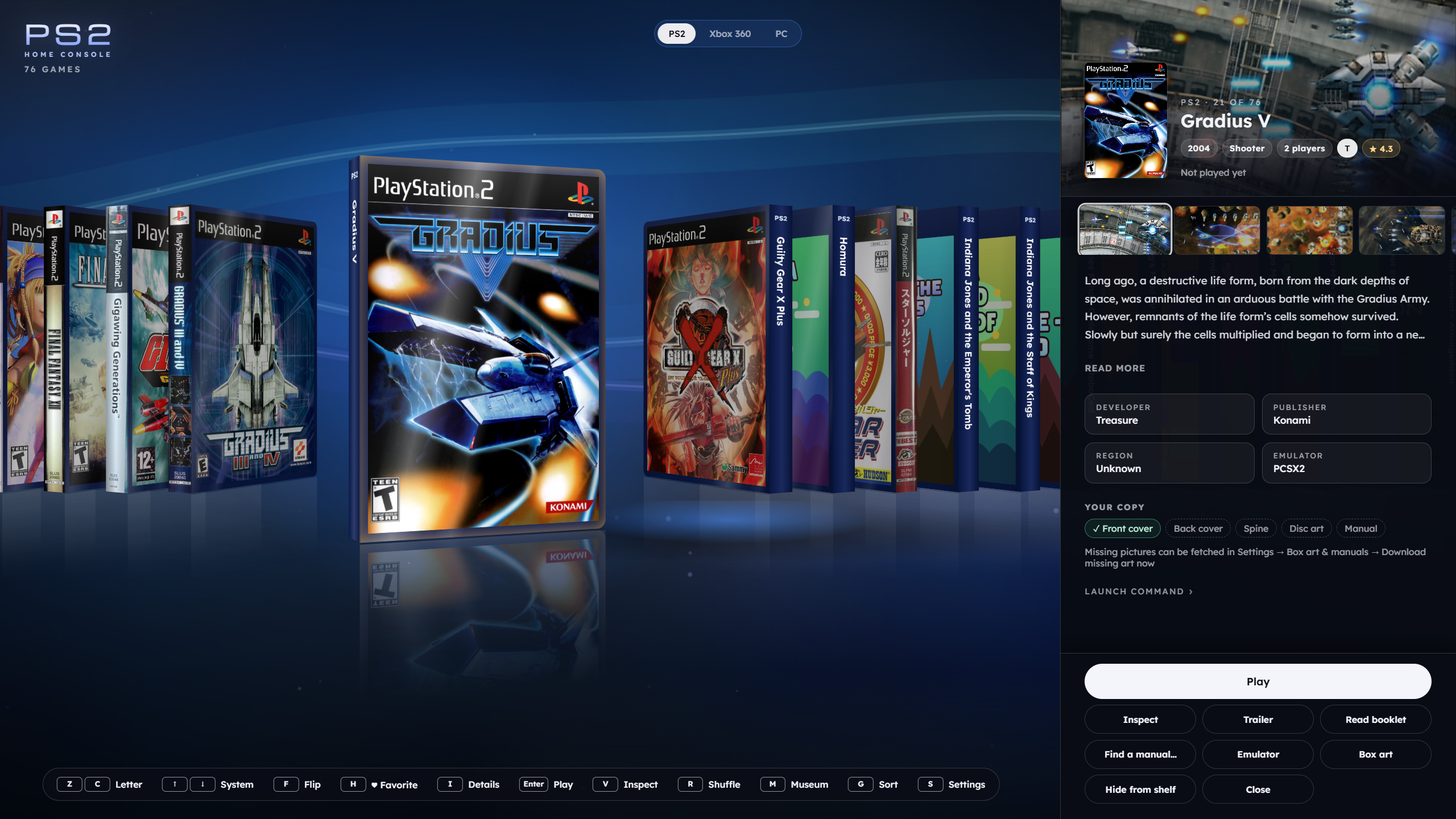
Boxshelf est un frontend pour Windows 10/11 permettant de regrouper et de lancer des jeux issus de différentes consoles, des émulateurs, des jeux Steam et des applications multimédias. Il propose une présentation sous forme d’étagère virtuelle en 3D avec des jaquettes interactives, des boîtiers manipulables, des manuels et des disques consultables. Il prend en charge de nombreux systèmes, notamment GameCube, Wii, Wii U, Switch, Switch 2, PSP, PS2, PS3, PS4, PS5, Xbox 360 et 3DS. Il permet également de personnaliser les émulateurs utilisés, de récupérer des jaquettes et des manuels, de conserver un historique de jeu et de suivre les succès. La navigation est compatible avec les manettes. Le logiciel est actuellement disponible en version bêta publique et ne fournit aucun jeu, BIOS ou clé.


Télécharger Boxshelf v1.82 beta 4 (84.4 Mo)

Site Officiel

En savoir plus…


RomSieve est un outil open source permettant d’auditer, trier et organiser des collections de ROM et d’images disque à partir de bases de données DAT (TOSEC, No-Intro, Redump et MAME). Il propose notamment la création de collections 1G1R (One Game One ROM), la détection des doublons et des disques manquants, la gestion des jeux multidisques ainsi que la génération automatique de playlists M3U. Il dispose d’une interface graphique et d’une ligne de commande et fonctionne sous Windows et Linux.


Télécharger RomSieve v1.1.0 (83.2 Mo)

Site Officiel

En savoir plus…

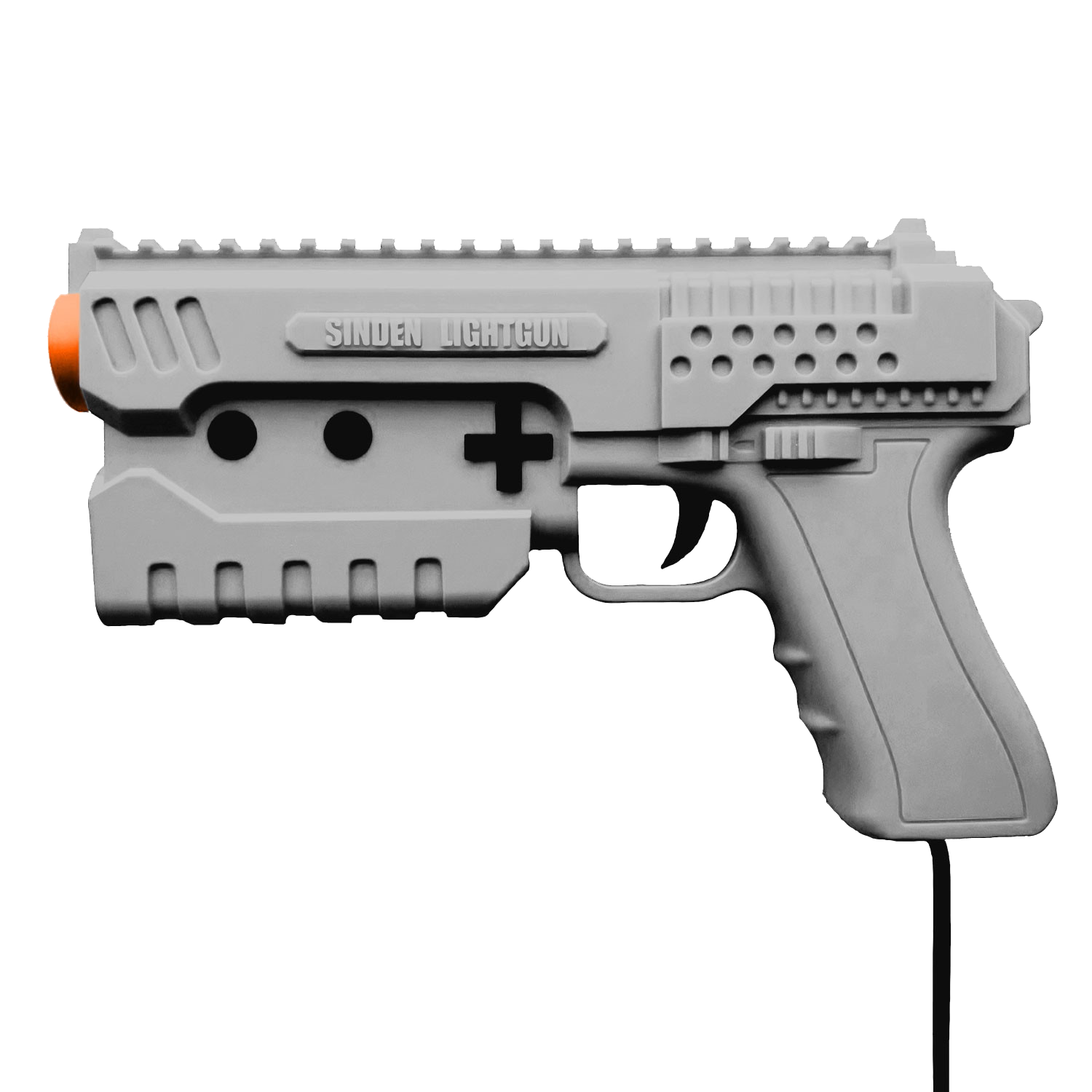
Il s’agit d’un fork de l’émulateur Sega Model 3 nommé SuperModel mais qui prend en charge l’utilisation du LightGun appelé Sinden.


Télécharger SuperModel Sinden Edition v0.3a r261105 (3.6 Mo)

Site Officiel

En savoir plus…

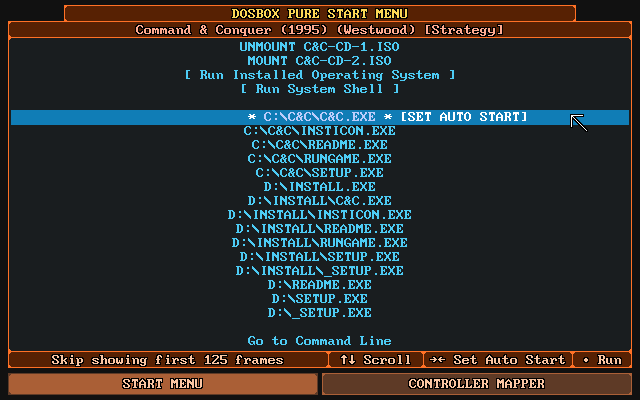
DOSBox Pure est un fork moderne de DOSBox, conçu à l’origine pour RetroArch, mais désormais disponible en version autonome sous Windows, ce qui le rend accessible sans frontend.


Pensé pour simplifier l’expérience utilisateur, il permet de lancer des jeux DOS directement depuis des fichiers ZIP, ISO ou CUE, sans configuration manuelle.
Il prend en charge les savestates, le mappage automatique des manettes, les overlays graphiques et les shaders, tout en détectant intelligemment les fichiers d’installation ou d’exécution.
 

Bien qu’il offre moins de réglages avancés que DOSBox-X ou Staging, il brille par sa simplicité et son efficacité, notamment pour les joueurs occasionnels ou les setups console-like.


La vidéo qui résume l’avantage de Pure, à savoir son extrême facilité d’utilisation:


Les changements sont:
 
Unleashed Additions
– Automatically unlock mouse cursor when pausing the emulation (and lock it again on unpausing) (#60)
– Offer per-content setting overriding even for the settings with only 2 choices
 
Additions
– Allow fully disabling horizontal or vertical mouse movement
 
Fixes
– Fix potential crash when fast-forwarding while playing CD audio
– Reset PIC ticktock state on restart
– Also store PIC ticktock in save state to avoid slight PIC timer desync on load
– Avoid « Skip showing the text console » potentially skipping too much when running with very high cycles
– Fix crash when SoundBlaster was activated after loading a save twice then the core was restarted
– Fix crash with Tandy Sound Device when using fast forward
– Fix potential audio issues when loading a save state that was made at a point when different audio devices were active
– Fix running a zero byte sized batch file stored in a ZIP causing the core to freeze
– Fix file or directory names inside a ZIP starting with an invalid DOS file name character (i.e. a lower case letter) followed by only valid DOS file name characters (i.e. numbers) and no period to be inaccessible


Télécharger DOSBox Pure Unleashed v1.0 Preview 8 (3.9 Mo)

Site Officiel

En savoir plus…

Voici les derniers émulateurs en développement de Switch 2 bénéficiant des mises à jour les plus fréquentes.


Télécharger Instaurix v0.1.1 alpha (27.6 Mo)

(site)

Télécharger Eden NX2 (2026/10/29) (34.4 Mo)

(site)

Télécharger Rdenno (Eglantine-Fork) build 8 r261105 (64.9 Mo)

(site)

Télécharger Selevet (Eglantine-Fork) build 6 (22.8 Mo)

(site)

Télécharger Lichii (Eglantine-Fork) build 75 (65.3 Mo)

(site)

Télécharger PokeDinner (Eglantine-Fork) v2.7.7 (62.0 Mo)

(site)

Télécharger Eglantine v0.1.0 RC1 build 261105 (63.2 Mo)

(site)


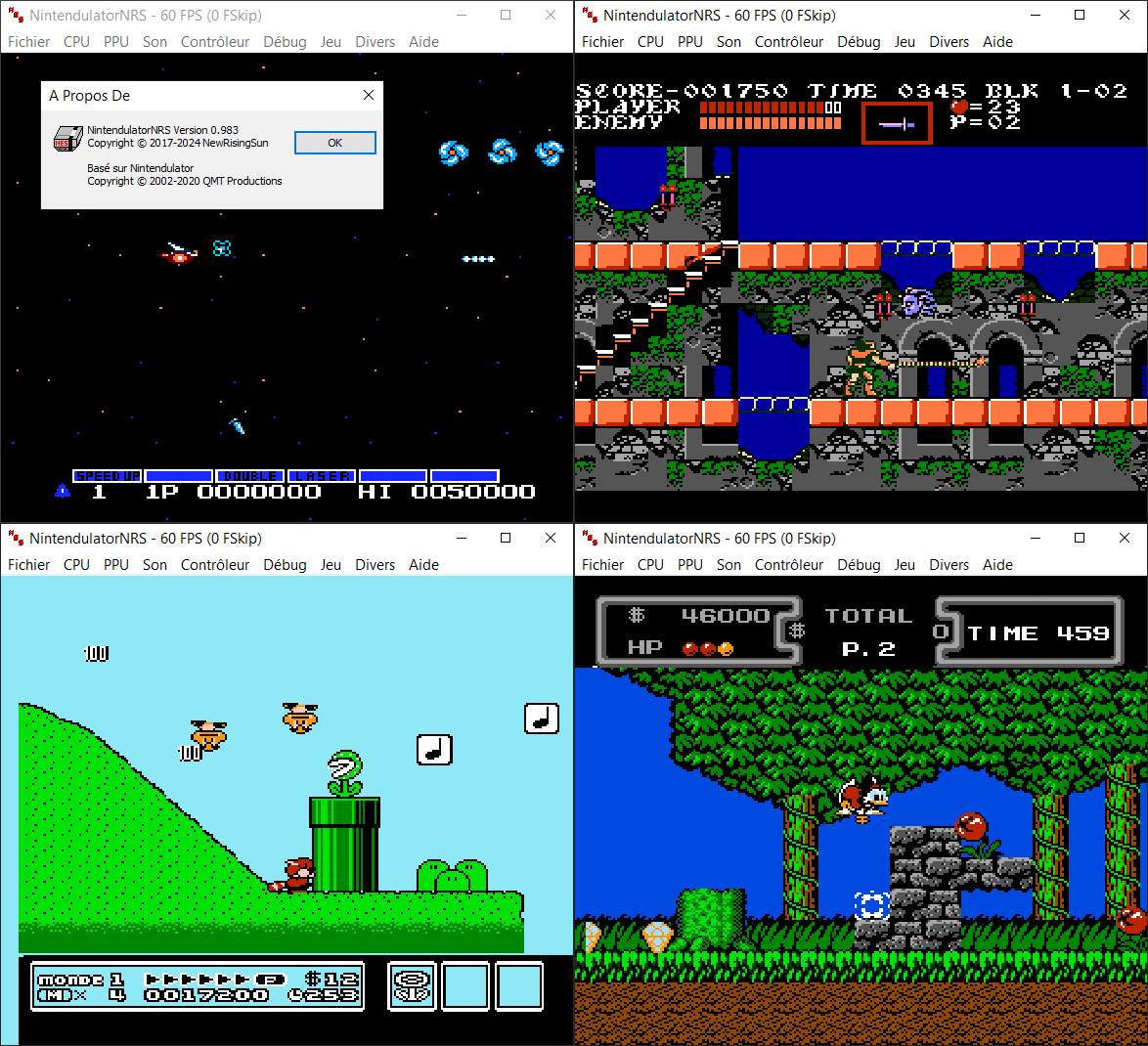
NintendulatorNRS est un émulateur de Famicom / NES (et ses dérivés tels que les chipsets VRT) pour Windows. C’est une fourche de Nintendulator (par Quietust) maintenue par NewRisingSun et qui offre une compatibilité extrêmement large.


Télécharger Nintendulator NRS v0.985 (2026/11/05) (1.5 Mo)

Télécharger Nintendulator NRS (français) v0.985 (2025/11/05) (1.5 Mo)

Site Officiel

En savoir plus…

Dolphin est un émulateur permettant de faire tourner des jeux GameCube et Wii sous Windows, Linux, macOS et sur les appareils Android récents. Il est distribué sous licence GNU GPLv2+.
Ce fork ajoute la prise en charge OpenXR afin de permettre la réalité virtuelle sur les versions Windows compatibles.[Consoles de salon] DolphinXR v0.3
 
DolphinXR est une version VR de Dolphin, construite sur la base de DolphinVR mais entièrement repensée pour offrir une expérience OpenXR moderne, flexible et personnalisable.
Le projet est né d’une frustration face aux limites du Dolphin VR original: de nombreux jeux restaient injouables à cause de problèmes de rendu, les « codes de masquage » ne résolvaient qu’une partie des défauts, et certains titres comme Metroid Prime 3 offraient une expérience VR très dégradée (scanner cassé, performances faibles, carte inutilisable…).
 
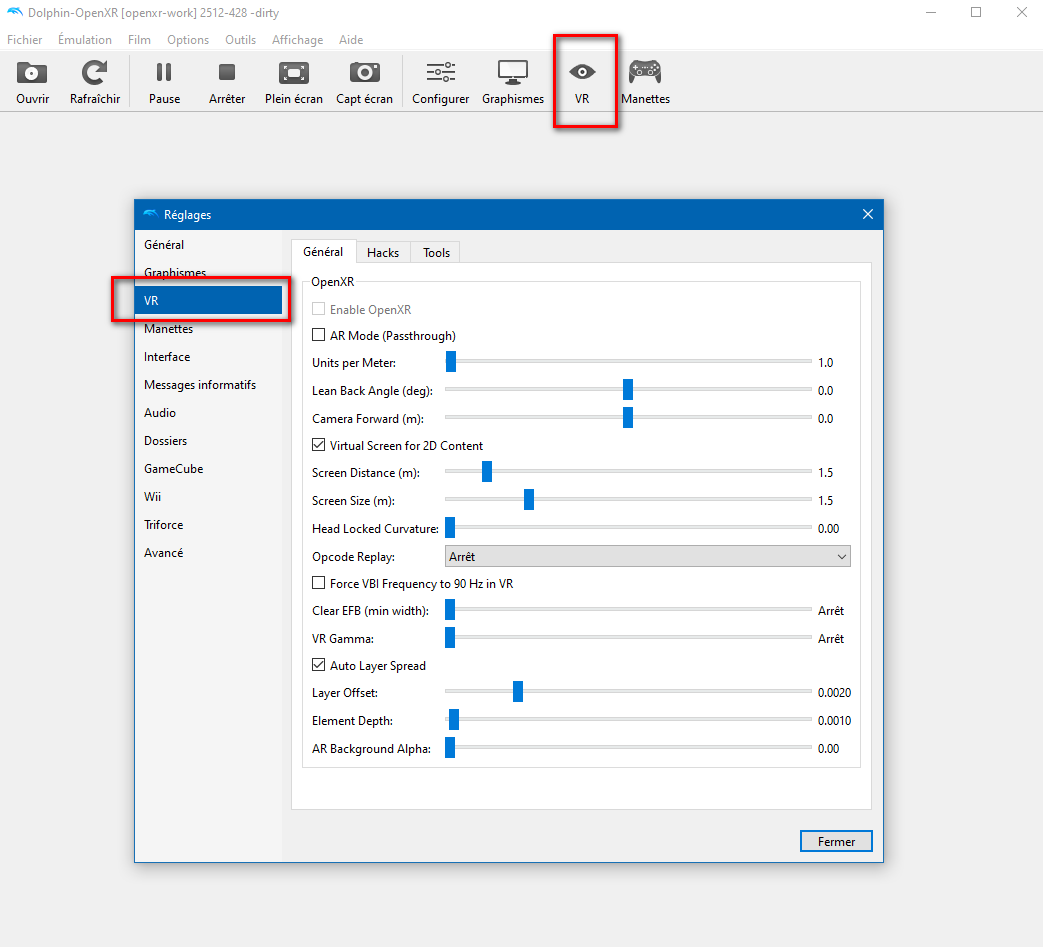
Cette nouvelle version apporte une approche beaucoup plus robuste: réglages visuels et shaders ajustables en temps réel, création de profils VR personnalisés par jeu en quelques minutes, et une architecture pensée pour permettre à la communauté de rendre encore plus de titres jouables en VR.


Points forts :
– Rendu DirectX 11 et Vulkan
– Suivi complet 6DoF
– Prise en charge des manettes VR
– Paramètres VR étendus, avec support pour créer et utiliser des profils VR personnalisés par jeu
– Shader Hunter avec plusieurs options d’override: Skip, Fullscreen, Virtual Screen, Headlock, Units per Meter et Flag
– Premiers travaux sur Elements Hunting
– Raccourcis VR personnalisables
– Compatibilité avec les jeux Triforce
– Support de relecture d’opcodes pour convertir du gameplay 30/60 Hz en 90 Hz


Les changements sont les suivants:
 
HIGHLIGHTS
– VR game patches. The arm cannon follows your controller in the Metroid Prime games, the gun and sword follow it in Red Steel 1 and 2, Skyward Sword reads your controller’s true pose, and Twilight Princess, The Wind Waker, Wii Sports and Shadow the Hedgehog can be played in first person.
– An in-game VR menu. Click the left thumbstick during a game to pause, fast forward, change settings, rebind controls, manage savestates and hunt overrides, all inside the headset.
– Faster on Meta Quest. Super Mario Galaxy went from 42 to 60 fps and Super Mario Sunshine from 49 to 60 fps at native resolution in my tests with « Smart Foveation EFB ».
– Automatic updates on Windows. This is the first version that updates itself. See « Installing » below.
– Rebased on the latest Dolphin development builds (October 2026).
 
VR GAME PATCHES
VR game patches are small add-ons, made for one game, that read your VR controllers and headset and change the game to match. They ship with DolphinVR Redux and many are on by default for their game. You can turn each one on or off, and change its settings, in:
– PC: the game’s Properties > Patches > VR Patches.
– Quest: the game’s VR config > VR Patches.
– In the headset: the VR menu’s VR Patches section.
 
The patches available in this release (NTSC-U versions):
– Metroid Prime (GameCube, 1.00 and 1.02): the arm cannon follows your controller (ported from PrimedGun’s tracking, by Nobbie), modern controls (strafe with the left thumbstick, turn with the right), change visors with a gesture next to your head, beam quick swap, look at an object to scan it, and wide culling.
– Metroid Prime 2: Echoes (GameCube): arm cannon, modern controls, visor gesture, beam quick swap, no black bars in cutscenes or in morph ball, smooth scan lines, and wide culling.
– Metroid Prime 3: Corruption and Metroid Prime Trilogy (Wii): arm cannon, turn with the right thumbstick, visor gesture, wide culling, and beam quick swap in the Trilogy.
– Red Steel: the gun follows your controller and shoots where it points; wide culling.
– Red Steel 2: fixed rendering, the revolver and the sword follow your controller, with the sword’s true pose and true aim; wide culling.
– The Legend of Zelda: Skyward Sword: the game reads your controller’s true pose, so the sword follows your hand.
– First-person views: The Legend of Zelda: Twilight Princess (GameCube), The Wind Waker, Wii Sports, and Shadow the Hedgehog (also the Reloaded mod). In Shadow, the weapon is held in your controller’s hand, and the game runs at your headset’s refresh rate.
– Star Wars Rogue Squadron II: Rogue Leader: an optional « VR Wide Terrain Culling » patch (Properties > Patches, off by default) that fills the holes in the Death Star surface when you look around.
 
« Wide culling » makes a game draw what your headset can see, not only what its TV camera saw, so objects no longer pop in and out at the edges of your view.
 
IN-GAME VR MENU
– Click the left thumbstick during a game to open it. The game keeps running behind it, without your VR input.
– Tabs: Main (pause, fast forward), Graphics, Audio, Controls (rebind your controllers, save controller profiles), VR (frame rate and VR settings), Overrides, Savestates and Stats (performance overlay).
– Overrides: hunt shaders, textures, elements and hide codes inside the headset, with a laser pointer to pick what you see.
– Move the panel with the grab bar under it.
– Dolphin’s messages now appear in the menu while you are in VR, instead of in an invisible window that could freeze the game.
– Quest: record gameplay video from the menu (left eye, MP4, saved to Movies/DolphinXR).
 
META QUEST
– Performance: draw recording on a helper thread, cached GPU descriptor sets, culling of what is behind your head, and reading back the game’s frame and its occlusion queries without waiting on the GPU. The read-backs took Super Mario Galaxy from 42 to 60 fps and Super Mario Sunshine from 49 to 60 fps, and Super Mario Sunshine and Metroid Prime 3 now use them by default.
– Smart Foveated EFB: foveated rendering is now applied only to the render passes it actually speeds up, measured per game and remembered.
– Faster pixel format changes in games such as Mario Kart Wii.
– Fixed: missing objects on the Quest’s GPU (Melee’s shields, the boards and rings of Sonic Riders), green videos in Kirby Air Ride, a freeze while recording the screen, a black screen on the first launch after an update, freezes in Metroid Prime Trilogy, and flickering and distortion in the Trilogy.
 
FLAT SCREEN AND PASSTHROUGH
– With « Launch games in VR » off, games play on a flat screen in the headset. It now uses the game’s aspect ratio, can show the game in 3D, and turns passthrough on (on headsets that support it).
– Switch between VR and the flat screen during a game, from the VR menu.
– The Wii System Menu is shown on the flat screen.
– The virtual screen is now placed 2 m away by default.
 
MOTION CONTROLS
– The Wii MotionPlus and accelerometer are emulated from your VR controllers’ motion the way a real Wii Remote measures it, from controller input read 250 times per second.
– The Wii pointer maps the game’s screen 1:1.
– New Wii Remote Motion Tester (Tools menu on PC) to check and record what a game receives.
– Steam Frame controllers are supported (thanks Neville Hiramanek).
 
GAME PROFILES
– New: Wii Sports Resort, Red Steel, Red Steel 2, Phantasy Star Online Episode I & II (PAL, thanks NMSteeven) and the Wii System Menu.
– Updated: Metroid Prime, Echoes, Corruption and Trilogy (3D HUD, menus, scan visor, cutscenes, the charged shot’s warp in each eye), Mario Kart Wii (the minimap on the screen, the crowd’s Mii faces, menus), Sonic Adventure 2: Battle (capsule icons stay in 3D), Rogue Leader (menus), Shadow the Hedgehog (bloom and subtitles), Twilight Princess, The Wind Waker, Wii Sports (Mii faces in stereo, Boxing) and Skyward Sword.
 
FOR PROFILE MAKERS
– Pick on Screen: click what you see to find its draw, in the PC hunting tools and the hide code editor, or aim at it with the laser pointer in the headset.
– Overrides can require a camera depth, for HUDs drawn in perspective.
– VR Patches pane in the game’s Properties, under Patches.
– Agent Server (off by default, local only): a built-in MCP server that lets an AI assistant see the game and help you build overrides and VR patches.
 
STABILITY
– Windows: a crash writes a report in User/Logs, and a lost GPU (a driver reset) now stops the game cleanly with a report of what the GPU was doing.
– Gecko codes are reinstalled after every savestate load.
– Many rendering fixes for menus, depth effects and render-to-texture panes.
 
INSTALLING
– Savestates from v0.4 do not load in v0.5. Make an in-game save before updating, and load it after.
– Windows: unzip DolphinVR-Redux-v0.5-Windows.zip and run Dolphin.exe. Install this version by hand: v0.4 cannot update itself. From now on, DolphinVR Redux checks for a new release when it starts and offers to install it (Settings > General > Auto Update; Help > Check for Updates).
– Meta Quest: install DolphinVR-Redux-v0.5-Quest.apk with SideQuest, or with adb install -r DolphinVR-Redux-v0.5-Quest.apk. It installs over v0.4 and keeps your settings.


Télécharger DolphinXR v0.5 (33.8 Mo)

Site Officiel

En savoir plus…
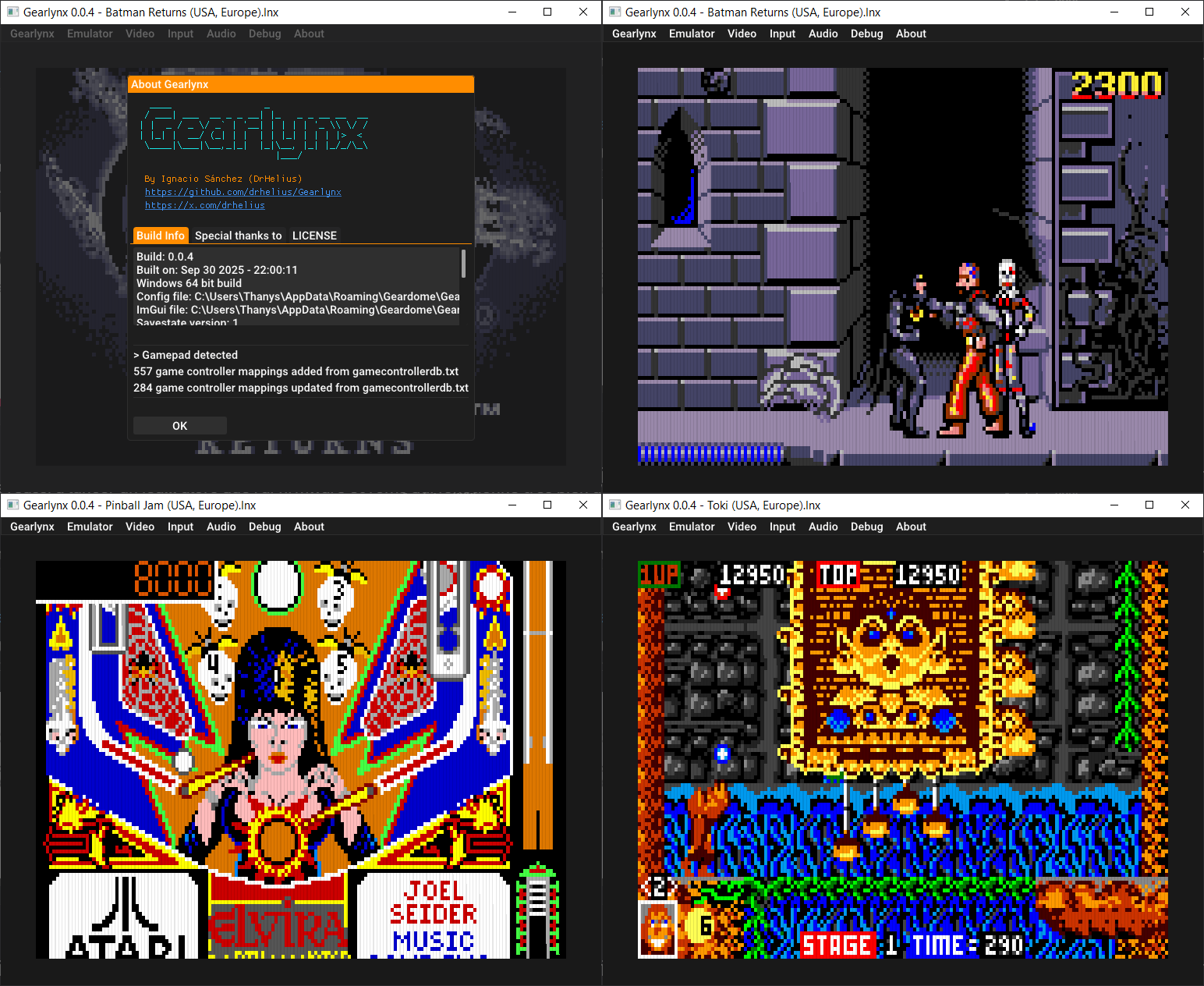
GearLynx est un émulateur d’Atari Lynx pour Windows.


Les changements sont:
🖥️ Added display flip mode
🎨 Shader variants, groups and parameters window
🕹️ Improved libretro compatibility with older RetroArch versions
🐛 Bug fixes and improvements


Télécharger GearLynx v1.2.38 (3.0 Mo)

Site Officiel

En savoir plus…

OpenROM est une suite logicielle universelle, gratuite et open-source dédiée à la conversion de ROMs rétro. Conçue pour remplacer les outils propriétaires et fragmentés, elle fonctionne entièrement en local (100 % hors ligne) sans aucune collecte de données.


Interface et Ergonomie
– Esthétique Gaming : Propose une interface sombre moderne développée sous Flutter, inspirée des menus PS5 et Xbox, intégrant un tableau de bord, des cartes pour chaque ROM et des badges de plateforme.
– Personnalisable : Propose plusieurs thèmes intégrés (Cyberpunk, Terminal, Minimal, Gaming) et la possibilité d’en créer via des fichiers JSON.
– Prise en main fluide : Prise en charge native du glisser-déposer pour les fichiers et dossiers isolés ou groupés (traitement par lot).
 
Performances et Fonctionnalités Techniques
– Matrice de conversion complète : Prend en charge plus de 20 parcours de conversion parmi les formats majeurs (ISO, BIN, CUE, GDI, IMG, ECM, CHD, CSO, ZSO, XISO, RVZ, WIA, WBFS, GCZ).
– Détection intelligente : Identifie avec précision les consoles (PS1, PS2, PSP, Xbox, GameCube, Wii, Dreamcast) grâce aux signatures numériques (magic bytes) et analyse les en-têtes CHD (v4/v5) pour différencier CD et DVD.
– Génération et Vérification : Crée automatiquement les fichiers CUE manquants pour les fichiers BIN et vérifie l’intégrité des fichiers CHD générés via chdman.
 
Fonctionnalités Avancées
– Terminal et Automatisation : Intègre un journal de bord en temps réel pendant la conversion et propose un outil en ligne de commande complet (openrom-core) pour l’automatisation et les scripts.


Télécharger OpenROM v3.9.9 (31.7 Mo)

Site Officiel

En savoir plus…

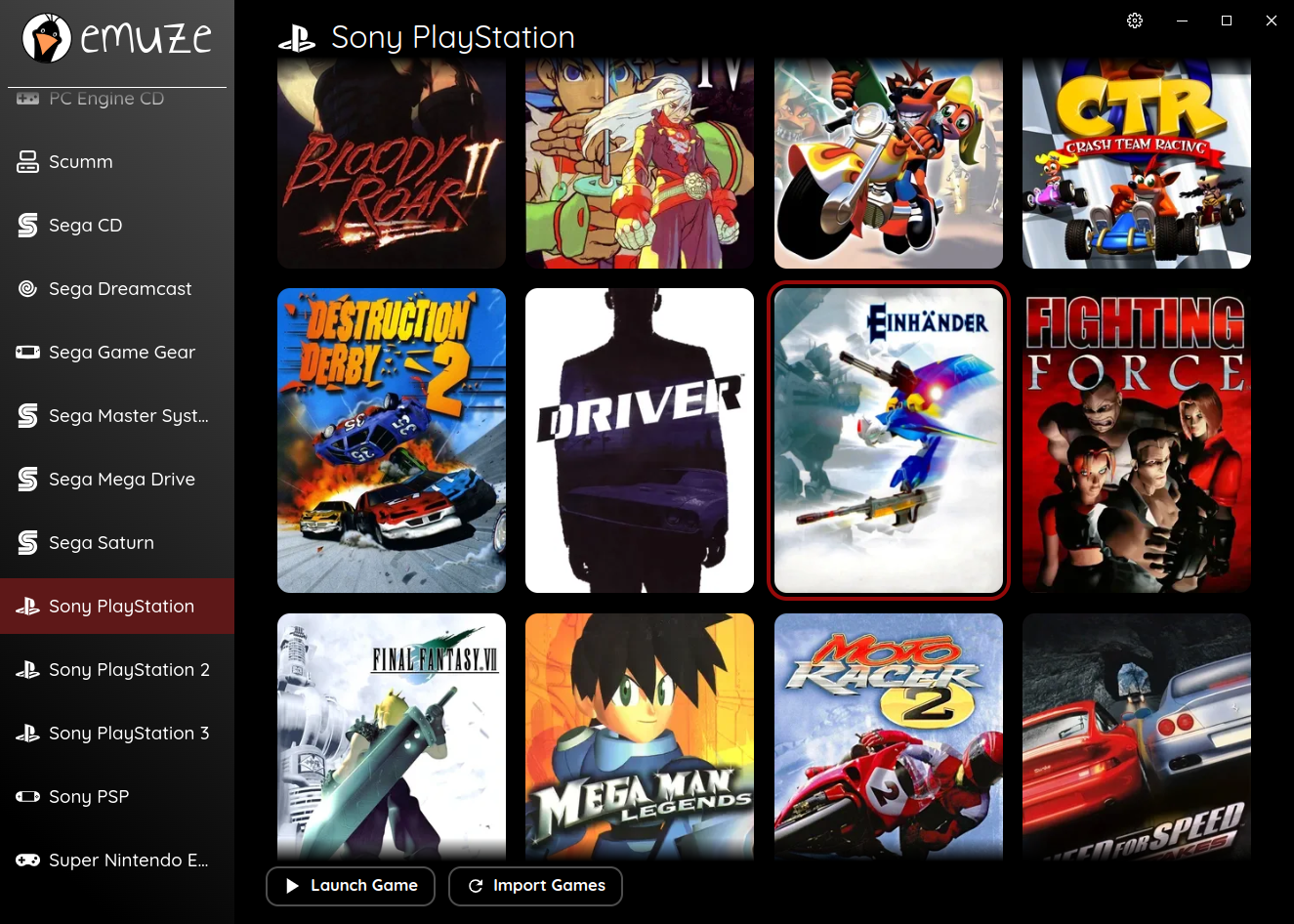
L’objectif principal d’Emuze est de proposer un lanceur d’émulateurs à la fois rapide et simple d’utilisation. Grâce à celui-ci, il n’est pas nécessaire de configurer chaque émulateur ni d’ajuster les métadonnées de vos roms. Si les roms sont nommées correctement, un clic sur le bouton d’importation suffit pour intégrer émulateurs et roms, sans configuration supplémentaire.
 

Fonctionnalités:
– Interface utilisateur rapide et réactive
– Importe tous les émulateurs et roms en un seul clic
– Récupération des métadonnées depuis IGDB à partir des noms de fichiers des roms
– Support des manettes de jeu
– Compatible avec Windows, Linux et Steam Deck
– Installation des émulateurs manquants (uniquement sur Linux)
– Se met automatiquement à jour


Télécharger Emuze v0.60 (814 Mo)

Site Officiel

En savoir plus…

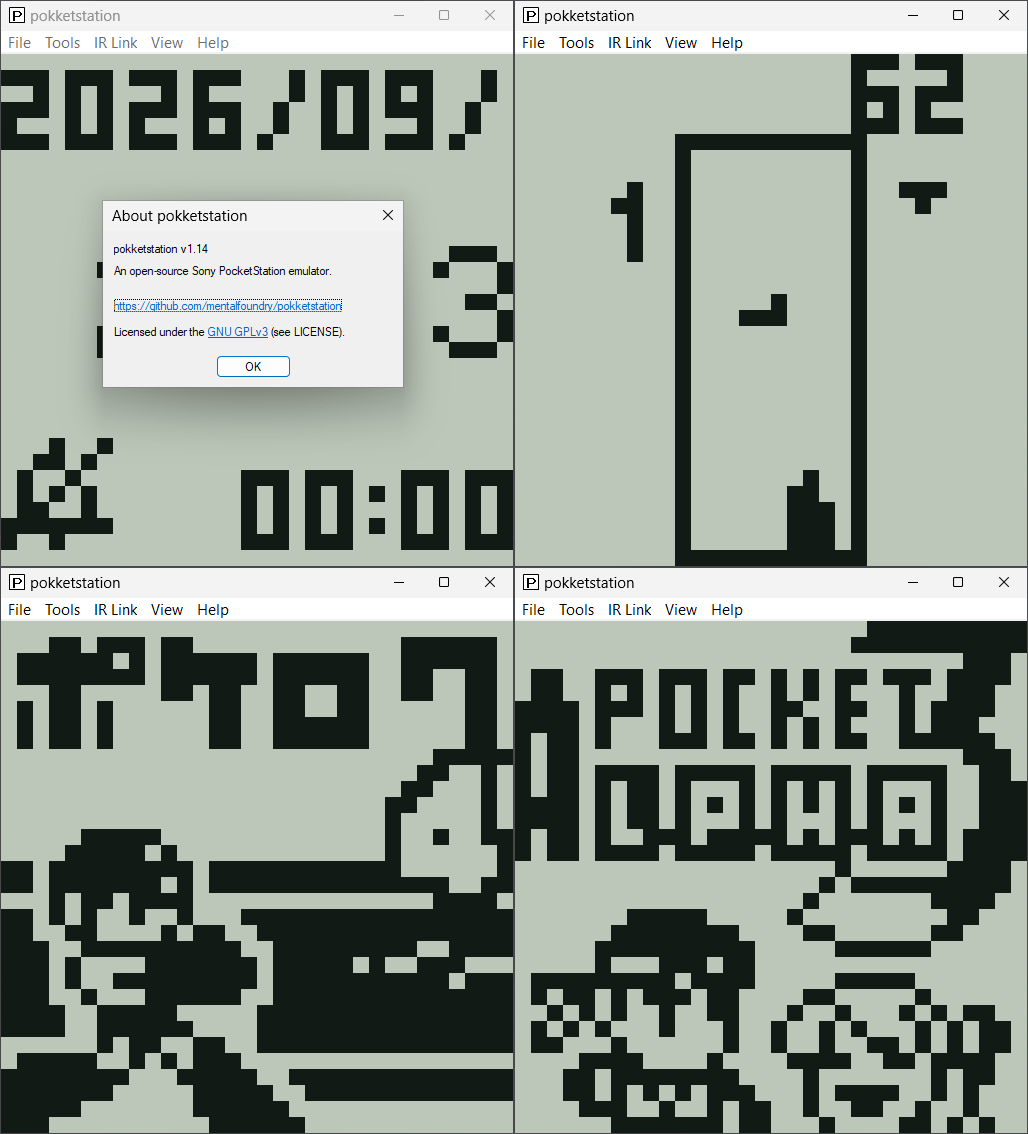
Il s’agit d’un émulateur open source de la Sony PocketStation, écrit en C portable et conçu pour être utilisé sous forme de core libretro, d’application autonome sous Windows, Linux et macOS, ainsi que via un portage homebrew pour PlayStation Vita. Le projet vise une émulation aussi fidèle que possible au matériel original et prend notamment en charge l’affichage LCD, les boutons, la mémoire Flash, le son et les communications infrarouges.


Télécharger PokketStation v1.24 (734 Ko)

Site Officiel

En savoir plus…

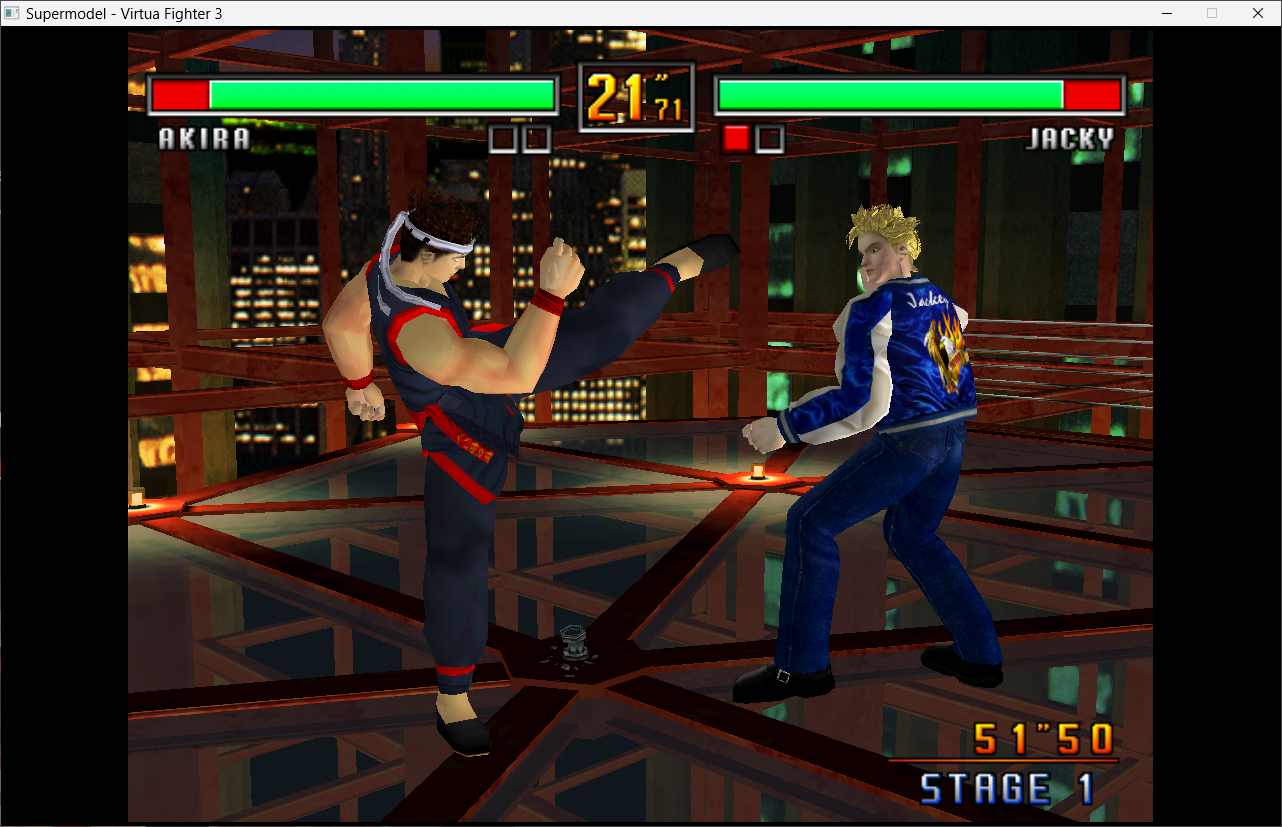
Le premier émulateur de Sega Model 3 créé par Bart Trzynadlowski, Ville Linde et Stefano Teso dans sa version de développement (voir ici ou là) [source].

Fichiers de configurations préparés ici.


Les changements:
 
Le système de mise à jour passe de SVN à GIT, du coup le nom des versions changent, par simplicité j’utiliserai un système par date de release plus compréhensible que le par défaut de GIT.
 
– Makefile.Win32: rebuild the resources when the icon changes
– Windows: program icon (Resources/supermodel.ico)
– The MSVC project compiles MSVC/Supermodel.rc and the MinGW build’s SupermodelResources.rc gains the same icon. It is the exe’s icon in Explorer and, as SDL uses the first icon resource, the window and taskbar icon.
– Startup banner: print the build date instead of the version
– The version string (0.3a-WIP) isn’t updated between builds, so the banner now shows the date Main.cpp was compiled, as YYYY-MM-DD (ISO 8601, read the same everywhere). Clean release builds always compile it.
– Merge pull request #364 from cerroverb/dsb-fifo-ordering
– DSB: make FIFO write index atomic
– DSB: use std::atomic for the FIFO write index
– Builds on every compiler, including MSVC.
– DSB: publish FIFO writes with release/acquire ordering
– The PPC thread writes the FIFO and the sound thread reads it. On weakly ordered CPUs a reader could see the new index before the data.
– Add skip idle function for faster powerpc emulation.
– Misc fixes
 
A noter qu’un fork ajoutant le support du Sinden est dispo ici.


Ajout:
– correction des musiques dans sega rally 2 (mix)
– correction musique 1er niveau 2joueurs (la cave rouge) dans vf3 (pas sûr de la modif, et donc cela peut éventuellement entrainer d’autre problèmes sonore sur d’autre jeux).
(inclut officiellement)

 
Pour générer un dat vous pouvez utiliser cet outil.


Télécharger SuperModel (WIP) v0.3a Build 261105 (11.2 Mo)

Télécharger SuperModel WIP (XP) v0.3a r862 (6.3 Mo)

Site Officiel

En savoir plus…


https://getourbonus.com/fr/accueil

https://www.romspedia.com/