Il s’agit d’un émulateur de Sinclair ZX Spectrum.

Les changements sont:
– added support for CRT-like blur and black-and-white displays
0 commentaire



Il s’agit d’un émulateur de Sinclair ZX Spectrum.
Les changements sont:
– added support for CRT-like blur and black-and-white displays
Amiberry est un émulateur Amiga optimisé, libre (GPLv3), basé sur le cœur WinUAE, conçu pour ARM et x86 (Raspberry Pi, PC, etc.), offrant JIT ARM64/x86-64, interface moderne (Dear ImGui), support WHDLoad, shaders/bezels, intégration RetroArch et une distribution multi‑plateforme (Linux, macOS, Windows, Android, FreeBSD, Haiku) avec paquets et scripts d’installation prêts à l’emploi.
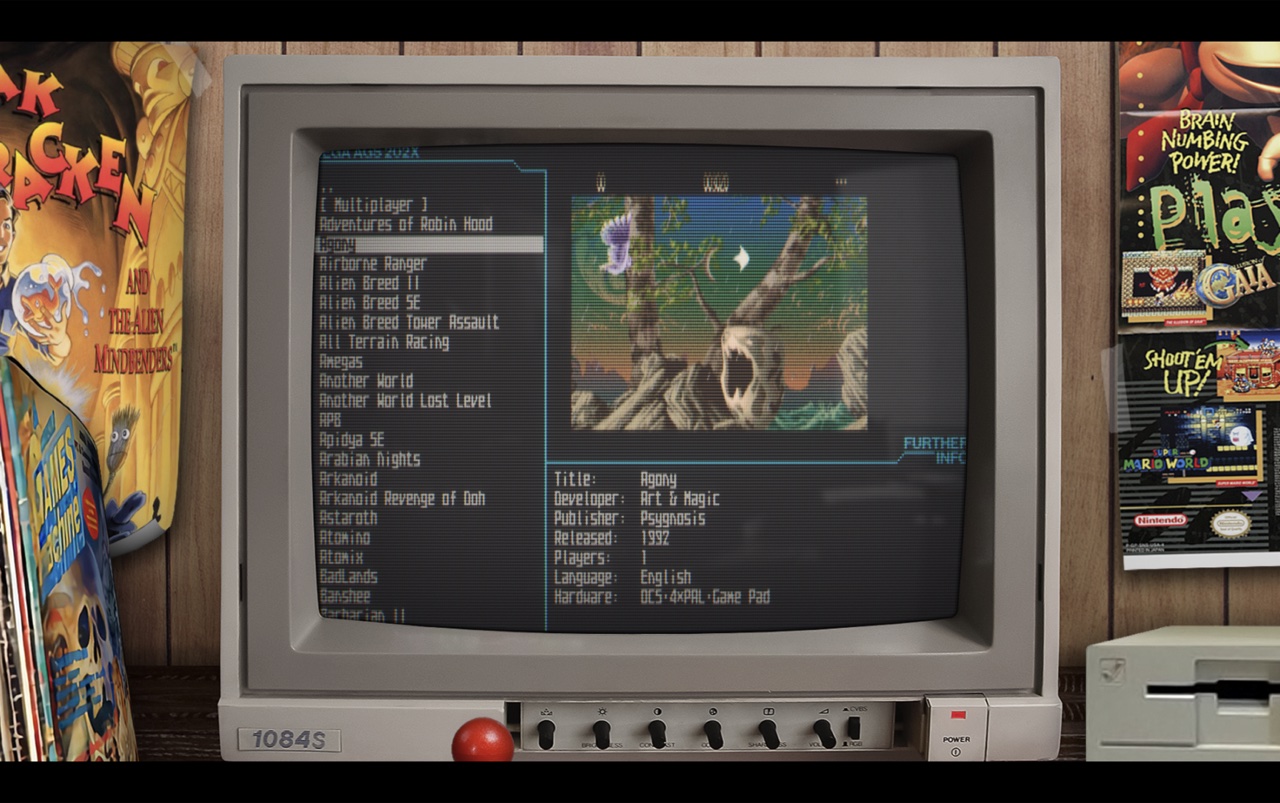
Tanuki3DS est un émulateur 3DS pour MacOS, Linux et Windows écrit en C qui vise à être simple, rapide et compatible. Actuellement, il peut lancer un nombre raisonnable de jeux avec des graphismes et un son de qualité et à pleine vitesse. Il prend également en charge quelques fonctionnalités intéressantes comme les manettes, l’avance rapide, l’agrandissement de la vidéo et la caméra libre.
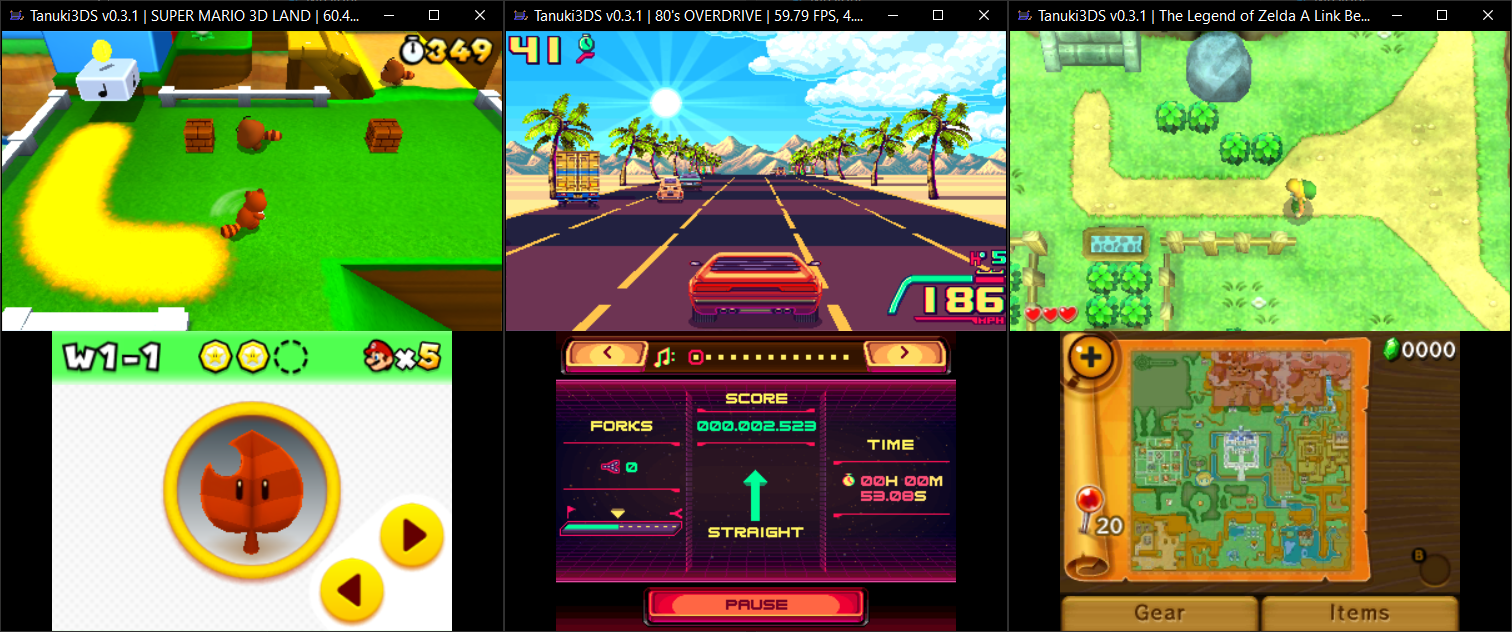
Les changements sont:
– GPU emulation improvements:
correct lighting emulation
normal mapping, shadow mapping
fog
– Camera and Mic support
– Motion controls fixes
– New game list UI
– Other misc fixes/improvements
Il s’agit d’un émulateur de Sega Megadrive et Mega-CD.

Version en ligne disponible ici.
Les changements:
– Vastly improved accuracy of interrupt and H/V counter timings.
– Vastly improved emulation of 68k/Z80 DMA stalls.
– The DAC channel now has its distinct Mega Drive ‘crunchiness’.
– Fixes crashing in The Spiral.
– Fixes dots covering the screen in OutRunners.
– Fixes the 512-colour demo in Titan Overdrive.
– Mostly eliminates the black bars seen during the fractal effect in Titan Overdrive II.
– Added emulation of the V-scroll latching.
– Fixes Devon’s high-colour Ronald McDonald tech-demo.
– Fixed frame-rate not being affected by changing the ‘TV standard’ option.
– Fixed save data being lost after a hard reset.
– Made UI scaling of menus consistent across DPIs.
Tile viewer.
Stamp viewer.
Plane viewers.
Stamp map viewer.
– Enlarged some menus.
Sprite list.
Tile viewer.
IV/Play (prononcé «Four Play») est une interface graphique pour MAME. Il a été conçu par un codeur rémunéré par John IV comme une alternative à MAMEUI (que Robbbert maintient). IV/Play mise sur une séparation réelle entre frontend et code MAME afin que les changements sur MAME n’affectent plus le frontend. Il vous faudra .NET 10.0 pour le lancer.
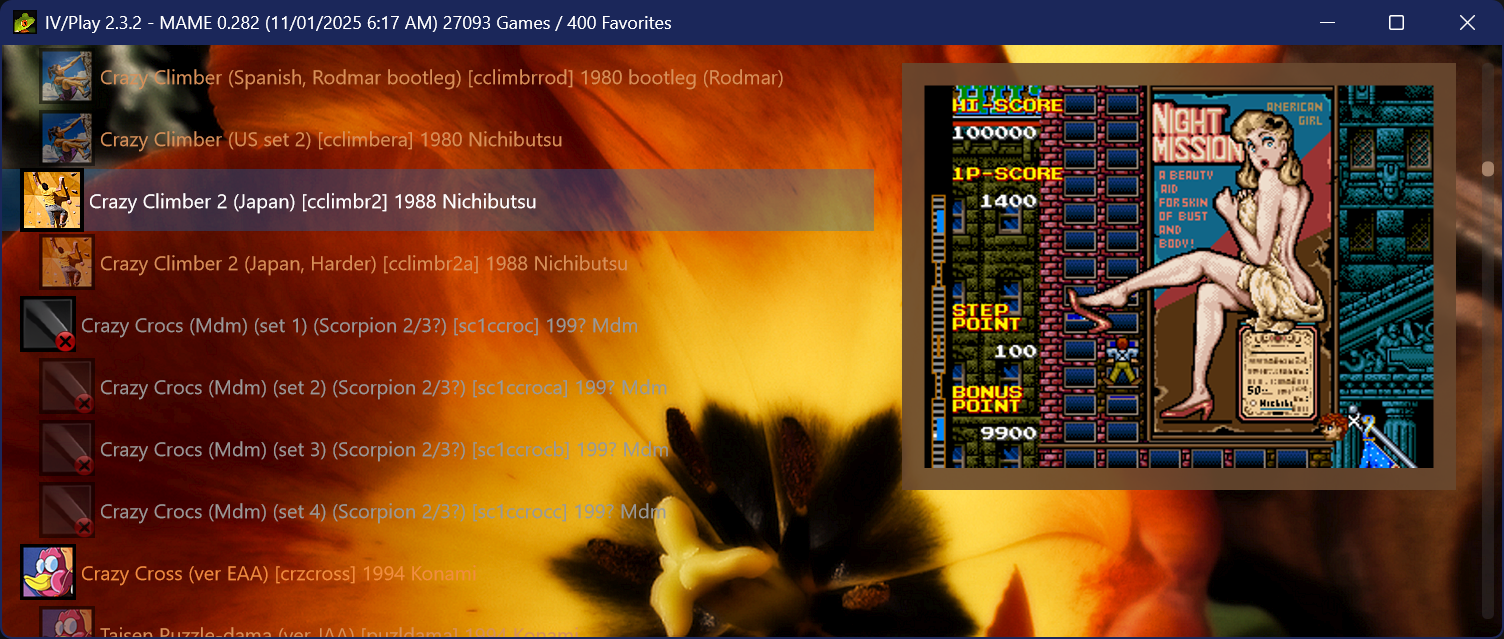
FLAT VIEW & GLOBAL SORT
Added a new flat view which displays all machines alphabetically and non indented; clones decoupled from their parents, favorites not pinned, parents at full opacity. Accessible via the TAB cycle or the F1 View dropdown. Flat View is also the only mode that supports global sort, which orders the list by default, description, machine name, manufacturer, or year. The selected sort field persists through restarts; direction resets to its natural default. Sort cycles via Alt S or the F1 Sort dropdown; especially useful when a filter result contains thousands of entries.
DEEPER DAT INTEGRATION FOR FILTER SEARCHES
History.xml, MAMEINFO.dat, and CatList.ini are now indexed/hydrated at first use and integrated into the Ctrl F filter system. history: (or hist:) searches the descriptive text from History.xml, while genre: (gg:) queries CatList.ini categories and subgenres. MAMEINFO.dat contributes first appearance version data, exposed through mameversion: and mv: along with natural language forms such as “version 53.” These sources also participate in the natural language layer, allowing combined queries like “imperfect shooters from 1995” or “platformers added in 0.99.” Two new operators workingstatus: and supportstatus: extend filtering to MAME’s internal status flags for both arcade and softlist items. See the down arrow on the Filter dialogue for a series of examples.
AVAILABLE ROMS GAMELIST
The ‘Available’ gamelist, accessible from the F1 Custom Gamelist dropdown or via the shortcut cycle key Alt‑INS/DEL, performs a simple .zip/.7z audit on the rompath entries defined in MAME.ini and matches those against machines in the XML, providing a list of only found items. Detection is non‑recursive and name‑only. Clones’ presence is assumed when using fully merged ROM sets. The gamelist intentionally does not show ROM‑less games like Pong; switch back to the full gamelist to see those entries. To activate this feature it is necessary to hit F12 to do a quick audit of archival ROMs in MAME’s -rompath.
PLATFORM-BASED SOFTLIST FILTER GROUPING
When a filter (Ctrl-F) returns software list results, IV/Play now collapses them into platform-level family nodes rather than producing one row per software item per hardware variant. A search for ‘zaxxon’ produces a single ‘Zaxxon (Atari 2600)’ entry, a single ‘Zaxxon (ColecoVision)’ entry, a single ‘Zaxxon (MSX1)’ entry, and so on; one row per platform, regardless of how many hardware machine variants or regional releases exist for that platform in MAME. Pressing Enter on a family node drills down into it, showing the parent release and any clones (regional variants, alternate revisions) for that platform. The parent entry shows its clone count, and each clone shows its parent name in brackets. Press Alt-Left Arrow, Backspace, or ESC to return to the platform-level filter results. Adding ‘noclones’ to the filter suppresses clone entries before grouping runs, so only parent releases appear and drill-down shows a single launchable entry.
NATIVE AOT TRANSITION / PERFORMANCE
IV/Play now ships as a native Ahead-of-Time (AOT) build, producing a smaller, fully self contained executable that no longer requires users to install the .NET 10 runtime (Note: the .exe size increases as a byproduct). Startup behavior is more consistent across machines, with faster warm launches and smoother recovery after full XML exports or database rebuilds. Overall responsiveness improves due to native code generation, and memory usage is slightly reduced.
MACHINE STATUS AWARE ICON BORDERS
This configuration feature surfaces the status of MAME machines that appear in Alt-Enter properties as not working (red), imperfect (orange), and working (green) by using the black border of the existing icons and changing them to that color (or any user chosen in the *.cfg). Further, since the imperfect games are the most in need of visual differentiation, they are now defaulted to a bkground derived themed color to complement the auto-theme feature. This auto color for the imperfect status border can be turned off in F1 to return to user chosen RGB settings. It also extends to softlist machine media items.
HIDDEN.INI
IV/Play now supports a hidden.ini file at the executable level for permanently suppressing entries from the game list before any filter or display logic runs. Each line takes one of three prefix forms: type: targets a machine category, machine: targets a specific short name, and driver: targets all machines sharing a source driver. Excluded entries are removed from the dataset entirely — they do not appear in filter results, favorites, or any custom gamelist. The file follows the same precedence rules as Favorites.ini and survives factory resets. It is generated automatically if not present and contains the syntax/usage information. Its creation can be suppressed by a toggle in the *.cfg if desired.
CUSTOM GAME LIST GENERATION FROM FILTER RESULTS
Using Alt-L from a filter result set will now automatically create an entry in the custom-list.ini file.
NUMBER OF CLONES / PARENT
Added the ability to show the number of clones a machine has on the gamelist, as well as the counterpart `[parent: x]` on clone entries. Clone counts use singular/plural forms (“1 clone” / “5 clones”) and appear left‑anchored immediately after the machine description. This can reveal interesting historical patterns where widely bootlegged games may have dozens of clones. Accessible in F1 as two independent toggles.
COMMAND LINE OVERRIDE AUTOCOMPLETE
Returning from IV/Play 1.8, MAME’s `-showusage` output is captured and used for the command line override text input.
ADDITIONAL FEATURES
• DPI detection and display has been hardened; IV/Play now flows better when dragged across multiple monitors with different DPIs and scaling settings.
• Added toggles for ‘Show Parents’ and ‘Show Machines’ to create even more display permutations. These can also be accessed via natural language queries in Ctrl‑F such as “Parents” or “Machines Only.”
• Added new randomized splash screens which appear on full MAME XML export and .db rebuilds at launch.
• Added Shift‑F8 to show all the new internal splash screens in an overlay panel.
• Added two new 3-way filter operators to Ctrl-F: workingstatus:working / :imperfect / :notworking (alias ws:) distinguishes fully-working from imperfect-emulation machines, going beyond the boolean working only phrase. supportstatus:yes / artial / :no (alias ss:) filters softlist items by their MAME support level. Combine with a system name for best results: snes supportstatus:yes. Natural language aliases such as imperfect machines, broken games, and partially supported are also supported.
• Added a ‘snapshot’ of the entire user configuration taken on launch and available in the F2 log. If changes are made through the session, they are flagged by a color change and delta icon (Δ) on the next F2 to make for easier debugging/diagnostic work.
• Added Genre, MAME version, and machine type to Alt-Enter properties since we consume all of that and hydrate it now. Requires History.xml, MAMEINFO.dat, and CatList.ini.
• Added a subtle configuration/F1 button at the bottom of the vertical scrollbar. This is the first time in the app’s history that the configuration dialogue is accessible without a keypress.
• Added current game list in use to the titlebar.
• Add Alt-O to select a new random bkground. Note shortcut keys are all assignable in the *.cfg and some major ones in the F1 dialogue.
• Rename favorites and custom gamelist in the distribution packages so they don’t overwrite users’ own files.
• Added the ability to return the app to center of screen and its default dimensions. Double click the titlebar or use Ctrl-Shift-0.
• Added an OS aware System / Dark / Off mode drop-down in F1.
• Added a browser-like Ctrl-F (Find) inside the overlays, including F2 & F3, and the DAT peeks.
• Modernized the font and color pickers in F1.
• Removed hardcoded Segoe UI usage through out the rest of the app, main UI font now set in the F1 config and will propagate. New default per Windows 11 is Segoe UI Variable Text.
• Created a TTF font based on MAME’s very old uismall.bdf for use in MAME’s internal UI. Double-click it, choose ‘Install’ to bring it into Windows 11, then use ‘-uifont MAMEUISmallMod’ in the MAME.ini to utilise it, in-game. It also looks nice as the UI font in IV/Play itself, set in F1. Added to the distribution package.
• Added a third font picker field in F1, this for the rest of the UI, including dialogues. This allows a separate gamelist font setting to be decoupled and individualized.
• No longer including favorites.ini and the custom gamelist.ini in the distribution package so there is no accidental overwriting on decompressing the archive.
Maintenu par Robbbert, il s’agit de la suite la plus directe de MAMEUIFX, ne contenant que la partie arcade de MAME et supprimant les « extra games » que proposait MAMEUIFX (ces derniers étant tous inclus dans HBMAME).
As before, the releases only have the binary. Any other needed files come with the standard MAME from mamedev.org.
– Arcade games only
– NO pinball
– NO poker games
– NO gambling games
– NO systems that require software, such as computers and consoles
– If all the games of a specific source file are not functional, then they are removed.
Changement:
– sync with mame v0.287

Télécharger ARCADE (32 bits) v0.286 (31.6 Mo)
Voici l’ensemble des screenshots et icônes de MAME réunis dans des packs à télécharger…
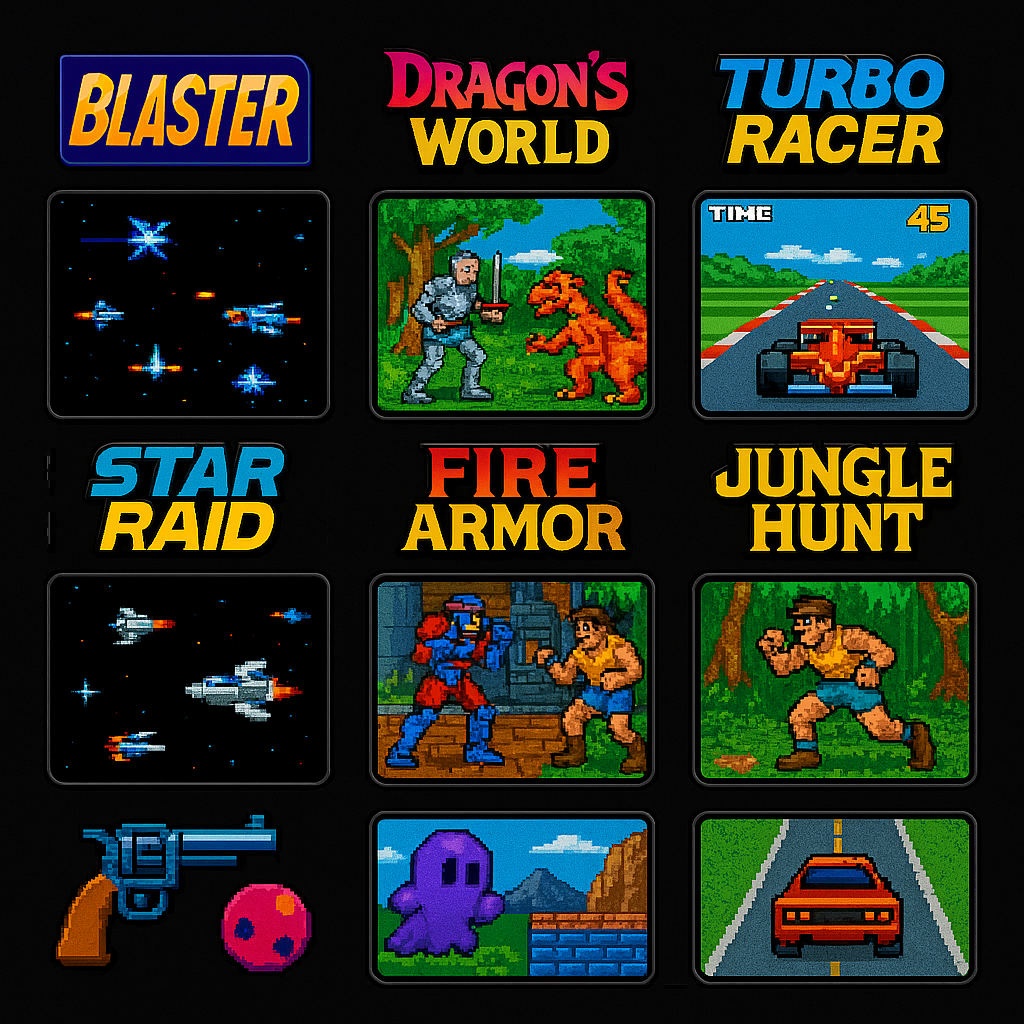
Télécharger MAMEUI Screenshots Pack v0.287 (272 Mo)
Initialement nommé Mame32, il fut le premier port de MAME(Arcade) sous plateforme Windows. MAMEUI32/64 est un émulateur multi-arcade et multi consoles/ordinateurs incluant une interface (frontend).
Comme c’est Robbbert qui, de toute façon, fait le job pour MAMEUI depuis des années (et non John IV), il vient de proposer directement les deux builds sur sa page et pas uniquement la version 32, comme ça « ça c’est fait » ! ^^

Changements valables pour MAMEUI/MESSUI:
– Updated to Latest Mame
– Winui: added DRC option switch, needed because of some recent model2 regressions but the game works with the switch off
– Added or improved sounds in various mostly-silent 8-bit games: sspaceat, sspaceat2, sspaceat3, sspaceatc, sspacaho, invcarht, carhntds, alphaho, alphahob, ace, tinv2650, sia2650, dodgem, fgoal, fgoala, sshot, sshota, gunchamps, foolrace, blackhol, beaminv, pacominv, pacominva, ctainv, worldinv, ipminvad2, andromed, skychut, headoni, spacbeam, greenber, spfghmk2, spfghmk22, satsf3d.
– Fixed the long-standing sound bug in schaser and clones.
Rappel:
L’ancien MESSUI devient le nouveau MAMEUI (arcade+console+ordinateur), l’interface étant plus aboutie et performante. L’ancienne interface (très proche visuellement mais avec quelques menus en moins) de MAMEUI est donc définitivement abandonnée.
– MESSUI (full version) has been renamed to MAMEUI. The old MAMEUI interface has been retired.
A noter que MESSUI est à présent totalement fusionné dans MAMEUI (qui conserve ce nom), seule une petite astuce permet de transformer MAMEUI en MESSUI (voir ici).
En résumé:
MAME = Arcade + consoles + ordinateurs
MAME(arcade) = MAME en version Arcade uniquement.
MAME(MESS) = MAME en version consoles et ordinateurs uniquement.
MAMEUI = MAME + Interface dédiée.
MESSUI = MAME(MESS) + Interface dédiée. => voir indication ci-dessus.
ARCADE = MAME(arcade) + Interface dédiée (et basée sur l’ancien MAMEUIFX).
Télécharger MAMEUI32 v0.286 (59.8 Mo)
Télécharger MAMEUI64 v0.287 (104 Mo)
Build de MAME(Arcade) qui empêche toute tricherie dans les vidéos .inp, utilisé par les sites qui référencent les records.

Build 32 bits compilé par St Hiryu.
Télécharger WolfMAME (32 bits) v0.286 (59.5 Mo)
Il s’agit de MAMEUI avec des fonctions en « plus ». Il fait suite à l’ancienne version abandonnée depuis longtemps.

Les changements:
– update to mame 0.287
1:Changed export chinese game list encoding from UTF-8 to GB2312 for direct makelang compatibility
2:Optimized Japanese language pack for more natural native Japanese expressions
3: Fixed translation issues for Audit page tab titles and static text
4: Fixed translation failure caused by text being overwritten after ROM verification
5:Improved translation support for various property page titles
6:Fixed « Properties for driver » translation issue in context menu
7: Fixed PCB Info window title and game name translation issues
8: Fixed Clang build errors and enabled support for modern C++ syntax (C++17/20/23 and experimental C++26).
9: Added support for GCC 15.2.0, Clang 21.1.8 (MinGW-w64), and MSVC 14.5 toolchains.
10: Changed mame.lst export path from root directory to language pack directory, unified filename to mame.lst, and standardized encoding to UTF-8
11: Completed UI all 52 official language packs, achieving full global language coverage.
12: Changed game list translation file from .mo binary format to mame.lst text file
13: Fixed bug where game list wouldn’t translate after exiting games when 52 languages were added
14: Removed manufact field from exported mame.lst and kept only one line for machine name
15: Fixed toolbar icons not displaying when switching languages
16: UI Full support for UTF-8 encoding and official gettext language packs (.po .mo format)
17: Upgraded game search from fuzzy matching to precise positioning for improved accuracy.
18: Fixed crashes, English-only tree lists, untranslated tab titles, UI refresh issues during language switching, and search box prompt encoding errors.
19: Unified translation files into three core components: ui.mo (Interface), folders.mo (Folders), and mame.lst (Game List).
20: Added missing translation strings and improved overall multi-language support.
21: Fixed Bug where status bar hints in the Settings menu failed to load language packs
22: Added Status bar hints for the « Export Game List » menu item
23: Added UTF-8 new language packs (Chinese Simplified, Chinese Traditional, Japanese, Korean, French, Spanish, Turkish).
24: Fixed Tab translation buffer overflow causing program crashes.
25: Fixed the issue where language pack failed to load in the bottom-right corner of the user interface.
26: Added UTF-8 new language packs (German, Russian, Italian, Portuguese_Brazil, Portuguese,Spanish_Mexico,French_Canada,French_Belgium).
27: Fixed toolbar icon disappearing on language switch, now using unified English resources.
28: Updated sf2prime to version 2.73
29: Fixed media view display issues and added new language packs.
30: Fixed the issue where the search box prompt text failed to load the language pack correctly after losing focus.
31: update catver folders 0.286 and all language packs.
32: Optimized command list color scheme and symbol mappings
33: Updated NeoGeo Neo SD ROMs with newly converted data and synced CRC/SHA1 checksums (by xyzhz)
34: Fixed issue where property page opened with missing translation and tree menu
35: Fixed Working/Not Working classification error in tree view (delete ini/MAME_g.ini to rebuild)
36: Updated sf2prime to version 2.74
37: Add custom tree list sorting feature, fix issue where tree list .ini file was not generated
38: Optimize game list sorting rules (Space > Punctuation > Number > English > Multilingual), support recursive comparison
39: Fixed sorting rules not updating when toggling « Use Local Language Game List »
40: Fixed status bar game list not translating after audit
41: Fixed translation failure when folders directory is empty
42: Fixed ui.ini being saved to wrong directory when folders directory is empty
43: Updated sf2prime to version 2.75
Il s’agit d’une version non officielle de FBA basée sur la version 0.2.97.43 mais qui ajoute beaucoup de fonctionnalités « inutiles » (dixit l’auteur). Cette version ajoute par exemple l’enregistrement vidéo, le support des roms sous 7z, le support de XAudio2/OpenAL/OpenGL, l’autofire… en plus d’avoir une interface plus complète et détaillée. Enfin ce build ajoute des drivers supplémentaires permettant le support de nouveaux jeux. Beaucoup l’apprécient pour ses fonctions à mi-chemin entre FBA et MamePlus!

Il est nécessaire que Microsoft Visual C++ 2010 Redistributable Package et/ou « Microsoft Visual C++ 2013 Redistributable Package » soit préalablement installé. Si votre interface est en japonais, choisissez la 4eme option puis 3eme ligne, et choisissez en_US.dll (ou en_US_x64.dll pour la version x64). L’interface sera de nouveau en anglais.
La version VS2012 est remplacée par la VS2013 (builds compatibles à partir de Vista et supérieur).
La version VS2010 est toujours présente car compatible XP (et supérieur).
Site source 1. Site source 2. Site source 3.
Télécharger FBA Shuffle (x86/VS10) [kof2112] v2.4.0 (2016/01/08) (4.3 Mo)
Télécharger FBA Shuffle (x64/VS10) [kof2112] v2.4.0 (2016/01/08) (4.7 Mo)
Télécharger FBA Shuffle (x86/VS13) [kof2112] v2.4.0 (2026/03/19) (6.8 Mo)
Télécharger FBA Shuffle (x64/VS13) [kof2112] v2.4.0 (2026/03/19) (7.9 Mo)
Il s’agit d’un émulateur de Sega 8 bits écrit en C++ par Ignacio Sanchez.
Il émule les machines suivantes:
– Sega Mark III
– Sega Master System
– Sega Game Gear
– Sega Game 1000 (SG-1000)
– Othello Multivision
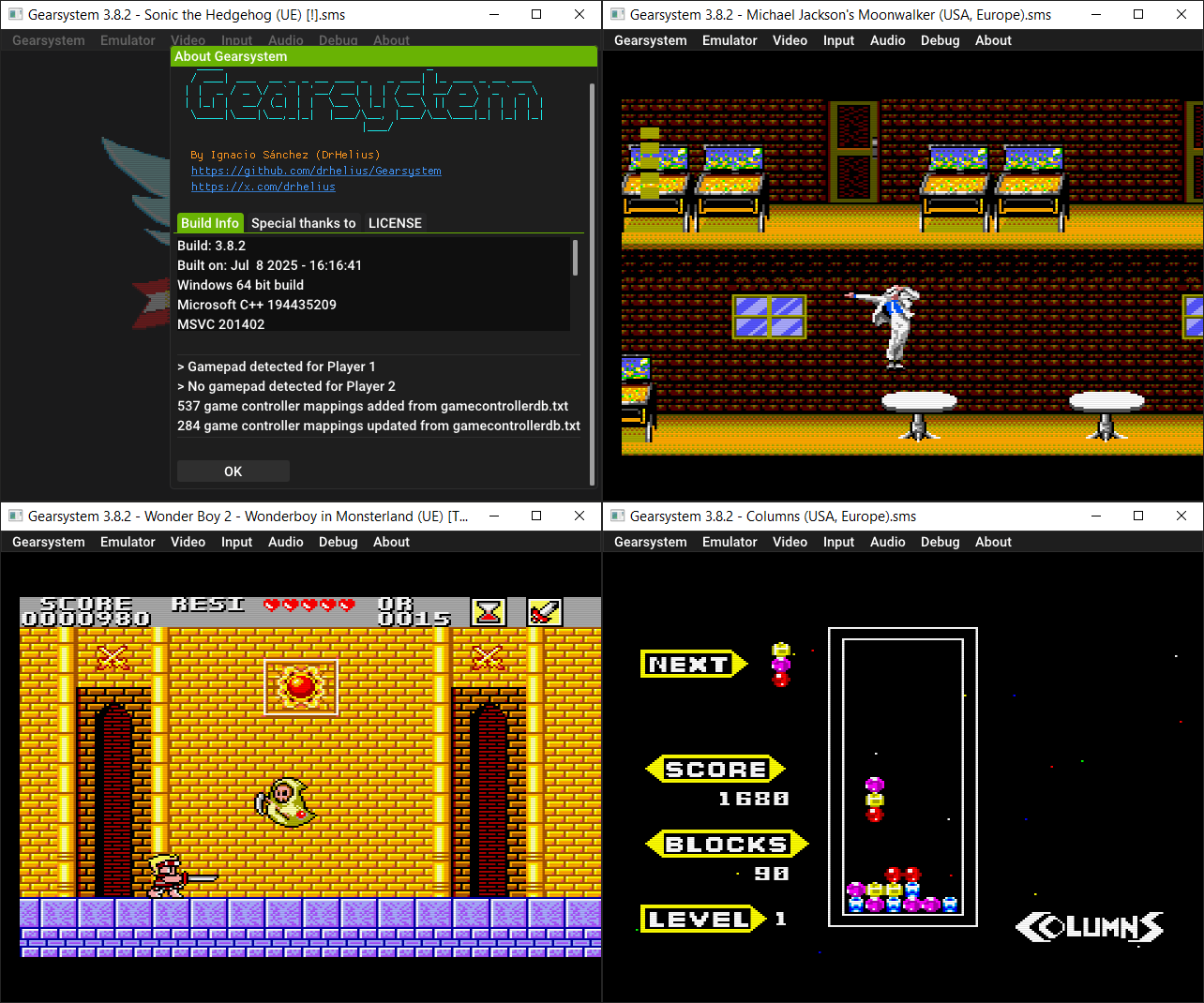
Voici donc les changements:
🧠 Improved MCP server + skill with headless mode
🎮 Updated game controller database
🐛 Bug fixes and improvements
Le binaire 32 bits est compilé par Lo v2.
Télécharger GearSystem (32 bits) v3.1.0 (13.5 Mo)