Play! est une tentative de créer un émulateur PlayStation 2 sous Windows / MacOS / iOS / Android. Il est actuellement écrit en C / C + + et utilise un système de mise en cache / de recompilation d’instruction pour obtenir de meilleures performances tout en émulant le CPU.
 
L’émulateur peut faire fonctionner quelques jeux, mais très moyennement dans la plupart des cas. L’objectif de l’auteur est d’atteindre un niveau de qualité qui permettra à quiconque de jouer son jeu favori PlayStation 2 sur son PC.
 
play
 
– Add proper « empty » return value to GetEffectiveAddress.
– Update CodeGen submodule.
– Fix Linux build.
– Detect self loops in VU code.
– Check which slots we have when copying function.
– Allow blocks not to have a branch link.
– Update CMake generation scripts.
– Cleanup.
– Stay inside block when it’s branch target is itself.
– Remove duplicated code.


Télécharger Play! (x86) GIT v0.72 (2026/02/17) (8.8 Mo)

Télécharger Play! (x64) GIT v0.72 (2026/02/17) (10.3 Mo)

Site Officiel

En savoir plus…

Plus42 est un émulateur de calculatrice scientifique programmable RPN HP-42S, basée sur Free42.


Télécharger Plus42 v1.3.13 (5.0 Mo)

Site Officiel

En savoir plus…

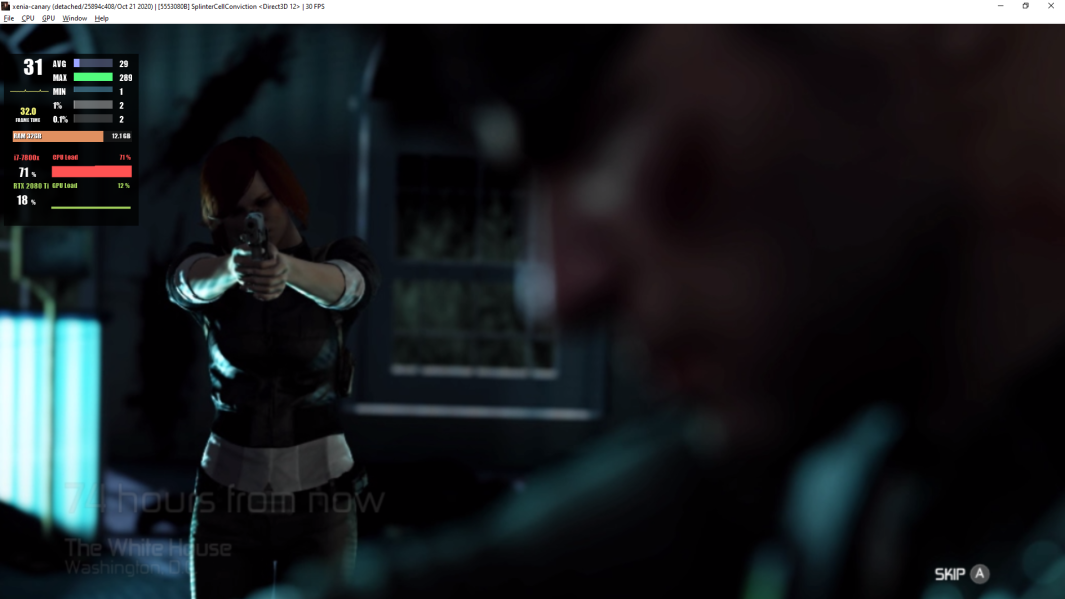
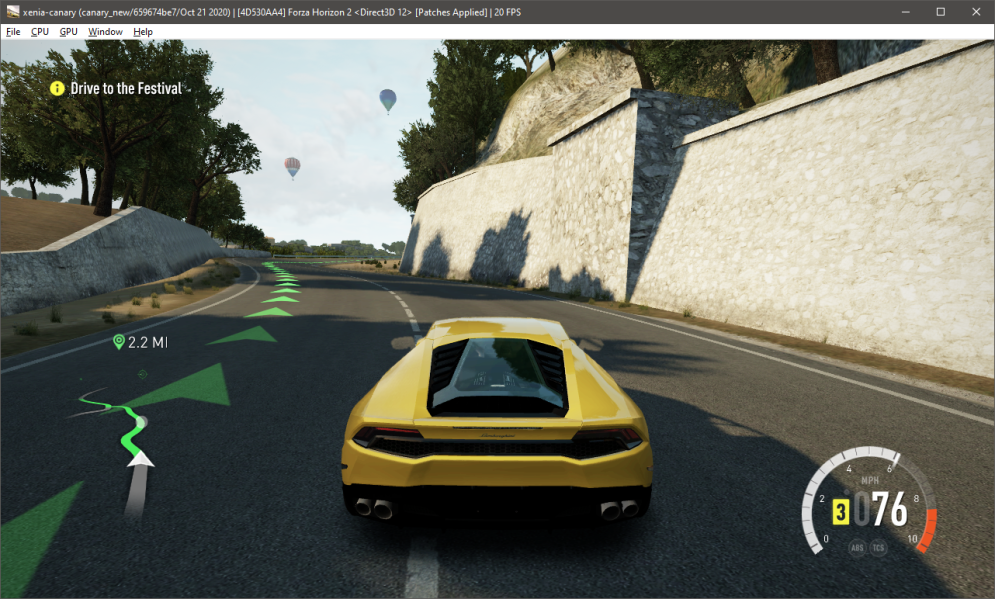
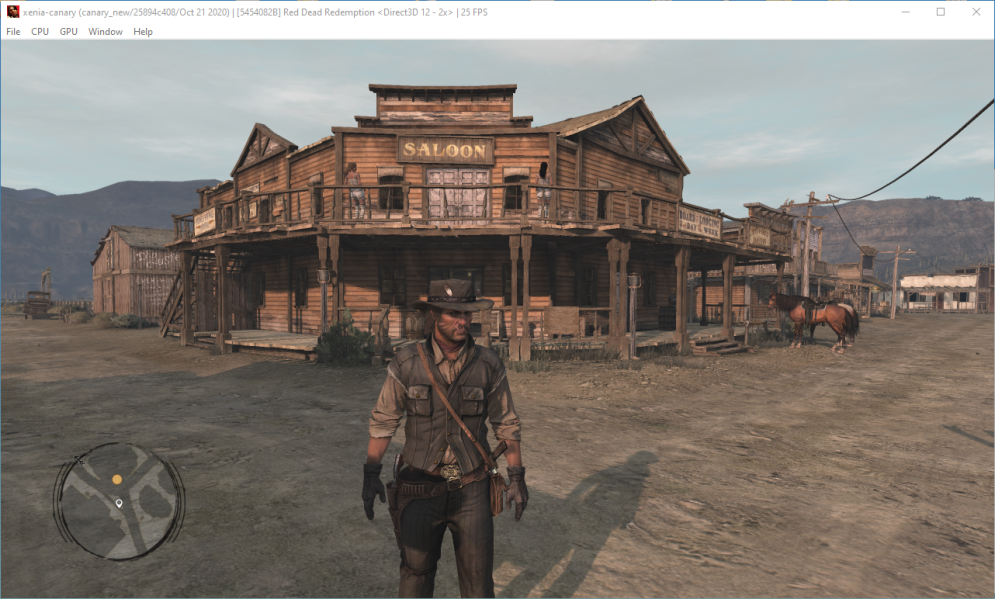
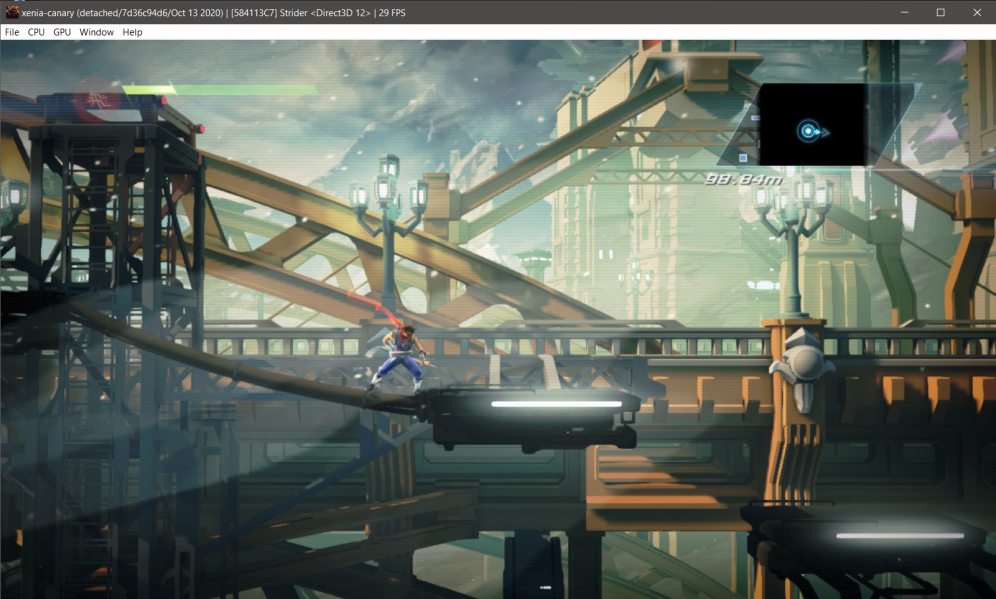
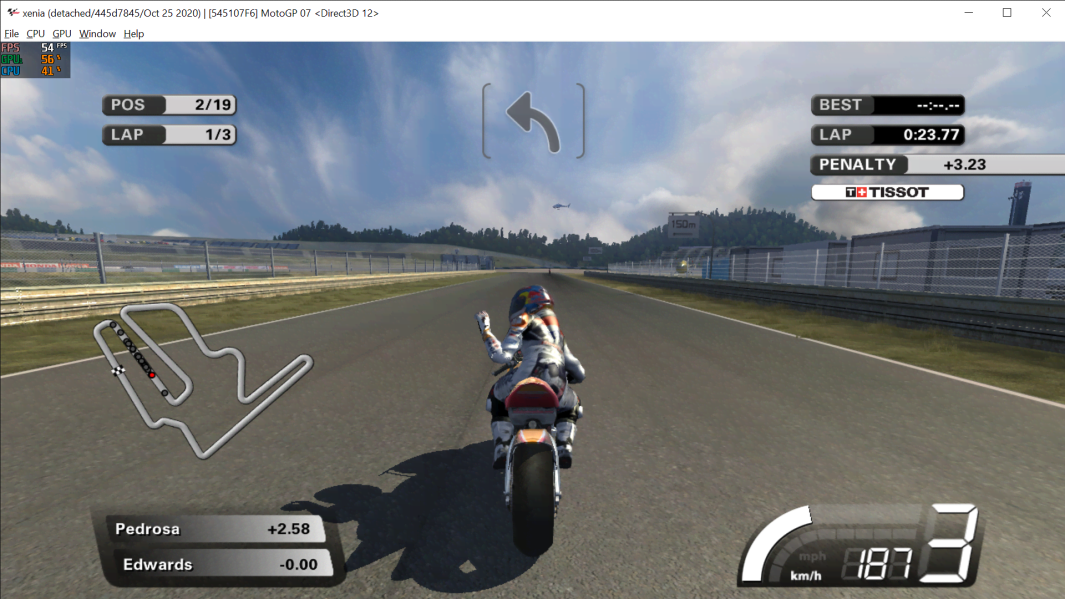
Créé par Ben Vanik alias Noxa (PSP Player), il s’agit d’un projet de recherche pour développer un émulateur Xbox 360. Notez qu’il vous faudra une machine très performante pour lancer des jeux commerciaux de façon fluide. Plus d’informations ici sans oublier le site de développement là.


Télécharger Xenia v1.0.2841 (2026/02/20) (4.6 Mo)

Site Officiel

En savoir plus…

La dernière version béta publique de l’excellent WinUAE, l’émulateur Commodore Amiga.


Source: Forum des versions Betas.

Télécharger WinUAE (Public Beta) [32 bits] v6.0.3 Beta 1 (4.9 Mo)

Télécharger WinUAE (Public Beta) [64 bits] v6.0.3 Beta 1 (7.4 Mo)

Télécharger WinUAE (Public Beta) [32 bits] v6.0.2 Beta 8 FR (7.8 Mo)

Télécharger WinUAE (Public Beta) [64 bits] v6.0.2 Beta 8 FR (10.8 Mo)

Site Officiel

En savoir plus…

L’intelligence artificielle devient un outil universel pour la conception de jeux. Bien que l’IA des jeux vidéo n’en soit qu’à ses débuts, les sociétés de jeux ont reconnu ses avantages intéressants tels que l’amélioration de l’expérience du joueur et la …

L’intelligence artificielle est l’apanage des jeux vidéo et en ligne moderne. Des meilleurs site de poker en ligne aux jeux d’actions, l’IA participe à les rendre plus réel et intéressants.   L’IA recoure à des méthodes non déterministes telles que …

La dernière version béta publique de l’excellent WinUAE, l’émulateur Commodore Amiga. La traduction est signée Tradu-France.


Les changements ici.
 

Télécharger WinUAE (Public Beta) [32 bits] v6.0.3 Beta 1 (4.9 Mo)

Télécharger WinUAE (Public Beta) [64 bits] v6.0.3 Beta 1 (7.4 Mo)

Télécharger WinUAE (Public Beta) [32 bits] v6.0.2 Beta 8 FR (7.8 Mo)

Télécharger WinUAE (Public Beta) [64 bits] v6.0.2 Beta 8 FR (10.8 Mo)

Site Officiel

En savoir plus…

Il s’agit d’un fork de Mesen v0.9.9 beta codé en C++ et C# et destiné à rassembler les efforts de développement de différents forks en ajoutant un ensemble de corrections et d’améliorations. Il s’agit de la version stable.


Les changements:
– Merge pull request #138 from mkwong98/Sync2
– Fix dpi over 200%
– Adjust randomBackground condition
– Fix random background
– Implement random background
– Merge pull request #29 from NovaSquirrel/master


Télécharger Mesen-X v1.0.2 r230911 (3.5 Mo)

Site Officiel

En savoir plus…

De nouveaux patchs sont disponibles sur le site de nos partenaire de chez la TRAF* (et sur notre miroir), de quoi s’occuper de nombreuses heures 🙂
 
Changements depuis la précédente news:
[MD] Urban Strike v1.0
[MD] Warsong v1.0

[GB] Zelda: Link’s Awakening Turbo-Français (v1.2)
[NES] Felix the Cat v1.0 (M26G)
[GBC] Les chevaliers du Zodiac – Le retour du phénix v1.2.0F (FINAL 05-11-2022)
[NES] Dig Dug v1.0
[SNES] Super Mario World v1.2 (Brutapode89)
[MD] Alisia Dragoon FR v1.2
[MD] Joe & Mac FR v1.1
[SNES] Super Mario RPG: Legend of the Seven Stars v1.0
[NDS] Mega Man Star Force 3 – Black Ace v2.0
[NDS] Mega Man Star Force 3 – Red Joker v2.0
[MD] Mamono Hunter Yohko FR v1.0
[NES] Super Mario Bros. 2 FR (Brutapode89) v1.3
[GB] Star Ocean: Blue Sphere
[SNES] Live A Live
[SNES]Bahamut Lagoon
[SNES] Tactics Ogre Let us Cling Together
[PSX] Dr. Slump
[NES] Super Mario Bros. 2 (v1.2) (Brutapode89)
[MD] Bubsy in – Claws Encounters of the Furred Kind (v1.01) *maj*
[MD] 007 The Duel (v1.01)
[MD] Galahad (v1.01)
[MD] Shining in the Darkness (v1.0)
[MD] Spot Goes to Hollywood (v1.0)
[MD] Cadash (v0.95) Fixed
[MD] Light Crusader (v1.0)
[MD] Super Hydlide [Bug Fix] (Release original de Génération IX)
[MD] Phantasy Star II (V1.01)

 
*En réalité tous ces patchs seront intégré sur le site de la traf prochainement mais en attendant ils sont tous dispos sur emufrance ou sur la page suivante ou celle-ci (et bien sur toujours référencés chez RomHacking).

 
traf
 
Bon jeu!
 

Site Officiel

Il s’agit d’un émulateur d’ordinateurs de la série Fujitsu FM-7 (FM-7/FM77AV/FM77AV40). Le but est principalement d’émuler le FM77AV40 et de prendre en charge au minimum le FM77AV.
 

À l’heure actuelle, il ne peut exécuter que quelques jeux sans son. Par la suite de nouvelles fonctionnalités arriveront bientôt.


Mutsu_CUI ROM-PATH 

Options:

-PAUSE
  Pause on start.

-IMGPATH dir
  Image search path.

-T77|-TAPE t77file.t77
  Set T77 cassette data recorder dump.

-AUTOSTARTTAPE
  Auto start the first tape program.

-T77AUTOSAVE|-AUTOSAVETAPE t77file.t77
  In old days, we were saving programs/data in audio cassette tapes.  I had to press REC
  button before writing, and must release REC button before reading.  If I forgot pressing
  REC and thought I was saving data, it was not saved, and gone as soon as I turned off
  the PC.  If I forgot releasing the REC button before reading, I accidentally erased
  the tape instead of reading from it.  Not to repeat such tragedy, you can specify
  auto-save tape image.  The file does not have to exist.  The program will create it.
  If you don't virtually press REC button in the emulator, or if you write-protect the
  primary tape image, data will be saved to this auto-save image.  You can later mount it
  for reading.

-FD0 filename
  Floppy disk image file name for Drive A.

-FD1 filename
  Floppy disk image file name for Drive B.

-FD0WP,-FD1WP
  Write protect floppy disk.

-FD0UP,-FD1UP
  Write un-protect floppy disk.

-GENFD filename.d77 320|640
  Generate an empty disk. Need to specify 320KB disk (2D) or 640KB disk (2DD)
  Specify 400 as size to make 2D disk with 1024-byte per sector, 5 sectors per track.

-DIVD77 filename.d77
  Divides multi-disk D77 file into single-disk D77 files.
  Suffix  _1, _2, _3, ... will be added after each file name.
  Does nothing if the file is already a single-disk image.

-NOWAIT
  Run VM without adjusting time for the wall-clock time.

-ALIAS aliasLabel filename
  Define file-name alias.  Alias can later be used as a parameter to FDxLOAD, TAPELOAD commands.
  eg. You can use -ALIAS DISKA "full-path-to-game-diskA" to ease disk swap from command.

-KEYBOARD DIRECT/TRANS/TRANS2/TRANS3
  Keyboard mode.  DIRECT is good for gaming.  TRANS/TRANS2/TRANS3 is good for typing.

-AUTOSTOP autoStopType
  FM-7 seriew before FM77AV could not detect key-release.  Therefore, game programs
  could start moving a character by a key stroke, but did not know when the key was
  released and should stop.  Therefore, we had to press typically Num-5 top stop a
  character.  In the emulator, this problem can be solved by virtually typing a
  different key when num keys or arrow keys are released.  You can choose from
  AFTER_NUM_RELEASE, AFTER_ARROW_RELEASE, AFTER_NUM_RELEASE_AND_RETYPE,
  AFTER_ARROW_RELEASE_AND_RETYPE, and AFTER_ANY_KEY_RELEASE.

-AUTOSTOPKEY keyCode
  Specify which key should virtually be pressed after num keys or arrow keys are
  released.

-GAMEPORT0 KEY|PHYSx|ANAx|NONE
-GAMEPORT1 KEY|PHYSx|ANAx|NONE
  Specify game-port emulation.  By keyboard (Arrow,Z,X,A,S), or physical gamepad.
  PHYS0,PHYS1,PHYS2,PHYS3 use physical game pad direction button (or hat switch) as up/down/left/right.
  ANA0,ANA1,ANA2,ANA3 use physical game pad analog stick as up/down/left/right.
  KEYMOUSE use arrow keys and ZX keys for mouse cursor and buttons.
  NUMPADMOUSE use NUMPAD number keys and /* keys for mouse cursor and buttons.
  PHYS0MOUSE,PHYS1MOUSE,PHYS2MOUSE,PHYS3MOUSE use physical game pad digital axis for mouse.
  ANA0MOUSE,ANA1MOUSE,ANA2MOUSE,ANA3MOUSE use physical game pad analog axis for mouse.

-BUTTONHOLDTIME0 0|1 time_in_millisec
-BUTTONHOLDTIME1 0|1 time_in_millisec
  In some games, when you click on a menu or a button, you end up selecting the next menu
  or the button that happens to appear in the next options.  Daikoukai Jidai (KOEI)
  is virtually unplayable.  Super Daisenryaku keeps scrolling to the end when you want
  to scroll only by one screen width.  You really had to press the button and release
  immediately.  How patient we were!
  It is due to the bad programming.  When the program reads button state as DOWN, it must
  wait until the state changes to UP before making a next selection.  But, we cannot go
  in to all of the programs and write patches.  Instead, this option let you limit
  maximum time that the button is sent as DOWN to the virtual machine even when
  you keep it down for 100 seconds.

-VIRTKEY townsKey gamePadPhysicalId button
  Assign a virtual key to a gamepad button.

-COM0, -COM1, -COM2, -COM3
  Enable COM port.

-QUICKSSDIR dir
  Specify quick screen shot directory.

-HOSTSHORTCUT hostKey ctrl shift "command"
  Assign host short cut key (hot key).

-INITCMD cmd
  Specify initial command.

-EVTLOG filename.evt
  Specify event-log file to play back.

-SCALE X
  Screen scaling X percent.

-AUTOSCALE
  Auto scaleing screen to match the window size.

-MAXIMIZE
  Maximize the window on start up

-FULLSCREEN
  Fullscreen on start up


Télécharger Mutsu Build 20251206 (1.0 Mo)

Site Officiel

En savoir plus…

AmiArcadia est le port amélioré de Tunix2001 ex ‘Win Arcadia 2001’ (par Gavin Turner) pour Amiga. Ecrit par James Jacobs et Gavin Turner, cette version est en fait le port Windows du port Amiga (un backport) !


Il émule les consoles basé sur la famille des Arcadia2001 : Bandai, Emerson, Grandstand, Hanimex, Intervision, Leisure-Vision, Leonardo, MPT-03, Ormatu, Palladium, Poppy, Robdajet, Rowtron, Tele-Fever, Tempest, Tryom, Tunix, etc.
 
Il supporte aussi l’Interton VC 4000 et l’Elektor TV Games Computer. Il nécessite Windows 9x/ME/NT/2000/XP et tourne aussi sous Vista/8/10/11.
 

Télécharger Win Arcadia (Ami Arcadia) v36.02 (8.5 Mo)

Site Officiel

Créé par Rich Whitehouse, BigPEmu est le premier émulateur Atari Jaguar à offrir une compatibilité avec l’ensemble de la bibliothèque de cartouches vendues dans le commerce et offre d’excellentes performances et une grande variété de fonctionnalités uniques.
 
A noter qu’à la base il s’agissait d’un emu closed source qui était intégré dans la compilation Atari50. Il s’agit sans l’ombre d’un doute du meilleur émulateur de Jaguar devant Phoenix (qui reste le meilleur émulateur de 3DO), les VirtualJaguar, Mame et tout le reste.


Les changements sont les suivants:
 
– Added variable-sized EEPROM support, thanks to Reboot for providing some test cases. 512 byte and 2KB EEPROM settings are picked up from the MRQ file if it exists, otherwise any number of EEPROM address bits can be specified via the -eeprombits command line option.
– Added JaguarGD bank switching support.
– Fix for exception-handled M68K reads in unmapped address space.
– Fix for Blitter not correctly wrapping cyan/red on add when ADDDSEL is set, thanks to ScatoLOGIC for reporting the BattleSphere bug which led to this fix.
– Fix for Blitter not starting on the correct bit when block width is less than pixel size and phrase mode is not enabled, thanks to ScatoLOGIC for reporting the BattleSphere bug which led to this fix.
– Going in for a major surgery tomorrow (2022/12/06), so expect that I’ll be mostly unavailable and that there won’t be any emulator updates for at least a couple of weeks.

 
PS : Pour choisir la langue, quand vous lancez l’émulateur, allez sur information / language / strings_fr.txt


Télécharger BigPEmu v1.21 (10.3 Mo)

Télécharger BigPEmu (français) v1.18 (10.1 Mo)

Site Officiel

En savoir plus…


Casino-en-ligne-fiable.com

https://getourbonus.com/fr/accueil

https://www.romspedia.com/

https://www.casinoonlinefrancais.fr

Lucky 7 bonus

https://www.casinogratuitsansdepot.com

pablocasino.org

critiquejeu.info

playbonus

casinodoc.org

laplanquedujoueur.com

casinoonlinefrancais