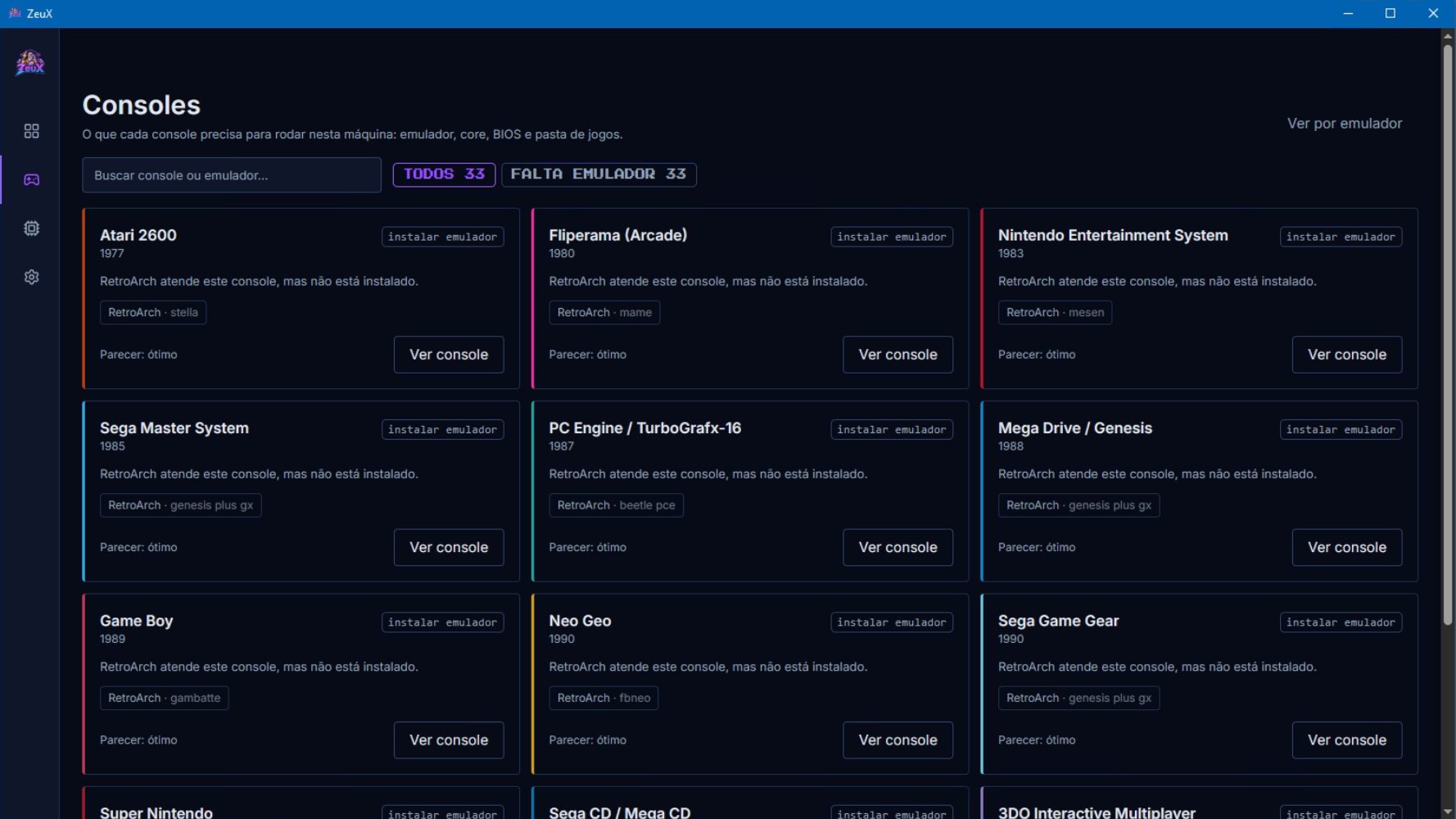
ZeuX est un frontend moderne et léger conçu pour centraliser toute l’expérience d’émulation dans une interface unique. Il permet de regrouper les ROMs de différentes consoles et de les lancer à travers les principaux émulateurs disponibles, évitant ainsi de jongler entre plusieurs programmes, dossiers et configurations. Conçu pour être rapide, intuitif et visuellement soigné, ZeuX propose une approche tout-en-un de l’émulation, avec pour objectif de fournir une expérience simple et immédiatement utilisable. Le projet est entièrement gratuit et se trouve encore à un stade précoce de développement.
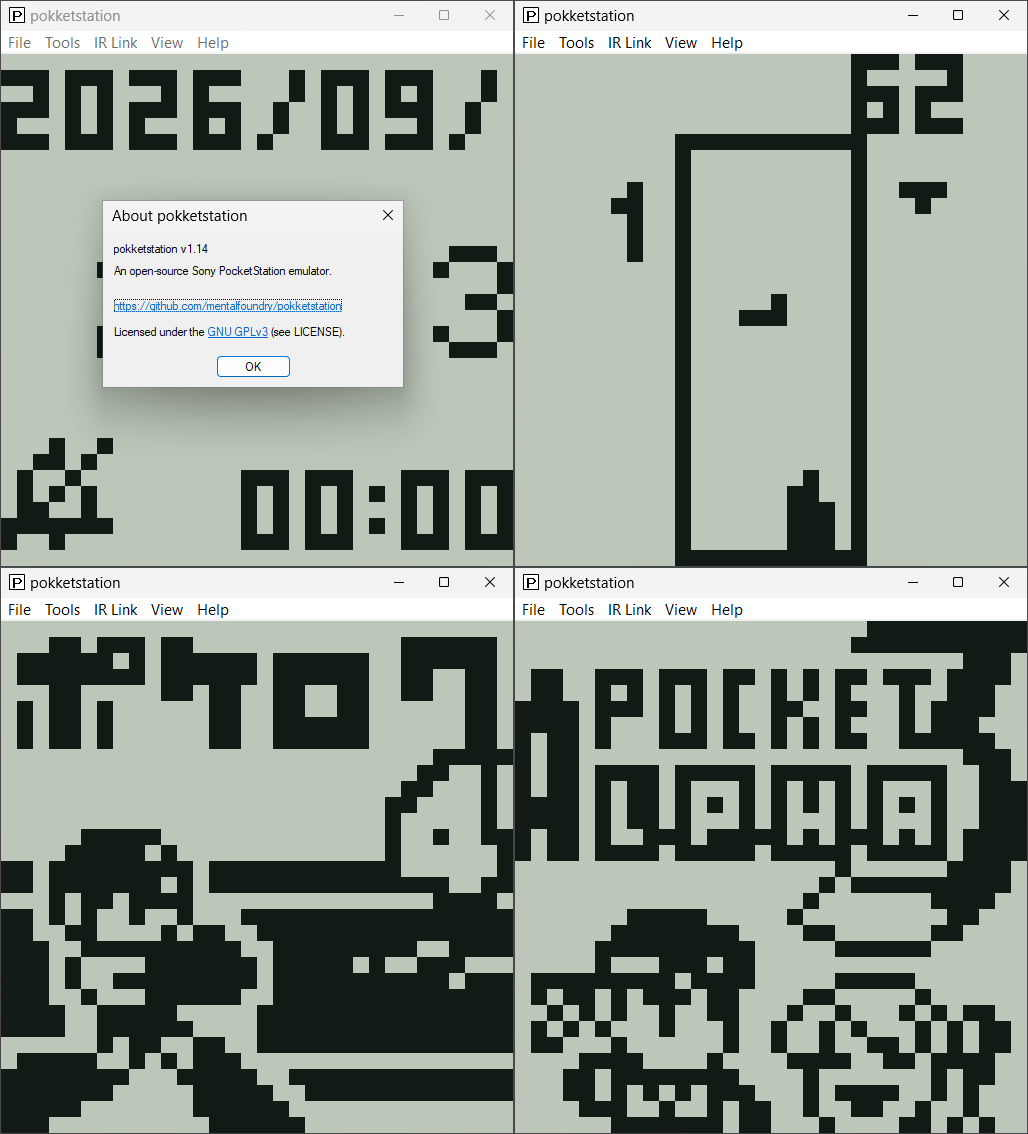
Il s’agit d’un émulateur open source de la Sony PocketStation, écrit en C portable et conçu pour être utilisé sous forme de core libretro, d’application autonome sous Windows, Linux et macOS, ainsi que via un portage homebrew pour PlayStation Vita. Le projet vise une émulation aussi fidèle que possible au matériel original et prend notamment en charge l’affichage LCD, les boutons, la mémoire Flash, le son et les communications infrarouges.
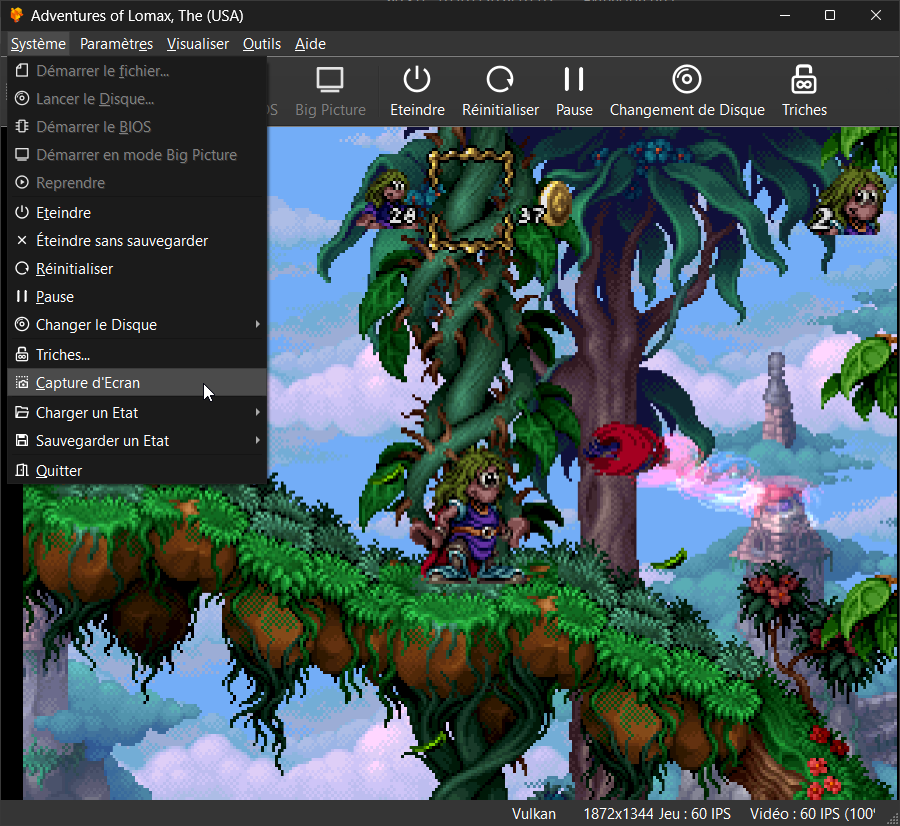
Il s’agit du meilleur émulateur de PlayStation One, devant ePSXe et pSX.
Caractéristiques: – Recompilateur/JIT CPU (x86-64, armv7/AArch32, AArch64, RISC-V/RV64).
– Rendu matériel compatible avec les API D3D11, D3D12, OpenGL, Vulkan et Metal.
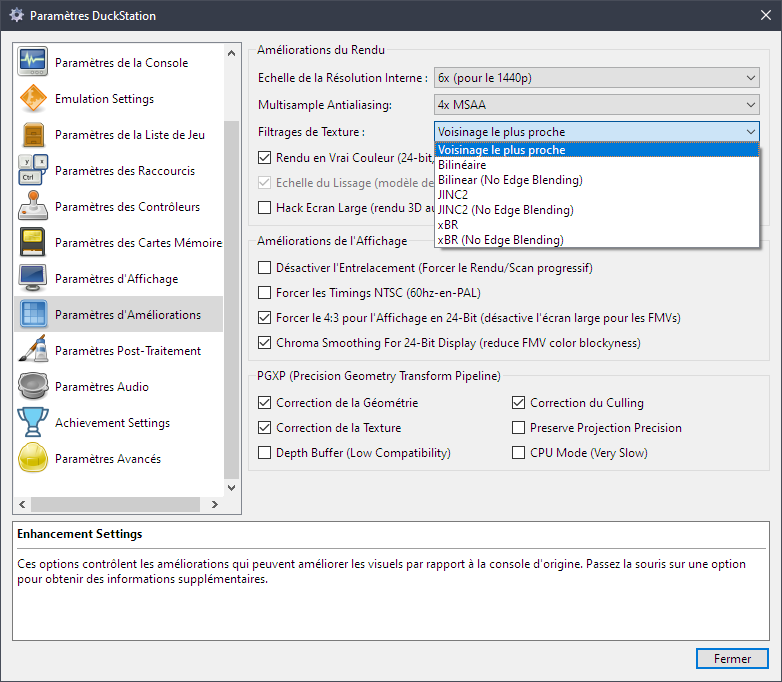
– Mise à l’échelle, filtrage des textures et couleurs vraies (24 bits) dans les moteurs de rendu matériels.
– PGXP pour la précision géométrique, la correction des textures et l’émulation du tampon de profondeur.
– Mélange précis via Rasterizer Order Views / Fragment Shader Interlock.
– Système de remplacement de textures dans les moteurs de rendu matériels.
– Rendu logiciel vectorisé et multi-threadé.
– Désentrelacement adaptatif au mouvement.
– Filtre de sous-échantillonnage adaptatif.
– Rotation d’écran pour les jeux de tir verticaux ou en mode « TATE ».
– Chaînes de shaders de post-traitement (GLSL, Reshade FX et préréglages Slang).
– Bordures décoratives affichées autour du contenu du jeu.
– « Démarrage rapide » pour ignorer l’intro du BIOS.
– Prise en charge des sauvegardes d’état, avec exécution anticipée et rembobinage.
– Compatible avec Windows, Linux et macOS.
– Lecture directe depuis CD, images bin/cue, fichiers bin/img bruts, MAME CHD, ECM à piste unique, MDS/MDF, CCD et formats PBP non chiffrés.
– Préchargement des images disque en RAM pour éviter les interruptions dues à la mise en veille du disque.
– Fusion des jeux multi-disques dans la liste/grille avec cartes mémoire partagées.
– Chargement/application automatique des patchs PPF.
– Démarrage direct des exécutables homebrew.
– Chargement direct des fichiers Portable Sound Format (psf).
– Audio étiré dans le temps lors de l’exécution hors de la vitesse 100 %.
– Prise en charge des manettes numériques et analogiques (le retour de force est transmis à l’hôte).
– Support des pistolets GunCon et Justifier (simulés à la souris).
– Support de la manette NeGcon.
– Préréglages de manette et configuration par jeu.
– Interface utilisateur Qt et mode « Big Picture ».
– Mises à jour automatiques avec canaux preview et stable.
– Analyse automatique du contenu — titres/hachages fournis par redump.org.
– Commutation automatique optionnelle des cartes mémoire par jeu.
– Prise en charge des cheats à partir de listes existantes.
– Éditeur de carte mémoire et importateur de sauvegardes.
– Overclocking CPU émulé.
– Base de données de codes de triche (cheats) avec prise en charge de plus de 4 000 jeux.
– Base de données de correctifs (patchs) avec améliorations visuelles, du taux de rafraîchissement et du format d’image.
– Analyse et modification de la mémoire en direct.
– Exploration d’images ISO et extraction de fichiers.
– Débogage intégré et à distance.
– Support des manettes multitap (jusqu’à 8 appareils).
– Intégration RetroAchievements.
– Présence enrichie Discord.
– Capture vidéo via Media Foundation (Windows) et FFmpeg (toutes plateformes).
– Fonction de caméra libre.
– Émulation de cartouches via port parallèle.
Configuration requise: – Windows 10/11 (7/8/8.1 ici), Linux (AppImage/Flatpak), macOS.
– Un CPU plus rapide qu’une patate. Mais il doit être x86_64, AArch32/armv7, AArch64/ARMv8 ou RISC-V/RV64.
– Un GPU capable de OpenGL 3.1 / OpenGL ES 3.1 / Direct3D 11 niveau de fonctionnalité 10.0 / Vulkan 1.0. Donc, en gros, n’importe quoi fabriqué au cours des 10 dernières années.
– Une manette compatible SDL, XInput ou DInput (par exemple XB360/XBOne/XBSeries). Les utilisateurs de DualShock 3 sous Windows devront installer les pilotes officiels DualShock 3 inclus dans PlayStation Now.
Les améliorations sont:
Preview Build:
– Fix race when creating pipelines from worker threads (Stenzek)
– Pad push constant range to 16 bytes (Stenzek)
– Request coherent persistent buffer mappings (Stenzek)
– Update to 20261010 (Stenzek)
– Extract bucket names out of FullscreenUI (Stenzek)
– Separate login and credential saving steps (Stenzek)
– Guard against copying to self (Stenzek)
– Add WaitFor() to ConditionVariable (Stenzek)
– Sort disc sets by save title (Stenzek)
– Don’t persist cache map between refreshes (Stenzek)
– Allow use of external SettingsInterface (Stenzek)
– Synchronize settings between FullscreenUI and Qt (Stenzek)
– Provide content details to OnSystemStarted() (Stenzek)
– Fix possible integer overflow in EncodeAndAppendUTF8() (Stenzek)
– Add a dedicated key for overlays (Stenzek)
– Don’t copy controller type to game (Stenzek)
– Don’t reset folders when resetting settings (Stenzek)
– Backport additional helper functions (Stenzek)
– Make OpenSharedCFile() wrap OpenCFile() on non-Windows (Stenzek)
– Add error parameter to FTell64() (Stenzek)
– Extract find result sorting to function (Stenzek)
– Use shared file open for ReadBinaryFile/ReadFileToString (Stenzek)
– More RVO optimizations (Stenzek)
– Add more ReadFileToString() overloads (Stenzek)
– CPU/Recompiler: Respect load delays when swapping NOP slots (Stenzek)
– CPU/Recompiler: Cancel pending loads on self moves (Stenzek)
– CPU/Recompiler: Keep link-register delay slots in order (Stenzek)
– CPU/Recompiler: Dispatch interpreter fallback exceptions (Stenzek)
– CPU/Recompiler: Trap constant signed arithmetic overflow (Stenzek)
– CPU/Recompiler: Preserve pending loads on memory exceptions (Stenzek)
– CPU/Recompiler: Correct misaligned indirect jump exceptions (Stenzek)
– CPU/Recompiler: Fix ARM32 VIXL debug builds (Stenzek)
– CPU/Recompiler: Mask constant variable shift counts on ARM (Stenzek)
– CPU/Recompiler: Truncate ARM64 multiplication results in LO (Stenzek)
– CPU/Recompiler: Decode ARM32 load exceptions from r0 (Stenzek)
– CPU/Recompiler: Align ARM32 backpatch thunk calls (Stenzek)
– CPU/Recompiler: Use 32-bit ARM64 fastmem LUT indices (Stenzek)
– CPU/Recompiler: Handle large ARM64 backpatch cycle counts (Stenzek)
– Fast-path ADPCM blocks without predictors (Stenzek)
– Skip reverb output filtering at zero volume (Stenzek)
– Pack reverb FIR coefficients into 16-bit lanes (Stenzek)
– Extract reverb-master-enable out of loop (Stenzek)
– Add regression tests (Stenzek)
– Only sign extend MAC results on overflow (Stenzek)
– Force inline matrix/lighting/projection helpers (Stenzek)
– Specialize instruction handlers on sf/lm (Stenzek)
– Factorize NCLIP to use three multiplies (Stenzek)
– Use shift for IRGB/ORGB conversion (Stenzek)
– Simplify FLAG error bit update (Stenzek)
– Mark saturation branches as unlikely (Stenzek)
– Use branchless saturation for light matrix multiply (Stenzek)
– Vectorize XA resampling (Stenzek)
– Improve reproducibility (Stenzek)
– Improve reproducibility (Stenzek)
– Don’t stall for GTE with a single cycle remaining (Stenzek)
– Add optional callback to screenshot save (Stenzek)
– Avoid unnecessary mutex unlock->relock (Stenzek)
– Fix incorrect error message (Stenzek)
– Return proper error from GetGenericBindingMapping() (Stenzek)
– Shorten fastmem mode description (Stenzek)
– Don’t use exact sleep on core thread (Stenzek)
– Fix inconsistent default values (Stenzek)
– Use constants for section names (Stenzek)
– b8a8aba: Update Swedish Qt translation (Daniel Nylander)
– Relax Assert to DebugAssert (Stenzek)
– Fix deadlock opening game properties (Stenzek)
– Fix window icon/title desynchronizing (Stenzek)
Stable Build (or rolling release):
– SPU: Streamline per-voice flag processing
– SPU: Vectorize Gaussian interpolation
– SPU: Consolidate capture buffer writes
– SPU: Decode ADPCM nibbles in pairs
– VulkanDevice: Use timeline semaphores when available
– Tests: Fix core-tests building on Windows
– GPU/HW: Fix typo in CompilePipelines()
– Achievements: Fix some options potentially not live-updating
– Achievements: Check for login request in LoadStateFromBuffer()
– FullscreenUI: Fix extra uneven height in achievement notifications
– FullscreenUI: Reduce text size of small-mode category badges
– Qt: Remove empty widget text
– GameDB: Persona localizedName
– Update Italian translation (#3798)
– TaskQueue: Add GetOutstandingTasks() and ExecuteOneTask()
– Threading: Add GetProcessorCount()
– Core: Make TaskQueue thread count dynamic
– ObjectArchive: Use binary keys instead of strings
– ObjectArchive: Synchronize access internally
– HTTPCache: Use object archive synchronization
– GPUDevice: Use ObjectArchive for shader cache
– GPUDevice: Support looking up cached shaders and opaque keys
– GPUDevice: Add LoadPipeline() for supported backends
– GPU/HW: Use UIDs for shader generation
– GPU/HW: Use UIDs as shader cache keys
– GPU/HW: Use multi-threaded shader compilation
– GPU/HW: Use multi-threaded pipeline compilation
– VideoThread: Preserve command queue empty slot
– VideoThread: Enforce command producer ownership
– VideoThread: Keep successful software fallback
– VideoThread: Use video-owned fullscreen settings
– VideoThread: Destroy inline reconfigure commands
– VideoThread: Snapshot fullscreen state for resize
– VideoThread: Dispatch thread toggle failures safely
– VideoThread: Propagate thread startup failure
– FullscreenUI: Tweak separator style
– Qt: Add multi-instruction selection to debugger
– Qt: Persist debugger window state
– Qt: Add icons to context menu
– Qt: Fix empty debugger toolbar window title
– Qt: Fix icon missing on newly-added excluded paths
– Qt: Add context menu to game list exclusion list
– GPU: Add Disable Upscaled Direct Textures option
– GameDB: DisableUpscaledDirectTextures for Fear Effect
– Qt: Persist use-serial-file-names in cover downloader
– MSBuild: Force SHA256 source file hashes
– InputManager: Add hotkey flag for UI-activatable
– InputManager: Release cancelled hold bindings
– InputManager: Clear bindings when input is lost
– InputManager: Fix effect sync device matching
– ImGuiManager: Track text input separately
– InputManager: Type button transitions
– FullscreenUI: Add ‘Toggle Pause Menu’ hotkey
– FullscreenUI: Make cheats/achievements/leadboards hotkeys toggles
– FullscreenUI: Synchronize pause menu toggle
– PerformanceCounters: Ignore reset boundary sample
– Qt: Remove unnecessary usage of QOverload (#3799)
– D3DCommon: Use once_flag for library loading
– Threading: Add lightweight Mutex/ConditionVariable wrappers
– Core: Use lock_guard for settings accessors
– Core: Use Threading::Mutex for settings lock
– CDROMAsyncReader: Use lightweight threading abstractions
– Misc: Replace std::mutex with Threading::Mutex
– CDROMAsyncReader: Convert to namespace
– GPU/HW: Fix missing mask-or application on texture fallback
– GPU/HW: Add ‘Filter Framebuffer Uploads’ advanced option
– GameDB: Enable background texture filtering on more games
– Qt: Show inherited multi-sampling setting in game properties (#3800)
– GPU/HW: Add additional texture filters
– GameDB: Fix typo in DisableUpscaledDirectTextures
– GameDB: Add mouse for Panekit – Infinitive Crafting Toy Case
– CDROMAsyncReader: Use persistent thread
– CDROM: Fix possible incorrect restart track when playing
– FullscreenUI: Avoid double transition on achievements/leaderboards
– FullscreenUI: Fix toggling between windows with hotkeys
– FullscreenUI: Fix bullet separator at end of postfx settings
– FullscreenUI: Use popup list for texture filter options
– Misc: Use C++23 elifdef/elifndef
– System: Obey optimal frame pacing setting on Linux
– GPUDevice: Remove multiple sources of truth for shader dump directory
– StringUtil: Fix buffer overflow in BytePatternSearch()
– Timer: Use pause intrinsics when spin-sleeping
– Common: Use __yield() for CPU-pause on ARM
– PageFaultHandler: Fix unused variable warning
– dep/vixl: Fix deprecated-literal-operator warning
– StringUtil: Return first match in BytePatternSearch()
– dep/googletest: Update to v1.18.0
– Threading: Detect recursive locks in debug builds
– Error: Add wrappers for translating messages without object
– HTTPDownloader: Use string view and move semantics for callback error
– HTTPDownloader: Ensure all callbacks invoke through PollEvents()
– Settings: Turn debug window visiblity into a bitmask
– Achievements: Replace recursive mutex with lightweight mutex
– Qt: Add missing help text for savetitle/localizedtitle
– FullscreenUI: Replace recursive_mutex with lightweight mutex
– FullscreenUI: Allow verification of runtime-populated images
– Updater: Directly wait for parent to exit instead of using shell
– Qt: Dynamically adjust log window colours to theme
– Disable auto analog in Trap Gunner; add missing traits for Spyro x Sparx (#3801)
– Tests: Fix directory not cleaned up
– Threading: Add SharedMutex lightweight wrapper
– Achievements: Avoid deadlock with leaderboard trackers disabled
– Achievements: Avoid lock when settings unchanged
– Achievements: Use a second mutex for notification state
– Qt: Fix per-game achievement notification duration sliders
– Qt: Simplify output latency widget updates
– Qt: Bind audio output volume through regular settings updates
– Update duckstation-qt_es.ts (#3802)
– Qt: Fix latency description not updating
– Spanish (Spain) translation update 2026/09/24 (#3803)
– LightgunController: Create base class for lightgun controllers
– NeGcon: Create common base class for NeGcon controllers
– Controller: Unify some of the translation strings
– Threading: Add SharedLockGuard helper
– InputManager: Internalise private functions
– InputManager: Use atomics for rawinput/pointer count
– InputManager: Use atomics for host pointer position
– ImGuiManager: Read pointer state directly from InputManager
– InputManager: Reload input bindings after source hotplug
– InputManager: Extract internal state to private header
– InputManager: Use a shared mutex for synchronization
– InputManager: Use SmallString for binding conversions
– Qt: Move DS5 player LED setting into LED dialog
– SDLInputSource: Simplify polling
– SDLInputSource: Poll immediately after initializing
– SDLInputSource: Rely on reload to enable accelerometer
– SDLInputSource: Use persistent identifiers when mapping
– GameList: Fix possible null string-view construction
– Common: Use second thread for assertion dialogs
– Common: Use single isb for ARM PauseCPU()
– VideoThread: Use dynamic spin loop on ARM
– Timer: Use global initializer for timer frequency on Windows
– Qt: Add pill-label css class
– Qt: Display bound devices in controller pages
– Win32RawInputSource: Fix wrong OnInputDeviceConnected() call
– GameList: Use correct string_view constructor
– Common: Remove unnecessary include
– Qt: Simplify mute setting callback
– Qt: Fix doubled-up help description
– Update duckstation-qt_es.ts (#3805)
– Atualização Português do Brasil (#3806)
– Update Italian translation (#3807)
– MetalDevice: Drop feedback loop path
– VulkanDevice: Fix incorrect hazard tracking in stream buffer
– GPU/HW: Fix background replacements disappearing after TC toggled off
– GPU/HW: Simplify pipeline layouts
– ImGuiManager: Move blur constants into main UBO
– GPUDevice: Remove MultiTextureAndUBO pipeline layout
– GPUDevice: Move UNIFORM_PUSH_CONSTANTS_SIZE into base class
– D3D12Device: Remove MAX_UNIFORM_BUFFER_SIZE
– D3D12Device: Ensure all samplers are initialized in LookupSingle()
– FullscreenUI: Add background image blurring for headers
– FullscreenUI: Display subset icon as game icon in subset view
– ImGuiManager: Stash overlays in separate draw list when transition active
– ImGuiManager: Avoid unsafe read of context pointer on core thread
– Misc: Replace std::shared_mutex with Threading::SharedMutex
– GPU: Fix scanline sync before vertical_display_start
– GPU: Improve CRTC function readability
– Qt: Use posix_spawn for updater relaunch on Linux
– Misc: Remove more unused include guards
– FullscreenUI: Fix change disc menu getting stuck in some scenarios
– FullscreenUI: Size loading screen text and progress separately
– FullscreenUI: Display progress for on-demand game list load
– MDEC: Don’t clear output FIFO on new command
– FullscreenUI: Fix compiler warning
– Qt: Update machine translations
– Qt: Update English translation catalog
– CDImageMemory: Read each sector in its native format
– CDImagePPF: Handle non-mode2 sectors
– CDImageCHD: Read out the correct sector size depending on mode
– FullscreenUI: Fix focus reset on escape in game list search
– Deps: Update to 20261001
– Qt: Use AppRoot for translations
– VulkanDevice: Fix spec violation in ROV clear
– GPU/HW: Use correct format for ROV buffers
– INISettingsInterface: ClearSection() should not create an empty section
– Update duckstation-qt_es.ts (#3808)
– GameDB: Fix a bunch of incorrect release dates
– System: Fix incorrect title being copied into save state header
– CI: Use prefix path in cross appimage
– Achievements: Don’t lock in prefetch callback
– Achievements: Don’t try to fetch badges without cache
– Qt: Fix default value of HideCursorInFullscreen (#3809)
– GameDB: Disable auto-analog on Khamrai
– Qt: Fix desktop environment conditions
– Qt: Fix crash when desktop file check is skipped
– D3D11Device: Fix race when creating pipelines from worker threads
– OpenGLDevice: Pad push constant range to 16 bytes
– OpenGLDevice: Request coherent persistent buffer mappings
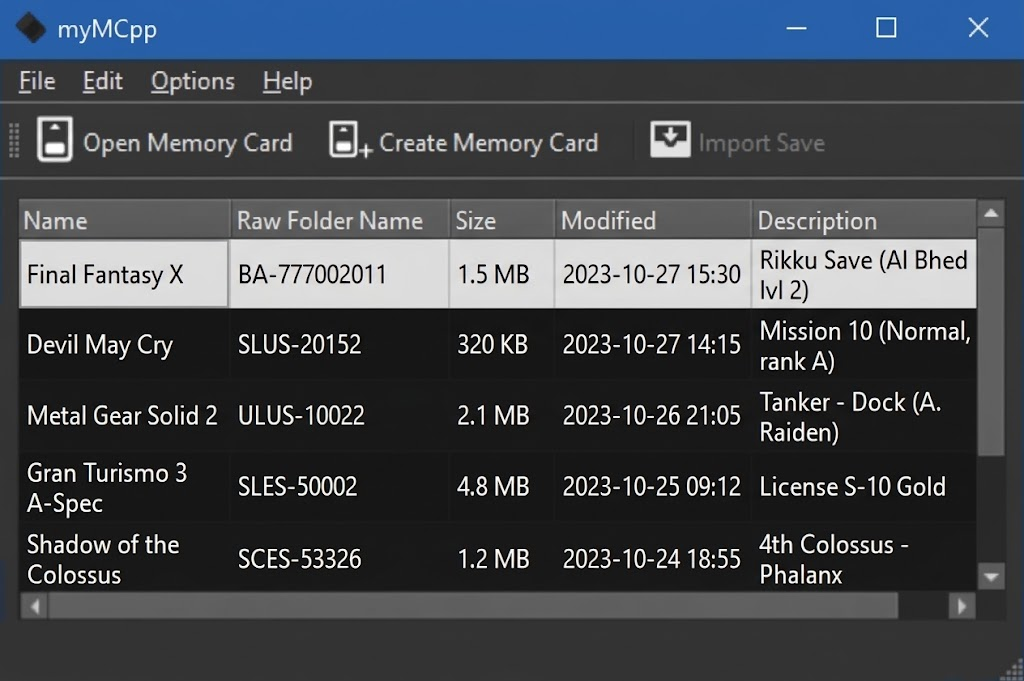
myMCpp est un gestionnaire open-source de cartes mémoire et de sauvegardes pour PlayStation 2 (PS2), développé en C++ sous licence GPL-3.0 et hébergé par l’équipe de PCSX2. Cet outil permet de lire, créer, gérer et éditer le contenu de fichiers de cartes mémoire virtuelles aux formats .ps2, .mc2, .mcd, .vm2 ou de fichiers VMC bruts. Il propose une interface graphique simple sous Qt pour importer ou exporter des sauvegardes, tout en offrant une interface en ligne de commande complète pour exécuter des actions avancées comme le formatage, la vérification d’erreurs (ECC), la création de dossiers ou la gestion des fichiers.
Pour garantir son bon fonctionnement et l’affichage de l’interface, il est nécessaire d’avoir des pilotes graphiques à jour ou d’installer le runtime Vulkan.
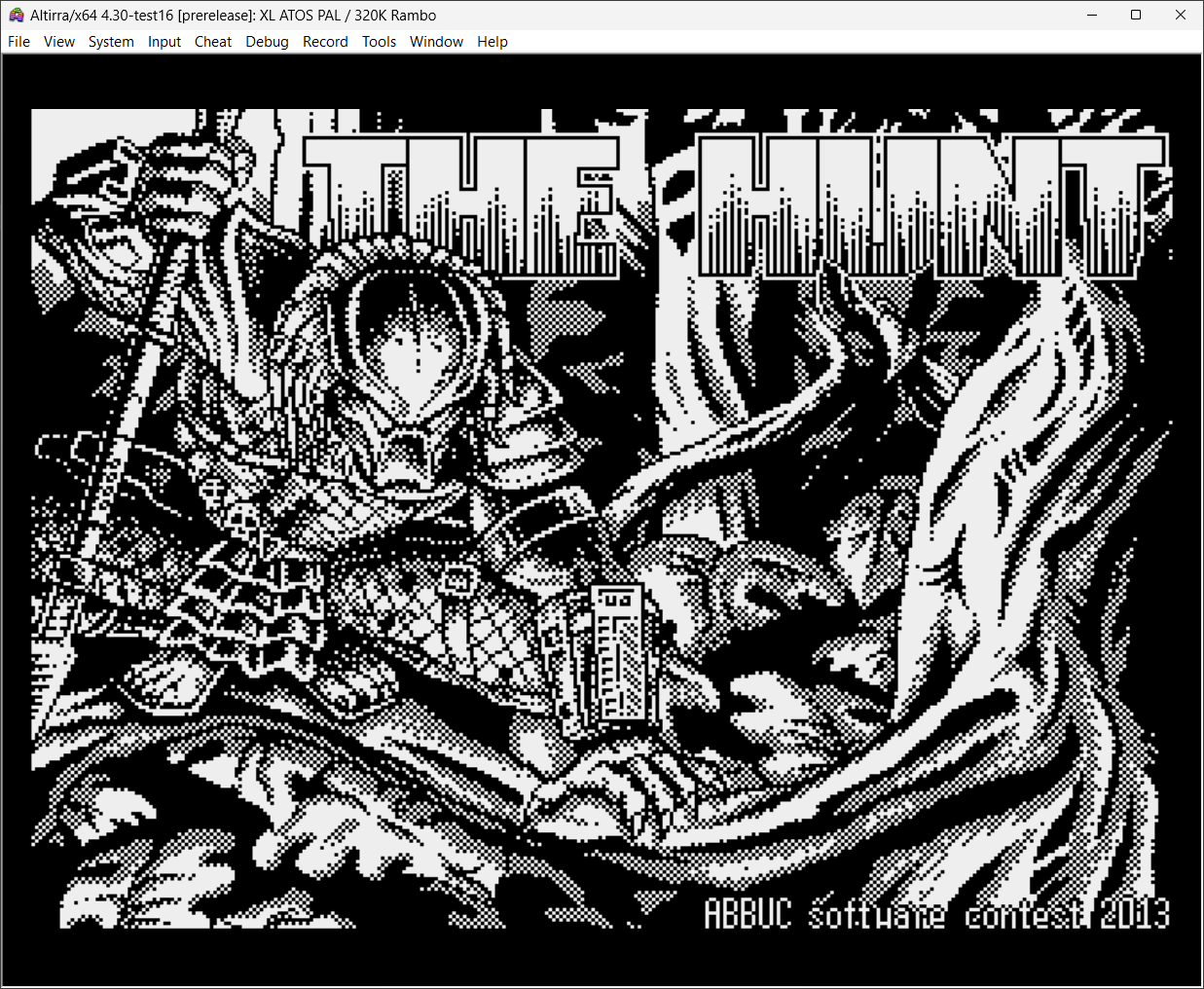
Créé par Avery Lee (l’auteur de VirtualDub), il s’agit d’un émulateur d’Atari 8 bits (800/800XL/130XE) disponible en 32 et 64 bits. Il dispose de beaucoup d’options ainsi que d’une bonne compatibilité. Il prend en charge les jeux protégés conformément à l’émulation. Il s’agit d’une version de développement au stade de béta.
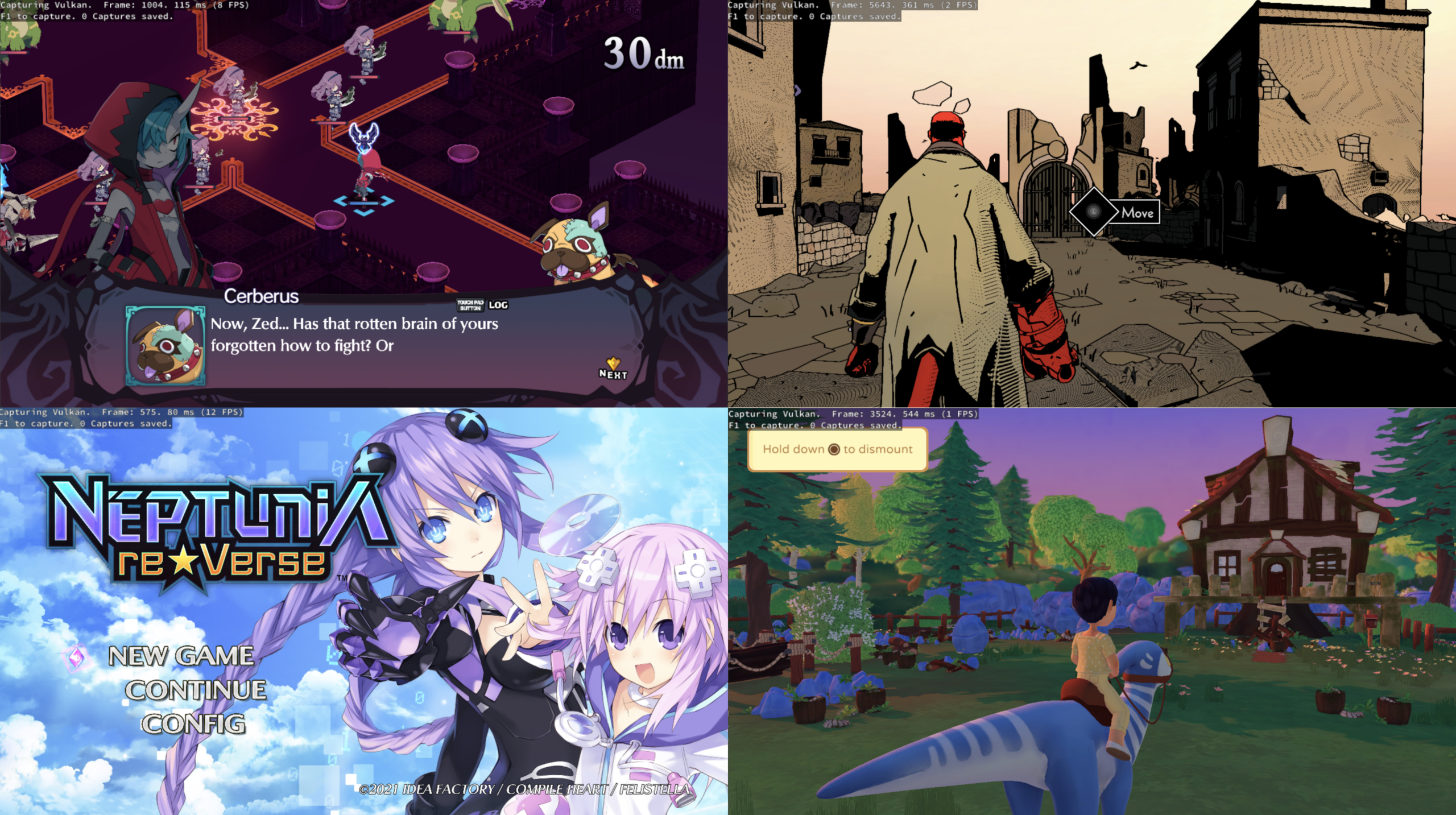
KytyPlus est un fork de KytyPS5, lui-même dérivé du projet original Kyty. Il reprend son émulation de la PlayStation 5 tout en ajoutant plusieurs améliorations, notamment le support expérimental des jeux PS4 via shadPS4, le FSR 1.0, un cache Vulkan permettant de conserver les pipelines compilés et différentes optimisations destinées aux GPU intégrés (iGPU). Il permet également l’installation des fichiers PKG depuis son interface et propose une gestion unifiée des jeux PS4 et PS5. Le projet est encore en développement et de nombreux jeux peuvent rencontrer des plantages, des écrans noirs ou des problèmes graphiques.
Les changements:
– Layer-output shaders now use the core SPIR-V ShaderLayer capability enabled by the Vulkan feature set, rather than the unenabled SPV_EXT_shader_viewport_index_layer extension.
– Layer-output shaders use SPIR-V 1.5 and include their live descriptor and push-constant variables in the entry-point interface. Shaders without layer output retain SPIR-V 1.3.
– Added regression coverage for SPIR-V validation and Vulkan pipeline creation.
– Legacy launcher configurations can disable FSR without failing because of inherited default output dimensions.
– Explicit FSR output dimensions remain validated, and invalid or incomplete dimensions are rejected.
– Fixed successful launcher process starts being reported with Qt’s misleading “Unknown error” text.
– Added emulator CLI regressions for the discussion #15 argument combination and FSR option ordering/validation.
– Mounting and resolving game paths now consistently convert UTF-8 strings to native filesystem paths on Windows.
– Windows file enumeration and directory operations preserve non-ASCII names, including paths containing characters such as an en dash.
– Added regression coverage for Unicode mount paths, guest filenames, directory opens, and file reads.
– Updated Dead Cells (PPSA-15554) to Playable, last tested with v4.1.
– Shader SPIR-V output for layer-export paths now uses the core ShaderLayer capability instead of the legacy SPV_EXT_shader_viewport_index_layer extension.
– Layer-output shaders now set SPIR-V version 1.5; non-layer shaders keep SPIR-V 1.3.
– Layer-output entry points now list the full set of live descriptor and push-constant variables in the interface.
– Added a regression check for Vulkan shader and pipeline compatibility for layer-output paths.
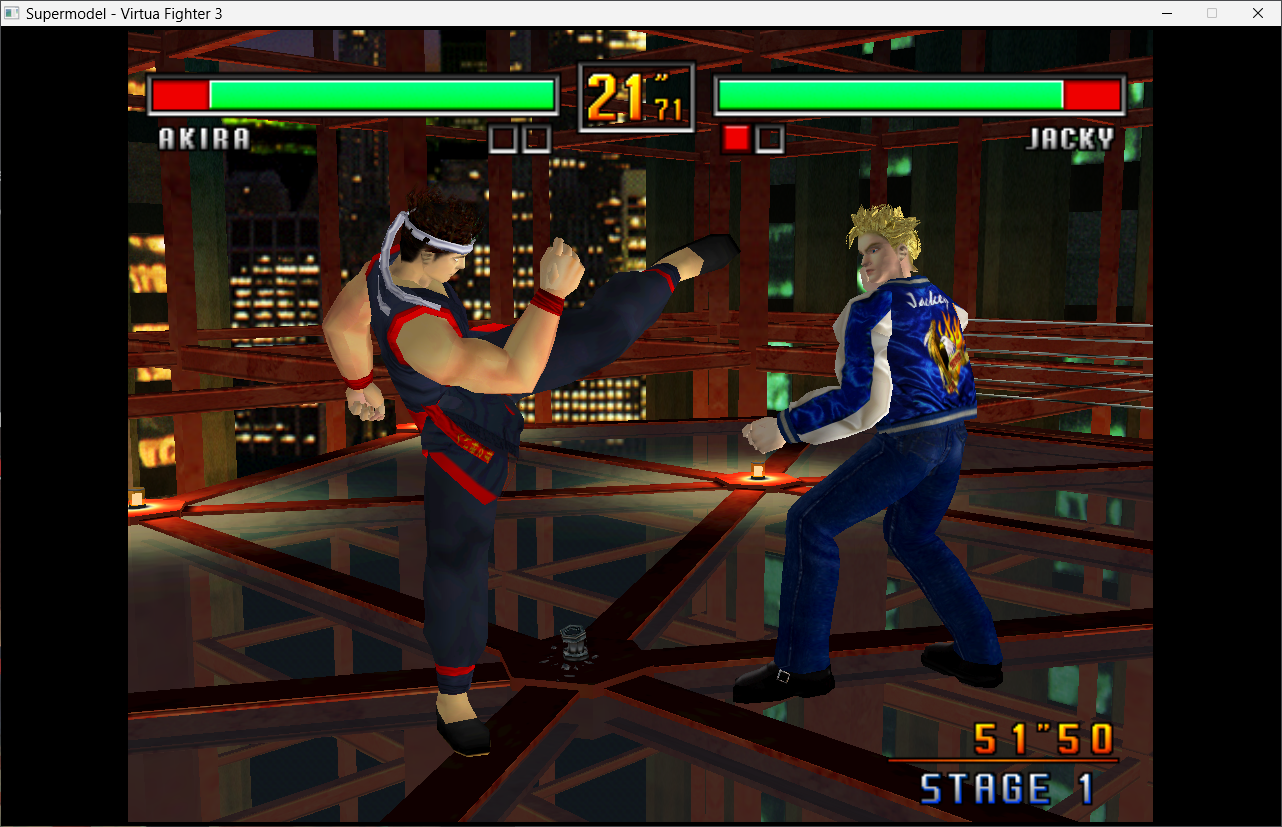
Le premier émulateur de Sega Model 3 créé par Bart Trzynadlowski, Ville Linde et Stefano Teso dans sa version de développement (voir ici ou là) [source].
Le système de mise à jour passe de SVN à GIT, du coup le nom des versions changent, par simplicité j’utiliserai un système par date de release plus compréhensible que le par défaut de GIT.
– GUI: DPI scaling (embed manifest in Release) & non-blocking joystick calibration by @toxieainc in #342
– [Gui.cpp] Add rom scanning feature by @pizzzza19 in #337
– GUI: fix several bugs, and ROM directory and joystick sensitivity settings by @toxieainc in #341
– Fix some UI vs INI quirks and use readable names for some settings in the UI by @toxieainc in #340
– Make quad rendering GLSL 4.1 compatible (so works with macOS, too) by @toxieainc in #339
– Misc fixes
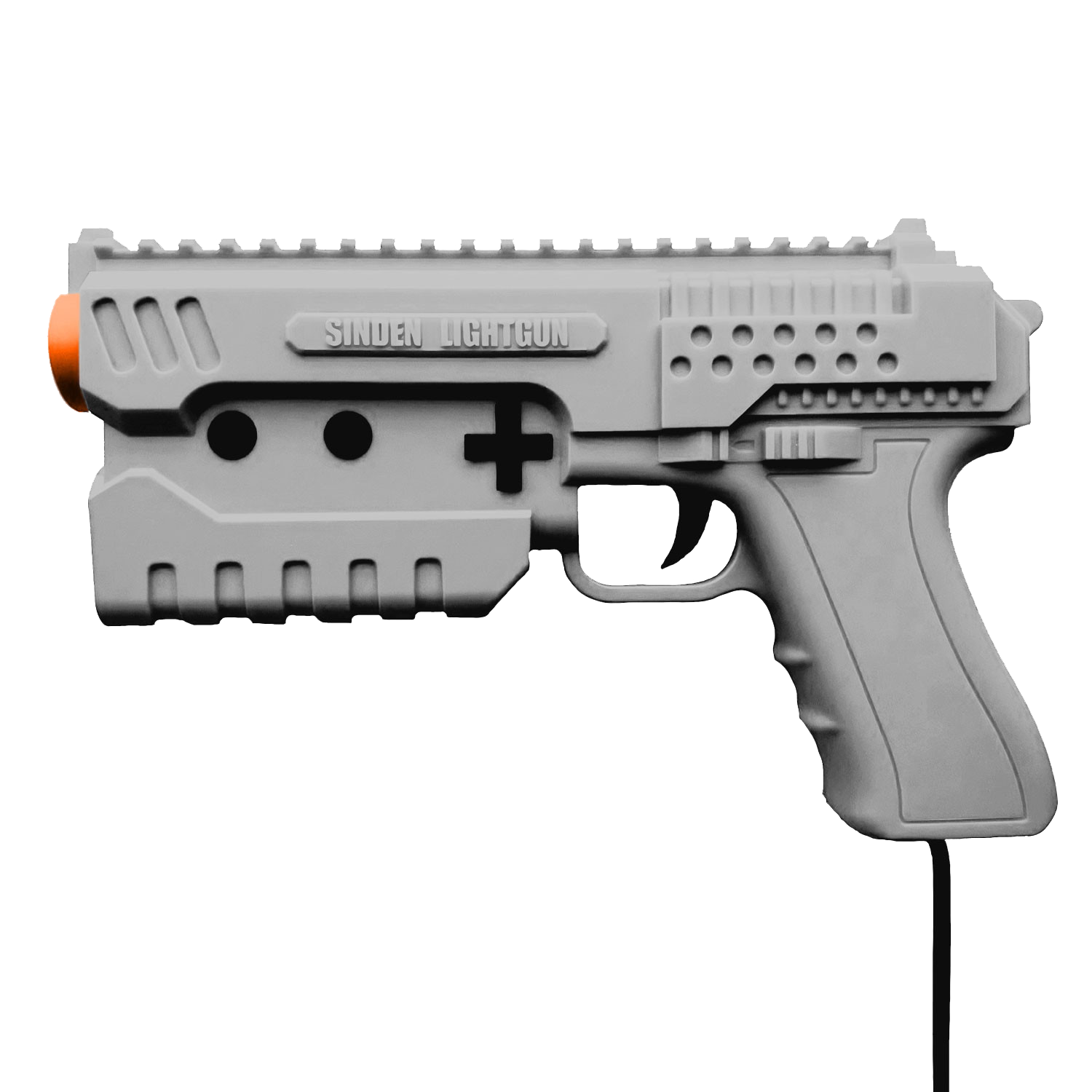
A noter qu’un nouveau fork ajoutant le support du Sinden est dispo ici.
Ajout:
– correction des musiques dans sega rally 2 (mix)
– correction musique 1er niveau 2joueurs (la cave rouge) dans vf3 (pas sûr de la modif, et donc cela peut éventuellement entrainer d’autre problèmes sonore sur d’autre jeux).(inclut officiellement)
Pour générer un dat vous pouvez utiliser cet outil.
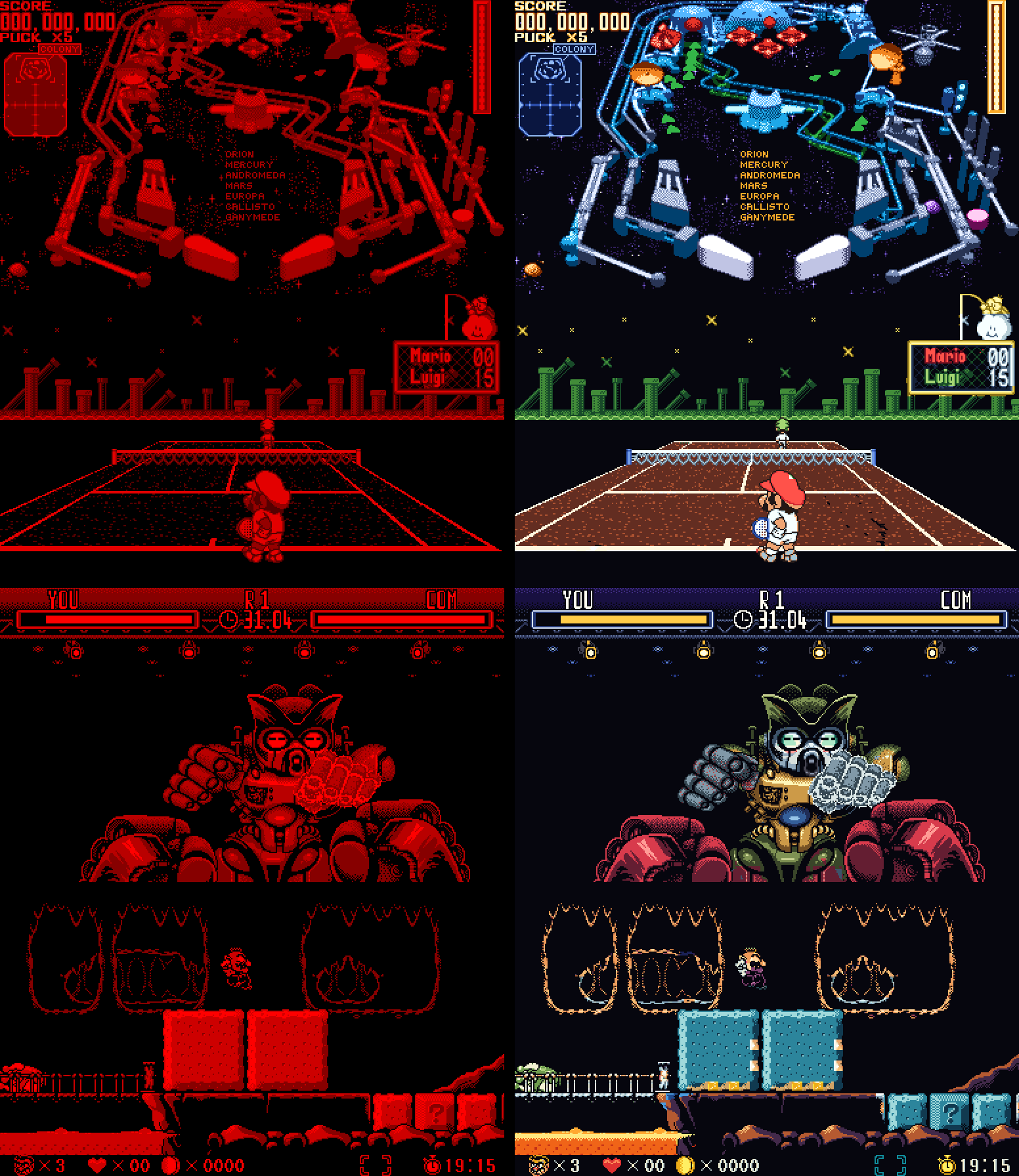
VBoyColor est un émulateur open source de la console Virtual Boy de Nintendo, développé par yuk27 à partir de VirtualBoGo. Il permet de jouer aux jeux de la console en couleurs, tout en conservant l’affichage stéréoscopique 3D sur Meta Quest. Des versions pour Windows et Linux permettent également d’y jouer sur un écran classique. Le projet utilise le cœur d’émulation Beetle VB, issu de Mednafen.
Caractéristiques:
– Émulation de la Nintendo Virtual Boy.
– Colorisation automatique des jeux, notamment grâce à la profondeur des éléments 3D.
– Plusieurs modes de couleurs: palettes multicolores, dégradés et teintes personnalisables.
– Packs de couleurs prédéfinis pour plusieurs jeux.
– Affichage stéréoscopique 3D sur Meta Quest.
– Plusieurs modes d’affichage: pixels nets, lissage ou rendu LED inspiré de l’écran original.
– Sauvegardes instantanées (save states) avec plusieurs emplacements par jeu.
– Configuration des commandes au clavier, à la manette ou avec les contrôleurs VR.
– Prise en charge de Windows, Linux, Android et des casques Meta Quest.
Les changements:
– Touch controls off (Android) – Settings > Controls > Touch controls: switched off, the on-screen controls stay out of the way – the game keeps the whole screen, and they show (over it) when you touch it, going again a few seconds after your last touch. Arranging them is now Settings > Arrange touch controls.
– Back opens the menu (Android) – a quick back gesture or tap during a game now always opens the menu (it was sometimes missed).
– Smoother games on phones (Android) – games no longer stutter on phones with a modest GPU:
. the LED look now takes a fraction of the graphics work, with the same picture (lighter on the Quest and PC too);
. a game’s save is written in the background – games that save often (like Wario Land) no longer freeze for a moment every few seconds;
. steadier frame pacing, a higher priority for the emulation, and (Android 11 and newer) the app asks the phone for a refresh rate that suits a 50 fps game.
– No console window on Windows – VBoy Color (and VBoyColorVR) open just their own window now. The log is still there for bug reports: Settings > Troubleshooting > Log window shows it. – If the app can’t start (no Vulkan driver, no VR runtime), a message box says why.
Windows: the menu’s logo – the sidebar now shows the VBoy Color logo instead of plain « VBoy Color » text.
– Android TV and Fire TV – the README now explains how to install VBoy Color on a TV box: the Downloader app, the APK’s link, a gamepad, and Quit at the bottom of the menu to close it.
– README – brought up to date with everything through beta 8: the update notice, and how each version (PC, PC VR, Android, RetroArch) is built.
– Wario Land – the minigames and the hub, painted part by part:
Wario in the minigames: his face in the coin game’s front poses, the hat in his form’s color when he’s seen from behind on the BET screen, and the far-away Wario in the heart game (and in the levels’ far plane) with his hat, face, overalls and gloves instead of plain orange.
Wario’s laugh in the elevator: a yellow shirt and white gloves rubbing together, instead of an orange shirt.
The hub’s host: purple all over (his belly’s plain patches too), with white eyes and fang, on a wooden stool – instead of a red head and patches of orange, brown and grey.
The sleeping creature on the save point’s map: the host’s purple, with a light blue snot bubble.
The minigame bats: green all over, with no red patches.
The heart game’s flying creatures: light blue with a yellow eye, instead of an orange outline.
– Close game and Quit – at the bottom of the menu’s sidebar (press twice): Close game goes back to the library with nothing running (its save written); Quit closes VBoy Color – on PC, and on Android phones and TVs (with a gamepad, there’s no other way out). Not on the Quest, whose own menu closes apps.
– Screenshots – Save states > Screenshot (F12 on PC) saves the game’s picture as a PNG, in its colors and three times its size, into a new folder of its own: the games folder’s screenshots by default, or one picked in Settings > Folders > Screenshots.
– Hotkeys (PC) – Settings > Controls > Hotkeys: any key, alone or with Ctrl / Alt / Shift (Alt+F1…), for the menu, fullscreen, screenshot, save / load state, previous / next slot, reset, close game and quit. Defaults: Tab, Alt+Enter, F12, F2, F4, F6, F7, Ctrl+R, none, Ctrl+Q.
The color pack and video tools (F4 to F12: captures, re-import, recording…) are now off by default – turn them on in the same page; while on, those keys are theirs, and the page lists what each of them does.
– Updates – when the check at start finds a newer version, a notice says so over the game or the menu, like the achievement pop-ups. The Windows app no longer downloads the RetroArch core’s zip by mistake (« Not a VBoy Color package »).
– RetroArch core – VBoy Color now also runs inside RetroArch (or any other libretro frontend) on Windows, Linux (x86-64 and ARM64, handhelds included), macOS and Android. It has the color packs built in, plus Auto, Multicolor, Gradient and Tint, and the 3D for a normal screen (side by side, top and bottom, colored glasses). RetroArch’s save states, rewind, run-ahead, shaders and achievements all work. To install it, put the core in RetroArch’s cores folder and vboycolor_libretro.info in its Core Info folder – without the .info, RetroArch shows only .zip games, not .vb. The zip’s INSTALL.txt says where both go.
– RetroAchievements (softcore) – log in on the new Achievements page and earn achievements as you play. Unlocks pop up over the game, and the page lists every achievement with its badge. The login’s keyboard has Copy and Paste (Ctrl+C / Ctrl+V on PC too) and an eye that shows the password as you type it.
– Mario Clash – Mario repainted part by part: a red cap and shirt, white gloves, dark overalls with gold buttons, and brown shoes, in every pose.
– Wario Land – Wario’s nose stays pink when he dashes.
– Jack Bros. – Jack Frost’s side views smile again, as before beta 6; the front view keeps its closed mouth.
– Dragon Hopper – a second pass on its pack: the title screen, the story scenes and the fairies.
– Smoother on Quest 3 – if you set the headset to 100 Hz with Quest Games Optimizer (or adb), VBoy Color now keeps that rate instead of switching to 120 Hz. The README explains how.
– Android phones, tablets and handhelds – the same APK now plays on them, with touch controls you can move and resize, or a gamepad.
– Gamepads fixed everywhere – PC window, PC VR and Android: the usual layout (A right, B bottom), every connected pad, pads plugged in later.
– Settings per game – hold a game’s card in the library to give it its own button mapping (and, on a phone, its own touch controls).
– 3D on a normal screen – side by side, top and bottom, or colored glasses (red/cyan, green/magenta, amber/blue).
– Choose your folders – games, saved games, save states and settings wherever you want them.
– Updates from the app – About → Update.
– Dragon Hopper – a first color pack. (Still WIP)
– Hand fixes to the colors – Wario’s face on the Wario Land title, Jack Frost’s face in Jack Bros., Panic Bomber’s moon.
‘Xbox 360 Controller Emulator’ est une bibliothèque de wrappers qui traduit les appels XInput en appels DirectInput, et permet le support des pads non-compatibles XInput dans les applications (surtout des jeux).
En d’autres termes: x360ce vous permet d’utiliser n’importe quel pad dans les jeux qui supportent à la base uniquement le pad XBOX360 !
Notez que la version AnyCPU s’exécute nativement en 32 ou 64 bits selon le système. Elle est donc la seule version à jour à privilégier.
SkyEmu est un émulateur GameBoy, GameBoy Color, Game Boy Advance et NDS de bas niveau. Son objectif principal est de fournir une bonne expérience utilisateur grâce à un bon mélange entre précision / performances / fonctionnalités et convivialité.
Fonctionnalités:
– Émulation Game Boy Advanced très précise
– Émulation Game Boy et Game Boy Color
– Prise en charge expérimentale de la Nintendo DS (uniquement capable d’exécuter des homebrews actuellement)
– Multiplateforme : Windows, MacOS, Linux, application Web (avec commandes à écran tactile pour iOS et Android)
– Prise en charge du contrôleur de jeu et du grondement avec des raccourcis clavier configurables
– Shaders d’upscaling de haute qualité, correction des couleurs et suppression des images fantômes à l’écran- 4x emplacements de sauvegarde avec aperçu de la capture d’écran
– Prise en charge de l’avance rapide et du rembobinage du jeu (prise en charge de très long rembobinage)
– Prise en charge de l’émulation de l’horloge en temps réel
– Débogueurs CPU, MMIO et mémoire
– Thèmes sombres et clairs
– Prise en charge des images de BIOS officiels
– Support pour le chargement des ROMs compressées avec des archives .zip
Les changements sont les suivants: – [GBA] More accurate DMA hblank triggering for DMA
– [RetroAchievements] Make RA reads use the debug memory handler on NDS to avoid altering the ingame timing for its reads.
– [NDS] Make sure debug key is not set as that triggers reboots in some games (ie. Golden Sun)
– [NDS] Mirror card ROM reads to the chip capacity before applying secure-area redirection (fixes Pokémon Conquest boot)
– [NDS] Keep debug and compare-log file handles in scratch so save states can’t restore stale FILE pointers
– [HTTP CONTROL SERVER] Fix bug that would cause arguments to be reordered which would corrupt read/write_byte commands.
– [Control Server] Fix crashes in headless mode
– Refine Agents.md
– [NDS] Improved DMA accuracy
– [NDS] Improved timer emulation
La dernière version de l’émulateur en ligne est également disponible à cette adresse en tant qu’application Web.