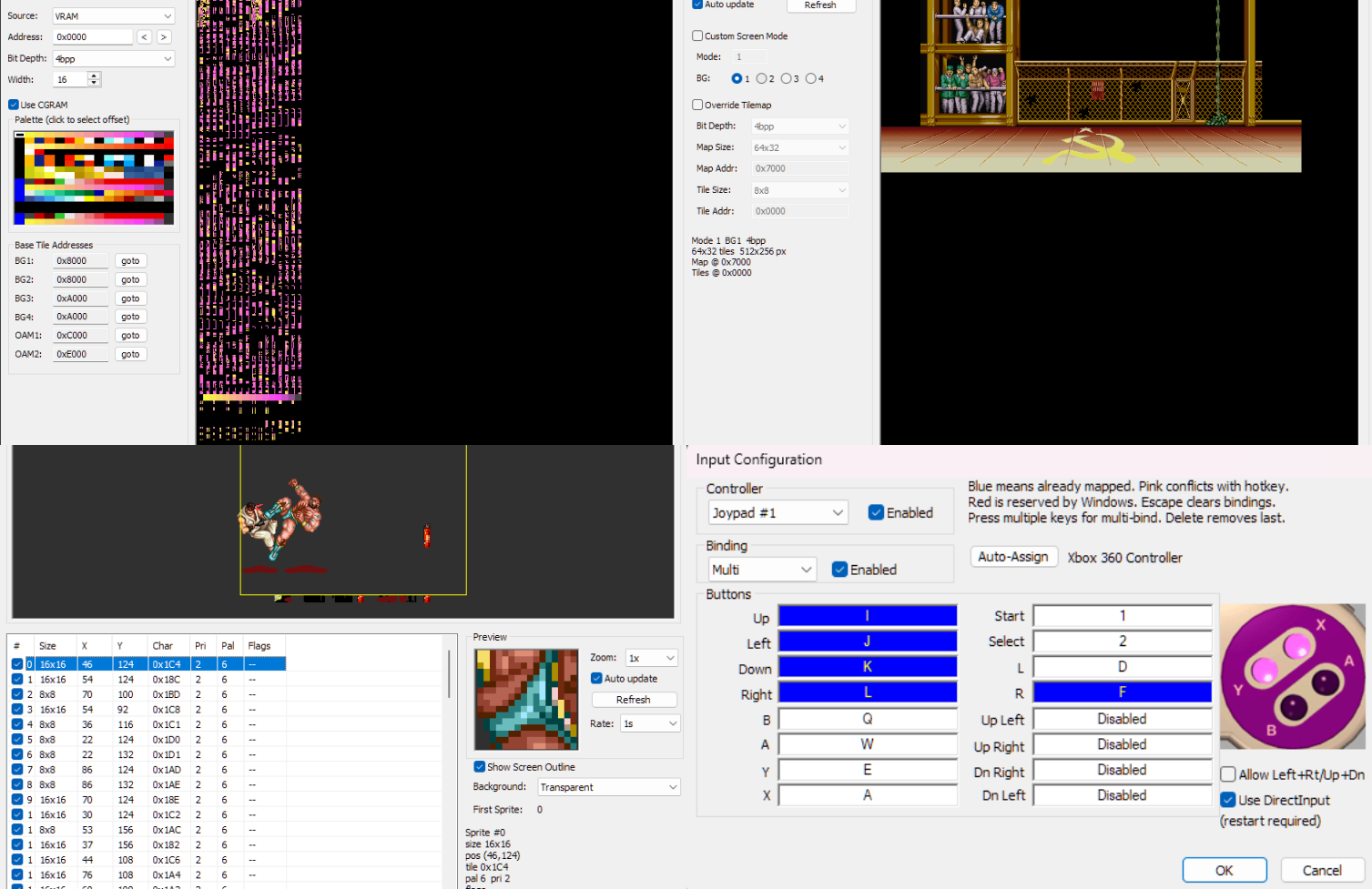
Il s’agit d’un émulateur multi-console et multiplateforme prenant en charge un certain nombre de consoles de jeu 8 bits et 16 bits.

Emulation des consoles suivantes:
– Sega Genesis / Mega Drive
– Sega CD / Mega CD / 32X / Mega 32X
– Sega SG-1000
– Sega Master System / Mark III
– Game Gear
– Nintendo Entertainment System (NES) / Famicom
– Super Nintendo Entertainment System (SNES) / Super Famicom
– Game Boy / Game Boy Color / Advance
Voici quelques caractéristiques:
– Moteur de rendu basé sur le GPU avec mise à l’échelle des nombres entiers et interpolation linéaire optionnelle
– Rapport d’aspect des pixels configurable pour chaque console avec plusieurs options différentes : fidélité au matériel/téléviseur d’origine, pixels carrés et étirement pour remplir la fenêtre.
– Prise en charge de l’extension de l’unité sonore FM du Sega Master System
– Prise en charge de la puce SVP de la Sega Genesis, utilisée dans Virtua Racing
– Prise en charge des mappeurs NES les plus courants, ainsi que d’un certain nombre de mappeurs moins courants
– Prise en charge de la plupart des coprocesseurs SNES (par exemple Super FX, SA-1, DSP-1, CX4, S-DD1, SPC7110)
– Prise en charge des contrôleurs Genesis à 3 et 6 boutons
– Prise en charge des commandes au clavier et des commandes au gamepad DirectInput
– Sauvegarde des états, avance rapide et retour en arrière
– Quelques shaders simples de flou horizontal et d’anti-dither naïf pour mélanger des motifs de pixels dithered, qui étaient extrêmement courants sur ces consoles en raison des palettes de couleurs limitées et de l’absence de transparence prise en charge par le matériel.
– Option d’overclocking CPU 2x pour l’émulation Sega Master System et Game Gear
– Surcadençage GSU 2-4x en option pour les jeux SNES Super FX
– Peut exécuter les démos Titan Overdrive et Titan Overdrive 2 pour la Mega Drive.
Les changements sont les suivants:
Settings Changes
– On Windows, the settings file is now stored in a user profile directory by default (generally C:\Users\$NAME\AppData\Local\jgenesis\); other platforms already behaved this way (e.g. generally $HOME/.config/jgenesis/ on Linux).
– If you want to restore the old Windows behavior of storing the settings file in the emulator directory, there is a new option in Settings > Paths to switch the settings file location, or you can create a portable.txt file in the emulator directory (contents don’t matter, the file just has to exist); this works on all platforms.
– The –config command line arg still exists and overrides all of this behavior if it is used.
Improvements
– The rewind buffer is now compressed in memory; this significantly decreases the emulator’s RAM usage, particularly when emulating Sega CD or 32X.
– Exact savings will vary based on a lot of things, but with 32X for example I’m seeing that a 10-second rewind buffer now takes 40-80 MB of RAM instead of ~600 MB.
– Compression is performed asynchronously, so this should not impact emulator performance.
– Save states are now compressed and written to disk asynchronously, which makes it significantly less likely that saving state will cause the emulator to stutter.
Fixes
– Fixed turbo input mappings not working properly; this was a regression in v0.12.0.
– This was caused by the backend changes to support the Genesis debugging tools added in v0.12.0, which involved mostly rewriting the main emulator execution loop (among other things); the new version was missing the bit of code that makes turbo buttons alternate between pressed and not pressed.
– Fixed all settings reverting to defaults when a single setting fails to deserialize from the config file; now only the setting(s) that failed to deserialize will reset to default.
– (SNES) Cartridges that specify a nonsensically high amount of SRAM in the cartridge header now get 256 KB of SRAM instead of none (#635). This seems to usually happen with prototype cartridges that don’t have a proper cartridge header.
Télécharger Jgenesis v0.12.1 (28.0 Mo)
Site Officiel
En savoir plus…