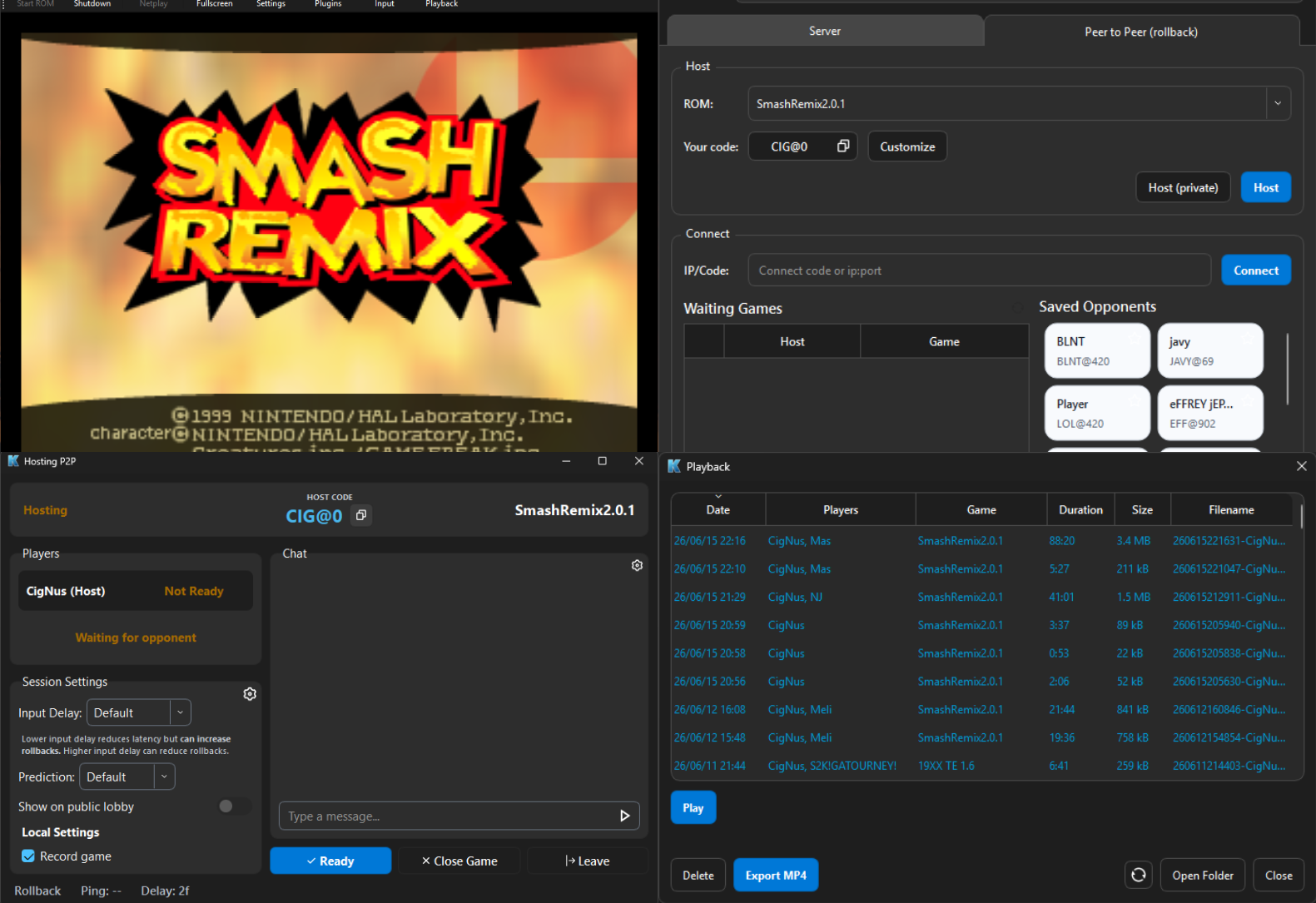
RMG-K (pour Rosalie’s Mupen GUI – Kaillera+ GekkoNet) est un fork de RMG (Rosalie’s Mupen GUI), une interface graphique open source écrite en C++ intégrant l’émulateur Mupen64Plus. Cette version met l’accent sur le jeu en réseau via les protocoles Kaillera et GekkoNet, avec la prise en charge des serveurs Kaillera classiques et des connexions directes entre joueurs (P2P). Elle propose notamment un navigateur de serveurs, un chat intégré en jeu, l’enregistrement et la lecture de parties en réseau, ainsi que la prise en charge de manettes Nintendo 64 et GameCube. Disponible gratuitement sous Windows et Linux.
Les nouveautés:
– Add Qt localization infrastructure and language selection by @crossn in #181
– 0f fix by @Ownasaurus in #193
– Connection info clarity by @Ownasaurus in #194
– Server restart bug fix by @Ownasaurus in #196
– Enable cheats by default for Vanilla by @nickthename in #198
– Improve live replay system by @Ownasaurus in #197
– Unified controller settings by @nickthename in #199
– Seed dynarec PC before rollback baseline capture by @Ownasaurus in #200
– allow compilation with spaces in path by @Ownasaurus in #201
– Reset fix by @Ownasaurus in #202
– Fix Smash Remix 4p stalls caused by always-on profiling by @Ownasaurus in #204
– Fix Bomberman 64 startup in four-player rollback by @Ownasaurus in #205
– Save frame 0 as a shared rollback baseline and capture SRAM by @Jay-Day in #209
– Add live viewer OSD toggle and lobby cleanup by @nickthename in #210
– Enable recording by default with a 512 MB cap and refresh on room entry by @nickthename in #211
– Preserve AI FIFO addresses and RDRAM memory mapping in rollback states by @Ownasaurus in #213
– Sync spectator cheats and improve lobby replay controls by @nickthename in #215
– Translate core UI to Japanese by @crossn in #214
– Pin Windows MinGW Runtime by @nickthename in #217
– Translate ROM browser UI to Japanese by @crossn in #216
– Fix a bug that blocked replay keyframes by @nickthename in #220
– spectator chats separate from player chats by @jtl3d in #218
– Fix GameCube controller defaults by @nickthename in #219
– Fix duplicate inputs by @nickthename in #224



0 commentaire
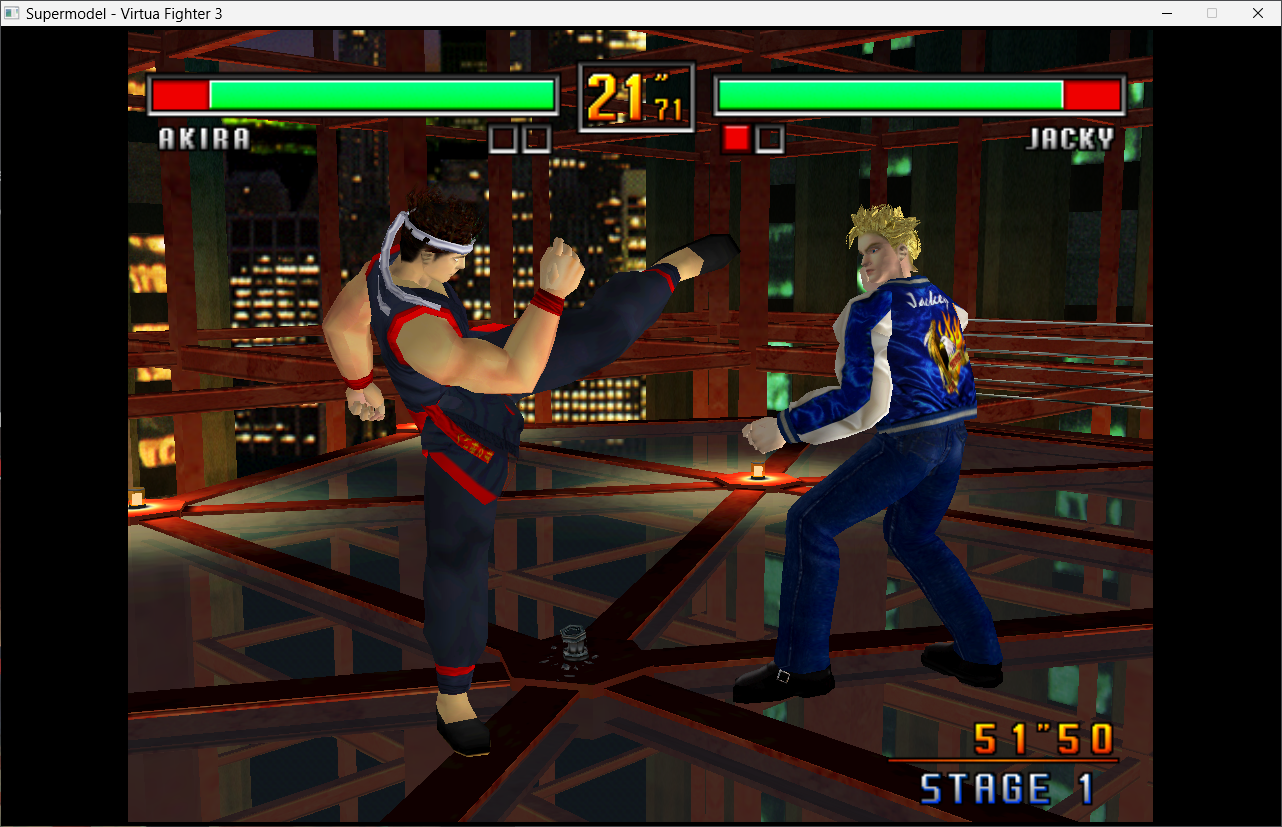
Le premier émulateur de Sega Model 3 créé par Bart Trzynadlowski, Ville Linde et Stefano Teso dans sa version de développement (voir ici ou là) [source].
Fichiers de configurations préparés ici.

Les changements:
Le système de mise à jour passe de SVN à GIT, du coup le nom des versions changent, par simplicité j’utiliserai un système par date de release plus compréhensible que le par défaut de GIT.
– fix build
– Improve the memory timing of the tilegen
– Misc fixes
A noter qu’un nouveau fork ajoutant le support du Sinden est dispo ici.
Ajout:
– correction des musiques dans sega rally 2 (mix)
– correction musique 1er niveau 2joueurs (la cave rouge) dans vf3 (pas sûr de la modif, et donc cela peut éventuellement entrainer d’autre problèmes sonore sur d’autre jeux).
Pour générer un dat vous pouvez utiliser cet outil.
Télécharger SuperModel (WIP) v0.3a Build 261028 (10.1 Mo)
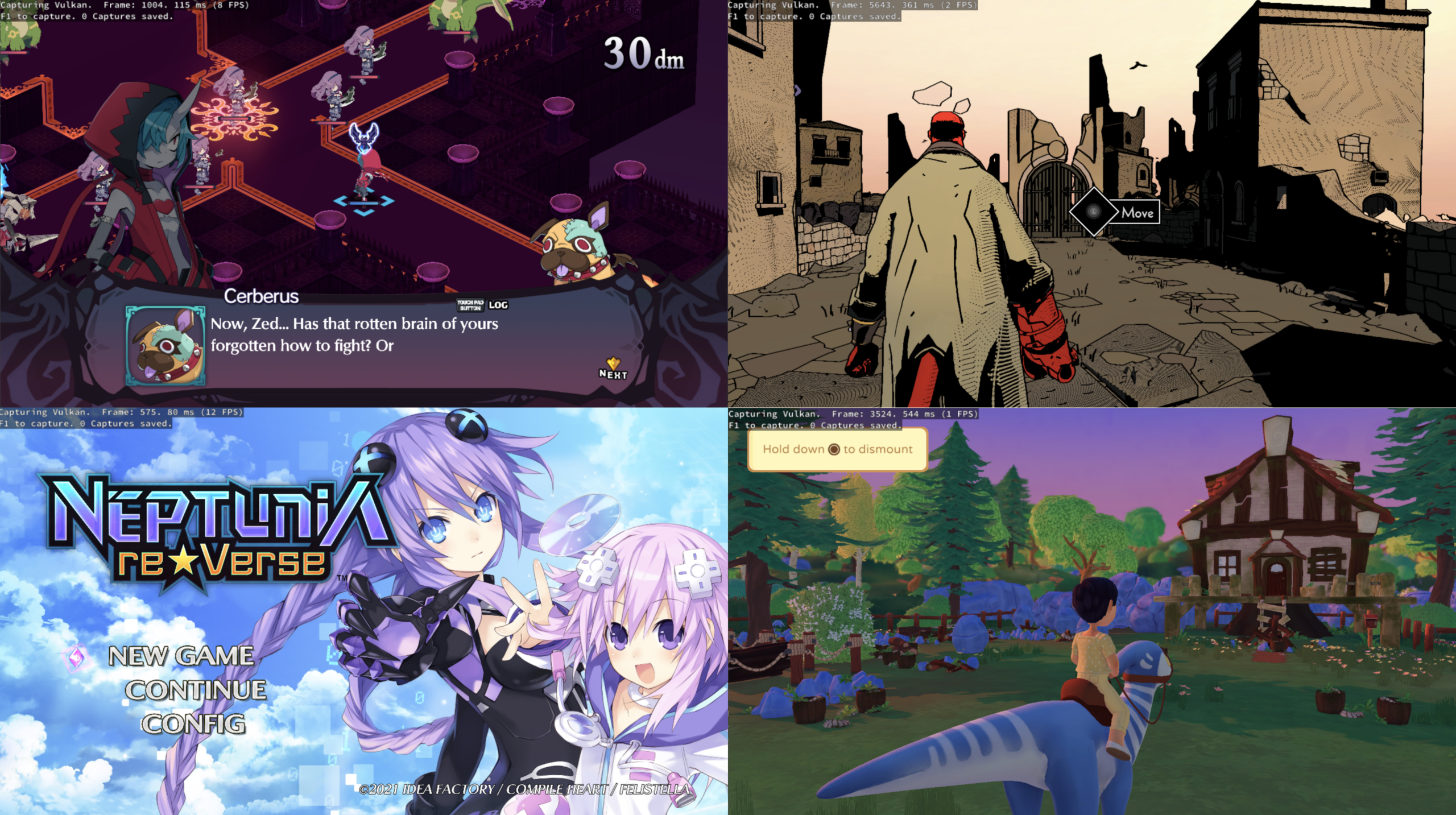
KytyPlus est un fork de KytyPS5, lui-même dérivé du projet original Kyty. Il reprend son émulation de la PlayStation 5 tout en ajoutant plusieurs améliorations, notamment le support expérimental des jeux PS4 via shadPS4, le FSR 1.0, un cache Vulkan permettant de conserver les pipelines compilés et différentes optimisations destinées aux GPU intégrés (iGPU). Il permet également l’installation des fichiers PKG depuis son interface et propose une gestion unifiée des jeux PS4 et PS5. Le projet est encore en développement et de nombreux jeux peuvent rencontrer des plantages, des écrans noirs ou des problèmes graphiques.
Geartowns est un émulateur open source du Fujitsu FM Towns / FM Towns Marty, écrit en C++ et disponible pour Windows, macOS, Linux et BSD. Il prend également la forme d’un cœur Libretro compatible avec RetroArch.
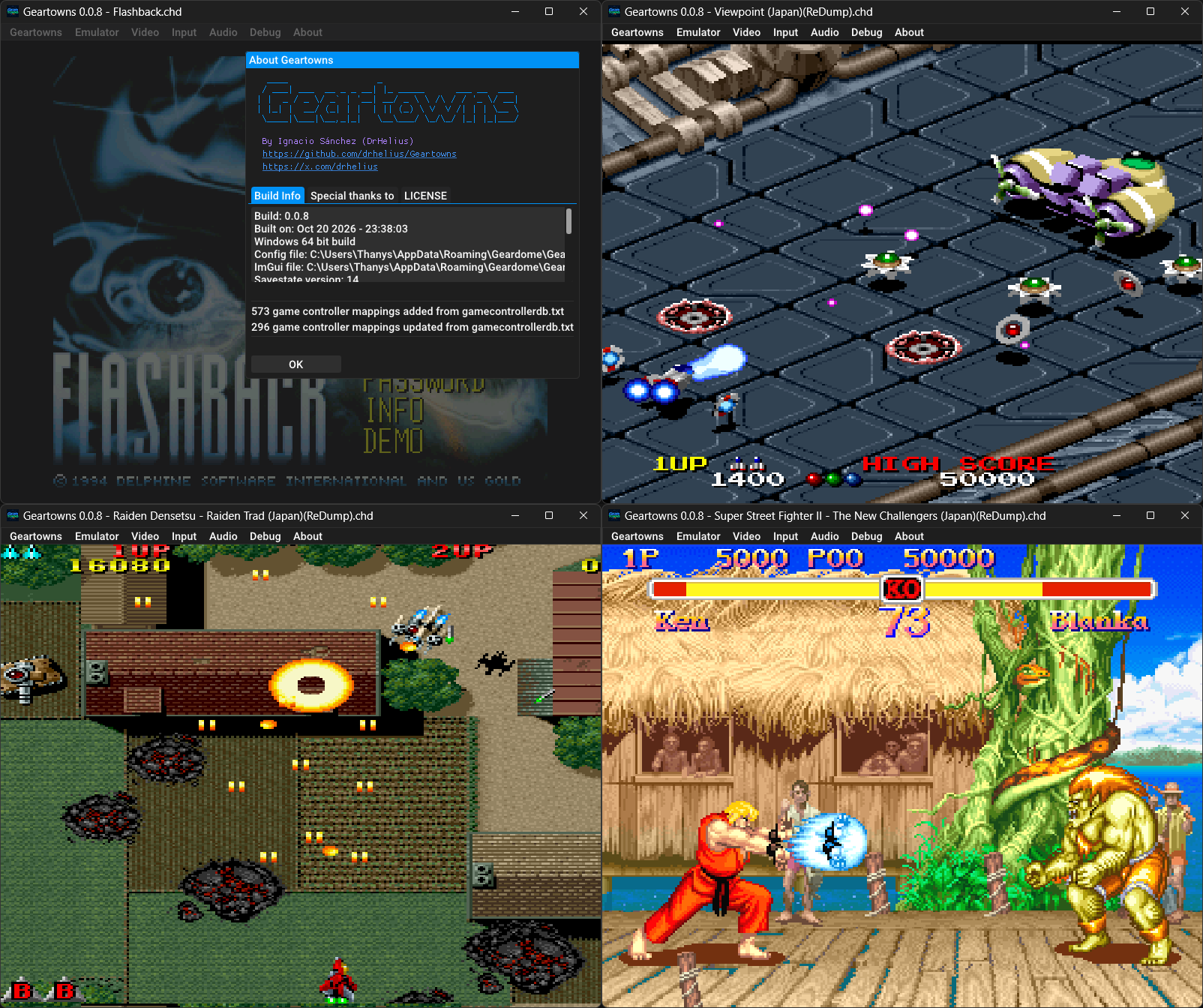
Il prend en charge les CD-ROM aux formats CHD, CUE/BIN et ISO, ainsi que les disquettes aux formats D77, D88, HDM, XDF, IMG et MFM. Il propose également les sauvegardes d’état, le rembobinage, les filtres graphiques par shaders, la capture vidéo au format AVI, les captures d’écran et l’enregistrement audio VGM.
Geartowns intègre par ailleurs un débogueur avec désassembleur, points d’arrêt et outils d’inspection de la mémoire. Un serveur MCP permet également de connecter des assistants IA à ces outils pour faciliter l’analyse et le débogage des jeux. L’émulateur nécessite les ROM système du FM Towns et est distribué sous licence GNU GPL v3.
Les changements sont:
💾 Added IC Card support
🎯 Improved CPU compatibility
🚀 Improved rewind performance
🎮 Improved shortcuts
🐛 Bug fixes and improvements
La dernière version béta publique de l’excellent WinUAE, l’émulateur Commodore Amiga. La traduction est signée Tradu-France.
Les changements ici.
Télécharger WinUAE (Public Beta) [ARM] v6.1.0 Beta 20 (5.0 Mo)
Télécharger WinUAE (Public Beta) [32 bits] v6.1.0 Beta 20 (5.3 Mo)
Télécharger WinUAE (Public Beta) [64 bits] v6.1.0 Beta 20 (8.5 Mo)
Télécharger WinUAE (Public Beta) [ARM] v6.1.0 Beta 6 FR (7.7 Mo)
Télécharger WinUAE (Public Beta) [32 bits] v6.1.0 Beta 19 FR (5.0 Mo)
Télécharger WinUAE (Public Beta) [64 bits] v6.1.0 Beta 19 FR (7.7 Mo)
OpenEmux est une interface graphique libre et open source inspirée d’OpenEmu, conçue pour simplifier l’utilisation de RetroArch. Développé en Python avec GTK4 et libadwaita, ce frontend permet de parcourir et d’organiser une bibliothèque de jeux rétro par système, avec affichage des jaquettes récupérées depuis les dépôts de miniatures de Libretro.
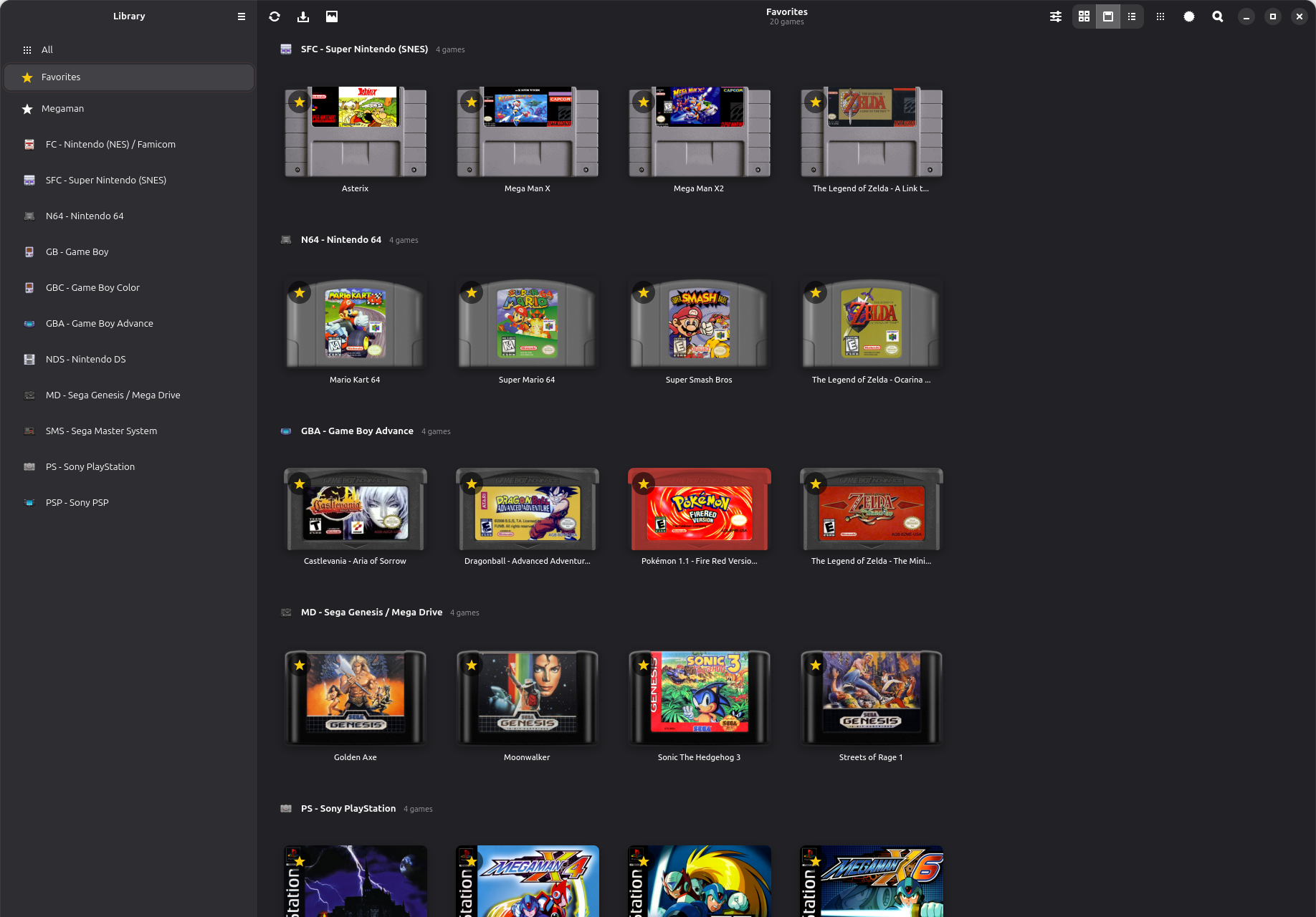
OpenEmux s’appuie sur RetroArch pour l’émulation et facilite sa configuration depuis une interface unifiée. Il permet notamment de définir les répertoires de jeux, de vérifier la présence des BIOS requis, de configurer les commandes clavier et manette pour chaque système et de gérer les shaders. Lors du premier lancement, l’application prépare son environnement et télécharge les cœurs Libretro nécessaires.
Initialement conçu pour Linux, le projet propose également une version pour Windows, distribuée sous forme d’archive portable et d’installateur, intégrant les dépendances nécessaires, ainsi qu’une version pour Android. Le portage Windows est développé et testé séparément de la plateforme Linux d’origine.
OpenEmux ne fournit aucun jeu ni BIOS. Le projet est distribué sous licence MIT, indépendamment des licences propres à RetroArch et aux composants tiers embarqués.
OpenRetro est un frontend open source pour Windows dédié aux jeux rétro. Il permet de centraliser sa bibliothèque de jeux, de gérer leurs métadonnées et leurs jaquettes, puis de lancer les jeux depuis une interface unique.
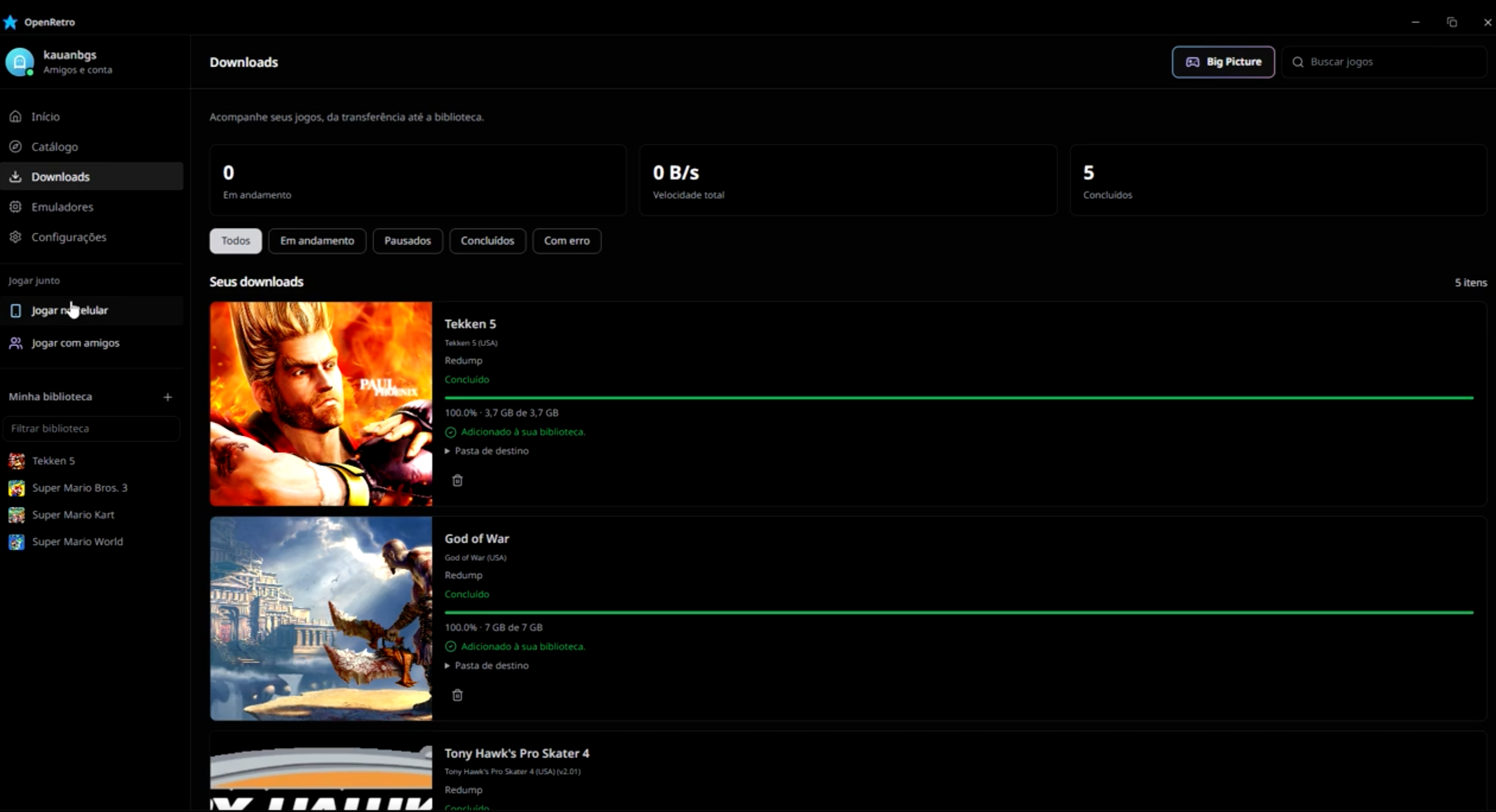
Il intègre RetroArch dans une version minimaliste spécialement conçue pour le projet, sans son interface habituelle. Les cœurs Libretro nécessaires sont téléchargés automatiquement, et les jeux compatibles s’exécutent directement dans la fenêtre d’OpenRetro. Le logiciel prend également en charge RPCS3 pour l’émulation PlayStation 3 et permet d’ajouter des émulateurs externes.
OpenRetro propose plusieurs fonctions complémentaires: multijoueur local jusqu’à quatre joueurs selon les jeux, jeu à distance depuis un navigateur sur téléphone connecté au même réseau Wi-Fi, et mode Party permettant à trois invités de rejoindre une partie hébergée sur le PC. Le jeu en ligne est également disponible pour certains systèmes, chaque participant exécutant alors le jeu sur son propre ordinateur. Un mode Big Picture facilite l’utilisation sur téléviseur avec une manette, tandis que les sauvegardes d’état automatiques permettent de reprendre une partie sur les systèmes compatibles.
Amiberry est un émulateur Amiga optimisé, libre (GPLv3), basé sur le cœur WinUAE, conçu pour ARM et x86 (Raspberry Pi, PC, etc.), offrant JIT ARM64/x86-64, interface moderne (Dear ImGui), support WHDLoad, shaders/bezels, intégration RetroArch et une distribution multi‑plateforme (Linux, macOS, Windows, Android, FreeBSD, Haiku) avec paquets et scripts d’installation prêts à l’emploi.
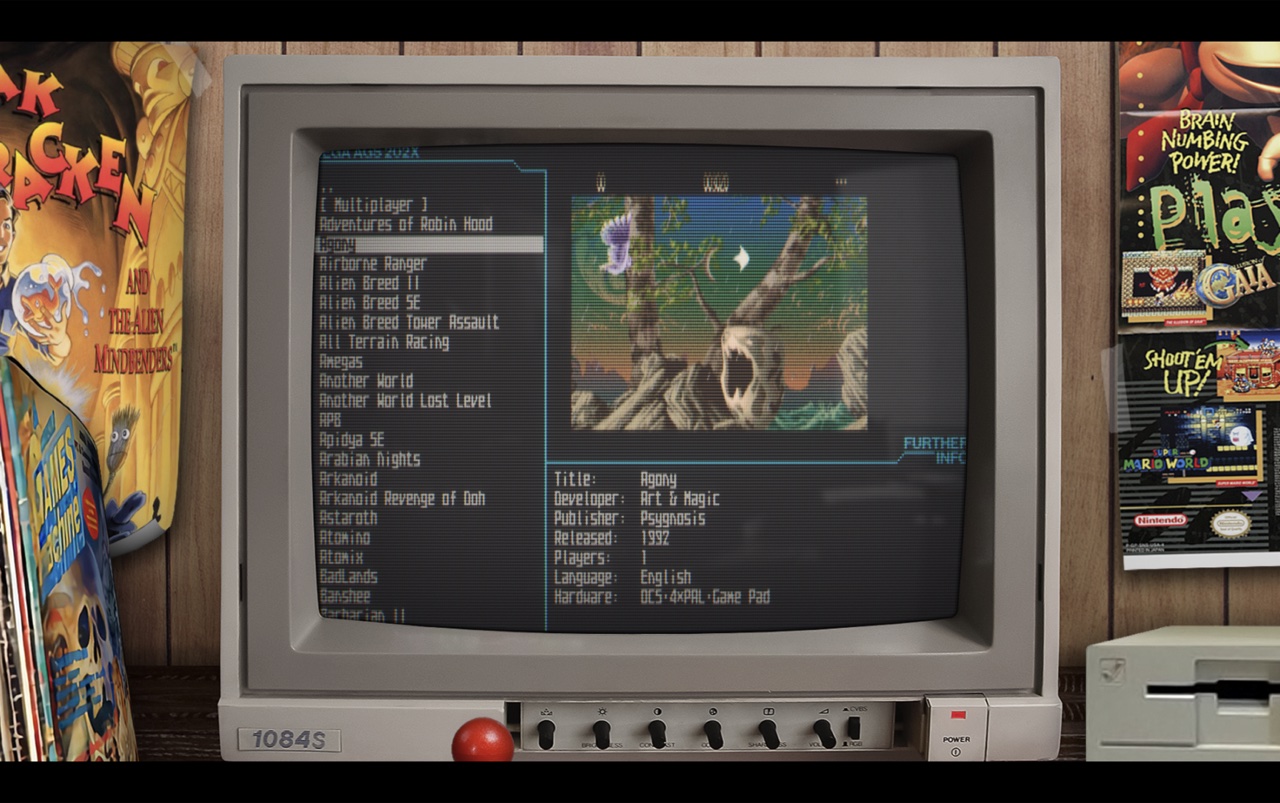
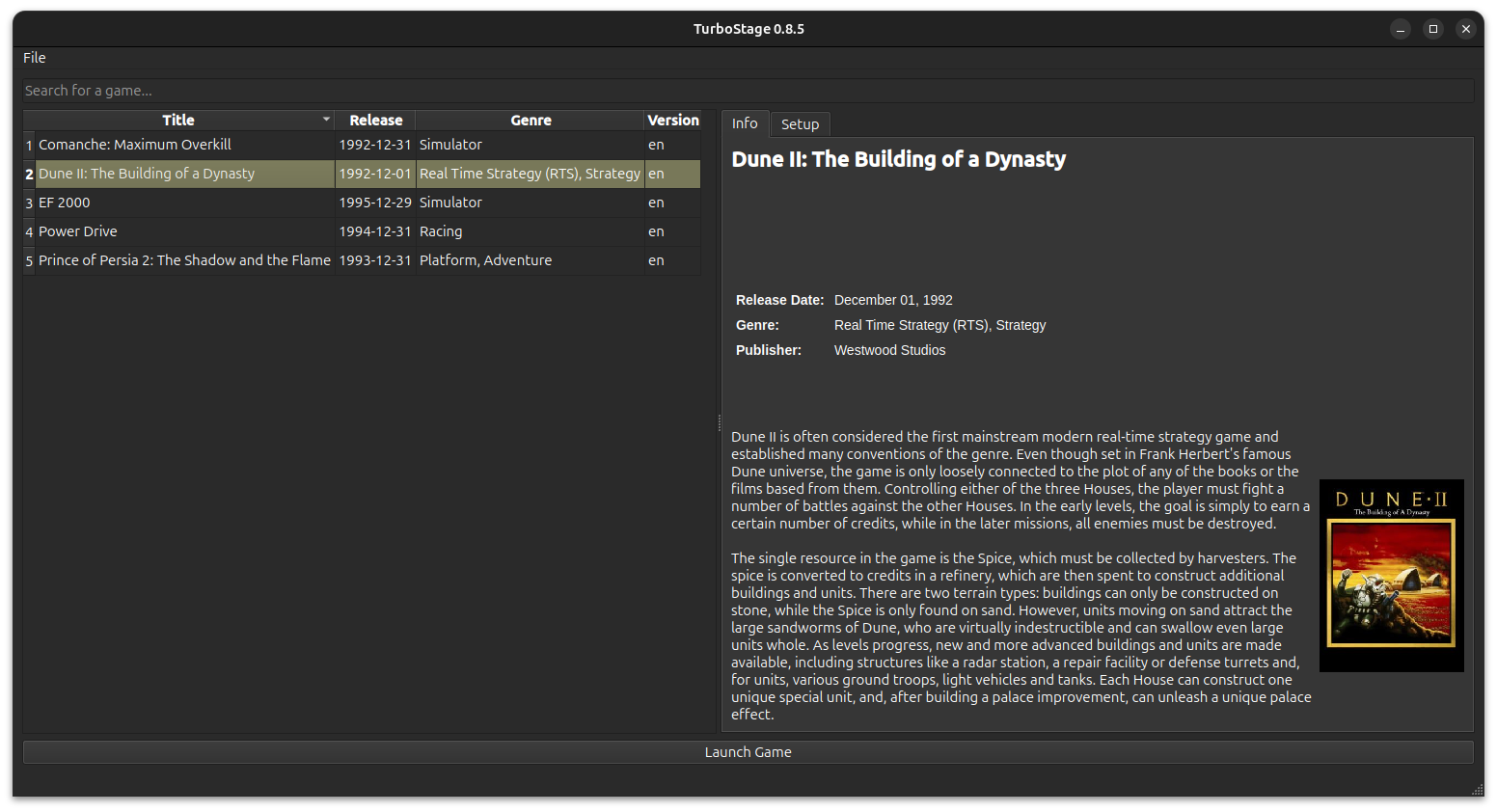
Il s’agit d’un frontend pour DOSBOX Staging. Il est inspiré par FS-Uae-Launcher.
Xemu Modern GUI est une interface alternative pour l’émulateur Xbox original Xemu, destinée à simplifier son utilisation et à enrichir ses fonctionnalités.
Elle propose une interface entièrement utilisable à la manette, avec plusieurs styles visuels, une bibliothèque de jeux avec jaquettes et favoris, ainsi que des outils de gestion des sauvegardes et du disque dur virtuel. Elle intègre également des options d’amélioration graphique, des patches pour le 16:9, la HD et le 60 FPS, des filtres CRT et scanlines, ainsi que des outils de capture et d’analyse des performances. La gestion du homebrew et la configuration du jeu en ligne via le réseau Insignia font également partie des fonctionnalités proposées.
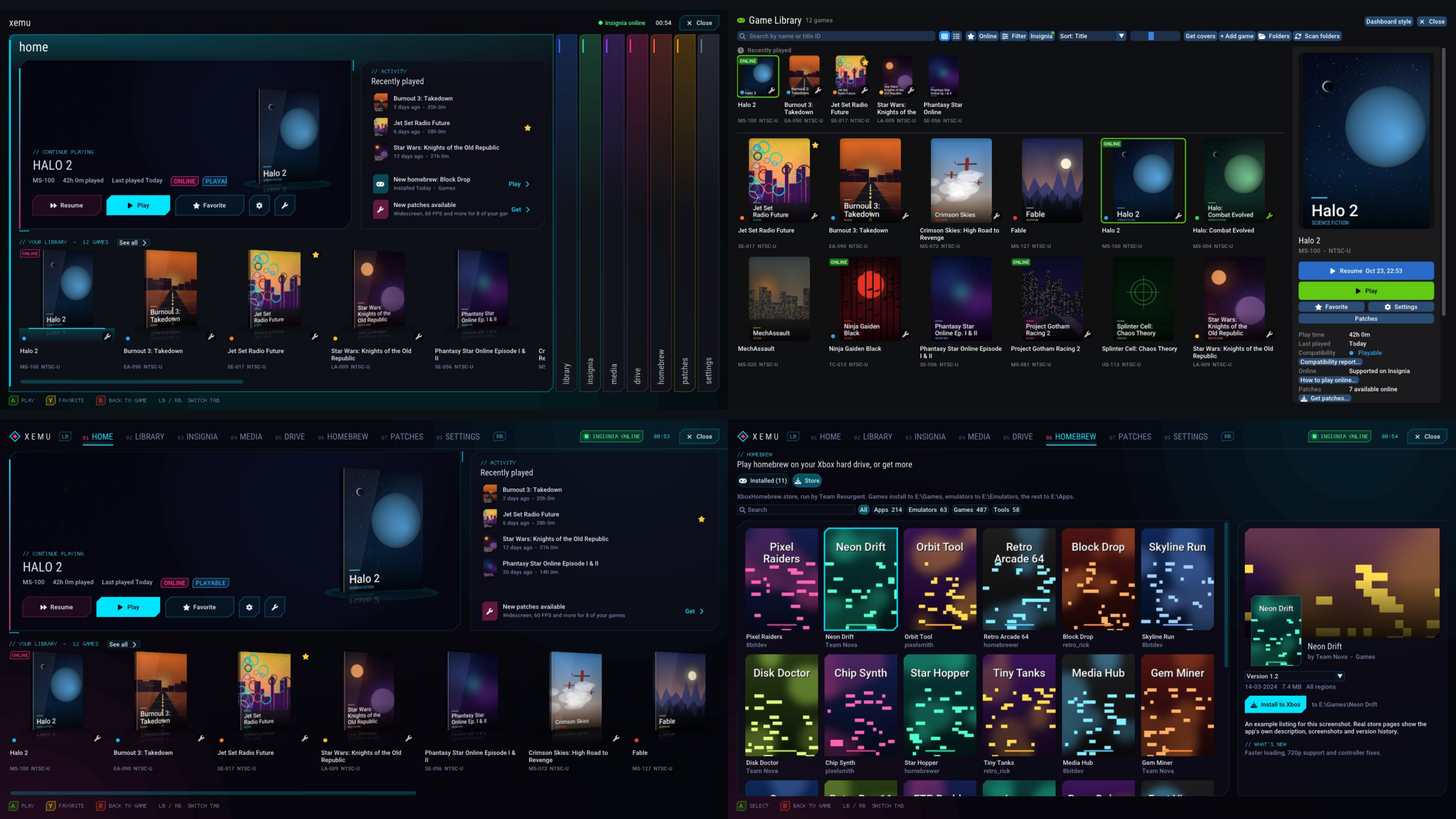
Les fichiers système nécessaires à l’émulation, notamment le BIOS, la ROM MCPX et l’image du disque dur Xbox, doivent être fournis séparément.
Ruzu est un émulateur Nintendo Switch écrit en Rust, développé comme une expérience visant à déterminer si l’IA, via des modèles de langage (LLM), pouvait réaliser le portage complet d’un projet logiciel de très grande taille de C++ vers Rust.
Le projet est basé sur le code de yuzu/Eden et représente environ 500 000 lignes de code portées exclusivement avec l’aide de LLM, sur une période d’environ six mois. L’objectif n’était pas simplement d’obtenir un programme fonctionnel, mais de conserver au maximum la structure du projet original, avec une correspondance entre les fichiers et les différentes parties du code C++ et Rust.
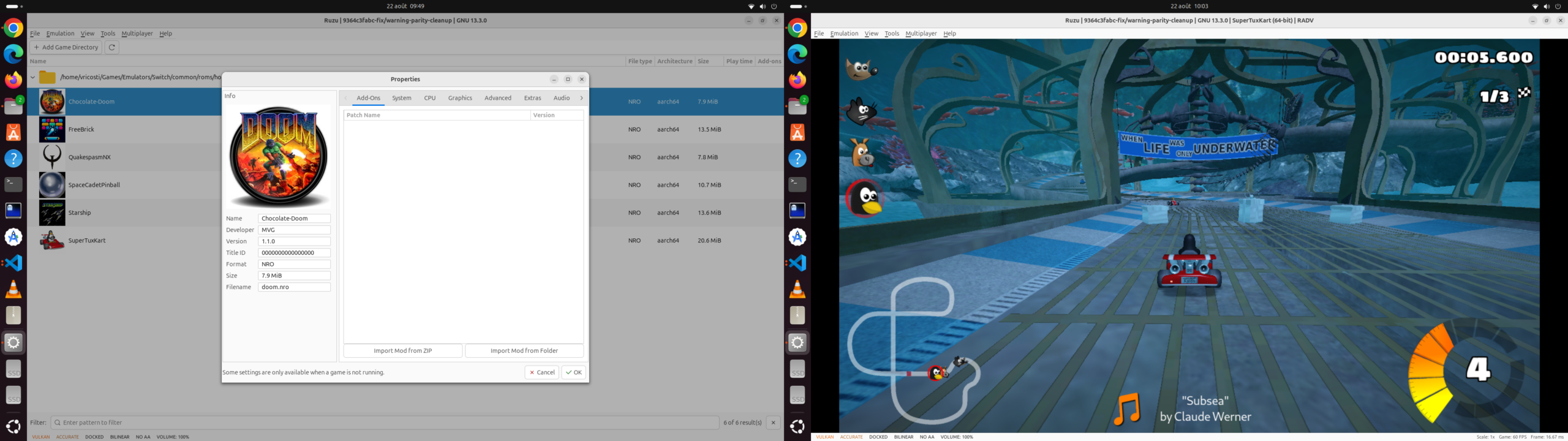
Ruzu intègre notamment un kernel HLE avec ordonnanceur, fibres, IPC et services, un processeur de commandes GPU, un recompilateur de shaders et un JIT. La recompilation dynamique du code ARM est assurée par rdynarmic, un portage Rust de Dynarmic, avec des backends natifs x86-64 et ARM64. Le projet comprend également rxbyak, un portage Rust de Xbyak pour la génération de code machine x86-64.
L’émulateur est déjà capable de démarrer et d’exécuter des jeux commerciaux, avec l’objectif affiché d’atteindre les performances de l’implémentation C++ originale. Le projet reste toutefois en développement.
Ruzu dispose également d’un frontend graphique ainsi que d’un frontend en ligne de commande, et peut être compilé sous Windows, Linux, macOS et plusieurs systèmes BSD.
Les changements sont:
– Extended cheat instructions: implemented register comparisons, register save/restore operations and masks, persistent static registers, process pause/resume, and debug logging, with all operand and addressing forms supported by Eden.
– Cheat execution: corrected nested if/else handling, loop decoding, arithmetic behavior, and handling of truncated or unknown instructions. Controller input is sampled once per execution so multiple button conditions see the same input state.
– Cheat files and process targeting: fixed parsing of names containing Unicode symbols or accents. Memory operations and pause/resume now target the process identified by the cheat metadata, with a cached non-owning process reference.
– Regression coverage: 24 cheat-engine tests pass, covering instruction execution, memory widths, pointer chains, branches, loops, register persistence, parsing, and process selection. All 96 tests selected by the memory test filter pass.
– Linux packaging: Debian package versions are now derived from the release tag.
POM2 est un émulateur Apple II moderne et open source, capable d’émuler plusieurs machines de la famille Apple II, de l’Apple ][ original de 1977 jusqu’à l’Apple //c+ de 1988. Il vise une émulation très précise du matériel, avec un rendu vidéo synchronisé au niveau du cycle CPU.
Il prend notamment en charge l’Apple ][, ][+, //e, //e Enhanced, //c et //c+, ainsi que deux variantes PAL, dont le //c « Le Chat Mauve ».
Parmi ses particularités, POM2 propose un rendu NTSC composite, des effets CRT/phosphore, une vue 3D en voxels, le rewind, l’émulation de nombreuses cartes d’extension comme les Mockingboard, Phasor, Super Serial Card, CFFA 2.0 et Uthernet, ainsi que la prise en charge des imprimantes ImageWriter II.
L’émulateur gère de nombreux formats de disquettes et supports Apple II (.dsk, .do, .po, .nib, .2mg, .2img, .woz, .hdv) et intègre une émulation fidèle du Disk II. Il dispose également d’un support réseau via Uthernet et peut même fonctionner directement dans un navigateur grâce à WebAssembly.
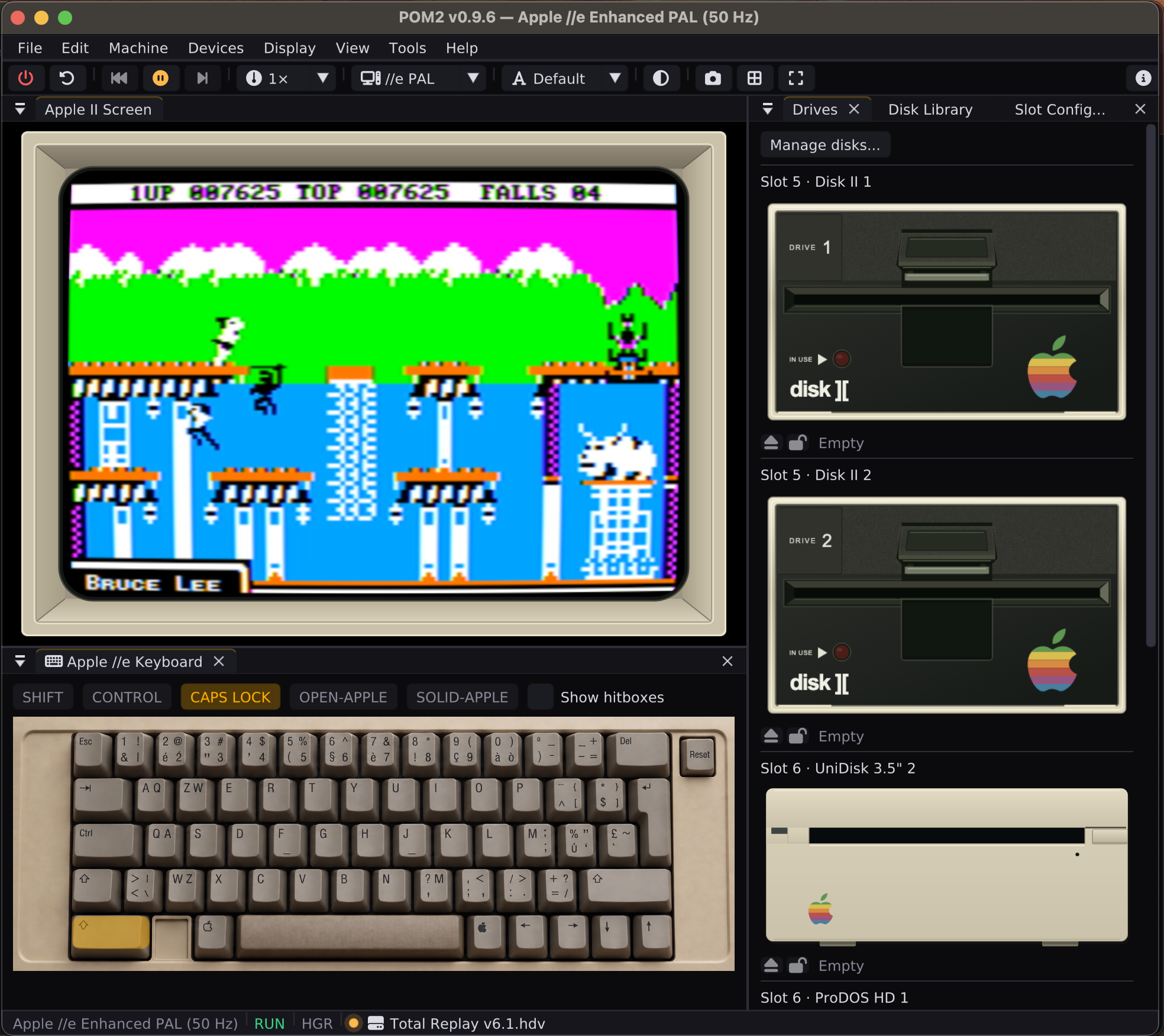
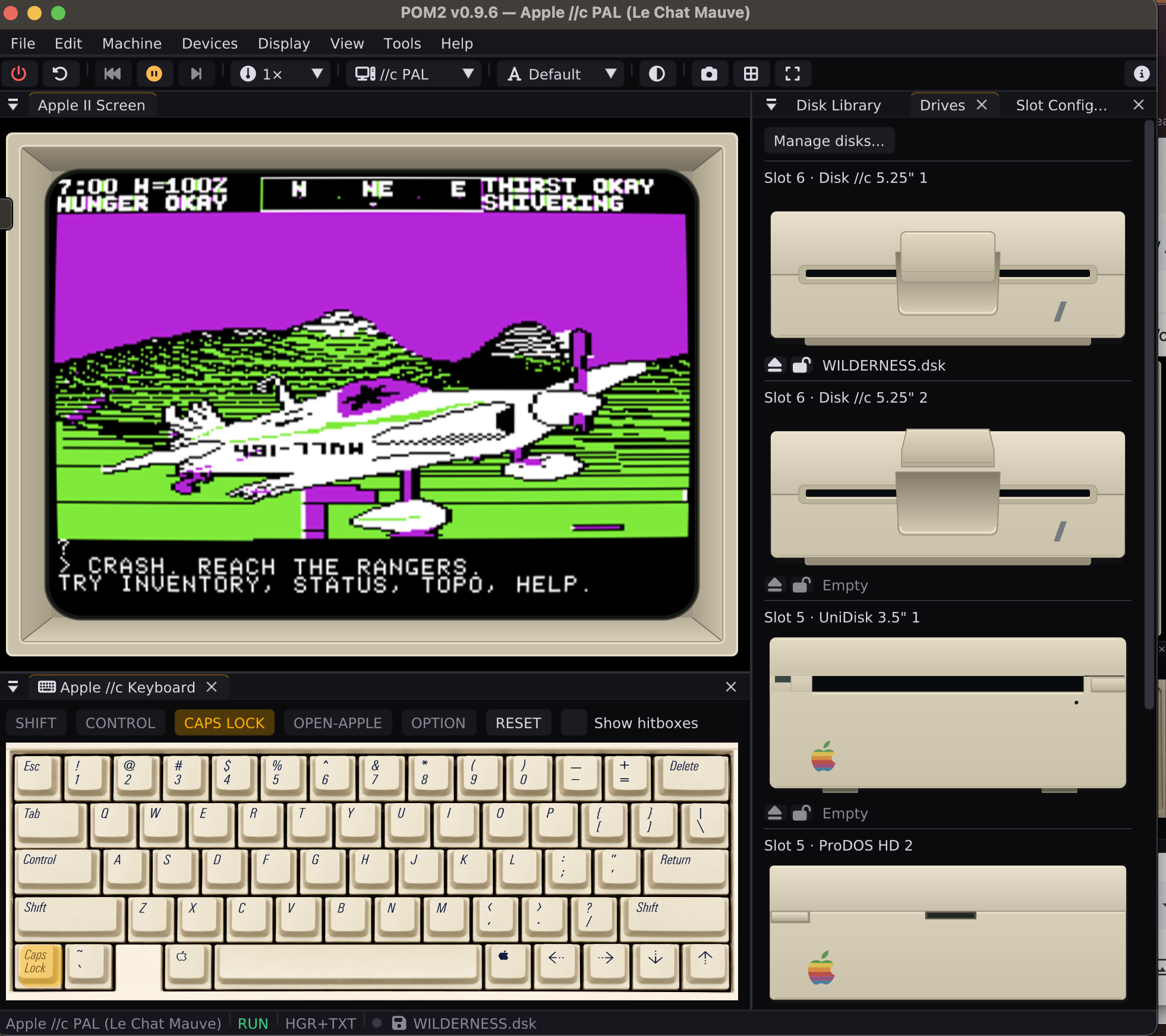
Ce que ça émule :
– Neuf machines : Apple ][, ][+, //e (non amélioré et amélioré), //c, //c+, et trois profils PAL 50 Hz européens (//e et //c), indispensables pour les démos françaises synchronisées sur le balayage.
– Le matériel est porté depuis MAME, puce par puce, et épinglé par des tests automatiques. Les démos de French Touch (l’anthologie DIX) servent de banc d’essai de référence.
– Stockage : Disk II au niveau du bit (WOZ, DSK, PO, NIB), SmartPort 3.5″, disques durs HDV / CFFA, carte Liron avec sa vraie ROM, dossier de l’ordinateur monté comme volume ProDOS. Sauvegarde automatique des disques.
– Son : Mockingboard, Phasor, synthèse vocale SSI263, bruit mécanique des lecteurs.
– Une trentaine de cartes : souris, horloge, Super Serial, Uthernet I/II (réseau), Grappler+ avec une ImageWriter II qui imprime en PDF, Le Chat Mauve RGB, Videx 80 colonnes, TransWarp, SoftCard Z80 (CP/M)…
– Affichage composite NTSC façon OpenEmulator, RGB, moniteurs monochromes vert / ambre / blanc, effets CRT, et même une vue 3D en voxels de l’écran.
– Débogueur, retour arrière dans le temps (rewind), états de sauvegarde, mode borne plein écran.
Quatre disquettes sont livrées dans les paquets, pour démarrer tout de suite :
– A2FileCmd XL v0.9.6 (voir plus bas).
– DIX-fix : l’anthologie de démos de French Touch, avec un correctif de menu.
– ChromaBreak 1.0 : un casse-briques DHGR 16 couleurs à la souris (//e amélioré ou //c 128 Ko).
– Micro-Sokoban 1.2 : 5 niveaux d’apprentissage + 454 niveaux Microban (Apple ][+ et suivants).
Côté logiciels, en bref :
– A2FileCmd: un gestionnaire de fichiers à deux panneaux, dans l’esprit de Norton / Midnight Commander, qui tourne sur un vrai Apple II. Une édition ProDOS en 80 colonnes (128 Ko, //e, //c, IIgs) avec copie d’arborescences, visionneuses de textes, de documents AppleWorks, d’images HGR / DHGR, lecteur de musique Mockingboard, extraction des archives ShrinkIt et gestion des images disques ; et une édition DOS 3.3 en 40 colonnes qui tient dans 48 Ko sur un Apple ][+.
– pom2games: des jeux Apple II écrits ou portés pour l’occasion, sur disquettes amorçables : ChromaBreak, Arkabreakout, Micro-Sokoban, des échecs, un labyrinthe 3D, Pinball Construction Set, une réimplémentation de Wilderness, un LOGO…

