AIPC (Apple in PC) est un émulateur d’Apple //e écrit sous licence GPL.


aipc
Quelques caractéristiques:

– Emulates Apple //e enhanced computer
– Mockingboard and/or PHASOR card support
– Mouse Interface card support
– Disk II card with disk image (DSK, DO, PO, NIB, 2MG images supported)
– Mass storage (HDV, 2MG images supported)
– Joystick with NumPad or PC Joystick
– Various screen mode: Full screen, 2x mode, Scan line, Color/Mono/Green/Custom colors
– NTSC color approximation
– Save and restore running status


Les améliorations:

– improved the quality of double sized screen by using blend color
– added the ability to swap left and right speakers


Télécharger AppleInPC v0.1.47.1 (1.1 Mo)

Site Officiel

En savoir plus…

Un joli frontend pour Mame (ou autres), très configurable. Emu Loader est une interface graphique qui se greffe principalement sur les émulateurs Arcade comme MAME, SEGA Model 2, SuperModel ou Daphne. Emuloader permet de gérer votre collection de roms, de vérifier vos jeux et de lancer vos émulateurs.


el


Télécharger Emuloader v8.9.4 (32.8 Mo)

Site Officiel

En savoir plus…

Il s’agit d’un multi-émulateurs émulant l’Atari 2600, le Commodore C64, C128 et le Vic20.


9 December – NewUI
– Added ability to select custom ROMs. (see 9 October for link and more info)
 
4 December – C128 Beta and NewUI
– Fixed a bug introduced with update on 5 August which wouldn’t allow tapes to load with the Commodore 128 in both C128 and C64 modes.


Télécharger Z64K v3.0 Build 20260626.XXXX (4.9 Mo)

Site Officiel

En savoir plus…

Il s’agit d’une version de développement de Snes9x dont le but est d’améliorer la gestion des fonctions d’enregistrement vidéos. On y retrouve également les améliorations d’autres builds en provenances d’OV2, Gocha, Nitsujrehtona, Air et bien sur Zones.
 
– Move libpng and zlib dependencies into submodules for the Windows build
– win32: disable sound sync when speed is not set to 100%
– win32: add -cartB parameter
– win32: merge multi rom load function
– win32: only enable dynamic rate control checkbox for xaudio2
– win32: add option to disable message scaling with epx
– win32: shorten faq, include link to dx9 runtime
– Fix NETPLAY_SUPPORT define I broke.
– Rendering Ranger R2 now seems to work without timing hack.
– Fix issue with expose on GTK+ 3.
– Fix assertion on PulseAudio driver exit.
– Fix warnings on GTK+ display driver with GTK+ 3.
– Some GTK+ 3 fixes.
– Clean up compiler warnings.
– Fix code gaff in reset in BSX code
– Fix missing break in pseudo-cycle SMP.
– List enumerated joysticks in terminal output.
– Remove some vestiges from sound code.
– win32: add dynamic rate control setting, implement for xaudio2
– win32: add volume control regular/turbo (closes #258)
– win32 libretro: switch toolkit to 141_xp
– Do not define NDEBUG if _DEBUG is defined
– Revert « Revert « Make SoundSync mutually exclusive with DynamicRateControl in GTK+ port. Disable S9xContinueUpdate. » »
– Reset time_ratio on preferences change. Use 4 fragments on OSS.
– Revert « Make SoundSync mutually exclusive with DynamicRateControl in GTK+ port. Disable S9xContinueUpdate. »
– Make SoundSync mutually exclusive with DynamicRateControl in GTK+ port. Disable S9xContinueUpdate.
– GTK: Update display on S9xContinueUpdate.
– Reset GFX.InterlaceFrame on PPU reset.
– Handle PulseAudio case where no data can be written.
– Revert « Also break out of S9xMainLoop in original location. »
– Also break out of S9xMainLoop in original location.
– Update config variable and sanitize input.
– Optimize rate control formula and remove placeholder copy-paste.
– Bump SDL requirement to SDL 2.0.
– Move newline.
– Merge remote-tracking branch ‘origin/ratecontrol’
– Remove debugging printfs.
– Update PulseAudio driver to full API.
– Don’t break interlace syncopation on frame skip.
– Change where we break S9xMainLoop/Scan for input (« Brunnis lag fix »)
– Increase the number of opcodes executed on the SA1 to 5 per S-CPU opcode.
– Update PortAudio driver to read/write API.
– Remove unconditional rate control on OSS.
– Add GTK+ preferences for dynamic rate control.
– Disable dynamic rate control by default.
– Add dynamic rate control for audio, based on Retroarch/Themaister’s paper
– Don’t break interlace syncopation on frame skip.
– Change where we break S9xMainLoop/Scan for input (« Brunnis lag fix »)
– Increase the number of opcodes executed on the SA1 to 5 per S-CPU opcode.
– Update Mac OSX version number and date strings
– Merge pull request #259 from NoSuck/unix_fullscreen
– unix: fix fullscreen property change timing
– Added Chou Aniki APU timing hack.
– Update copyrights.
– Merge pull request #257 from noabody/master
– Modify src/gtk/snes9x.ui to add scroll-box to gtk2+ cheat dialog.
– Merge pull request #256 from tmkk/macos_compat
– macosx: make compatible with 10.7-10.11 SDK
– macosx: fix Open ROM Image dialog doesn’t appear on recent macOS (issue 216)
– macosx: use bzero instead of ZeroMemory
– macosx: make musicbox compatible with a new S-SMP
– macosx: project file update, adding new S-SMP sources
– Allow fast-forwarding in games using the SPC7110 RTC
– Add support for Tengai Makyou Zero English patch mapping
– Release msu data and audio streams on exit, use unzClose when closing file
– win32: rework CHECK_MEMORY_LEAKS to dump after static object deinit
– Fix some on-exit memory leaks
– Properly report MSU-1 revision in the status register
– Make DEBUGGER compile again (without APU debugger)
– New attempt to fix RAM mapping for Light Fantasy (matches higan)
– Merge pull request #238 from megari/gtk_no_deprecated
– gtk: replace uses of deprecated functions with those of non-deprecated ones
– Merge pull request #223 from jristz/patch-2
– Minor update to es.po
– Update changes.txt
– Do not define NDEBUG for DEBUGGER
– win32: small readme updates
– Use same spc buffer size in all cases
– Load ignore checksum setting for all ports
– Merge pull request #227 from bonimy/update-gitignore
– Merge remote-tracking branch ‘refs/remotes/snes9xgit/master’ into update-gitignore
– Update .gitignore


Télécharger Snes9x (Interim/x86) v1.60.22 Re-recording (4.6 Mo)

Site Officiel

En savoir plus…

Un émulateur de PSP écrit en Java. Codé par Mad et Shadow (PCSX2) et rejoint par Wrayal, Fiveofhearts, Hlide et Dreampeppers99. Il émule les jeux commerciaux mais nécessite une puissante configuration.
 
jpcsp
 
Liste de jeux compatibles.
Site de développement du projet.
Builds SVN automatiques (alternative).
 

Télécharger JPcsp (x86) v0.7 rev 0318d15e (26.4 Mo)

Télécharger JPcsp (x64) v0.7 rev 00ac4d6 (29.1 Mo)

Site Officiel

En savoir plus…

pantheon

 
Il s’agit d’un multi-émulateur qui gère les systèmes suivants avec une superbe interface très simple d’utilisation.
Ordinateurs : Acorn Atom, Acorn BBC Micro, Acorn Electron, Commodore PET, Atari 8-bit, MSX
Consoles : Atari VCS 2600, Atari VCS 5200, Atari VCS 7800, ColecoVision, Magnavox Odyssey 2, Sega Master System, Sega Megadrive, Mattel Intellivision
Consoles portables : Atari Lynx, Sega Game Gear, Nintendo GameBoy


Vous aurez besoin de .NET Framework installé sous Windows. Pantheon est spécifiquement dédié aux jeux.


Le gros avantage est que ceux-ci sont téléchargés automatiquement en un clic sans que l’on ait besoin de faire quoi que ce soit d’autre. Il est bien dommage que Panthéon ne dispose pas de filtres, cela rend les jeux très pixelisés en raison des basses résolutions natives.


Télécharger Pantheon v16.754 (138 Mo)

Site Officiel

En savoir plus…

Il s’agit d’un émulateur de TI-84 Plus CE / TI-83 Premium CE pour Windows, MacOS et Linux.


Télécharger CEmu TI (x86) v2.0 Dev (2025/03/04) (19.5 Mo)

Télécharger CEmu TI (x64) v2.0 Dev (2025/03/04) (11.7 Mo)

Site Officiel

En savoir plus…

La dernière version béta publique de l’excellent WinUAE, l’émulateur Commodore Amiga. La traduction est signée Tradu-France.


– Si le taux de rafraîchissement en plein écran sous D3D11 est par défaut : il vaut mieux utiliser le taux de rafraîchissement le plus haut.
– Utilisation des valeurs pre-scaled lors du calcul des proportions dans les modes d’échelle en entier.
– Correction de bugs de avec quelques applications de vérifications. L’une d’elles pouvait créer un plantage aléatoire au démarrage ou lors de la sauvegarde du fichier config.
– Correction de plantage aléatoire quand au moins une chaîne d’un événement personnalisé dans l’onglet Contrôleur/entrée était activée.


Télécharger WinUAE (Public Beta) [32 bits] v6.1.0 Beta 23 (5.3 Mo)

Télécharger WinUAE (Public Beta) [64 bits] v6.1.0 Beta 23 (8.5 Mo)

Télécharger WinUAE (Public Beta) [32 bits] v6.1.0 Beta 23 FR (5.4 Mo)

Télécharger WinUAE (Public Beta) [64 bits] v6.1.0 Beta 23 FR (8.5 Mo)

Site Officiel

En savoir plus…

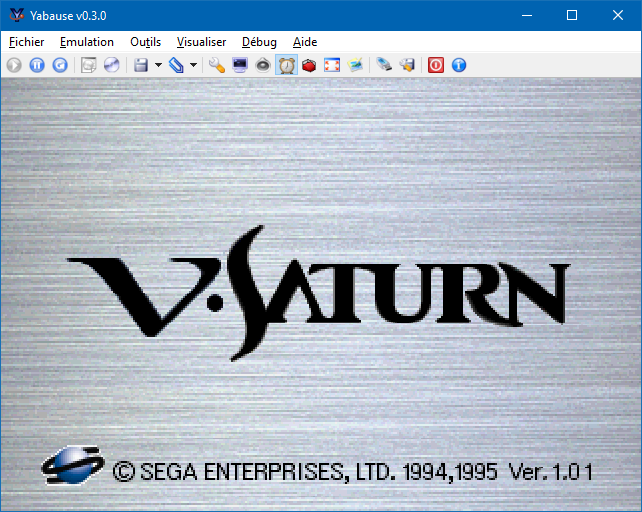
Anciennement appelé UoYabause, YabaSanshiro est une version basée sur Yabause (émulateur Saturn) maintenue par Devmiyax (développeur japonais).
Devmiyax avait proposé plusieurs patchs pour la branche officielle puis plus rien pendant de longs mois jusqu’à l’arrivée de YabaSanshiro sur la scène de l’émulation Saturn pour le système Android et sur laquelle cette version Windows est basée. L’émulateur fait presque jeu égal avec SSF (d’ailleurs certains passent mieux sur Yabause) rendant les deux émulateurs complémentaires.
Cette version inclut à la fois les dernières améliorations de la version officielle de développement de Yabause et celles de Devmiyax, probablement le build le plus abouti.

 
uoyabause
 
Les améliorations:
 

– Emulation Improvement


Ce build est basé sur les dernières sources disponibles et a été compilé par Tradu-France.
 
Vous pouvez consulter la liste de compatibilité avec les jeux UoYabause sur le Wiki Uoyabause Tradu-France. L’avantage du Wiki, c’est que tout le monde peut participer à la liste.

 
Builds officiels de Devmiyax.

Télécharger YabaSanshiro v3.4.0 (20.1 Mo)

Site Officiel

En savoir plus…

Un très bon frontend pour MAME.
 
mameclassicmameclassic2
 
– Added : Controls for new Fallback Artwork, Override Artwork and NVRAM Save options
– Added : Cambria and Segoe UI GUI fonts
– Changed : The cursor no longer changes to a hand pointer on the main form
– Changed : The option « Use Link Style GUI » is now « Use Buttonless GUI »
– Changed : The reports folder has been renamed to output
– Fixed : Changing to the Classic theme from any other theme would leave the background color of the previous theme in one of the textboxes
– Fixed : Scroll Bar issue on the Maintenance screen when MAME Classic was restored from maximized
– Fixed : Vector controls would be disabled in MESS Settings
– Removed : References to obsolete help files in the Help pull-down menu
– Removed : MS Sans Serif and MS Serif GUI fonts


Télécharger MAME Classic v26.02.0 (1.9 Mo)

Site Officiel

En savoir plus…

Créé par Alexandro Sanchez (aka AlexAltea, développeur de plusieurs projets comme Nucleus ou Rpcs3), il s’agit d’un projet expérimentale d’émulateur de Playstation 4 basé sur la virtualisation.


Roadmap

  • Boot kernel.
  • Kernel debugging with symbols.
  • Support for Orbis kernels with KASLR.
  • Emulating Aeolia’s UART device (partial).
  • Successful driver initialization.
  • Fix Starsha DCE initialization.
  • Adding Vulkan support to QEMU.
  • Process Starsha FIFO commands with a Vulkan backend.
  • …


Remarks

  • Until keys are dump, decryption with SAMU will be « emulated » by hashing encrypted input blobs and returning decrypted blobs previously obtained from the actual console.
  • Kernel ELFs generated from memory dumps will not work since R/W segments might have been modified into a state where booting is not possible. Please generate proper binaries offline by decrypting ELF segments with SAMU, not by dumping memory.


Site Officiel

En savoir plus…

Stella est un excellent émulateur Atari VCS 2600 multi-platformes, releasé sous licence GPL. A la base, le projet a été développé pour Linux par Bradford W. Mott, cependant de nombreuses personnes ont rejoint l’équipe de développement pour porter Stella sur différents systèmes d’exploitation tels qu’AcornOS, AmigaOS, DOS, FreeBSD, IRIX, Linux, GP2X, OS/2, MacOS, Unix, et Windows (ouf!).
Cette version inclut les binaires 32 et 64 bits.


stella
 
Les changements sont:


    Added "Time Machine" mode, which automatically creates save states in user-defined intervals. The user can navigate back and forth within these states inside the emulator and the debugger.
    Huge improvements to the disassembly view in the debugger and disassembly files created:
        reformatting in debugger for better space utilization
        much improved code and data detection
        access tracking and indicators for TIA/IO/RAM adresses in disassembly
        break vector is tracked (if used)
        improved cycle count (page penalties, sums created in disassembly)
        improved handling of instruction masking opcodes (e.g. BIT)
    Fixed change tracking bug during rewind; changes were accumulated instead of being displayed only for the last rewind step.
    Extended 'rewind' to take a second parameter which allows rewinding multiple states.
    Added 'unwind' command, which undoes the latest rewind(s).
    Added '<' (unwind) button to debugger.
    Thumbulator support is not conditional any more.
    Moved various developer related settings in new Developer Settings dialog. These settings now come in two groups (player/developer) and allow switching all settings at once.
    Don't trap write accesses to the datastream pointers in CDF and BUS. This fixes -dev.thumb.trapfatal 1.
    Complete rework of TV mode and ystart autodetection. The new implementation is more robust and reduces startup time.
    Add two "grace lines" of black to the top of the frame when autodetecting ystart.
    Fixed Genesis controller autodetect (Stay Frosty 2, Scramble, etc).
    Fixed a bug in ystart autodetection that could cause screen jumps.
    Fixed several bugs in holdselect, holdreset and holdjoyX commandline arguments; these now work as expected.
    Fixed bug in TIA collision handling; it is now disabled in VBlank.
    Improve TIA PF collision handling during hblank; this fixes a bug in Thrust ROM.
    Fixed wrong display of HM values in debugger after 'HMCLR' has been executed.
    Fixed bug with the debugger 'savedis' command in Windows; it wasn't actually saving the files at all. This has never been reported before, so I guess it shows how many people use that functionality.
    The debugger 'savedis', 'saverom' and 'saveses' now save files in a default, user-visible directory (see the documentation for more information). In the case of 'saveses', the filename is now named based on the date and time of when the command was entered.
    Fixed bug with saving snapshots in 1x mode; there was graphical corruption in some cases. Such snapshots also now include any TV effects / phosphor blending currently in use.
    Fixed regular-sized snapshots when phosphor effect was enabled; sometimes the image was 'double-blended', resulting in a snapshot that was too dark.
    Fixed crash when selecting 'CompuMate' as a controller type for a non- CompuMate ROM; this controller type can no longer be manually selected, and will be used automatically used for CompuMate ROMs.
    Fixed cheat codes, so 7 digits codes are now accepted as described in the doc.
    Fixed swapped ports being displayed wrong in System Logs and debugger.
    Added options to erase the AtariVox/Savekey flash memory, either for all ROMs or only the current one. Also added a message (configurable) when the flash memory is accessed.
    Access to the AtariVox/SaveKey can be signaled with a message.
    Added new interface palette 'Light'.
    Frame stats display made transparent. Also it now displays the real frame rate and if the developer settings group is enabled.
    Improved tab auto-complete in debugger.
    Added conditional traps and savestate creation to debugger.
    Added 'Options...' button to debugger which gives access to the options menu during debugging.
    Added debugger pseudo-register '_cyclesLo' and '_cyclesHi', which give the number of CPU cycles that have occurred since emulation started.
    Added debugger pseudo-register '_fcycles', which gives the number of CPU cycles that have occurred since the frame started.
    Added debugger pseudo-register '_icycles', which gives the number of CPU cycles of the last instruction.
    Extended debugger 'dump' command to take a second argument, indicating the end of the range to dump data.
    Improved change tracking; more values are tracked and change tracking now works in case of a break too.
    Added widgets for trackball and SaveKey/AtariVox controllers.
    Improved emulation of 'FE' bankswitch scheme (no user-visible changes, but internally the emulation is much more accurate compared to the real thing). Related to this, improved the debugger support for this scheme (you can now switch banks in the debugger view).
    Added emulation of 7800 initial RAM values and Pause key.
    Added ROM properties for 'Scramble' ROMs, and updated info for all "Champ Games" ROMs.
    Added ROM properties for 'Zippy the Porcupine' ROMs, and updated info for all "Chris Spry (Sprybug)" ROMs.
    Support UNIX style builds (configure / make) on OSX with both XCode / clang and g++.
    Fixed error when building with uClibc-ng for ARM (thanks to Sergio Prado).
    Updated included PNG library to latest stable version.


Télécharger Stella (64 bits) v7.0c (4.1 Mo)

Site Officiel

En savoir plus...



https://getourbonus.com/fr/accueil

https://www.romspedia.com/