Supermodel s’impose comme l’émulateur de référence, initialement développé par Bart Trzynadlowski, Ville Linde et Stefano Teso pour restituer avec une grande fidélité les jeux de la célèbre architecture Sega Model 3 (Scud Race, Daytona USA 2, Le Mans 24, etc.).
Au fil des évolutions du projet, ses contributeurs ont considérablement étendu ses capacités pour intégrer la prise en charge complète des générations d’arcades précédentes, englobant désormais les systèmes Sega Model 1 et Sega Model 2 (avec toutes leurs variantes 2A, 2B et 2C).
Grâce à ses nombreuses optimisations techniques, notamment un rendu graphique moderne exploitant l’accélération GPU, une reproduction fidèle des processeurs et des puces sonores d’origine, ainsi qu’une prise en charge étendue des périphériques de contrôle spécifiques aux bornes d’arcade (volants, boîtes de vitesses, manches de vol et pistolets optiques), Supermodel offre une expérience d’émulation particulièrement fidèle et fluide, permettant de retrouver les grands classiques de l’arcade Sega dans des conditions optimales.
– Anciennes références [ici/là]
– Fichiers de configurations préparés ici.

Les changements:
Le système de mise à jour passe de SVN à GIT, du coup le nom des versions changent, par simplicité j’utiliserai un système par date de release plus compréhensible que le par défaut de GIT.
– Model 2 renderer: quads ~10x faster, texture RAM with real mip levels
– Quads: ‘precise’ on each t[i] instead of the array t[4]. The precise array made the quad fragment shader about ten times slower per pixel on NVIDIA (Indy 500 3D pass at 2x supersampling: 10.9 ms -> 0.9 ms).
– Texture RAM 0/1 are 2D R16UI textures with a GL mip level per hardware mip level (as the Model 3 renderer), instead of buffer textures. Same output.
– Model 2: a negative z sorts as the farthest, not the nearest
– A polygon crossing the eye’s plane, sorted by its min z, has a negative z. MAME clamps it to 0 (frontmost). Indy 500’s backdrop, a flat polygon around the camera, is one: drawn in front, it hid the whole track below the horizon.
– V60, MB86233: constexpr class constants (MinGW link)
– A static const member that’s bound to a reference needs a definition outside the class; MinGW’s linker doesn’t find one. static constexpr members are inline in C++17, so they define themselves.
– Makefiles: build Src/Model2/Sega315_5838.cpp (the protection chip)
– Model 2: TGPx4 program RAM is uint64_t (gcc build)
– UINT64 is unsigned long long and uint64_t is unsigned long on 64-bit Linux, so a UINT64 pointer to the program RAM doesn’t convert. Also initialise CModel2’s members in declaration order (-Wreorder).
– Model 1/2: include and where they’re used (gcc build)
– Model 2: re-signal a shared IRQ line that stays pending after an ack
– The i960’s interrupt lines are level sensitive: the timers share line 2, and when only one of two pending timers is acknowledged the line stays asserted and the CPU takes it again once the handler returns. The core (as MAME’s) reacts to edges, so the second timer was never taken, never restarted, and Over Rev’s timer-driven sound commands stopped after the boot and coin sounds. A line partly acknowledged but still pending is now dropped and raised again (held by the i960 until it can be taken).
– Model 2: Top Skater’s second matrix and compact objects (simulated geometrizer)
– Top Skater uploads its own geometrizer program (TGPx4 code). Read from its disassembly, its commands differ from the simulation’s:
– 1B loads a second matrix and translation (was: overwrote the first)
– 1C copies the first into the second and has no data words (was: a 3-word translate, which desynced the rest of the display list)
– 11 objects have compact link records (no reserved normal and quad gap words), and a vertex whose raw x has bit 0 set follows the second matrix The compact records and the per-vertex matrix as in sm2-emu (dmanlfc, GPLv3). Attract now draws its 3D properly. The second matrix is saved in its own block (older states load without it).
– MB86235: memory to register transfers take the register from AS/BS
– In alu1_trans2_2, a memory to register transfer (SDA/SDB 2) names its register in the same field as a register to memory one (AS/BS); the AD/BD bits are part of the memory address there. MAME takes AD/BD, a register its tables don’t have: Top Skater’s geometrizer program (3C7: MVD2 into AA2 and AB6) stopped with an illegal register.
– Model 2: clip_polygon can’t overrun its 8-vertex buffers
– A convex quad clipped by the 4 planes has at most 8 vertices, but a twisted one (two edges crossing) can gain 2 per plane. Top Skater sends such quads (9-10 vertices after clipping), which overran verts_out (Run-Time Check Failure #2 in debug builds). The output is now capped; the extra vertices only belong to those broken polygons. MAME has the same buffers.
– Model 2: Rail Chase 2 drive board check
– At boot Rail Chase 2 checks the link to its drive board (pneumatic seat): commands on the 315-5649’s port E, acknowledged on port D. Nothing answered and it stopped at NET_BAD. Port D now acknowledges the last command, as MAME’s rchase2_drive_board_r simulates it.
– i960: hold an external interrupt that can’t be taken yet
– When a line was raised while another interrupt was waiting (or the CPU’s priority was too high), it went to the interrupt table’s pending bits. Model 2’s lines stay asserted until the game acknowledges them, and Sky Target’s interrupt table is in ROM: the pending bits were lost, the vblank line never dropped and no more vblank interrupts came. Its sound queue is sent from the vblank handler (no sound), and coins weren’t counted.
– The line is now held and taken as soon as nothing else is waiting and the CPU’s priority allows it.
– Model 2: Virtua Cop light guns (original-board I/O)
– The model1io2 board’s BIOS copies its gun registers to the DPRAM at 80-88: P1 Y, P1 X, P2 Y, P2 X (16-bit, little endian), then the off-screen bits. Fill them from the gun inputs, with MAME’s Virtua Cop ranges.
– Model 1/2: HighLevelGeometrizer option, on by default
– LowLevelGeometrizer (default on) becomes HighLevelGeometrizer, default on: the geometrizer is simulated unless it is turned off, so the default is the fast option (Virtual-On: about 130 fps simulated, 93 low level). Model 1 now also simulates it by default. Command line: -high-level-geometrizer / -no-high-level-geometrizer. The note in the GUI (Model 1/2 only), the default Supermodel.ini and the save state mismatch message follow.
– Real3D: initialise m_layout and m_configRegisters
– Model 2: joystick inputs for the games that read them
– The Model 2 entries for games with a joystick and buttons (Virtua Fighter 2, Fighting Vipers, Last Bronx, Dead or Alive, Sonic Championship, Dynamite Cop, Zero Gunner, Pilot Kids, Air Walkers, Dynamite Baseball, Water Ski, Top Skater: 33 sets) listed the fighting buttons but not the joystick1/joystick2 input groups, so the stick was not read and the characters could not move. Generated again with them.
– GUI: mark PowerPCFrequency and New3DEngine as Model 3 only
– Both only affect Model 3 (the PowerPC, the Real3D renderers). The GUI shows « (Model 3 only) » beside them, and the default Supermodel.ini says so above New3DEngine.
– Inputs: joystick buttons 1-128 (was 32)
– The input layer named and accepted joystick buttons 1-32 only, while DirectInput reads 128 (DIJOYSTATE2): buttons 33 and up of arcade encoders, button boxes and wheels could not be mapped. JOY_BUTTON1-128 now parse and map. A button beyond the device’s own count still gives an empty source, and input detection already ignores inputs held when it starts, so stuck high buttons can’t take a binding.
– GUI: list only the games in the ROM folder, with a « Show all » checkbox
– The game list showed every supported game, the ones without a zip in the ROM folder greyed out, which got long with all of Model 2. Now only the games in the ROM folder are listed; a « Show all supported games » checkbox above the list shows the others too (greyed out, as before), with a count of the supported games found. Unticking it clears a selection that is no longer listed.
– Model 2: original I/O board, Desert Tank leaves test mode
– Desert Tank reads I/O board DPRAM byte 0E at boot (a fourth input port); we left it 0, a pressed switch, so the game always entered test mode and restarted into it on exit. Bytes 0E/0F now read FF (nothing pressed).
– The gear bits of IN1 (4-6, active high) are Daytona’s 4-speed shifter only; other games’ IN1 bits 4-6 are active low buttons (Desert Tank’s machine gun and cannon read as held).
– Desert Tank now runs its attract mode; Daytona’s frames are unchanged.
– Model 2: all of MAME’s Model 2 sets, per-game controls and protection
– Games.xml now has every set in MAME’s sega/model2.cpp (90, clones with their parents), generated from it: ROM layout with the ROM_COPY mirrors, stepping, inputs, 315-5881 keys, the Digital Sound Board ROMs. Names are MAME’s: our hotd and von were MAME’s hotdo and vonu. The 9 hand-made entries were reproduced exactly; manxtt’s input type was misspelled (shift_updown), so its bike controls were off.
– Controls: each game’s layout follows its MAME input port set (a table generated with Games.xml): fighting games (4 buttons and a joystick per player), Virtua Striker, Virtual-On’s twin sticks (not mapped before), Daytona, Desert Tank, Sega Rally, the bikes (Motor Raid: punch, kick), Indy 500 / Touring Car / Super GT / Over Rev, Sky Target, the analog guns (Rail Chase 2, Gunblade NY, Behind Enemy Lines), Power Sled, Ski Super G, Wave Runner, Water Ski, Top Skater and the light guns (HotD, Virtua Cop 2, with their ranges).
– Protection and extra boards, as MAME:
– 315-5881 (Dynamite Cop, Zero Gunner, Pilot Kids): Model 3’s CCrypto, RAM at 1D80000, registers at 1D90000.
– 317-0229 (Dead or Alive): Sega315_5838, ported from MAME.
– Daytona USA To The MAXX and GTX 2004 protection reads.
– MAME’s program patches (Zero Gunner, Pilot Kids, Power Sled Main).
– Last Bronx: the simulated geometrizer’s mesh commands.
– Digital Sound Board (Model 3’s DSB1/DSB2): Touring Car, Top Skater.
– Not done: Virtua Cop’s original-board light guns, Rail Chase 2’s I/O board CPU, Air Walkers’ players 3/4. Tested only the families with ROMs at hand (Daytona, Sega Rally, VF2, Manx TT, Fighting Vipers, Virtual-On, HotD, Ski Super G, Wave Runner): unchanged boot and attract.
– GameLoader: prefer the game named as the zip, else the first listed
– A zip with several complete games (MAME’s merged sets hold a parent and its clones) loaded the first complete clone alphabetically, so a merged daytona.zip loaded daytona93. Now a complete game named as the zip file is chosen; otherwise, among several candidates, the one listed first in Games.xml (a family’s parent, then its clones in their order).
– Allow the emulator window to be resized, we don’t need to be stuck at the chosen resolution anymore.
– Model 1/2: LowLevelGeometrizer option, on by default
– One core option for both platforms: LowLevelGeometrizer runs the video board’s geometrizer DSP programs (low level, more accurate); off, they are simulated (high level, faster). Model 2: 2B games only, 2A and 2C are always simulated. It replaces Model1Geometrizer (default on) and Model2GeometrizerLLE (default off), so 2B games now run the low level geometrizer by default; 2B states made with the simulation load only with it off (the error says so).
– In the GUI’s Core tab, in the default Supermodel.ini (with a comment), and on the command line (-low-level-geometrizer, -no-low-level-geometrizer). Settings can now carry a note the GUI shows beside the control (ValueRange::SetNote); this one says « Model 1/2 only ».
– Model 1/2: wide screen (WideScreen, WideBackground)
– With WideScreen the 3D is drawn over the whole width of the window instead of the 4:3 area: the renderer maps native x to the full width (xMap uniform; the quad geometry shader maps back to native pixels from the centre), the fragment shaders keep taking native pixels from the 4:3 area (x < 0 or > 495 beyond it). The tilemap layers stay 4:3; with WideBackground the bottom one is stretched over the whole width.
– So that polygons beyond the 4:3 picture aren’t clipped away, viewport sides at the screen’s left or right edge are moved out by the extra width in native pixels (CModel1Render::WideExtension()):
– Model 1: the view frustum and the batches’ clip rectangles (CGeometry::SetWideExtension), with the C++ geometry and the DSPs.
– Model 2: MAME’s clip planes, rebuilt after a state load, and BuildGPU()’s clip rectangles (CVideo::SetWideExtension). The window commands come to our rasterizer from either geometrizer, so the simulation and the low level geometrizer work the same. Not for the software renderers.
– Checked in attract mode at 1920×1080: Daytona USA, Virtual-On (both geometrizers, the same frames), Virtua Racing, Virtua Fighter. Without WideScreen the output is unchanged. Objects the games cull themselves can still pop in at the sides.
– Model 2: 2B sound board UART, SCSP replies to the main board
– Model 2B’s UART is at 0x009c0000 and 0x009c0004 (byte 0 of each word, MAME’s model2b_crx_mem), not 0x01c80000; it wasn’t mapped, so Cyber Troopers Virtual-On and Fighting Vipers never reached their sound board and had no sound.
– The SCSP’s MIDI output now also goes to the UART’s input, as MAME’s midi_out_cb -> write_rxd (SCSP_SetMidiOutCallback, through CSoundBoard::SetMIDIOutCallback). Model 3 sets no receiver, so its output is still discarded. Not for Manx TT DX, where the Model 1 board replies.
– Model 2: i960 takes an interrupt right after the instruction raising it
– Interrupts were only checked at the start of each timeslice. Daytona USA masks its sound interrupt (intena = 1) while it adds a command to its sound queue, and re-enables it (0x401) after. Re-enabling raises the UART TxRDY interrupt at once; taken at the next timeslice it landed inside the next queue update, after the count was read and before it was written back, so the count went one too high. The sender then sent stale entries and skipped real ones: after a game the attract music command (AE 10 08) was lost and the attract mode was silent.
– execute_run now takes a pending immediate interrupt after each instruction, as MAME’s resync on set_input_line does. Old save states made after a game keep the wrong count until the game’s next sound reset.
– Model 2: quad rendering without screen-linear varyings (AMD holes)
– On an AMD GPU with quad rendering, The House of the Dead’s floor near the camera had a black wedge missing (triangles were fine, NVIDIA was fine). Those quads have corners behind the eye. The quad shader’s per-pixel terms (the corners relative to the pixel and the triangle areas) were noperspective outputs of the geometry shader, and the near clip was at w = 0, putting clipped vertices at infinity. NVIDIA rasterizes these without clipping; AMD clips, the noperspective values at the new vertices come out wrong and the fragments are discarded as outside the quad.
– The geometry shader now passes the corners and their cross products flat, and the fragment shader computes the terms from them and the pixel’s position. The edge barycentrics are perspective-interpolated, and the near plane is at w = 1/1024 (the board’s nearest w is about 0.6) for both triangles and quads.
– Confirmed fixed on the AMD machine; on NVIDIA 32 frames of HotD match the previous output within 4/255 on a few dozen pixels.
– Model 2: light guns reload with the off-screen input alone
– The House of the Dead reloads when the trigger is pulled with the gun off screen. The off-screen input (InputOffscreen, the right mouse button by default) now also pulls the trigger, so it reloads on its own, without InputAutoTrigger. The gun also counts as off screen within 5% of an edge of its range, as in MAME, so shooting with the mouse moved out of the window reloads too.
– Model 2: Sega Ski Super G and Manx TT Superbike DX
– Sega Ski Super G (2C, MAME’s skisuprg) and Manx TT Superbike DX (2A, manxtt) are added to Games.xml with their inputs.
– Both games check a drive board at power-on (Ski Super G’s ski board, Manx TT DX’s motion slider: new drive_board type « Motion »). It is simulated on the 315-5649’s ports: commands on port E, replies on port D. The board answers the power-on sequence (CF, then CE) paced by the commands it gets, then is ready: the ski board then works like Model 3’s Ski Champ board (Dx selects status, DIP switches or foot sensors), the motion slider answers CD. No motion or vibration. Its state is saved.
– Inputs: the ski controls (swing, incline, select 1-3, pole buttons) and the bikes’ throttle, brake, lean and shift up/down (MAME’s ports).
– Manx TT DX also has a Model 1 sound board beside the SCSP one. Both get the UART’s output and the Model 1 board’s replies go back to it. Its audio is mixed into the SCSP board’s frame (as a DSB, through the new CModel1SoundBoard::MixFrameInto), so there is one audio output.
– Model 2: 2B save states record which geometrizer made them
– The geometrizer’s own SHARC program state only exists with the low level geometrizer (Model2GeometrizerLLE), so a state made with one can’t be loaded with the other. 2B states now carry a « Model 2 geometrizer mode » block; loading one made with the other geometrizer fails with an error naming the setting to change. States without the block were made by the simulation.
– Also a debugging aid: SUPERMODEL_MODEL2_GEO_DISASM=start,end disassembles the uploaded geometrizer program to the log (low level only).
– Model 2: faster SHARC round-to-zero float add and multiply
– In round-to-zero mode the result is now truncated by clearing the low 29 mantissa bits of the double result, instead of a float conversion, a remainder test and nextafter. A float product is exact in a double; a sum is too unless TwoSum’s error term is non-zero, and that only changes the truncation when the double sum is exactly a float and the error points towards zero. That case, and results near underflow or overflow, still take the previous path.
– The per-instruction DMA and IOP timer steps are skipped with an inline test when idle (the calls did nothing then).
– Bit-identical: 100M random and edge-case operand pairs match the previous code, and the 2B geometrizer’s output hash over 1500 frames of Virtual-On is unchanged.
– Model 2: SHARC round-to-zero keeps infinite operands infinite
– In round-to-zero mode (MODE1 TRUNC) the float ALU and multiplier replaced every infinite result with NORM.MAX, including inf * x and inf + x. On the ADSP-2106x NORM.MAX only replaces an overflow of finite operands; an infinite operand gives infinity, and inf * 0 gives NaN.
– Virtual-On computes the shadow’s light angle from the length of the light vector’s horizontal part (x * RSQRTS(x), refined). For a straight down light that length is 0: on the chip RSQRTS(0) = inf, inf * inf = inf, inf * 0 = NaN, and the NaN angle is clamped to 33.75 degrees. With inf * inf = NORM.MAX the angle was 90 degrees and the shadow’s 1/cos scale -20848, so shadows were drawn as a black streak to the horizon.
– Model 2: Sega Model 2 / 2A / 2B / 2C support
– Ported from MAME (i960 main CPU, MB86234 TGP on the MB86233 core, SHARC ADSP-21062 for 2B, MB86235 TGPx4 for 2C, geometrizer and rasterizer), with CPU fixes from reviews against the manuals. Includes a GPU renderer, the System 24 tilemap shared with Model 1, the SCSP and Model 1 sound boards, the comm board (networked over the net board link), light guns, save states and NVRAM. 2B can also run the geometrizer’s own program on a SHARC.
– Games: Daytona USA, Virtua Fighter 2, Sega Rally Championship, Fighting Vipers, Cyber Troopers Virtual-On, The House of the Dead.
– Model 1: faster MB86233 interpreter and geometrizer FIFOs
– Force the per-instruction helpers inline, pick the ALU post ops with bit masks, skip alu_pre when there is no ALU op, handle a/b/d/p inline in read_reg/write_reg and dispatch ld/mov subop 7 in the same switch. The FIFO consumer’s empty check now uses its cached head index instead of pulling the producer’s cache line on every word.
– Output is bit-identical (hash of 1500 frames of DSP output in vf, vr, wingwar and swa). DSP time per frame drops ~31% run sequentially and ~33% threaded (vf 2.76 -> 1.85 ms).
– Model 1: clip to the far edge of the viewport’s last column and row
– MAME clips polygons at the viewport’s last pixel coordinates (x2, y2); its integer rasterizer still fills that column and row, but a GPU only fills pixels whose centres are inside, so the 3D stopped one pixel short of the right and bottom of the viewport. Clip at x2 + 1 and y2 + 1 instead (the scissor still limits drawing to the viewport).
– Model 1: NetMerc boots and plays; sort the games list
– NetMerc: Games.xml entry, the default battery-backed RAM contents (netmerc_nvram.bin, as MAME), the headset pose MAME uses (fixed, looking forward) written to the I/O board RAM at reset, and its controls on the analog joystick inputs. Its sound is unusable: sample ROM mpr-18134 is a blank dump in every known set.
– Games.xml: the Model 1 entries moved into alphabetical order among the Model 3 games (clones still follow their parents).
– Model 1: faster, simpler System 24 tilemap drawing
– Layers are drawn in runs of up to 8 pixels within one tile and one window mask cell, so the mask bit, tile word and character row are read once per run instead of per pixel, and runs of the wrong category or hidden by the mask are skipped (as the Model 3 tile generator does). MAME’s per-rectangle wraparound cases and the duplicated split-mode paths are replaced by one span routine driven per line. Checked pixel for pixel against the previous code in all four games (every layer, both opaque settings, all split and line scroll modes in use). The tile layers take ~0.4 ms a frame instead of ~1.2.
– Model 1: run the four geometrizer DSPs on their own threads
– Like the board, the 5571s and 5572s now run at the same time, one thread each, joined by lock-free single producer/consumer FIFOs; the output is the same as running them in turn (which is still done with fewer than four cores). Each chip’s bus and CPU state are on their own cache lines, as are the FIFO indices. The DSPs take 2.9 ms a frame instead of 7.6 (Virtua Fighter unthrottled: ~85 -> ~160 fps).
– Model 1: run the geometrizer DSPs for real, align the C++ geometry with them
– The four video board DSPs (315-5571 x2, 315-5572 x2) run their own programs on the display list each frame (Model1Geometrizer, default on for testing); their output stream is decoded into the existing clip, z-sort and batch code. A debug comparison mode (SUPERMODEL_MODEL1_GEOCOMPARE) checks the C++ simulation against them polygon by polygon; from it, the C++ path now decides facing from the sign of V.n and adds specular as the DSPs do. New Games.xml regions for the DSP programs and their table ROMs.
– Model 1: throttle, gunner stick and flight view inputs
– New input groups: « throttle » (analog axis plus up/down keys that move the lever and leave it there), « analog_joystick2 » (Star Wars Arcade gunner stick and buttons) and « flight_view4 » (Wing War’s view buttons, so they no longer share keys with its weapons). Wing War’s throttle was never polled before; Star Wars Arcade no longer borrows the driving controls.
– Model 1: clamp lighting terms before converting to integers
– Huge or NaN normals (seen in Virtua Racing) made the specular term overflow, and the resulting negative luminance indexed outside the colour translation table, crashing about 15 s into attract mode.
– MB86233: only count down c0/c1 on a taken zc0/zc1 branch
– MAME also decremented the counter on an untaken !zc0/!zc1 branch, which sends the 315-5571 geometrizer’s triangle dispatch into the wrong handler. No change for the TGP programs, which only use plain zc0/zc1.
– Model 1: lighting from the geometrizer DSP programs
– Match the 315-5571/5572 geometrizer code: integer luminance sums with only the total clamped, two-sided diffuse for double-sided polygons seen from behind, unnormalized light vector and normals, 3-bit specular power, and face normals computed from the vertices when command 7 bit 1 is set (VF, Virtua Racing and Wing War use it per object). Keep the 6-bit colour translation index: the games load a 64-step ramp.
– Add Sega Model 1 emulation (work in progress)
– Ported from MAME (BSD-3-Clause): NEC V60 CPU, Fujitsu MB86233 TGP coprocessor, System 24 tilemaps, Model 1 sound board (68000, YM3438 via ymfm, 2x MultiPCM, i8251 link), and the video board geometrizer simulation. The I/O board is simulated.
– The 3D is drawn by a new OpenGL renderer: MAME’s transform, clipping and painter’s z-sort, with only the rasterization on the GPU at the output resolution, plus two-pass crack filling. MAME’s software rasterizer is kept as a debug reference (Model1SoftwareRender).
– Games: Virtua Fighter, Virtua Racing, Wing War, Star Wars Arcade (US and Japan, with the DSB1 MPEG board).
– Also fixes some V60 bugs found by checking MAME’s core against NEC’s manual: unscaled index in [/addr](Rx) writes, signed MUL overflow, host divide faults in DIVX/DIVUX/REM.W, 32-bit bit fields, MOVCFD.H fill range and CMPCF.
– Debug environment variables (SUPERMODEL_MODEL1_*) are still in the code.
– Makefile.Win32: rebuild the resources when the icon changes
– Windows: program icon (Resources/supermodel.ico)
– The MSVC project compiles MSVC/Supermodel.rc and the MinGW build’s SupermodelResources.rc gains the same icon. It is the exe’s icon in Explorer and, as SDL uses the first icon resource, the window and taskbar icon.
– Startup banner: print the build date instead of the version
– The version string (0.3a-WIP) isn’t updated between builds, so the banner now shows the date Main.cpp was compiled, as YYYY-MM-DD (ISO 8601, read the same everywhere). Clean release builds always compile it.
– Merge pull request #364 from cerroverb/dsb-fifo-ordering
– DSB: make FIFO write index atomic
– DSB: use std::atomic for the FIFO write index
– Builds on every compiler, including MSVC.
– DSB: publish FIFO writes with release/acquire ordering
– The PPC thread writes the FIFO and the sound thread reads it. On weakly ordered CPUs a reader could see the new index before the data.
– Add skip idle function for faster powerpc emulation.
– Misc fixes
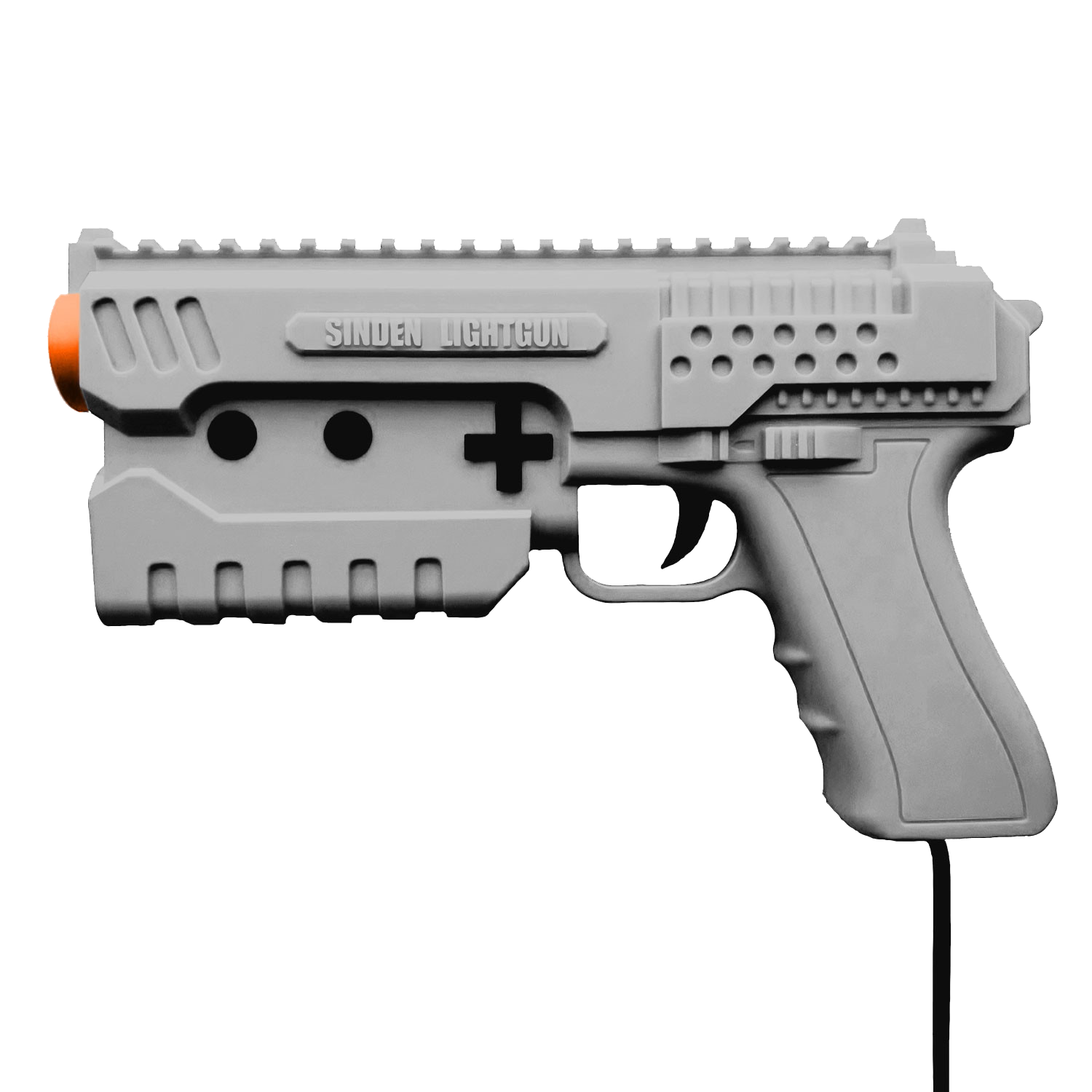
A noter qu’un fork ajoutant le support du Sinden est dispo ici.
Ajout:
– correction des musiques dans sega rally 2 (mix)
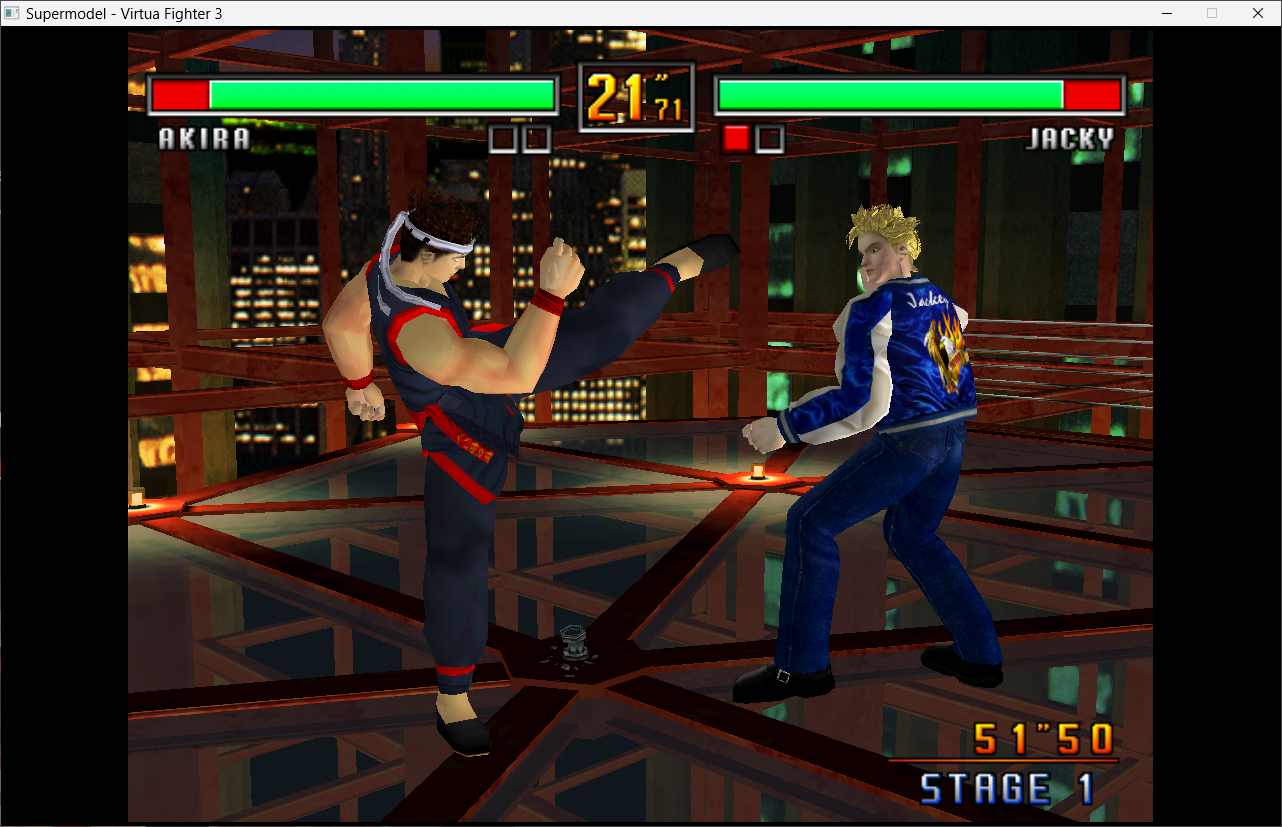
– correction musique 1er niveau 2joueurs (la cave rouge) dans vf3 (pas sûr de la modif, et donc cela peut éventuellement entrainer d’autre problèmes sonore sur d’autre jeux).
Pour générer un dat vous pouvez utiliser cet outil.
Télécharger SuperModel (WIP) v0.3a Build 261105 v2 (10.5 Mo)
Télécharger SuperModel WIP (XP) v0.3a r862 (6.3 Mo)
Site Officiel
En savoir plus…