Comme tous les mois désormais, une news pour annoncer une grosse mise à jour du site Rommanager, actualisé par votre serviteur. Il est le lieu le plus complet concernant la concentration de DATs actuels, afin de pouvoir tenir à jour vos collections relatives à l’émulation. Même le 1er mai, on ne chôme pas !


Ces dats sont mis à jour par ceux qui déterminent les collections de roms ou autres que l’on peut trouver un peu partout sur le web. Si vous avez des suggestions ou autres, vos commentaires sont bienvenus.


Rommanager1


Site Officiel

Créé par Avery Lee (l’auteur de VirtualDub), il s’agit d’un émulateur d’Atari 8 bits (800/800XL/130XE). Il a beaucoup d’options, et la compatibilité est décente. Il prend en charge les jeux protégés conformément à l’émulation.


Les nouveautés :

The Atarimax flasher does a read from $D530 to disable the 1MB+myIDE cart before it does the 1MB detection. Cart.txt’s a little incomplete here — should say access, not write.Also, I got the MaxFlash emulation moved over to the common flash module and switched the 1MB+Flash cart over to the M29F010B. The Am29F010 device ID was also wrong, was $21, now $20, and it was allowing too long for multiple sector erase commands (was 80us, now 50us). Still need to switch over the 8MB cart… have one on order, so we’ll see if I get a different one. Seems like flash chips commonly get changed on different runs of devices… fine for whole reprogram, bad if you’re trying to do sector erase.


Télécharger Altirra v2.50 test 38 (3,3 Mo)

Site Officiel

En savoir plus…

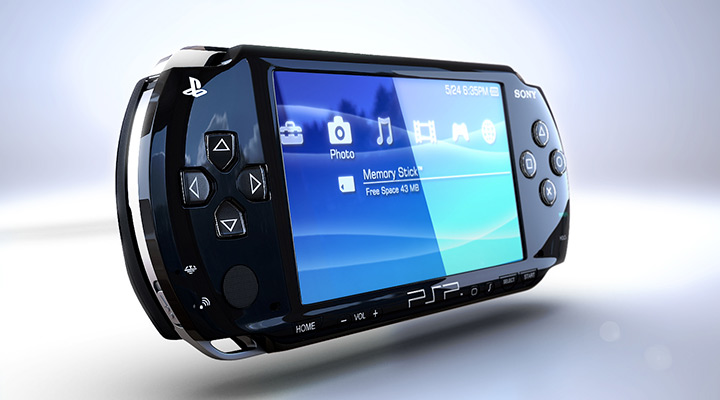
Un émulateur de PSP écrit en Java. Codé par mad et shadow (PCSX2) et rejoint par wrayal, fiveofhearts, hlide et dreampeppers99. Il émule quelques jeux commerciaux (tel que Puzzle Bobble Pocket ou Breath Of Fire III…) mais pas à pleine vitesse. Cet émulateur s’améliore progressivement.

psp

Liste de jeux compatibles
Site de développement du projet.
Builds SVN automatiques.

Télécharger JPcsp (x86) v0.7 rev 3509 (17,0 Mo)

Télécharger JPcsp (x64) v0.7 rev 00ac4d6 (29.1 Mo)

Site Officiel

En savoir plus…

Le dernier build beta de l’émulateur Nintendo NES : Nintendulator


Changements :

– Nintendulator’s sprite evaluation logic has been partially rewritten in order to match behavior observed from Visual 2C02 and actual hardware.


Télécharger Nintendulator (Ansi) v0.975 Beta (20140429) (457,6 Ko)

Télécharger Nintendulator (32 bits) v0.985 Beta (2026/08/22) (504 Ko)

Site Officiel

En savoir plus…

Un excellent émulateur Nintendo NES pour windows et linux utilisant la bibliothèque SDL.


Les changements sont les suivants :

Added an option to pause the emulator when it is in the background.
Added the mapper 31 (2A03 Puritans Album http://rainwarrior.ca/projects/nes/2a03puritans.html).
In the windows version fixed a bug that did not allow proper recognition of the keys with some keyboard layouts.
Thanks to rom test « scanline.nes » I have corrected a timing issue between the CPU and PPU making it even more accurate, while with the test rom « dpcmletterbox.nes » I found and corrected an error in the management of the color pallete. If someone were to find some rom that worked with previous releases and with this not, please contact me.


Télécharger puNES SDL (x86) v0.84 (1,8 Mo)

Télécharger puNES OpenGL (x64) v0.111 (23.9 Mo)

Télécharger puNES D3D9 (x86) v0.111 (21.8 Mo)

Télécharger puNES D3D9 (x64) v0.111 (24.1 Mo)

Site Officiel

En savoir plus…

MedGui Reborn est une interface (Frontend) pour Mednafen sur OS Windows.

Fonctionnalités :
– Permet de Comparer les roms avec le dat No-Intro et de retrouver les informations
(vrai nom, version de rom, status & md5)
– Pas besoin de mettre le GUI dans le même répertoire que Mednafen
– vous pouvez faire un backup & retrouver une configuration pour l’utiliser sur un autre PC
– Ont été incluses toutes les options fournies par Mednafen
– Ajout de n’importe quel utilitaire ISO


Les changements sont les suivants :

– Reset button to maximize the main window form(it helps to improve the display of the games list with several entrances)
– Added a feature that automatically sets the load of the gui in maximized or normal mode
– Added the ability to filter the games automatically for name, version, status or system
– Fixed the automatic deletion of the converted audio files in the audio section utilities
– Modified aesthetically window for selecting the types of image files cd
– Fixed the verification of the presence of Daemon tools on windows xp
– Fixed a small problem in case sensitive verification of file extension
– Fixed a problem that prevented the emulation start on physical cd o virtual cd drive
– Any other small bug fix
– Update all NoIntro dat to the last version


Télécharger MedGui Reborn v0.049d (2,8 Mo)

Site Officiel

En savoir plus…

Visual pinball est une suite logicielle sous windows. Visual Pinball est composé d’un émulateur, d’un simulateur et d’un éditeur. Celui-ci permet aux utilisateurs de créer ou modifier des tables de flippers. La particularité de Visual Pinball est l’import de sons externes et d’images, via le support de Visual PinMAME qui émule les roms originales (dont le support des différentes animations dans la fenêtre de score). Cette combinaison permet un rendu proche des véritables tables de flippers.


Les améliorations sont très nombreuses (!) :

– rendering engine has been ported to DirectX 9 and now takes much better advantage of 3D hardware
– Region Updates, Region Optimization, Alternate Render are not needed anymore due to the new graphics pipeline and have been removed
– true fullscreen setting has been removed due to incompatibility with VPinMAME. Instead, a windowed fullscreen option has been added to the list of video modes
– add options for wire ramps (define diameter and distance x/y of wires)
– add sphere mapping to wired ramps if an image was assigned to a wired ramp
– add CurrentAngle function to spinner
– add depth bias option to flasher, light, primitive and ramp to fine tune depth sorting
– enable NVIDIA Optimus cards by default
– new video setting: Force anisotropic texture filtering. This results in higher quality results, but can affect performance on lower end cards
– stereo 3D AA is now basically for free and can always be enabled if stereo 3D output is used (currently stereo 3D is limited to NVIDIA only though)
Note that the depth/parameters of stereo had to be changed. As a positive side effect, the two stereo parameters are the same for most tables now,
so there is now a global setting in the video preferences. These can still be overwritten per table though.
– FXAA now has two modes: Fast (similar to old setting) and Quality
– new FPS limiter field in Video Options:
0: disable frame limiting
1: enable vsync
If set to anything higher than the monitor refresh rate, the engine will limit the FPS to this rate (but of course without using real hardware vsync).
Adaptive vsync had to be disabled for now for compatibility with Windows XP.
– new field « Maximum prerendered frames » in Video Options:
Lowering this value will reduce input lag and sometimes also stutter, but may come at a performance cost.
– running as administrator is no longer required (except for tables which write high scores to system directories). UAC setting removed from executable.
– updated to latest FreeImage.dll (3.16.0)
– script editor updated to use latest scintilla (3.4.1)
– technical note: the minimum version to compile VP is now visual studio 2008 (incl. feature pack)


Site officiel de l’éditeur.

Télécharger Vpinball v9.90 (6,0 Mo)

Site Officiel

En savoir plus…

La dernière version béta publique de l’excellent WinUAE, l’émulateur Commodore Amiga.


Les changements sont les suivants :

– Increased space for UAE boot ROM extension resident module structures, it was too small and overflowed (causing boot crash) if too many UAE resident module expansions were enabled simultaneously.
– Windows specific configuration defaults were not set if config was command line or double click loaded (missed in b17 fix)
– AROS ROM updated.


Télécharger WinUAE (Public Beta) v2.8.0 Beta 19 (3,8 Mo)

Site Officiel

En savoir plus…

RPCS3 a pour objectif de devenir un émulateur de Playstation 3 complet même s’il reste un chemin important avant d’y parvenir. Pour le moment il fait principalement office de désassembleur et pousse la performance jusqu’à exécuter quelques jeux (devenant ainsi le premier émulateur de PS3 émulant un jeu du commerce), toutefois il nécessite un PC extrêmement performant. N’espérez donc pas jouer à un jeu commercial à pleine vitesse avant longtemps, en revanche il commence à exécuter quelques jeux amateurs avec succès . Il s’agit de la version optimisée pour les processeurs 32 bits.


Les modifications sont les suivantes :

* Merge pull request #207 from UnconventionalT/master
Gui: Replace sscanf with ToULong
* Gui: Replace sscanf with ToULong
* Merge pull request #208 from darkf/patch-1
README: Use OpenAL Soft and add a Travis CI badge
* README: Use OpenAL Soft and add a Travis CI badge
* Merge pull request #206 from Bigpet/linspurec
enable SPU recompiler on linux
* add asmjit path hack, we’ll get rid of it sooner or later
* explicit cast from void(*)() to void *
* explicitER casting, why you heff to be mad Clang
* fix path to the asmjit lib
* explicit casting
* disable cotire for now
* rename all the non-standard include file extensions to *.h
* fix typo in cmakelists.txt, again
* fix typo in cmakelists.txt
* add explicit casts for the ptrdiffs
* add precompiled header build to cmake to speed up building
* remove .m128i_uxx subscripts because they’re non standard
* remove more offsetof calls on linux and add asmjit linkage
* enable SPU recompiler on linux
* Merge pull request #204 from darkf/padfix
pad: Send all button states so release events fire
* pad: Send all button states so release events fire


Télécharger RPCS3 (x86) v0.0.0.4 (29/04/2014) (3,9 Mo)

Télécharger RPCS3 (WIP) v0.0.43 Alpha (2026/11/26) (35.6 Mo)

Site Officiel

En savoir plus…

Créé par BUT, Emuman, K&K, Sword et Xvi. Mame Plus! est sans problème la meilleure version de Mame pour Windows, avec ou sans frontend. Support multi-langage, tirs automatiques, option anti-sortie, interface interne améliorée, interface de gestion des roms améliorée, effets vidéos supplémentaires (2xSai, RGB, hq3x, 2xPM…), meilleure gestion des contrôles, support de la NeoGeo en mode console, il regroupe également plein de correctifs et de drivers additionnels…


r5138
*fixed scale effect
*fixed some free memory problem


Site source n°1. Site source n°2. Site source n°3.

Télécharger Mame/MameUI Plus! (x86) v0.153 r5138 (24.1 Mo)

Télécharger Mame/MameUI Plus! (x64) v0.168 r5272 (32.8 Mo)

Site Officiel

En savoir plus…

Un émulateur de PSP écrit en Java. Codé par mad et shadow (PCSX2) et rejoint par wrayal, fiveofhearts, hlide et dreampeppers99. Il émule quelques jeux commerciaux (tel que Puzzle Bobble Pocket ou Breath Of Fire III…) mais pas à pleine vitesse. Cet émulateur s’améliore progressivement.

psp

Liste de jeux compatibles
Site de développement du projet.
Builds SVN automatiques.

Télécharger JPcsp (x86) v0.7 rev 3506 (17,0 Mo)

Télécharger JPcsp (x64) v0.7 rev 00ac4d6 (29.1 Mo)

Site Officiel

En savoir plus…

Une interface graphique pour Mame dédiée aux MameCab.


Caractéristiques:
– Supports any program that you can run from the command line; it doesn’t even have to be an emulator
– You can see the configuration file here: http://pastebin.com/zZTXxRG2
– It’s very easy to launch any program from this emulator; it’s very flexible and easy to manage
– Snapshots
– Fully playable mini-game built into the frontend; George and the R-Type ship can kill each other
– Shutdown and restart computer (for cabinets)
– 15khz / 640×480 support for arcade monitors
– Widescreen and 4:3 support for newer displays in any configuration at or above 1080p
– 120hz support for high refresh rate G-Sync monitors
– Customizable controls
– Supports XP64, Vista, 7, and 8
– Requires .NET 4 (4.5 is best)


Télécharger Big Blue Frontend (20140429) (17.3 Mo)

Site Officiel

En savoir plus…


https://getourbonus.com/fr/accueil

https://www.romspedia.com/