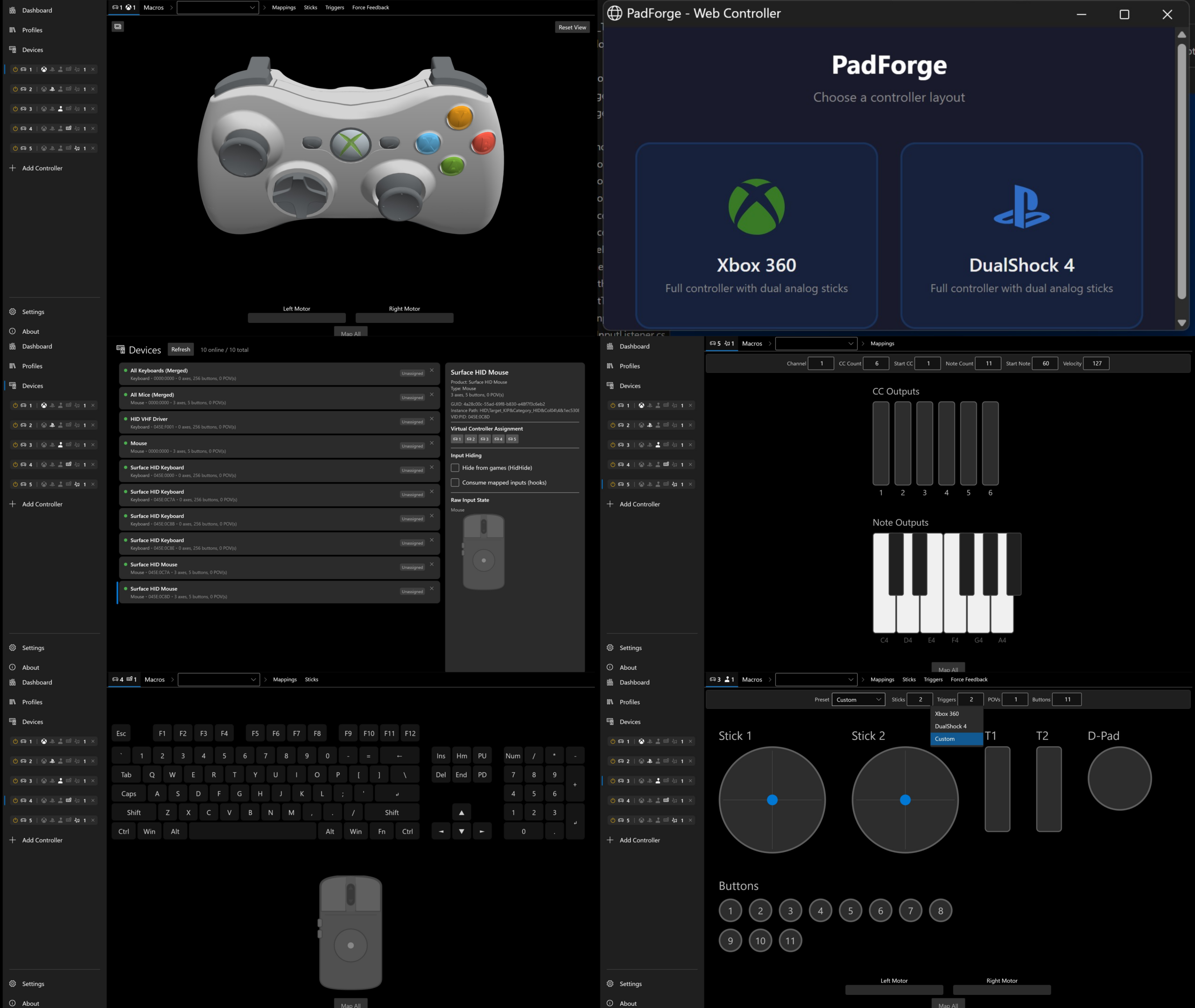
PadForge est un utilitaire moderne de mappage de contrôleurs pour Windows permettant de transformer n’importe quel périphérique d’entrée — manette, joystick, clavier, souris ou écran tactile — en un contrôleur virtuel reconnu comme du matériel réel par les jeux et applications. Il s’appuie sur ViGEmBus, vJoy et Windows MIDI Services pour émettre des contrôleurs Xbox 360, DualShock 4, DirectInput personnalisés, MIDI ou encore un couple clavier+souris virtuel.
 

L’outil autorise le routage libre de toutes les entrées vers jusqu’à seize contrôleurs virtuels simultanés, avec visualisation en temps réel en 2D et 3D, inspection des axes, boutons, triggers et capteurs de mouvement. Les mappages se configurent par enregistrement direct, sélection dans des listes exhaustives ou via un mode « Map All », avec prise en charge des courbes de sensibilité, deadzones avancées, anti-deadzones, offsets, et algorithmes multiples pour sticks et gâchettes.
 
PadForge gère le retour de force, le rumble, la synthèse de vibrations à partir des basses audio, ainsi que la transmission du force feedback DirectInput vers vJoy. Il inclut un système complet de macros permettant de combiner boutons, axes et directions de POV pour déclencher des séquences d’actions (clavier, souris, délais, volume, manipulations d’axes) selon plusieurs modes de déclenchement.
 
L’application peut activer automatiquement des profils selon le programme en cours, basculer de profil via des raccourcis manette, masquer les contrôleurs physiques grâce à HidHide, et installer ou retirer les drivers nécessaires directement depuis l’interface. Un serveur Web intégré permet également de transformer un écran tactile en manette virtuelle avec retour visuel et vibration.
 
PadForge fonctionne sur Windows 10/11 (x64), se déploie en exécutable autonome, propose un polling à 1000 Hz, une localisation dynamique, un mode minimisé en zone de notification et une interface Fluent Design. Le projet est open source sous licence CC BY-NC-SA 4.0 et repose sur de nombreux composants tiers (SDL3, ViGEmBus, vJoy, HelixToolkit, ModernWpf, etc.).


Télécharger PadForge v4.2.0 (285 Mo)

Site Officiel

En savoir plus…

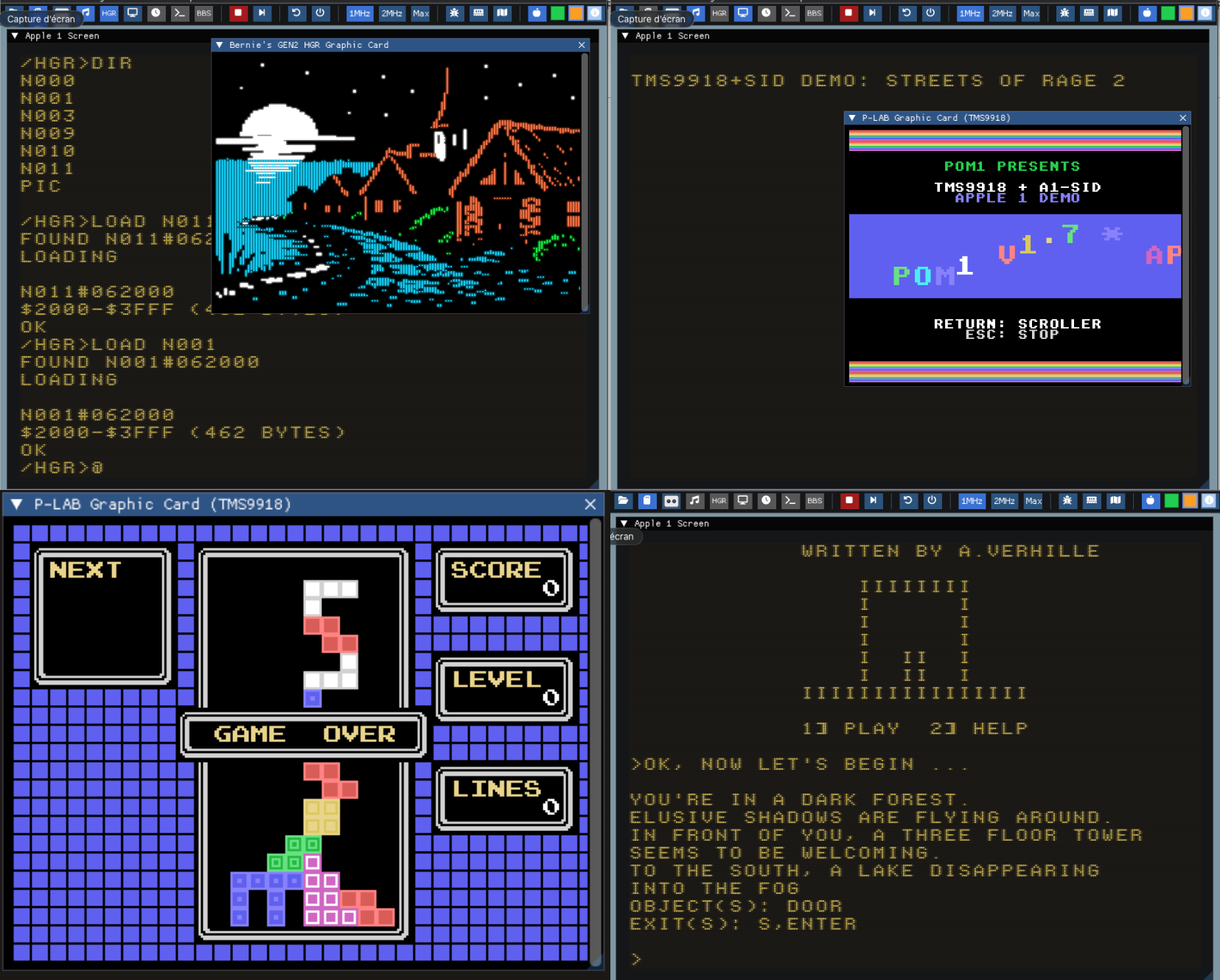
Cet émulateur Apple‑1 moderne, réécrit en C++ avec Dear ImGui et OpenGL, dérive d’un ancien projet initialement développé en Java et offre désormais une émulation fidèle, rapide et multiplateforme, tout en prenant en charge l’ensemble des cartes d’extension P‑LAB — modem Wi‑Fi, terminal, microSD, A1‑SID, carte graphique TMS9918 — ainsi que la carte graphique couleur GEN2 d’Uncle Bernie.


Pour célébrer les 50 ans d’Apple (1976–2026), une nouvelle version POM1 est publiée en hommage au demi‑siècle d’Apple Computer, fondée le 1er avril 1976.
 
Il intègre la prise en charge des composants matériels suivants :
 
– Modem Wi-Fi P-LAB
– Carte Terminal P-LAB
– Carte de stockage microSD P-LAB
– Carte son P-LAB A1-SID
– Carte graphique P-LAB Apple-1 (TMS9918)
– Carte graphique couleur GEN2 d’Uncle Bernie
 
Version en ligne disponible ici.
 

Voici les changements depuis la précédente version:
 
– Diverses améliorations et corrections
 

Télécharger Pom1 v1.9.5 (23.1 Mo)

Site Officiel

Site Officiel original (archive)

En savoir plus…

L’objectif de ce projet est d’être un émulateur Nintendo DS rapide et portable.


Télécharger NooDS (32 bits) (2020/06/14) (2.5 Mo)

Télécharger NooDS (64 bits) (2026/08/10) (3.6 Mo)

Site Officiel

En savoir plus…

Il s’agit de la dernière version officielle dite « instable » de Snes9x ajoutant les dernières nouveautés, améliorations et/ou corrections en provenance des sources GIT. Versions 32 et 64 bits dans l’archive.
 

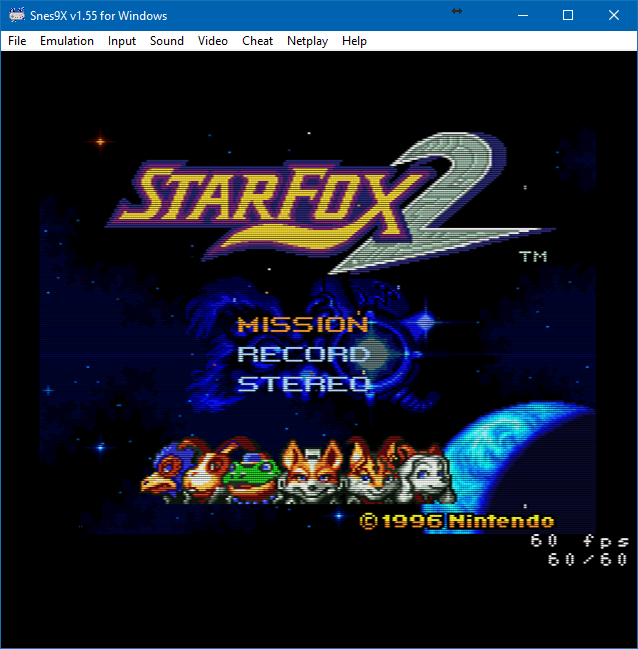
Une petite partie de Starfox 2 (SNES Mini Edition) ?


…ou peut-être un Secret of Mana Français iOS Edition ?


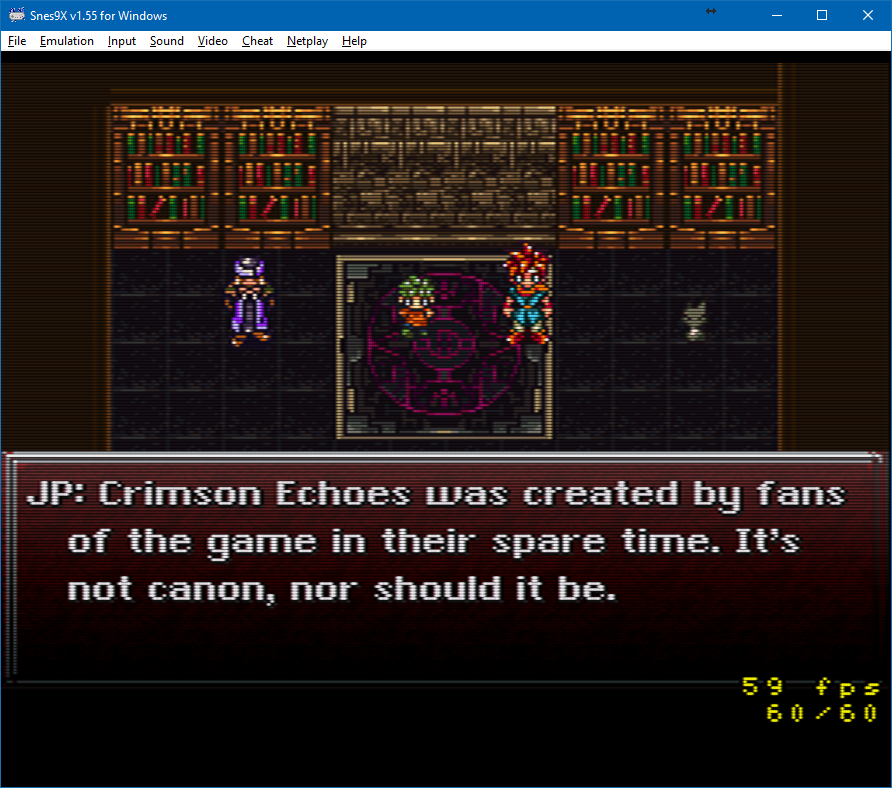
Laissez tomber, je vais me faire la suite non officielle de Chrono Trigger plutôt :p


Les changements depuis le dernier build:
 
– Merge pull request #1049 from dargereldren/master
– Merge branch ‘shanytc-gsu_fixes_upstream’
– PPU: render A.S.P. Air Strike Patrol’s beam-raced mid-scanline effects
– Misc fixes


Télécharger Snes9x TestBuild v1.63.1610 (7.9 Mo)

Site Officiel

En savoir plus…

Simple Launcher est une interface moderne pour émulateurs qui facilite le lancement de jeux rétro et ajoute surtout un support CHD universel grâce à son module CHDMounter, permettant d’utiliser des fichiers CHD même avec des émulateurs qui ne les prennent pas en charge nativement, comme RPCS3, Xenia , Xemu ou autres.
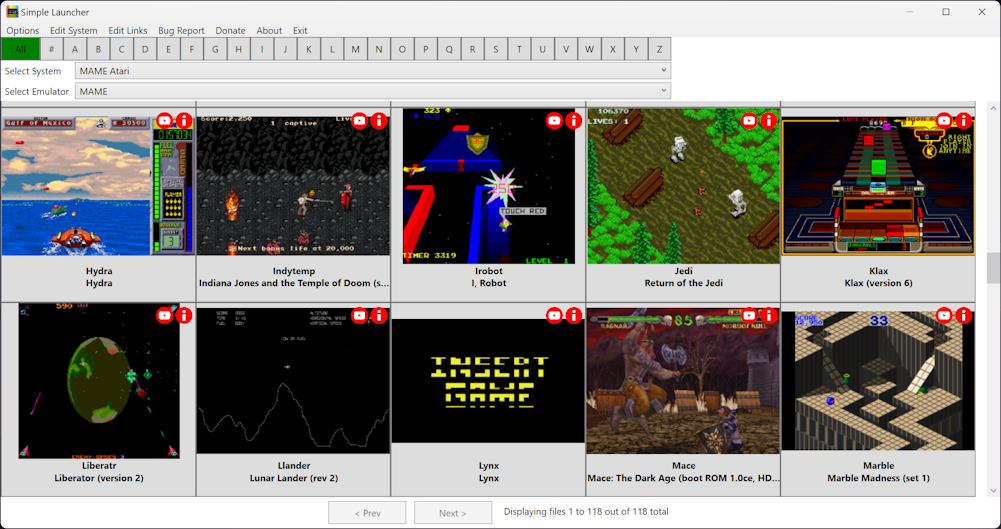


Les changements sont les suivants:
 
Parameter Resolver API

* « Suggest » buttons — Added to the Edit System window for every emulator parameter field.
* AI-powered suggestions — An AI-powered API suggests the best emulator parameters based on the system configuration.
* Confirmation before applying — Shows a dialog with the suggested parameter and an explanation before applying it.
* Explanation: prefix handling — If the AI response starts with « Explanation: », that text is treated as the explanation and is no longer inserted into the emulator parameter field.
* Loading overlay — Added a loading overlay to AI parameter resolution.
* URL normalization — The AI parameter resolver URL is normalized (trailing slash) and uses a fixed 60-second timeout.
 
Image Matching Improvements

* Annotation stripping — New EnableAnnotationStripping option strips region tags, revision numbers, and other annotations from filenames for better cover image matching.
 
Game File Watcher

* New GameFileWatcherService — Monitors ROM system folders for external file changes (create, delete, rename) and automatically refreshes the game list when changes are detected.
* Debouncing (500ms) — Avoids rapid re-scans during batch file operations like archive extraction.
* Automatic start/stop — Watching starts and stops automatically when switching between systems.
 
7za Fallback Extraction

* Automatic fallback to 7za — When SharpCompress fails to extract .7z files, the application now automatically retries using the bundled 7za.exe (or 7za_arm64.exe on ARM64).
* Bundled binaries — Added 7za binaries to tools/SevenZip/ and tools/BatchConvertIsoToXiso/, plus 7za.exe / 7za_arm64.exe to BatchConvertToRVZ and BatchConvertToCHD for fallback extraction/conversion.
 
Batch File Path Validation

* Pre-execution validation — Batch files are now validated before execution to detect referenced paths that do not exist.
* Warning dialog — Shows a dialog listing the missing paths with the option to continue or cancel.
* Direct execution — Batch files are now executed with UseShellExecute instead of cmd.exe /c for better compatibility.
 
OneDrive Error Handling

* Specific OneDrive guidance — When a game file fails to launch and its path contains « OneDrive », the error message now provides specific instructions about syncing and downloading the file.
* Localized message — Added the localized oneDriveIssue string across all supported languages.
 
Invalid Folder Character Validation

* Path character validation — System folder and image folder paths are now validated for invalid path characters before attempting directory creation.
* Clear error message — Shows a message listing the invalid characters found.
 
CHD Support

* Kega Fusion — Added CHD support for the Kega Fusion emulator.
* Exit code reporting — CHD mount failures now include the process exit code in error messages for easier debugging.
* Dokan check — Added a Dokan installation check before CHD mount operations.
* ARM64 support — CHD images are now mounted using the architecture-specific CHDMounter binary (CHDMounter.exe on x64, CHDMounter_arm64.exe on ARM64), enabling CHD mounting on Windows ARM64. The tool now ships with a README.
 
PCSX2 Improvements

* Permission error detection — PCSX2 configuration injection now detects file permission errors and shows a user-friendly notification instead of crashing.
* Portable mode — PCSX2 configuration injection now resolves the config file correctly when PCSX2 runs in portable mode.
 
History Database Format Migration

* MessagePack format — Migrated history.xml to history.dat (MessagePack binary format) for faster loading and smaller file size.
* Backward compatibility — Falls back to history.xml if history.dat is not found.
 
Global Search Enhancements

* Results count — Shows the number of matching results in the global search window.
* AND/OR operators — Supports boolean operators for more flexible search queries.
* Improved loading state — Better visual feedback during search operations.
 
Debug Logger Improvements

* Buffered logging — Debug log messages are now buffered for better performance.
 
Download Reliability

* Automatic retry — Downloads now automatically retry with exponential backoff on failure.
* Read-only file handling — Extraction now handles read-only files gracefully.
 
Startup Robustness

* Fallback logger — If Serilog initialization fails, the app now falls back to debug output instead of crashing at startup.
* Initialization order — The service provider is built only after the temp-folder check, and startup cleanup (trash + temp files) is more resilient.
* Timeout handling — Added timeouts for the silent update check and usage statistics calls so they can no longer hang indefinitely.
 
F8 Hotkey Warning

* Hotkey in use detection — When the F8 global hotkey cannot be registered because another program is already using it, Simple Launcher now shows a clear warning dialog and disables the screenshot functionality instead of failing silently. Localized in all supported languages.
 
RetroAchievements

* Improved system matcher — Updated the RetroAchievements system matcher for better game matching.
 
Credential Protection

* Encrypted RetroAchievements credentials — RA credentials are now encrypted using Windows Credential Manager.
* Nested settings structure — Emulator configuration now uses a nested settings structure for better organization.
 
UI/UX Improvements

* Cancel buttons — Added cancel buttons to the SetGamepadDeadZone, Debug, SetLinks, and EditSystem dialogs.
* Tooltips — Added tooltips for data grids, preview images, and viewer windows.
* Dead zone revert confirmation — Added a confirmation message box when reverting dead zone settings.
* Game list refresh — The game list now automatically refreshes when deleting a file that no longer exists on disk.
* Emergency overlay release — Added an emergency overlay release button to GlobalStatsWindow.
 
Debug Window Improvements

* Restored initialization — The Debug Window opens correctly again: its constructor (lost during the Serilog/DI refactor) was restored, and the window now applies the current app theme on open.
* Styling & closing behavior — Improved Debug Window styling, log text color, and closing/exception behavior.
* -debug command-line flag — Launching SimpleLauncher with the -debug argument now opens the Debug Window alongside the main window.
* parameters.md path fix — The parameters guide is now resolved relative to the application folder instead of the current working directory. Previously, launching the app from another working directory (shortcuts, scripts, IDE) made parameters.md appear « missing » and triggered a modal reinstall dialog that froze the app and the Debug Window.
 
Path Handling

* Quote trimming — Surrounding quotes are now automatically trimmed from paths.
 
Structured Logging

* Serilog — All logging now flows through Serilog (ILogger), and the custom ILogErrors abstraction was removed. The Debug Window receives log entries through a dedicated Serilog sink, a rolling daily file sink (7 days retained) is written to the local app data folder, and bug report sinks were added to all projects (including the tools and Updater).
 
Game List & UI

* Async system manager loading — System managers load asynchronously, preventing UI blocking at startup.
* Embedded images fix — Corrected pack URI paths for embedded images and icons.
* Minimize-to-tray handling — Improved minimize-to-tray behavior via proper window state change handling.
 
Dependency Injection Refactoring

* Massive DI migration — Replaced static service dependencies with dependency injection throughout the entire application.
* Constructor injection — All services, ViewModels, and windows now use constructor injection.
* MessageBoxLibrary.cs removed — Replaced with IMessageBoxLibraryService.
* DebugLogger replaced — Static DebugLogger was replaced with the IDebugLogger interface.
* ContextMenuFunctions replaced — Static ContextMenuFunctions was replaced with the IContextMenuFunctions interface.
 
MVVM Refactoring

* Refactored all configuration windows to the MVVM pattern.
* Refactored the RetroAchievements window to MVVM.
* Added ViewModels for multiple windows, including SupportWindow.
* Introduced the IWindowContext abstraction to decouple the game launcher from MainWindow.
 
Removed Tool

* GameCoverScraper removed — The Game Cover Scraper tool has been removed from the Tools menu, along with all its bundled binaries and resources. Use Find Rom Cover or Retro Game Cover Downloader instead.
 
Other Improvements

* Emulator documentation — Updated parameters.md (e.g., new CPCEC download link).
* Code quality — The codebase now compiles with nullable reference types enabled.
 
Dependency Updates

* SharpCompress 0.48.1 → 0.50.4
* Tomlyn 2.4.0 → 2.6.0
* YamlDotNet updated to latest version
* MessagePack 3.1.6 → 3.1.8
* Microsoft.Data.Sqlite 10.0.8 → 10.0.10
* Microsoft.Extensions.* 10.0.8 → 10.0.10
* Microsoft.Extensions.Http.Resilience 10.6.0 → 10.8.0
* Microsoft.CodeAnalysis.NetAnalyzers 10.0.300 → 10.0.302
* Microsoft.NET.Test.Sdk 18.5.1 → 18.6.0
* SourceGear.sqlite3 updated to 3.53.4
* Added Moq 4.20.72 (new, for unit testing)
* Added Serilog 4.4.0 with Serilog.Sinks.Async 2.1.0, Serilog.Sinks.Debug 3.0.0, and Serilog.Sinks.File 7.0.0 (new)
* Added Meziantou.Analyzer 3.0.139 (new)


Télécharger SimpleLauncher v5.6.0 (104 Mo)

Site Officiel

En savoir plus…

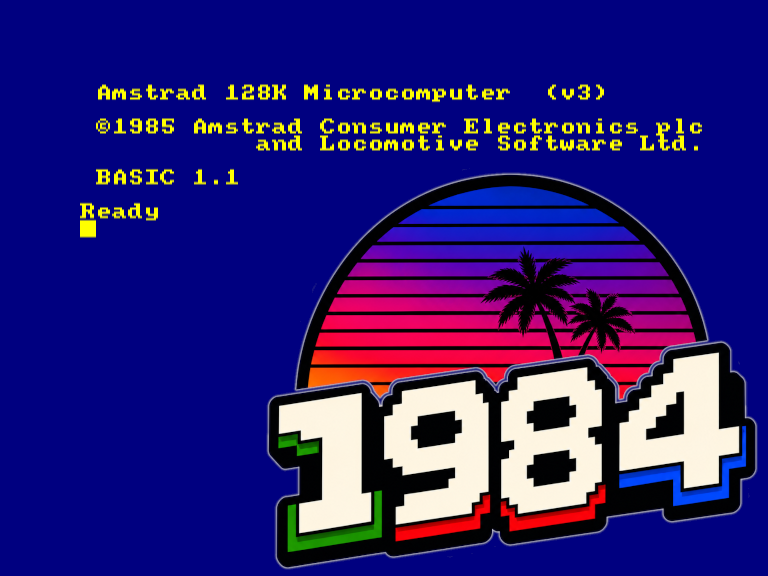
1984 est un émulateur de l’ordinateur rétro Amstrad CPC 464/6128, écrit en C et utilisant SDL3. Son objectif est d’être très portable et relativement fidèle au matériel d’origine.


Télécharger 1984 v0.4.19 (3.8 Mo)

Site Officiel

En savoir plus…

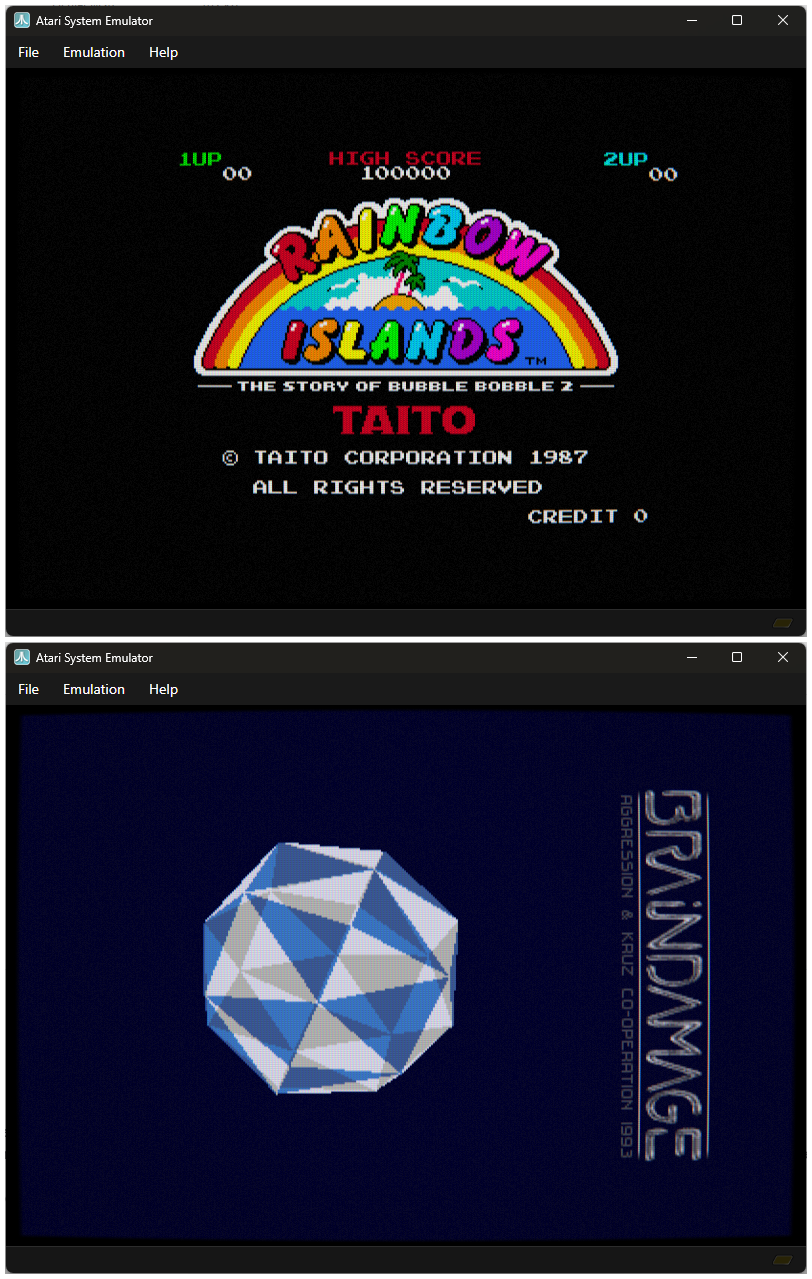
Atari System Emulator (ASE) est un émulateur Atari ST développé en C#, prenant en charge les modèles ST F/FM, Mega ST et STE. Il utilise notamment l’émulateur de processeur Motorola 68000 Moira, créé par Dr. Dirk Hoffmann.


Le projet est issu d’un ancien émulateur développé en C et assembleur à la fin des années 1990. Une grande partie du code a depuis été réécrite, avec également des éléments provenant de Hatari.
 
À l’origine, ASE avait été conçu comme un projet simple permettant de comprendre et expérimenter le fonctionnement d’un émulateur. Au fil de son développement, il s’est toutefois considérablement enrichi et est devenu un émulateur plus complet.


Télécharger ASE v1.9 (66.5 Mo)

Site Officiel

En savoir plus…

MEmu, quésaco ?
Dans la même lignée que le célèbre BlueStacks, MEmu est un émulateur qui vous permettra de retrouver les meilleurs jeux Android sous Windows. Doté d’une bonne compatibilité matérielle, il affiche des résultats et une stabilité notables par rapport à la concurrence et aux smartphones sous Android.
 
Comment jouer ?
Avec son large catalogue de jeux, MEmu permet de découvrir les joies de parties survitaminées de Clash Of Clans, Plants vs. Zombies 2 et de l’excellent Lara Croft : Relic Run sur l’écran du PC. Pour accéder à un jeu, il suffit de le rechercher dans le Play Store et de le télécharger.
 
Une barre latérale permet d’accéder à plusieurs fonctionnalités comme la réattribution des touches, la capture d’écran ou alors la rotation et la secousse de l’écran. L’utilisateur a aussi les moyens d’installer un jeu directement à partir d’un fichier APK stocké sur son ordinateur.
 
D’excellentes performances
Testé sous une bonne configuration matérielle, MEmu propose d’excellentes performances en jeu en termes de stabilité et de fluidité. Lors du test de Lara Croft : Relic Run, le jeu était très fluide lors des scènes d’action en plein écran. Un résultat aussi bien immersif que réussi, d’autant plus que le logiciel supporte l’ouverture de plusieurs instances en même temps.
 
Outre les jeux, il est aussi possible d’installer des applications Android. Notons toutefois que certains jeux ne sont pas compatibles avec l’émulateur.
 
En ce qui concerne la prise en main…
MEmu est très simple à configurer et à prendre en main. L’interface est soignée, élégante et disponible en français.


Télécharger MEmu v9.5.6 (733 Mo)

Site Officiel

En savoir plus…

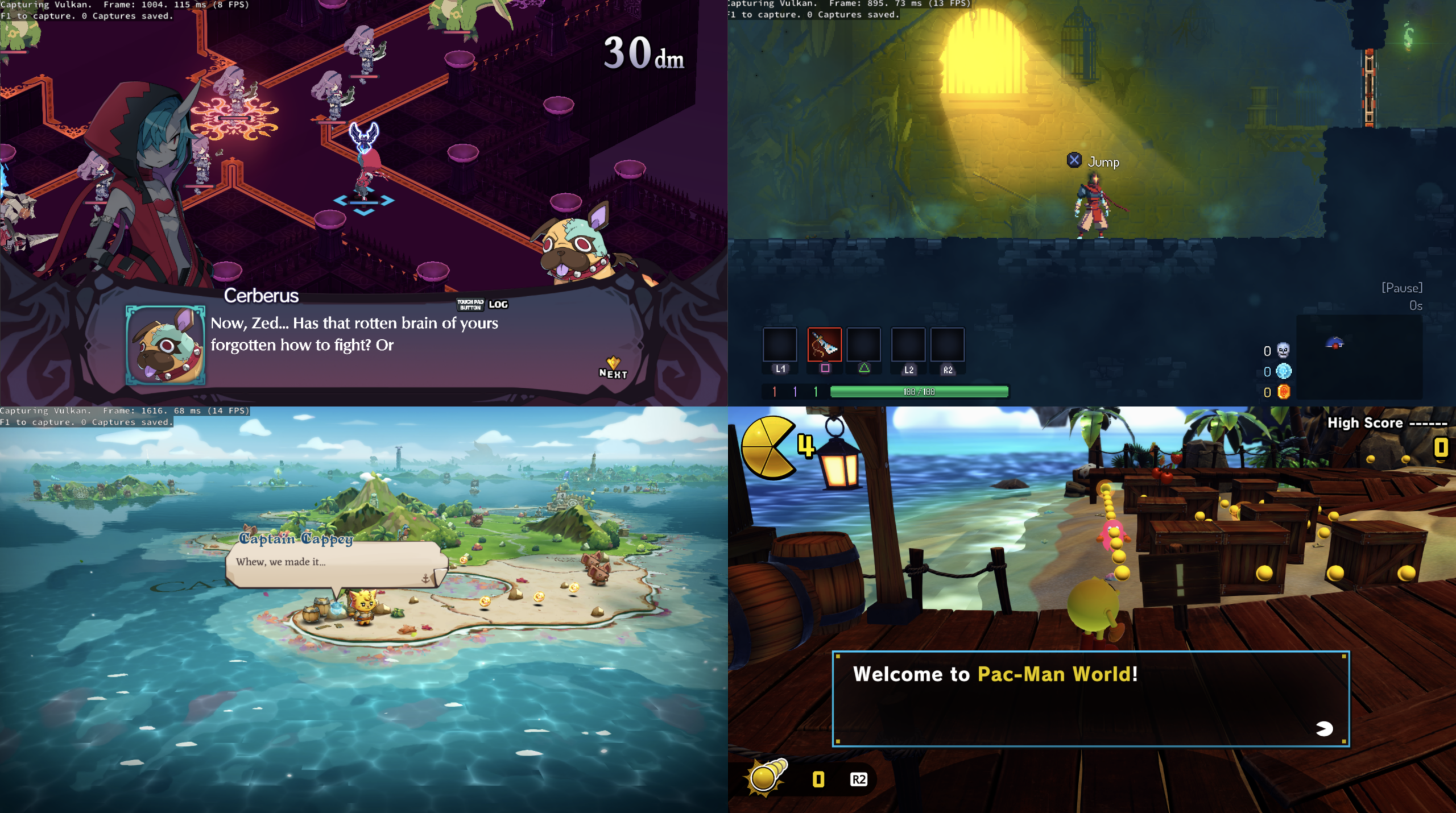
Le projet KytyPS5 est un émulateur PlayStation 5 pour Windows, développé par Nmzik, qui s’appuie sur une version profondément modifiée du Kyty original créé par InoriRus. Il vise à offrir une compatibilité PS5 nettement supérieure à celle du projet initial, en se concentrant sur le démarrage des jeux, la stabilité et la prise en charge progressive des titres commerciaux. L’émulateur est conçu pour fonctionner sans modules LLE externes, ce qui simplifie son utilisation et réduit les dépendances techniques. Le développeur indique que le projet est encore en phase expérimentale, mais déjà capable de lancer certains jeux 2D et plusieurs jeux 3D, avec un objectif clair: améliorer la compatibilité avant de se concentrer sur les performances ou la précision graphique.
 
KytyPS5 fonctionne exclusivement sous Windows et semble optimisé en priorité pour les cartes graphiques NVIDIA, même si d’autres GPU peuvent fonctionner avec des résultats variables. Le projet adopte une approche pragmatique: il cherche d’abord à faire démarrer les jeux, quitte à sacrifier la fidélité visuelle ou la vitesse d’exécution dans les premières versions. Le code est activement développé, avec des mises à jour fréquentes, ce qui en fait l’un des projets PS5 les plus dynamiques actuellement disponibles. Le développeur met en avant une volonté de transparence, en remerciant explicitement InoriRus pour le projet original, tout en assumant une réécriture et une refonte majeure du code.
 
En résumé, KytyPS5 est une continuation non officielle mais assumée du premier Kyty, transformée en un émulateur PS5 moderne, plus ambitieux et plus fonctionnel, qui cherche à devenir une référence dans l’émulation de la console de Sony.


Les changements:
– renderer: ignore inactive HTile depth address
– json2: implement typed Value constructor
– agc: new abi
– ime: implement libIme and shared host overlay
– add website/compatibility db
– add left/right joystick remapping
– libSystemService fixes
– pad: accept system remote-control port
– gpu: accept disabled default clip planes
– gpu: allow byte-granular memory DMA
– avplayer: decode media on bounded worker queues

 
(Temporary build compiled from this fork pending official releases.)


Télécharger KytyPS5 r260807 (19.5 Mo)

Site Officiel

En savoir plus…

SuperSNES9X est un fork avancé de SNES9X, développé par shanytc, qui ajoute de nombreuses améliorations modernes tout en conservant la rapidité et la simplicité du SNES9X original. Il vise autant les joueurs (retroachievements, online) que les créateurs (sprite ripping, hacking, debugging).


Principales améliorations:
– Support multi-système : Super NES, GameBoy, GameBoy Color et Super GameBoy (1 et 2) intégrés
– Support Super FX 3 (FX3) pour les nouvelles sorties LRG 2026, avec synchronisation GSU cycle par cycle
– Support du dongle de vibration LRG SNES (Ultimate Doom FX3, RT.SFC)
– Core libretro pour SNES / SGB / GB / GBC
– Émulation du périphérique Voicer-kun et lecture de ses CD audio depuis des images CUE/BIN
– Émulation du Super Famicom Box (SNES d’hôtel), avec traduction OSD anglaise en temps réel
– Support des cartouches événementielles : PowerFest ’94 et Nintendo Campus Challenge ’92
– Émulation du Voicer-kun : transmetteur/récepteur infrarouge connecté au deuxième port manette
– RetroAchievements intégrés, avec support du mode Hardcore
– Kaillera (Client/Serveur) pour le jeu en ligne
– Run-Ahead pour réduire la latence d’entrée
– Correction colorimétrique et couleurs CRT natives
– Viewers PPU avancés (Sprites/Tiles) pour SNES, GB, GBC et SGB, destinés notamment aux rippers et map-makers
– Visualiseur de forme d’onde audio avec pistes par canal, fonctions solo/muet et vumètres
– Cheat Search & Editor améliorés : support SNES et GB, clic droit et fonctions avancées
– Assignation Multi-Bind-Controller : mixage clavier + manette sur une même entrée
– Support SDL (Simple DirectMedia Layer)
– Pack multilingue
– Convertisseur de sauvegarde SNES9X <-> MESEN, disponible ici.
 
A noter que les fichiers de configuration et sauvegardes sont 100% compatibles entre SNES9X et SuperSNES9X.
 
Les changements sont:
 
Emulation
 

Voicer-kun
 

– Play Voicer-kun enabled games by attaching the included audio CDs with the game (can be in cue/bin files format, or .zip containing cue/bin);
– Voicer-kun IR peripheral is fully emulated so the games drive the CD themselves.
– Menu placed under Sound => « Voicer-kun »
– Only one disc can be attached in the drive at a time (EMIT requires to change CDs during the game).
– Port 2 is forced to a joypad as attached device so that the voicer-kun device is detected.
– IR burst looped so the learn wizard registers keys automatically, port 2 reports only the device id, not player buttons.
– IR burst will work when selecting the game’s automatic mode (not manual)
– Supported voicer-kun games:
– EMIT Vol. 1 (CD1, CD2)
– EMIT Vol. 2 (CD1, CD2)
– EMIT Vol. 3 (CD1, CD2)
– Angelique (CD1)
 

GB / GBC / SuperGameBoy
 

– Optional `no-sprite-limit` for the BIOS-less GB/GBC core added to `Hacks…` window. This fixes the sprite limitation of the actual hardware.
– `Allow Invalid VRAM Access` override for games that need it, surfaced in Win32/GTK/Qt with proper enable/gray-out handling.
– GB/SGB BIOS-mode audio repaired on GTK/Qt.
– libretro: SGB BIOS-mode SPC starvation no longer causes 60 Hz audio crackle.
– Emulator holds 60 fps in GB/SGB even when sound is muted.
– Sound => Mute now toggles the real mute instead of reducing volume to 0%.
– Video timing is set on the BIOS-less GB load path.
– Staged boot ROM is dropped when switching bios.
 

Audio
 

Audio Fidelity / Resampling (SRC)
 

Audio Resampling (Sample Rate Conversion) translates the native hardware sound frequency to your host system’s target output rate (e.g., 48 kHz). Higher-quality algorithms (like Windowed-Sinc) eliminate high-frequency aliasing and harsh distortion rather than simple pitch shifting, which is particularly evident when scaling up lower native sample rates.
 

Anything below 32040 Hz (8000, 11025, 16000, 22050). The old Hermite kernel had no anti-alias filter at all when downsampling, so everything above the output Nyquist folded straight into the audible band. The sinc kernel scales its cutoff and tap count with the ratio (hitting the RESAMPLER_MAX_HALF ceiling of 160 taps at 8 kHz output), so this is where the difference is night-and-day.
 

– Added selectable Audio Fidelity (Resampler) in Sound Settings:
– Herminte (Legacy)
– Windowed-Sinc
– Added 32040 Hz « native » playback rate (works with WavOut audio driver).
– Playback rates list is now filtered per audio driver and mode (snes/gb/gbc/sgb).
 

Sound settings
 

– Added Pre-amp (gain) sliders.
– Live feedback as you change the sliders.
– Changed Sound Settings dialog to modeless (doesn’t pause emulation).
– Fixed WaveOut pacing bug whiced caused the emulator to stutter and lag. (Upstream PR)
 

Linux
 

General
 

– Linux tooling/re-packaging & rebranding support.
– Qt/Gtk AppImage packaging with an Ubuntu 20.04 shipping baseline
– Android NDK build script for the libretro core
 

Qt/GTK
 

– Added « Voicer-kun » support (matches win32.)
– Added Pre-amp (gain) sliders.
– Qt 6.2 compatibility restored for the 22.0g missing QAction includes.
– Docker AppImage build made clean and PCH-f.
– RetroAchievements upgrades (matches win32.)
 

Win32
 

– Added new file type icons registration via `Hacks…` dialog window.
– Added Per-console icons for SNES, Game Boy, Satellaview and Sufami Turbo ROMs.
– File type extension association support.
– Hacks warning now moved into the actual dialog itself (no more irritating dialog window.)
– Duplicate controller names are now numbered in the device list to avoid confusion.
 

OSX
 

– Added macos tooling for building universal self-signed Qt app and libretro core.
 

Localization
 

– Dialogs that overwrite their text in WM_INITDIALOG now localize correctly.
– Japanese translation update (thanks Nekokabu.)
– `Turbo` hotkey labels renamed to `Fast Forward` in GTK UI.


Télécharger SuperSnes9x v1.63.29 (11.2 Mo)

Site Officiel

En savoir plus…

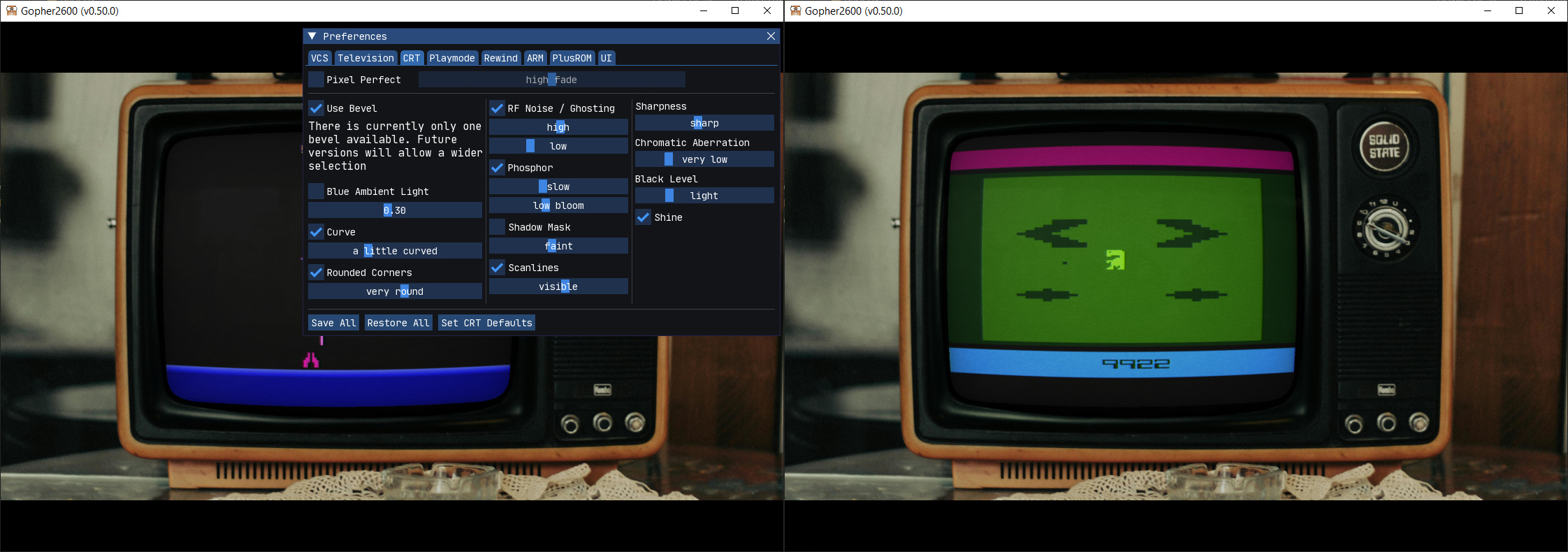
Gopher2600 est un émulateur d’Atari 2600. Bien que les performances ne soient pas aussi efficaces que certains autres émulateurs, il convient néanmoins pour jouer à des jeux sur un ordinateur raisonnablement moderne.


Télécharger Gopher2600 v0.57.1 (22.0 Mo)

Site Officiel

En savoir plus…

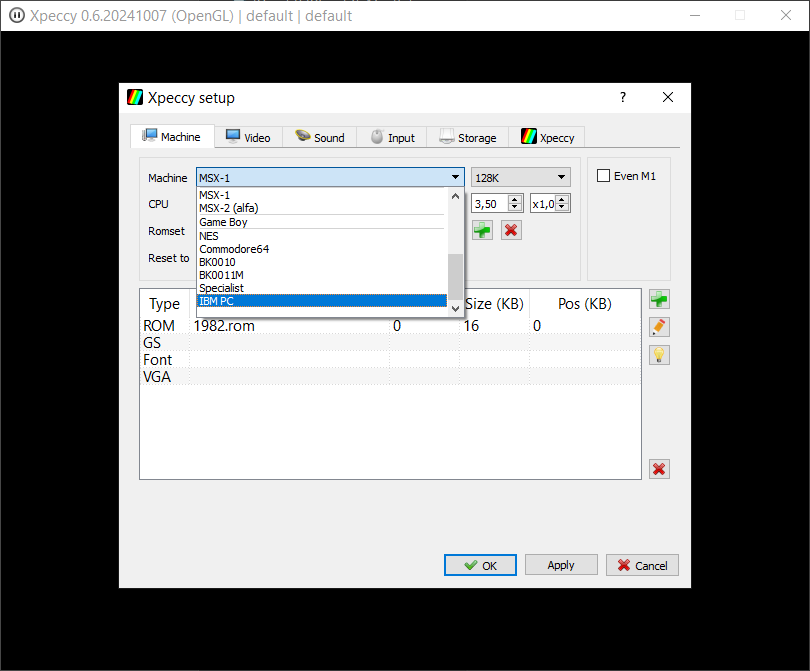
Également disponible sous Linux, Xpeccy est un excellent et complet émulateur de:
 
– ZX Spectrum 48K
– Spectrum +2
– Spectrum +3
– Pentagon (128-512K)
– Pentagon 1024 SL
– ZS Scorpion (256,1024) + ProfROM
– Pentagon 1024SL
– ZXM Phoenix
– Profi
– ATM Turbo 2+
– ZXEvo BaseConf
– ZXEvo TSConf
– Alf TV Games
– MSX1 (beta)
– MSX2 (beta)
– Gameboy color
– NES/Dendy (beta)
– Commodore 64 (pre-alpha)
– БК0010/БК0011M (pre-alpha)
– IBM PC/AT (286) (pre-alpha)
 
Forum alternatif


Télécharger Xpeccy v0.6 (2026/08/08) (9.8 Mo)

Télécharger Xpeccy (Win QT Libraries) (9.4 Mo)

Site Officiel

En savoir plus…


Casino-en-ligne-fiable.com

https://getourbonus.com/fr/accueil

https://www.romspedia.com/

https://www.casinoonlinefrancais.fr

Lucky 7 bonus

https://www.casinogratuitsansdepot.com

pablocasino.org

critiquejeu.info

casinodoc.org

laplanquedujoueur.com

casinoonlinefrancais