– Apple II/II+
– Atari Lynx
– Neo Geo Pocket (Color)
– WonderSwan
– GameBoy (Color)
– GameBoy Advance
– Nintendo Entertainment System
– Super Nintendo Entertainment System/Super Famicom
– Virtual Boy
– PC Engine/TurboGrafx 16 (CD)
– SuperGrafx
– PC-FX
– Sega Game Gear
– Sega Genesis/Megadrive
– Sega Master System
– Sega Saturn
– Sony PlayStation
Il s’agit du meilleur émulateur de PlayStation One, devant ePSXe et pSX.
Caractéristiques: – CPU Recompiler/JIT (x86-64, armv7/AArch32 and AArch64)
– Hardware (D3D11, OpenGL, Vulkan) and software rendering
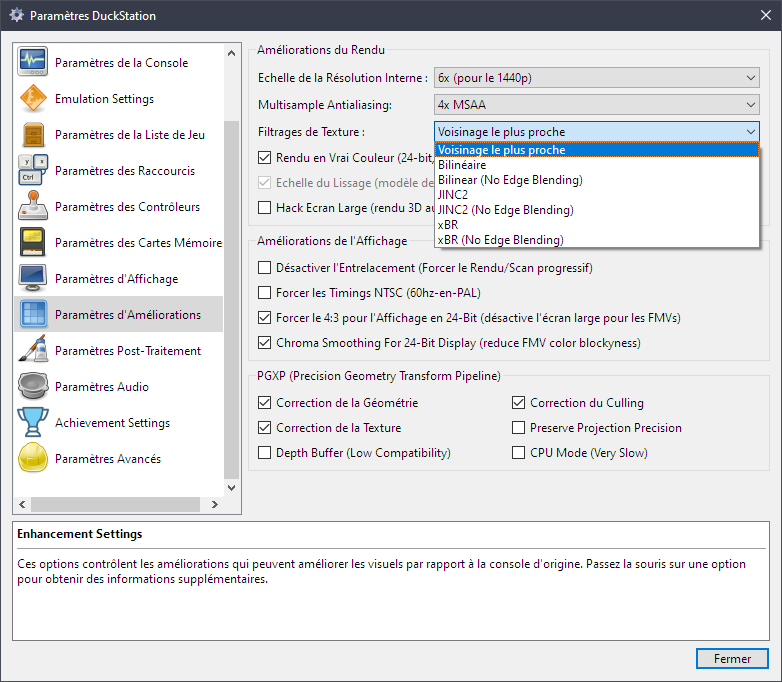
– Upscaling, texture filtering, and true colour (24-bit) in hardware renderers
– PGXP for geometry precision, texture correction, and depth buffer emulation
– Adaptive downsampling filter
– Post processing shader chains
– « Fast boot » for skipping BIOS splash/intro
– Save state support
– Windows, Linux, highly experimental macOS support
– Supports bin/cue images, raw bin/img files, and MAME CHD formats.
– Direct booting of homebrew executables
– Direct loading of Portable Sound Format (psf) files
– Digital and analog controllers for input (rumble is forwarded to host)
– Namco GunCon lightgun support (simulated with mouse)
– NeGcon support
– Qt and NoGUI frontends for desktop
– Automatic updates for Windows builds
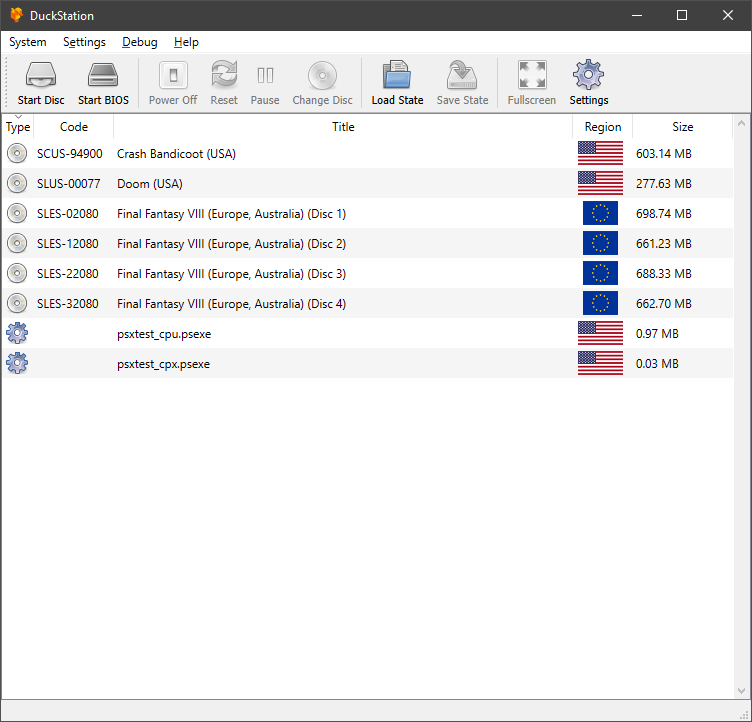
– Automatic content scanning – game titles/regions are provided by redump.org
– Optional automatic switching of memory cards for each game
– Supports loading cheats from libretro or PCSXR format lists
– Memory card editor and save importer
– Emulated CPU overclocking
– Integrated and remote debugging
– Multitap controllers (up to 8 devices)
– RetroAchievements
Configuration requise: – A CPU faster than a potato. But it needs to be x86_64, AArch32/armv7, or AArch64/ARMv8, otherwise you won’t get a recompiler and it’ll be slow.
– For the hardware renderers, a GPU capable of OpenGL 3.1/OpenGL ES 3.0/Direct3D 11 Feature Level 10.0 (or Vulkan 1.0) and above. So, basically anything made in the last 10 years or so.
– SDL, XInput or DInput compatible game controller (e.g. XB360/XBOne). DualShock 3 users on Windows will need to install the official DualShock 3 drivers included as part of PlayStation Now.
Les améliorations sont:
Preview Build:
– Move overlay checking to common (Connor McLaughlin)
– Fix some missed FA glyphs (Connor McLaughlin)
– Add load/save input profile (Connor McLaughlin)
Development Build:
– Update VC runtime links to VS2022 (Connor McLaughlin)
– 7ba0f85: fix japanese translation – save state dialog filter, debug window key accelerator (Dolphin) #2821
– 04992fd: Update Simple-Chinese language file to latest (zkdpower) #2822
– 506796a: Add 5106, 5146, 5186 codes for indirect reads from a register code (Silent) #2823
– Add RAIntergration support #2824 (Connor McLaughlin)
– Rework functions into namespace #2824 (Connor McLaughlin)
– e888934: added simple-flip shader (DCxDemo) #2825
– 2d85a51: Update duckstation-qt_it.ts (#2827) (RaydenX93) #2827
– e7f97f9: Update Cheat DB (#2826) (Anderson_Cardoso) #2826
– 3a70e4d: Add keys to more OSD messages: (Silent) #2828
– 82965f7: Overhaul japanese translation (#2829) (Connor McLaughlin) #2829
Sidplayfp est un émulateur sonore de Commodore C64 basé sur Sidplay2. Cette version a été créée dans le but d’améliorer la qualité de l’émulation des puces 6581 et 8580 ainsi que certains autres éléments faisant partie de l’environnement du C64 et ce, dans le but de lire au mieux les musiques aux formats SID. Il s’agit de la version pour processeur 64 bits.
– Filewriter: only add extension if the given name doesn’t provide one already (issue #10)
– Restore correct default record lenght (issue #11)
– Doc: update default playback frequency
– Correct and added a few Windows codepage mappings
– Fixed model selection command line options
– Trim too long file names
– Display correct characters using iconv
– Show SID status on high verbosity levels, based on patch by Stian Skjelstad
– Updated handling of channel count, command line take precedence over config, if not specified make it depend on tune. Added option for mono playback
– Display songlength milliseconds if supported and support milliseconds in times read from ini file (issue #4)
– Fixed check for MinGW host
– Drop accidentally slipped in debug message
– Fixed times read from ini file
– Fixed messed up configuration from ini file
– Do not force creation of an ini file in the executable directory
– Restored compatibility with old lib version
– Improve man page [bugs:#36]
– Refactor and improve config path checking
Les changements depuis la version 2.6: – A large portion is rewritten to support the newest version of LibSidPlayFP
– Live filter change (useful for getting optimum playback on 6581-SIDs)
– Mixer (cheap, but still…)
– CPU Debug works. Note: it saves 36 MB of text per second
– Displays PETSCII from MUS-files
– PlayList has SonglengthDB integrated.
HBMAME (HomeBrew MAME) est une version non officielle de MAME(Arcade) permettant l’ajout de nombreux jeux maison et hacks divers. A noter que des packs de snaps et artworks sont disponibles sur le site officiel.
Les changements:
New Games
---------------------------------
- [forgottnsf2] Forgotten Worlds (SF2 conversion)
- [ghoulsf2] Ghouls'n Ghosts (SF2 conversion)
- [gxg] Casanova She and She
- [magdrop3te] Magical Drop 3 (Tournament Edition, 2022-08-19)
- [nbajamre] NBA Jam Rewind (rev 1.1)
- [striders04] Strider (SF2 conversion)

Since 0.246, MAME has rearranged all the driver files and many others too.
This requires an almost complete rewrite of HBMAME, and I've decided not to do this.
Therefore future releases will be based on 0.245, and be released adhoc, whenever new games are added.
Gopher2600 est un émulateur d’Atari 2600. Bien que les performances ne soient pas aussi efficaces que certains autres émulateurs, il convient néanmoins pour jouer à des jeux sur un ordinateur raisonnablement moderne.
Il s’agit d’un fork de Mesen v0.9.9 beta codé en C++ et C# et destiné à rassembler les efforts de développement de différents forks en ajoutant un ensemble de corrections et d’améliorations. Il s’agit de la version stable.
Les changements: – Shift emphasis phase relative to color phase
– Ensure deemphasis toggles otherwise
– Use pre-calculated attenuation values
– Use hardcoded phase patterns
– Attempt to fix emphasis
Posté le 24/08/2022à 08:05par Jets | Source : Exzap
Créé par Exzap (et aidé par Peter Gov), il s’agit du second émulateur de Wii U à être disponible au public mais le premier à émuler des jeux commerciaux. Il peut décrypter les images Wii U qui utilisent le format Wud mais également les fichiers RPS ou RPL. La résolution interne peu aller jusqu’à 1920×1080 selon les jeux (et au delà avec des packs graphiques). Actuellement, le DRC (GamePad), le contrôleur Pro et le contrôleur classique sont émulés. Les Wiimotes sont également émulées (y compris le support natif). Les entrées du clavier + contrôleurs USB en tant que périphériques d’entrée sont également pris en charge. La saisie tactile du GamePad peut être contrôlée par un clic gauche de la souris. La fonctionnalité Gyro est émulée avec des limitations et peut être contrôlée via le bouton droit de la souris. Cette version n’est compatible que pour les Windows x64 (à partir de Windows 7) avec une carte graphique gérant OpenGL 4.1 (ou supérieur) ou Vulkan et il faudra posséder 4 à 8 Go de mémoire vive (Ram) pour le faire fonctionner. (Correspondance ID-Titre [archive ici]).
En premier lieu, vous pouvez lire les mots de l’auteur ici (sauvegarde ici) qui, après toutes ces années, a tenu sa parole en proposant le code source comme annoncé à l’origine. Non seulement l’émulateur devient éternel mais surtout il va pouvoir encore être amélioré et de nouveaux projets vont très certainement voir le jour grace à lui, bref une énorme nouvelle pour tous !
Les changements:
Major:
– Cemu is now open-source!
– Preliminary Linux builds are available, but be warned that they are still very rough around the edges
– Going forward, we simplified the versioning a bit by using shorter version numbers (2.0, 2.1, 2.2, 2.3..)
– Updated all dependencies. Most notably SDL (input & motion) and wxWidgets (UI).
Other changes:
– Fixed a crash in the H264 video decoder. Resolves crash on Smash title screen
– Made nsysnet a little less crash prone. Fixes crash in Call of Duty: Black Ops II
– Fixed a logging related crash that could occur under very specific circumstances. Seen in Wind Waker if letting the game idle on the title screen for 2 minutes.
– Fixed a crash that could happen when the path to Cemu.exe contained unicode characters
– Fixed a crash that could happen when loading .elf homebrew
– The account list in the title manager save exporter is no longer empty
– Latency for wiimotes should be a bit better now
– Added symbol/function list to debugger + other small debugger/assembler improvements
– Implemented API: coreinit.FSOpenFileExAsync (used by some homebrew)
– Many more under-the-hood changes and fixes
– Some more work towards a Stop&Restart emulation feature. Not ready yet but we are getting there
Note:
(#xx) refers to resolved bug tracker issues. See http://bugs.cemu.info/projects/cemu/
A noter que des packs graphiques haute définition sont disponibles ici. Ils permettent, entre autre, d’augmenter la résolution native des jeux car contrairement à Dolphin et parce que la machine est techniquement différente il n’est pas possible à Cemu d’augmenter la définition autrement que par cette méthode.
A l’inverse, des packs SD (définitions standards et/ou basses) sont disponibles sur ce lien et permettent à certains PC manquant de performance de lancer des jeux en 60 FPS.