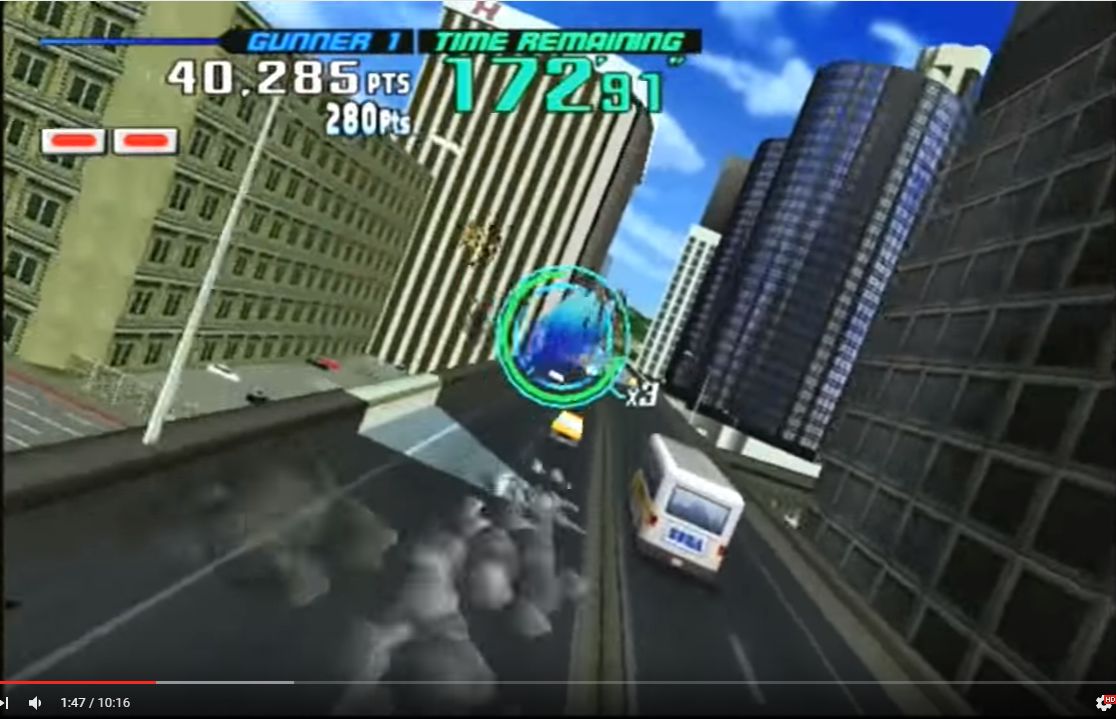
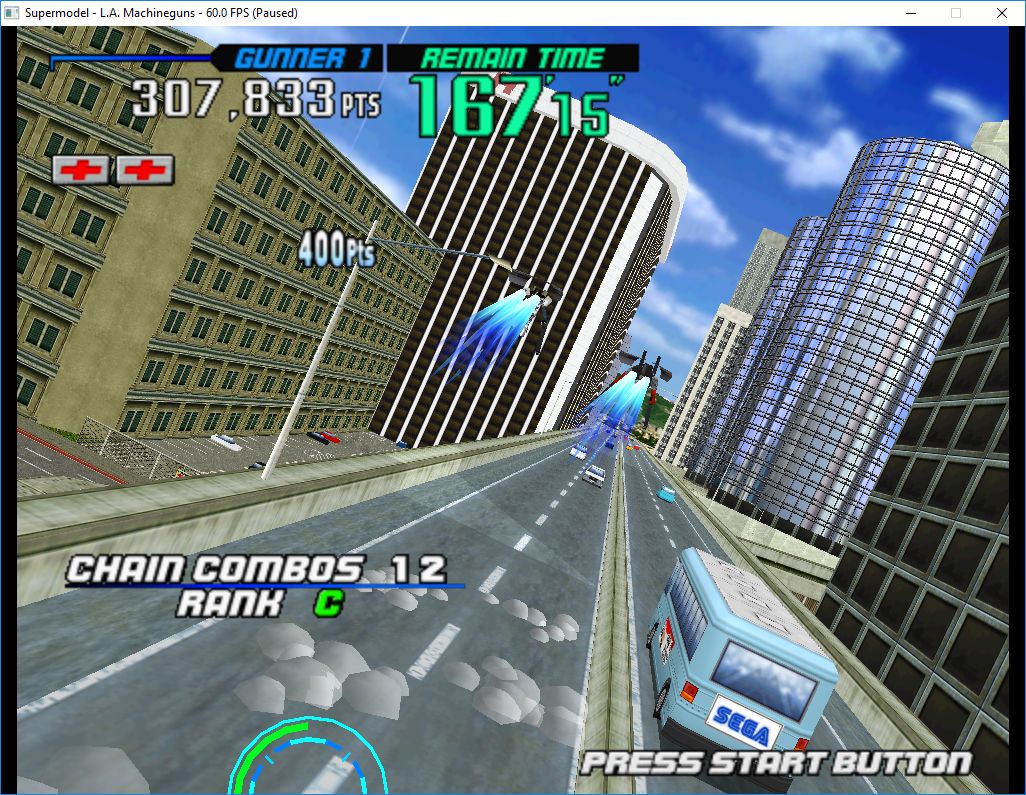
Le premier émulateur de Sega Model 3 créé par Bart Trzynadlowski, Ville Linde et Stefano Teso dans sa version de développement (voir ici) [source].

 
supermodel_actual

Wii version


supermodel_incorrectSupermodel (incorrect)


supermodel_vertexSupermodel with fixed shading

 
r461
– Moved logging functions into OSD/Logger.cpp (eventually logging system will be reworked entirely) and added new config tree structure (not yet used).
 
r462
– XML parsing support for new config system
 
r463
– Adding tinyxml2 lib
 
r464
– Changed Config::Node::Create() to Add() and added a Set() method (for INI semantics). Turned Test_Config.cpp into a proper unit test reporting pass/fail for each test.
 
r465
– Config::Node::Add() now supports nested keys (e.g., Add(« foo/bar/baz », « 0 ») will create three nested config nodes)
 
r466
Added Util::ToLower()
 
r467
– Added Util::Config::Node::ValueAsUnsigned() with support for base 10 and 16 (‘0x’ prefix)
 
r468
– update visual studio project


Télécharger SuperModel WIP (x86/x64) v0.3a r468 (1,6 Mo)

Site Officiel

En savoir plus…

Un excellent frontend multi-systèmes axé sur la simplicité d’utilisation.


Les nouveautés sont les suivantes:

– Automatic script handling.
– No more need to handle scripts installation! No more need to worry whether an emulator needs a script or not to work, mGalaxy will manage it by itself!
– RetroArch added to available systems.
– Command window hidden.
– The command window may now be hidden when the emulator is launched (for systems allowing it, like ‘Mame’ for instance)
– Uppercase and lower case rom file extensions are now allowed.
– Screensaver/Attract Mode.
– Theme switching (Premium).
– Set one (different) theme per system.
– Localization (French, German, Portuguese for now!).
– mGalaxy_Runway: system creation setup revised.
– You now drag and drop the system you need (as many instances as you want) to build your system list (this would allow you, for instance, to create 3 different MAME systems!)
– Systems siwtch window: filtering on arcade/computer/console.
– mGalaxy_Runway: box/marquee images support (for themes allowing this functionality).
– Scroll speed setting.
– Let you define the scrolling speed of the list when direction keys are held.
– Pre-Launch settings.
– Allows you to launch another application/script/document before launching game (for instance, to auto load map to ‘Ultimarc Ultrastik 360’).
– Child lock (per key/button).
– When set, the key/button has to be held for 3 seconds to run.
– Compatible with every screen resolution (e.g. 640x480px).
– mGalaxy_Runway: database creator (with resume functionality).
– mGalaxy_Runway: database editor (Premium).
– mGalaxy_Runway: data/media export (database, favorites, roms, snaps, boxes, videos).
– Multiple monitor support.
– Command Help panel.
– Displays all the actions available and their corresponding key/button shortcut
– mGalaxy_Runway: Mame database creation updated


Télécharger mGalaxy v6.0 (7.3 Mo)

Site Officiel

En savoir plus…

Il s’agit d’un émulateur d’IBM JX, qui était une version améliorée de l’IBM PC Junior.


5511


Télécharger 5511emu (2016/07/09) (4.2 Mo)

Site Officiel

En savoir plus…

AmiArcadia est le port amélioré de Tunix2001 ex ‘Win Arcadia 2001’ (par Gavin Turner) pour Amiga. Ecrit par James Jacobs et Gavin Turner, cette version est en fait le port Windows du port Amiga ! (un backport)


Il émule les consoles basé sur la famille des Arcadia2001 : Bandai, Emerson, Grandstand, Hanimex, Intervision, Leisure-Vision, Leonardo, MPT-03, Ormatu, Palladium, Poppy, Robdajet, Rowtron, Tele-Fever, Tempest, Tryom, Tunix, etc.
 
Il supporte aussi l’Interton VC 4000 et l’Elektor TV Games Computer. Il nécessite Windows 9x/ME/NT/2000/XP et tourne aussi sous Vista/8/10.
 

Télécharger Win Arcadia (Ami Arcadia) v36.8 (9.9 Mo)

Site Officiel

Anciennement connu sous le nom de bsnes, il s’agit d’un émulateur de NES/SuperNES/GameBoy/GameBoy Color/GameBoy Advance/WonderSwan/WonderSwan Color/SwanCrystal, (et anciennement Nintendo DS) mais aussi les sous systèmes Super GameBoy, BS-X Satellaview et Sufami Turbo. En fait bsnes existe toujours mais n’est qu’un module de Higan (concernant la Super NES) tout comme bnes (non disponible séparément) avec la NES, bgb (non disponible séparément, et sans rapport avec BGB) pour la GameBoy N&B/Color, bgba (non disponible séparément) pour la GameBoy Advance et BWS pour la WonderSwan N&B/Color/Crystal. Il émule également toutes les puces d’améliorations supplémentaires: Super FX/FX2, CX4, DSP, SA-1 et beaucoup d’autres et se paye le luxe d’ajouter le module MSU-1 qui aurait pu être ce qu’aurait donné un SNES-CD si celui-ci avait été rendu public.
 

A présent, il n’y a plus qu’un seul binaire orienté sur la stabilité et l’absolu précision (il sert principalement aux développeurs ou à ceux qui cherchent une émulation Low Level de référence). A noter qu’un pack de shaders est disponible ici.

 
Higan
 
Les changements:
I feel it’s important to stress right away that this is not « version 1.00 », nor is it a major milestone release. Rather than arbitrary version numbers, all of my software simply bumps version numbers by one for each official release. As such, higan v100 is simply higan’s 100th release.
 
That said, the primary focus of this release has been code clean-ups. These are always somewhat dangerous in that regressions are possible. We’ve tested through sixteen WIP revisions, one of which was open to the public, to try and minimize any regressions. But all the same, please report any regressions if you discover any.
 
Changelog:

– FC: render during pixels 1-256 instead of 0-255 [hex_usr]
– FC: rewrote controller emulation code
– SFC: 8% speedup over the previous release thanks to PPU optimizations
– SFC: fixed nasty DB address wrapping regression from v099
– SFC: USART developer controller removed; superseded by 21fx
– SFC: Super Multitap option removed from controller port 1; ports renamed 2-5
– SFC: hidden option to experiment with 128KB VRAM (strictly for novelty)
– higan: audio volume no longer divided by number of audio streams
– higan: updated controller polling code to fix possible future mapping issues
– higan: replaced nall/stream with nall/vfs for file-loading subsystem
– tomoko: can now load multi-slotted games via command-line
– tomoko: synchronize video removed from UI; still available in the settings file
– tomoko, icarus: can navigate to root drive selection on Windows
– all: major code cleanups and refactoring (~1MB diff against v099)
 
Note 1: the audio volume change means that SGB and MSU1 games won’t lose half the volume on the SNES sounds anymore. However, if one goes overboard and drives the sound all the way to max volume with the MSU1, clamping may occur. The obvious solution is not to drive volume that high (it will vastly overpower the SNES audio, which usually never exceeds 25% volume.) Another option is to lower the volume in the audio settings panel to 50%. In general, neither is likely to ever be necessary.
 
Note 2: the synchronize video option was hidden from the UI because it is no longer useful. With the advent of compositors, the loss of the complicated timing settings panel, support for the WonderSwan and its 75hz display, the need to emulate variable refresh rate behaviors in the Game Boy, the unfortunate latency spike and audio distortion caused by long Vsync pauses, and the arrival of adaptive sync technology … it no longer makes sense to present this option. However, as stated, you can edit settings.bml to enable this option anyway if you insist and understand the aforementioned risks.

 
A noter que j’ai mis à jour le pack de shaders destiné à Higan, suivre le lien en rapport.
 

Télécharger Higan (x64) v100 (2,0 Mo)

Site Officiel

En savoir plus…

DSP est un émulateur Sinclair ZX Spectrum mais aussi Amstrad CPC, Arcade, NES, SMS, GameBoy, Coleco Vision, Chip8/Super Chip8… développé par Leniad Soft 2003. Il supporte les Spectrum 48K, Spectrum 128K et des jeux d’arcades comme Phoenix, BombJack ou encore Ghost’n’Goblins. Il s’agit d’un projet Open Source développé en Delphi+Lazarus+Free Pascal.

 
DSP
 

-All previous enhacements
-Z80: Implemented WZ/MEMPTR register, now passes all ZEXALL tests
-YM2203: Added functions to change the AY internal clock
-Spectrum
+When a snapshot without ROM is loaded and previously changed to a different ROM than the original, it’s reloaded the original ROM
+Contended memory changes
-Amstrad CPC
+Added LensLok protection
+Enhanced video mode 2, more speed


Télécharger DSP (x86) v0.23 (6.0 Mo)

Télécharger DSP (x64) v0.20 (16/07/2022) (3.5 Mo)

Site Officiel

En savoir plus…

Un excellent manager de roms à l’instar de clrmame et Romcenter. Romulus est capable d’importer les dats de RomCenter et clrmame (ancien format et format xml), les fichiers offlinelist et Mess. Il gère les roms non compressées ou compressées en zip, rar ou 7z. Il supporte également le Torrentzip. Il peut également importer un dat à partir de l’exécutable de Mame, générer des rapports ou des statistiques… Depuis la version 0.19, une exclusivité (!), il est pourvu d’un module communautaire dont l’objectif est le partage de fichiers à la manière d’un ftp client comme flashfxp.

Il dispose également d’un navigateur intégré, d’un localisateur de DATS, supporte les CHD de Mame…


Les changements:

– ADDED More flexible reports with listing columns selection and/or remove columns header text. Elfish request.
– ADDED Support for « romTitle » param at Offlinelist DATs as default filename mask or possibility to set mask as Romulus settings default. Thanks to Johnny gin gasper
– ADDED Support for Unicode filename masks in Offlinelist profiles.
– REMOVED Limit of obligated filename masks of « %n » and « %u » for Offlinelist profiles.
– REMOVED From DAT Groups « Pocketheaven ». With some years without updates finally the homepage seems dead.
– IMPROVED Detection of updates in Updater option.
– UPDATED CHDMAN to 0.175 version.
– UPDATED RAR to 3.51 version.
– FIXED Crash problem when Offlinelist filename mask changed from properties option and result filename is empty.
– FIXED Duplicated filename problem when filename mask for Offlinelist profiles changed using properties option.
– FIXED BROKEN Non ascii path problem when creating or opening databases.
– FIXED Rare problem extracting big zip files caused by a Deflate64 method error.
– FIXED Directory maker problem when user try to add ROMpath manually.
– FIXED Launch emulators option removing last path slash to make more compatible with them.
– FIXED Remove cache file when delete a profile in a unicode Romulus path.
– FIXED Clear cache downloads procedure problem causing sometimes freezing when trying to download files or using Updater option.
– FIXED Freeze time when creating a fixdat.
– FIXED Some visual problems with magnified fonts. But use this Windows option is not recommended by me.
– FIXED Updater option profiles collision between Trurip and Tosec.
– FIXED Minor bugs.


romulus


Télécharger Romulus v0.031 (5,4 Mo)

Site Officiel

En savoir plus…

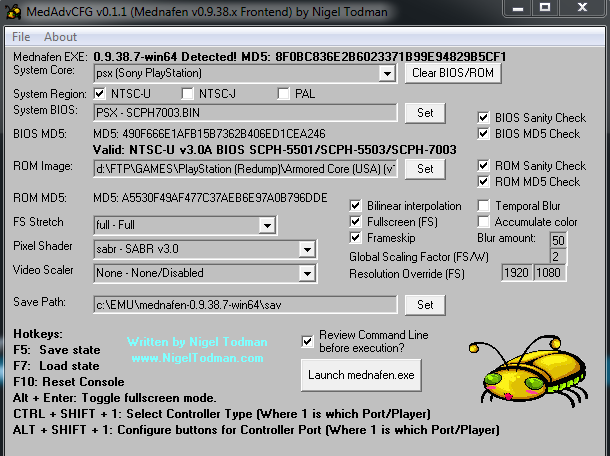
MedAdvCFG (ou Mednafen Advanced Configuration) est un frontend créé par Nigel Todman destiné à l’émulateur Mednafen.

 
– Now supports SNES/NES Controllers
– Auto-Clears/Auto-Populates based on SysCore
– Now ignores BIOS/ROM Sanity checks on all SysCore except PSX
– Various code optimizations

 
MedAdvCFG-11
 

Télécharger MedAdvCFG v0.1.6 (133,8 Ko)

Site Officiel

En savoir plus…

Il s’agit d’un ficher DAT regroupant plusieurs informations retraçant l’historique des avancées de l’émulation des jeux ainsi que des informations sur eux au sein de MAME (arcade/consoles/ordinateurs), il comporte également une section « tips and tricks ». En anglais.


Télécharger History.dat v1.75C (4,3 Mo)

Site Officiel

En savoir plus…

Ce fichier folder pour MAMEUI vous permettra de trier vos jeux par séries. Il est bien sûr à mettre dans le sous-répertoire Folders de MAME(Arcade).


Télécharger Series.ini v0.175 (34.9 Ko)

Site Officiel

En savoir plus…

Voici les derniers émulateurs (et aussi les plus fréquemment mis à jour) en cours de développements.


Citra: Emulateur de 3DS.

RPCS3: Emulateur de Playstation 3.

Nucleus: Emulateur de Playstation 3.

SuperModel: Emulateur de Sega Model 3.

Decaf-Emu: Emulateur de Nintendo Wii U préliminaire.

Xenia: Emulateur de Microsoft X-Box 360.

Cen64: Emulateur de Nintendo 64 Préliminaire.


Télécharger Citra (Final build) (2024/03/07) (140 Mo)

Télécharger RPCS3 v0.0.43 Alpha (36.7 Mo)

Télécharger Nucleus (WIP) (2016/08/28) (715 Ko)

Télécharger SuperModel v0.4 Build 261122 (5.2 Mo)

Télécharger Decaf-Emu Build 231109 (40.8 Mo)

Télécharger Xenia v1.0.2844 (2026/11/22) (3.9 Mo)

Télécharger Cen64 (WIP) (2022/10/02) (2.6 Mo)

Créé par Mamesick et originellement destiné à son émulateur MAMEUIFX, il s’agit de M1 avec un frontend intégré (et simplifié) dans un seul exécutable et permettant de régler le volume ou même d’enregistrer.


m1fx
 
Changements:
– Compiled with old GCC 4.4.3 to fix « Game is silent » bug in NeoGeo and others sound hardware games.
– Small source code improvements.

 
Concernant MAMEUIFX et sont arrêt (encore une fois, ca sera jamais que la 5 ou 6ieme fois), en voici la cause:
 
Hello, guys.
 
I’m very unhappy to announce that MAMEUIFX development is going to finish.
After 14 years of fun, in every sense, I have to quit. No, this time is not due to another MAMEDev useless attempt to make FX disappear from the scene. It’s something more serious.
The Hotel where I worked in these last 10 years as receptionist and part-time waiter, will cease its activity after the end of August. So, in few words, I’m going to lose my job.
My expectations for the future are now not good, the first thing I will have to do will be go back to Milan where my mother lives and go back to her house with few money and without a work.
I’m 41 years old and even if stay with her for a while will be a pleasure, I will have to re-build my life again… Find a new job (not so easy as it seems) and a new house.
So you must imagine that the time I will be able to dedicate to MAMEUIFX in the next months will be very very small if not completely null. I will be busy with a lot of other things.
Though this is not the only cause even if it’s the most important one. I’m no more interested in MAME and arcade emulation in general. It’s at least two years that I have this feeling. I continued to follow the MAME Development mainly to keep alive and updated my MAMEUIFX but if I have to be sincere, the games I was interested in are “perfectly” emulated from at least 5 or more years. Plus, the computer/consoles I’m interested in like COMMODORE 64, AMIGA 500, ATARI 2600, ZX81 SPECTRUM are badly emulated in MAME and there’s plenty of better dedicated emulators out there. I don’t see anything appealing in what is happening to the MAME project from a global perspective: with their obsession to make it universally compatible with every Operating System available on the earth they created a giant software that become slower and slower on every new release. Soon nobody with a 32-bit OS will be able to compile it and probably neither use it. It’s up to you decide if this is only my personal opinion or it’s a real fact.
Now two words about MAMEUIFX. The GUI code is, without any arrogance, perfectly working and from my point of view, completed. There’s nothing left to do, I think. Yes, of course other features/improvements could be added and made, like for example support for 4K resolution monitors, but due to the fact that the project is going to finish, my objective is reached. As it is now, FX is perfectly compatible with old Windows XP and ready for Windows 10. And most important thing, looks like there are no more GUI bugs to fix.
The modified hacked drivers in FX are not cause of any extra bug, despite what MAME Developers are convinced of. On the contrary, some official MAME bugs are fixed.
The forum and the website will stay online until my free web space provider will decide to put it down. The forum’s new registrations will be closed because I will not be able to continue to check the new accounts and delete/disable the fake ones. Also the vast majority of threads will be locked. Though I hope I will not disappear completely because I imagine there will be replies to this post that I’ll have to read and answer. The source code is still available and will stay in this status for probably a long time, so if someone will desire to continue the project at his own risk, he will be free to do it. It should appear obvious though that MAMEUIFX is dead, so you will be alone. I cannot assure I will be able to help you in continue my build and you will have to choose a new name for it.
I have to thank a lot of people I encountered and known in these 14 years, there’s no need to make a list…
 
I guess you know who you are.
Take care of you all.
Bye.
 
Giulio (Mamesick)
 
P.S. I cannot say if I will release 0.176 or not, probably no, though M1FX 12.0 is coming with a huge bug fixed. See last post in related thread for details.

 
On lui souhaite bon courage. Rien ne dit qu’il ne reviendra pas encore une fois si les choses s’arrangent et peut-être que quelqu’un maintiendra le code en attendant…
 

Télécharger M1FX v12.0 (v0.7.9a1.1) (937,0 Ko)

Site Officiel

En savoir plus…


https://getourbonus.com/fr/accueil

https://www.romspedia.com/