Voici la version française de cet émulateur Game Boy.
– Correction d’un problème avec Pokemon Yellow qui était cassé dans le mode SGB.
– Correction de nombreux problèmes.
0 commentaire



Voici la version française de cet émulateur Game Boy.
– Correction d’un problème avec Pokemon Yellow qui était cassé dans le mode SGB.
– Correction de nombreux problèmes.
Le jeu, de type quizz, de notre ami Titan (bien connu du monde Amiga et auteur de la bible de ce système) et de Hakim Louati (Willow), vient de sortir sous forme de jeu vidéo et dans sa version finale et stable !

Je repompe la news de notre partenaire RomGame qui explique tout ceci très bien:
Ce véritable jeu de l’oie – Trivial Pursuit dédié au retrogaming et à la culture vidéoludique, Space Race n’était jusqu’à présent disponible qu’en démo et c’est un immense plaisir de le découvrir dans sa version finale après un travail collectif qui a vu bon nombre de passionnés participer avec enthousiasme !
Dark Vador aurait aimé en être le père, Spock l’aurait trouvé fascinant et les frères Bogdanoff auraient très certainement tentés de percer ses secrets Il est enfin là, celui que l’on attendait avec une impatience cosmique !
Alors, si vous pensiez être un as des jeux vidéo rétro il se peut que les 1.200 questions qui vous attendent vous remettent les pieds sur terre : destiné à vous faire traverser l’espace vidéoludique, ce « spoutnik » vous invite à « explorer et sonder les univers mémoriels des joueurs nostalgiques » tout en vous amusant. Et vous pouvez faire confiance en Eric pour fournir des questions velues ! Le fondateur du site Amigamuseum et auteur de l’ouvrage de référence La Bible Amiga n’est en effet pas exclusivement féru de l’Amiga : il aime TOUTE la culture vidéoludique et en fait chaque jour la démonstration auprès des nombreuses personnes qui le lisent.
Pour info, ce quiz retro est désormais téléchargeable gratuitement dans sa version finale qui comprend :
Alors n’attendez plus et faites chauffer les moteurs de votre vaisseau pour participer à cette grande course à travers l’espace et le temps
Il s’agit d’un frontend pour Mednafen avec une interface originale et très complète, en voici quelques caractéristiques:

(BugFix) – Fixed on-game-launch exception when starting a netplay game
(BugFix) – Fixed ‘import config’ prompt on launch always appearing when user has explictly said NO to this previously
(BugFix) – Manual download method for mednafen no longer ‘hangs’ the UI
(BugFix) – Mednafen folder selection method now no longer results in an inifinate loop of menus under
C’est le meilleur émulateur Game Boy et Game Boy Color. Extrêmement précis et fidèle, il ne lance pas les PD qui ne marchent pas sur une vraie Game Boy par défaut (on peut néanmoins activer un hack).
Tous les jeux fonctionnent parfaitement à l’exception d’une poignée utilisant un chip spécial additionnel dans la cartouche.

– Fixed regression: pokemon yellow broken in SGB mode. Fixed a number of bugs.
CSPspEmu (ou « Soywiz’s Psp Emulator » aka « CSharp Psp Emulator ») est développé par Soywiz (Auteur du projet abandonné D PSP Emulator), il s’agit d’un émulateur de Sony PSP écrit en language C# et ne se basant sur aucun autre projet.

En voici les changements:
– Some more cleanups
– Some refactors
– Reformats and renames suggested by Rider
– Do not swallow exceptions
– Add #version to shaders to avoid warnings
– Renamed to where modules were
– Removed modules
– embed pspautotests
– Embed libraries
Voici une version de Yabause (émulateur Saturn) maintenue par Devmiyax (développeur japonais). Devmiyax avait proposé plusieurs patchs pour la branche officielle puis plus rien pendant de longs mois jusqu’à l’arrivée de UoYabause sur la scène de l’émulation Saturn pour le système Android et sur laquelle cette version Windows est basée. L’émulateur fait presque jeu égal avec SSF (d’ailleurs certains passent mieux sur Yabause) rendant les deux émulateurs complémentaires. Cette version inclut à la fois les dernières améliorations de la version de développement de Yabause officiel et celles de Devmiyax, probablement le build le plus abouti.

Les améliorations:
– Correction d’un problème de polygones noirs dans le jeu Tomb Raider.
– Correction d’un problème d’arrière plan dans le jeu Eternal Melody.
– Correction d’une erreur qui empêchait de builder sous Windows.
– Solution de contournement pour le jeu Vampire Savior.
– Correction d’un problème avec le jeu Garou Densetsu 3 – Harukanaru Tatakai qui ne démarrait pas. Il est maintenant jouable.
– Correction d’un problème avec le jeu Dark Savior. Le jeu plantait avant d’entrer dans la partie. Le jeu est maintenant jouable.
– Correction d’un problème de démarrage avec le jeu Pro Yakyuu Greatest Nine ’97. Il est maintenant jouable.
– Saut d’une boucle infinie.
– Interface Web du profil image.
– Correction d’un problème de boot avec le jeu Baku Baku Animal.
– Fusion des fichiers du dynarec
– Amélioration que j’ai remarqué : correction d’un problème d’affichage du texte dans la vidéo d’intro de Marie No Atelier, correction d’un problème de freeze avec le jeu Thunderstorm Firehawk 2 (il semble maintenant jouable, à tester plus longuement).
Ce build est basé sur les dernières sources disponibles et a été compilé par Tradu-France.
Vous pouvez consulter la liste de compatibilité avec les jeux UoYabause sur le Wiki Uoyabause Tradu-France. L’avantage du Wiki, c’est que tout le monde peut participer à la liste.
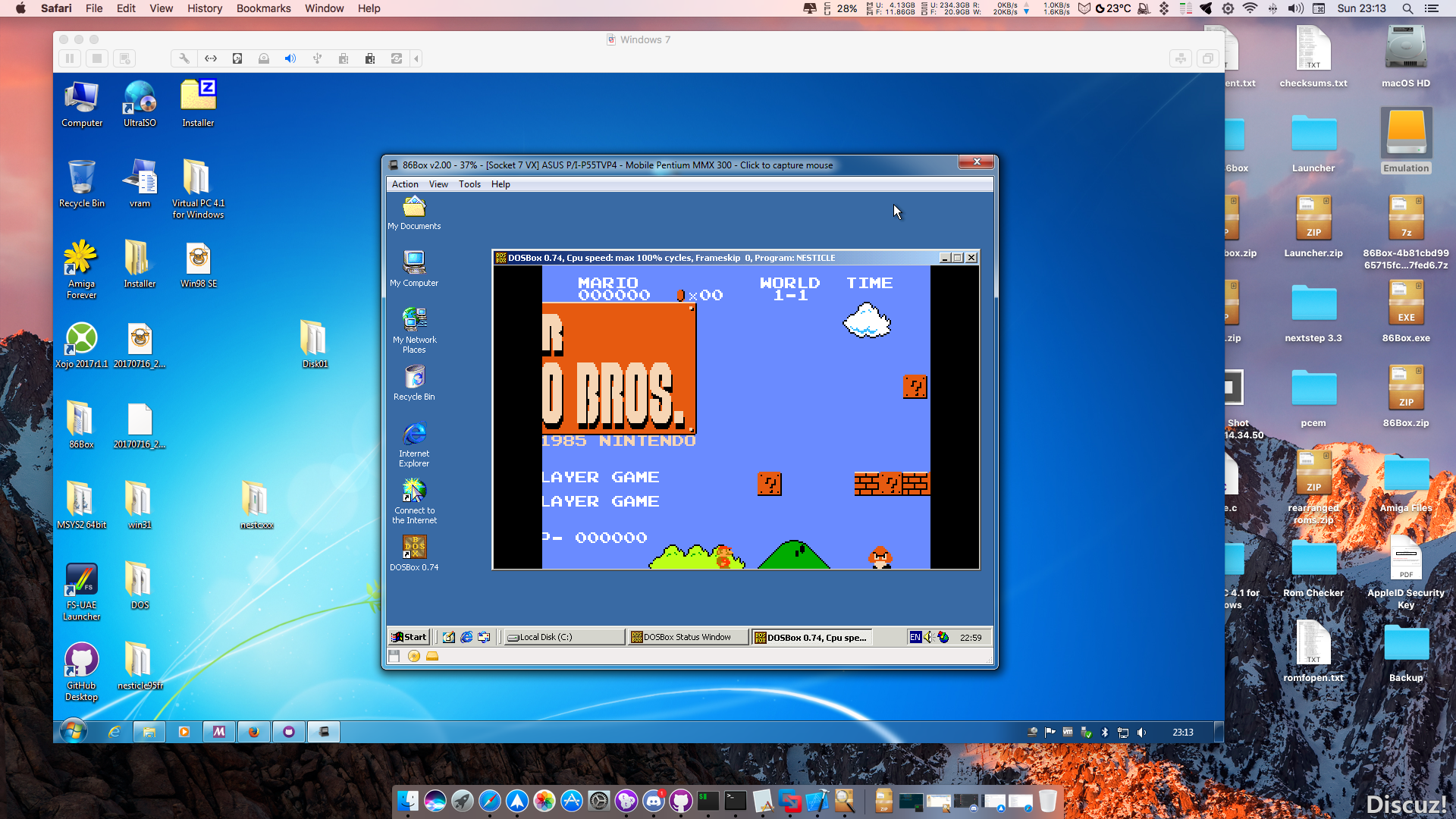
86Box (anciennement nommé PCem Unofficial, PCem Experimental ou PCem-X) est une branche non officielle de l’émulateur PCem, qui vise à émuler des machines compatibles IBM de la période 1981-2000. Cette branche ajoute plusieurs cartes mères émulées.
Ce programme permet d’émuler un PC sous plusieurs OS. Il tourne sous Windows, Linux ou Mac. Il permet de faire tourner des machines virtuelles sous différents OS (Windows de tout type, Linux, FreeBSD OS/2 etc.).
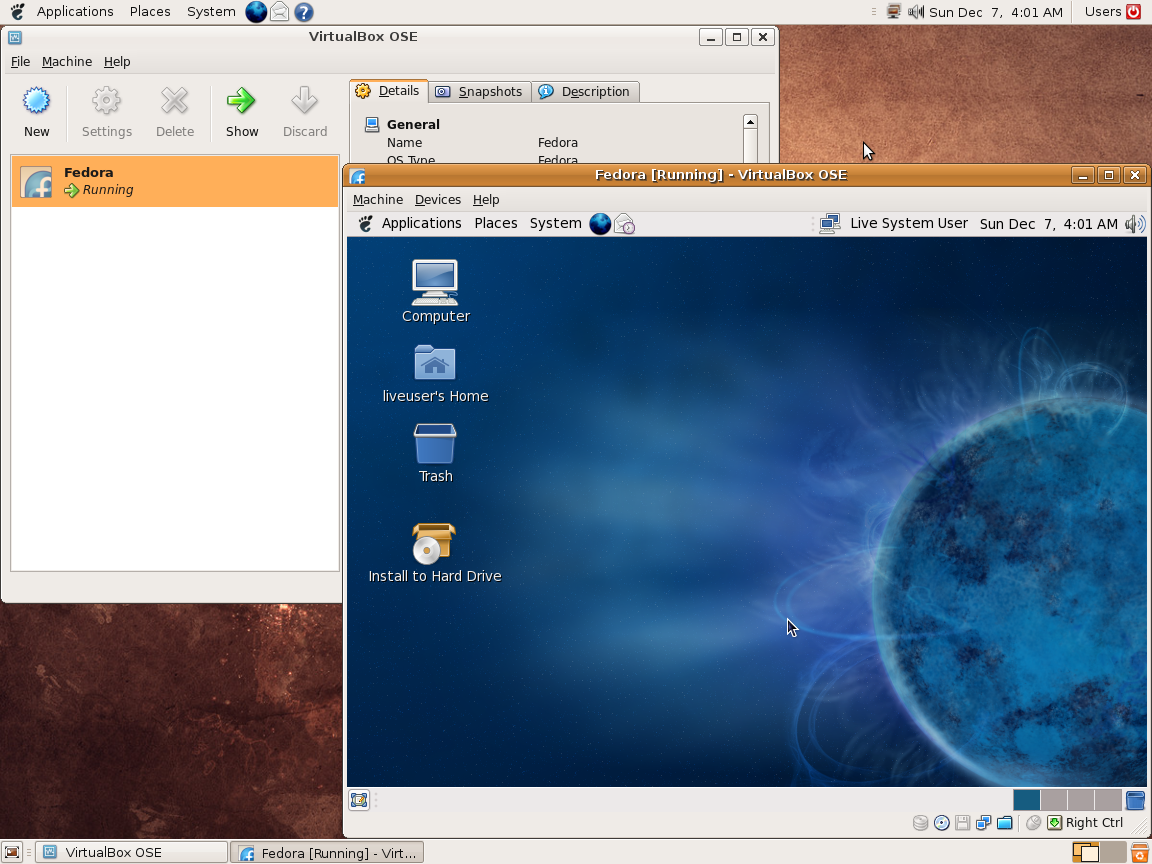
Vitualbox est également open-source et gratuit (pour les particuliers). Les solutions existantes de virtualisation étant soit très chères pour le particulier, soit incomplètes au niveau du support des systèmes, VirtualBox propose donc une alternative intéressante à Vmware et VirtualPC.
Les améliorations sont lisibles ici.
Télécharger VirtualBox v7.2.22 (170 Mo)
Télécharger VirtualBox - Oracle VM VirtualBox Extension Pack v7.2.22 (19.1 Mo)
PSXACT est un émulateur de Playstation One écrit en c++ et qui cherche à être le plus précis possible (LLE).

Il s’agit d’un émulateur de Nec PC9821 pour Windows et créé par Satotomi.


Il s’agit d’un frontend pour MAME dont les principales caractéristiques sont les suivantes:
– Interface sobre dans les tons sombres.
– Titre du frontend personnalisable.
– Choix des jeux sous forme de liste.
– Affichage d’une image ou d’une mini vidéo du jeu.
– Configuration du frontend par fichier texte.
– Base de données concernant les jeux (année, distribution, genre etc.)
– Pilotage du frontend par les touches claviers (joystick + bouton sur borne d’arcade)

Stella est un excellent émulateur Atari VCS 2600 multi-platformes, releasé sous licence GPL. A la base, le projet a été développé pour Linux par Bradford W. Mott, cependant de nombreuses personnes ont rejoint l’équipe de développement pour porter Stella sur différents systèmes d’exploitation tels qu’AcornOS, AmigaOS, DOS, FreeBSD, IRIX, Linux, GP2X, OS/2, MacOS, Unix, et Windows (ouf!).
Cette version inclut les binaires 32 et 64 bits.

Les changements sont:
  * Note: because of major TIA/6502/RIOT changes, the state file format

          has changed, and old state files will not work with this release.


  * Stella has moved from Sourceforge to Github.


  * Completely new TIA core is now available, ported from 6502ts by

    Christian Speckner (DirtyHairy). This new core is extremely accurate,

    and matches real hardware in almost every test we've performed.

    New features include:

     - Meltdown emulates correct

     - The lap number in Pole Positions displays correctly

     - Artifacts in the mountains on Snoopy and the Red baron are gone

     - Line artifacts in Title Match Pro Wrestling and Realsports Boxing

       are fixed

     - The spurious line at the left border of Video Chess now displays

       correctly

     - All 32 char text demos from AtariAge now work perfectly (Stella 4

       shows artifacts on several of these)

     - Stella is now the only emulator to display the "Mega Bitmap Demo"

       (atext.bin) from AtariAge correctly

     - Improved starfield effect for missiles (still TODO for ball and

       players)

     - RSYNC emulation has improved, all testcases now match real

       hardware

     - Several other ROMs that have never worked in any emulator are now

       emulated correctly

     - RDY behavior with respect to write cycles is accurate

     - Optional YStart autodetect and more robust frame handling

     - NUSIZ during player draw matches hardware

     - RESMx during missile draw matches hardware

     - Paddle emulation is slightly more accurate. As a consequence, the

       "paddle feel" may be slightly different from Stella 4

     - Fixed debug colors can now be set for each graphical object, from

       a choice of 'red', 'orange', 'yellow', 'green', 'blue' and

       'purple'.  This is accessible through the new 'tia.dbgcolors'

       commandline argument and within the UI.


  * Implemented new phosphor emulation mode, which is much closer to real

    TV output.  Related to this, added ability to change the default

    phosphor blend level in the UI and through the new 'tv.phosblend'

    commandline argument.  Special thanks to Thomas Jentzsch for the idea

    and implementation.


  * TV phosphor effect can now be force-enabled for all ROMs, instead

    of manually setting ROM properties for each ROM.  This is accessible

    in the UI and through the 'tv.phosphor' commandline argument, and

    defaults to being off (or enabled per-ROM).


  * PAL color-loss and Blargg TV effects can now be enabled at the same

    time.  Previously, when Blargg effects were enabled, PAL color-loss

    couldn't be shown.  Related to this, the Blargg effects now use much

    less memory and in some cases run faster than before.


  * Much improved RIOT timer emulation never before seen in any emulator.

    Special thanks to Christian Speckner (DirtyHairy) for the

    implementation, and alex_79 for finding documentation that finally

    describes in more detail how the M6532 chip actually works.


  * Added BUS (experimental) and CDF bankswitching schemes, and also

    ARM Timer 1 support; special thanks to SpiceWare for the code.


  * Fixed bug with SaveKey and AtariVox not properly closing their memory

    files before starting another instance of the same ROM, when the ROM

    was opened in the ROM launcher.


  * Various improvements to the debugger and command prompt:

    - The 'cls' command now only clears the screen, not the history

    - The 'help' command now accepts other commands, and gives extra

      information about the command (ie, 'help breakif' prints extended

      information about the breakif command)

    - Added 'palette' command, which shows a color swatch of the

      currently active TIA palette

    - Added 'debugcolors' command, which shows a legend for 'fixed debug

      colors' mode

    - The previous trap'm' commands now work when setting TIA read

      addresses; previously they only worked for write addresses

    - The previous trap'm' commands are now renamed 'trap', 'trapread'

      and 'trapwrite'

    - The TIA tab now shows 'old' contents of player and ball registers

    - Various UI items are crossed out when disabled, to more clearly

      indicate their current state

    - Various UI items that previously required a double-click to toggle

      (pixel and bit widgets) now require only a single-click.

    - Command completion now works with internal functions and pseudo-ops

      (basically, anything starting with the '_' character)

    - System labels (aka, register names, etc) can now be typed in lower-

      case.  Previously, these labels always had to be uppercase.

    - In general, input error checking is much more strictly enforced

    - Read-only UI items now have a different background color, to

      clearly indicate if an item can be modified.

    - Debugger '.lst' and '.sym' files are now searched based on the name

      of the ROM file, and not on the internal properties name.

    - Snapshots can now be saved by pressing the F12 key (the various

      other ways to save snapshots still exist).


  * Mouse grabbing is now enabled in windowed mode only when the ROM is

    using a virtual analog controller (paddles, trakball, etc).


  * Renamed various trakball-like controllers more accurately: AmigaMouse,

    AtariMouse (previously CX80) and Trakball (previously CX22).  Related

    to this, reduced the resolution of the Trakball by half, to properly

    match real hardware.


  * The stack pointer (SP) is now initialized to $FD instead of $FF, to

    match research done in other 6502 projects.


  * Fixed bug in debugger tracing and displaying the partial TIA image;

    the first time entering the debugger and starting to trace, the image

    was blanked out (black) instead of being drawn in greyscale.  Also, the

    image is now synchronized, instead of being two frames behind.


  * Fixed crash with zipped ROMs that are less than 4K in size; so far

    this bug has only ever occurred in Windows XP, but it's been there

    since Stella 4.1.


  * Fixed bug in 'Rom Audit' functionality; sometimes ROMs without a

    valid properties entry were being renamed as "Untitled.bin".


  * For the entire UI, removed colons and generally made the UI items

    easier to read.


  * When in 'ROM launcher mode', Stella now uses slightly less CPU time.

    More work is required in this area, though.


  * Added ROM properties for D.K. VCS homebrew ROM, thanks to Andreas

    Dietrich.


  * Added slight improvement for auto-detecting Superchip bankswitching;

    the new implementation now works for the NTSC 'Dig Dug' ROM.  Special

    thanks for SpiceWare for the idea and modified implementation.


  * Fixed long-standing bug in 3-voice music in DPC+ bankswitching scheme;

    the music now sounds much more like the real thing.


  * For the Linux/UNIX port:

    - The settings directory now uses the XDG Base Directory Specification.

      In most cases, this means that your files will now be stored in

      '~/.config/stella' instead of '~/.stella'.  To keep your old settings,

      run the following commands from the terminal:

        cd ~

        mv .stella .config/stella


      You will probably need to edit '~/.config/stella/stellarc' and change

      some paths accordingly.


  * For the OSX port:

    - Always use the built-in png and zlib libraries instead of the system

      versions.


    - The preferences file has changed from 'net.sourceforge.Stella.plist'

      to 'Stella-emu.plist'.  To keep your old settings, run the following

      commands from the terminal:

        cd ~/Library/Preferences

        mv net.sourceforge.Stella.plist Stella-emu.plist


  * Updated internal ROM properties database to ROM-Hunter version 13

    (thanks go to RomHunter for his tireless research in this area).

    Related to this, updated the snapshot collection.


  * Updated included PNG and ZLIB libraries to latest stable version.  Also,

    both libraries are now compiled into the app whenever one is selected.

    This fixes issues with a newer ZLIB not working with an older PNG, etc.


  * Updated build scripts for Visual Studio 2017 (Windows) and MacOS

    Sierra (latest version of Xcode), and make these the minimum supported

    versions for building Stella.


  * Updated UNIX configure script to work with the clang 5+ and gcc 7+

    compiler versions, and fixed compile issues on AArch64 and ppc64le

    architectures.

