Une interface graphique pour Cemu permettant de télécharger les jaquettes des jeux.


Les changements:
– Beta option to choose custom folder.
– Full Screen Mode Optimization.
0 commentaire



Une interface graphique pour Cemu permettant de télécharger les jaquettes des jeux.
Les changements:
– Beta option to choose custom folder.
– Full Screen Mode Optimization.
Il s’agit d’une branche de l’émulateur de Microsoft X-Box CXBX, apportant certains modifications et améliorations diverses.

– Merge pull request #464 from PatrickvL/space
– More D3D logging and simplified D3DDevice_GetBackBuffer and D3DDevice_SetRenderTarget
Branche Darkrush3760
Branche LukeUsher
Télécharger CXBX Reloaded (2017/05/29) (908,7 Ko)
Créé par hex-usr (et basé sur Higan), il s’agit d’un émulateur de NES/VS.System/PlayChoice-10/SuperNES/GameBoy/GameBoy Color/GameBoy Advance/WonderSwan/WonderSwan Color/SwanCrystal/GameGear/SMS/Megadrive/PC-Engine mais aussi des sous systèmes Super GameBoy, BS-X Satellaview et Sufami Turbo, mais ajoute un lots de fonctionnalités en suppléments comme davantage de mappers NES, le NES Four Score, le Zapper, le Power Pad, l’adaptateur 4 joueurs, le VS. System (uniquement les jeux UniSystem n’utilisant pas le Zapper), le PlayChoice-10 mais aussi d’autres éléments à découvrir.
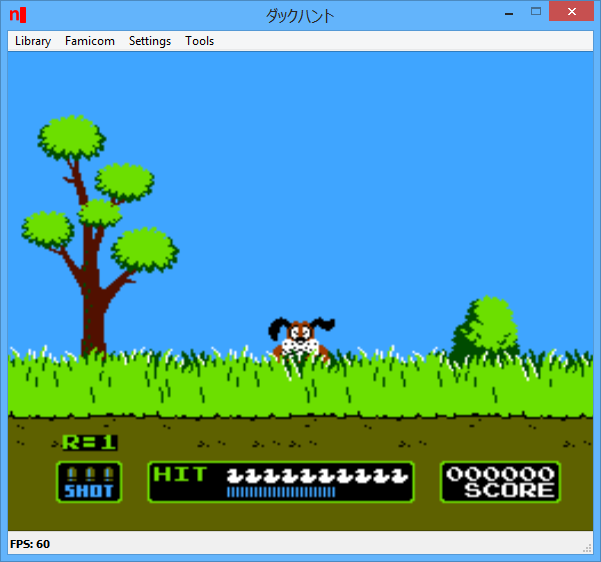
Cette version, compilée par notre ami Lo, est basée sur Higan 102r17.
Lire le readme pour plus d’informations (assez importants).
Télécharger nSide (x86) v009.16 r528 (10.3 Mo)
Il s’agit d’un émulateur d’Apple 2 multi-plateformes.
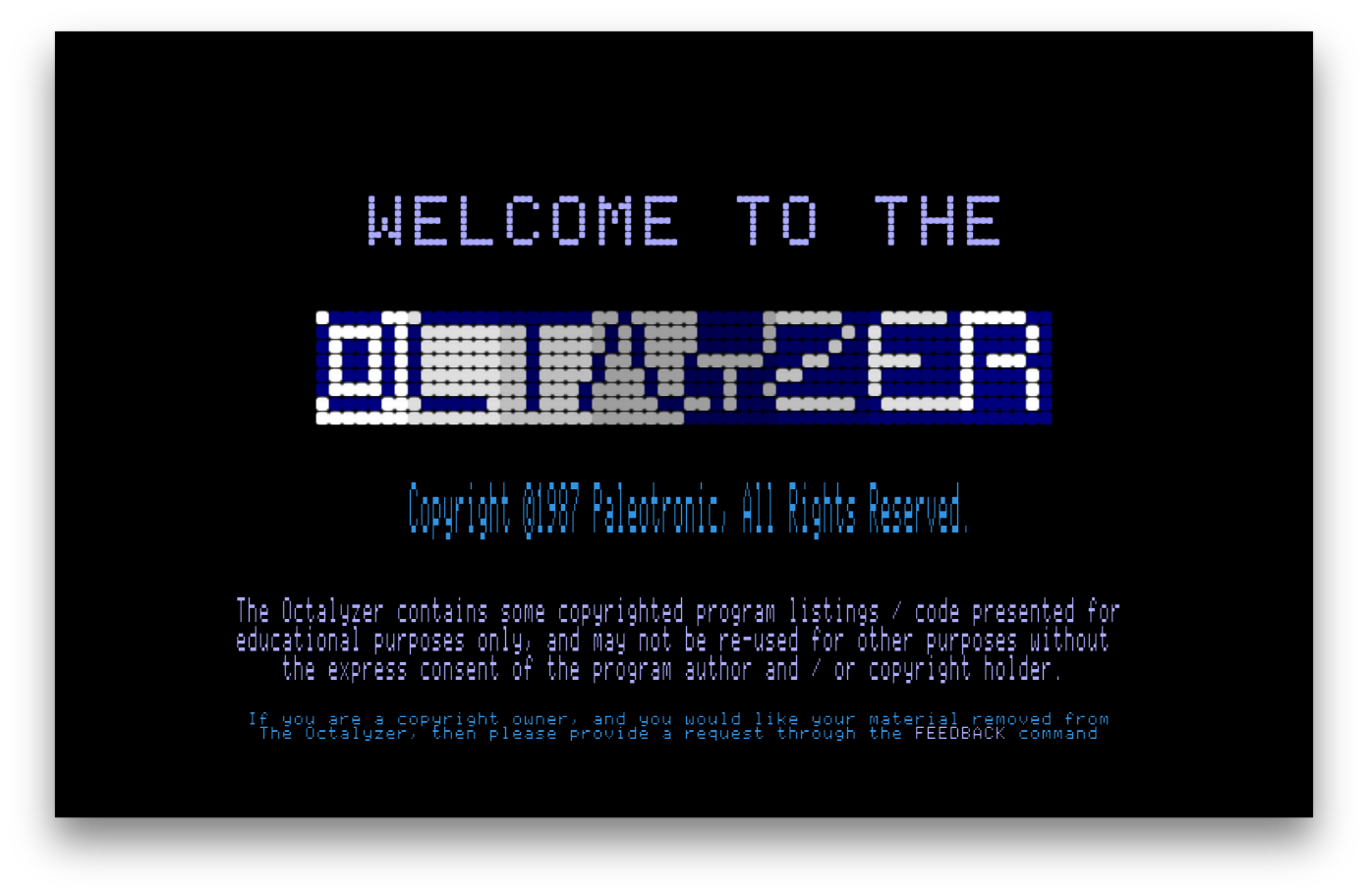
Télécharger MicroM8 (x86) (2019/12/16) (18.2 Mo)
La dernière version béta publique de l’excellent WinUAE, l’émulateur Commodore Amiga. La traduction est signée Tradu-France.

– Version bumped to 3.5.0. .x was only reserved for minor bug fix versions.
– GUI listview column width calculation used default font size, not selected font.
– Z3 autoconfig in Z3 space didn’t support documented byte write to 0x44 config register. (KS ROM always uses word write)
– Manual RAM configuration GUI end address validation was incorrect. Now end address can be smaller than total RAM board size.
– Fixed A2090(a) ST-506 emulation, last accessed LBA status field must be always filled if read/write/format command, added disable ST-506 option. (ROM driver checks bit in autoconfig data if ST-506 is available)
– MMU emulation can be now switched on/off on the fly. (Of course AmigaOS will crash if MMU is switched off and MMU is used for Map ROM etc..)
– MMU PTEST in 68040 mode without MMU emulation now checks transparent translation registers and returns correct physical address, now Enforcer initializes correctly in non-MMU mode and does not cause crash due to wrong MMU tables if MMU is later switched on.
– Fixed Blizzard accelerator crash if memory size was zero (don’t map empty maprom space)
Télécharger WinUAE (Public Beta) [32 bits] v6.1.0 Beta 23 (5.3 Mo)
Télécharger WinUAE (Public Beta) [64 bits] v6.1.0 Beta 23 (8.5 Mo)
Télécharger WinUAE (Public Beta) [32 bits] v6.1.0 Beta 23 FR (5.4 Mo)
Télécharger WinUAE (Public Beta) [64 bits] v6.1.0 Beta 23 FR (8.5 Mo)
Voici un éditeur de mémoire pour Zelda BOTW tournant évidemment sous l’émulateur de WiiU nommé Cemu. Nul doute que toutes ces améliorations finiront par être intégrées un jour dans l’émulateur mais en attendant…
– Added bonus type name instead of numerical value for Weapons, Bows and Shields
– Added the possibility to choose the bonus type in a list for Weapons, Bows and Shields
Bon jeu !
Il s’agit d’un émulateur de NEC PC-9801 qui supporte également le NEC PC-9821.

Un émulateur de GameBoy en cours de développement.
– all sorts of small and big code changes and improvements, cleanups etc
Il ne s’agit pas d’un émulateur multi-systèmes mais d’une archive regroupant tous les émulateurs de Takeda.
Elle inclut:
ASCII
– yayaMSX1: Emulateur de MSX1 par Mr Tanam et Mr Umaiboux
– yayaMSX2: Emulateur de MSX2 par Mr Tanam et Mr Umaiboux
– yayaMSX2+: Emulateur de MSX2+ par Mr Umaiboux
Bandai
– eRX-78: Emulateur de RX-78 (aka GUNDAM)
CANON
– eX-07: Emulateur de X-07
CASIO
– eFP-200: Emulateur de FP-200
– eFP-1100: Emulateur de FP-1100
– ePV-1000: Emulateur de PV-1000
– EmuGaki: Emulateur de PV-2000 (aka RakuGaki)
COLECO
– yaCOLECOVISION: Emulateur de ColecoVision par Mr Tanam
EPOCH
– eSCV: Emulateur de Super Cassette Vision
EPSON
– eHC-20: Emulateur de HC-20/HX-20
– eHC-40: Emulateur de HC-40/PX-4
– eHC-80: Emulateur de HC-80/PX-8/Geneva
– eQC-10: Emulateur de QC-10/QX-10
FUJITSU
– eFM8: Emulateur de FM-8 par Mr Artane
– eFM7: Emulateur de FM-7 par Mr Artane
– eFM77: Emulateur de FM-77 par Mr Artane
– eFM77AV: Emulateur de FM77AV par Mr Artane
– eFM77AV40: Emulateur de FM77AV40 par Mr Artane
– eFM77AV40EX: Emulateur de FM77AV40EX par Mr Artane
– eFM16p: Emulateur de FM16p
– eFM16β: Emulateur de FM16β
– eFMR-30: Emulateur de FMR-30
– eFMR-50: Emulateur de FMR-50
– eFMR-60: Emulateur de FMR-60
– eFMR-70: Emulateur de FMR-70
– eFMR-80: Emulateur de FMR-80
Gijutsu Hyoron Sha
– eBabbage-2nd: Emulateur de Babbage-2nd
HITACHI
– eBASICMasterJr: Emulateur de BASIC Master Jr
Homebrew
– eZ80TVGAME: Emulateur de Z80 TV GAME SYSTEM par Mr Isizu
IBM Japan Ltd
– eJX: Emulateur de PC/JX
Japan Electronics College
– eMYCOMZ-80A: Emulateur de MYCOMZ-80A
MITSUBISHI Electric
– EmuLTI 8: Emulateur de MULTI 8
National/Panasonic
– yayaFS-A1: Emulateur de FS-A1 par Mr Umaiboux
– eJR-100: Emulateur de JR-100
– eJR-200: Emulateur de JR-200
– eJR-800: Emulateur de JR-800
NEC
– eN5200: Emulateur de N5200
– ePC-2001: Emulateur de PC-2001
– yaPC-6001: Emulateur de PC-6001 par Mr Tanam
– yaPC-6201: Emulateur de PC-6001mkII par Mr Tanam
– yaPC-6401: Emulateur de PC-6001mkIISR par Mr Tanam
– yaPC-6601: Emulateur de PC-6601 par Mr Tanam
– yaPC-6801: Emulateur de PC-6601 SR par Mr Tanam
– ePC-8001mkIISR: Emulateur de PC-8001mkIISR
– ePC-8201: Emulateur de PC-8201
– ePC-8801MA: Emulateur de PC-8801MA
– ePC-9801: Emulateur de PC-9801
– ePC-9801E: Emulateur de PC-9801E/F/M
– ePC-9801U: Emulateur de PC-9801U
– ePC-9801VF: Emulateur de PC-9801VF
– ePC-9801VM: Emulateur de PC-9801VM
– ePC-98DO: Emulateur de PC-9801DO
– ePC-98LT: Emulateur de PC-98LT
– eHetY98: Emulateur de PC-98HA (aka HetY98)
– QEMU/9821: Emulateur de PC-9801BX4/PC-9821
– ePC-100: Emulateur de PC-100
– eTK-80BS: Emulateur de TK-80BS (aka COMPO BS/80)
– eTK-85: Emulateur de TK-85
NEC-HE
– ePCEngine: Emulateur de PC Engine / SuperGrafx
Nintendo
– unofficial nester: Emulateur de NES/Family Computer
– eFamilyBASIC: Emulateur de Family BASIC
PIONEER
– ePX-7: Emulateur de PX-7 + LD Player
SANYO
– ePHC-20: Emulateur de PHC-20
– ePHC-25: Emulateur de PHC-25
SEGA
– eSC-3000: Emulateur de SC-3000
– yaGAME GEAR: Emulateur de SEGA GAME GEAR par Mr Tanam
– yaMASTER SYSTEM: Emulateur de SEGA MASTER SYSTEM par Mr Tanam
SEIKO
– eMAP-1010: Emulateur de MAP-1010 (aka MAP SENSEI)
SHARP
– EmuZ-80A: Emulateur de MZ-80A par Mr Suga
– EmuZ-80B: Emulateur de MZ-80B
– EmuZ-80K: Emulateur de MZ-80K/C
– EmuZ-700: Emulateur de MZ-700
– EmuZ-800: Emulateur de MZ-800
– EmuZ-1200: Emulateur de MZ-1200
– EmuZ-1500: Emulateur de MZ-1500
– EmuZ-2200: Emulateur de MZ-2200
– EmuZ-2500: Emulateur de MZ-2500 (aka Super MZ)
– EmuZ-2800: Emulateur de MZ-2800 (aka MZ-SHOIN)
– EmuZ-3500: Emulateur de MZ-3500
– EmuZ-5500: Emulateur de MZ-5500
– EmuZ-6500: Emulateur de MZ-6500
– EmuZ-6550: Emulateur de MZ-6550
– eSM-B-80TE: Emulateur de SM-B-80TE
– eX1: Emulateur de X1
– eX1twin: Emulateur de X1twin
– eX1turbo: Emulateur de X1turbo
– eX1turboZ: Emulateur de X1turboZ
Shinko Sangyo
– eYS-6464A: Emulateur de YS-6464A
SONY
– eSMC-70: Emulateur de SMC-70
– eSMC-777: Emulateur de SMC-777
SORD
– Emu5: Emulateur de m5
TOMY
– ePyuTa: Emulateur de PyuTa / PyuTa Jr.
TOSHIBA
– eEX-80: Emulateur de EX-80
– yayaHX-20+: Emulateur de HX-20 + FDD par Mr Umaiboux
– EmuPIA: Emulateur de PASOPIA
– EmuPIA 7: Emulateur de PASOPIA 7
– eJ-3100GT/SL: Emulateur de J-3100GT/SL
Yuasa Kyouiku System
– eYALKY: Emulateur de YALKY
Il s’agit d’un émulateur de MS-DOS en ligne de commande destiné à Windows x86-64 (mais également aux versions 32 bits). Version dédiée à l’émulation des processeurs i286/i386/i486.

Télécharger MSDos Player for Win32-x64 (28/05/2017) (2,0 Mo)
Développé par Mike Wynne, il s’agit d’un émulateur Sinclair ZX81, Sinclair ZX80, Sinclair ZX Spectrum 16k/48k, Sinclair ZX Spectrum 128k, Amstrad/Sinclair Spectrum +2, Amstrad/Sinclair Spectrum +2a, Amstrad/Sinclair Spectrum +3, Timex TS1000, Timex TS1500, Timex TS2068, Timex TC2048, Lambda 8300, Ringo R470, MicroDigital TK85 et Jupiter ACE.
* Bug fixes:
– The Flash Load mechanism would not load certain programs, e.g. Software Farm’s Bouncing Bert.
– The ZXpand “read only file” problem where the ROM shadow is disabled after loading.
– The vertical scrollbar shown in the History window was too far over and so was only partially
visible.
– Changed how the ZXpand ROM overlay works, which fixing a few problems with demos.
– Locks the positions of the “Previous/Next Change” buttons within the status bar of the
Memory window when resizing the window using the grip control.
– Now correctly displays the address in the Memory window when in ‘Word’ view mode.
– The tape block to wav file conversion did not always occur correctly.
– Changed the number of T-states assumed per frame for the ZX81 and ZX80.
– File default extension was sometimes .P instead of .O when saving in ZX80 mode.
– Greys out the I/O area and Display Generation T-States count within the Debug window while
free running.
– The ZX Interface 1 RS232 baud rate is now calculated based on machine clock rate rather than
hard-coded to 3.5MHz.
– Fixed the alignment of Spectrum characters shown in the Memory window when in ‘Traditional’
view mode.
* Enhancements:
– ZXpand banner text changed to « ZXPAND EO x.y » to avoid user confusion with the real hardware
version number.
– T81 format enhanced to tolerate new block types, specifically the block introduced by the
81-libretro emulator.
– Inclusion of edition 1 ZX81 ROM.
– Included support for the ZX81 edition 1 ROM floating point hardware fix.
– The disassembler now handles instructions above $8000 on a ZX80/81 where bit 6 of the opcode
is set.
– Improved the performance of the History capture feature under the Debug window.
– Increased history storage to 3000 instructions (was 2000).
– The History window is now refreshed when it gets resized by the user.
– Added Clear and Reload options to the History window.
– Memory edits are no longer allowed while the debugger is in free running mode.
– The Memory window now refreshes after an edit is made.
– The Memory window now displays offset numbers as column headings.
– The Memory window now displays the address in the status bar when hovering the mouse cursor
over the Sinclair characters when in ‘Traditional’ view mode.
– The Memory and Symbol buttons in the Debug window now toggle the visibility of their
respective windows.
– The scrolling mechanism of the Memory window has been enhanced to provide more logical
behaviour.
– The Tape Manager used to insert a description block with text “Created with EightyOneTZX”.
This has been changed to “Created using the EightyOne emulator”.
– Added a feature to the Debug window to allow the user to specify the number of T-states that
are expected to have elapsed between consecutive hits of a specified address, useful for
verifying timing of flicker-free ZX80 programs.
– Warn users when file/memory/snap load/save fails.
– Default position of all windows set to be within typical monitor bounds.
– Added ‘Gather Windows’ option to View menu to reposition all dialogs to ensure they appear
within the monitor bounds.
– Added ‘Enable Splash Screen’ option to the View menu.
– SoundOutput visible status now saved in configuration file.
La dernière version béta publique de l’excellent WinUAE en français.
Télécharger WinUAE (Public Beta) [32 bits] v6.1.0 Beta 23 FR (5.4 Mo)
Télécharger WinUAE (Public Beta) [64 bits] v6.1.0 Beta 23 FR (8.5 Mo)

