Il s’agit d’un émulateur de Sega Dreamcast en cour de développement.
0 commentaire



Il s’agit d’un émulateur de Sega Dreamcast en cour de développement.
Un nouvel émulateur de Chip8 (compatible Windows et Linux) par Julien Magnin vient de voir le jour.
Bonjour Emu-France ! Je suis un jeune développeur de 17 ans. Je suis passionné par l’émulation depuis mes 12 ans. Et mon but était d’acquérir assez d’expérience pour pouvoir coder moi même mes propres émulateurs. J’y suis arrivé et j’en suis fier 🙂 !Je vous fais donc part de mon émulateur Chip8 qui se nomme « Sheep8 ».
Je bosse aussi pour faire un émulateur Gameboy car ça me plait vraiment de programmer ce genre de logiciel 😀
Et bien on lui souhaite bon courage (et dire qu’il est né avec RCROMS, cela ne nous rajeunit pas ^_^)
Il s’agit de la version de développement (basé sur les sources GIT) de Nestopia Undead Edition,excellent émulateur Nintendo NES.
Télécharger Nestopia Undead Edition (WIP) (2016/12/12) (1.0 Mo)
bsnes-plus (ou bsnes+) est un fork de bsnes (basé sur bsnes-classic) destiné à introduire de nouvelles fonctionnalités et améliorations, la plupart visant au débogage. Il s’agit donc d’une version améliorée de bsnes 073 ou l’on retrouve donc l’ancienne interface ainsi que les anciens menus. Plus d’informations ici.
Il s’agit d’une version WIP (en cours de développement) dite « instable » basée sur les dernières sources GIT du projet.


Changements:
– try to avoid mapping RAM when it doesn’t exist
Cette version est compatible avec le pack de shaders disponible ici.
Télécharger bsnes-plus (x86) WIP v05.60 (2020/05/09) (7.6 Mo)
Télécharger bsnes-plus (x64) WIP v05.105 (2025/03/23) (12.5 Mo)
Il s’agit de packs faisant au total plus de 6 Go et destinés à AdvanceMENU, je vous rassure vous pouvez toujours utiliser les captures d’écran que vous désirer. Disponible sur le site officiel et notre miroir.

Le projet AdvanceProject est à jour concernant AdvanceMAME, AdvanceMESS et AdvanceMENU. A présent ces différents fichiers seront tous dans la même archive nommée AdvanceMAME.
AdvanceMAME:
Créé par Andrea Mazzoleni, il s’agit d’une version non-officielle de MAME(Arcade) spécialement conçue pour l’affichage, en effet elle gère les écrans d’arcade, les sorties TV, ainsi que les écrans standard. Il s’agit de la version idéale pour avoir un affichage authentique (absence de flou), elle apporte également quelques plus coté émulation : Touches programmables, Anti-quit intelligent, Rip video et Son… Cette version est optimisé pour les processeurs Pentium.
AdvanceMESS:
Il s’agit d’une version non-officielle de MAME(MESS) spécialement conçu pour l’affichage TV avec beaucoup d’options d’affichage, mais aucun changement niveaux émulation par rapport à la version officiel. Cette version est optimisé pour les processeurs Pentium.
AdvanceMenu:
Un Frontend pour MAME(Arcade + consoles + ordinateurs), il est aussi compatible avec AdvanceMAME, MESS, RAINE… A la fois petit et complet, il gère les MP3, les images animés, affiche en plein écran (on est presque déjà en train de jouer). Il permet même de créer un économiseur d’écran à partir des images des jeux ?
Les changements:
– Now the AdvanceMAME package contains AdvanceMAME, AdvanceMESS and AdvanceMENU.
– Customized for Raspberry Pi fixing various issues and improving performance, functionality and documentation Check the install.txt file for some more information about the use with a Raspberry Pi. The most important note is to run the Advance programs directly from the Linux Console and outside the X-Window graphics environment to be able to use the Raspberry hardware acceleration.
– Improved syncronization to remove tearing with the Linux FrameBuffer.
– Added a new category.ini installed automatically, that is used automaticaly by AdvanceMENU.
– Added a new ‘display_aspect’ option that replaces the old ‘display_aspectx’ and ‘display_aspecty’. This one allows aspect autodetection with ‘auto’. You have to manually adjust the advmame.rc file if you are using the old ones.
– Changed the default of ‘display_expand’ to 1.25. This value allow to fill better a wide screen with old games. If you like more correct aspect, select 1.0.
– Add a new AdvanceMENU 3×2 tile mode called « tile_tiny ».
– Better autoconfiguration for AdvanceMENU to be able to detect and configure AdvanceMAME and AdvanceMESS at the first run.
– Change the default AdvanceMENU main and screen saver mode to animate all the clips.
– In Linux if the system time is wrong ensure that the generated XML list files are not updated every time.
– Added new SSE2 blitters that replace the older MMX ones
Télécharger AdvanceMAME (Win) v5.0 (43.5 Mo)
Il s’agit d’un émulateur de Nintendo NES (et aussi FDS, NSF, NSFe, VS System) écrit en C++ (interface en c#) gérant le multi threading et est capable de s’exécuter en mode 32 ou 64 bits automatiquement. Il s’attarde sur la précision, gère un ensemble de mappers et filtres graphiques (mais aussi les packs HD au format HDNes) ainsi que les extensions zip/7z, permet l’enregistrement vidéo, le jeu en ligne ou encore d’utiliser des codes de triches. De plus, il se mettra à jour automatiquement. En outre il dispose également d’un débogueur.
Il vous faudra disposer de Windows Vista, 7, 8, 8.1 ou 10 ainsi que DirectX 11 avec .NET Framework 4.5+ d’installé.

This release is a beta – save states, movies, etc. created with this version may not be compatible with future versions of Mesen.
New Features
– Debugger: Tons of new features and improvements (including labels and comments, a profiler, more options in the PPU viewer, etc.)
– Audio: Greatly reduced sound latency.
– Audio: Added an option to reduce the popping sounds produced by the DMC channel in some games.
– Audio: Added channel panning options.
– Audio: Added a crossfeed option.
– Video: Added 2 new palette presets (Nostalgia and Nes Classic, by FirebrandX).
– UI: Added a « power cycle » option to reload the current game.
– UI: Added an option to load a random game.
Bug Fixes
– Video: Fixed a bug with the « Remove Sprite Limit » option that could cause it to display incorrect sprites on the screen.
– Video: Fixed a bug with the aspect ratio option when overscan was used at the same time.
– NSF: Fixed a crash that could occur when loading incorrect NSF files.
pfeMame (écrit par Gareth Finch) est un frontend pour MAME, écrit en Python. Il est multiplateforme (testé sur Linux – Ubuntu et Windows). Il comprend également une interface graphique destinée aux MameCab qui permet le contrôle à l’aide de joystick / manette.

– Have disabled number of runs update in TileView – have broken it with the including of the ability to run systems – need to try and fix it again later.
– Improved how the game info is parsed from history.dat. The previous method displayed a laggy update of the game information box which in turn slowed down the display and scrolling.
– Fixed bug under linux where you could not close the ‘About’ dialog box using the OK button. Pressing it actually threw an endmodal error. Windows didn’t seem to care.
– Changed pfeMAME to pfeMAME
– Added checks in the code for runs.dat, favorites.dat, and ratings.dat processing code that handles a name in one of these files not existing in the actual mame roms list causing a lockup. Not normally an issue but if you happened to have a rom that you have run and added as a favorite, then some time later deleted that rom, then pfeMAME would lock up when you performed a database refresh. Also added better checks for malformed dat files.
– Added -offscreen_reload to support button 2 on lightguns as a reload button. Have hard coded for now.
– Errors in dat files will now display a message in the info screen on startup pointing you to review the log file for more information.
– Number of runs and game star rating now support system roms (e.g. ZX Spectrum roms).
– Re enabled the running of verifyroms before running system roms now that systems are better supported.
– The function checkall has been added back in now that I have finally gotten it to work. As it calls the -verify roms in a sequential process the window does freeze until it is complete
– TileView now supports systems
– Tile view instructions was missing the last line telling you how to exit tile View by pressing ‘2’. Had to increase the Y dimension for the panel
– Have added a message on screen in the Messages box to confirm a game has been added to or removed from the favorites list
– When deleting a game from the favorites list, it would delete the correct one, and then the next one to it. I had a onkeydown and then an onkeyup trigger for the event. Have removed onkeydown. Also renamed the function from onKeyDown to onKeyPress
– Corrected some logfile messages relating to the startup sequence. On startup it tries to open the temporary games database cache. If it exists then all good but it was still logging that it was rebuilding the full games database when it wasnt.
– Have added an execution time to the full games database refresh – will help in the future to find code speed improvements
– Removed the border from around the Messages and Game Information boxes and merged the background color. Makes it blend in better and looks less blocky.
Télécharger pfeMame (32 bits) v3.9.2 (119 Mo)
Créé par Purplemarshmallow, il s’agit d’un plugin LLE RDP pour émulateur N64 respectant les spécifications de Zilmar et basé sur Z64 de Ziggy.

La dernière version béta publique de l’excellent WinUAE, l’émulateur Commodore Amiga. La traduction est signée Tradu-France.

– Some WASAPI buffer size + frequency combinations caused immediate hang at startup.
– Reset confused display vertical positioning in some situations (Incorrectly detected it as « fake » 60Hz-like hack).
– Some adjustments to GUI panel tree view and main view tab order.
Télécharger WinUAE (Public Beta) [32 bits] v6.1.0 Beta 23 (5.3 Mo)
Télécharger WinUAE (Public Beta) [64 bits] v6.1.0 Beta 23 (8.5 Mo)
Télécharger WinUAE (Public Beta) [32 bits] v6.1.0 Beta 23 FR (5.4 Mo)
Télécharger WinUAE (Public Beta) [64 bits] v6.1.0 Beta 23 FR (8.5 Mo)
RomCenter est une très bonne alternative à ClrMAMEPro et plus accessible. RomCenter va vous permettre de gérer et d’organiser votre collection de jeux émulés sur votre PC. L’application met à votre disposition des outils de gestion très pratiques. Vous pourrez identifier les ROM défectueuses, portant un mauvais nom ou tout simplement manquantes et résoudre les problèmes en toute simplicité. Il s’agit de la version en cours de développement.
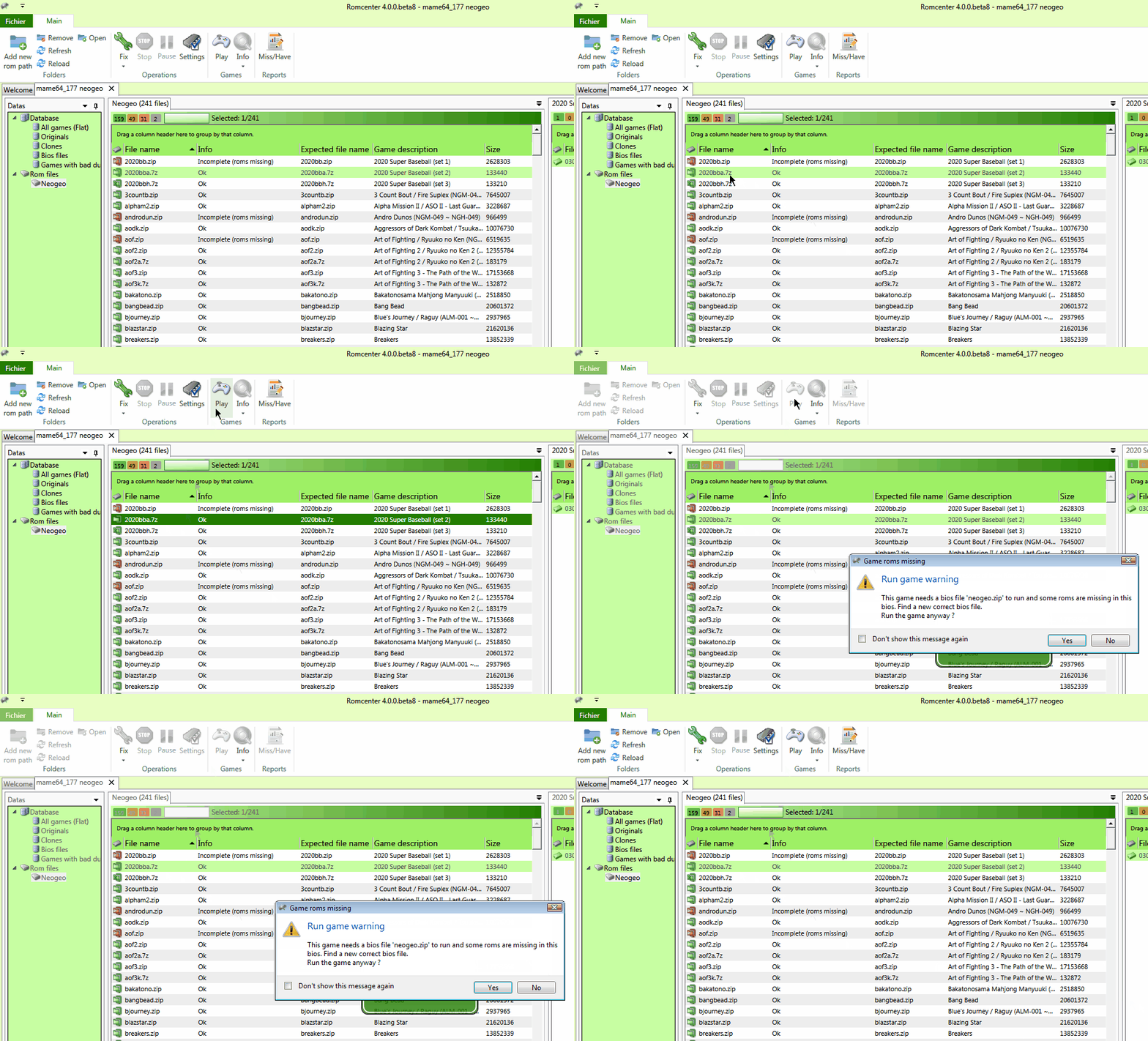
Les changements depuis la béta 8 sont les suivants:
– new: When creating a db from an exe, set ‘Emulator exe’ used to run game
– new: Save all dialogs initials paths
– new: Save windows size and location
– new: Clean backstage content when opening menu instead of closing
– new: ‘Update database’ feature.
– new: updated ‘start’ icon on ‘update db’ and create db’ dialog
– new: Unified filter dialog
– new: Save filter settings in db
– new: Merge ‘create from dat’ and ‘create from exe’ menu.
– new: yellow flags for bios
– new: Change ‘backstage’ and ‘filter’ dialogs colors
– new: Confirmation dialog on ‘clean up db’
– new: warn if log file is readonly at startup.
– new: workitem #2: Convert rom size in KB/MB/GB
– new: Handle Miss/Have file exceptions
– Fix: Some dialog boxes still hidden behind main window
– Fix: ‘Clean up’ operation doing nothing
– Fix: Random deadlock when renaming files
– Fix: Random deadlock when removing roms
– Fix: Destination of moved roms and bios not always the best
– Fix: Empty tab sometimes created
– Fix: Log file not always written (access denied)
– Fix: Miss/Have file not always written (access denied)
– Fix: Issue 14: shell batch not working with unicode char.
– Fix: Issue 15: Random ‘null reference’ exception when removing roms.
– Fix: update conflict when removing roms
– Fix: Empty sub folders not always removed
– Fix: general exception handler
– Code clean up
Joyce est le meilleur émulateur Amstrad PCW disponible. Conçu sous Linux, il a été porté facilement sous Windows depuis qu’il utilise le SDL.
– compilation fixes for recent GCC versions. Since these only apply to Linux source builds I haven’t done a new Windows pack.

