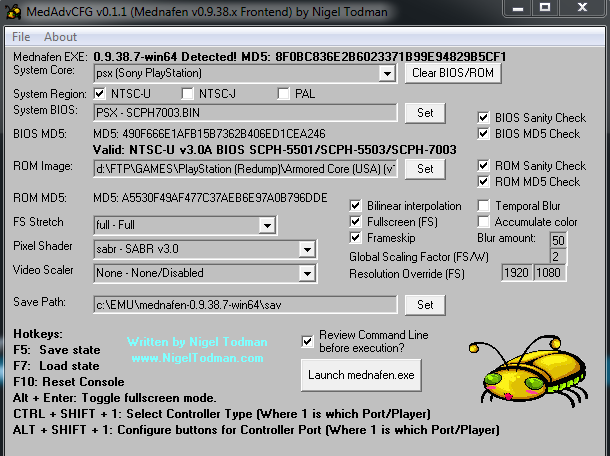
MedAdvCFG (ou Mednafen Advanced Configuration) est un frontend créé par Nigel Todman destiné à l’émulateur Mednafen.

 
– Now supports SNES/NES Controllers
– Auto-Clears/Auto-Populates based on SysCore
– Now ignores BIOS/ROM Sanity checks on all SysCore except PSX
– Various code optimizations

 
MedAdvCFG-11
 

Télécharger MedAdvCFG v0.1.6 (133,8 Ko)

Site Officiel

En savoir plus…

Il s’agit d’un ficher DAT regroupant plusieurs informations retraçant l’historique des avancées de l’émulation des jeux ainsi que des informations sur eux au sein de MAME (arcade/consoles/ordinateurs), il comporte également une section « tips and tricks ». En anglais.


Télécharger History.dat v1.75C (4,3 Mo)

Site Officiel

En savoir plus…

Ce fichier folder pour MAMEUI vous permettra de trier vos jeux par séries. Il est bien sûr à mettre dans le sous-répertoire Folders de MAME(Arcade).


Télécharger Series.ini v0.175 (34.9 Ko)

Site Officiel

En savoir plus…

Voici les derniers émulateurs (et aussi les plus fréquemment mis à jour) en cours de développements.


Citra: Emulateur de 3DS.

RPCS3: Emulateur de Playstation 3.

Nucleus: Emulateur de Playstation 3.

SuperModel: Emulateur de Sega Model 3.

Decaf-Emu: Emulateur de Nintendo Wii U préliminaire.

Xenia: Emulateur de Microsoft X-Box 360.

Cen64: Emulateur de Nintendo 64 Préliminaire.


Télécharger Citra (Final build) (2024/03/07) (140 Mo)

Télécharger RPCS3 v0.0.43 Alpha (36.7 Mo)

Télécharger Nucleus (WIP) (2016/08/28) (715 Ko)

Télécharger SuperModel v0.4 Build 261117 (5.2 Mo)

Télécharger Decaf-Emu Build 231109 (40.8 Mo)

Télécharger Xenia v1.0.2844 (2026/11/19) (3.9 Mo)

Télécharger Cen64 (WIP) (2022/10/02) (2.6 Mo)

Créé par Mamesick et originellement destiné à son émulateur MAMEUIFX, il s’agit de M1 avec un frontend intégré (et simplifié) dans un seul exécutable et permettant de régler le volume ou même d’enregistrer.


m1fx
 
Changements:
– Compiled with old GCC 4.4.3 to fix « Game is silent » bug in NeoGeo and others sound hardware games.
– Small source code improvements.

 
Concernant MAMEUIFX et sont arrêt (encore une fois, ca sera jamais que la 5 ou 6ieme fois), en voici la cause:
 
Hello, guys.
 
I’m very unhappy to announce that MAMEUIFX development is going to finish.
After 14 years of fun, in every sense, I have to quit. No, this time is not due to another MAMEDev useless attempt to make FX disappear from the scene. It’s something more serious.
The Hotel where I worked in these last 10 years as receptionist and part-time waiter, will cease its activity after the end of August. So, in few words, I’m going to lose my job.
My expectations for the future are now not good, the first thing I will have to do will be go back to Milan where my mother lives and go back to her house with few money and without a work.
I’m 41 years old and even if stay with her for a while will be a pleasure, I will have to re-build my life again… Find a new job (not so easy as it seems) and a new house.
So you must imagine that the time I will be able to dedicate to MAMEUIFX in the next months will be very very small if not completely null. I will be busy with a lot of other things.
Though this is not the only cause even if it’s the most important one. I’m no more interested in MAME and arcade emulation in general. It’s at least two years that I have this feeling. I continued to follow the MAME Development mainly to keep alive and updated my MAMEUIFX but if I have to be sincere, the games I was interested in are “perfectly” emulated from at least 5 or more years. Plus, the computer/consoles I’m interested in like COMMODORE 64, AMIGA 500, ATARI 2600, ZX81 SPECTRUM are badly emulated in MAME and there’s plenty of better dedicated emulators out there. I don’t see anything appealing in what is happening to the MAME project from a global perspective: with their obsession to make it universally compatible with every Operating System available on the earth they created a giant software that become slower and slower on every new release. Soon nobody with a 32-bit OS will be able to compile it and probably neither use it. It’s up to you decide if this is only my personal opinion or it’s a real fact.
Now two words about MAMEUIFX. The GUI code is, without any arrogance, perfectly working and from my point of view, completed. There’s nothing left to do, I think. Yes, of course other features/improvements could be added and made, like for example support for 4K resolution monitors, but due to the fact that the project is going to finish, my objective is reached. As it is now, FX is perfectly compatible with old Windows XP and ready for Windows 10. And most important thing, looks like there are no more GUI bugs to fix.
The modified hacked drivers in FX are not cause of any extra bug, despite what MAME Developers are convinced of. On the contrary, some official MAME bugs are fixed.
The forum and the website will stay online until my free web space provider will decide to put it down. The forum’s new registrations will be closed because I will not be able to continue to check the new accounts and delete/disable the fake ones. Also the vast majority of threads will be locked. Though I hope I will not disappear completely because I imagine there will be replies to this post that I’ll have to read and answer. The source code is still available and will stay in this status for probably a long time, so if someone will desire to continue the project at his own risk, he will be free to do it. It should appear obvious though that MAMEUIFX is dead, so you will be alone. I cannot assure I will be able to help you in continue my build and you will have to choose a new name for it.
I have to thank a lot of people I encountered and known in these 14 years, there’s no need to make a list…
 
I guess you know who you are.
Take care of you all.
Bye.
 
Giulio (Mamesick)
 
P.S. I cannot say if I will release 0.176 or not, probably no, though M1FX 12.0 is coming with a huge bug fixed. See last post in related thread for details.

 
On lui souhaite bon courage. Rien ne dit qu’il ne reviendra pas encore une fois si les choses s’arrangent et peut-être que quelqu’un maintiendra le code en attendant…
 

Télécharger M1FX v12.0 (v0.7.9a1.1) (937,0 Ko)

Site Officiel

En savoir plus…

CHRONO TEAM vous proposent une nouvelle traduction de Chrono Trigger.


Chrono Trigger fut le premier grand projet sur lequel j’ai commencé en 2009. C’est celui qui ma permis de beaucoup progresser sur le RomHacking. Il s’agit aussi du projet qui m’aura demandé le plus de temps pour le finaliser car il a été mit en gestation plus d’une fois. La raison de cette retraduction est que je voulais repartir du script japonais pour être le plus fidèle possible à l’œuvre originale en évitant toutes formes de censures (rapport aux religions, sexes, injures) comme c’est le cas sur les versions officielles sorties sur Snes/NDS.
 

- Dialogues..................... 100 %
- Objets........................ 100 %
- Armes......................... 100 %
- Armures....................... 100 %
- Accessoires................... 100 %
- Age Names..................... 100 %
- Menu.......................... 100 %
- Noms des lieux................ 100 %
- Magies........................ 100 %
- Introduction.................. 100 %
- Crédit de fin................. 100 %
- Graphismes.................... 100 %
- Compression DTE............... 100 %
- Pointeurs 24 Bit.............. 100 %


CT1CT2
CT4CT3

 
Nouveautés:
– Correction d’un bug sur Nouveau Jeu / Nouveau Jeu +
– Correction de beaucoup fautes d’orthographe.
– Revu certaines tournures.

 
Plus d’infos sur le site de nos partenaires.
 

Site de la TRAF

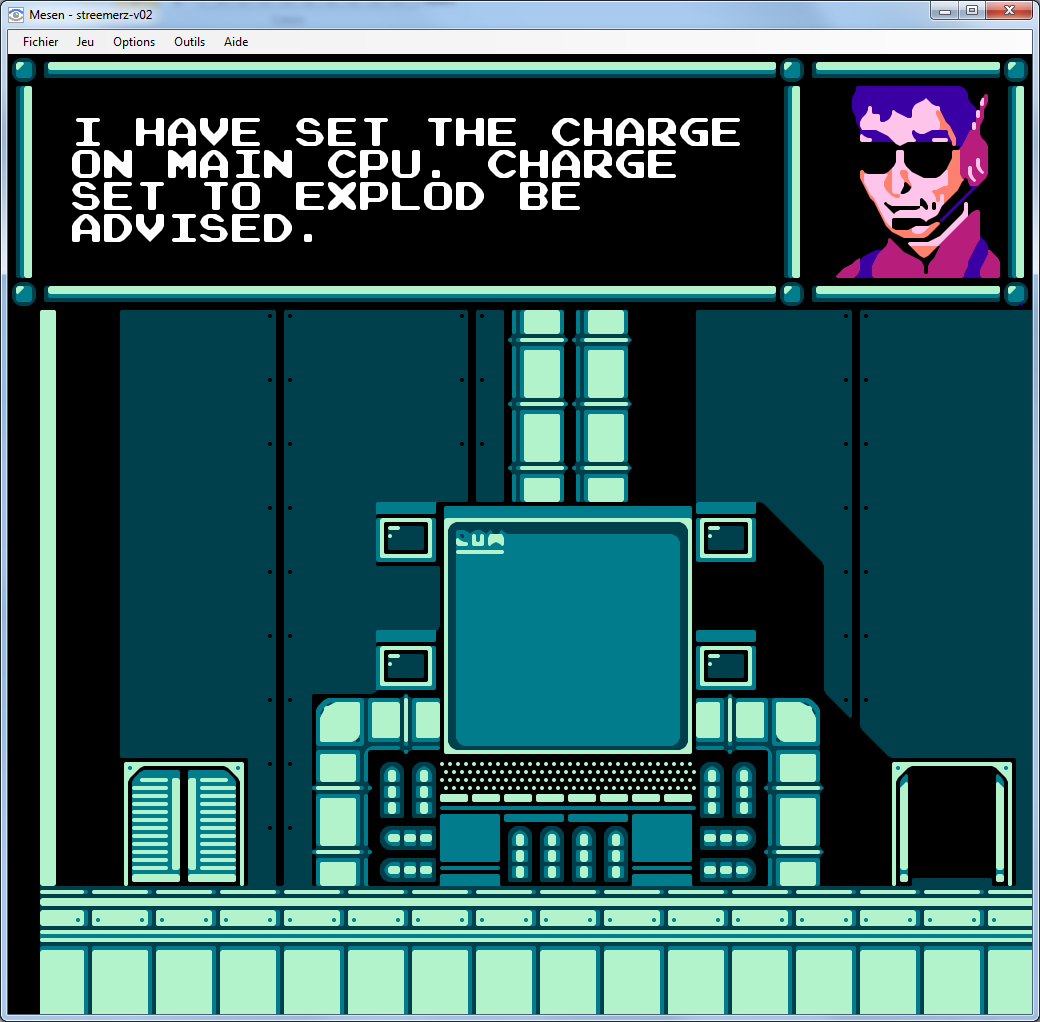
Il s’agit d’un émulateur de Nintendo NES (et aussi FDS, NSF, NSFe, VS System) écrit en C++ (interface en c#) gérant le multi threading et est capable de s’exécuter en mode 32 ou 64 bits automatiquement. Il s’attarde sur la précision, gère un ensemble de mappers et filtres graphiques (mais aussi les packs HD au format HDNes) ainsi que les extensions zip/7z, permet l’enregistrement vidéo, le jeu en ligne ou encore d’utiliser des codes de triches. De plus, il se mettra à jour automatiquement. En outre il dispose également d’un débogueur.


Il vous faudra disposer de Windows Vista, 7, 8, 8.1 ou 10 ainsi que DirectX 11 avec .NET Framework 4.5+ d’installé.
 
Je précise que cet émulateur met déjà la barre à un haut niveau, et ce n’est que le début. Bref à suivre de prêt 😉

 
Mesen
 

Télécharger Mesen v2.1.1 (33.5 Mo)

Site Officiel

Un plugin pour émulateur de PS1 et PS2 utilisant XInput permettant d’émuler une manette DualShock sur les émulateurs Playstation et DualShock 2 pour l’émulateur de Playstation 2 PCSX2. Il est également compatible avec la plupart des émulateurs N64 (cette version ne supporte plus NullDC et Chankast).


Forum officiel.

Télécharger Pokopom PSX Pad Plugin (WIP) v2.1.0 (2016/07/06) (39,9 Ko)

Site Officiel

En savoir plus…

Il s’agit de FBA Shuffle faite par Creamymami, contrairement aux versions de KOF2112, cette version est plus proche de la version officielle de FBA.


fba_shuffle_lang


Télécharger FBA Shuffle (x86) [Creamymami] v2.4.0 (2026/11/07) (6.6 Mo)

Télécharger FBA Shuffle (x64) [Creamymami] v2.4.0 (2026/11/07) (7.1 Mo)

Site Officiel

En savoir plus…

Voici les derniers builds de Creamymami concernant MAME(Arcade).


– Caname c’est MAME(Arcade) ne supportant que les jeux CPS et Neo Geo.
– NMamex2 est un build de l’émulateur MAME(Arcade) sous Windows qui ne supporte que les jeux NeoGeo.
– Mame32k c’est MAME(Arcade) intégrant le module Kaillera (jeu en réseau).
– Mame32 More! est une version basée sur Mame Plus! mais compilée avec Kaillera.


Télécharger Caname v0.62.289 (2026/11/07) (2.4 Mo)

Télécharger NMamex2 v0.289 (2026/11/07) (1.7 Mo)

Télécharger Mame32K v0.67.289 (2026/11/07) (9.5 Mo)

Télécharger MAME32 More! v0.84.289 (2026/11/07) (12.2 Mo)

Site Officiel

En savoir plus…

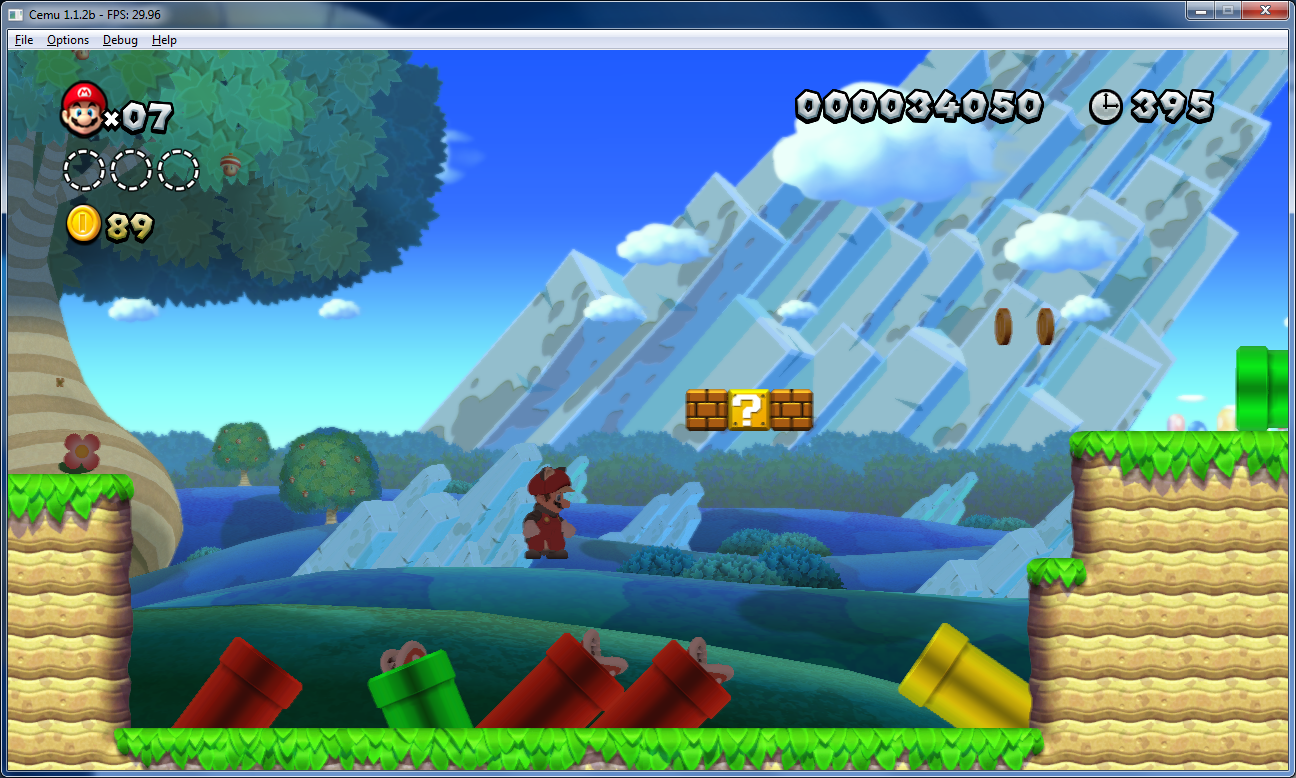
Créé par Exzap, il s’agit du second émulateur de Wii U à être disponible au public mais le premier à pousser jusqu’à l’émulation de jeux commerciaux. Il peut décrypter les images Wii U qui utilisent le format Wud mais également les fichiers RPS ou RPL. La résolution interne peu aller jusqu’à 1920×1080 selon les jeux. A noter que pour le moment, un seul contrôleur est accepté, il s’agit du DRC (GamePad) de la Nintendo Wii U. Cette version n’est compatible que pour les Windows x64 avec une carte graphique gérant OpenGL 4.0 ou supérieur.


cemucemu_mario cemu3
 
Les changements:
 
– Added support for anisotropic filtering
– Added support for sRGB color space
– Added button mapping to simulate ‘Microphone blow’
– Improved recompiler robustness
– Fixed some bugs/crashes


Une liste de compatibilité est disponible ici.
 
Site source.

Télécharger Cemu v1.5.3 (1,9 Mo)

Site Officiel

En savoir plus…

Un joli frontend pour Mame (ou autres), très configurable. Emu Loader est une interface graphique qui se greffe principalement sur les émulateurs Arcade comme MAME, SEGA Model 2, SuperModel ou Daphne. Emuloader permet de gérer votre collection de roms, de vérifier vos jeux et de lancer vos émulateurs.


el


Télécharger EmuLoader v8.1.7 (6,2 Mo)

Site Officiel

En savoir plus…


https://getourbonus.com/fr/accueil

https://www.romspedia.com/