Super Mario World: Mario to Yoshi no Bouken Land, ou Super Mario World: Adventure Land de Mario & Yoshi, est une vidéo interactive animée sur la base du jeu Super Mario World . Elle est conçue pour une utilisation avec le système Terebikko de Bandai qui utilise un microphone en forme de téléphone à «interagir» avec la vidéo. Elle demande les questions à choix multiples.


Il n’existe pas d’émulateur Bandai Terebikko et il n’en existera probablement jamais. C’est pourquoi nous vous proposons ce titre 🙂 . La qualité n’est pas fantastique, la VHS datant de plus de vingt ans, cela reste une rareté.


Mario_and_Yoshi_Adventure_VHS


Cette vidéo est sous-titrée en anglais (sous-titres incrustés). Traduction par Bluesun, Timing par Kiddo Cabbusses.  Source : Chaine Kiddo Cabbusses (Youtube)


Vous trouverez des informations à propos de cet animé interactif sur Mariowiki.com.
A défaut d’émulateur, vous pourrez toujours vous amuser à taper les réponses sur votre pavé numérique 🙂


Télécharger Mario & Yoshi’s Adventure Land (Terebikko) Sous-titré ENG (218,7 Mo)

Site Officiel

En savoir plus…

Il s’agit d’un pack de shaders au format .fx destiné à PCSX2 et à son plugin GSdx. Le pack GSdxFX a été mis à jour.


Télécharger PCSX2 Shaders Pack (15/03/2015) (3.0 Mo)

Site Officiel

En savoir plus…

HBMAME (HomeBrew MAME) est une version non officielle de mame permettant l’ajout de nombreux jeux maison et hacks divers. A noter que des packs de snaps et artworks sont disponibles sur le site officiel.


Les changements:


2015-03-15 r36430
Thanks to various sources of information: Newuzer


– fixed graphics in svcd
– bbredux updated to latest patch


UI build:
— Added « Video: OpenGL » selection.


New Games
– [kof96ae] King of Fighters 96 (10th anniversary set 2)
– [kof2k2mpu] King of Fighters 2002 (Plus)
– [kof2k2or] King of Fighters 2002 (3rd strike of Orochi)
– [kof2k2sm] King of Fighters 2002 (Super Mix 2013)
– [kof2k4se1] King of Fighters 2004 (alternate set)
– [robotronp] Robotron (patched)
– [umk3te] Ultimate Mortal Kombat III Tournament Edition 2.0.032b8 (Public Beta)


Télécharger HBMame (32 bits) v0.289.4 (18.5 Mo)

Télécharger HBMame (64 bits) v0.289.6 (50.3 Mo)

Télécharger HBMame GUI (64 bits) v0.289.6 (50.7 Mo)

Télécharger HBMame GUI (32 bits) v0.289.4 (18.7 Mo)

Site Officiel

En savoir plus…

La dernière version béta publique de l’excellent WinUAE, l’émulateur Commodore Amiga.

Topic Version Beta


Changements :

Beta 12:

- Do not force full display reset when switching to/from programmed mode and autoresolution is active and mode is D3D. (D3D can switch display buffer size without closing existing window)
- Added config file option to force UAE boot ROM active even if current configuration does not need it. boot_rom_uae=automatic/disabled/min/full. automatic (or line not included)=normal default, disabled=always disabled (all features that require uae boot rom stop working), min=only add old-style $F0FFxx traps).
- Serial port emulation (if connected to real serial port) lost characters if transmit speed was fast enough. Broken since 2810b4.
- Raw SCSI emulation improvements and updates.
- WD33C93 emulation didn't allow use of select and transfer to split single transfer in multiple pieces.
- Kupke Golem SCSI emulation.
- Microbotics A1000 StarBoard 2 StarDrive SCSI expansion board emulation.
- J.Kommos A500 SCSI emulation, 1.8 rom added.
- Vector Falcon 8000 emulation. ROM created from disk based driver.
- M-Tec AT 500 emulation.
- Protar A500 HD emulation.
- Added AdIDE 40/44 emulation.
- Masoboshi SCSI read access works again, writes are still broken. (Driver is strange, it uses code path that simply can't work, writes 16 extra bytes. There is another code path that looks correct but there are lots of unknown variables that are set here and there..)
- Kupke Golem 030 A500 accelerator and boot rom added ("68030 Autoconfig (17-FEB-91) V1.0 ET")
- Added manufacturer names to HD controller selection.
- Reorganized internal accelerator board handling.
- GVP Series I ROM and buffer RAM mirrors now 100% match real hardware.
- Memwatch points didn't work with autoconfig address bank.
- Refactored expansion board handling yet again, multiple identical boards are supported again.
- Added GUI support for multiple identical HD controller boards. Current max is 4 boards.
- Selecting some accelerator ROM file (for example CS MK I and II) also added it to cart rom file.
- Show only mainboard HD controllers and enabled (ROM selected) expansion controllers in HD controller selection list. (CDTV and some others are not yet hidden, much more work to do, later..)
- Added "Velvet" A1000 prototype to chipset selection. Floppy IO lines are not hooked to CIA chips correctly, probably lots of other minor changes that are not known yet are not emulated.
- Show floppy image's original file name in status bar even if file needed decompression or converting.

Microbotics StarDrive SCSI:
- A1000 StarBoard 2 RAM expansion optional HD controller module.
- Text based partitioning software.
- 5380 based, no autoboot ROM, no RDB support.
- Clock not emulated.

M-Tec AT 500:
- 1.33 ROM added. "mtec-at500.device mtec-at500 1.33w (08 July 1993)"
"(c) Hardware Design Udo Neuroth, Bottrop, Dieter Niewerth, 1992 1993"

AdIDE:
- 68000 socket.
- Uses custom data bit swapping (drive partitioned with AdIDE won't work in any other IDE controller and vice versa), emulation will automatically read/write non-swapped data.
- Uses RDB but does not seem to be fully compatible, other controller partitioned drives don't mount.
- ROM was software dumped, real chip probably has swapped address or data lines similar to IDE data lines.

Kupke Golem SCSI:
- Fake dma interface.
- Tested with 3.8 and 3.9 drivers. 3.9 rom added.

Protar A500 HD:
- ROM only has small loader code, loads driver from HD. (If drive is unformatted, press mouse button to boot from floppy)
- 8490 chip (improved version of 5380). 8490 extra features not emulated, at least Protar driver does not use them.
- ROM added, unknown version. There probably is later version because only 1.4 (1.x?) boot disks detect the hardware.

J.Kommos A500 SCSI:
- Strange non-autoconfig autobooting HD controller, uses cartridge ROM space.
- Byte-based fake dma.
- Boot HD detection screen.
- Not RDB compatible.
- ROM includes 36.3 FastFileSystem handler.
- jkscsi.device, "Autoboot SCSI-HardDisk By J.Kommos Date: 25.07.1990".

Vector Falcon 8000:
- Improved version of Kommos SCSI.
- More or less functionally same as Kommos but most glue TTL chips and GALs put in single FPGA-like chip.
- Long word/word based fake DMA.
- More colorful boot HD detection screen.
- vector.device. "Autoconfig 16 Bit SCSI + CD-ROM Driver (©) by J.Kommos V7.1 - 11.08.1993"
- ROM includes CD ROM filesystem.
- Bad filesystem loader: must be single hunk, only loads filesystems if KS 1.3, ignores all relocation hunks.


Télécharger WinUAE (Public Beta) v3.1.0 Beta 12 (4,3 Mo)

Site Officiel

En savoir plus…

ZXMAK2 est un émulateur de Sinclair Zx Spectrum écrit en C#. Il nécessite DirectX9 et .NET Framework 4.0.


zxmak2zxmak21


Les systèmes suivants sont émulés :
– ZX Spectrum 48, 128, +3
– Pentagon 128/512/1024
– SCORPION 256
– ATM 4.50 / 7.10
– PROFI 3.xx / 5xx
– SPRINTER
– QUORUM 256
– Leningrad 1
– LEC 48/528
– et quelques variantes


Changements :

r38443
Debugger:
– improvements in assembler(syntax highlightning configuration)
– some small code refactoring

r38440
Move some files into folder


Télécharger ZXMAK2 v2.9.3.8 (19.6 Mo)

Site Officiel

En savoir plus…

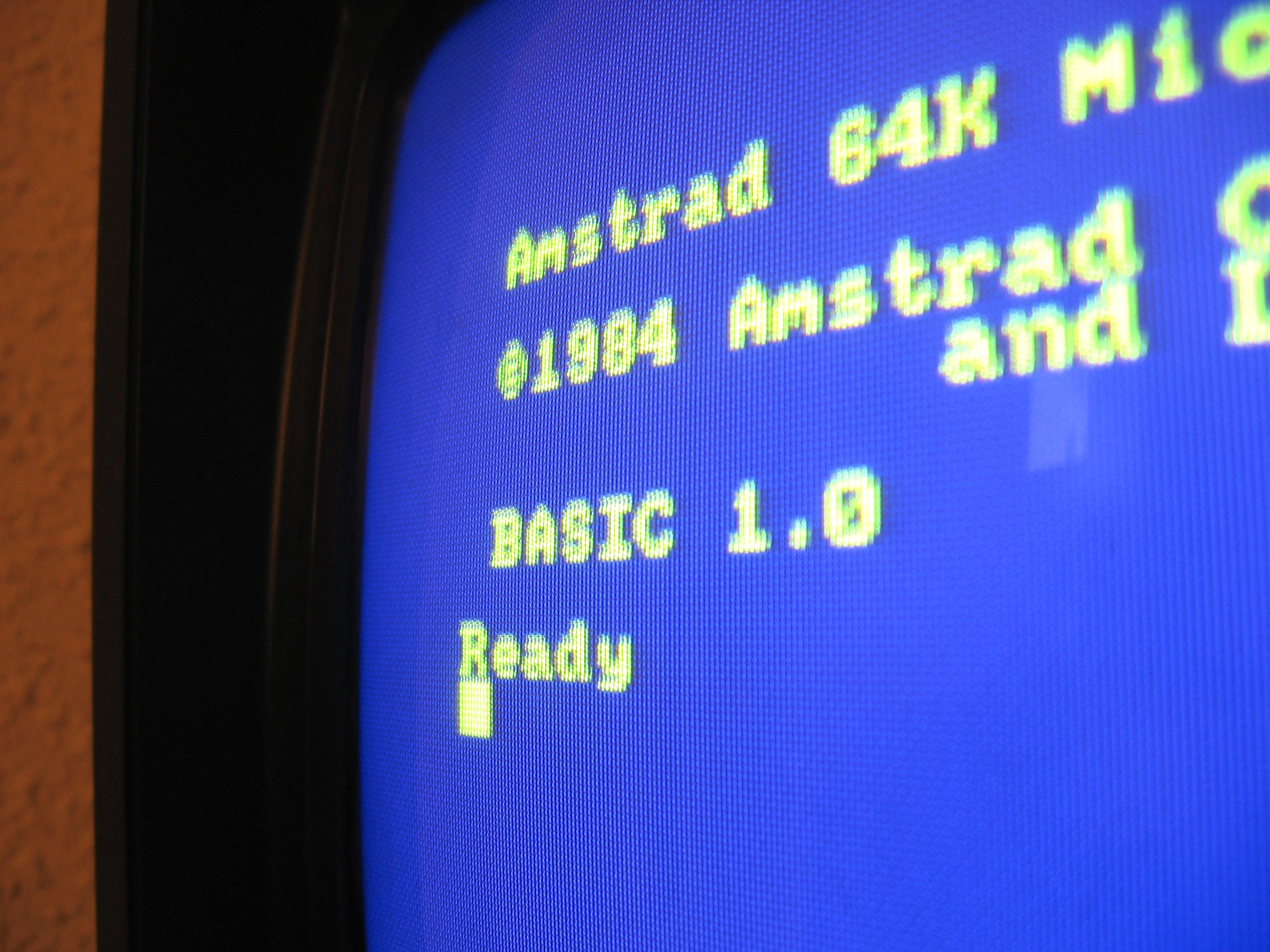
Vous avez sans doute constaté ces derniers temps un regain d’intérêt pour le bon vieil ordinateur Amstrad CPC, vendu dans les 3 millions d’exemplaires dans les années 80.


Amstrad_CPC_screen_closeup


En effet, JavaCPC est en passe de devenir l’émulateur tant espéré par la communauté grâce à ses fonctionnalités et ses mises à jour pertinentes.


D’ailleurs en voici encore une qui vient de tomber !
|19:56:26| Devilmarkus: just i fixed a bit the GUI for bdd
|19:56:37| Devilmarkus: you can run update.jar to check

 
Watch live video from JB_le_Daron on www.twitch.tv


D’autre part, Amstrad.eu se revivifie dû à la réparation de son Tchat avec notamment les visites régulières de différents auteurs d’émulateurs (Sugarbox, Pc-CPC…) et de démomakers. Ce soir est prévu (et cela devrait être le cas tous les 15 jours) une session de jeux en streaming, disponible aussi sur Twitch.


Au menu : 1 ou 2 jeux d’aventures textuels qui n’ont pas de solutions connues, nous devrons donc faire un brainstorming de nos cerveaux érudits pour progresser^^ afin de rajouter la solution chez notre partenaire CPC-Power ! Donc RDV sur le Tchat d’Amstrad.eu. Logguez-vous et bienvenue !


Site Officiel

L’ultime collection des simulateurs disponibles à ce jour. Attention ! La collection de Connie ne comprend PAS les jeux électroniques « seuls » disponibles sur Emu-France. Cette collection est gérée par Connie, auteur actif de DATs (référencement de collections de logiciels) sur la scène de l’émulation.


g&w


‘Gears of Games’ est une excellente chaine sur les simulateurs (ici Grabman) à laquelle collabore Madrigal !


Télécharger Handheld Remakes (Simulators) (2015/03/08) (593,8 Mo)

Site Officiel

En savoir plus…

Conçu pour gérer les roms MAME, ClearMAMEPro supporte également tous les dats au format CM, mais aussi XML, permettant de gérer efficacement vos collections de roms & isos. Le manager le plus complet.


clrmamepro


Changements :
-fixed: official 7z bug which causes a crash when a fake 7z archive file is being processed
-fixed: rebuilding bios files in hash collide full merge mode creates dupes (this also affects dat export)
-fixed: wrong statistics « wrong named chd count »


Télécharger ClrMAME Pro (x86) v4.018 (2,7 Mo)

Télécharger ClrMAME Pro (x64) v4.050 (4.5 Mo)

Site Officiel

En savoir plus…

Débuté en 1996 sur diverses plateformes car hautement portable, MasterGear est gratuit depuis le 11/03/2015 dans ses versions Windows.


FireAndForget2


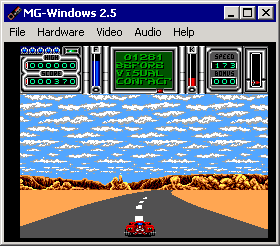
MasterGear (MG) est un émulateur des systèmes Sega 8 bits. Il supporte la Sega MasterSystem (Mark3 au Japon) et GameGear, ainsi que leurs prédécesseurs : SG1000, SC3000, SF7000, et Mark2. MasterGear dispose aussi d’un débogueur.


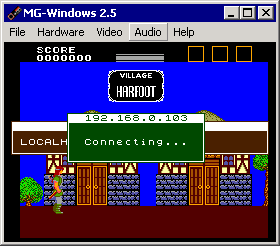
NetPlay


The latest version, released on March 11 2015 and the first one since version 2.6, fixes many Z80 instructions, adds accurate R-register emulation, much improved SN76489 PSG emulation, ActionReplay cheats, support for .IPS patch files, the Instant Replay and the Cheat Hunter features, previously introduced in MG-Android.


Debugger


Télécharger MasterGear (Windows) v3.2 (139.0 Ko)

Site Officiel

En savoir plus…

LaunchBox a été conçu comme une interface attrayante pour DOSBox, mais a depuis été élargi pour supporter à la fois les jeux PC modernes et les consoles émulées. DOSBox continuera d’être une priorité principale pour LaunchBox.


Il peut rechercher dans la database TheGamesDB.net (une base de données en ligne communautaire qui permet à quiconque de contribuer)  pour les metadatas & box-arts. Il peut exporter les fichiers image, dispose d’une meilleure compatibilité avec dropbox.


LaunchBox comprend des processus d’importations automatiques pour Steam, D-Fend Reloaded, et les fichiers ROM pour des gains de vitesse.


LaunchBox-3.6


  • New game controller button options for Page Up, Page Down, Flip Box, and Play Music
  • New batch import for DOS games
  • Drag and drop ROM files or DOS games into LaunchBox to import them
  • Batch update metadata with the new Download Metadata and Images Wizard
  • LaunchBox will now automatically organize your game files on imports, if asked
  • DOSBox/ScummVM/Emulators can now be manually launched from the right-click menu
  • The controller’s Z axis (triggers) can now be used to scroll
  • Imports now happen in the background (keep using LaunchBox during the imports!)
  • Numbers sorting has been fixed
  • Retroarch command prompt windows are now hidden
  • Added default emulator settings for Retroarch and PCSX2
  • Changed the “Launch Random Game” feature to be “Select Random Game”
  • Updated the local games database from TheGamesDB.net
  • Left and right arrow keys will now move focus between the sidebar and the games view
  • Fixed search box clear button not rendering correctly when using default Windows styles


Télécharger LaunchBox v4.5 (21,6 Mo)

Site Officiel

En savoir plus…

DBGL est une interface graphique en JAVA pour DOSBox, qui se base largement sur l’interface D-Fend. Elle gère plusieurs profils, plus de 1 000 si nécessaire, et il est possible d’en importer de D-Fend. Elle accepte plusieurs versions de DOSBox. Elle supporte les archives compressées au format 7z. Enfin, elle simplifie bien sûr le lancement de jeux sous DOS.


dbgl


– Implemented DOSBox configuration sharing – share your DOSBox configurations with the community. A small database and HTTP RESTful service allows for submission and retrieval of configurations. The submissions are moderated by hand for the coming time. Once accepted, your submitted configurations become available to other DBGL users so that they can use them for setting up their game configuration. If you’re a developer and are interested in using this public RESTful service, please contact me via Vogons or e-mail.
– Added support for the -fs and -size parameters when using the DOSBOx imgmount command. If you’d like to use the hdd image-mounting feature using an existing DBGL installation, you need to make a manual change in settings.conf. Please find the line for imgmount_type (around line 278) and add hdd, like so: imgmount_type=iso floppy hdd
– Added support for booting from a specific drive letter (for example ‘boot hdd.img -l C’).
– Fixed a regression (since version 0.75c) when using multiple booter images, on opening of the profile-editing dialog only the first image-file would be filled in.
– Refactored and improved boot/mount/imgmount command parsing.
– Improved opening links associated with a profile so that the correct external application is used (Jan Larres).
– Fixed importing GamePackArchives with very specific files on Windows systems (Neville).
– Fixed a couple of rare crash-issues, various minor interface improvements.
– Added a Greek translation by BraiNKilleR, a Slovenian translation from R33D3M33R, a Finnish translation from Joona Murtovaara and a Portugese-Brazillian translation by Odmar Miranda. Some translation improvements for Spanish and Polish done by Neville and ZeroX4.
– Upped the system requirements from Java 1.5 to Java 1.7.
– Updated launch4j, commons-io, commons-lang and Junit. A jersey-2.13 lib was added and SWT was updated to 4.4.2. On Linux systems, GTK2 is used in favor of GTK3, for the moment.


Télécharger DBGL v0.79 (10,7 Mo)

Site Officiel

En savoir plus…

Créé en Mai 2013, PinballX est un frontend gratuit pour jeux de flippers numériques et développé par l’auteur de GameEx. Il est compatible avec les bases de données et les médias disponibles pour HyperPin. Il bénéficie en particulier des processeurs à multiples coeurs.


– A minor update has been released (same version number) which addresses the issue with the front end only matching found gameplay and tutorial videos on the table name and not also the description.


Télécharger PinballX v1.97 fix (57.4 Mo)

Site Officiel

En savoir plus…


https://getourbonus.com/fr/accueil

https://www.romspedia.com/