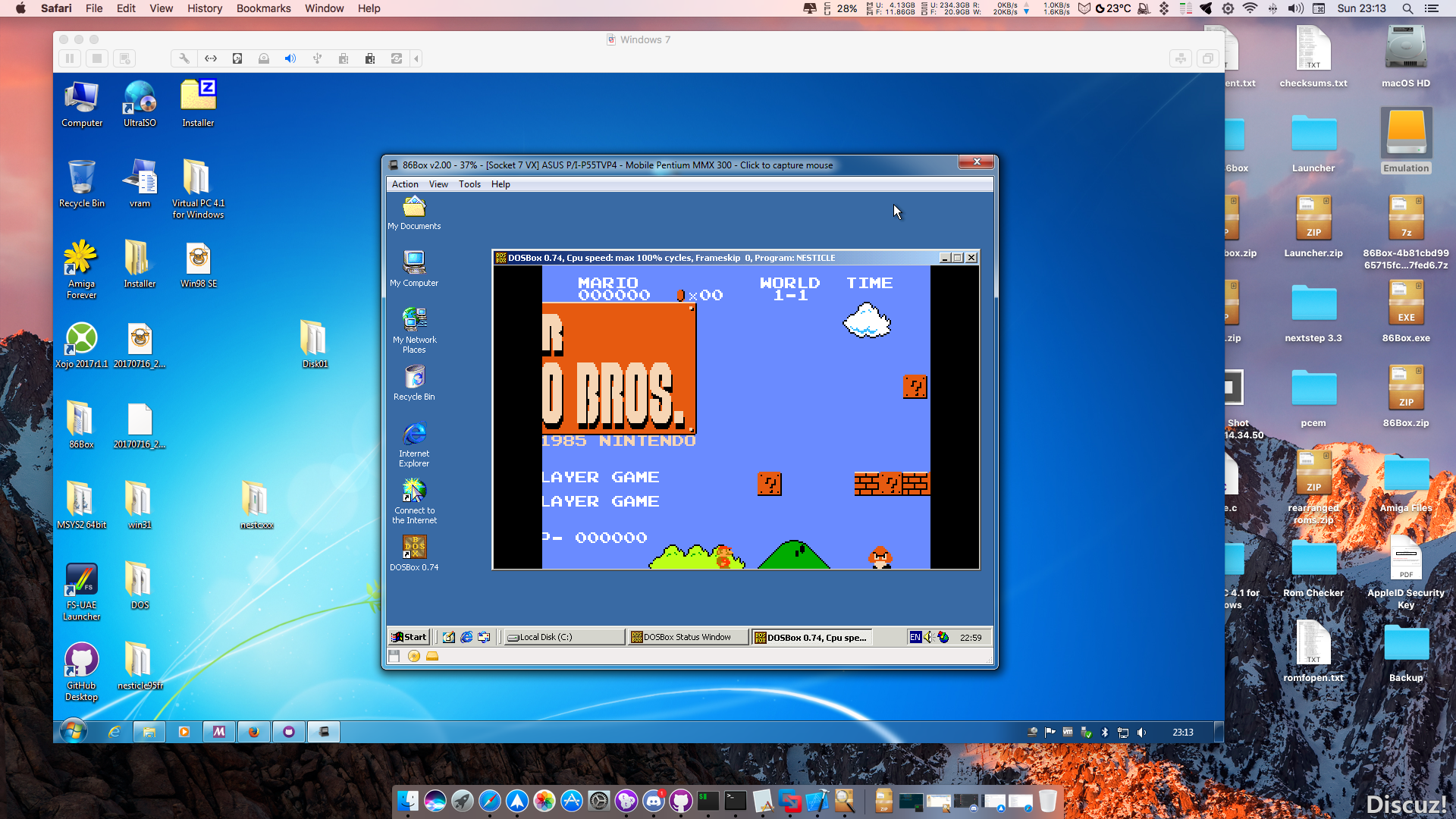
86Box (anciennement nommé PCem Unofficial, PCem Experimental ou PCem-X) est une branche non officielle de l’émulateur PCem, qui vise à émuler des machines compatibles IBM de la période 1981-2000. Cette branche ajoute plusieurs cartes mères émulées. (site de développement de l’auteur)
 
Cet émulateur peut également fonctionner avec cette interface ou celle-ci qui lui sont dédiée.


Les changements en détails sont visibles ici.

 
– Updated Russian translation ru-RU.rc by @KeishiX in #1893
– Fixed Olivetti M19 display bug by @EngiNerd89 in #1886
– Fixed a translating error. by @notmlow in #1901
– Fixed a typo. by @notmlow in #1902
– Fixed a typo under cassette menu. by @notmlow in #1903
– Update simplified Chinese text by @OldMadMan in #1909
– Lower required OpenGL version from 3.3 -> 3.0 by @ts-korhonen in #1911
– opengl: fix for shaders with version directive by @ts-korhonen in #1913
– Fix that POST card’s message is disappearing when language/iconset change occurs by @laciba96 in #1914
– Fix null termination issue in opengl shader version replacement by @ts-korhonen in #1915
– Fix wrong copyright information by @Cacodemon345 in #1916
– Error handling updates on OpenGL 3.0 renderer by @ts-korhonen in #1920
– Update Simplified Chinese translation by @startmenu in #1919
– Made the translation more accurate by @notmlow in #1925
– Fix window resizing not always working by @ts-korhonen in #1940
– Added QEMU’s fifo8 code. by @TC1995 in #1943
– More Joysticks by @jriwanek in #1946
– Uart by @jriwanek in #1947
– Add support for a joystick port at 0x209 by @jriwanek in #1948
– Update pt-BR.rc by @altiereslima in #1950
– Assorted fixes and improvements by @lemondrops in #1952
– Added Kingston MC64 memory expansion card (adf 71d0) which allows up … by @TC1995 in #1955
– Updated and standardized Simp. Chinese translation by @EmpyreusX in #1956


Télécharger 86Box (x86) v4.2.1 build 6130 (31.3 Mo)

Télécharger 86Box (x64) v6.0 build 9001 (57.3 Mo)

Site Officiel

En savoir plus…

Il s’agit d’une interface très simplifiée destinée au projet Libretro (les cores qui composent Retroarch) et qui a été écrite en langage de programmation GO. Plus simple et rapide que l’interface de Retroarch (mais proposant moins d’options), elle sera satisfaire la plupart des utilisateurs.


– Bump GLFW
– Update cores


Télécharger Ludo v0.22.5 (58.1 Mo)

Site Officiel

En savoir plus…

Il s’agit d’une interface utilisateur simple à utiliser destinée à mupen64plus, gratuite et open source elle est écrite en C++.


Télécharger RMG v0.9.1 (88.5 Mo)

Site Officiel

En savoir plus…

Il s’agit d’un émulateur de Sega 8 bits écrit en C++ par Ignacio Sanchez. Il s’agit d’une version en cours de développement.
 
Il émule les machines suivantes:
– Sega Mark III
– Sega Master System
– Sega Game Gear
– Sega Game 1000 (SG-1000)
– Othello Multivision


Télécharger GearSystem GIT (2026/10/22) (2.9 Mo)

Site Officiel

En savoir plus…

Un émulateur de Nintendo GameBoy écrit en C++ (lire les pré-requis pour que l’émulateur s’exécute). Il s’agit d’une version en cours de développement.


Télécharger GearBoy GIT (2026/10/22) (2.8 Mo)

Site Officiel

En savoir plus…

Il s’agit d’un émulateur de Playstation. (Builds automatiques).
 
– cpu: remove state check in execution loop
– cpu: don’t store opcode in cpu struct
– system: disable BIOS hooks by default
– system: Enable DUART log & BIOS stdout patching
– Misc fixes etc.


Télécharger Avocado (x86) r784 (2.2 Mo)

Télécharger Avocado (x64) r784 (2.4 Mo)

Site Officiel

En savoir plus…

Créé par Avery Lee (l’auteur de VirtualDub), il s’agit d’un émulateur d’Atari 8 bits (800/800XL/130XE) disponible en 32 et 64 bits. Il dispose de beaucoup d’options ainsi que d’une bonne compatibilité. Il prend en charge les jeux protégés conformément à l’émulation. Il s’agit d’une version de développement au stade de béta.


Topic des versions Beta.

Télécharger Altirra (Beta) v4.50 Test 26 (7.7 Mo)

Site Officiel

En savoir plus…

La dernière version béta publique de l’excellent WinUAE, l’émulateur Commodore Amiga. La traduction est signée Tradu-France.


Les changements ici.
WARNING: don’t use it you aren’t sure, this is « more beta » than usually.
 

Télécharger WinUAE (Public Beta) [32 bits] v6.1.0 Beta 21 (5.3 Mo)

Télécharger WinUAE (Public Beta) [64 bits] v6.1.0 Beta 21 (8.5 Mo)

Télécharger WinUAE (Public Beta) [32 bits] v6.1.0 Beta 21 FR (5.4 Mo)

Télécharger WinUAE (Public Beta) [64 bits] v6.1.0 Beta 21 FR (8.5 Mo)

Site Officiel

En savoir plus…

Il s’agit d’un émulateur de GameBoy Advance écrit en C++ encore au stade expérimental.


– Audio: added a high-quality software/HLE mixer for the MusicPlayer2000 sound engine
– Platform: added a new Qt frontend with OpenGL post-processing options
– PPU: render sprites one scanline ahead (fixes #130)
– PPU: fix an off-by-one in the OBJ draw loop
– PPU: apply OAM draw limit only on OAM (instead of pixel) boundaries for now
– PPU: fix Mode4 transparency (fixes #169)
– PPU: emulate BG enable delay (fixes #94)
– PPU: update internal (affine) X/Y registers only if the BG is enabled (fixes #177)
– Memory: handle 16-bit KEYCNT writes (fixes #152)
– Memory: HALTCNT and POSTFLG should only be writable from BIOS code
– Memory: mask top two bits of the IE register
– DMA: each DMA channel should have its own memory data register (MDR)
– CPU: rework IRQ signal propagation delay
– CPU: improve IRQ exception timing
– CPU: emulate user-mode LDM bus conflict
– CPU: handle invalid CPU modes
– CPU: emulate MSR user-mode restrictions
– CPU: boot into supervisor mode instead of system mode
– CPU: handle rD=r15 edge-case in CMP/CMN/TST and TEQ
– CPU: Thumb ALU shifts now mask the shift amount
– CPU: fix unsigned multiply-long timing
– EEPROM: fix address masking


Télécharger NanoBoyAdvance (x64) v1.8.3 (12.6 Mo)

Télécharger NanoBoyAdvance (x86) v1.3.0 (1.4 Mo)

Site Officiel

En savoir plus…

Il s’agit d’un projet de recherche créé par exjam, en vue d’une émulation de la Nintendo Wii U. Il vous faudra Linux ou Windows en version 64 bits ainsi que Directx 12 ou OpenGL 4.5 ou Vulkan et les bibliothèques de Visual Studio 2017 pour espérer le faire fonctionner.


Builds automatiques ici. 
 

Télécharger Decaf-Emu Build 231109 (40.8 Mo)

Site Officiel

En savoir plus…

Il s’agit d’un frontend multi-émulateurs qui va mettre en avant les « box art ».


– added Dutch translations thanks to @Vistaus 🎊
– fixes for PlayStation controller recognition
– updated database files
– yuzu is now the default Nintendo Switch emulator


Télécharger Nostlan (Gratuit) v2.6 (115 Mo)

Site Officiel

En savoir plus…

Raine est un émulateur Arcade/NeoGeoCD ainsi qu’une excellente alternative à MAME.


En résumé:
 
v0.92.4.3:
The gui bug was actually recent, it’s because I added something so that the game part can pre-process the gui events to simplify the code and avoid to duplicate things. It pre-processed the buttondown event, but not the buttonup, yeah I might have gone a little too fast on this one ! Anyway 2 new binaries, probably the last ones for 0.92.4 this time, it’s for windows only of course.
 
v0.92.4.2:
Got a new idea for this mess between d-pads and sticks, and easy to implement, so I just uploaded a new binary still with the same version, compilation date december 21st this time, I hope it will be the last !
The idea is very simple, I should have thought about it earlier : when receiving an event from the d-pad, just cancel any event coming from the sticks until a stick move of at least 16000 in value, which is half the maximum distance it can move in any direction. This replaces the previous dead zone detection which didn’t work with some models.
This filtering is done for the games and for the gui, so it should fix everything.

 
v0.92.4.1:
Ok, since I forgot to upload the linux version last night, I took the time to fix the dpad in the gui which I completely forgot. Actually xbox controller dpad worked, it’s only the playstation dpad which didn’t work since it isn’t advised as a hat. For info in sdl-1.2 versions the playstation controller had no chance to see its dpad work in the gui because it wasn’t seen as a hat at all. Anyway now the hat works in the gui only if the controller is recognized, otherwise you’ll just have to use the stick or the keyboard.
 
There was also a small bug in dealing with controllers events, this one probably could show only if using more than 1 gamepad at the same time. So I’ll upload 2 new binaries with the same version number. Just check the compilation date it should show december 20… there is no proxy on this server afaik, so redownloading the file should work without problem.
 
Just uploaded the 2 new windows binaries, and the 2 linux packages, mission done, merry christmas, and see you later !
 
edit : oh, and also I took back the options to control the automatic repeat of joystick events in the gui. They were removed from sdl2 for the bad reason that it’s easy to do without it, actually I used only the 2 constants for the default delay and then interval for the auto repeat. Anyway it’s back in the options, and it works (and the default interval is now 50 instead of 30, which was too fast).

 
v0.92.4
Finally more time to finish this one… I even thought about adding something new to emulate for a while, but too many things to do for that for now, maybe later… So the main fixes are around the game controllers, and the dead zone of some which canceled the moves from the d-pad. Also there are about 100+ new recognized game controllers for linux, and 400+ for windows ! (more people would use windows ? What a surprise !). All these new controllers mappings come from there : http://raine.1emulation.com/download/latest.html
The other big part is the improvement for cps2 rasters, and the priorities in xmvsf, notice the priorities are still not perfectly emulated, there are probably places left in some cps2 games where there are problems.
 
Except that most of the emulated games are now rendered in 16bpp because most of the emulated games have color palettes of 16bpp or less. 2 exceptions : the taito f3 games, and macross +, for these 2 it’s still 32bpp, for all the others it’s 16bpp. The reason ? Smaller bitmaps, so it’s faster to draw and faster to render to screen.
 
And there were problems with some taito f3 games, especially in 64 bits, but even in 32 bits there was a black screen for puchcar on boot because of a recent fix. All this should be fixed now… It’s almost a Christmas version this time !


Télécharger Raine (Dos) v0.96.6 (5.3 Mo)

Télécharger Raine (32 bits) v0.97.5 fix (6.6 Mo)

Télécharger Raine (64 bits) v0.97.5 fix (6.6 Mo)

Site Officiel

En savoir plus…



https://getourbonus.com/fr/accueil

https://www.romspedia.com/