Ootake est un émulateur PC-Engine en provenance du Japon et basé sur PC2E, tournant sous Windows 2000, XP, Vista, 7, 8 et 10. Il nécessite Direct X v9.0c au minimum.


ootake
 
– The display delay is removed by 1 frame.
– « Plus 2 frames delay » of Windows Aero(Windows Vista and 7) and Windows
8(8.1)/10 is also removed. Depending on the PC environment, together with
the above, 3 frames delay is removed.
– « Remove Lag 3F », « Remove Lag 1F », « Remove Lag 0F » was added to « Screen »
menu. You can toggle whether or not « the display delay reduction
processing » described above.
When « Remove Lag 0F » is selected, the same display delay as v2.87 or
earlier version of Ootake will be obtained. Switching « 3F » or « 0F » on Aero
(Win7/Vista) or Win8/10, I think that delays(lag) can be experienced with
shooting games and sports games.
+ In addition, I am planning to describe this delay reduction technology on
the Ootake official website soon.
http://www.ouma.jp/ootake/
– XInput compatible game pad can be used. By using Microsoft’s driver,
it was able to use it so far. In this version upgrade, if the input
responds of XInput earlier, it will take precedence.
– Backup RAM (Ten no Koe 2) file has been formatted to save only the
required 2KB. I think that this is probably interoperable with the save
data of Mednafen(wonderful emulator!). You can also read the 8KB file(
« _bram.dat ») saved in the past version and the backup RAM file(
8KB) of another older PCE emulator.
– Fixed a bug (occurred in v2.87) in which buttons IV to VI sometimes did
not work depending on the environment in 6-button pad compatible games.
– The timing approached the operation of the real machine. In
« Terraforming », the problem that the screen collapsed (occurred from
v2.81) has been resolved.
– In VS 2008 in my development environment, the setting at the time of build
prioritized the operation speed.
– Additionally, a detailed part has been improved and corrected.


Télécharger Ootake (2K/XP/Vista/7/8/10/11) v3.06 (1.4 Mo)

Site Officiel

En savoir plus…

Il s’agit d’une nouvelle version de Fightcade mais qui utilise le dernier FBA (0.2.97.4?) + GGPO pour le netplay. Celui-ci est basé sur la version originale de GGPO mais avec quelques améliorations.


Télécharger Fightcade2 v2.1.45 (223 Mo)

Site Officiel

En savoir plus…

Créé par Exzap, il s’agit du second émulateur de Wii U à être disponible au public mais le premier à pousser jusqu’à l’émulation de jeux commerciaux. Il peut décrypter les images Wii U qui utilisent le format Wud mais également les fichiers RPS ou RPL. La résolution interne peu aller jusqu’à 1920×1080 selon les jeux. A noter que pour le moment, un seul contrôleur est accepté, il s’agit du DRC (GamePad) de la Nintendo Wii U. Cette version n’est compatible que pour les Windows x64 (à partir de Windows 7) avec une carte graphique gérant OpenGL 4.1 ou supérieur et il faudra posséder 4 à 8 Go de mémoire vive (Ram) pour le faire fonctionner. (Correspondance ID-Titre).
 
Un tuto est disponible ici.
 

cemu
 
Les changements:
 

En résumé:
– Added friend list support
– Added native wiimote support
– Improved game list
– Bug fixes & various smaller improvements

 
En détails:
# New in 1.12.0d:

– general: Fixed crash when selecting wiimote as emulated controller
 
# New in 1.12.0c:
general:
– Fixed graphic pack custom shaders sometimes not loading
 
# New in 1.12.0b:
general:
– Fixed a bug where wiimote input provider was not displayed in input settings
 
# New in 1.12.0:
general:
– Improved game list
– Added game icons
– Added ability to quick jump to an entry by typing the first letters
– Added ability to navigate with arrow keys
– Added columns for time played and last time launched
– Added option to create gameprofile (if it doesn’t exist)
– Sorting of entries is no longer case-sensitive
– Display a notification while the game list is being refreshed
– Game list no longer refreshes automatically when Cemu is restarted
 
general:
– Friend list support
– Covers most friend features that are used by games
– Wii U friend list app also supported and can be used to manage friends

– general: Faster loading time of Cemu when many graphic packs are installed
– general: Fixed syntax of settings.xml
– input: Added native wiimote support (as separate input provider)
– CPU/JIT: Added support for branches with a destination outside of the current scope of the recompiled function
– zlib(rpl): Added API compressBound
– nlibcurl: Fixed various bugs in multi_perform API
– nsysnet: Added API gethostbyaddr, NSSLAddServerPKIExternal


A noter que des packs graphiques haute définition sont disponibles ici. Ils permettent, entre autre, d’augmenter la résolution native des jeux car contrairement à Dolphin et parce que la machine est techniquement différente il n’est pas possible à Cemu d’augmenter la définition autrement que par cette méthode.
A l’inverse, des packs SD (définitions standards et/ou basses) sont disponibles sur ce lien et permettent à certains PC manquant de performance de lancer des jeux en 60 FPS.

 
Une liste de compatibilité est disponible ici.

 
Site source.

Télécharger Cemu v2.6 (35.6 Mo)

Site Officiel

En savoir plus…

pantheon

 
Il s’agit d’un multi-émulateur qui gère les systèmes suivants avec une superbe interface très simple d’utilisation.
Ordinateurs : Acorn Atom, Acorn BBC Micro, Acorn Electron, Commodore PET, Atari 8-bit, MSX
Consoles : Atari VCS 2600, Atari VCS 5200, Atari VCS 7800, ColecoVision, Magnavox Odyssey 2, Sega Master System, Sega Megadrive, Mattel Intellivision
Consoles portables : Atari Lynx, Sega Game Gear, Nintendo GameBoy


Vous aurez besoin de .NET Framework installé sous Windows. Pantheon est spécifiquement dédié aux jeux.


Le gros avantage est que ceux-ci sont téléchargés automatiquement en un clic sans que l’on ait besoin de faire quoi que ce soit d’autre. Il est bien dommage que Panthéon ne dispose pas de filtres, cela rend les jeux très pixelisés en raison des basses résolutions natives.


Télécharger Pantheon v16.754 (138 Mo)

Site Officiel

En savoir plus…

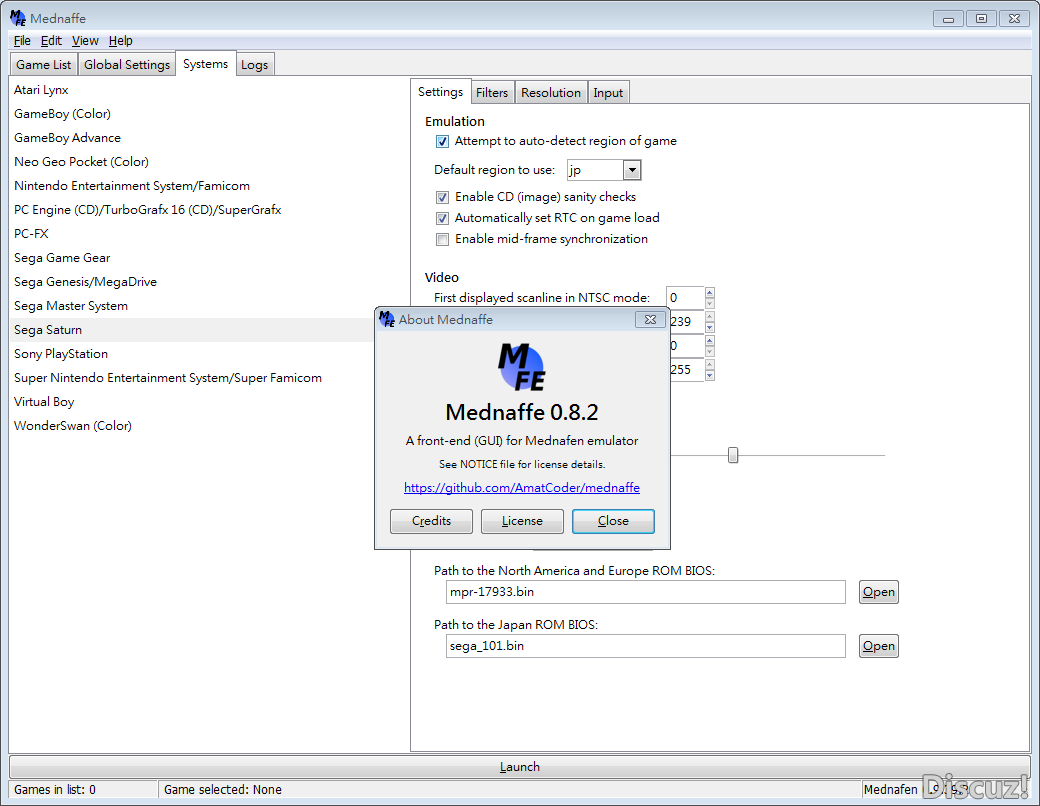
Il s’agit d’un frontend (interface) pour l’émulateur multi-systèmes Mednafen. Vous aurez besoin du module GTK+ pour le faire fonctionner.
 
med
 

– [Windows] Fixed left trigger not working using XInput controllers (Thanks to Pcegames for report and testing).
– [Windows] Fix to accept up/right D-Pad inputs in controller setup on some conditions (Thanks to SatoXa for report and testing).
– [Linux] Use the ‘MEDNAFEN_HOME’ environment variable when it is set (Patch by denisfa).
– Some minor fixes.


Télécharger Mednaffe v0.9.3 (4.7 Mo)

Site Officiel

En savoir plus…

La dernière version béta publique de l’excellent WinUAE, l’émulateur Commodore Amiga. La traduction est signée Tradu-France.


– Added debugger ‘ex’ command: ‘e’ command with extended data: last value written and PC of CPU or Copper when value was written.
– UAEGFX RTG 15/16/24-bit graphics corruption fixed (b1).
– If multimonitor mode and aviout/screenshot: capture/record from window that has focus.
– Added horizontal doubling to Cirrus Logic emulation, enabled if screen height * 0.75 >= width. Keeps aspect ratio if CGX doublescan graphics mode is configured.
– Native screen OSD was drawn twice in some multimonitor configurations, also could have caused crashes or some other weird behavior.
 
Extended precision host FPU mode updates:

– Some FPU instructions used wrong precision.
– Supports divbyzero, underflow, overflow and inexact2 status bits and exceptions. Only in non-JIT FPU mode. (and no software really cares)
– FCMP uses softfloat comparison code if more compatible is enabled (FCMP can’t be directly mapped to host FPU), if not, it uses simple and quick test. (Difference: infinities, nans etc.. special cases only work in more compatible mode. No normal programs care, as usual)
– Uses softfloat routines for rarely used functions (most trigometric, fexpman, fscale etc). Previously: extended to double conversion -> c-library math function -> double to extended conversion. Which probably wasn’t noticeably faster.


Télécharger WinUAE (Public Beta) [32 bits] v6.1.0 Beta 23 (5.3 Mo)

Télécharger WinUAE (Public Beta) [64 bits] v6.1.0 Beta 23 (8.5 Mo)

Télécharger WinUAE (Public Beta) [32 bits] v6.1.0 Beta 23 FR (5.4 Mo)

Télécharger WinUAE (Public Beta) [64 bits] v6.1.0 Beta 23 FR (8.5 Mo)

Site Officiel

En savoir plus…

Fuse (Free Unix Spectrum Emulator) est un émulateur tournant à l’origine sous Unix. Plusieurs portages ont été fait dont celui pour Windows. Les systèmes 16K, 48K, 128K, +2, +2A, +3, +3e, SE, TC2048, TC2068, TS2068, Pentagon 128 et Scorpion ZS 256 sont émulés.


Emulation core improvements:
– Disable inactive peripherals after loading a snapshot (Sergio Baldoví).

Miscellaneous improvements:
– Distribute strcasecmp autoconf macro (Sergio Baldoví).
– Re-enable sound after phantom typist finishes loading TAP, standard ROM TZX or +3 DSK images (thanks, Alberto Garcia) (Fredrick Meunier).


Télécharger Fuse v1.10.1 (3.6 Mo)

Site Officiel

En savoir plus…

Créé par Avery Lee (l’auteur de VirtualDub), il s’agit d’un émulateur d’Atari 8 bits (800/800XL/130XE) disponible en 32 et 64 bits. Il dispose de beaucoup d’options ainsi que d’une bonne compatibilité. Il prend en charge les jeux protégés conformément à l’émulation. Il s’agit d’une version de développement au stade de béta.


Topic des versions Beta.

Télécharger Altirra (Beta) v4.50 Test 29 (7.7 Mo)

Site Officiel

En savoir plus…

Il s’agit d’un puissant utilitaire de compression/décompression gratuit. Très utile, il permet de compresser en zip avec un taux de compression bien plus élevé que les autres compresseurs de format. De plus son célèbre format 7z permet de compresser jusqu’à 50% de + que le zip classique sur certaines archives et davantage que le format RAR (de Winrar).


Il est également capable de décompacter beaucoup de formats d’installeurs que plusieurs programmes utilisent (ce qui évite parfois une installation forcée). Très recommandé si vous voulez utiliser ZipMax, outil de l’auteur de ClrMAMEPro.
 
Les améliorations sont nombreuses depuis la 18.01:
 
– The speed for LZMA/LZMA2 compressing was increased
by 8% for fastest/fast compression levels and
by 3% for normal/maximum compression levels.
– 7-Zip now shows Properties (Info) window and CRC/SHA results window
as « list view » window instead of « message box » window.
– Some improvements in zip, hfs and dmg code.
– Previous versions of 7-Zip could work incorrectly in « Large memory pages » mode in
Windows 10 because of some BUG with « Large Pages » in Windows 10.
Now 7-Zip doesn’t use « Large Pages » on Windows 10 up to revision 1709 (16299).
– The vulnerability in RAR unpacking code was fixed (CVE-2018-10115).
– The speed for single-thread LZMA/LZMA2 decoding
was increased by 30% in x64 version and by 3% in x86 version.
– 7-Zip now can use multi-threading for 7z/LZMA2 decoding,
if there are multiple independent data chunks in LZMA2 stream.
– 7-Zip now can use multi-threading for xz decoding,
if there are multiple blocks in xz stream.
– New localization: Kabyle.
– Some bugs were fixed.

 
NB: Si des anciennes archives ont des problèmes pour être ouvertes/extraites (ce qui devrait être très rare et dans des cas spécifiques), lire cette page.


Télécharger 7-Zip (x86) v26.06 (1.3 Mo)

Télécharger 7-Zip (x64) v26.06 (1.6 Mo)

Site Officiel

En savoir plus…

Une version améliorée de Neko Project II et Neko Project 21 (PC98XX) mais dont les principales informations sont en japonais (l’interface est disponible en anglais). Plus d’informations.


(Ancien thread | Nouveau thread)
 

Télécharger Neko Project II / Project 21 fmgen v0.83k8 (2026/08/02) (773 Ko)

Site Officiel

En savoir plus…

Un émulateur de Nec PC8801MA pour Windows.


Télécharger PC8801MA (2019/03/12) (381 Ko)

Site Officiel

En savoir plus…

Il s’agit d’une version améliorée de l’émulateur M88 utilisant le moteur de son fmgen, l’interface est en anglais mais le reste des informations en japonais. (source)


Télécharger M88 fmgen v2.21a (2026/01/01) (199 Ko)

Site Officiel

En savoir plus…


https://getourbonus.com/fr/accueil

https://www.romspedia.com/