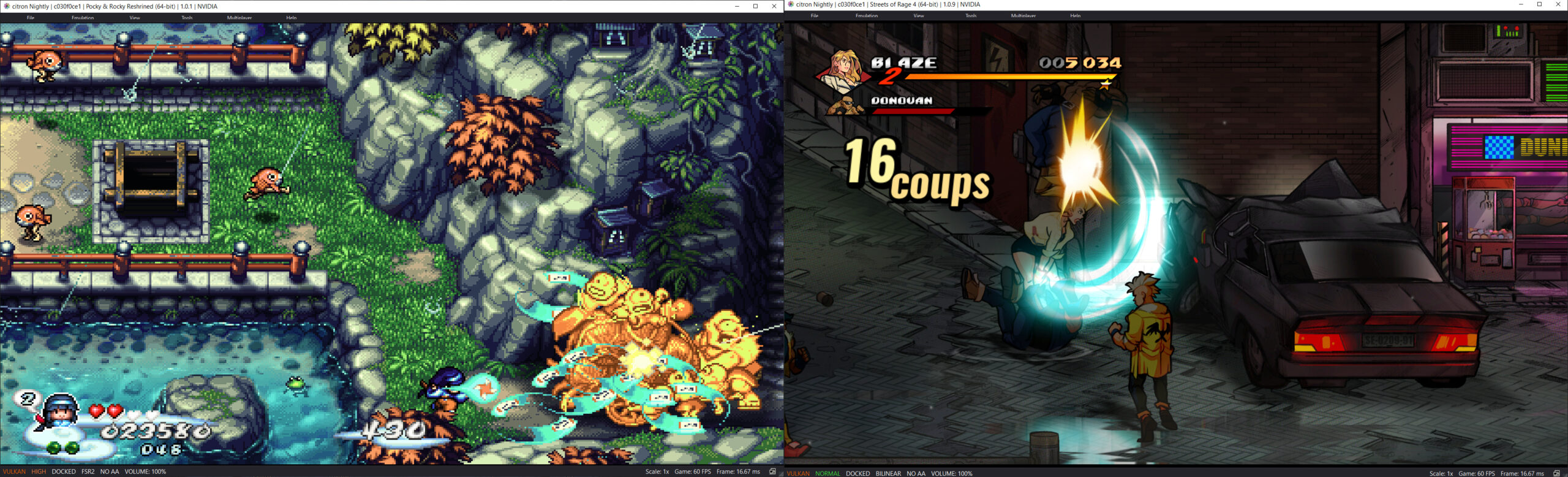
Il s’agit d’un fork de l’émulateur Switch Citron, repris exactement à l’endroit où son développement s’était arrêté.


Les changements:
– Merge pull request #320 from Splaser/codex/fix-smw-w4-nce-null-guard
– nce: follow null guard for invalid guest objects


Télécharger Citron Neo (2026/08/22) (61.5 Mo)

Site Officiel

En savoir plus…

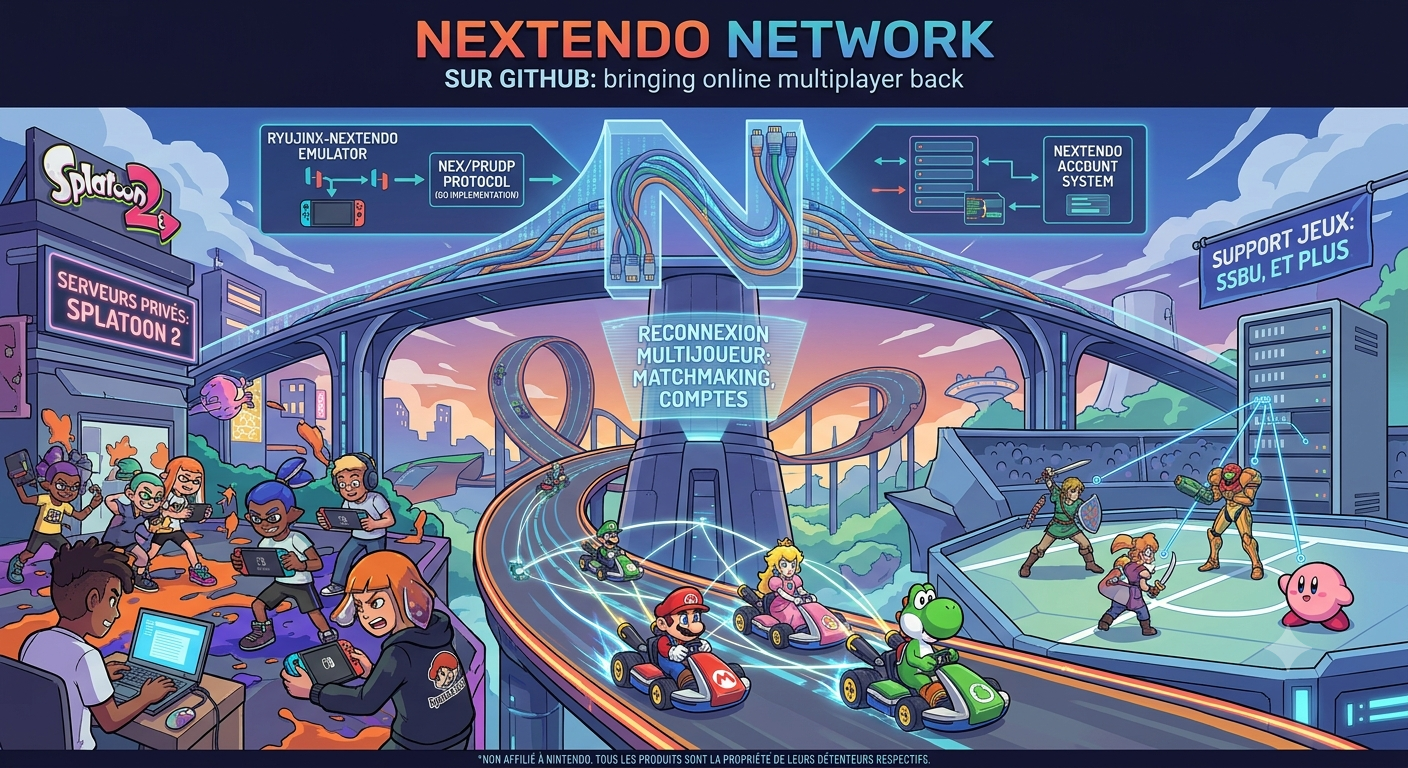
Ryujinx-Nextendo est un émulateur Nintendo Switch basé sur Ryujinx, auquel a été intégré nativement le support du Nextendo Network, un service en ligne privé et communautaire destiné à remplacer le service officiel de Nintendo.
 
Le projet reprend le cœur d’émulation de Ryujinx, notamment pour le processeur, le GPU, l’audio, les contrôles et le système de fichiers. Les modifications apportées par Nextendo concernent principalement la partie réseau et l’interface utilisateur.
 
L’objectif est notamment de permettre aux jeux compatibles de retrouver des fonctionnalités de jeu en ligne via le Nextendo Network, sans nécessiter de configuration manuelle particulière, de modification du fichier hosts ou de contournement SSL de la part de l’utilisateur.


Télécharger Ryujinx-Nextendo v1.7.8 (35.6 Mo)

Site Officiel

En savoir plus…

Obentou est un émulateur multi‑systèmes écrit en C, conçu pour regrouper en un seul programme tous les émulateurs développés par son auteur au fil des années.
Le projet est open‑source et distribué sous licence GPL‑3.0.
 

Systèmes actuellement supportés:
– Space Invaders Arcade
– Pacman core — Pacman, Ms. Pacman, Jr. Pacman et autres cartes d’arcade basées sur Pacman
– CHIP-8
– Bytepusher — machine fantasy à 1 opcode
– GBC — Game Boy / Game Boy Color / Mega Duck
– NES — Nintendo Entertainment System
– PCE — PC-Engine
– PV1000 — Casio PV-1000
– TMS80 — systèmes TMS9918 + Z80 (SMS / Game Gear / SG-1000 / SC-3000)
– Coleco Vision — BIOS requis
– WATARA — Watara Super Vision
– SPECCY — ZX Spectrum 48K
– JACE — Jupiter Ace


Les changements sont:
 
– added spectrum core (zx spectrum 48k + ay-3-8192);
– added jupiter ace core;
– added android build.


Télécharger Obentou v0.1.10 (2.1 Mo)

Site Officiel

En savoir plus…

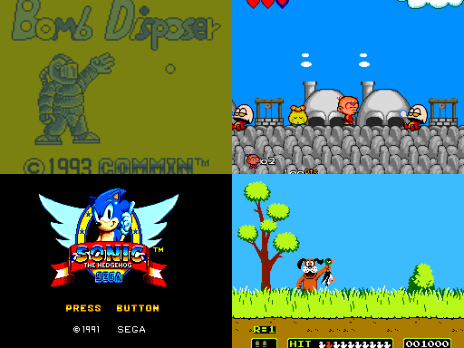
Il s’agit d’un émulateur multi-console et multiplateforme prenant en charge un certain nombre de consoles de jeu 8 bits et 16 bits.


Emulation des consoles suivantes:
– Sega Genesis / Mega Drive
– Sega CD / Mega CD / 32X / Mega 32X
– Sega SG-1000
– Sega Master System / Mark III
– Game Gear
– Nintendo Entertainment System (NES) / Famicom
– Super Nintendo Entertainment System (SNES) / Super Famicom
– Game Boy / Game Boy Color / Advance
 

Voici quelques caractéristiques:
– Moteur de rendu basé sur le GPU avec mise à l’échelle des nombres entiers et interpolation linéaire optionnelle
– Rapport d’aspect des pixels configurable pour chaque console avec plusieurs options différentes : fidélité au matériel/téléviseur d’origine, pixels carrés et étirement pour remplir la fenêtre.
– Prise en charge de l’extension de l’unité sonore FM du Sega Master System
– Prise en charge de la puce SVP de la Sega Genesis, utilisée dans Virtua Racing
– Prise en charge des mappeurs NES les plus courants, ainsi que d’un certain nombre de mappeurs moins courants
– Prise en charge de la plupart des coprocesseurs SNES (par exemple Super FX, SA-1, DSP-1, CX4, S-DD1, SPC7110)
– Prise en charge des contrôleurs Genesis à 3 et 6 boutons
– Prise en charge des commandes au clavier et des commandes au gamepad DirectInput
– Sauvegarde des états, avance rapide et retour en arrière
– Quelques shaders simples de flou horizontal et d’anti-dither naïf pour mélanger des motifs de pixels dithered, qui étaient extrêmement courants sur ces consoles en raison des palettes de couleurs limitées et de l’absence de transparence prise en charge par le matériel.
– Option d’overclocking CPU 2x pour l’émulation Sega Master System et Game Gear
– Surcadençage GSU 2-4x en option pour les jeux SNES Super FX
– Peut exécuter les démos Titan Overdrive et Titan Overdrive 2 pour la Mega Drive.
 
Les changements sont les suivants:
 
New Features
– [GENESIS] Sega CD 32X is now supported (Sega CD + 32X together)
– The emulator will automatically run in CD 32X mode if you load a Sega CD disc where the game header indicates 32X support, or you can open the File > Open Using menu and select Sega CD 32X
– [GENESIS] Sega CD « Mode 1 » (boot from cartridge) is now supported, both with and without 32X
– If you load a Genesis or 32X cartridge where the game header indicates Sega CD support, the application will open a file dialog prompting for a path to the Sega CD disc image; if you cancel this out then it will run with no disc in the drive
– This behavior also works via File > Open Using > Sega CD (32X) as long you load the Genesis/32X cartridge first
– [GENESIS] Added support for the Mega Mouse controller, supported by a few dozen games across Genesis and Sega CD
– The emulator window will now capture mouse input if you click on it while either controller is configured to be a Mega Mouse; you can cancel this out using the Pause hotkey or the new « Cancel mouse input » hotkey (default O)
– [SNES] Added support for the mouse controller (same note as above regarding mouse input)
– [PC ENGINE] Added support for overclocking the CPU to 1.5x or 3x speed ([#138](https://github.com/jsgroth/jgenesis/issues/138))
– Added an option to make the emulator window borderless in windowed mode ([#698](https://github.com/jsgroth/jgenesis/issues/698))
– Note that this is incompatible with mouse emulation and mouse input mappings due to how it makes the window draggable and resizable while borderless
– Search directories for the game list can now be searched recursively (i.e. also search in subdirectories); you can configure this for each directory individually in Settings > Paths
– Added a few additional command line arguments for use when running from a shell or launcher:
– `–no-gui` suppresses the GUI window and only opens the game specified with `-f` / `–file-path`
– `–hardware` allows you to explicitly specify an emulated system rather than relying on auto-detection
– `–config-override` allows you to override (most) individual settings without permanently modifying the settings file
 
Improvements
– Input configuration now behaves the same way regardless of whether an emulator is running; no more « use the emulator window to configure input »
– On Linux + Wayland, improved scaling behavior for the emulator and debugger windows on high DPI displays (they were very blurry before)
– Audio buffer underruns should now produce slightly less awful noises, particularly for 32X (e.g. when fast forwarding at a higher rate than the emulator can manage)
– The VSync Disabled option now falls back to functioning as Fast VSync (i.e. mailbox presentation) on platforms that don’t support fully disabling VSync
– In the debugger window, copy/paste is now integrated with the OS clipboard rather than only copying to / pasting from application memory
– Reduced latency when launching a game and performing input configuration
 
Fixes
– [GENESIS] The Z80 and the YM2612 are now synchronized more closely; this fixes occasional audio crackling in *Battletoads* when YM2612 busy flag emulation is enabled (which it is by default)
– [GENESIS] The YM2612 DAC channel is now initialized to the center sample value (128) instead of 0; this fixes erroneous audio pops in *Fantastic Dizzy*
– [GENESIS] The logic to determine initial window size now takes into account whether horizontal/vertical border rendering is enabled, which prevents large vertical black bars in PAL mode with borders ([#699](https://github.com/jsgroth/jgenesis/issues/699))
– [GENESIS] When emulating the XE-1 AP controller, inputs are now latched when a data transfer begins so that analog axis values cannot potentially change between nibbles
– [GENESIS] Improved accuracy of CPU waitstate timings when the Z80 accesses the 68000 side of the bus
– [32X] Fixed logic for how the 32X VDP determines whether Genesis VDP pixels are transparent ([#688](https://github.com/jsgroth/jgenesis/issues/688))
– [32X] Fixed the emulator incorrectly rendering only the Genesis frame if the 32X VDP ended the frame in blank mode, even if it was not in blank mode for the entire frame ([#692](https://github.com/jsgroth/jgenesis/issues/692))
– [32X] Fixed incorrect logic for how the 32X horizontal interrupt interval works ([#686](https://github.com/jsgroth/jgenesis/issues/686))
– [32X] Fixed the VDP screen shift register incorrectly only applying in packed pixel mode ([#693](https://github.com/jsgroth/jgenesis/issues/693))
– [32X] Added emulation for the hardware bug where the VDP screen shift register does nothing on lines where the low byte of the frame buffer line address is 0xFF
– [32X] Fixed SH-2 DMA running *way* too slow in some cases (this bug broke multiple CD 32X games)
– [32X] Improved accuracy of VDP register latch timing and VDP interrupt timing ([#686](https://github.com/jsgroth/jgenesis/issues/686))
– [32X] The SH-2s are no longer allowed to write to the cartridge (e.g. to store save data), since they cannot on actual hardware
– [32X] The RV bit is now properly emulated (controls access to the cartridge between Genesis and 32X)
– Fixed every system other than SNES and GBA crashing the application if you tried to load an empty or very small ROM file
– Fixed entries in the File > Open Recent menu potentially loading a different game in the list if the list contained any paths to files that don’t exist (or no longer exist)
– Fixed CJK characters in game titles or cheat names displaying as empty boxes even if you have a CJK system font installed ([#691](https://github.com/jsgroth/jgenesis/issues/691))
– Loading CJK fonts *significantly* increases the application’s RAM usage (by roughly 150-200 MB), so they are only loaded if needed to display a CJK character
– Fixed the « hide mouse cursor over emulator window » option also annoyingly applying to the debugger window
 
Removed Features
– There is no longer a separate `jgenesis-cli` executable; the new single `jgenesis` executable (formerly `jgenesis-gui`) should now support all functionality that the CLI supported


Télécharger Jgenesis v0.14 (19.4 Mo)

Site Officiel

En savoir plus…

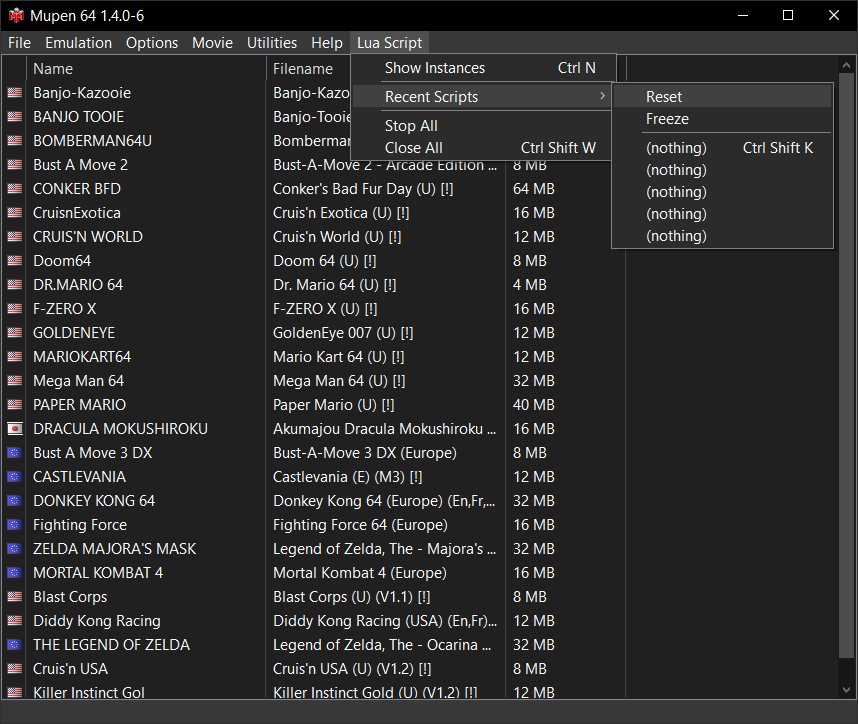
Mupen64 RR Lua (ou Mupen64 Re-recording Lua) est un fork (le 3eme) de Mupen64 permettant l’enregistrement de vidéo.


Les changements sont:
 
🐞 Bugfixes
– Core: Crash when compiling cheats with empty lines (#853)
– Race condition during plugin initialization (#850)
– Plugin version not fitting in spec-defined bounds (#847)
– Core: Ultra fast-forward engaging in unintended cases (#841)
– Seek during capture mangling output (#839)
– FFmpegEncode: Space in output path causing capture failure (#946)

 
Site original. Fork 1. Fork 2. Fork 3.
 

Télécharger Mupen64 RR Lua v1.4.8 (+AVI Fixes builds) (11.0 Mo)

En savoir plus…

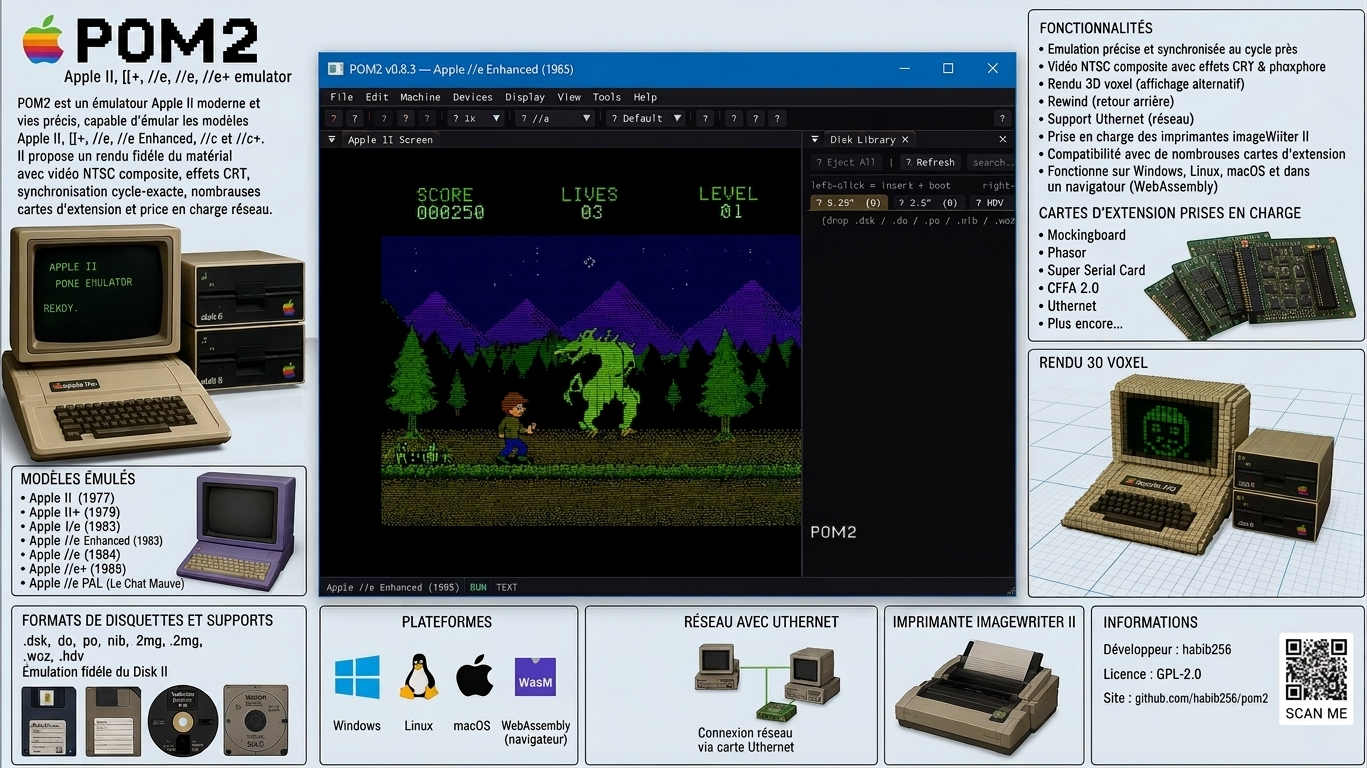
POM2 est un émulateur Apple II moderne et open source, capable d’émuler plusieurs machines de la famille Apple II, de l’Apple ][ original de 1977 jusqu’à l’Apple //c+ de 1988. Il vise une émulation très précise du matériel, avec un rendu vidéo synchronisé au niveau du cycle CPU.


Il prend notamment en charge l’Apple ][, ][+, //e, //e Enhanced, //c et //c+, ainsi que deux variantes PAL, dont le //c « Le Chat Mauve ».
 
Parmi ses particularités, POM2 propose un rendu NTSC composite, des effets CRT/phosphore, une vue 3D en voxels, le rewind, l’émulation de nombreuses cartes d’extension comme les Mockingboard, Phasor, Super Serial Card, CFFA 2.0 et Uthernet, ainsi que la prise en charge des imprimantes ImageWriter II.
 
L’émulateur gère de nombreux formats de disquettes et supports Apple II (.dsk, .do, .po, .nib, .2mg, .2img, .woz, .hdv) et intègre une émulation fidèle du Disk II. Il dispose également d’un support réseau via Uthernet et peut même fonctionner directement dans un navigateur grâce à WebAssembly.


Télécharger POM2 v0.8.3 (4.2 Mo)

Site Officiel

En savoir plus…

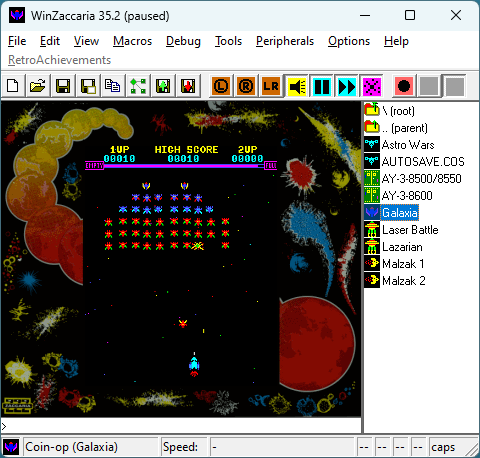
AmiArcadia est le port amélioré de Tunix2001 ex ‘Win Arcadia 2001’ (par Gavin Turner) pour Amiga. Ecrit par James Jacobs et Gavin Turner, cette version est en fait le port Windows du port Amiga (un backport) !


Systèmes émulés:
 
Consoles:
– Famille Emerson Arcadia 2001 : Bandai, Emerson, Grandstand, Hanimex, Intervision, Leisure-Vision, Leonardo, MPT-03, Ormatu, Palladium, Poppy, Robdajet, Rowtron, Tele-Fever, Tempest, Tryom, Tunix, etc.
– Interton VC 4000 et compatibles : Acetronic, Cabel, Fountain, Hanimex, Interton, Prinztronic, Radofin, Rowtron, Voltmace, Waddingtons…
– Elektor TV Games Computer (1979)
 
Machines PIPBUG/BINBUG:
– Electronics Australia 77up2/78up5, Signetics Adaptable Board Computer, Eurocard 2650…
– Signetics Instructor 50 (1978)
– Signetics TWIN (1976)
– Central Data 2650 (1977)
– PHUNSY microcomputer (c.1980)
– Ravensburger Selbstbaucomputer / 2650 Minimal Computer (1984)
– Hofacker MIKIT 2650 (1978)
 
Machines d’arcade:
– Coin-ops Zaccaria : Astro Wars, Galaxia, Laser Battle, Lazarian
– Coin-ops Kitronix : Malzak 1 & 2
 
Jeux électroniques:
– Consoles Pong AY-3-8500/8550/8600:
– Coleco Telstar Galaxy, Sheen TVG-201, et autres systèmes AY‑3‑85xx
 
Machine éducative électronique:
– VTech Type-Right (1985)
 

Il nécessite Windows 9x/ME/NT/2000/XP et fonctionne également sous Vista/8/10/11.


Télécharger Win Arcadia (Ami Arcadia) v36.61 (8.7 Mo)

Site Officiel

Il s’agit d’un émulateur de N64 écrit en Rust par Logan McNaughton (simple64) et dont certaines portions proviennent de mupen64plus et/ou ares.


Les objectifs en résumé sont les suivants:
– Performance. L’auteur veux pouvoir utiliser cet émulateur sur son ordinateur portable.
– Facile à utiliser.
– Facile de travailler avec. Les recompilateurs dynamiques sont performants mais ils sont très difficiles à lire et à comprendre. Cet émulateur n’aura des interprèteurs que pour le CPU et RSP. De plus, il est entièrement écrit en Rust (en dehors de Parallel-RDP), un langage de programmation moderne dont le nombre d’utilisateurs ne cesse de croître. L’auteur a essayé d’éviter l’utilisation de macros, qui peuvent réduire la répétitivité du code, mais aussi sa lisibilité.
 

Les changements sont:
 
– Add GPU hints on Windows to help select dedicated GPU
– Update Rust/SDL
– Update netplay auth code
– Update RetroAchievments library
– Fix rumble on some controllers
– Fix VRU bug
– Fix crash in some libdragon ROMs


Télécharger Gopher64 v1.1.36 (61.7 Mo)

Site Officiel

En savoir plus…

Un émulateur du système Symbian OS. (Builds automatiques)


– Merge pull request #631 from yeatse/upstream/kernel
– kernel: object lifetimes, timers, image loading and the executive tables
– Merge pull request #627 from yeatse/upstream/case-sensitive-host
– common, system: resolve host paths on a case-sensitive filesystem
– Merge pull request #630 from yeatse/upstream/drop-pycache
– patch: drop a committed Python bytecode cache
– Merge pull request #629 from yeatse/upstream/dispatch
– dispatch: guest notifications, wrong values and missing entry points
– Merge pull request #628 from yeatse/upstream/vfs-file-handle
– vfs, common: never hand a null host FILE to the C library
– Merge pull request #626 from yeatse/upstream/common-helpers
– common: fix five defects in the shared helpers, and one data race
– Merge pull request #609 from yeatse/ci/sanitiser-job
– ci: Run the unit tests under ASan and UBSan, and fix what that found
– Merge pull request #610 from yeatse/feat/timezone-server
– services: Serve !TzServer from the emulator on Symbian^3 and up
– Merge pull request #624 from yeatse/fix/efsrv-path-state
– efsrv: Keep file sharing state under one form of the path
– Merge pull request #619 from yeatse/feat/accessory-mode
– accessory: Serve RAccessoryMode and the modern opcode set
– Merge pull request #622 from yeatse/feat/applist-recognize-data
– applist: Recognise data the way AppArc’s clients expect
– Merge pull request #621 from yeatse/fix/applist-duplicate-registry
– applist: Keep one registration per app, not one per scan
– Merge pull request #623 from yeatse/fix/sensor-callback-lifetime
– sensor: Make a backend callback safe to run
– Merge pull request #611 from yeatse/fix/service-object-lookup
– services: Look an object up by its id, not by where lower_bound lands
– Merge pull request #612 from yeatse/fix/ipc-null-descriptor
– services: Fail an IPC argument the client did not supply
– Merge pull request #613 from yeatse/fix/complete-unimplemented-ipc
– services: Complete a request nothing implements, do not drop it
– Merge pull request #614 from yeatse/feat/etel-clock-requests
– etel: Answer the network requests the Clock application makes
– Merge pull request #615 from yeatse/fix/alarm-id-lists
– alarm: Answer all three alarm id list requests
– Merge pull request #616 from yeatse/feat/featmgr-help-and-flash
– featmgr: Report the help application and the Flash Lite browser plug-in
– Merge pull request #617 from yeatse/feat/loader-physical-device
– loader: Answer Loader::LoadPhysicalDevice
– Merge pull request #618 from yeatse/feat/disk-space-thresholds
– services: Publish the critical disk-space thresholds at boot
– Merge pull request #620 from yeatse/fix/msv-epoc80-registry
– msv: Write the capability words from Symbian 8.0, not 8.1a
– Merge pull request #625 from yeatse/fix/efsrv-private-dir
– efsrv: Create a process’s own private directory on demand
– Merge pull request #608 from yeatse/fix/drop-stray-test-output
– tests: Drop a stray painter output committed by mistake
– Merge pull request #607 from yeatse/fix/package-uninstall
– package: Uninstall a package by what it actually installed
– Merge pull request #606 from yeatse/fix/graphics-fonts-screen-driver
– graphics, fonts: a batch of window-server, FBS and screen-driver fixes


Les infos sur cette version sont ici.
 

Télécharger EKA2L1 v0.0.9 r260821 (59.7 Mo)

Site Officiel

En savoir plus…

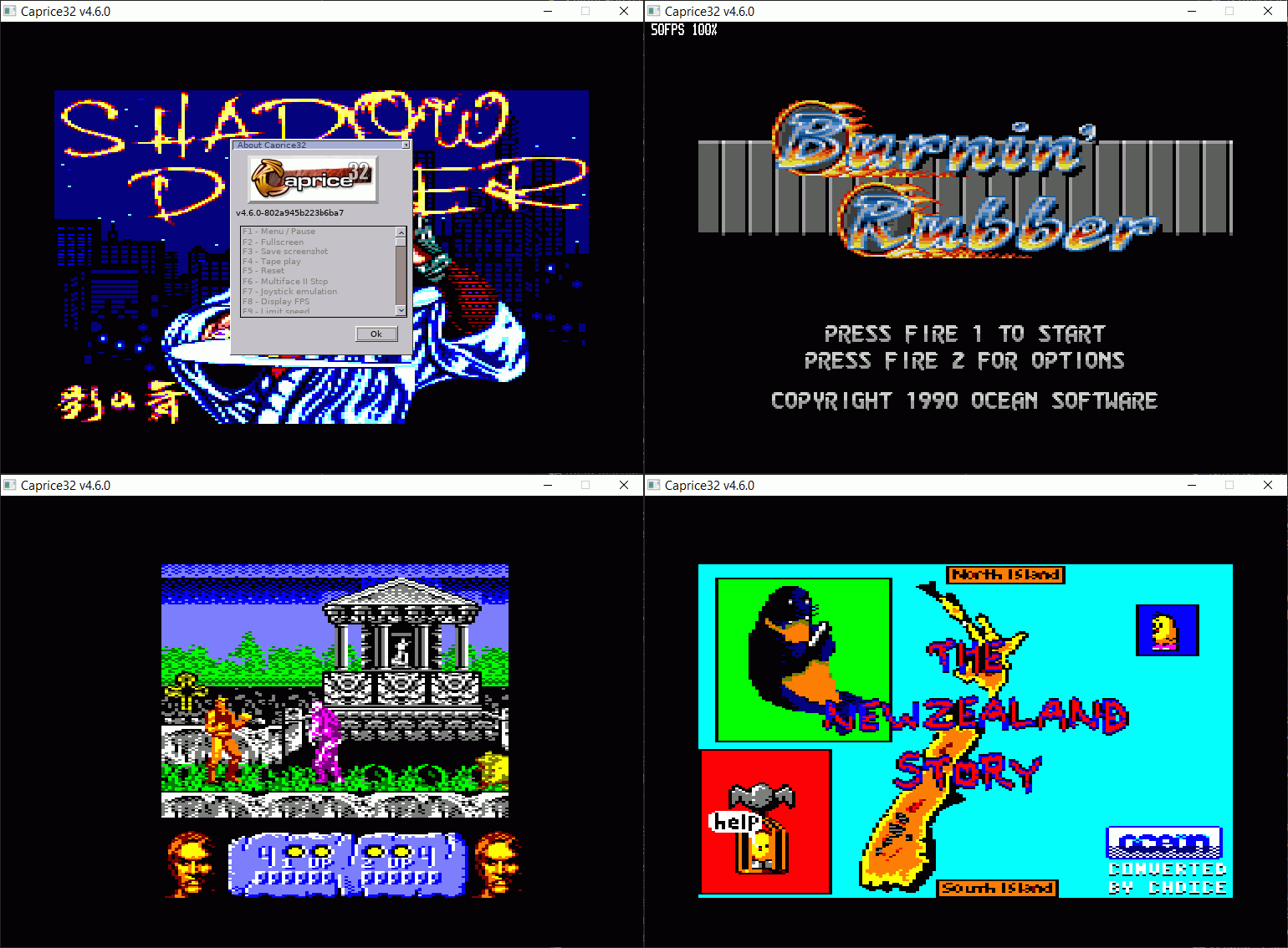
Cette version fait directement suite aux précédentes créées par Ulrich Doewich et est à présent maintenue par Colin Pitrat.


Latest build of Caprice 32, with the newest cool features and the most recent bugs.
 

Télécharger Caprice32 (x86) v4.6.0 (2026/08/21) (6.6 Mo)

Télécharger Caprice32 (x64) v4.6.0 (2026/08/21) (6.3 Mo)

Site Officiel

En savoir plus…

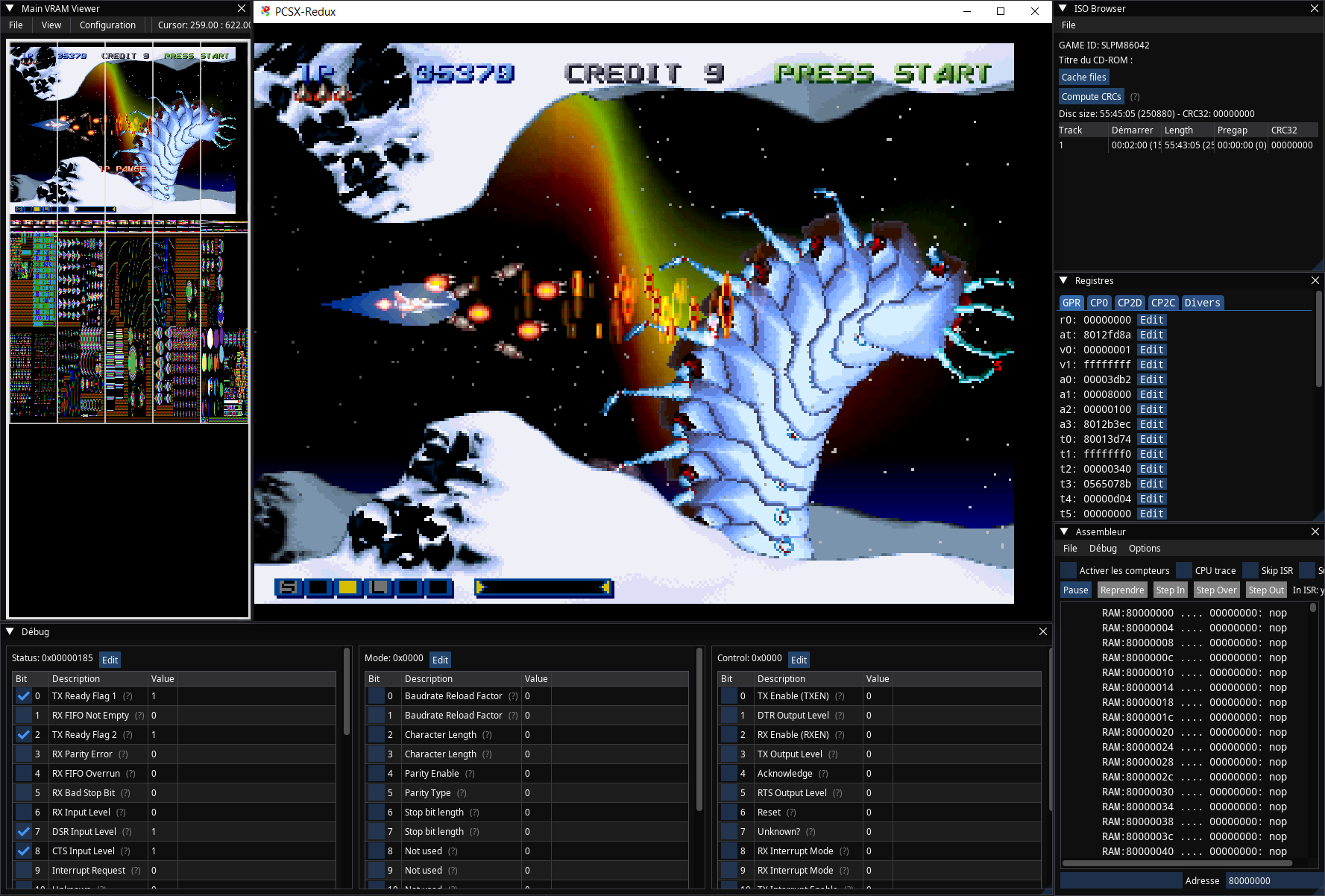
Ceci est un fork de l’émulateur Playstation, PCSX. L’objectif est à peu près le suivant:
 
– Apportez une base de code conforme aux normes d’aujourd’hui.
– En finir avec le système de plug-in et permettre une base de code monolithique unique qui gère tous les aspects de l’émulation Playstation.
– Utiliser SDL / OpenGL3 + / ImGui pour la portabilité et la lisibilité.
– Améliorez l’expérience du déboggage.
– Améliorez l’expérience de rendu.
 

Il s’agit de binaires préliminaires (anciennement ici).


NB: Je précise que ce sont des builds basés sur le GIT à un instant T, l’auteur n’a rien proposé de stable ni de finalisé. Ces versions sont toujours à considérer comme des versions alpha préliminaires tant que l’auteur ne propose officiellement rien d’autres, cela permet en outre de faire connaitre le projet au plus grand nombre et si certain(e)s d’entre vous veulent y contribuer, tant mieux pour tous. Donc il se peut que ce genre de build fonctionne ou pas du tout, c’est en soit « normal » car c’est tout sauf finalisé. Cela s’applique à tous builds dit « GIT » que nous proposons.
 

Télécharger PCSX Redux (32 bits) (2023/03/27) (41.0 Mo)

Télécharger PCSX Redux (64 bits) (2026/08/21) (42.8 Mo)

Site Officiel

En savoir plus…

Il s’agit d’un fichier permettant à MAME/MAMEUI de connaître la procédure à suivre pour l’initialisation d’un jeu.
 
Il contient des procédures générales d’utilisation des ordinateurs, comme la manière de charger une cassette. Certaines procédures d’installation complexes pour les jeux d’arcade y sont également décrites.
Principalement destiné aux utilisateurs de MAMEUI, certaines procédures se réfèrent spécifiquement à MAMEUI. Cependant, les équivalents pour MAME sont faciles à utiliser.
 

Créé en étroite collaboration entre Antopisa et Robbbert.
 
gameinit
 

Télécharger GameInit.dat v0.289 (138 Ko)

Site Officiel

En savoir plus…


Casino-en-ligne-fiable.com

https://getourbonus.com/fr/accueil
https://www.romspedia.com/

https://www.casinoonlinefrancais.fr

Lucky 7 bonus

https://www.casinogratuitsansdepot.com

pablocasino.org

critiquejeu.info

casinodoc.org

laplanquedujoueur.com

casinoonlinefrancais