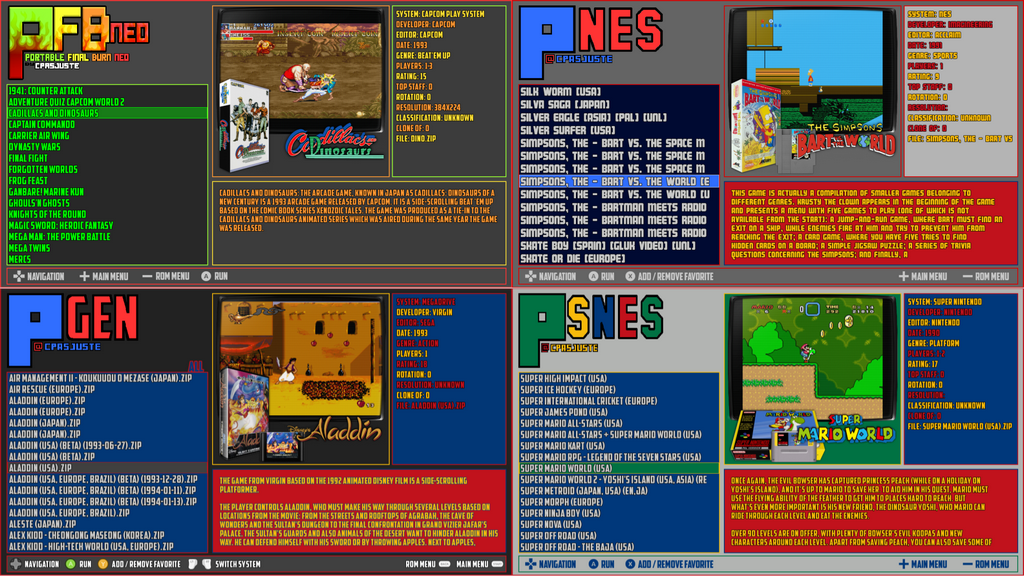
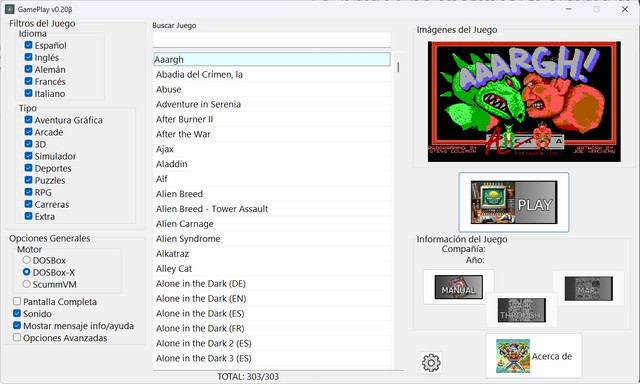
RetroMultiTools est un utilitaire multiplateforme dédié à la gestion, l’inspection, la conversion et la modification de ROMs rétro. Il vise à centraliser en une seule application les fonctions habituellement dispersées entre plusieurs outils spécialisés.


Systèmes supportés (non exhaustif):

  • Nintendo : NES, SNES, N64, GB, GBC, GBA, VB, GameCube, Wii
  • Sega : Master System, Mega Drive, 32X, Game Gear, Sega CD, Saturn, Dreamcast
  • Atari : 2600, 5200, 7800, Jaguar, Lynx
  • NEC : PC Engine / TurboGrafx‑16
  • Ordinateurs : Amstrad CPC, MSX/MSX2, Oric, Thomson MO5, Color Computer
  • Autres : 3DO, Amiga CD32, ColecoVision, Intellivision, Supervision…


Télécharger RetroMultiTools v2 (15.8 Mo)

Site Officiel

En savoir plus…

Créé par Ector et F|res, voici la dernière version de Dolphin, un émulateur GameCube/Wii et également Tri-Force (système d’arcade élaboré par Nintendo-Sega-Namco dont le hardware est basé sur celui de la GameCube).


Lire l’article concernant les changements apportés par cette version ici.
 
Le changelog en résumé:
 
– Fixed some issues with RetroAchievements support in preparation for the launch of Wii achievements.
– Temporarily disabled page table fastmem in TimeSplitters: Future Perfect to work around a bug that caused the game to crash.
– Fixed an issue where Dolphin might crash on macOS when changing settings if the current graphics backend was set to an invalid value.
– Fixed an issue where Dolphin would hang when taking a screenshot while replaying a FIFO log.
– Fixed a build-time issue where Dolphin could link to system libraries even if disabled.
This issue may have caused official Dolphin builds of 2603 running on macOS 14 and older to crash when opening a ZIP file.
– Fixed a build-time issue where Dolphin used a header only available in {fmt} 11.0 or newer, despite our minimum requirement being 10.1.


Télécharger Dolphin v2603a (17.8 Mo)

Site Officiel

En savoir plus…

Il s’agit de l’émulateur de Sony PSP traduit en français.


Télécharger PPSSPP (Français) v1.20.3 (26.1 Mo)

Site Officiel

En savoir plus…

Mupen64 RR Lua (ou Mupen64 Re-recording Lua) est un fork (le 3eme) de Mupen64 permettant l’enregistrement de vidéo.


Les changements sont:
 
⚡ Performance
– Faster plugin initialization (#530)
 
✨ Features
– Config – Disable fast dispatcher by default (#544)
– MovieDialog – Default to latest movie in playback dialog (#538)
– Lua – d2d.get_target_fps and d2d.set_target_fps APIs (#541)
– Capture – Allow continuing capture across resets between ROMs with same VI/s (#531)
 
🐞 Bugfixes
– TASVideo – Corrupted text in microcode dialog (#529)
– Main window potentially restoring outside the visible area (#528)
– TASInput – Unreliable window dragging (#527)
– TASInput – Broken sizing when started on non-primary monitor (#526)

 
Site original. Fork 1. Fork 2. Fork 3.
 

Télécharger Mupen64 RR Lua v1.3.0-19 (+AVI Fixes builds) (3.4 Mo)

En savoir plus…

Un émulateur NES écrit en Dart et Flutter. Supporte macOS, Windows, Android et Linux (testé sur Steam Deck).


Télécharger NESd v0.14 (15.6 Mo)

Site Officiel

En savoir plus…

ShadPS4 est un émulateur préliminaire de PS4 pour Windows et Linux écrit en C++ créé par Shadow (d’ou il tire son nom), auteur et contributeur de projets prestigieux comme PCSX, PCSX2, PCSP, JPCSP, Arcadeflex, RPCS3…


Les changements principaux en résumé:
Missed us already? Here is a brand new shadPS4 release for you out there. A lot of new features is here to improve compatibility and general user experience as well. It is recommended to use 0.15.0 for some time since there are a lot of breaking changes coming to 0.15.1 WIP (that will correct and improve a lot of things), but we hope it will be production ready quite soon..


Core
– Automatically add missing hotkeys to the global input config
– Fixed in Settings:InternalScreenWidth would get internalScreenHeight instead of InternalScreenWidth
– Kernel.Pthreads: Remove unreachable in posix_pthread_mutex_timedlock
– Volume hotkey: show volume value, set game_specific arg correctly, clamp value
– Kernel.Process: Implement sceKernelGetModuleInfo2, sceKernelGetModuleList2
– Log: Group same lines with counter
– Prevent protects during unmaps
– Mount system fonts
– Kernel.Equeue: Only reset trigger state on events that clear.
– Filesystem: fix crashes caused by returning a pointer from an std::vector
– Threads: initialize TLS on thread creation
– Implement guest signal handlers
– Mount /data to /data instead of /data/gameid
– Kernel.Event: Implement kqueue and kevent
– IPC: Tweak LoadFigure and RemoveFigure
– Improved signal emulutation
– Fixed game arguments with CLI11
– PSF: close file after encode
– Shader recompiler
– Handle operand fields execlo and exechi for S_MOV
– Fixed r128
– Support 32 thread sharing mode
– Implemented IMAGE_ATOMIC_CMPSWAP
 
Libraries
– Improved sceAudioOut and SDL3 backend
– Implemented npWebApi library
– Added sceAudioOutGetSystemState
– Added some NPTus Functions
– Implemented some HLE libcInternal calls
– Fixed some issues in scePad and refactoring
– Improved motion controls emulation
– Lib.GnmDriver: Fix flip arg for sceGnmSubmitAndFlipCommandBuffers
– Lib.VideoOut: Fix pending flips limit
– Fix some logic bugs in sceHttpUriParse
 
Audio3d SDL improvements
– Lib.Net: Proper resolver errors when isConnectedToNetwork is disabled
– Lib.GnmDriver: Implement sceGnmDrawIndirectMulti
– Lib.Net: Fix Windows-specific incorrect error in PosixSocket::Connect
– SSL module returned an empty certificate data instead of no certs
– SysModule HLE implementation
– Stub data for sceSslGetCaCerts
 
GPU
– Copy image handle 2d->3d copies and opossite now
– Skipped guest/host marker parsing/calls when disabled
– Added Relaxed,precise modes in readbacks
– Force subgroup size to 64 when possible

 
Liste de compatibilité ici.


Télécharger ShadPS4 v0.15 (15.1 Mo)

Télécharger ShadPS4 (GUI) v220 (25.4 Mo)

Site Officiel

En savoir plus…

Il s’agit d’un émulateur de Sinclair ZX Spectrum.


Les changements sont:
– users can now choose to autohide UIs (poke, tape) when not hovered.
– UIs now display within ZX Spectrum’s border, to save vertical space.
– UIs now look clearer and support holding down mouse button


Télécharger ZXIAN v34 (1.3 Mo)

Site Officiel

En savoir plus…

Eden est un émulateur Nintendo Switch open-source issu d’un fork de l’émulateur Yuzu — lancé par l’ancien développeur de Citron, Camille LaVey, et l’équipe Eden. Il est écrit en C++ avec une approche axée sur la portabilité, et est disponible pour Windows, Linux et Android.


L’émulateur est capable d’exécuter la plupart des jeux commerciaux à pleine vitesse, à condition de répondre aux exigences matérielles nécessaires.
 

Les changements:
 

This release contains a myriad of performance improvements and graphical fixes, alongside general UI and UX improvements, internal improvements, and much more. There are a ton of changes—far too many to go over here—so as always, go through the full changelog yourself for more details.
 
Universal
– Fixed Breath of the Wild 1.9.0 not displaying the correct game name
– JIT and memory performance improvements
– VSync is now disabled if Turbo Mode is active
– Fixed audio in Pokemon Fire Red/Leaf Green
 
Renderer
– Fixed invisible mice textures in Luigi’s Mansion 3
– Fixed graphical issues and crashes on older Qualcomm GPUs
– Fixed various vertex explosions and color artifacting
– This primarily affects games such as Mario Kart, Luigi’s Mansion 3, and the Zelda games.
– Fixed shader bugs on newer AMD drivers on Windows
– Fixed Skyward Sword HD eye glitch
 
Desktop
– Added a basic frametime and FPS overlay
– This can be enabled with Ctrl+V
– Fixed importing of RomFS mods from zip/folder
– Fixed the game list `Title` column starting out super small by default
– Added tooltips to the game grid, showing current game version & playtime
– Added the Applets tab to the per-game configuration
– Mods can now be deleted or opened in the file manager from the per-game configuration menu
– The GPU selector box now shows its driver
– Fixed Applets tab titlebar cutoff
– Added back the IR camera (if `YUZU_USE_QT_MULTIMEDIA` is on)
 
Android
– Fixed bugs and graphical oddities with game pause/resume
 
Internal
– FFmpeg and SDL have been updated, which fixes a Vulkan VP9 decoding bug and adds gyro and rumble support to 8BitDo controllers respectively.
– MbedTLS has been replaced with OpenSSL. This generally improves performance, especially on custom optimized OpenSSL builds.
– Added support for Polish and Thai language packs
– Fastmem and NCE are automatically disabled on Linux systems that don’t support it
– Several configuration matrices have been removed:
– `YUZU_USE_CPM`
– `ENABLE_SDL2` (always on except for Android)
– `ENABLE_OPENSSL` (required now)


Télécharger Eden v0.2.0 RC2 (32.4 Mo)

Site Officiel

En savoir plus…

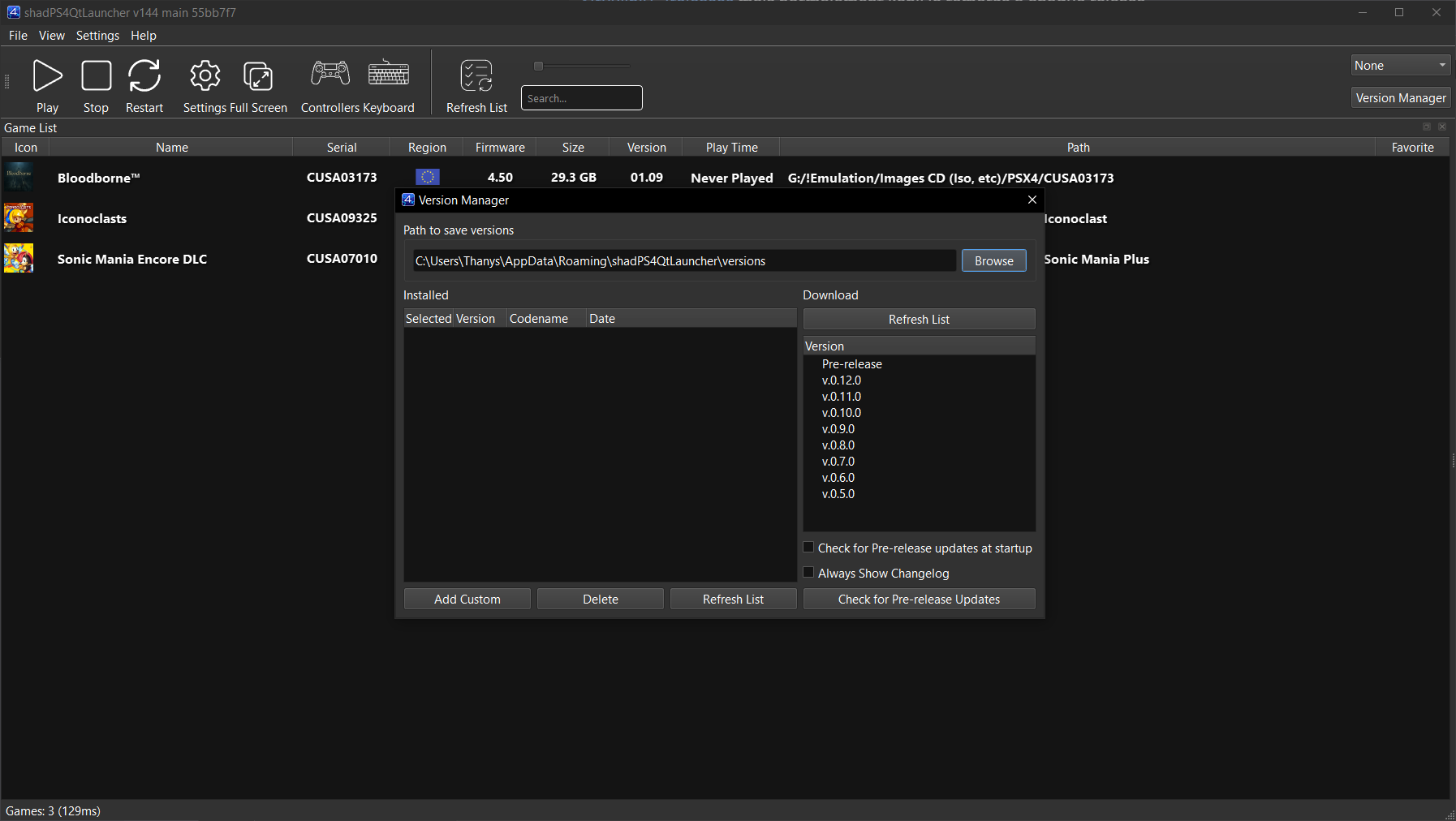
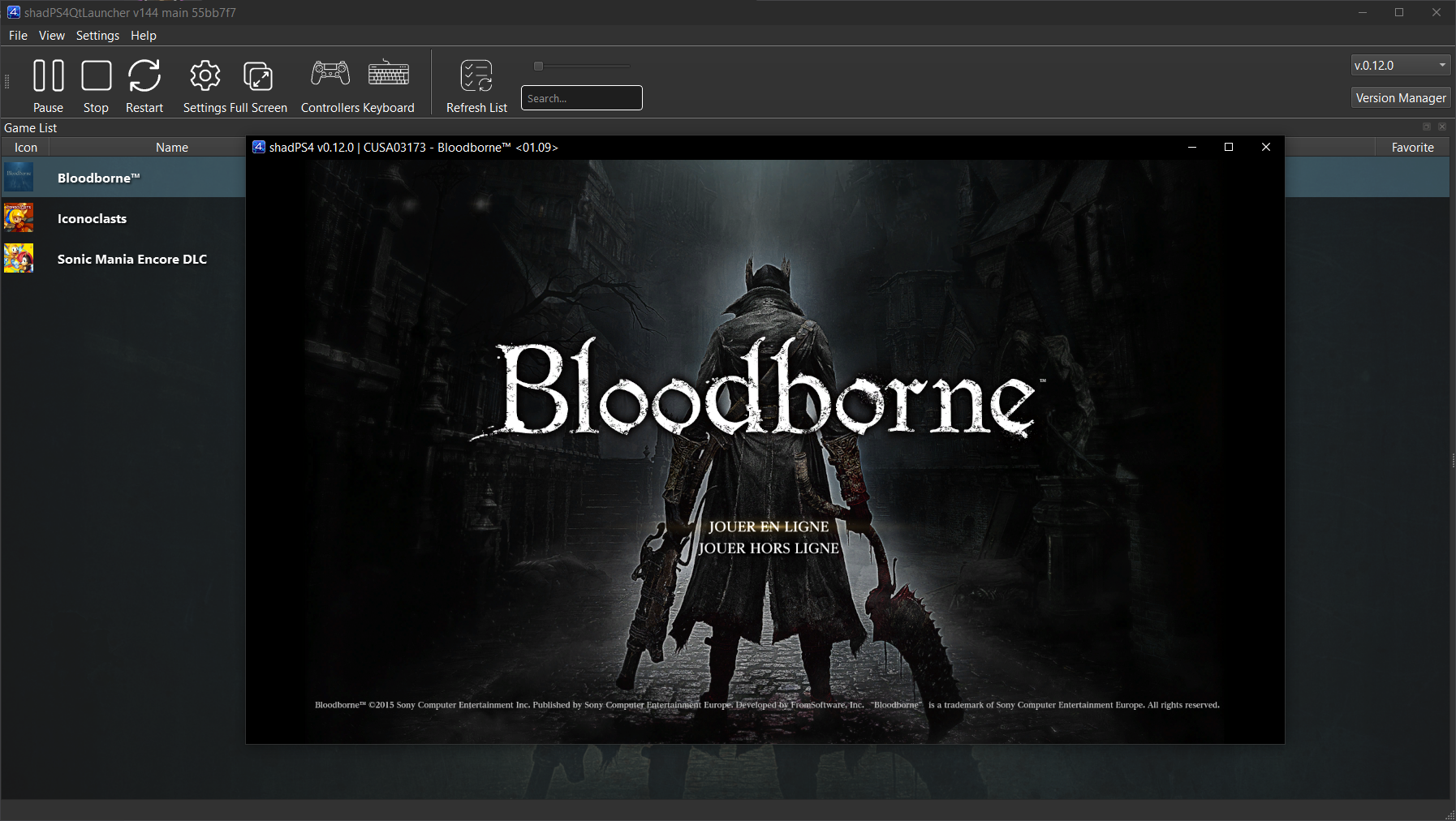
shadPS4 est un émulateur PlayStation 4 open-source. Depuis la version 0.12.1, il abandonne son interface graphique intégrée pour fonctionner uniquement en ligne de commande.
 
Pour faciliter son usage, une interface externe est disponible. Elle permet de lancer des jeux, configurer les options, et suivre les performances via une interface visuelle simple et intuitive.
 

Cette interface est développée séparément et reste compatible avec les futures versions de shadPS4.


Les changements:
– New Crowdin updates
– Misc fixes


Télécharger ShadPS4 (GUI) v220 (25.4 Mo)

Site Officiel

En savoir plus…

Il s’agit de WinUAE, la référence de l’émulation Commodore Amiga, traduit en français.


Télécharger WinUAE (Français | 32 bits) v6.0.3 (8.6 Mo)

Télécharger WinUAE (Français | 64 bits) v6.0.3 (11.0 Mo)

Site Officiel

En savoir plus…

DS4MapperTest est un projet expérimental servant de terrain de test pour de nouvelles idées de mapping de manette.
 
Il n’est pas destiné au grand public comme DS4Windows, mais plutôt utilisé pour tester et développer :
 

– Nouvelles méthodes de mapping
– Gestion avancée du gyroscope
– Injection d’inputs via SendInput
– Expérimentations autour des drivers d’émulation
– Alternatives à FakerInput


Télécharger DS4MapperTest v0.0.26 (1.1 Mo)

Site Officiel

En savoir plus…

Très performant, PPSSPP est un émulateur de Sony PSP (pour Windows, Android et autres via SDL) gratuit et libre écrit en C + + par Henrik Rydgard (très connu sous le pseudo de Ector, déjà auteur de l’émulateur de PSP Potemkin et surtout connu pour Dolphin, ayant également exercé sur nombre d’émulateurs Dreamcast).


Les changements sont les suivants:
 
– Fix issue preventing ad hoc relay servers from working when RetroAchievements are enabled on Windows (#21420)
– Some ad hoc UI improvements (#21432, #21433)
– Fix crash/failure setting the background on iOS (#21409)
– Fix logging to file (#21412)
– Networking settings cleanup (#21418)
– Some fixes for assorted rare crashes (#21422)
– Fix issues when unpausing using a controller binding (#21424), DualSense Edge detection on Windows (#21426)
– Fix missing savestate undo button (#21425)
– MMPX texture upscaling algorithm has been restored, the new one has been improved (#21376) and renamed MMPX Advanced (#21421)
– Fix support for custom game config for homebrew apps (#21434)
– Improve insets handling on Android (#21437)


Cette archive inclut la version 32 et 64 bits.


Télécharger PPSSPP v1.20.3 (19.3 Mo)

Télécharger PPSSPP (Français) v1.20.3 (26.1 Mo)

Site Officiel

En savoir plus…


Casino-en-ligne-fiable.com

https://getourbonus.com/fr/accueil

https://www.romspedia.com/

https://www.casinoonlinefrancais.fr

Lucky 7 bonus

https://www.casinogratuitsansdepot.com

pablocasino.org

critiquejeu.info

playbonus

casinodoc.org

laplanquedujoueur.com

casinoonlinefrancais
Listing de toutes les actualités , Page numéro 3 - Emu-France

Un émulateur écrit sous Visual C++ et qui utilise DirectX. Il supporte les systèmes Sharp suivants : Sharp pc-1245, Seiko MC-2200, Sharp pc-1250, Tandy PC-3, Sharp pc-1251, Tandy PC-3 (4Ko), Sharp pc-1251H, Sharp pc-1255, Sharp pc-1260, Sharp pc-1261, Sharp pc-1262, Sharp pc-1280, Sharp pc-1350, Sharp pc-1360, Sharp pc-1401, Sharp pc-1402, Sharp pc-1403, Sharp pc-1403H, Sharp pc-1421, Sharp pc-1450, Sharp pc-1475, Sharp pc-1500, Tandy PC-2, Sharp pc-1500A, Sharp pc-1600, Sharp pc-2500, Sharp pc-E500, Sharp pc-E550, Sharp PC-G850V, Sharp PC-1445, Sharp PC-1211 (simulateur), Casio FP-200, Casio PB-1000, Casio PB-2000C, Casio Z-1GR, Casio FX-9000P, Canon X-07, Canon X-710, NEC PC-2001, NEC PC-2021, Panasonic HHC, TI-57, HP-41, HP-71B, Elektronika MK-90 ainsi que les extensions suivantes : Sharp ce-152, Sharp ce-125, Seiko MP-220, Tandy 26-3591, Sharp ce-126p, Sharp ce-123p, Sharp ce-129p, Sharp ce-120p, Sharp ce-140p, Sharp ce-150, Sharp ce-140f, Sharp ce-1600p, Sharp EA-129C, Casio MD-100, Casio FP-100, Casio FP-40, HP-41, CE-150 (non free), IWS-Video pour PC-1500.


Les changements sont:
 
– Major instability issues with the HP‑71B and its HP‑IL loop
– External ROM module (.mod) loading on the HP‑41 was not working on Android
– Various Elektronika MK‑90 issues
– Improved Kana character handling in the Keyboard Simulator
– Casio AI‑1000: Kana key was not working
– New condensed skin for the HP‑82163A
– The venerable CE‑126P had a bug in its “Export as text” feature, confusing the letter ‘O’ with the digit zero


Télécharger PockEmul (Stable) v2.10.1 (75.0 Mo)

Site Officiel

En savoir plus…

Comme son nom l’indique, il s’agit d’un émulateur de HP-15C créé par Torsten Manz et dont l’interface est disponible en plusieurs langues, à ne pas confondre avec HP15C d’un autre auteur.


Télécharger HP-15C (x86) v4.1.0 Build 5914 (2.7 Mo)

Télécharger HP-15C (x64) v5.1.0 Build 6608 (4.1 Mo)

Site Officiel

En savoir plus…

Play! est un émulateur de PlayStation 2 et Namco System 2X6 (ainsi que les variantes System 147/148) sous Windows / MacOS / iOS / Android. Il est actuellement écrit en C / C + + et utilise un système de mise en cache / de recompilation d’instruction pour obtenir de meilleures performances tout en émulant le CPU.
 
L’émulateur peut faire fonctionner un ensemble de jeux. L’objectif de l’auteur est d’atteindre un niveau de qualité qui permettra à quiconque de jouer à son jeu favori PlayStation 2 sur son PC.


– Move GameConfig logic out of PS2OS.
– Merge pull request #1504 from hardBSDk/patch-1
– Fix grammar and punctuation in README.md
– Improve explanation
– Explain how to test the latest builds
– Misc fixes


Télécharger Play! (x86) GIT v0.72 (2026/03/14) (8.8 Mo)

Télécharger Play! (x64) GIT v0.72 (2026/03/14) (10.3 Mo)

Site Officiel

En savoir plus…

Mupen64 RR Lua (ou Mupen64 Re-recording Lua) est un fork (le 3eme) de Mupen64 permettant l’enregistrement de vidéo.


Les changements sont:
 
⚡ Performance
– Rombrowser – Multithreaded ROM discovery (#519)
– ActionManager – Dont send registry change notification when batch contains no work (#518)
 
🐞 Bugfixes
– Rombrowser – Broken sorting (#521)
 
📚 Documentation
-Document ‘type’ parameter of ‘iohelper.filediag’ (#515)

 
Site original. Fork 1. Fork 2. Fork 3.
 

Télécharger Mupen64 RR Lua v1.3.0-19 (+AVI Fixes builds) (3.4 Mo)

En savoir plus…

Un émulateur de Sinclair ZX Spectrum multi-plateformes.


Télécharger Spectral v1.13 (3.1 Mo)

Site Officiel

En savoir plus…

Il s’agit d’un fichier permettant à MAME/MAMEUI de connaître la procédure à suivre pour l’initialisation d’un jeu.
 
Il contient des procédures générales d’utilisation des ordinateurs, comme la manière de charger une cassette. Certaines procédures d’installation complexes pour les jeux d’arcade y sont également décrites.
Principalement destiné aux utilisateurs de MAMEUI, certaines procédures se réfèrent spécifiquement à MAMEUI. Cependant, les équivalents pour MAME sont faciles à utiliser.
 

Créé en étroite collaboration entre Antopisa et Robbbert.
 
gameinit
 

Télécharger GameInit.dat v0.286 (128 Ko)

Site Officiel

En savoir plus…

Il s’agit du meilleur émulateur de PlayStation One, devant ePSXe et pSX.


Caractéristiques:
– Recompilateur/JIT CPU (x86-64, armv7/AArch32, AArch64, RISC-V/RV64).
– Rendu matériel compatible avec les API D3D11, D3D12, OpenGL, Vulkan et Metal.
– Mise à l’échelle, filtrage des textures et couleurs vraies (24 bits) dans les moteurs de rendu matériels.
– PGXP pour la précision géométrique, la correction des textures et l’émulation du tampon de profondeur.
– Mélange précis via Rasterizer Order Views / Fragment Shader Interlock.
– Système de remplacement de textures dans les moteurs de rendu matériels.
– Rendu logiciel vectorisé et multi-threadé.
– Désentrelacement adaptatif au mouvement.
– Filtre de sous-échantillonnage adaptatif.
– Rotation d’écran pour les jeux de tir verticaux ou en mode « TATE ».
– Chaînes de shaders de post-traitement (GLSL, Reshade FX et préréglages Slang).
– Bordures décoratives affichées autour du contenu du jeu.
– « Démarrage rapide » pour ignorer l’intro du BIOS.
– Prise en charge des sauvegardes d’état, avec exécution anticipée et rembobinage.
– Compatible avec Windows, Linux et macOS.
– Lecture directe depuis CD, images bin/cue, fichiers bin/img bruts, MAME CHD, ECM à piste unique, MDS/MDF et formats PBP non chiffrés.
– Préchargement des images disque en RAM pour éviter les interruptions dues à la mise en veille du disque.
– Fusion des jeux multi-disques dans la liste/grille avec cartes mémoire partagées.
– Chargement/application automatique des patchs PPF.
– Démarrage direct des exécutables homebrew.
– Chargement direct des fichiers Portable Sound Format (psf).
– Audio étiré dans le temps lors de l’exécution hors de la vitesse 100 %.
– Prise en charge des manettes numériques et analogiques (le retour de force est transmis à l’hôte).
– Support des pistolets GunCon et Justifier (simulés à la souris).
– Support de la manette NeGcon.
– Préréglages de manette et configuration par jeu.
– Interface utilisateur Qt et mode « Big Picture ».
– Mises à jour automatiques avec canaux preview et stable.
– Analyse automatique du contenu — titres/hachages fournis par redump.org.
– Commutation automatique optionnelle des cartes mémoire par jeu.
– Prise en charge des cheats à partir de listes existantes.
– Éditeur de carte mémoire et importateur de sauvegardes.
– Overclocking CPU émulé.
– Débogage intégré et à distance.
– Support des manettes multitap (jusqu’à 8 appareils).
– Intégration RetroAchievements.
– Présence enrichie Discord.
– Capture vidéo via Media Foundation (Windows) et FFmpeg (toutes plateformes).
– Fonction de caméra libre.
– Émulation de cartouches via port parallèle.

 
Configuration requise:
– Windows 10/11 (7/8/8.1 here), Linux (AppImage/Flatpak), macOS.
– Un CPU plus rapide qu’une patate. Mais il doit être x86_64, AArch32/armv7, AArch64/ARMv8 ou RISC-V/RV64.
– Un GPU capable de OpenGL 3.1 / OpenGL ES 3.1 / Direct3D 11 niveau de fonctionnalité 10.0 / Vulkan 1.0. Donc, en gros, n’importe quoi fabriqué au cours des 10 dernières années.
– Une manette compatible SDL, XInput ou DInput (par exemple XB360/XBOne/XBSeries). Les utilisateurs de DualShock 3 sous Windows devront installer les pilotes officiels DualShock 3 inclus dans PlayStation Now.


Les améliorations sont:
 
Preview Build:
– Tweak slider colour in Dark Ocean theme (Stenzek)
– Use saveAndReloadGameSettings() instead of manual save (Stenzek)


Stable Build (or rolling release):
– CPU/RISCV64: Fix gte_completion_tick store in EndAndLinkBlock (#3702)
– CPU/Recompiler: Don’t clobber downcount in GTE blocks
– System: Use achievements game icon for loading screen
– ImGuiManager: Remove redundant cast
– GPUTexture: Don’t assemble vector in GetSizeVec()
– FullscreenUI: Free up more bytes in locals
– FullscreenUI: Add debug destructor
– Achievements: Fix indicator scale not applying to text
– Achievements: Increase indicator horizontal padding
– Achievements: Add missing coordinate floor() in a couple of places
– FullscreenUI: Add background blur to notifications/menus
– Achievements: Add pinning of measured achievements
– FullscreenUI: Fix crash when changing range cheats
– FullscreenUI: Fix range cheats not being completely removed
– PostProcessing: Fix inconsistent unscaled input during reload
– PostProcessing: Set unscaled input based on first enabled shader
– SettingsInterface: Replace simpleini with built-in parser
– dep: Remove simpleini
– Common: Add missing functions for SSE2 vector implementation
– GPU/HW: Fix bogus ‘resolution set to 0x0’ message
– Installer: Fix incorrect executable name on ARM64
– CMake: Core link to vixl/biscuit should be private
– VideoPresenter: Reuse blur target for transitions
– InputManager: Support localizing device names
– SDLInputSource: Make button/axis labels controller type aware
– Achievements: Clear OSD state before rc_client_unload_game()
– FullscreenUI: Fix previous window not cleared on shutdown
– FullscreenUI: Fix concurrent achievement+leaderboard hotkeys
– Qt: Zero a few spacer size hints
– FullscreenUI: Reset focus when switching to same main window
– SDLInputSource: Use constants for motor indices
– XInputSource: Use constants for motor indices
– SettingsInterface: Make strings the only virtual type
– Settings: Use string_view for parsing types
– Settings: Use case-sensitive comparison when loading
– INISettingsInterface: Use case-sensitive sections/keys
– FullscreenUI: Avoid calling EnumerateDeviceEffects() on video thread
– Qt: Avoid InputManager calls for binding widgets
– FullscreenUI: Avoid calling EnumerateDevices() on video thread
– InputManager: Add thread assertions to public functions
– Qt: Remove HasAnyBindingsForKey() call on double click
– InputManager: Remove main mutex
– ShaderGen: Fix compile error with OpenGL ES
– GameDB: ICache for Resident Evil 1+2
– GPU/HW: Fix draw rect not updating in FF8 truncation workaround
– GPU: Fix gsvector_nosimd -Wnontrivial-memcall warnings (#3704)
– dep/imgui: Fix LoongArch64 compile
– dep/rapidyaml: Fix LoongArch compile
– dep: Add lagoon
– GPU: Fix blend32() template for non-SIMD path
– Common: Add LoongArch support
– CPU/LoongArch64: Add recompiler
– CPU/LoongArch64: Don’t clobber downcount in GTE blocks
– Achievements: Add toast when achievement is pinned/unpinned
– Qt: Add ‘Dark Ocean’ theme
– Scripts: Fix regtest runner
– FullscreenUI: Display PS/Xbox button icons based on current device
– FullscreenUI: Use BackgroundHighlight for button hover in choice dialog
– FullscreenUI: Show ‘Scroll Page’ in footer legend
– CI: Drop libc injection hack
– CI: Remove AppRun hook from cross AppImage
– CI: Update to latest AppImage utilities
– CI: Only build Qt frontend for cross jobs
– CMake: Always build Qt interface
– GPUDevice: Drop SDL window type
– OpenGLDevice: Remove prerotation hacks
– FullscreenUI: Fix achievements hotkey hang with VSync on
– CI: Verify hashes of dependencies
– VulkanDevice: Fix duplicate check for VK_KHR_get_surface_capabilities2
– GPUDevice: Fix false error logged with OpenGL
– Settings: Ensure INI gets saved in logical section order
– Settings: Remove empty sections before saving


Télécharger DuckStation v0.1 build 10XXX (64.9 Mo)

Site Officiel

En savoir plus…

Qemu est un émulateur basé sur la translation dynamique de code, qui lui permet d’obtenir de très bonnes performances. Il permet actuellement d’exécuter des programmes pour ix86, arm, sparc et powerpc sur diverses plateformes (PC, PPC, alpha, arm, sparc, amd64, mips, ia64, …) et de lancer des OS pour PC ou PPC. Inclus les images systèmes et les fichiers bat pour i386, mipsel, arm, sparc et PCC. QEMU émule en permanence le processeur et cela peut réduire la performance d’un facteur cinq à dix. Pour pouvoir obtenir des performances plus comparables à un système non virtualisé ou à VMware (réduction de performance d’un facteur 1 à 2 seulement), il faut utiliser un module d’accélération, ce qui nécessite un système Linux sur architecture x86 ou x86_64 avec un noyau 2.4.x ou 2.6.x.
 
Qemu
 
Les changements sont visibles ici.


Télécharger QEMU (x86) v7.2.0 (152 Mo)

Télécharger QEMU (x64) v10.2.50 (176 Mo)

Site Officiel

En savoir plus…

Lazuli est un émulateur GameCube expérimental écrit en Rust, doté d’un JIT PowerPC basé sur Cranelift, d’un rendu wgpu, d’un DSP LLE, d’un IPL HLE intégré, d’une interface de debug complète, capable de lancer plusieurs jeux commerciaux mais encore en phase préliminaire, nécessitant Rust nightly et Just pour la compilation.


Télécharger Lazuli (2026/03/13) (19.8 Mo)

Site Officiel

En savoir plus…

Un émulateur de MZ-800 / MZ-700 / MZ-1500 pour Windows.


Les changements principaux sont:

– The emulator core has been redesigned with better multithreading and performance.
– Migration to SDL3 and ImGui has started, offering a more modern foundation.
– Several interface modules (like debugger, memory browser, FDC tools, etc.) are still not implemented.
– The GUI now includes early support for localization, with translation help welcome.


Télécharger Mz800emu v2.0.1 pre (43.9 Mo)

Site Officiel

En savoir plus…

Azahar est une fusion entre Lime3DS et le fork Citra de PabloMK7.


Soyez informé que la prise en charge des jeux cryptés n’est pas disponible…
 
Pour éviter toute confusion concernant les objectifs d’Azahar, la décision a été prise de limiter autant que possible le contournement du TPM (Trusted Platform Module). Le contournement ne sera effectué que lorsque l’interopérabilité du code de Nintendo est nécessaire avec Azahar ou d’autres codes de Nintendo. En conséquence, Azahar n’autorisera pas le lancement ou l’installation de jeux cryptés à moins qu’ils n’aient été obtenus par le biais des applications officielles de Nintendo, telles que l’eShop ou les paramètres système.
 

Note: Les fichiers .3ds non cryptés sont désormais pris en charge nativement.

 
Les changements:
 
Libretro
– Azahar is now available as libretro/RetroArch cores for various OS platforms.
– Linux (x86_64)
– Windows (x86_64)
– macOS (arm64)
– macOS (x86_64)
– Android (arm64)
– iOS
– tvOS
– Other platforms and architectures may be added in subsequent releases.
– On iOS and tvOS, JIT is disabled by default due to App Store restrictions, which may reduce performance.
 
All
– Implemented a disk shader cache for the Vulkan renderer using `.vkch` files to prevent recompiling shaders between launches.
– Added compatibility with NetPass by implementing `NWM_SOC::GetMACAddress`.
– Greatly reduced CPU usage while using Artic Base.
– Shader and pipeline compilation tasks are now handled by separate workers for better parallelism.
– Re-added texture filtering functionality when using the Vulkan renderer.
– Fixed an issue where a previous game’s cheat list could appear for games without cheats.
– Minor fixes to local play for Luigi’s Mansion 1 and Download Play applications.
– Minor optimization to the Vulkan renderer reducing memory usage.
– CECD LLE module is now enabled by the « Enable required LLE modules for online features » setting.
– Added a debug option to toggle the console type between Old 3DS and New 3DS.
– Fixed validation issues in the Vulkan renderer that could cause undefined behavior.
– Fixed Nintendo Badge Arcade incorrectly displaying an update message.
– Fixed a crash when resetting settings to default.
– Removed all code related to the old SDL2 frontend.
– Fixed camera emulation issues with real cameras in the MSYS2 build.
– Fixed filesystem issues affecting some games.
– Fixed corrupted characters in application names when creating desktop shortcuts.
– AMD drivers are now explicitly instructed to use the dedicated GPU when available.
 
Android
– Added a new « Hotkey Enable » button bind for activating hotkeys through button combinations.
– Added an « Auto-Map Controller » button similar to the desktop version.
– The drawer menu now adapts to the device orientation.
 
Android (Vanilla)
– Switched to a new package ID `org.azahar_emu.azahar`.
– Improved removable storage path detection using StorageManager.
– Transitioned to fully native file I/O for the vanilla build, drastically reducing loading times.
 
Desktop
– Added support for using a controller touchpad to control the emulated touchscreen.
– Fixed a crash caused by preloading custom textures when they were disabled.
– Fixed missing automatic line breaks in some setting tooltips.
– Added « Enable display refresh rate detection » debug setting.
– Improved update checker logic to prevent accidental downgrades.
 
macOS
– Added a warning when launching Azahar directly instead of from the `.app` bundle.
– Fixed a possible UI freeze while populating the game list.
 
Technical
– Code for disabled features is now more aggressively excluded at compile time.
– Disabled CPU detection for the unused FMA4 extension.
– Added NATVIS support for the BitField class to improve debugging in Visual Studio.
– Removed redundant SSE4.2 CPU detection code.
– Removed unused SSE/SSE2 CPU detection code.


NB: L’outil Azahar Artic Setup est une application homebrew pour la Nintendo 3DS qui permet d’installer des fichiers système et des données uniques de la console sur l’émulateur Azahar en utilisant votre console. Il diffuse l’application « Paramètres Système » ainsi que le module système NIM pour effectuer une mise à jour système, et copie vos données uniques de la console pour activer les fonctionnalités en ligne.
 

Télécharger Azahar v2125 RC1 (39.8 Mo)

Site Officiel

En savoir plus…

AmiArcadia est le port amélioré de Tunix2001 ex ‘Win Arcadia 2001’ (par Gavin Turner) pour Amiga. Ecrit par James Jacobs et Gavin Turner, cette version est en fait le port Windows du port Amiga (un backport) !


Systèmes émulés:
 
Consoles:
– Famille Emerson Arcadia 2001 : Bandai, Emerson, Grandstand, Hanimex, Intervision, Leisure-Vision, Leonardo, MPT-03, Ormatu, Palladium, Poppy, Robdajet, Rowtron, Tele-Fever, Tempest, Tryom, Tunix, etc.
– Interton VC 4000 et compatibles : Acetronic, Cabel, Fountain, Hanimex, Interton, Prinztronic, Radofin, Rowtron, Voltmace, Waddingtons…
– Elektor TV Games Computer (1979)
 
Machines PIPBUG/BINBUG:
– Electronics Australia 77up2/78up5, Signetics Adaptable Board Computer, Eurocard 2650…
– Signetics Instructor 50 (1978)
– Signetics TWIN (1976)
– Central Data 2650 (1977)
– PHUNSY microcomputer (c.1980)
– Ravensburger Selbstbaucomputer / 2650 Minimal Computer (1984)
– Hofacker MIKIT 2650 (1978)
 
Machines d’arcade:
– Coin-ops Zaccaria : Astro Wars, Galaxia, Laser Battle, Lazarian
– Coin-ops Kitronix : Malzak 1 & 2
 
Jeux électroniques:
– Consoles Pong AY-3-8500/8550/8600:
– Coleco Telstar Galaxy, Sheen TVG-201, et autres systèmes AY‑3‑85xx
 
Machine éducative électronique:
– VTech Type-Right (1985)
 

Il nécessite Windows 9x/ME/NT/2000/XP et fonctionne également sous Vista/8/10/11.


Télécharger Win Arcadia (Ami Arcadia) v36.04 (8.5 Mo)

Site Officiel


Casino-en-ligne-fiable.com

https://getourbonus.com/fr/accueil

https://www.romspedia.com/

https://www.casinoonlinefrancais.fr

Lucky 7 bonus

https://www.casinogratuitsansdepot.com

pablocasino.org

critiquejeu.info

playbonus

casinodoc.org

laplanquedujoueur.com

casinoonlinefrancais