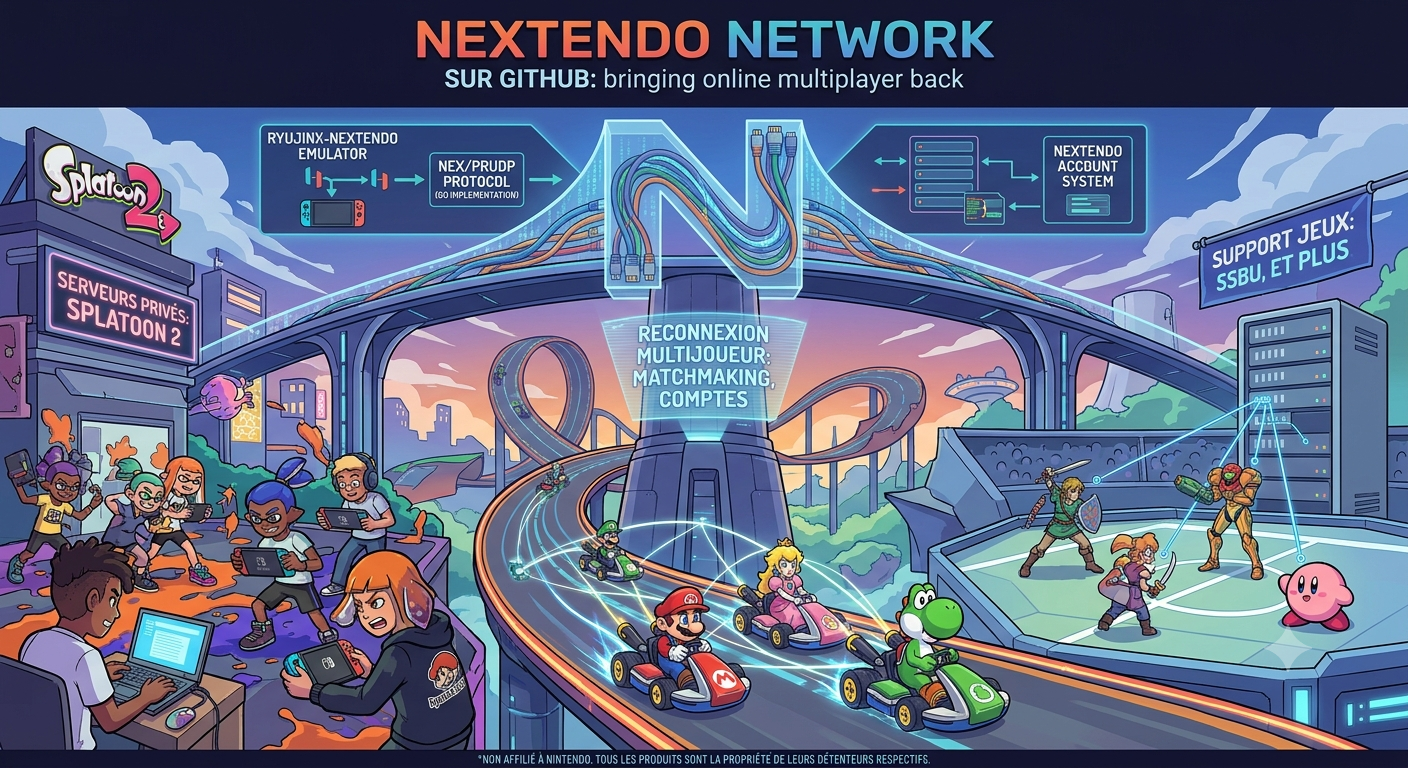
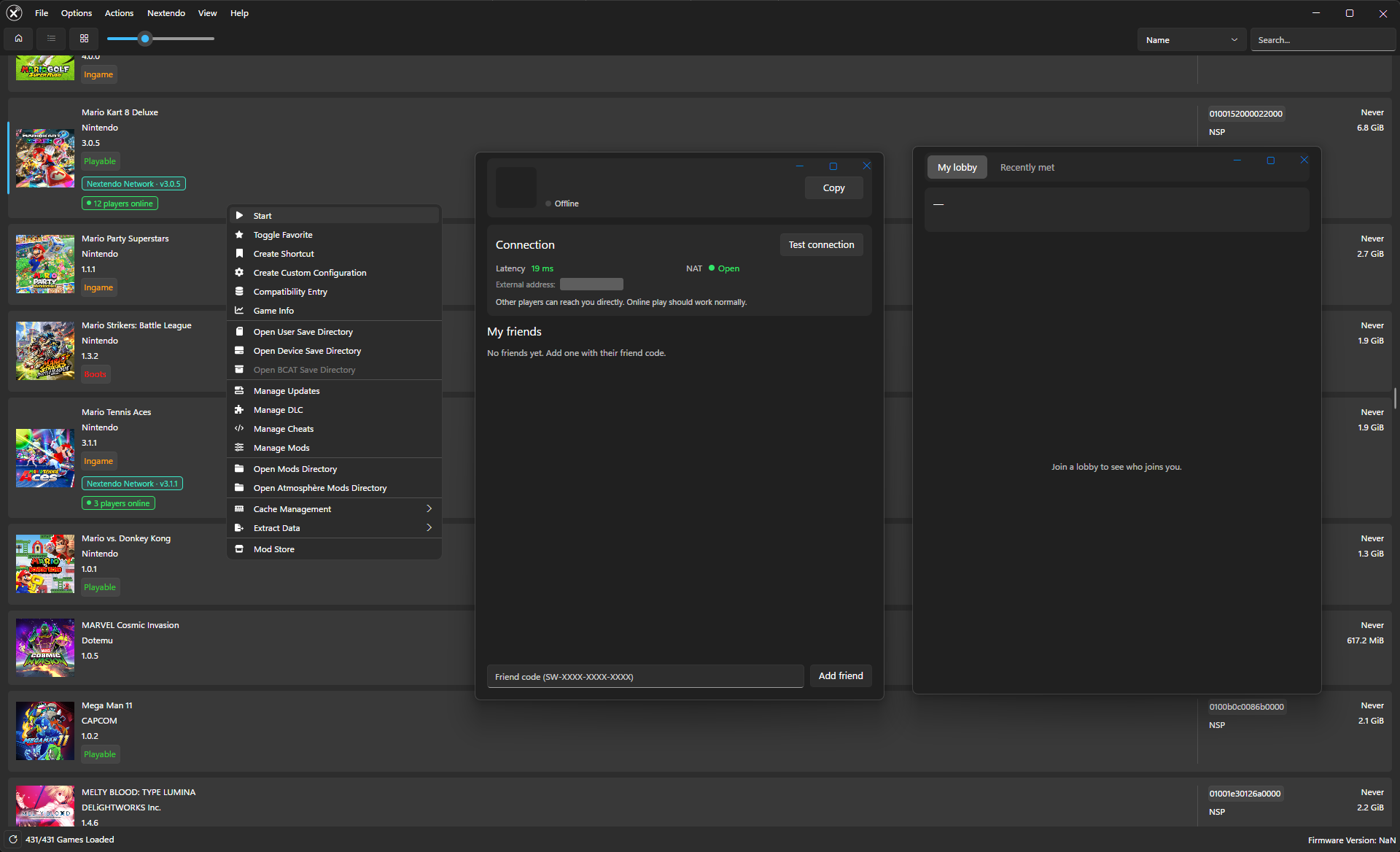
Citron-Nextendo est un fork de l’émulateur Nintendo Switch Citron, lui-même dérivé de Yuzu. Il intègre le support du réseau Nextendo Network afin de permettre le jeu en ligne avec un système de comptes, de matchmaking et de connexion multijoueur. Il intègre également divers correctifs de compatibilité pour certains jeux.. Disponible sous Windows et Linux.


Télécharger Citron-Nextendo (2026/11/02) (37.1 Mo)

Site Officiel

En savoir plus…

Ryujinx-Nextendo est un émulateur Nintendo Switch basé sur Ryujinx, auquel a été intégré nativement le support du Nextendo Network, un service en ligne privé et communautaire destiné à remplacer le service officiel de Nintendo.
 
Le projet reprend le cœur d’émulation de Ryujinx (Ryubing), notamment pour le processeur, le GPU, l’audio, les contrôles et le système de fichiers. Les modifications apportées par Nextendo concernent principalement la partie réseau et l’interface utilisateur.
 
L’objectif est notamment de permettre aux jeux compatibles de retrouver des fonctionnalités de jeu en ligne via le Nextendo Network, sans nécessiter de configuration manuelle particulière, de modification du fichier hosts ou de contournement SSL de la part de l’utilisateur.


Télécharger Ryujinx-Nextendo v1.10.4 (38.8 Mo)

Site Officiel

En savoir plus…

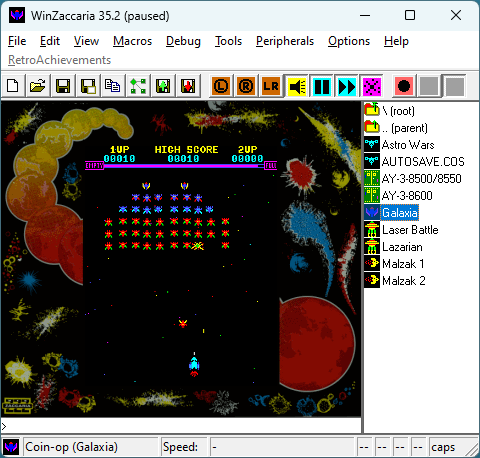
AmiArcadia est le port amélioré de Tunix2001 ex ‘Win Arcadia 2001’ (par Gavin Turner) pour Amiga. Ecrit par James Jacobs et Gavin Turner, cette version est en fait le port Windows du port Amiga (un backport) !


Systèmes émulés:
 
Consoles:
– Famille Emerson Arcadia 2001 : Bandai, Emerson, Grandstand, Hanimex, Intervision, Leisure-Vision, Leonardo, MPT-03, Ormatu, Palladium, Poppy, Robdajet, Rowtron, Tele-Fever, Tempest, Tryom, Tunix, etc.
– Interton VC 4000 et compatibles : Acetronic, Cabel, Fountain, Hanimex, Interton, Prinztronic, Radofin, Rowtron, Voltmace, Waddingtons…
– Elektor TV Games Computer (1979)
 
Machines PIPBUG/BINBUG:
– Electronics Australia 77up2/78up5, Signetics Adaptable Board Computer, Eurocard 2650…
– Signetics Instructor 50 (1978)
– Signetics TWIN (1976)
– Central Data 2650 (1977)
– PHUNSY microcomputer (c.1980)
– Ravensburger Selbstbaucomputer / 2650 Minimal Computer (1984)
– Hofacker MIKIT 2650 (1978)
 
Machines d’arcade:
– Coin-ops Zaccaria : Astro Wars, Galaxia, Laser Battle, Lazarian
– Coin-ops Kitronix : Malzak 1 & 2
 
Jeux électroniques:
– Consoles Pong AY-3-8500/8550/8600:
– Coleco Telstar Galaxy, Sheen TVG-201, et autres systèmes AY‑3‑85xx
 
Machine éducative électronique:
– VTech Type-Right (1985)
 

Il nécessite Windows 9x/ME/NT/2000/XP et fonctionne également sous Vista/8/10/11.


Télécharger Win Arcadia (Ami Arcadia) v36.8 (9.9 Mo)

Site Officiel

Voici les derniers émulateurs en développement de Switch 2 bénéficiant des mises à jour les plus fréquentes (plusieurs fois par jour.


Télécharger Instaurix v0.1.1 alpha (27.6 Mo)

(site)

Télécharger Eden NX2 (2026/10/29) (34.4 Mo)

(site)

Télécharger Rdenno (Eglantine-Fork) build 8 r261105 (64.9 Mo)

(site)

Télécharger Selevet (Eglantine-Fork) build 9 (24.1 Mo)

(site)

Télécharger Orchid (Eglantine-Fork) v0.9.0 (99.2 Mo)

(site)

Télécharger Lichii (Eglantine-Fork) build 95 (111 Mo)

(site)

Télécharger Frizti (Eglantine-Fork) v3 (65.0 Mo)

(site)

Télécharger PokeDinner (Eglantine-Fork) v2.7.7 (62.0 Mo)

(site)

Télécharger Eglantine v0.1.0 RC1 build 261107 (65.2 Mo)

(site)


RomSieve est un outil open source permettant d’auditer, trier et organiser des collections de ROM et d’images disque à partir de bases de données DAT (TOSEC, No-Intro, Redump et MAME). Il propose notamment la création de collections 1G1R (One Game One ROM), la détection des doublons et des disques manquants, la gestion des jeux multidisques ainsi que la génération automatique de playlists M3U. Il dispose d’une interface graphique et d’une ligne de commande et fonctionne sous Windows et Linux.


Télécharger RomSieve v1.1.1 (83.2 Mo)

Site Officiel

En savoir plus…

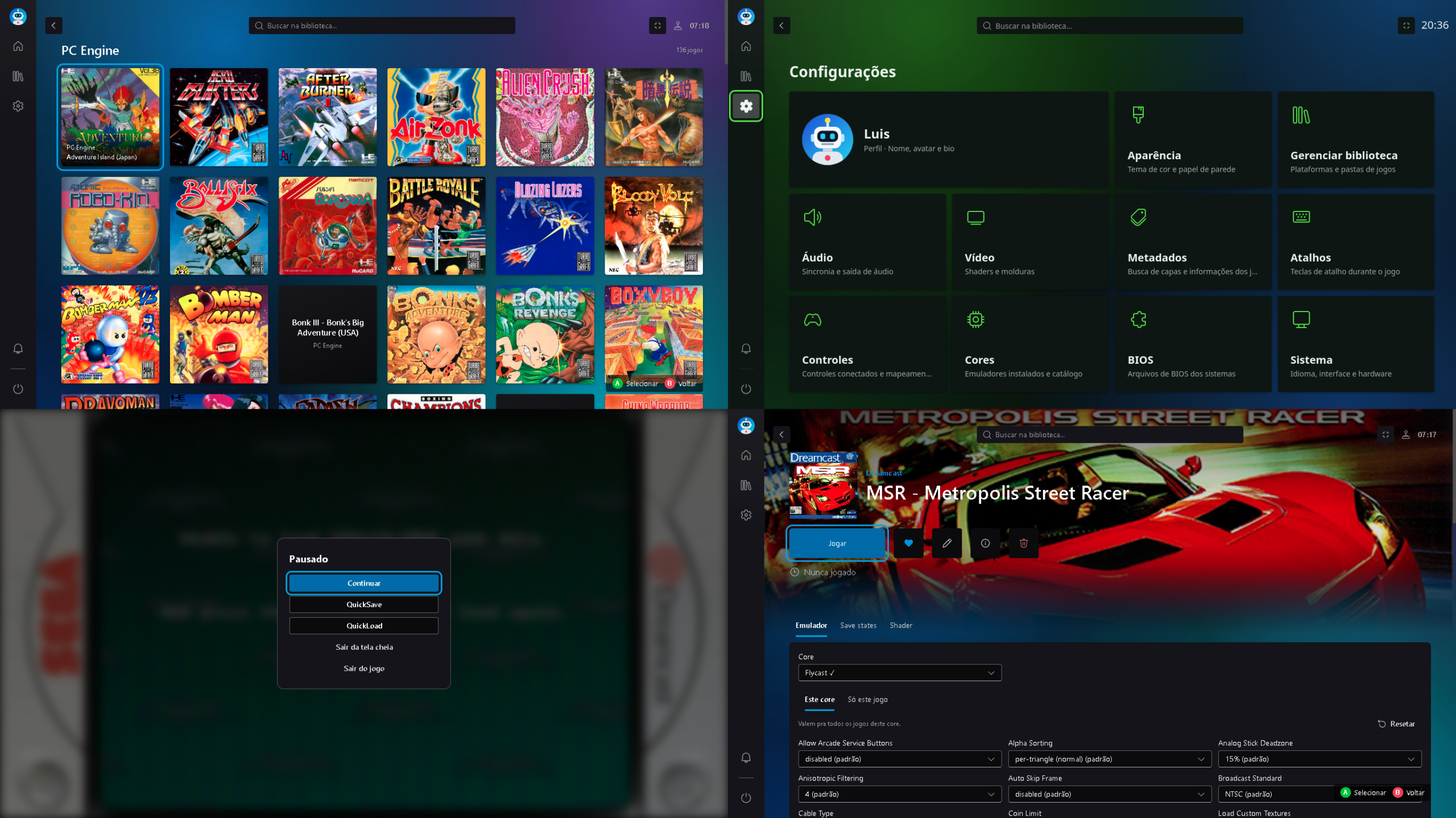
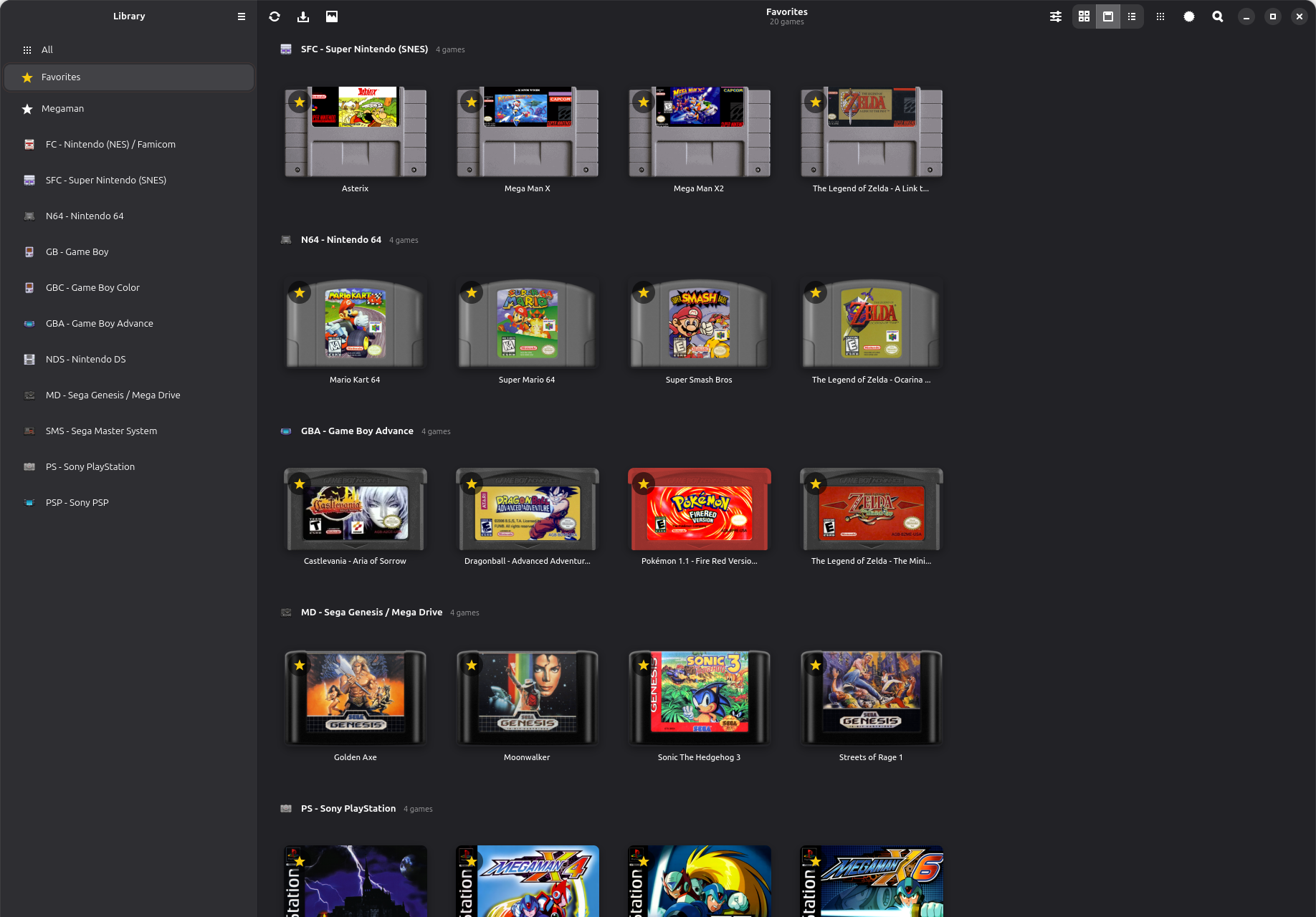
ReEmu est un frontend open source permettant de centraliser et d’organiser une bibliothèque de jeux rétro dans une interface graphique moderne, entièrement utilisable à la manette. Il s’appuie sur les cores Libretro pour assurer l’émulation de nombreux systèmes, sans être lui-même un émulateur.
 
Il propose notamment l’analyse automatique des collections de jeux, la récupération des jaquettes et des informations associées, la gestion des cores et des BIOS, ainsi que la configuration des shaders, des Bezels et des sauvegardes instantanées (Save States). Il intègre également un système de favoris, un historique et un suivi du temps de jeu.
 
De nombreuses plateformes sont prises en charge, notamment les consoles Nintendo, Sega, Sony et NEC, les systèmes d’arcade ainsi que plusieurs ordinateurs rétro.


Télécharger ReEmu v0.1.12 (10.8 Mo)

Site Officiel

En savoir plus…

OpenEmux est une interface graphique libre et open source inspirée d’OpenEmu, conçue pour simplifier l’utilisation de RetroArch. Développé en Python avec GTK4 et libadwaita, ce frontend permet de parcourir et d’organiser une bibliothèque de jeux rétro par système, avec affichage des jaquettes récupérées depuis les dépôts de miniatures de Libretro.


OpenEmux s’appuie sur RetroArch pour l’émulation et facilite sa configuration depuis une interface unifiée. Il permet notamment de définir les répertoires de jeux, de vérifier la présence des BIOS requis, de configurer les commandes clavier et manette pour chaque système et de gérer les shaders. Lors du premier lancement, l’application prépare son environnement et télécharge les cœurs Libretro nécessaires.
 
Initialement conçu pour Linux, le projet propose également une version pour Windows, distribuée sous forme d’archive portable et d’installateur, intégrant les dépendances nécessaires, ainsi qu’une version pour Android. Le portage Windows est développé et testé séparément de la plateforme Linux d’origine.
 
OpenEmux ne fournit aucun jeu ni BIOS. Le projet est distribué sous licence MIT, indépendamment des licences propres à RetroArch et aux composants tiers embarqués.
 

Télécharger OpenEmux v1.21.1 (197 Mo)

Site Officiel

En savoir plus…

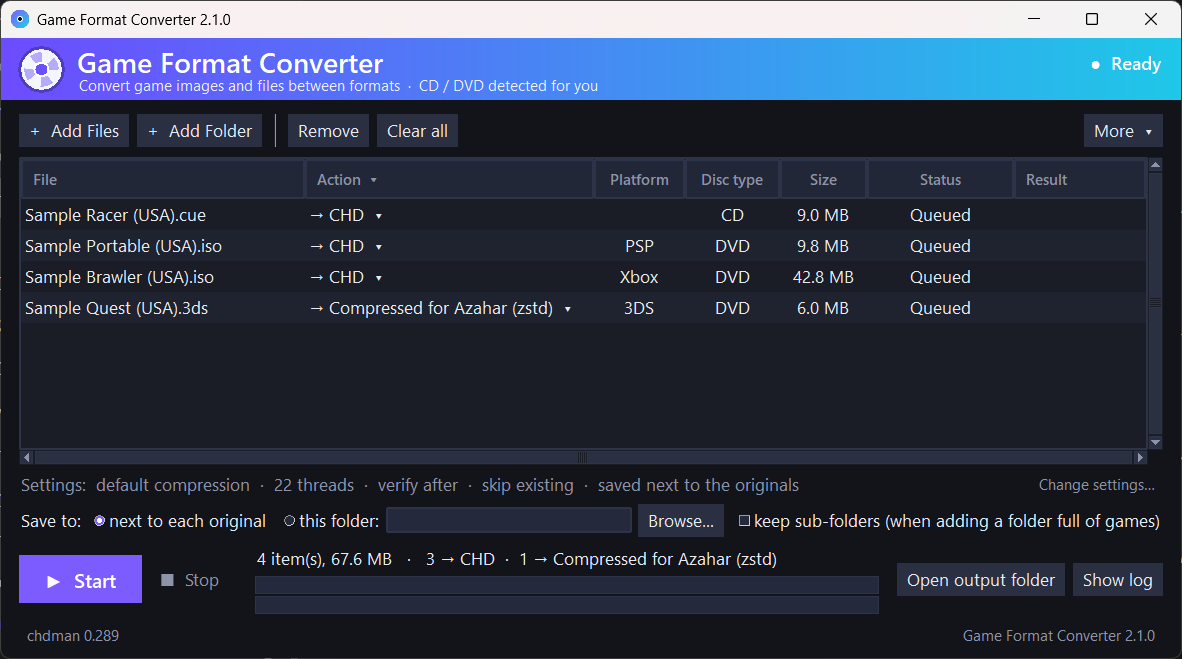
Game Format Converter (anciennement CHD Manager) est un utilitaire open source (disponible pour Windows et Linux) proposant une interface graphique conviviale pour chdman, l’outil de MAME dédié à la gestion des images disque.
 
Conçu pour convertir, compresser et décompresser des images de jeux en toute simplicité (glisser-déposer, menus contextuels Dolphin/GNOME Files, traitement par lots), le logiciel analyse automatiquement les fichiers et ne propose que les conversions viables. Il intègre de série des vérifications d’espace disque et une validation post-écriture.
 
Il prend en charge un très large éventail de formats et de consoles:
– CHD, PBP, CDI, VCD, CSO/ZSO, ECM, ISO, CUE/BIN, GDI (PlayStation, Dreamcast, Saturn, Sega CD, PSP)
– RVZ, WIA, WBFS, GCZ, CISO, WUX/WUD (GameCube, Wii, Wii U)
– ZAR, ISO et dossiers de jeux (Xbox 360) ainsi que la compression des dumps Xbox d’origine en .xiso.iso
– ISO, dossiers de jeux et paquets .pkg (PlayStation 3)
– NSP, XCI et NUP (Nintendo Switch et Switch 2, avec gestion des mises à jour et des DLC)
– .zcci, .cia et .3ds (Nintendo 3DS, avec compression pour l’émulateur Azahar)
 
Entièrement portable, le logiciel intègre une fonction de mise à jour facultative, un journal d’activité (log) et gère l’appel à des clés ou fichiers BIOS externes si requis par certains formats spécifiques, sans distribuer le moindre contenu protégé.


Télécharger Game-Format-Converter v2.1.0 (13.6 Mo)

Site Officiel

En savoir plus…

Voici les derniers émulateurs en développement, ainsi que ceux bénéficiant des mises à jour les plus fréquentes.


Télécharger DuckStation v0.1 build 12XXX (71.5 Mo)

Télécharger RPCS3 (WIP) v0.0.43 Alpha (2026/11/07) (35.5 Mo)

Télécharger ScarletNX (2026/11/07) (86.3 Mo)

Télécharger KytyPS5 r261107 (25.6 Mo)

Télécharger Citron Neo (2026/11/07) (62.1 Mo)

Télécharger Xenia v1.0.2844 (2026/11/07) (3.5 Mo)

Télécharger Xenia Edge (2026/11/07) (13.1 Mo)

Télécharger Vita3K v0.2.1 (2026/11/07) (36.1 Mo)

Télécharger EKA2L1 v0.0.9 r261107 (70.4 Mo)

Télécharger PCSX Redux (64 bits) (2026/11/07) (47.9 Mo)

Télécharger Pureikyubu (64 bits) v2.0 (2026/10/23) (2.4 Mo)


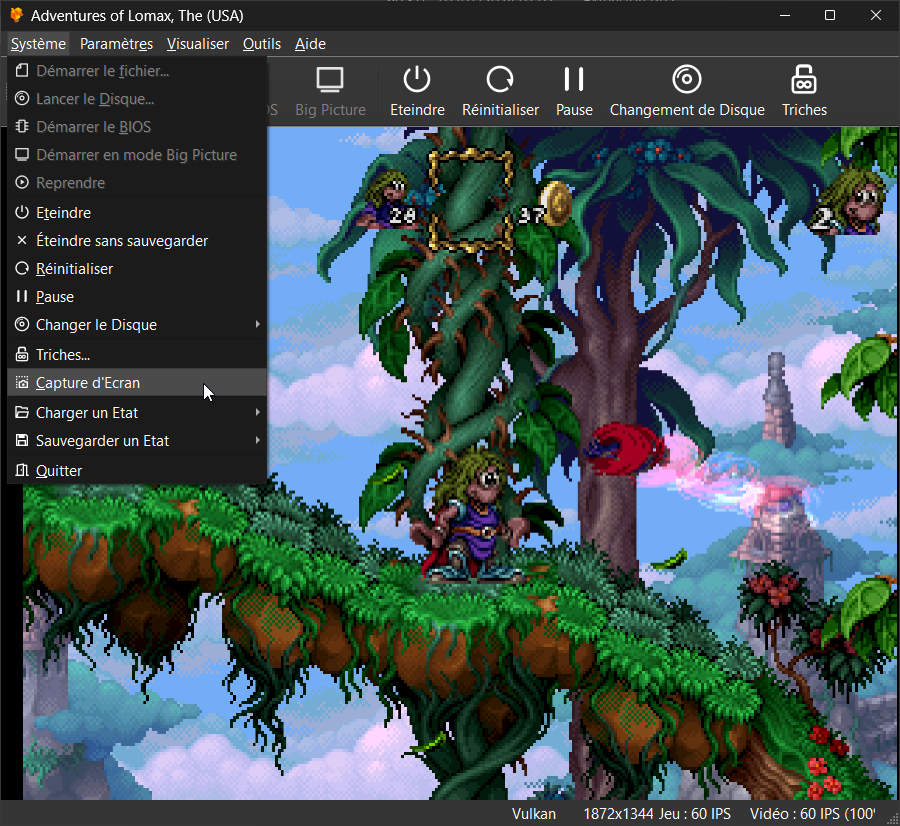
Il s’agit du meilleur émulateur de PlayStation One, devant ePSXe et pSX.


Caractéristiques:
– Recompilateur/JIT CPU (x86-64, armv7/AArch32, AArch64, RISC-V/RV64).
– Rendu matériel compatible avec les API D3D11, D3D12, OpenGL, Vulkan et Metal.
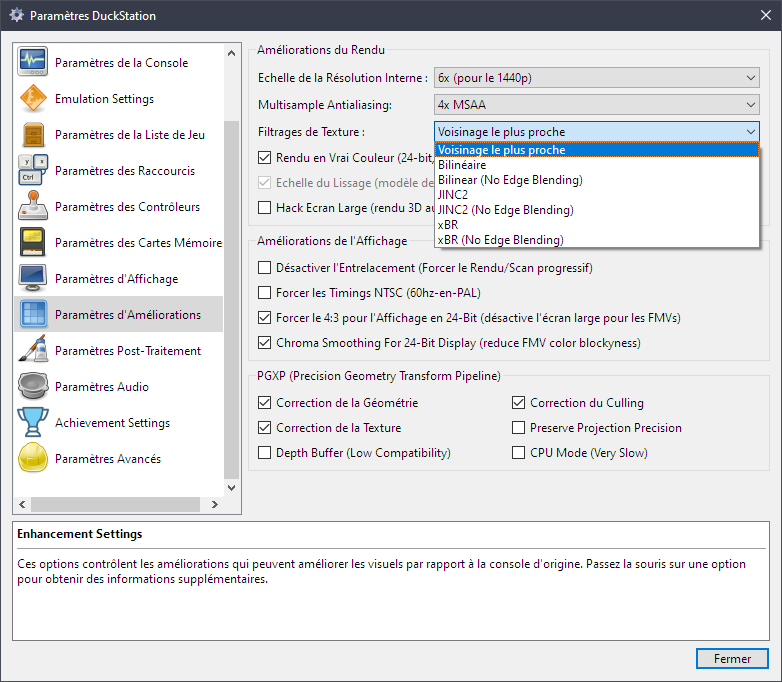
– Mise à l’échelle, filtrage des textures et couleurs vraies (24 bits) dans les moteurs de rendu matériels.
– PGXP pour la précision géométrique, la correction des textures et l’émulation du tampon de profondeur.
– Mélange précis via Rasterizer Order Views / Fragment Shader Interlock.
– Système de remplacement de textures dans les moteurs de rendu matériels.
– Rendu logiciel vectorisé et multi-threadé.
– Désentrelacement adaptatif au mouvement.
– Filtre de sous-échantillonnage adaptatif.
– Rotation d’écran pour les jeux de tir verticaux ou en mode « TATE ».
– Chaînes de shaders de post-traitement (GLSL, Reshade FX et préréglages Slang).
– Bordures décoratives affichées autour du contenu du jeu.
– « Démarrage rapide » pour ignorer l’intro du BIOS.
– Prise en charge des sauvegardes d’état, avec exécution anticipée et rembobinage.
– Compatible avec Windows, Linux et macOS.
– Lecture directe depuis CD, images bin/cue, fichiers bin/img bruts, MAME CHD, ECM à piste unique, MDS/MDF, CCD et formats PBP non chiffrés.
– Préchargement des images disque en RAM pour éviter les interruptions dues à la mise en veille du disque.
– Fusion des jeux multi-disques dans la liste/grille avec cartes mémoire partagées.
– Chargement/application automatique des patchs PPF.
– Démarrage direct des exécutables homebrew.
– Chargement direct des fichiers Portable Sound Format (psf).
– Audio étiré dans le temps lors de l’exécution hors de la vitesse 100 %.
– Prise en charge des manettes numériques et analogiques (le retour de force est transmis à l’hôte).
– Support des pistolets GunCon et Justifier (simulés à la souris).
– Support de la manette NeGcon.
– Préréglages de manette et configuration par jeu.
– Interface utilisateur Qt et mode « Big Picture ».
– Mises à jour automatiques avec canaux preview et stable.
– Analyse automatique du contenu — titres/hachages fournis par redump.org.
– Commutation automatique optionnelle des cartes mémoire par jeu.
– Prise en charge des cheats à partir de listes existantes.
– Éditeur de carte mémoire et importateur de sauvegardes.
– Overclocking CPU émulé.
– Base de données de codes de triche (cheats) avec prise en charge de plus de 4 000 jeux.
– Base de données de correctifs (patchs) avec améliorations visuelles, du taux de rafraîchissement et du format d’image.
– Analyse et modification de la mémoire en direct.
– Exploration d’images ISO et extraction de fichiers.
– Débogage intégré et à distance.
– Support des manettes multitap (jusqu’à 8 appareils).
– Intégration RetroAchievements.
– Présence enrichie Discord.
– Capture vidéo via Media Foundation (Windows) et FFmpeg (toutes plateformes).
– Fonction de caméra libre.
– Émulation de cartouches via port parallèle.

 
Configuration requise:
– Windows 10/11 (7/8/8.1 ici), Linux (AppImage/Flatpak), macOS.
– Un CPU plus rapide qu’une patate. Mais il doit être x86_64, AArch32/armv7, AArch64/ARMv8 ou RISC-V/RV64.
– Un GPU capable de OpenGL 3.1 / OpenGL ES 3.1 / Direct3D 11 niveau de fonctionnalité 10.0 / Vulkan 1.0. Donc, en gros, n’importe quoi fabriqué au cours des 10 dernières années.
– Une manette compatible SDL, XInput ou DInput (par exemple XB360/XBOne/XBSeries). Les utilisateurs de DualShock 3 sous Windows devront installer les pilotes officiels DualShock 3 inclus dans PlayStation Now.


Les améliorations sont:
 
Preview Build:
– Hold DMA request through polygon setup and quad first triangle (Stenzek)
– Request next GP0 DMA block while at most one word is queued (Stenzek)
– Remove DMA timing overrides from Chrono Cross (Stenzek)
– Hold DMA request until a poly-line’s last segment starts (Stenzek)
– Report FIFO mode request from FIFO occupancy (Stenzek)
– Remove FIFO size hack, use the hardware 16-word FIFO (Stenzek)
– Look up GP0 command word counts in the command table (Stenzek)
– Use measured FIFO slots held by quads in FIFO mode (Stenzek)
– Don’t postpone command completion when rescheduling (Stenzek)
– Fix frame number not toggling with OSD toggle (Stenzek)
– Reduce default DMA max slice ticks to 200 (Stenzek)
– Remove DMA slice overrides matching the new default (Stenzek)
– Count command ticks in system clock cycles (Stenzek)
– Release held DMA requests at the release point (Stenzek)
– Use measured v2 polygon costs (Stenzek)
– Use measured v2 rectangle and line costs (Stenzek)
– Use measured v2 fill and VRAM copy costs (Stenzek)
– Drop unused bool return from GP0 command handlers (Stenzek)
– Don’t save DMA and GPU timing tweaks (Stenzek)
– Rename DMA slice and GPU run-ahead keys (Stenzek)
– Remove more hacks (Stenzek)


Stable Build (or rolling release):
– GPU/HW: Add missing logging of depth clears
– FullscreenUI: Activate toggle buttons on release instead of press
– FullscreenUI: Support drag/swipe scrolling with inertia
– dep/imgui: Don’t smooth scroll requests made while window is appearing
– FullscreenUI: Fix ForceKeyNavEnabled() clobbering gamepad nav source
– FullscreenUI: Include directory selector in open dialog checks
– FullscreenUI: Clear all dialogs on shutdown
– FullscreenUI: Fix indeterminate progress bar sweep range
– FullscreenUI: Avoid inverted std::clamp() bounds in dropdown width
– FullscreenUI: Pass button flags through in MenuButtonFrame() overload
– FullscreenUI: Pass p_open through in BeginBlurWindow()
– FullscreenUI: Keep horizontal menu/sidebar state balanced when hidden
– FullscreenUI: Copy/move checkable choice dialog callback before invoking
– CDImageCHD: Use generated subchannel Q for virtual pregaps
– CDImageCCD: Fix LBA count including pregaps twice
– CDImageCueSheet: Fix single-file pregap and LBA count
– Common: Add PackedOptionalArray
– ImGuiManager: Ensure DeltaTime can never be negative
– FullscreenUI: Improve drag scrolling
– ImGuiManager: Don’t hover pointer for touchscreens
– System: Sync to host refresh rates that are a multiple of the console’s
– SDLInputSource: Fix sensor enable early return
– FullscreenUI: Fix clear binding button clearing all
– Spanish (Spain) translation update 2026/10/25 (#3814)
– Settings: Fix VSync/frame pacing help text
– D3D12Device: Use frame latency waitable in exclusive fullscreen
– Qt: Use X11 server size for surface size
– Qt: Round Wayland surface size as per fractional-scale-v1
– OpenGLContextEGL: Don’t query surface size
– GPUDevice: Report swap chain resizes from present calls
– Qt: Accept wayland-egl/wayland-brcm platform names
– Qt: Remove sync()/processEvents() hack
– Qt: Pick up X11 window size changes from configure events
– Improve Swedish vertex terminology (#3815)
– Qt: Skip setting rounded corner state on Windows 10
– Qt: Recheck surface size when restoring from minimized
– VideoThread: Ignore zero-sized render window resizes
– CocoaTools: Use native display mode for real scaling factor
– System: Disable vsync while fast forwarding if it can be switched cheaply
– VulkanSwapChain: Switch between FIFO and immediate without recreating
– FullscreenUI: Fix 0 point display when achievements disabled
– Qt: Add descriptions to post-processing page
– Qt: Remove ‘Post Processing Chain’ groupbox
– XInputSource: Poll disconnected slots periodically
– InputManager: Device notification fixes
– Common: Fix heap overflow when shrinking DynamicHeapArray
– Clarify Swedish automatic setting descriptions (#3816)
– Improve Swedish translation quality (#3817)
– AudioStream: Make ApplyVolume() public
– SoundEffectManager: Add volume control
– Cheats: Add block write code types
– Scripts: Add psx-exe to elf converter
– Cheats: Merge runs of constant/match writes into vectorised block writes
– Qt: Update machine translations
– Qt: Fix reset audio settings clearing from base ini
– Qt: Rename PromptForAddress() to PromptForHexValue()
– Qt: Allow editing CPU registers in debugger
– CPU: Only intercept TTY syscalls in interpreter with BIOS TTY logging
– System: Don’t apply cheats or update achievements until the game starts
– Scripts: Regression test UI
– GPU: Fix initial display range values
– GPU: Restart the video timing on GP1(00h)
– GPU: Start and end vblank when the scan reaches Y2/Y1
– GPU: Schedule the CRTC for whichever of Y1/Y2 comes next
– GPU: Clear GPUSTAT.31 during vblank in 240-line modes
– GPU: Keep the latched 480i field when switching to 480i in vblank
– DMA: Don’t starve manual transfers when a channel re-halts on unhalt
– CDROM: Widen seek jitter to up to one sector
– GameDB: Disable auto analog for Silhouette Mirage
– GameDB: Remove hacks for The Next Tetris and Otona no Asobi
– GameDB: Disable widescreen in Marionette Company 2
– CI: Hopefully fix translation-lint failures
– Cheats: Fix compiler warning
– GPU: Avoid lambda capture
– GPU: Pack system config fields together
– Cheats: Add an activation mode for frame start (vblank end)
– MDEC: Only update status once per Execute()
– MDEC: Only request input DMA while a command needs parameters
– Qt: Update machine translations
– Regtest: Support queued controller input
– CPU/Recompiler: Improve x64 block protection check codegen
– CPU/Recompiler: Improve ARM64 block protection check codegen
– Tests: Split core tests into components
– InputManager: Unify binding callbacks
– GameList: Extract ExtractMemoryCardIcon() to function
– GameList: Allow choice of icon type
– Qt: Load game icons asynchronously
– System: Don’t hold game list lock while inserting media
– MemoryCard: Fix OSD icon on first save
– SDLInputSource: Use Z axis for sensor tilt
– InputManager: Use movement from rest for sensor binding capture
– Qt: Remove blocking RunOnUIThread() in Host::GetClipboardText()
– Qt: Remove block parameter from RunOnCoreThread()/RunOnUIThread()
– Qt: Use functor invokeMethod() overload
– Qt: Remove QtAsyncTask usage for cover loading
– Qt: Remove QtAsyncTask usage in settings widgets
– Qt: Remove QtAsyncTask
– Common: Polyfill move_only_function wrapper for Linux/Mac
– Misc: Use MoveOnlyFunction across the board
– Qt: Use custom QEvent for RunOnCoreThread()/RunOnUIThread()
– Qt: Show the binding as it’s built up in the binding dialogs
– Settings: Move folder config key to EmuFolders namespace
– FullscreenUI: Make popup close button optional, remove title from binding dialog
– FullscreenUI: Use plural formatting for binding timeout
– Qt: Fix game list icon cache lookup using game path instead of URL
– Qt: Replace AsyncPixmapLoader with an async task
– Image: Expose static methods for flip/svg
– System: Centralise disc change menu enumeration
– GameList: Fall back to first disc icon for multi-disc games
– Data: Include Folly in thirdparty.html
– Qt: Attach memory card editor import/extract icon menus to buttons
– Qt: Attach cheat import menu to button
– Qt: Attach log channels menu to button
– Qt: Remove redundant function
– System: Add option to reset SPU on game start
– GameDB: Reset SPU on game start for games that loop shell reverb
– Settings: Pack all bitfields together
– D3D12Device: Fix stream buffer allocation catching up to GPU position
– D3D12Device: Log debug layer messages
– System: Include EXE override in save state
– dep/imgui: Add ImGuiSliderFlags_NoFormat
– FullscreenUI: Add DrawIntRangeSetting() with formatter
– VideoPresenter: Only count a missed vblank once per on-time present
– VideoPresenter: Add subframe presentation
– Android: Update translation strings
– Qt: Save a few bytes for speedup values
– Qt: Remove a few duplicate strings
– System: Support 4-16MB expanded memory
– CPU: Raise bus error on cached fetch from unmapped memory
– CPU/CodeCache: Size LUTs to installed RAM and PIO device
– CPU: Report the virtual fetch address in EPC on bus errors
– Bus: Add option to force mapping of all installed RAM
– Update duckstation-qt_es.ts (#3819)
– Bus: Force full RAM mapping should not apply to default RAM size
– CPU/PGXP: Don’t call PGXP for instructions that write $zero
– CPU/PGXP: Move value flags to the header
– CPU/PGXP: Fix interpreter immediate moves in memory mode
– CPU/PGXP: Fix swr into the upper half invalidating the lower half
– CPU/PGXP: Treat $zero as precise
– CPU/PGXP: Fix recompiled mtc0 validating its source with a garbage value
– DMA: Drop redundant mask in linked list terminator check
– CPU/PGXP: Drop upper half fraction when SLL shifts out its bits
– Settings: Make depth normalisation option based on depth buffer
– CPU: Define memory handler lookups in private header
– Bus: Base forced full RAM mapping on installed RAM size
– Settings: Drop redundant string defaults when parsing enums
– SettingsInterface: Add GetStringListSize()
– FullscreenUI: Fix game list directories populating from wrong list
– CPU/PGXP: Only move native upper half bits into x for packed right shifts
– CPU/PGXP: Average depth in ADD when both sides have depth
– CPU/PGXP: Don’t take fraction from the field below when extracting bitfields
– MSBuild: Migrate to slnx
– Update duckstation-qt_es.ts (#3820)
– PIO: Fix Xplorer latch bit usage and banked code reads
– PIO: Improve Xplorer flash/latch accuracy
– CoreAudioStream: Wait for a full callback before ending underrun fill
– CoreAudioStream: Reallocate buffer when stretch mode changes
– CoreAudioStream: Fix races between the writer and audio thread
– CoreAudioStream: Improve stretch tempo control
– CoreAudioStream: Fade out/in around underruns
– CoreAudioStream: Don’t allocate stretch buffers for null output
– CoreAudioStream: Run stretching on the audio thread
– CoreAudioStream: Raise stretch target after repeated short underruns
– CoreAudioStream: Don’t reset stretch tempo on underruns
– CoreAudioStream: Buffer more when emulation can’t keep up
– DynLibs: Set error when a previous load attempt failed
– CMake: Use DT_RPATH instead of DT_RUNPATH on Linux
– CMake: Set minimum MacOS version on precompiled Metal shaders
– Qt: Simplify MacOS native theme path
– Qt: Work around checkbox showing in CollapsibleWidget
– Deps: Update to 20261103
– Qt: Update MacOS plist
– Tests: Add CoreAudioStream playback simulation
– CoreAudioStream: Write directly to the ring buffer
– CoreAudioStream: Fix data race on output volume
– CoreAudioStream: Recreate the stream instead of updating parameters
– SoundEffectManager: Don’t hold the state lock while stopping the stream
– InputManager: Only capture pointer input when mouse mapping is enabled
– FullscreenUI: Add Bind All Buttons
– Qt: Add Bind All dialog
– Qt: Update machine translations
– Deps: Update to 20261105
– Misc: Remove some redundant setting load parameters
– Updater/CocoaTools: Fix assorted correctness issues
– MetalDevice: Fix renderer correctness issues and enable compute
– Tests: Fix util-tests failing in debug builds
– CMake: Fix regtest build on MacOS
– Bus: Ensure RAM pointer is always initialized
– System: Report EXE override alongside running game
– CPU: Bound call stack function scan by the live call target
– Qt: Align debugger code view addresses to instructions
– Qt: Refresh debugger memory view region on system start
– Qt: Add symbol support to debugger
– Qt: Add debugger call stack context menu
– Qt: Allow debugger windows to be closed
– Qt: Round the bottom corners of south-facing tabs in themes
– Qt: Tab debugger call stack, breakpoints and threads by default
– Qt: Add copy/view in dump to debugger register and stack lists


Télécharger DuckStation v0.1 build 12XXX (71.5 Mo)

Site Officiel

En savoir plus…

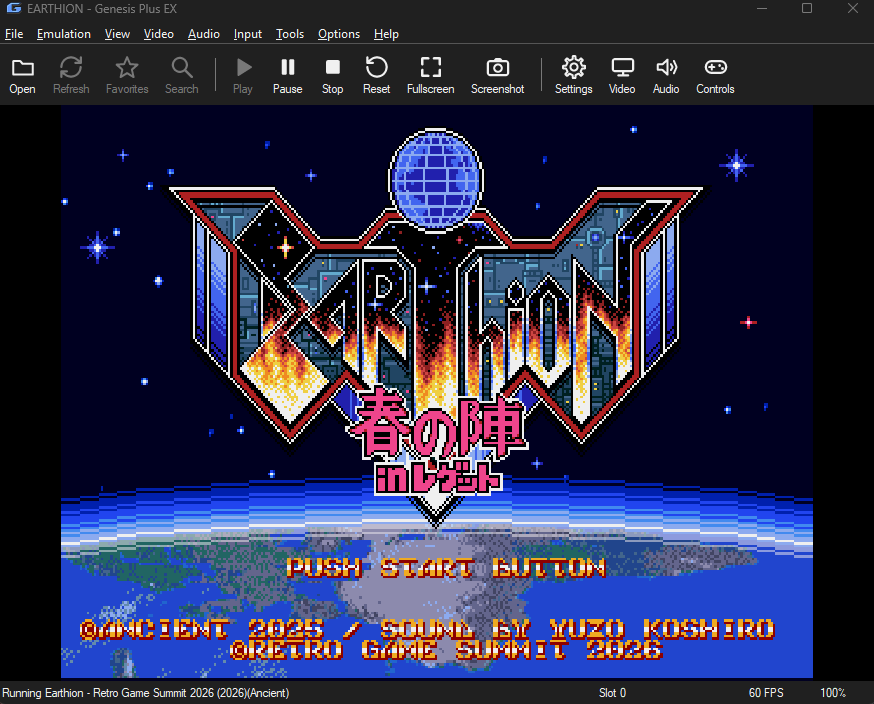
Genesis Plus EX est un émulateur Windows développé par Hazem Abdelghani, basé sur le cœur open source de Genesis Plus GX. Ce fork propose un port natif pour Windows, sans SDL, avec plusieurs moteurs de rendu graphique et de nombreux filtres d’image. Il prend en charge la Mega Drive/Genesis, la Master System, la Game Gear, la SG-1000, le Mega CD/Sega CD, la 32X et la Pico.



Fonctionnalités:
– Émulation des consoles Mega Drive, Mega CD, 32X, Master System, Game Gear, SG-1000 et Sega Pico
– Émulation spécifique de la puce cartouche de Paprium et des pistes audio enrichies (MD+, 32X+ et MSU-MD)
– Plusieurs moteurs de rendu: GDI, Direct3D 9 et Direct3D 11
– Nombreux filtres graphiques: Scale2x, Scale3x, Eagle, xBRZ, MMPX, scanlines, masque CRT et filtres 4x
– Prise en charge des shaders au format .slangp via librashader (version 64 bits)
– Réglages vidéo: filtre NTSC, rémanence LCD, désentrelacement, mise à l’échelle (jusqu’à 10x), rotation de l’image, rapports d’image et overscan
– Émulation audio et processeurs fidèles: Motorola 68000, Z80, SH-2 (32X), puce FM Yamaha YM2612, PSG (SN76489) et puce vocale Pico
– Plusieurs cœurs audio FM, égaliseur et filtre passe-bas
– Configuration des commandes au clavier et manettes XInput/DirectInput (base SDL) avec gestion des axes analogiques
– Prise en charge des accessoires d’époque: Multitap, Mega Mouse, pistolets optiques (Menacer, Justifier), Activator et stylet Pico
– Module Storyware d’affichage interactif des livrets d’images pour Sega Pico
– Gestion des codes régionaux (USA, Japon, Europe), du format d’affichage (NTSC 60Hz / PAL 50Hz) et lancement direct des BIOS CD
– Sauvegardes d’état avec aperçus, gestionnaire visuel, vérification du checksum et annulation du dernier chargement
– Prise en charge des sauvegardes de type RAM (fichiers .srm et .sav) pour les jeux avec sauvegarde internal
– Fonction de retour en arrière (rewind pas à pas) et prise en charge des codes de triche Game Genie et Action Replay
– Debugger complet intégré: visionneurs mémoire (HEX), VDP, son et CPU avec outils RAM Search & Watch (.wch)
– Interface personnalisable avec 7 thèmes sombres et badges de console sur les jaquettes
– Navigateur de ROMs avec jaquettes, fichiers récents, filtre de recherche et lancement direct
– Lecture des archives ZIP, GZ et 7Z (y compris jeux multidisques et ROMs jusqu’à 96 Mo)
– Support multilingue par fichiers .po (Gettext) avec adaptation automatique des fenêtres
– Emplacements des dossiers de données (BIOS, Cheats, Saves, Images…) entièrement configurables
– Jeu en réseau local à deux joueurs
– Enregistrement vidéo avec audio au format MP4 et capture audio au format WAV
– Version portable: paramètres et données conservés à côté de l’exécutable ou dans %LOCALAPPDATA%
– Compatible avec les frontends LaunchBox, Pegasus, Playnite, ES-DE, EmulationStation et RetroBat


Les changements:
 
Games
– Paprium: the game’s cartridge chip is emulated in software, hooked in from outside the core. The Paprium support is by BillyTimeGames (Genesis-Plus-GX-Expanded-Rom-Size fork).
– MD+/32X+ games (for Mega Drive or 32X: a ROM with a .cue of the same name and WAV or OGG tracks) play their enhanced music. A Mega Drive game turns the MegaSD overlay on by itself; a 32X game is started from its sheet, as PicoDrive expects, and runs its sound at 44100 Hz whatever Settings > Audio > Sample Rate says (the other rates are grayed out while it runs): at 48000 Hz the music crackled. The ROM is listed, its .cue is not (this goes for MSU-MD games too).
– MSU-MD games (a ROM with a .cue and its audio .bin beside it, for Mega Drive or 32X) play their music. They need the Mega CD BIOS for the game’s region in BIOS. Open the ROM, not the .cue.
– Games in a .zip or .7z: a cartridge game that is not the first file of the archive (a ROM beside a soundtrack or a manual) now loads, and Paprium also reads its soundtrack from the archive. Mega CD discs (a .cue with its tracks, a .chd or an .iso) and MD+/32X+ games (the ROM, its .cue and the audio) load too: the archive is unpacked whole to a temporary folder while the game plays, and the folder is removed when it closes. The 7z reader now decodes the Delta and branch filters too. Note: a game kept in an archive like this takes much longer to start (the whole archive, audio and disc tracks included, is unpacked first), so it is better kept unpacked in a folder.
– A ROM with a .cue of the same name that lists audio tracks only (all the tracks in one .bin, as MSU-MD games have), in a .zip or .7z, is started as a game with music; before it was taken for a Mega CD disc and showed the Mega CD player.
– A Mega CD .cue sheet whose FILE line names its data file without the extension (FILE « Game » BINARY for Game.bin) now loads; before, the disc showed a black screen.
– A .cue or .chd that cannot be read as a disc (its track files are missing) now says so; before, its text was run as a ROM and the screen stayed black.
– ROMs up to 96 MB (the limit was 32 MB; this takes the large Sega Channel Revival images).
– File > Run Mega CD BIOS (USA, Europe, Japan): the BIOS on its own, with no disc.
– Controls > Player 1 / Player 2 > Allow Opposing Directions: lets Left and Right, or Up and Down, be held together (a real pad cannot do it, so only one of the two reaches the game unless this is ticked).
– Tools > Fix Checksum… and a second, header-range checksum in ROM Info.
– Emulate Mega CD Disc Latency is on at first, as in Genesis Plus GX (a CD game can show a black screen without the real drive’s delay).
– A Mega CD game that fails to start because its BIOS is missing now shows a message naming the BIOS file it needs (for example bios_CD_U.bin) and the BIOS folder to put it in.
 
Sega Pico
– The voices of the games play: the console’s speech chip is made in the program (from PicoDrive’s), as the Genesis Plus GX core leaves it out.
– Page Down and Page Up (Input > Hotkeys) turn to the previous and next page of the storybook, up to page 7. LB and RB do it on an Xbox pad.
– Default controls: D-pad = arrow keys / pad D-pad or left stick; red button = Z, X or C, the right mouse button, or the pad’s face buttons; pen = the mouse (left button), or the right stick with RT / R2 / R3 / Start to touch; previous / next page = Page Down / Page Up, or LB / RB (L1 / R1 on a PlayStation pad, L / R on a Switch pad: the same places on any pad).
– A Storyware window shows the open page as big as its picture, and opens with the closed book when the game starts. The pictures are your own scans in Images/Pico-Storyware//, named _1.png, _2.png … (_0.png is the closed book).
– The pen is the mouse: over the game it is on the pad, where the game draws its own pointer; over the Storyware window it is on the book’s page, so what is printed in the book can be clicked. The right stick of a gamepad moves the pen too (RT, a press of the stick or Start touches with it).
– The D-pad and the red button follow Player 1’s D-pad and A, B or C button.
– The mouse pointer is hidden over the game, and the gamepad hotkeys on the right stick, Fast Forward and Rewind are off.
– The Storyware window goes with the program’s window when it is minimized or brought back, and bringing the Storyware window back from the taskbar brings the program’s window back too.
 
Themes
– Seven new colored dark themes: Sapphire, Ruby, Emerald, Amethyst, Amber, Aquamarine and Diamond (View > Theme, or Settings > General). Backgrounds, text boxes, lists, menus, toolbar, title bar (Windows 11), buttons, drop-downs, the back-to-top button and the scroll bars of lists and text boxes follow the theme.
– The Style and Theme choices keep the View menu open, like the other View choices.
 
Debugger
– One Debugger window (Tools > Debugger…) with tabs (Memory, VDP, Sound, CPU, RAM Search, RAM Watch) and a View menu; its own taskbar button.
– CPU Debugger: breakpoints on execute, read and write, step into / over / out, run to cursor, disassembly, registers and a call stack for the 68000, and for a 32X game also the Master and Slave SH-2.
– Memory Viewer (hex, every memory can be edited), VDP Viewer (registers, palette, tiles, planes, sprites, scroll plots), Sound Viewer (FM envelopes, PSG, PCM, 32X PWM) and CPU Viewer.
– RAM Search and RAM Watch, also for the 32X SDRAM; a RAM Watch list is opened and saved from the RAM Watch tab (Open… / Save…, the .wch format of Gens).
– A tooltip on every control of the debug windows.
– Credit: the debug tools are a port of gpgx_debugger by Vladimir Kononovich (lab313ru).
 
Languages
– Options > Language loads translations from Languages/*.po (UTF-8, the gettext format). Only English ships; Languages/Template.pot is the template, so the community can make translations, for example with Poedit. A text left untranslated stays English.
– Windows made for English are fitted to longer text: buttons, labels, check boxes and drop-downs widen, dialogs grow, the Controls and Settings windows stretch.
– tools/make_pot.py makes the template again from the source.
 
Deinterlacing
– Video > Visual Effects > Deinterlacing: in a game that uses the 448-line interlaced mode (Sonic the Hedgehog 2 in 2P Vs. mode, Ys III, Air Strike Patrol …) the graphics processor draws both fields of the picture from the same moment in every frame, so nothing that moves is combed. It gives a cleaner picture than the Interlaced Mode of Genesis Plus GX. It does not touch other games. While it is on, Interlaced Mode is not used; it keeps your choice for when you switch Deinterlacing off.
 
Folders and Settings
– Settings > General > Data Folders…: choose where each folder beside the program is (BIOS, Cheats, Images, Languages, Profiles, Recordings, Saves, Screenshots, Shaders, States; by name), with a path box and a … button for each and a Defaults button. Files already in an old place are not moved.
– Images is a new folder beside the program: it holds Covers, Bezels and Pico-Storyware (the pages of Sega Pico books). If you used an older version, move your Covers and Bezels folders into the new Images folder.
– When the program’s folder cannot be written to (for example Program Files), settings, saves and the other data are kept in %LOCALAPPDATA%\Genesis Plus EX instead of asking you to move the program.
– Scan Subfolders moved into the ROM Directories window.
– File > Change Disc… (it was Insert Disc).
 
Controllers
– Controller layouts for DirectInput pads come from SDL’s game controller database (866 Windows pads, found by USB vendor and product id), on top of the maker’s layout for Sony and Nintendo pads.
– A trigger that is an analog axis can be assigned like a button (it shows as Axis Z+, Axis RX- …).
– Controls > Test Keys now names every pad button or axis the pad reports as pressed, mapped or not.
– The Controls window refreshes its device list by itself when a pad is plugged in or out.
– A pad button that is stuck is left out while listening for a button, so the others can be assigned.
– Switching between an Xbox pad and another kind of pad (PlayStation, Switch, a generic joystick) now gives the new pad its own default buttons, unless you had customized them.
– Settings, profiles and gamepad hotkeys are read and written with 64-bit button masks; files of earlier versions load as they were.
– Credit: the layouts are from SDL_GameControllerDB (zlib license, Copyright (C) 1997-2025 Sam Lantinga and the contributors of the database).
 
Picture
– Console Badge on Covers: a small coloured tag (MD, MCD, 32X, SMS, GG, SG, PICO) in the corner of each cover in the grid view, to tell the consoles apart. It can be turned off in Settings > General.
– Video > Window Size now goes up to 10x (it was 6x), and the window may be larger than the screen. A window dragged to a size keeps it when a game is loaded or closed, until a size is chosen again in Window Size. A Window Size you chose is kept when the program starts on a screen that is too small for it (it was lowered and saved); the top left of the window stays on the screen. The first run, with no size chosen yet, still opens at the size that fits.
– In the Video menu, the choices in Render Filter, Visual Effects, Scanlines, NTSC Filter, Aspect Ratio, Rotation and Borders keep the menu open after a click, like the View menu’s.
– Video > Picture Adjustments has a Brightness slider at the top (-50% to +50%).
– The mouse buttons did not reach the game with the Direct3D 11 renderer (the Mega Mouse, the light guns, the Sega Pico pen and red button, the Graphic Board pen); they do now.
– Show Light Gun Crosshair is on by default.
– Confine Mouse to the Picture: pressing the Windows key or Alt+Tab lets the pointer go until you click in the picture (it was held again at once, so after the Windows key the toolbar could not be reached).
– Hide Mouse Pointer has a new choice, Always, below Never.
– VSync with the Direct3D 11 renderer now waits for the display in the swap chain itself (a real VSync); the other renderers still wait for the Windows compositor. Still skipped for a frame whenever the sound buffer runs low.
– Skip Intro on Launch: the tooltip and the User Guide say the seconds are seconds of game time, which take much less real time.
– Video > Rotation: the picture turned by 90, 180 or 270 degrees, for games made to be played with the screen on its side.
– More render filters: MMPX 2x and MMPX Enhanced 2x (MMPX by Morgan McGuire and Mara Gagiu; Enhanced by CrashGG), 2x versions of Lanczos, Catmull-Rom, B-Spline, Mitchell, Sharp Bilinear and LCD Grid, and 4xSaI, Super 4xSaI, Super Eagle 4x, Eagle 4x and Scale4x.
 
Fixes and Small Changes
– Accented text in menus and the status bar is converted explicitly from UTF-8, whatever the code page of Windows is.
– Game names with Chinese, Japanese or accented letters show correctly in the game list and the grid (they were shown as other characters).
– Save-state buffers have room for Paprium’s chip on top of the core’s worst case.
– A save state remembers the checksum of the ROM it was made from: loading it into a different ROM (two files with one name share their saves) asks first instead of crashing the game.
– Open Game Folders submenu shows the game’s ROM in Explorer and opens its saves, states and cheats folders.
– File > Open ROM… starts in the ROMs folder beside the program when no ROM directory is set (it was Documents).
– Command line: –config FILE uses another settings file, and –profile NAME a controls profile.
– Refresh (toolbar and right-click menu) looks at every file again, instead of using the saved game list.
– The File Type column of the game list tells what is in an archive, then the archive: MD (ZIP), 32X (7Z), MCD (ZIP).
– The filter bar has a Filters: label, its button is Reset (as wide as the search bar’s Close) and both buttons have tooltips.
– The log is far more complete: the machine, the whole settings file, a report for each game and a summary when it closes.
– While the game is paused, each press of the rewind key goes back one frame (held longer, frame after frame), and Tab advances one frame like the frame button advance key (\).


Télécharger Genesis-Plus EX v3.1.0 (10.2 Mo)

Site Officiel

En savoir plus…

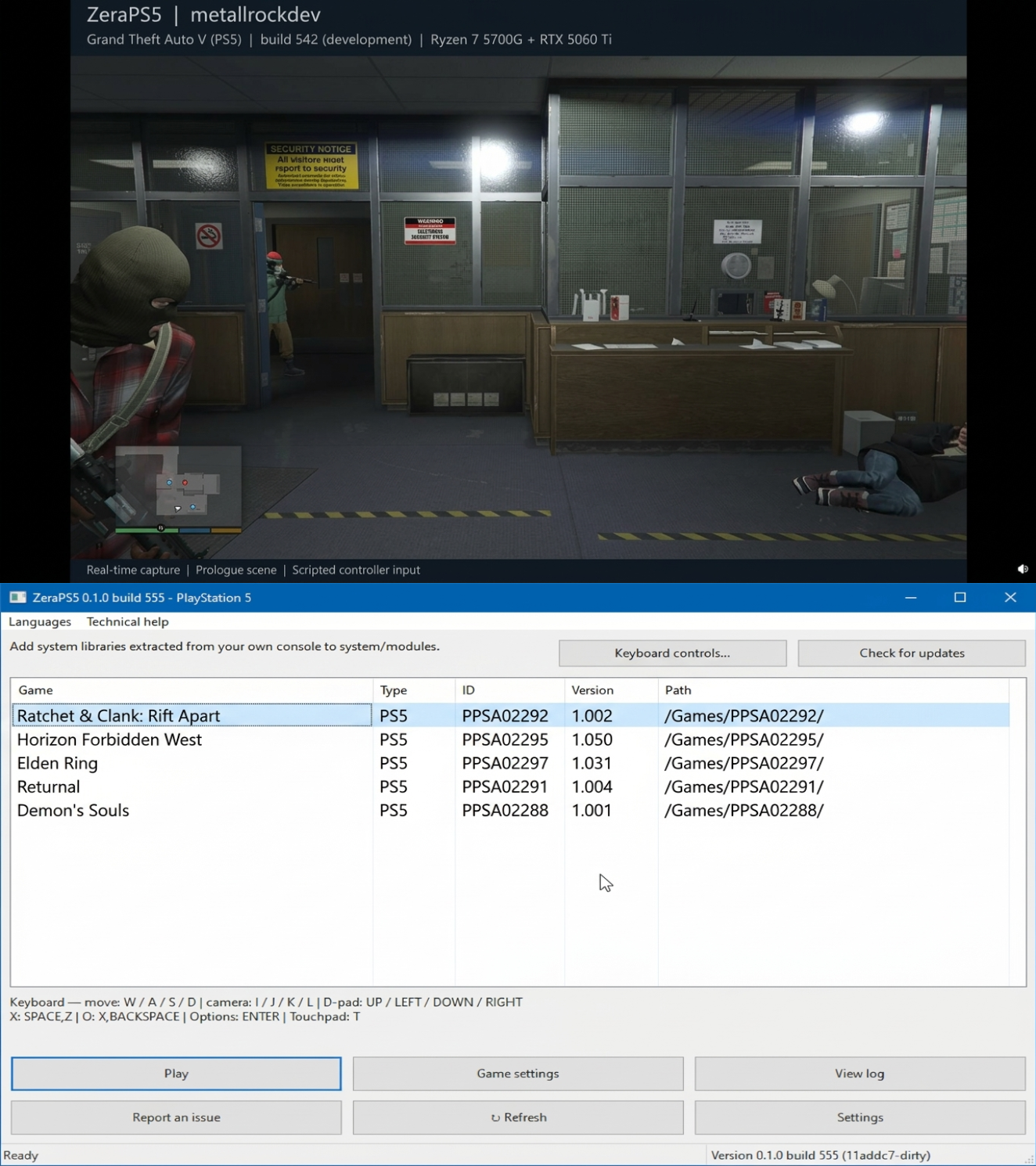
ZeraPS5 est un projet expérimental d’émulation de la PlayStation 5 sur Windows x64, développé par metallrockdev avec l’aide d’outils d’intelligence artificielle, notamment Codex et Claude Code. Le projet propose des versions compilées téléchargeables ainsi qu’une liste de compatibilité permettant de suivre les jeux testés et les résultats obtenus.


Des démonstrations présentent plusieurs jeux, dont Minecraft, Grand Theft Auto V, Red Dead Redemption et The Elder Scrolls V: Skyrim. Les séquences publiées montrent différents stades de leur exécution, avec des performances encore limitées et variables selon les titres. Le développeur précise que les résultats dépendent des versions de l’émulateur, des scènes testées et des paramètres utilisés.
 
ZeraPS5 reste un projet en développement dont la compatibilité et les performances sont susceptibles d’évoluer. Les démonstrations disponibles donnent un aperçu de son état actuel, sans garantir un fonctionnement complet des jeux présentés.


Télécharger ZeraPS5 v0.1.0 build 838 (27.1 Mo)

Site Officiel

En savoir plus…


https://getourbonus.com/fr/accueil

https://www.romspedia.com/
Listing de toutes les actualités , Page numéro 79 - Emu-France

XaviXEmu est un émulateur expérimental et open source pour Windows, dédié à certains jeux télévisés XaviX, XaviX 2000 et XaviX 2. Le projet se concentre sur la documentation du comportement matériel, l’émulation des entrées de mouvement, les tests reproductibles et la préservation des recherches sur des systèmes dont les accessoires optiques d’origine sont difficiles à utiliser avec les écrans modernes.


Télécharger XaviXEmu v0.4.1 (262 Ko)

Site Officiel

En savoir plus…

Le projet NC2000 est un émulateur open-source pour les appareils rétro nc2000/nc2600/nc1020, basés sur un CPU 6502. Il permet d’exécuter les firmwares originaux dumpés des machines physiques, avec compatibilité Windows/Linux/Mac.


Télécharger NC2000 (2026/10/11) (3.2 Mo)

Site Officiel

En savoir plus…

GamePlay est une interface qui centralise DosBox, DosBox‑X, ScummVM et DSP Emulator pour lancer des jeux MS‑DOS, Arcade, consoles et micro‑ordinateurs 8‑bits sans aucune configuration. Les jeux fournis sont déjà optimisés pour offrir le meilleur rendu possible, et vous pouvez aussi ajouter vos propres titres en important simplement une archive ZIP ou un CD‑ROM. L’application détecte automatiquement la langue et fonctionne aussi bien sous Windows que sous Linux ou macOS via compilation.


Les changements sont les suivants:
 
Some cosmetic changes
– When a game is about to be launched, if it is detected that the game has been updated on the server, you can download the new version


Une version intégrale comprenant des images, manuels, émulateurs et bien plus encore est accessible ici.
 

Télécharger GamePlay v0.99b (26.8 Mo)

Site Officiel

En savoir plus…

Le projet GitHub xenia-edge est un fork expérimental de l’émulateur Xbox 360 Xenia, basé sur la branche Canary. Il vise à centraliser les dernières avancées techniques issues de divers forks dans un seul package. Le projet est conçu pour la recherche et l’expérimentation autour de l’émulation Xbox 360, avec une compatibilité Windows et Linux. Il propose un script de build personnalisé (xb) pour simplifier la compilation, une liste de compatibilité des jeux maintenue par la communauté, et une intégration continue via Buildbot. Le code est majoritairement écrit en C++, avec des contributions en Assembly, Python, Lua, HLSL et C#. Le dépôt contient des ressources utiles comme un guide de démarrage rapide, une FAQ et des instructions de compilation.


Télécharger Xenia Edge (2026/11/07) (13.1 Mo)

Site Officiel

En savoir plus…

Créé par Ben Vanik alias Noxa (PSP Player), il s’agit d’un projet de recherche pour développer un émulateur Xbox 360. Notez qu’il vous faudra une machine très performante pour lancer des jeux commerciaux de façon fluide. Plus d’informations ici sans oublier le site de développement là [master]. Un manager permettant de gérer l’émulateur Xenia est disponible ici.


– [Misc] Random optimizations.
– [D3D12] Fix constant-alpha blending in the RTV path
– [GPU] Select promoted tfetch1D layouts at runtime
– [D3D12] Fix over-invalidation of bulk fetch register writes
– [D3D12] Fall back to point sampling for non-filterable formats
– [Vulkan] Add spirv_disable_rounding_mode_rte
– [Vulkan] Fix draw_resolution_scaled_texture_offsets cancelling itself out
– [GPU] Handle tessellated triangle strip and fan draws
– [Vulkan] Select back-face stencil ref/mask when culling only front faces
– [Vulkan] Use dedicated alpha blend factor map for alpha srcb/dest blend
– [Vulkan] Clamp stacked-texture layer index for Inf/NaN coords
– [GPU] Clamp out-of-bounds vertex fetch words to 0
– [Vulkan] Skip draws with surface_pitch==0 to match D3D12
– [Vulkan] Fix FSI 2x-as-4x sample mask reading host sample 2 instead of 3
– [Vulkan] Apply float controls to geometry shaders to match VS/PS
– [GPU] Load guest-resolved mips from scaled resolve memory
– [Vulkan] Bind shared memory persistently for texture loads and resolves
– [Vulkan] Fix 2x MSAA alpha-to-coverage sample layout
– [Vulkan] Clamp scalar maxas/maxasf address register to [0, 255]
– [GPU] Emulate extended-range float16 in render target pack/unpack
– [Vulkan] Invalidate user clip plane constants on source registers change
– [Vulkan] Fix adaptive tessellation issues
– [Memory] Rework guest access resolution and unwatched invalidation
– [Kernel] Replaced X_DISPATCHER_FLAGS with X_OBJECT_TYPES
– [XEX] – Add support for dash 1746
– [Misc] C++20’ify Part 1
– [CPU] Publish JIT entry results under the entry table lock
– [GPU] Move debug cvars to a new TOML block, misc cleanup
– Misc fixes


Télécharger Xenia v1.0.2844 (2026/11/07) (3.5 Mo)

Site Officiel

En savoir plus…

SUPER ZSNES est une réécriture complète et moderne de l’emblématique émulateur ZSNES.
Réunis à nouveau, les deux créateurs originaux développent un émulateur SNES moderne, accéléré par GPU, plus précis, plus rapide et doté d’un système d’améliorations spécifiques à chaque jeu.


Caractéristiques principales:
 
– Cœurs CPU et audio plus précis que l’ancien ZSNES.
 
PPU accéléré par GPU:
– Mode 7 haute résolution
– Effets spéciaux améliorés
– Rendu plus propre et plus stable
 
Interface classique ZSNES modernisée:
– Effet de neige conservé
– Haute définition
– UX améliorée
 
Fonctions avancées:
– Fast forward
– Rewind
– Save states
– Auto-save history
– Bookmarks
– Cheat codes
– Quick load
 
– Développement sans frameworks modernes (style classique).
 
Super Enhancement Engine:
– Système d’améliorations par jeu, déjà actif sur 10 jeux populaires.


Types d’améliorations:
 
High Resolution:
– Rendu interne redessiné manuellement
– Détails haute résolution propres et nets
 
Texture / Normal Map:
– Ajout de détails supplémentaires
– Aspect plus riche et plus profond
 
Overclock:
– Suppression du slowdown
– Fluidité accrue
 
Widescreen (si support interne):
– Activation du widescreen lorsque le jeu possède un code interne partiel ou complet
 
Uncompressed Audio Replacement:
– Remplacement des samples compressés par des versions non compressées
 
3D (Mode 7 perspective):
– Remplacement des tiles par des données 3D height-mapped
– Effet 3D réel sur les jeux utilisant le Mode 7 en perspective
 
Toutes les améliorations peuvent être activées ou désactivées individuellement.
Les fichiers d’amélioration n’incluent aucun extrait de ROM: ils ne contiennent que des données additionnelles, jamais de contenu provenant du jeu lui‑même.
 
À venir:
– Corrections de bugs
– Support des special chips (DSP1, SuperFX, etc.)
– Retroachievements
– Widescreen personnalisé pour les patches
– Optimisations supplémentaires
– Nouveaux types d’améliorations
– Netplay
– Autres


Les changements:

– Zelda: Link to the Past now enhanced (Thanks fatbrowne for the saves state help!)
– Chrono Trigger audio enhancement by tssf! Thanks tssf!
 
UI Improvements:
– Added disable drive fetching option & disable UI move
– User defined GUI color schemes
– New Water & Fire effects
– Different mouse cursor sizes
 
Enhancement Engine Improvements:
– New Shadow/Highlights, allowing for more diverse details and should help with the washed out look once we start using this more.
– Added normal maps to fixed color layer
– Mirrored mode for wide screen on some enhanced games, added to Megaman X
 
Emulation Improvements:
– SPC700 timing improvements
– SuperFX fixes
– Mid-screen sprite update fixes
– Multiple timing & open bus bug fixes
– Various other emulation fixes
 
New chip emulation:
– SA-1 emulation
– Cx4 emulation
– SuperFX3 emulation (Special thanks to Randy Linden!)
 
Per game overclock settings
– SNES Mouse & SuperScope (Enable this on the per game config) with joypad override
– Multi-button/key press combo assignment for Input
– New 3D layers mode, lets you view each SNES layer in 3D perspective (under options/graphics mode)
– New input shortcut for exit
– Use double space in loading dialog to select a random game
– Improved frequency of saving game and zsnes save data
– Mobile controls view is more transparent for less obstruction
– Many different performance optimizations done on various areas in emulation
 
Note: The PC version may trigger a false trojan warning in certain virus scanners. It’s pretty common as emulators have a certain pattern in them that scanners find similar to how trojans sometimes work.


Télécharger SuperZSNES v0.320 (110 Mo)

Site Officiel

En savoir plus…

Il s’agit de la dernière version officielle dite « instable » de Snes9x ajoutant les dernières nouveautés, améliorations et/ou corrections en provenance des sources GIT. Versions 32 et 64 bits dans l’archive.
 

Une petite partie de Starfox 2 (SNES Mini Edition) ?


…ou peut-être un Secret of Mana Français iOS Edition ?


Laissez tomber, je vais me faire la suite non officielle de Chrono Trigger plutôt :p


Les changements depuis le dernier build:
 
– PPU: render A.S.P. Air Strike Patrol’s beam-raced mid-scanline effects (#1079)
– snapshot: rebuild SuperFX pointers after restore
– memmap: bound multi-cart ROM copies
– Vlibretro: validate ROM size before BS-X probing
– Misc fixes


Télécharger Snes9x TestBuild v1.63.1659 (8.1 Mo)

Site Officiel

En savoir plus…

NintendulatorNRS est un émulateur de Famicom / NES (et ses dérivés tels que les chipsets VRT) pour Windows. C’est une fourche de Nintendulator (par Quietust) maintenue par NewRisingSun et qui offre une compatibilité extrêmement large.


Télécharger Nintendulator NRS v0.985 (2026/11/05) (1.5 Mo)

Télécharger Nintendulator NRS (français) v0.985 (2025/11/05) (1.5 Mo)

Site Officiel

En savoir plus…

Ryujinx-Nextendo est un émulateur Nintendo Switch basé sur Ryujinx, auquel a été intégré nativement le support du Nextendo Network, un service en ligne privé et communautaire destiné à remplacer le service officiel de Nintendo.
 
Le projet reprend le cœur d’émulation de Ryujinx, notamment pour le processeur, le GPU, l’audio, les contrôles et le système de fichiers. Les modifications apportées par Nextendo concernent principalement la partie réseau et l’interface utilisateur.
 
L’objectif est notamment de permettre aux jeux compatibles de retrouver des fonctionnalités de jeu en ligne via le Nextendo Network, sans nécessiter de configuration manuelle particulière, de modification du fichier hosts ou de contournement SSL de la part de l’utilisateur.


Télécharger Ryujinx-Nextendo v1.10.4 (38.8 Mo)

Site Officiel

En savoir plus…

Atari System Emulator (ASE) est un émulateur Atari ST développé en C#, prenant en charge les modèles ST F/FM, Mega ST et STE. Il utilise notamment l’émulateur de processeur Motorola 68000 Moira, créé par Dr. Dirk Hoffmann.
 

Le projet est issu d’un ancien émulateur développé en C et assembleur à la fin des années 1990. Une grande partie du code a depuis été réécrite, avec également des éléments provenant de Hatari.
 
À l’origine, ASE avait été conçu comme un projet simple permettant de comprendre et expérimenter le fonctionnement d’un émulateur. Au fil de son développement, il s’est toutefois considérablement enrichi et est devenu un émulateur plus complet.


Télécharger ASE v1.14 (95.9 Mo)

Site Officiel

En savoir plus…

Coffee GB est un émulateur Game Boy Color développé en Java 16 (pour le cœur) et Kotlin (pour l’interface graphique). Conçu comme un projet personnel et un exercice de programmation, il se distingue par une approche technique ambitieuse: l’émulation du CPU est cycle-exacte, chaque instruction étant décomposée en micro-opérations exécutées à la cadence réelle de la console.
 
Malgré son aspect expérimental, Coffee GB offre une compatibilité élevée, validée par les célèbres tests Blargg et Mooneye GB, garantissant un comportement fidèle à la console d’origine. Il prend en charge les cartouches avec les contrôleurs mémoire MBC1 à MBC5, ainsi que les sauvegardes sur batterie, permettant de conserver les données de jeu comme sur une vraie Game Boy.
 

L’émulateur lit également les ROMs compressées (.zip), propose une configuration des touches via un fichier .properties, et intègre une fonctionnalité de netplay avec rollback (encore expérimentale) pour jouer en ligne avec synchronisation des états.
 

Pour les développeurs ou curieux techniques, le projet inclut des tests automatisés via Maven, et le code source est disponible sous licence MIT, librement modifiable et réutilisable.


Télécharger Coffee GB v2.1.8 (72.8 Mo)

Site Officiel

En savoir plus…

Un émulateur du système Symbian OS. (Builds automatiques)


– Merge pull request #589 from yeatse/fix/icon-mask-and-mbm-bounds
– external: Move lunasvg to 3.5.0
– fbs: Read a binary colour-key icon mask as a stencil, not an alpha ramp
– loader: Skip an MBM bitmap index the file does not have
– Merge pull request #588 from yeatse/ci/required-check-gate
– ci: Add one stable check for branch protection to require
– Merge pull request #587 from yeatse/feat/ios-port
– feat(ios): Add an iOS frontend
– Merge pull request #537 from Fluence58/patch-1
– Update eka2l1_tr_TR.ts
– Merge pull request #580 from symbuzzer/master
– Update manager.cpp
– Update sis_v1_installer.cpp
– Update sis_v1_installer.h
– Merge pull request #585 from yeatse/fix/no-device-startup-crash
– system: Don’t initialise the user side when no device is set up
– Merge pull request #586 from yeatse/build/cmake4
– build: Modernise the toolchain so the current runner images work
– Merge pull request #584 from yeatse/ci/ekatests-in-ci
– tests: Restore ekatests and run it in CI
– Merge pull request #583 from yeatse/ci/modernize-build-workflow
– Keep miniBAE compiling on Clang 16 and later
– Let the macOS build compile against a current libc++
– ci: Pin CMake to 3.31 and keep Windows on Visual Studio 2022
– ci: Fix the three failures the revived workflow exposed
– ci: Bring the build workflow back to life


Les infos sur cette version sont ici.
 

Télécharger EKA2L1 v0.0.9 r261107 (70.4 Mo)

Site Officiel

En savoir plus…


https://getourbonus.com/fr/accueil

https://www.romspedia.com/