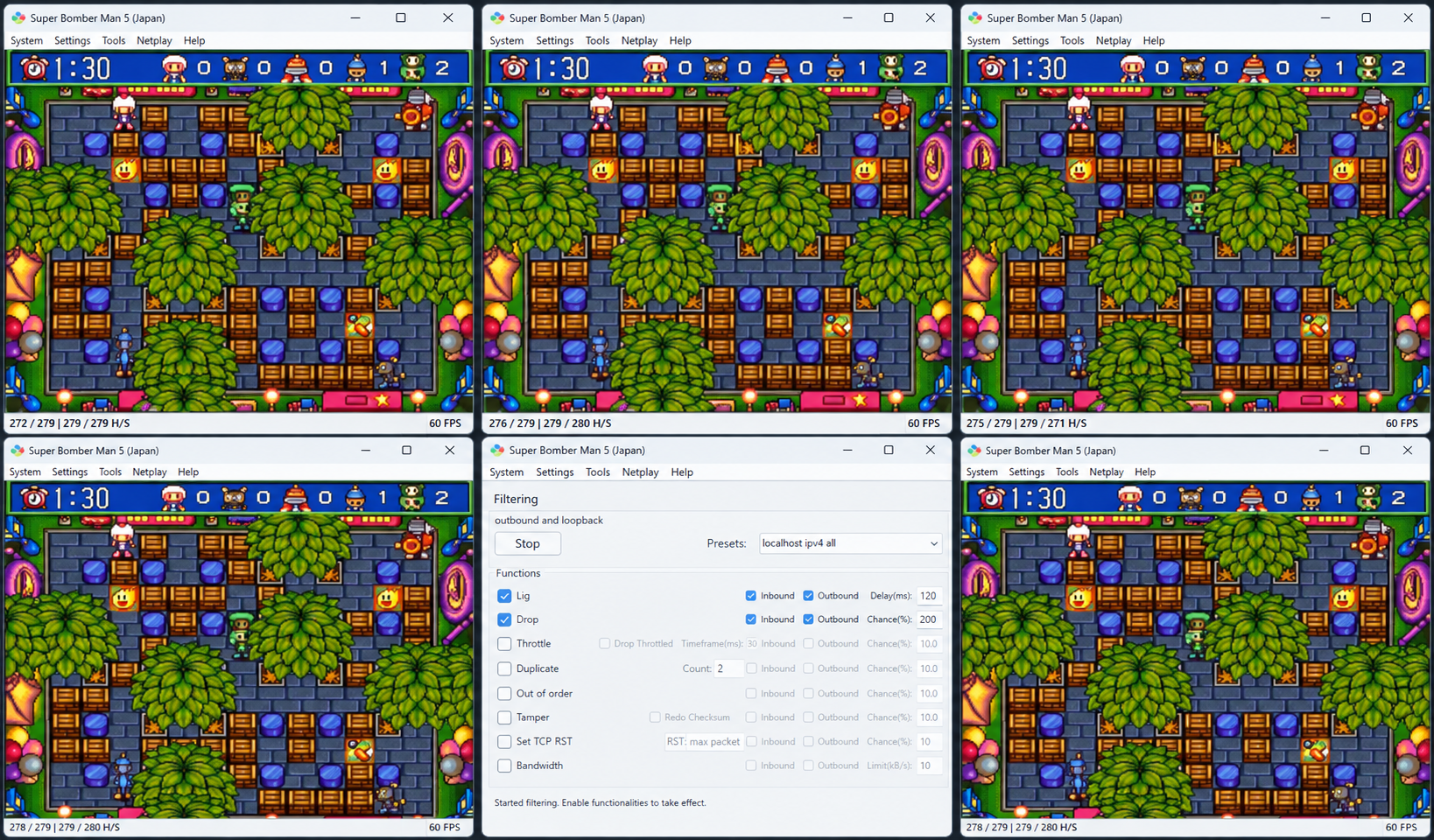
Il s’agit d’une version personnalisée de l’émulateur bsnes, intégrée à GekkoNet, pour offrir des fonctionnalités de netplay robustes et à faible latence.


Actuellement, il prend en charge des sessions allant jusqu’à 5 joueurs. La redirection de ports (ou une autre solution, comme un VPN simulant un réseau local) peut être nécessaire.
 

Le mode spectateur est également pris en charge, lui aussi via connexion directe. D’autres méthodes de connexion sont en cours de développement.


Télécharger bsnes Netplay v2 HF2 Build 20260811 (6.4 Mo)

Site Officiel

En savoir plus…

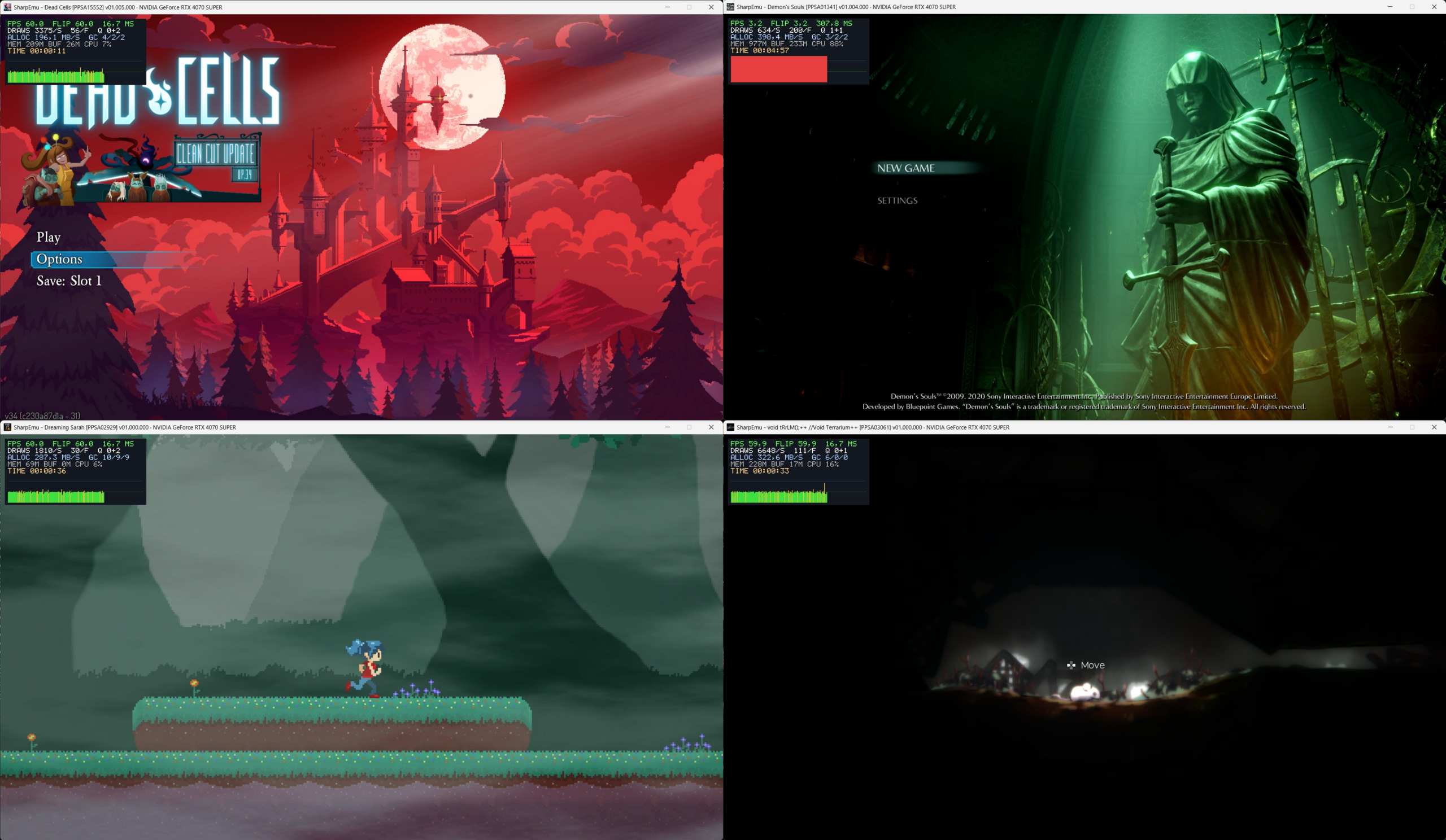
SharpEmu est un émulateur PlayStation 5 expérimental développé par par274, entièrement écrit en C# et conçu pour fonctionner sur Windows, Linux et macOS, même si le développement se concentre surtout sur Windows. Le projet est codé from scratch, sans reprendre d’autres émulateurs, et sert autant d’émulateur que de plateforme d’étude de l’architecture PS5.


L’émulateur est encore très jeune: aucun jeu commercial n’est jouable, mais il peut déjà charger des eboot.bin, exécuter des instructions CPU, lire les métadonnées des jeux, charger des modules système et initier certaines étapes du pipeline graphique. Plusieurs jeux testés atteignent des stades avancés comme sceVideoOut ou AGC, ce qui montre que le rendu commence à fonctionner, même si encore limité.
 
Le développement est actif, avec des builds Windows disponibles et des progrès réguliers. SharpEmu se concentre sur la mise en place d’une base technique solide avant de viser la compatibilité avancée ou la jouabilité.
 
En résumé, SharpEmu est un projet PS5 ambitieux, méthodique et en pleine construction, qui pose les fondations nécessaires pour une future émulation complète de la console.


Voici les changements:
– Vk version update (#897) (6fe8555)
– [Spirvtranslator] Added many instruction set for SPIR-V translator (#894) (6d6a5a1)
– [CPU] Host RBX is restored from the saved host frame below (a036bc1)
– [Vk] Implement VK_EXT_shader_viewport_index_layer extension support (d9433ff)
– [GUI/CLI] Add option to disable Vulkan implicit layers (#900) (f70e333)
– [SpirvTranslator] Declare vgprPackedHalf only when a shader uses it (#901) (22e73fb)
– Amd fix opcode nid filecache wave32 (#903) (d4ff32a)
– [GUI/CLI] Add support for console settings and language selection (#907) (7dbdd8b)
– fix(gen5): handle runtime and shader buffer paths (#904) (8feea60)
– chore: bump version to 0.0.4-release.2 (#908) (f98ff99)


Télécharger Sharpemu v0.0.4 R2 (57.3 Mo)

Site Officiel

En savoir plus…

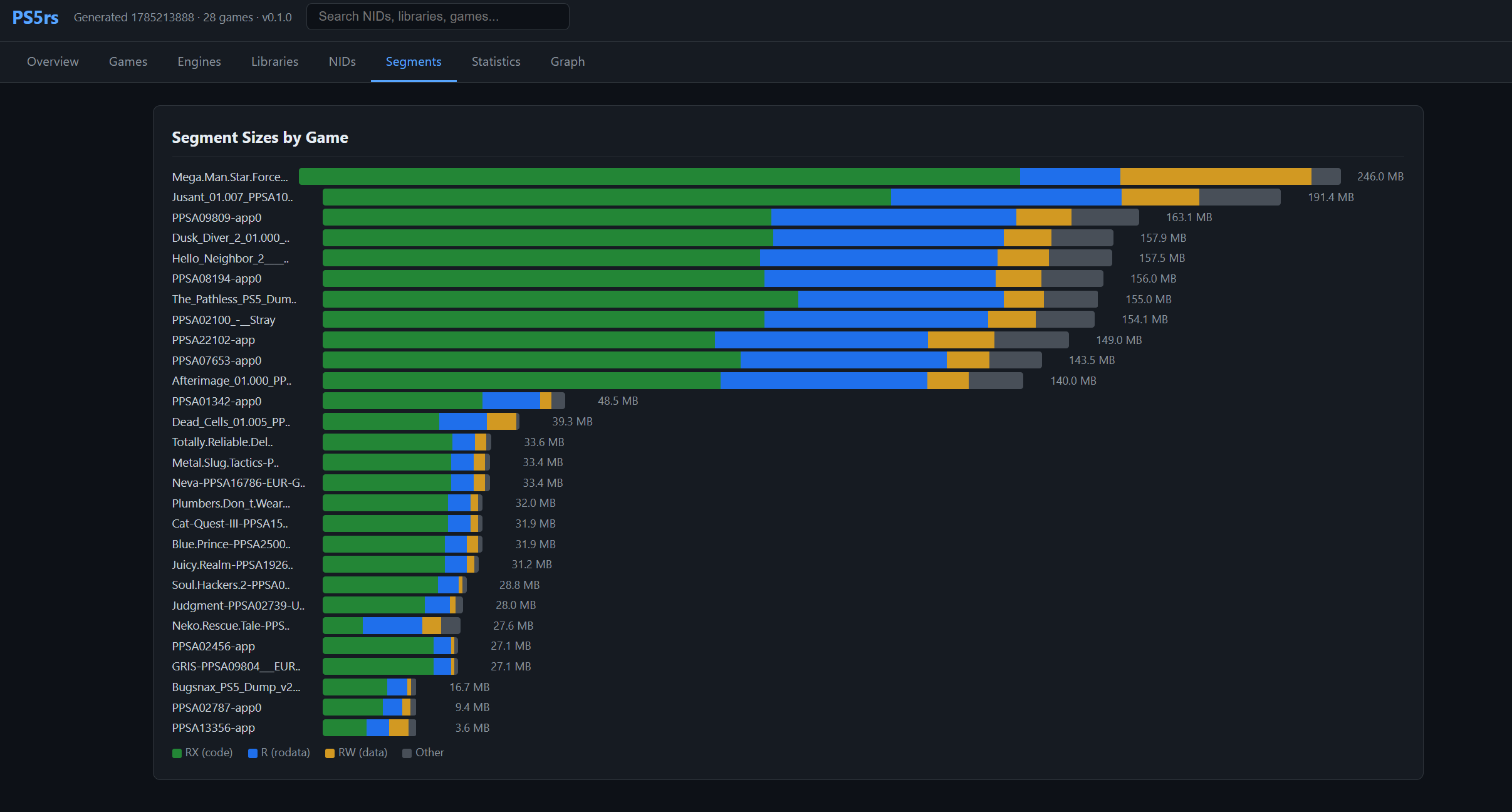
PS5rs est un framework d’analyse de binaires, de chargement virtuel et d’émulation PlayStation 5 écrit en Rust. Il prend notamment en charge l’analyse des formats SELF, ELF et PRX, la résolution des imports NID et le chargement virtuel des exécutables PS5. Il intègre également un émulateur côté hôte capable d’exécuter les binaires PS5 sur le processeur x86-64 du PC et de gérer les appels aux bibliothèques système via des modules HLE en Rust. Le projet fournit également différents outils d’analyse et de génération de rapports.


Télécharger PS5rs v0.6.5 (57.0 Mo)

Site Officiel

En savoir plus…

SuperSNES9X est un fork avancé de SNES9X, développé par shanytc, qui ajoute de nombreuses améliorations modernes tout en conservant la rapidité et la simplicité du SNES9X original. Il vise autant les joueurs (retroachievements, online) que les créateurs (sprite ripping, hacking, debugging).


Principales améliorations:
– Support multi-système: Super NES, GameBoy, GameBoy Color, Super GameBoy (1 et 2) et Super GameBoy Color (expérimental)
– Support Super FX 3 (FX3) pour les nouvelles sorties LRG 2026, avec synchronisation GSU cycle par cycle
– Support du dongle de vibration LRG SNES (Ultimate Doom FX3, RT.SFC)
– Core libretro pour SNES / SGB / GB / GBC
– Émulation du périphérique Voicer-kun et lecture de ses CD audio depuis des images CUE/BIN
– Émulation du Super Famicom Box (SNES d’hôtel), avec traduction OSD anglaise en temps réel
– Support du Nintendo SuperDisc
– Support du Nintendo Super System
– Support des cartouches événementielles: PowerFest ’94 et Nintendo Campus Challenge ’92
– Émulation du Voicer-kun: transmetteur/récepteur infrarouge connecté au deuxième port manette
– RetroAchievements intégrés, sans support du mode Hardcore
– Support de Wide-SNES, pour le hack ROM widescreen de Super Mario World par Vitor Vilela
– Kaillera (Client/Serveur) pour le jeu en ligne
– Run-Ahead pour réduire la latence d’entrée
– Correction colorimétrique et couleurs CRT natives
– Viewers PPU avancés (Sprites/Tiles) pour SNES, GB, GBC et SGB, destinés notamment aux rippers et map-makers
– Visualiseur de forme d’onde audio avec pistes par canal, fonctions solo/muet et vumètres
– Cheat Search & Editor améliorés: support SNES et GB, avec notamment les codes GB en mode BIOS SGB
– Assignation Multi-Bind-Controller
– Support SDL (Simple DirectMedia Layer)
– Pack multilingue
– Prise en charge à 100 % des tests Acid pour GB, GBC et SGB
– Convertisseur de sauvegarde SNES9X <-> MESEN, disponible ici.
 
A noter que les fichiers de configuration et sauvegardes sont 100% compatibles entre SNES9X et SuperSNES9X.
 
Les changements sont:
 
Nintendo Super System
– Added Nintendo Super System arcade support: Z80 supervisor, key chip, on-screen display, three cartridge sockets and the front panel.
– Twelve of the thirteen dumped cartridges run, including HiROM and DSP-1 boards.
– Named the cartridge DIP switches for ActRaiser, The Addams Family, Lethal Weapon and Robocop 3.
– The supervisor’s reset silences the APU too, Restart has to be held as on the cabinet, and nocash’s test program is accepted as a BIOS.
– The joypad watchdog is off by default. Fixes Lethal Weapon being thrown off the machine.
– Added hotkey tabs
– Load with Preview now shows previews
 
Nintendo Super Disc
– Added support for the BIOS in the BIOS Manager.
– Added support for disc insert and eject (eject resets to the home screen), and the disc’s name in the window title.
– Working Titles: Super Boss Gaiden, Test CD, sdtest.zip
– Added hotkey tabs
– Load with Preview now shows previews
 
Super Famicom Box
– The keyswitch position is remembered, and the window title names the running game.
– Added a Super Famicom Box menu (coin, keyswitch, OSD language and backdrop), moved from the Hacks dialog.
– Load with Preview now shows previews
 
SNES
– Fixes the A.S.P. sortie report screen.
– Re-applied A.S.P.’s mid-scanline effects, now re-rendered at each line’s HBlank, which avoids the Final Fantasy VI damage-number glitches.
 
Xeno Crisis
– Added RP2040 cartridge emulation support.
– The firmware is read from _rp2040.bin beside the ROM or inside its zip, and the game’s flash saves are kept in the .srm.
 
Wide-SNES
– The widescreen Super Mario World game is patched in memory using Vitor Vilela’s (approved) hack at four widths: Normal, Extra, Ultra (Experimental), Hyper (Experimental)
 
Tekken2/SF EX Security Chip Emulation
– Emulated the security chip on the unlicensed Tekken 2 cart.
– Street Fighter EX now uses the same chip instead of a ROM patch.
 
Mickey Magic demo
– Added support for Mickey Magic demo: H/V IRQs are taken one poll later, WAI wakes a cycle sooner, and a window can start and stop only once per line.
– Fixed interlaced modes 0-4 fetching separate BG rows per field.
 
Super Game Boy
– The ICD2 packet decoder follows the hardware’s rules. Fixes Bonk’s Revenge / B.C. Kid 2 booting to a blank border and the KCE logo in Castlevania Legends.
– Super Game Boy Color is only offered for SGB-enhanced carts, and a Super Game Boy pick whose BIOS is missing falls back to Automatic.
 
Game Boy
– The boot-ROM handoff now matches hardware cycle for cycle.
– NRx2 glitch suppression is off by default.
– Added Game Boy Color LCD color correction, picture adjustments for Game Boy output and a custom Game Boy (DMG) palette.
– Load with Preview shows previews for SFC-Box, NSS, Super Disc and Xeno Crisis savestates.
– Fixed a hang computing the checksum of an exactly 16MB ROM.
 
Other
– Latch Mode 7 registers early (upstream).
– Fixed WAI when no IRQ or NMI is imminent. (upstream)
– Fixed SuperFX 8-bit plotting transparency and RPIX clearing DREG too early. (upstream)
– Loading an invalid snapshot no longer hangs. (upstream)
– One button or axis can now be bound to multiple actions. (upstream)
 
Win32 GUI
– Loading a game while another is running is now instant (saving the latest games caused slowdowns).
– Added Always on Top and Lock Screen Resize to the Video menu.
– Each console keeps its own window size, and Window Size steps in the loaded content’s own resolution.
– Fixed a phantom menu-bar margin leaving a black bar at some window sizes.
– Added layer toggles to the S-PPU menu.
– The Color Correction dialog is modeless, applies changes live, and keeps separate SNES and GBC settings.
– Added a background color choice to the tilemap and Game Boy sprite viewers.
– Hardware menus (Nintendo Super System, Super Disc, S-PPU, GB-PPU) only appear while their hardware is loaded.
– Acid Tests boot through the BIOS Manager’s boot ROMs and SGB BIOS, and run modeless in the background.
 
Bios Manager
– BIOS files come only from the BIOS Manager; the loaders no longer search folders for them by name.
– BIOS Manager status notes no longer smear when X widens the window
 
Qt/GTK (Linux)
– Added the S-PPU Tile, Tilemap and Sprite Viewers, and a GB-PPU menu with the Game Boy viewers and layer toggles.
– Added front panels, hotkeys and settings for the NSS and SFC-Box, and the PowerFest ’94 / Campus Challenge ’92 session timer.
– Added the Super Disc menu and hotkeys.
– Added Always on Top, Lock Screen Resize, the S-PPU layer menu and a Widescreen option.
– Game Boy content keeps its own shape, and new configs default to square pixels.
– Layer hotkeys 1/2/5 switch the Game Boy layers in a Game Boy session.
– Missing-BIOS notices are shown instead of the ROM info.
 
GTK
– Fixed a crash on SIGTERM and Ctrl-C.
– Fixed an out-of-range sound driver setting leaving no sound.
– Updated Japanese translation. (Nekokabu)
 
Qt
– Fixed quit signals being ignored during startup.
– Fixed a PulseAudio abort with a zeroed config.
– A key bound to several hotkeys now fires all of them.
– Added a –dark command line option. (BearOso)
– OpenGL repaints on resize. (BearOso)
 
Libretro
– Added a Game Boy Model core option, so any cart can run on the Super Game Boy.
– Added a Widescreen core option for Super Mario World.
– Super Disc supports RetroArch’s Disc Control.
– Xeno Crisis runs from a zip, and its saves are kept in SAVE_RAM, interchangeable with the other ports’ .srm.
– Missing-BIOS notices are shown on the frontend’s OSD.


Télécharger SuperSnes9x v1.63.31 (11.3 Mo)

Site Officiel

En savoir plus…

OxyROMon est un gestionnaire de ROM multi-plateforme écrit en Rust (il est donc plutôt voué à être installé sur un serveur, mais peut aussi très bien s’utiliser sur un PC). Comme la plupart des gestionnaires de ROM, il vérifie les fichiers ROM par rapport aux bases de données connues. Il est conçu principalement dans un objectif d’archivage.


Les changements sont les suivants:
 
Features
– Added ROM sorting to the web UI, for a single system or all of them at once
– Added an integrity check to the web UI, for a single system or all of them at once
– Added a purge dialog to the web UI, for missing, orphan, trashed, and foreign ROM files
– Added ROM format conversion to the web UI, for a single system
– Added a multiple-matches option (first match or skip) to the web UI’s import dialog
– Added patch file import to the web UI, for a single ROM
– Added PlayStation 3 IRD import and purge to the web UI
– Added M3U playlist generation to the web UI, for every system at once
– Added the PREFER_FORMAT per-system setting: ROMs imported into a system are automatically converted to its preferred format, import-roms –as-is skips the conversion
– convert-roms now accepts –save to persist the destination format as the processed systems’ PREFER_FORMAT
– Added a Prefer Format dropdown to the web UI’s per-system settings dialog
 
Changes
– NSP/NSZ support now comes from the nsz-rs crate instead of the external nsz tool, with a progress bar during (de)compression
– prod.keys is now only needed to compress NSPs containing NCAs, and info says when it is missing
– Moved the nsz-rs and xso-rs crates into this repository under crates/; their CLIs (nszrs, xsors) ship in the release archives
– GDI conversion now comes from the new gdi-rs crate, a port of gdidrop, with a progress bar; its CLI (gdirs) ships in the release archives too
– CSO/ZSO support now comes from the xso-rs crate instead of the external maxcso tool, with a progress bar
– CUE/BIN to ISO conversion is now built in, ported from bchunk, which is no longer needed; a BIN too short for the track its CUE describes is an error rather than a short ISO
– Games with one bin per track now export to ISO, keeping the first track
– CSO conversions now use 8 KiB blocks, 16 KiB past 2 GiB, for files around 4% smaller
– ZSO conversions stay at 2 KiB blocks, the only size Open PS2 Loader reads
– sort-roms now accepts –system to sort named systems without an interactive prompt
– check-roms now accepts –system to check named systems without an interactive prompt
– import-patches now accepts –rom to select the target ROM by id, skipping the prompts
– import-irds and purge-irds now accept –system to run unattended; import-irds then matches each IRD to the one game of the same title, and refuses it when there is none or several
 
Improvements
– Only show the IRD import and purge actions in the web UI’s system menu for PlayStation 3 systems
– Added a leading glyph to the web UI’s system, game, and ROM rows, so the completion state is legible without colour
– Grouped the purge dialog’s options by risk, with a warning style on the file-deleting ones
– Applied the orange brand colour to the web UI and set the page title to oxyROMon
– Refined web UI copy and accessibility: a labelled games filter, clearer import and settings wording, and a page description
– Narrowed the web UI’s default pane split, giving the games list more room
– Grouped the web UI’s actions by what they act on: Upload (ROMs, DATs) and Download (DATs) menus in the navbar, a menu in the Systems panel’s header for what runs on every system (check, sort, playlists, purge), and each system’s own menu as before; a menu gives way to a spinner until its action has finished on the server, so actions cannot be stacked
– Added a light-mode variant of the logo, so it stays legible on the white navbar and About dialog
– Added a per-system completion count to the web UI’s system list (e.g. « 482/500 »)
– Let every file picker in the web UI take a dropped file, the IRD and patch dialogs’ included
– Made the web UI’s games list a WAI-ARIA listbox, navigable with the arrow, Home, End, Enter, and Space keys
 
Fixes
– Fixed import-patches panicking on every CLI invocation, the patch file list was read from an undeclared argument name
– Fixed xdelta3 patching swapping the output and patch arguments, overwriting the patch instead of producing the patched ROM
– Fixed the web UI’s sort, check, convert, and purge-system actions panicking on an unknown system_id
– Fixed the web UI’s dialogs closing as soon as a value was picked from a dropdown inside them
– Fixed the web UI not showing what an import changed: ROM and DAT imports now refresh the selected system’s games and ROMs as well as the systems list, rows whose data changed are redrawn, and actions such as sort no longer lose the selected game when they refresh
– Fixed web UI background actions hanging forever when a database connection could not be acquired; they now emit an SSE error
– Fixed the web UI’s settings and action mutations panicking when a database connection could not be acquired
– Fixed overlapping system name patterns (e.g. PlayStation and PlayStation 3) causing the same system to be sorted, checked, or converted twice
– Fixed the web UI’s statistics cards being cut off at the right edge at some window widths
– Fixed GDI exports into the CUE/BIN’s own directory overwriting its data tracks
– Fixed GDI conversion of a CUE with several tracks in one bin, which wrote the whole bin for every track
– Fixed GDI conversion placing a track at sector 45000 on comments that merely contain HIGH-DENSITY AREA


Télécharger Oxyromon v0.24 (5.7 Mo)

Site Officiel

En savoir plus…

OpenROM est une suite logicielle universelle, gratuite et open-source dédiée à la conversion de ROMs rétro. Conçue pour remplacer les outils propriétaires et fragmentés, elle fonctionne entièrement en local (100 % hors ligne) sans aucune collecte de données.


Interface et Ergonomie
– Esthétique Gaming : Propose une interface sombre moderne développée sous Flutter, inspirée des menus PS5 et Xbox, intégrant un tableau de bord, des cartes pour chaque ROM et des badges de plateforme.
– Personnalisable : Propose plusieurs thèmes intégrés (Cyberpunk, Terminal, Minimal, Gaming) et la possibilité d’en créer via des fichiers JSON.
– Prise en main fluide : Prise en charge native du glisser-déposer pour les fichiers et dossiers isolés ou groupés (traitement par lot).
 
Performances et Fonctionnalités Techniques
– Matrice de conversion complète : Prend en charge plus de 20 parcours de conversion parmi les formats majeurs (ISO, BIN, CUE, GDI, IMG, ECM, CHD, CSO, ZSO, XISO, RVZ, WIA, WBFS, GCZ).
– Détection intelligente : Identifie avec précision les consoles (PS1, PS2, PSP, Xbox, GameCube, Wii, Dreamcast) grâce aux signatures numériques (magic bytes) et analyse les en-têtes CHD (v4/v5) pour différencier CD et DVD.
– Génération et Vérification : Crée automatiquement les fichiers CUE manquants pour les fichiers BIN et vérifie l’intégrité des fichiers CHD générés via chdman.
 
Fonctionnalités Avancées
– Terminal et Automatisation : Intègre un journal de bord en temps réel pendant la conversion et propose un outil en ligne de commande complet (openrom-core) pour l’automatisation et les scripts.


Télécharger OpenROM v3.6.1 (38.4 Mo)

Site Officiel

En savoir plus…

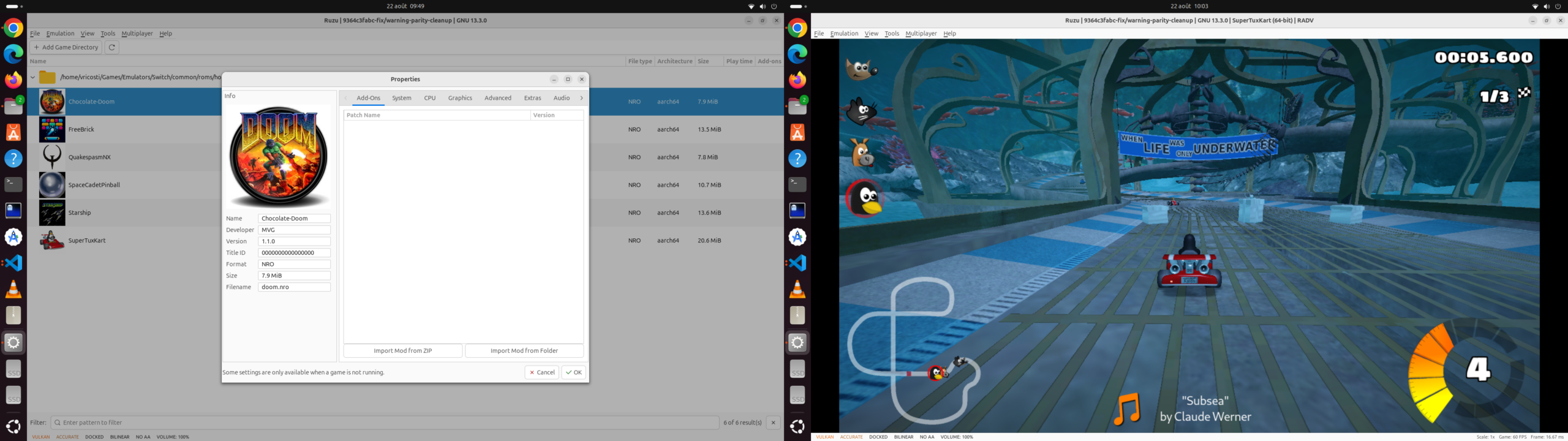
Ruzu est un émulateur Nintendo Switch écrit en Rust, développé comme une expérience visant à déterminer si l’IA, via des modèles de langage (LLM), pouvait réaliser le portage complet d’un projet logiciel de très grande taille de C++ vers Rust.
 

Le projet est basé sur le code de yuzu/Eden et représente environ 500 000 lignes de code portées exclusivement avec l’aide de LLM, sur une période d’environ six mois. L’objectif n’était pas simplement d’obtenir un programme fonctionnel, mais de conserver au maximum la structure du projet original, avec une correspondance entre les fichiers et les différentes parties du code C++ et Rust.


Ruzu intègre notamment un kernel HLE avec ordonnanceur, fibres, IPC et services, un processeur de commandes GPU, un recompilateur de shaders et un JIT. La recompilation dynamique du code ARM est assurée par rdynarmic, un portage Rust de Dynarmic, avec des backends natifs x86-64 et ARM64. Le projet comprend également rxbyak, un portage Rust de Xbyak pour la génération de code machine x86-64.
 
L’émulateur est déjà capable de démarrer et d’exécuter des jeux commerciaux, avec l’objectif affiché d’atteindre les performances de l’implémentation C++ originale. Le projet reste toutefois en développement.
 
Ruzu dispose également d’un frontend graphique ainsi que d’un frontend en ligne de commande, et peut être compilé sous Windows, Linux, macOS et plusieurs systèmes BSD.
 
Les changements sont:
– Linux — native Wayland: added Vulkan rendering through a GTK Wayland subsurface and shared EGL contexts for OpenGL, while preserving X11 support. Moving the rendering surface between windows during emulation is restricted on Wayland to avoid a reproduced compositor crash.
– Shader compatibility: implemented missing atomic compare-and-swap instruction, addressing the GPU-thread panic reported in issue #14. Support remains subject to graphics-backend and hardware capabilities.
– Windows memory handling: corrected recovery from reads of uncommitted sparse-vector pages, including fault-address validation and transitions from read-only to writable pages.
– Memory reclamation: ported Eden’s optimization to decommit fully zeroed sparse-vector pages while preserving partially cleared pages and neighboring data. Added regression tests for page reclamation, reuse, and Windows fault recovery. Performance gains in games have not yet been measured.
– Firmware and keys: added a compatibility check before emulation starts in both the graphical and command-line interfaces. When installed firmware cannot be decrypted with the available keys, Ruzu reports the problem before booting. This compatibility error is not shown merely because firmware or prod.keys is absent.


Télécharger Ruzu v0.1.1 RC1 (48.4 Mo)

Site Officiel

En savoir plus…

Suyu est un émulateur open source de Nintendo Switch. Il offre une couverture presque complète de la bibliothèque de jeux de cette console. Suyu est la suite directe de Yuzu, suite à l’arrêt définitif de ce dernier, mais il n’est pas développé par les mêmes auteurs.
 

Les développeurs de l’émulateur Suyu commence à proposer des évolutions importantes, à commencer par implémenter le menu d’accueil de la Nintendo Switch. Ce célèbre menu d’accueil, Qlauncher, est le code que la team Yuzu a laissé mais n’avait jamais implémenté, vous pouvez donc désormais exécuter des jeux, les fermer ou accéder aux paramètres et tout le reste comme vous pouvez le faire sur la console. Bien entendu pour faire tourner l’ensemble il faut utiliser le firmware 17.0.0 (ou supérieur) de Nintendo.
 
Ce projet a été abandonné après la version 0.0.4, avant d’être repris par le développeur DougChanSan à partir de cette même version.


Les changements:
 
– Faster pre-compiled games
– Helping more games run pre-compiled
– Export Game (Windows)
– Keys and firmware in exported games
– Controllers in exported games
– Add to Steam library when the export finishes adds a non-Steam shortcut that
runs the export’s own program. It is named after the game and backend, for example
« Mario Kart 8 Deluxe (suyu Dynarmic JIT) », « (suyu Hybrid JIT + AOT) » or
« (suyu static AOT) ».
– …and replace an existing shortcut removes only suyu’s own shortcut for that game.
– Steam artwork (cover, banner, hero, logo, icon) is made from the game’s icon. The
optional …and fetch cover art from Wikipedia uses Wikipedia cover art instead;
it sends the game’s title to Wikipedia.
– Your other Steam shortcuts are kept byte for byte. If suyu can’t fully read Steam’s
shortcut file, it leaves the file untouched.
– Restart Steam to see changes. Steam shows no description for non-Steam games; that
is a Steam limitation.


Télécharger Suyu v0.0.11 (80.7 Mo)

Site Officiel

En savoir plus…

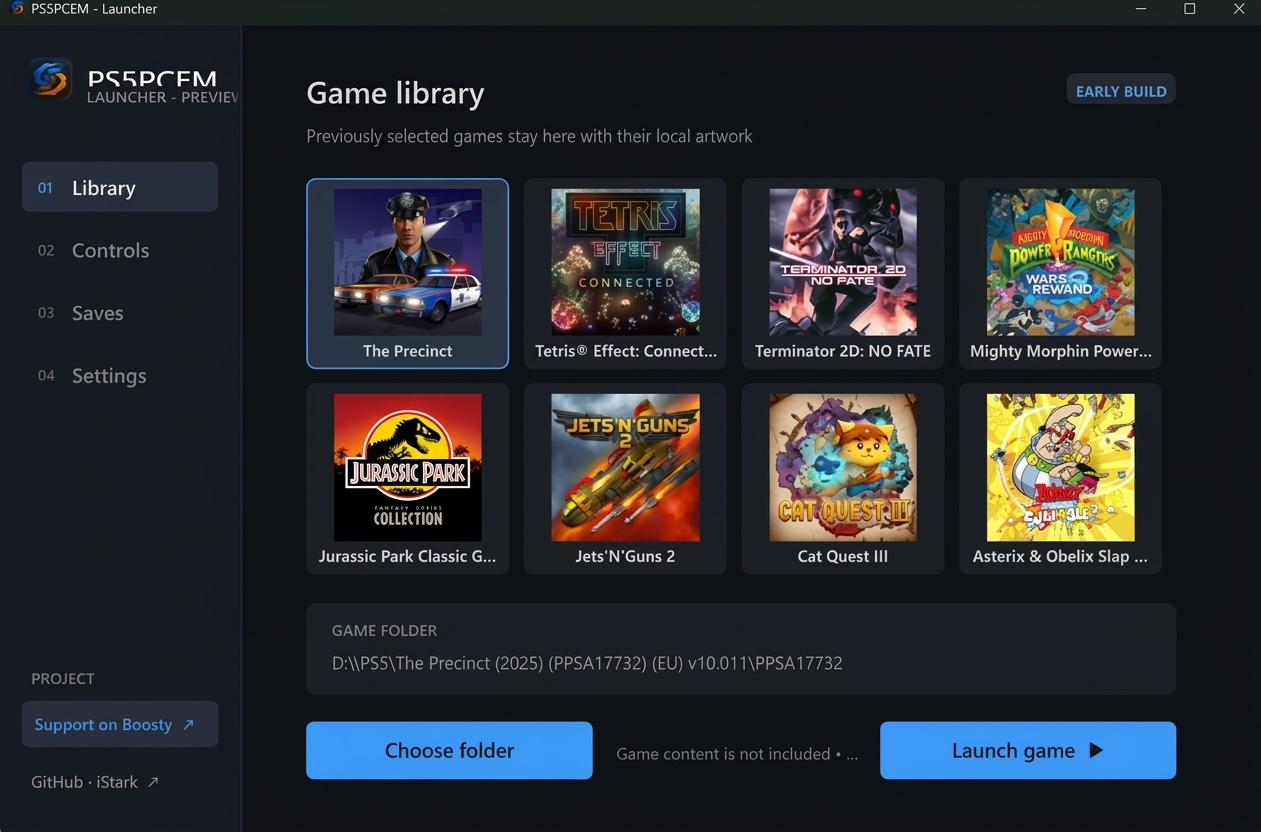
PS5PCEM est un émulateur PlayStation 5 expérimental et un projet de recherche sur l’interopérabilité, développé en Zig. Il permet notamment l’exécution native de code x86-64, le chargement d’exécutables PS5 déchiffrés, l’exécution de commandes graphiques AGC, la traduction de shaders RDNA2 vers SPIR-V et le rendu via Vulkan.


Fonctionnalités
– Exécution native du code x86-64 invité sous Windows.
– Chargement des exécutables ELF/SELF, relocation, liaison des modules et gestion du TLS.
– HLE de plusieurs fonctions du firmware PS5.
– Exécution des flux de commandes AGC pour le GPU.
– Traduction progressive des shaders RDNA2 vers SPIR-V.
– Rendu Vulkan avec gestion des render targets, du depth/stencil et du MSAA.
– Gestion de la mémoire GPU et des textures avec notamment le detiling.
– Prise en charge du VideoOut Vulkan.
– Audio hôte et lecture H.264/AAC via FFmpeg.
– Support des contrôleurs DualSense et DualShock via HID.
– Support XInput et clavier.
– Gestion des sauvegardes par titre.
– Lanceur Windows natif avec jaquettes locales, profils de contrôleurs et lancement direct des jeux.
– Jusqu’à huit titres récents peuvent être conservés dans le lanceur.
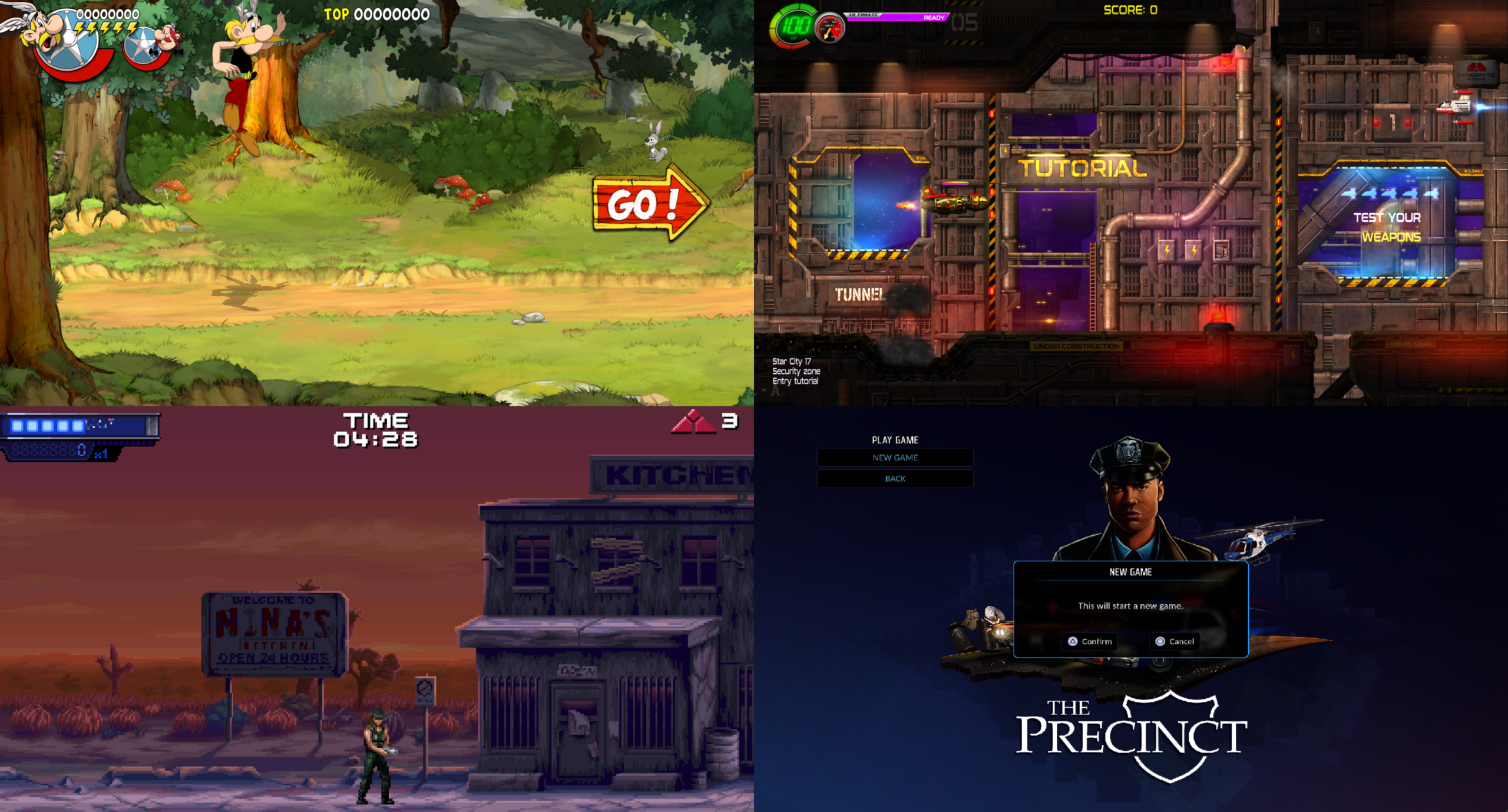
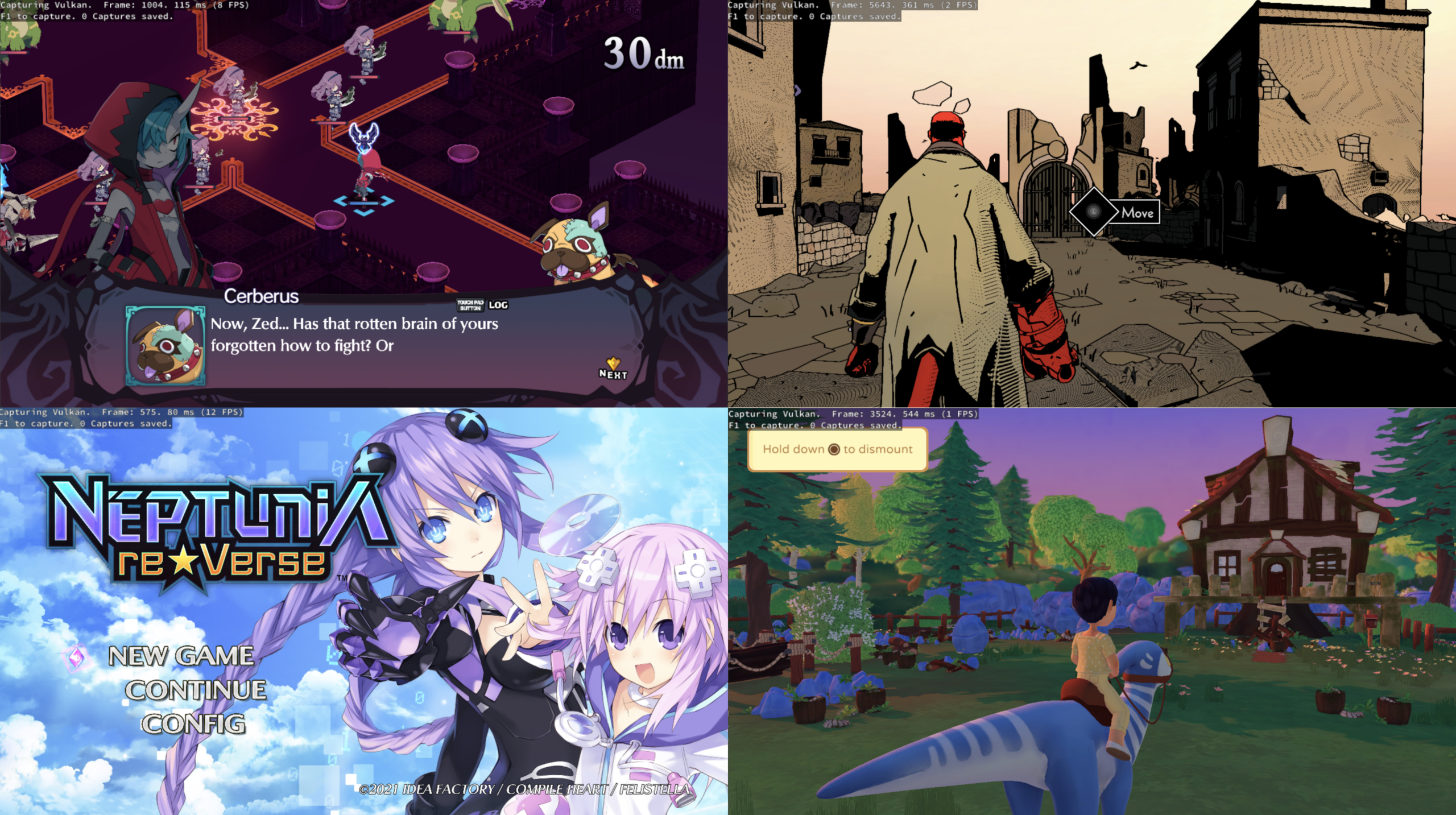
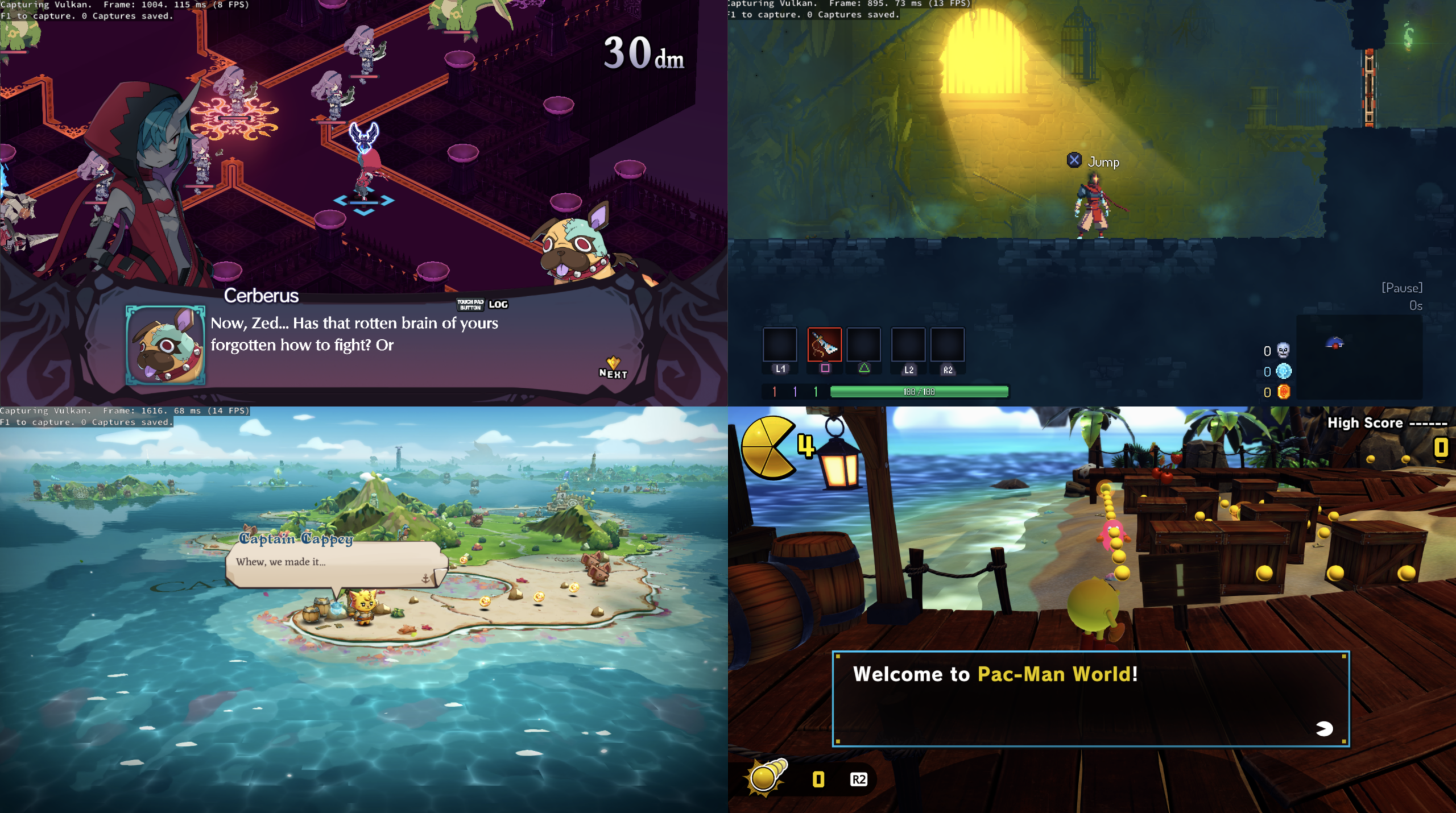
– Plusieurs jeux atteignent désormais le gameplay et certains sont déjà jouables, mais la compatibilité, les performances, les graphismes, l’audio et la stabilité restent variables selon les titres et le matériel.


Jeux ayant atteint différents niveaux de fonctionnement
– Terminator 2D: No Fate
– Jets ‘n’ Guns 2
– Asterix & Obelix: Slap Them All!
– The Precinct
– Cat Quest III
– Jurassic Park Classic Games Collection
 

Les captures et résultats présentés par le projet sont des résultats de développement et ne constituent pas nécessairement des indications de compatibilité générale.
 

Configuration
– Windows 10 version 2004 ou ultérieure.
– Processeur x86-64.
– GPU compatible Vulkan 1.2.
 

Développement
PS5PCEM est développé en Zig et est distribué sous licence GNU GPL v3 ou ultérieure.
 

Le projet ne fournit ni jeux, ni firmware PS5, ni clés, ni bibliothèques système de la console.
 

État du projet
PS5PCEM est toujours en développement actif. L’émulation PS5 reste incomplète et la compatibilité varie fortement selon les jeux. Le projet dispose néanmoins déjà d’une implémentation fonctionnelle de plusieurs éléments importants de l’architecture PS5, notamment l’exécution x86-64, le système graphique RDNA2/AGC, la traduction des shaders et le rendu Vulkan.
 

Les changements:
 
– more confirmed playable titles
– Quake II rendering fixes
– working movie audio and later 3D scenes in Ghost of Yōtei
– corrected and faster Tetris interface
– parallel shader compilation and command preparation
– native package extractor included with the launcher.


Télécharger PS5PCEM v0.3.2 (27.9 Mo)

Site Officiel

En savoir plus…

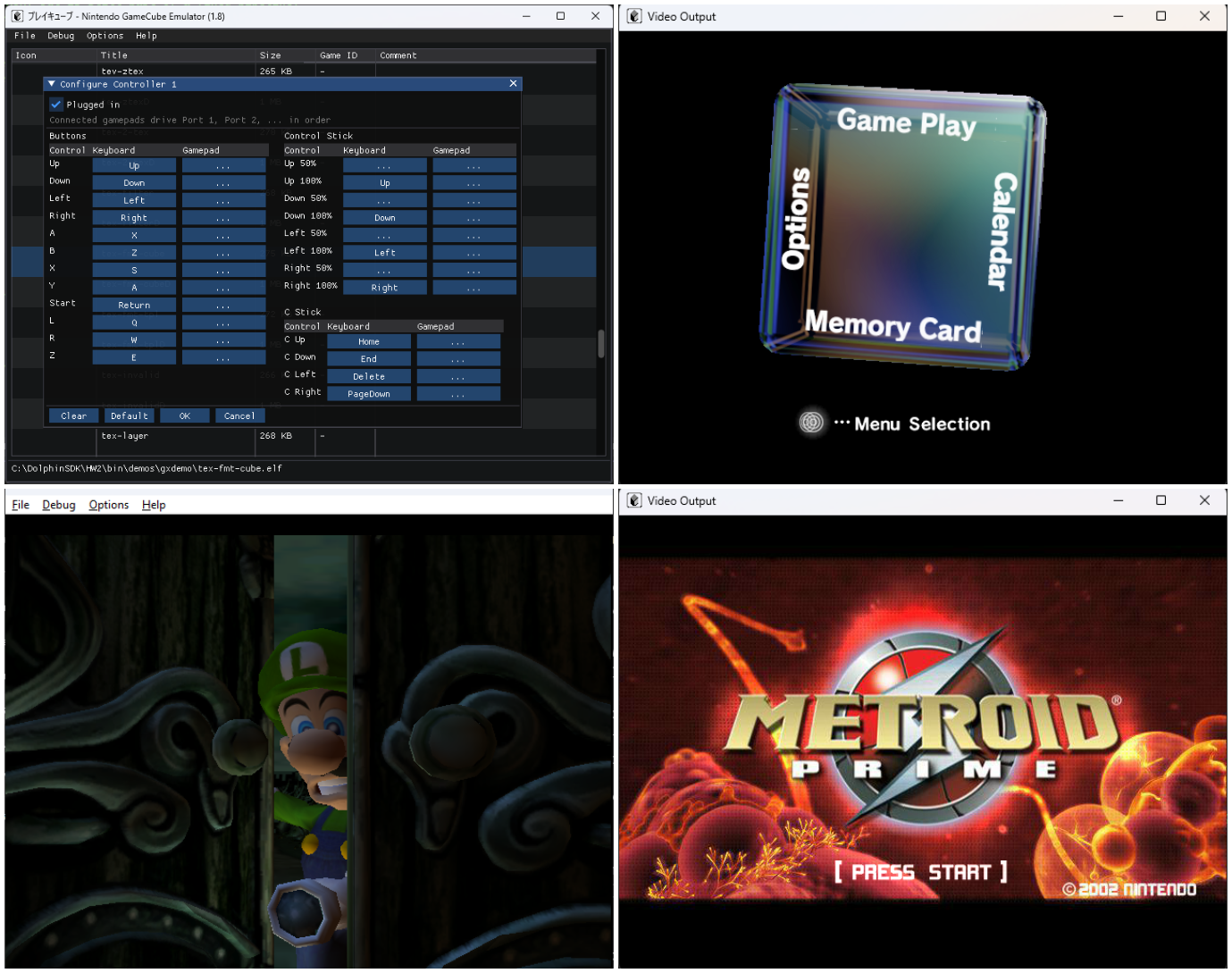
Pureikyubu est un émulateur open source de Nintendo GameCube, intégrant également l’émulation de la Game Boy et de la Game Boy Advance, actuellement en cours de développement et basé sur Dolwin.


Le but de l’émulateur est de rechercher les caractéristiques matérielles de la GameCube et de faire de la rétro-ingénierie sur les technologies utilisées pour développer des jeux pour cette plateforme.


Les améliorations sont les suivantes:
 
– Merge pull request #454 from ogamespec/gba-fixes
– GBA: a parked DMA keeps its place in the block it is repeating
– GBA: a byte store to DISPSTAT keeps the half it does not address
– Merge pull request #453 from ogamespec/save-states
– GameCube: save states, the File menu items and the JDI commands


Télécharger Pureikyubu (32 bits) v1.4 (1.2 Mo)

Télécharger Pureikyubu (64 bits) v1.9.1 (2026/09/25) (2.3 Mo)

Site Officiel

En savoir plus…

KytyPlus est un fork de KytyPS5, lui-même dérivé du projet original Kyty. Il reprend son émulation de la PlayStation 5 tout en ajoutant plusieurs améliorations, notamment le support expérimental des jeux PS4 via shadPS4, le FSR 1.0, un cache Vulkan permettant de conserver les pipelines compilés et différentes optimisations destinées aux GPU intégrés (iGPU). Il permet également l’installation des fichiers PKG depuis son interface et propose une gestion unifiée des jeux PS4 et PS5. Le projet est encore en développement et de nombreux jeux peuvent rencontrer des plantages, des écrans noirs ou des problèmes graphiques.


Les changements:
 
– End-of-video detection fixed for AvPlayerStart-driven players
– Sharper crash diagnosis (for every game, every tester)
– Updated a Native (PS5) row with our own iGPU test result alongside the upstream baseline


Télécharger KytyPlus v3.7 (52.0 Mo)

Site Officiel

En savoir plus…

Le projet KytyPS5 est un émulateur PlayStation 5 pour Windows, développé par Nmzik, qui s’appuie sur une version profondément modifiée du Kyty original créé par InoriRus. Il vise à offrir une compatibilité PS5 nettement supérieure à celle du projet initial, en se concentrant sur le démarrage des jeux, la stabilité et la prise en charge progressive des titres commerciaux. L’émulateur est conçu pour fonctionner sans modules LLE externes, ce qui simplifie son utilisation et réduit les dépendances techniques. Le développeur indique que le projet est encore en phase expérimentale, mais déjà capable de lancer certains jeux 2D et plusieurs jeux 3D, avec un objectif clair: améliorer la compatibilité avant de se concentrer sur les performances ou la précision graphique.
 
KytyPS5 fonctionne exclusivement sous Windows et semble optimisé en priorité pour les cartes graphiques NVIDIA, même si d’autres GPU peuvent fonctionner avec des résultats variables. Le projet adopte une approche pragmatique: il cherche d’abord à faire démarrer les jeux, quitte à sacrifier la fidélité visuelle ou la vitesse d’exécution dans les premières versions. Le code est activement développé, avec des mises à jour fréquentes, ce qui en fait l’un des projets PS5 les plus dynamiques actuellement disponibles. Le développeur met en avant une volonté de transparence, en remerciant explicitement InoriRus pour le projet original, tout en assumant une réécriture et une refonte majeure du code.
 
En résumé, KytyPS5 est une continuation non officielle mais assumée du premier Kyty, transformée en un émulateur PS5 moderne, plus ambitieux et plus fonctionnel, qui cherche à devenir une référence dans l’émulation de la console de Sony.


Les changements:
– audio: keep blocking AudioOut writes on an even cadence by @6d4m in #822
– shader: fuse image specialization setup with materialization
– shader: stop repeated CFG merge gateway splitting
– shader: add V_CMPX_O_F32 opcode
– shader: simplify translator dispatch to void handlers
– shader: preserve live predicates through whole-quad expansion by @neodouglas in #801
– Fix Linux fiber stack overflow with Clang 18 by @Nmzik in #813
– videoout: fix VRR status import signature
– shader: add S_MEMREALTIME opcode
– videoout: add RGB10A2 PQ buffer support
– shader: support indirect BUFFER_LOAD_DWORDX3
– shader: add SDWA support for V_MAX_I32
– shader: add GLC/DLC buffer cache policy support
– graphics: skip compute dispatches with BVH instructions

 
(Temporary build compiled from this fork pending official releases.)


Télécharger KytyPS5 r260926 (22.3 Mo)

Site Officiel

En savoir plus…


https://getourbonus.com/fr/accueil

https://www.romspedia.com/