La dernière version béta publique de l’excellent WinUAE, l’émulateur Commodore Amiga.


Source: Forum des versions Betas.

Télécharger WinUAE (Public Beta) [32 bits] v6.1.0 Beta 4 (4.9 Mo)

Télécharger WinUAE (Public Beta) [64 bits] v6.1.0 Beta 4 (7.4 Mo)

Télécharger WinUAE (Public Beta) [32 bits] v6.1.0 Beta 4 FR (5.4 Mo)

Télécharger WinUAE (Public Beta) [64 bits] v6.1.0 Beta 4 FR (7.8 Mo)

Site Officiel

En savoir plus…

De nouveaux patchs sont disponibles sur le site de nos partenaire de chez la TRAF* (et sur notre miroir), de quoi s’occuper de nombreuses heures 🙂
 
Changements depuis la précédente news:
[NES] Felix the Cat v1.0 (M26G)
[GBC] Les chevaliers du Zodiac – Le retour du phénix v1.2.0F (FINAL 05-11-2022)

[NES] Dig Dug v1.0
[SNES] Super Mario World v1.2 (Brutapode89)
[MD] Alisia Dragoon FR v1.2
[MD] Joe & Mac FR v1.1
[SNES] Super Mario RPG: Legend of the Seven Stars v1.0
[NDS] Mega Man Star Force 3 – Black Ace v2.0
[NDS] Mega Man Star Force 3 – Red Joker v2.0
[MD] Mamono Hunter Yohko FR v1.0
[NES] Super Mario Bros. 2 FR (Brutapode89) v1.3
[GB] Star Ocean: Blue Sphere
[SNES] Live A Live
[SNES]Bahamut Lagoon
[SNES] Tactics Ogre Let us Cling Together
[PSX] Dr. Slump
[NES] Super Mario Bros. 2 (v1.2) (Brutapode89)
[MD] Bubsy in – Claws Encounters of the Furred Kind (v1.01) *maj*
[MD] 007 The Duel (v1.01)
[MD] Galahad (v1.01)
[MD] Shining in the Darkness (v1.0)
[MD] Spot Goes to Hollywood (v1.0)
[MD] Cadash (v0.95) Fixed
[MD] Light Crusader (v1.0)
[MD] Super Hydlide [Bug Fix] (Release original de Génération IX)
[MD] Phantasy Star II (V1.01)

 
*En réalité tous ces patchs seront intégré sur le site de la traf prochainement mais en attendant ils sont tous dispos sur emufrance ou sur la page suivante ou celle-ci (et bien sur toujours référencés chez RomHacking).

 
traf
 
Bon jeu!
 

Site Officiel

AMSpiriT est un émulateur Amstrad CPC pour Windows codé en c++ par David Manuel. Il a été développé à partir des documentations et informations techniques librement disponibles sur internet, sans aucun apport de codes sources déjà existants.
AMSpiriT a pour finalité de reproduire le plus fidèlement possible le comportement hardware d’un vrai CPC. Dans l’esprit d’un Amstrad CPC, l’ergonomie a été pensée afin d’être la plus épurée et la plus intuitive possible.


Les changements:
 

– Correctifs divers dans l’émulation des CRTC 0, 1 et 2
– Ajustement du timing de mise à jour de R52 (Gate Array)
– Modification d’ergonomique (icones / ajout langue Anglais)
– Optimisation du code


Forum anglais.
 

Télécharger AMSpiriT (32 bits) v2.04b (1.0 Mo)

Télécharger AMSpiriT (64 bits) v2.04b (1.1 Mo)

Site Officiel

En savoir plus…

Sorte d’équivalent de MAME32 pour PinMAME. Cette version est un vrai portage de PinMAMEW sous Windows.


Télécharger Visual PinMAME v3.7 Beta (130 Mo)

Site Officiel

En savoir plus…

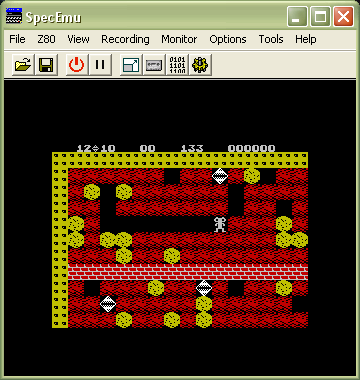
Il s’agit d’un émulateur multi-plateformes qui supporte les machines suivantes: ZX80, ZX81, ZX Spectrum (et 48k+), QL, Z88, Timex TS 2068, Sam Coupe, Pentagon 128, Chloe 140 SE, Chloe 280 SE, ZX-Uno, Prism, TBBlue/ZX, Spectrum Next, Jupiter Ace, Amstrad CPC 464, Microdigital TK serie’s, Timex Computer serie’s, Timex Sinclair, MSX1, Spectravideo 318/328, Colecovision, Sega SG-1000.


Changements:
New things added:
Added configurable icons to the ZX Desktop. These icons can:
-Open windows, for example View Sprites
-Trigger actions, like Reset
-File links, these are linked to tapes or snapshots on your disk drive
-There are other special icons, like Trash Can
These icons opens a whole new world on ZEsarUX, so the ZX Desktop is becoming a Full Desktop environment 🙂
 
Added new emulated machines:
-ZX Spectrum 48k+
-Microdigital TK80
-Microdigital TK82
-Microdigital TK82C
-Microdigital TK83
-Microdigital TK85
-Microdigital TK95 Spanish
-Timex Computer 2048
-Timex Computer 2068
-Timex Sinclair 1000
-Timex Sinclair 1500
 
Added Copy Interfaces emulation:
-Defcon
-Dinamid3
-Hilow Barbanegra
-Interface007
-Microhobby Pokeador Automatico
-Phoenix
-Ramjet
-Spec-Mate
-Transtape
 
Added Dinamic SD1 emulation
Allow .Z80 corrupted snapshot loading from ZXSP emulator with additional header of 31 byte size
Added ZSF support for Timex TS2068, MK14, Chrome, Prism, Chloe, Sam Coupe
Added path setting where to download files from the speccy and zx81 online browser
Added disk image browsing from storage MMC/IDE menus
Added PZX load support as standard tape
Added TAP to PZX converter
Added TAP to TZX turbo converter (TZX Turbo 4000 bauds, to use with Rodolfo Guerra ROMS)
Added TAP to SCR converter
Added some actions than can be fired from command line and don’t start ZEsarUX:
–convert-tap-tzx, –convert-tap-tzx-turbo-rg, –convert-tap-pzx , –convert-tap-scr, –convert-tzx-tap, –convert-pzx-tap
 
Improvements:
Improved Z88 emulation:
-Changed colour palette to better match a real Z88
-Show keys shortcuts below the Z88 display
-Snapshot setting & menu action to synchronize Z88 clock with your computer clock
-Inserting Z88 cards: now it does not hang the emulator during the insert
-Selecting Z88 cards: submenus for types and sizes
-Z88 footer: show when writing a card in slot 3, colors follow style
-Z88 device icons: different icons for slot 1,2,3, show when writing a card in slot 3, show when flap is open
 
Improved File selector:
-Allow to have a full screen preview if window is big enough
-Better hotkeys explanation
 
Improved Debugging:
-Allow to change memory pointer to a value from the stack
-Added a setting to show on which scanline has been executed a Halt, inverting border color
-When enabling step mode, emulation is paused on all menus
-Preserve step mode when exiting debug cpu that was opened by a breakpoint
-When a breakpoint is fired, step mode is kept on all menus
-Breakpoints actions « call », « printc », « set-register » and « write » can now use expressions instead of fixed values
-Added breakpoint actions: « disassemble », « printregs »
-Warn on footer when step mode
-Enlarge width of breakpoints list
 
Improved SmartLoad & Drag-Drop:
-Allow to load a .rom file as a custom rom file for the current machine
-Allow to Drag-Drop when menu open
 
Improved ZX Vision:
-Reorder windows when changing machine but only when ZEsarUX window is smaller than previous one
-Custom arrows characters
-Windows are now restored by default on starting ZEsarUX
-Better resize & reposition for new windows out of range
 
Improved ZX Desktop:
-Allow to extend ZX Desktop vertically
-Right mouse button is now used for secondary actions. It no longer simulates ESC key (unless you enable it on ZX Vision Settings)
-Added frame around emulated machine
-Added setting to mix scr image with background
-Allow to set any tape/snapshot/disk that contains a spectrum screen (SCR) as background
-Apply frameskip when drawing ZX Desktop Background
 
Improved HiLow DataDrive emulation:
-Allow to Format, Browse and Chkdsk a Hilow DataDrive image (.ddh file)
-Allow to convert audio from a real Hilow DataDrive tape to an image file (.ddh)
-Added technical documentation on the extras package
 
Improved ZX Spectrum Next emulation: added sprite rendering priority bit
Improved ZRCP: allow to change command prompt
Improved generated TZX and PZX files: include date and ZEsarUX version in header
Improved Custom machine menu: added +2E MMC machine
Improved Tape browser: show autostart line on basic blocks
 
Fixes:
Fixed handling files larger than 2 GB on 32 bit CPU (it also applies to the Windows version even on a 64 bit CPU)
Fixed using mmc images larger than 2 GB
Fixed redrawing ZX Desktop when resizing main ZEsarUX window
Fixed hang when using View Variables and memory is corrupted
Fixed hang pressing two times F-key assigned to Pause (Mac OS unaffected)
Fixed bug that may crash ZEsarUX when starting machine ZX Spectrum +2 Spanish. This is a bug that has always existed
Fixed losing inserted Z88 cards when changing cpu speed
Fixed Z80 behavior after EI or DD/FD prefixes and interrupts
Fixed Z80 behavior running block opcodes (LDIR, etc) and interrupts
Fixed .Z80 Timex TS2068 snapshot loading
Fixed showing Recent Files when file name contains character %
Fixed HiLow DataDrive emulation: can now load, save, format… all actions are now working
Fixed crash (stack smashing detected) when showing Debug CPU window (and compiled using -fstack-protector)
Fixed segfault when starting ZEsarUX + disabled welcome splash message + enabled reopen windows on start setting + no window to restore
Fixed trap print numbers on Spectrum and ZX81 (setting –chardetectcompatnum)
Fixed segfault when selecting an invalid file type on real tape
Fixed Keyboard Help image for Spectravideo 318
Fixed allowed machines when saving snapshots .ZX
Fixed Breakpoints actions: now are executed everywhere (even in the menu)
Fixed pressing key c (continuous mode) on debug cpu (emulation was unpaused temporarily)
Fixed TZX turbo files extract (including screen previews), convert & file info
Fixed .Z80 and .ZSF screen previews when using 128k screen page 7
Fixed .DSK extract
Fixed crash when saving .ZSF snapshots when a byte DD is found just before a byte is repeated more than 256 times
Fixed Next MMC images download. Now you need SSL enabled on compilation
 
Fixed ZX Vision:
-Fixed showing cursor on edit fields and text length longer than visible
 
As always, there are some other minor bugfixes and improvements


Télécharger ZEsarUX v12.1 (44.4 Mo)

Télécharger ZEsarUX (Legacy) v12.1 (43.9 Mo)

Télécharger ZEsarUX Extra v12.1 (210 Mo)

Site Officiel

En savoir plus…

Un émulateur HP17/19/27/28/42. Inclus les fichiers KML (pour la version dédiée) pour les machines HP-17B, HP-17BII, HP-27S, HP-28S et HP-42S ainsi que des outils et le code source.


Télécharger Emu42 (+KML) v1.32 (5.2 Mo)

Télécharger Emu42 (-KML) v1.32 (182 Ko)

Site Officiel

En savoir plus…

NSFPlay est un lecteur de musiques NSF en rapport avec jeux Nintendo NES (disquettes et cartouches) et fonctionnant sous Windows. Il s’agit d’un fork de NSFPlay/Plug créé par Brezza à l’origine et développé à présent par Brad Smith (Rainwarrior).


Changes since 2.4:
– APU frequency dividers now count down (more accurate pitch change timing).
– Keyboard view speed control setting should reset to normal when the program restarts.
– DPCM bit-reverse option.
– Playback advance options (auto, infinite play, single track).
– Negate sweep init option (compatibility with old SuperNSF, etc. that relies on nonstandard sweep init).
– Option to force VRC7 replacement with YM2413 (OPLL).
– DPCM read delay adjusted (4 cycles is a more accurate approximation than 2).
– Default volume of APU 2 raised to match measured triangle volumes.
– Fixed triangle and noise being logically inverted.
– Fixed error in track selector length when using NSFe playlists.
– Integrated VRC7 (YM2143) emulation update from Mitsutaka Okazaki.
– Linear square mix level now matches nonlinear at 1 full square.
– Fix winamp playlist generator track titles.
– Write protect internal player memory.


Télécharger NSFPlay/NSFPlug v2.6 (2.0 Mo)

Site Officiel

En savoir plus…

Les dernières versions de GameEX/Arcade et PinballX sont disponibles ci-dessous.


Sachez que même si je ne les news pas souvent, les archives sont quand même très rapidement mises à jour sur notre site.
 

Télécharger PinballX v7.11 (329 Mo)

Télécharger GameEx v19.72 (495 Mo)

Télécharger GameEx Arcade Edition v18.87 (339 Mo)

Site Officiel

En savoir plus…

Un gestionnaire de roms avec une interface aussi claire que Romcenter et axé sur la simplicité avec un nombre limité de fonctions. Une référence désormais.
 
L’immense avantage de ce manager est de pouvoir scanner n’importe quel repertoire de roms , en VRAC & ensuite -en fonction de ce que vous avez comme dats- de les ranger et replacer automatiquement. (très utile si vous avez des tonnes de dats (TOSEC). Il vous permet réellement de collectionner des centaines de collections avec un gain de temps considérable par rapport aux autres managers. Il convertit également les zips au format Torrentzip afin de faciliter le partage à travers les fichiers torrent.
 
romvault2.1
 
Les changements sont visibles ici.
 

Télécharger RomVault v3.7.4 (1.6 Mo)

Site Officiel

En savoir plus…

A l’instar de Mesen-X, il s’agit d’un fork de Mesen-S orienté développement homebrew.
Codé en C++ et C#, il s’agit d’un émulateur de Super Nintendo / GB /GBC multi-plateforme pour Windows et Linux.


– Merge pull request #104 from vivi168/restore_bge_blt_truth
– Fix BGE/BLT confusion
– Merge pull request #134 from Perkka2/master
– Adding delayed writes to $4016 EPSM Addressing
– Misc fixes


Télécharger Mesen-SX v0.4.0 (2022/11/07) (2.1 Mo)

Site Officiel

En savoir plus…

Un émulateur de PSP écrit en Java. Codé par Mad et Shadow (PCSX2) et rejoint par Wrayal, Fiveofhearts, Hlide et Dreampeppers99. Il émule les jeux commerciaux mais nécessite une puissante configuration.
 
jpcsp
 
Liste de jeux compatibles (ou ici).
Site de développement du projet.
Builds SVN automatiques (alternative / Mirror).
 

Télécharger JPcsp (x86) v0.7 rev 0318d15e (26.4 Mo)

Télécharger JPcsp (x64) v0.7 rev bb94cd4 (29.1 Mo)

Site Officiel

En savoir plus…

SSE pour « Steven Seagal Edition » est un émulateur d’Atari ST basé sur le STeem original v3.2 de 2004. Il emprunte également des améliorations en provenance de Hatari.


– GUI: Fix bad interaction between ALT-triggered and optional menu bar (Windows)
– Various fixes


Télécharger Steem SSE (D3D) [32 bits] v4.2.0 R10 (3.2 Mo)

Télécharger Steem SSE (D3D) [64 Bits] v4.2.0 R10 (3.7 Mo)

Télécharger Steem SSE (All builds) v4.2.0 R10 (4.5 Mo)

Site Officiel

En savoir plus…


Casino-en-ligne-fiable.com

https://getourbonus.com/fr/accueil

https://www.romspedia.com/

https://www.casinoonlinefrancais.fr

Lucky 7 bonus

https://www.casinogratuitsansdepot.com

pablocasino.org

critiquejeu.info

playbonus

casinodoc.org

laplanquedujoueur.com

casinoonlinefrancais