RomCenter est une très bonne alternative à ClrMAMEPro et plus accessible.


Requirement : .net framework 4, windows xp to windows 10
The 4.0 branch will be the last version compatible with windows XP (<3% of romcenter users are on xp). 4.1 branch will use a modern framework (4.6 or 4.7) which will allow powerfull language features. Also, I'm testing a 64 bit version, which hopefully will solve memory problems.


Les changements depuis la v4.1.0:
– Fix error when backup path is not defined.
– Fix region order not saved
– Fix temp folder not found
– Fix tosec filter
– Add command line version (rc.exe). Support db creation, update, adding rom paths and fixing.
– Improve data Grid grouping
– Improve tosec parser log
– Improve tosec year/region parser
– Upgrade data grid component


Télécharger RomCenter v4.1.1 (18.2 Mo)

Site Officiel

En savoir plus…

Un excellent émulateur Nintendo NES pour windows et linux.


– Updated translation from Crowdin (thx to Алексей Тимонин, MS-PC, tch_oscomp, Ömercan Kömür, Matheus).
– Redesigned settings GUI.
– Added an option to flip the screen horizontally (even when rotated).
– Added an option to make the input (keyboard and controller) « follow » the orientation of the screen.
Try to replay your favorite games in this mode, you will find it fun. (Thx to eugene-s-nesdev for the idea).
– Added « AxelayNES » Demo to the database.
– Added spanish traslation of Ganbare Goemon Gaiden 2 to the database.
– Added an option to reverse bits of DPCM (also in the NSF player).
To understand what « reverse » is for, take a look at this post http://forums.nesdev.com/viewtopic.php?f=2&t=20308.
– Added the preview of the last screen image of the saved states.
Now it is always possible view the screen of the saved states when you move the mouse between the various
Slots in the « State » menu (slots with the available preview will be marked with a « * »). It’s also available in the
combobox of the toolbar widget.The preview will be displayed as a tooltip.
– Added, thanks to the FFMPEG libraries, the ability to create video and audio files of the game session.
The supported video formats are:
* MPEG 1 Video
* MPEG 2 Video
* MPEG 4 Video
* MPEG H264 Video
* High Efficiency Video Codec
* WebM Video
* Windows Media Video
* AVI FF Video
* AVI Video
The supported audio formats are:
* WAV Audio
* MP3 Audio
* AAC Audio
* Flac Audio
* Ogg Audio
The parameters relating to the recording are available in the configuration GUI.
It’s possible to start a recording through the keyboard shortcuts (CTRL+A for audio and CTRL+V for video)
also from the widget located at the bottom right of the statusbar. Clicking on it with the left mouse button will
start the last type of registration, with the right button a context menu where you can select what to start.
Once the recording has started, you can stop it either with the same shortcuts with which it was started or by
clicking on the statusbar widget.
The emulator will always remember the last used settings.
– Added « Raw » palette. To understand what this palette is, I use the explanation found on
Emulation General Wiki https://emulation.gametechwiki.com/inde … or_Palette :
« option to output the raw chroma, level, and emphasis from the PPU through the RGB color channels.
This by itself produces an image with completely bizarre colors, but this can be decoded by shaders
to generate actual colors, the main examples being GTU-Famicom and nes-color-decoder ».
So it’s usable with all shaders that support it:
cgwg-famicom-geom.glsl, gtu-famicom.glsl or ntsc-nes.glsl that you find in the
libretro glsl-shaders repository https://github.com/libretro/glsl-shaders.
P.s. this works with OpenGL version.
– Fixed compatibility with GLSL shaders (like MMJ_Cel_Shader.glslp or all crt-royale.glslp series).
You can find this shader at glsl-shaders https://github.com/libretro/glsl-shaders and
common-shaders https://github.com/libretro/common-shaders.
– Fixed VRC7 sound pitch.
– Fixed saving of window position in a multi-monitor setup (thx to baraclese for the patch).
– Fixed the restoration of the hidden state of the toolbar widgets.
– NSF/NSFe player. Added a new effect and revised the « bars » effect. It’s now possible to move between the
various effects using the up and down of the pad or by clicking on the right or left side of the effect viewer.
Changed the help text explaining the pad commands.
– Redesigned the command line help display.
– On a computer where the amulator had never been started, at the first run it was started in the top left but
hiding the window frame preventing it from moving or closing. Fixed.
– Now the settings window is resizable.
– Fixed several bugs in the Cheat Editor and in the Input Settings.
Cheat Editor:
* Fixed a possible crash that occurs when entering a new cheat.
* Fixed several table display errors.
* Active cheats are now easily identifiable thanks to a different color.
* Fixed a bug that did not activate the selected cheat correctly.
* Cheat description tooltip.
Input settings:
* Minor cosmetic changes.
– Fixed many many many other bugs.

 
Un pack de shaders est disponible ici.
 

Télécharger puNES OpenGL (x86) v0.111 (21.7 Mo)

Télécharger puNES OpenGL (x64) v0.111 (23.9 Mo)

Télécharger puNES D3D9 (x86) v0.111 (21.8 Mo)

Télécharger puNES D3D9 (x64) v0.111 (24.1 Mo)

Site Officiel

En savoir plus…

SSE pour « Steven Seagal Edition » est un émulateur d’Atari ST basé sur le STeem original v3.2 de 2004. Il emprunte également des améliorations en provenance de Hatari.


R27
– Debugger fixes only
– Patches for Monkey Island, Chrono Quest, Formula One Grand Prix (I saw the bugs while doing the patches!)


Télécharger Steem SSE (D3D) [32 bits] v4.2.1 R3 (6.8 Mo)

Télécharger Steem SSE (D3D) [64 Bits] v4.2.1 R3 (7.6 Mo)

Site Officiel

En savoir plus…

Créé par l’auteur de CorgiDS, DobieStation est un émulateur PS2 en cours de développement avec pour objectif de proposer un port Android optimisé ainsi qu’un port PC rapide, précis et facile à utiliser.
 
Une grande partie de la bibliothèque de la PS2 peut démarrer ou accéder aux menus et certains titres peuvent même entrer dans le jeu y compris certains jeux spécifiques comme Final Fantasy X ou Shadow of the Colossus. Reste que pour l’instant l’émulateur est évidemment très préliminaire.


(Builds automatiques)
 

Télécharger DobieStation v0.0.1619 (15.9 Mo)

Site Officiel

En savoir plus…

Il s’agit d’un émulateur de Sega GameGear / Master System, Nintendo GameBoy / GameBoy Color / MSX écrit en Java. Le son reste perfectible et l’absence de filtres graphiques se fait sentir. (une version avce Java est également disponible sur le site officiel).
 

EmuliciousEmulicious2

 
Mais outre une émulation précise, Emulicious dispose de fonctions supplémentaires :
– Mise à jour automatique
– Turbo ajustable
– Moteur ajustable
– Patching d’IPS
– Sauvegardes d’état (Master System/Game Gear uniquement)
 
Outils (Master System/Game Gear uniquement) :
– Debugger
– Visualisateur de palette, cartes, scripts, sprites…
– Traceur mémoire
 

Télécharger Emulicious (2026/03/19) (2.8 Mo)

Site Officiel

En savoir plus…

DSP est un émulateur Sinclair ZX Spectrum mais aussi Amstrad CPC, Arcade, NES, SMS, GameBoy, Coleco Vision, Chip8/Super Chip8… développé par Leniad Soft 2003. Il supporte les Spectrum 48K, Spectrum 128K et des jeux d’arcades comme Phoenix, BombJack ou encore Ghost’n’Goblins. Il s’agit d’un projet Open Source développé en Delphi+Lazarus+Free Pascal.
 
DSP
 
DSP Emulator 0.18b3 WIP:
-Lazarus
+More cosmetical changes
+Fixed ‘no sound’ option
-General
+CPU
-Z80: Fixed a stupid bug on IRQ
-SNK
+Fixed rotation buttons
+ASO – Armored Scrum Object: Added driver with sound
-Fire Trap
+Added driver with sound
 

more here…


Télécharger DSP (x86) v0.23 (6.0 Mo)

Télécharger DSP (x64) v0.20 (16/07/2022) (3.5 Mo)

Site Officiel

En savoir plus…

Hatari est un émulateur Atari ST, STE, TT et Falcon tournant sous Linux, BSD, BeOS, Mac OS X et bien d’autres systèmes supportant la bibliothèque SDL.
 
hatari
 
Following features are deprecated and will be removed in a future release:
– Support for the SDL 1.2 library (i.e. SDL 2.x should be used instead)
– SDL 2.x « bUseSdlRenderer » config and « GPU scaling » GUI options
(after HW support for SDL2 is available widely enough)
– The old UAE CPU core (i.e. the new WinUAE CPU core should be used instead)
– Python v2 support in Python scripts (Python 2 was end of life in 2020)
– The « external » disassembler (i.e. use « –disasm uae » instead)
– Hatari XBios(255) API enabled with the « –bios-intercept » option
(i.e. use « –natfeats » & « –cmd-fifo » options and « hconsole » instead)
– The old ~/.hatari configuration file location (use ~/.config/hatari instead)
 
Emulation:
– CPU:
– Fix: unneeded extra prefetch for movem in 68020/30 cpu
(regression in v2.3)
– DSP:
– Fix: master clock use for crossbar/DSP Handshake mode
(partial regression in v1.6)
– Fix: hostport PORTB interrupt handling
 
Emulator:
– ACSI/IDE/SCSI handling:
– Fix: IDE crash when switching to Falcon mode at run-time
(regression in v2.3)
– Fix: No error dialog on IDE image mount errors
– Fix: Duplicate disk image mount failure handling
– TOS support:
– Fix: TOS 2.07 (Sparrow TOS) support
(regression in v2.3)
– Hatari window handling:
– Fix: Hatari window disappearing from Python UI
when Hatari changes its framebuffer size
(SDL2 specific)
– macOS GUI:
– Fix: FPU setting doesn’t work when GUI runs in French
 
Python UI:
– Several fixes (see its own release-notes.txt)
– Requires now Gtk v3.22 or newer
 
Tools:
– Fix: assert in hatari_profile (profile post-processor)
with relative symbols
 
Documentation:
– Add PortMidi info to devices dialog section in manual
– Updated compatibility documentation
 
Fixed Falcon programs:
– Music missing in H2O game, in Running game main screen,
Stocasto demo and Epidemic music disk
(crossbar/DSP handshake mode)
– Lockup demo freezing at startup
(DSP hostport PORTB interrupt handling)
– Several demos (Cruor 96k, Hmmm…, Keff, Payback 2015) and games
(Beats of Rage, Capy, Confusion preview 2, Men at War preview,
Moonspeeder preview 2, Neurobot, Pacmania X68000, Slippery Sam
and Sokoban by Fun) not starting with TOS4 or EmuTOS unless MMU
was enabled (unneeded extra prefetch in movem)
– Built-in Obsolescence demo, Delmpaint app and Sidetracked GFA
musicdisk had other issues also with MMU under TOS4 or EmuTOS
 

– Misc


Télécharger Hatari (x86) v2.6.1 (5.9 Mo)

Télécharger Hatari (x64) v2.6.1 (6.0 Mo)

Site Officiel

En savoir plus…

Le premier émulateur de Sega Model 3 créé par Bart Trzynadlowski, Ville Linde et Stefano Teso dans sa version de développement (voir ici) [source].


Les changements:
– Added rumble skipad in Ski Champ game.
– This is only a simulation (cmd are interpreted), not an emulation because we lack informations on the game itself and its driveboard (does it have dedicated cpu/rom ?).
– Service menu activated in swtrilgyp.
Note : The « feedback stick test » always failed (change cab type DX to SD if needed).
– Add -O3 optimization option for OSX and Linux.
– Revert netboard to disable by default.
– Suppressed net board console output (using debug logging now)
– Added GPL headers to net board source files
– Updated rules file.
– Star Wars Trilogy untextured Death Star surface bug in gcc builds was caused by -Ofast (thanks to rokfpoewrkcpoqwkcp for discovering this). Using -O3 now.
– Net board enabled by default.


Ajout:
– correction des musiques dans sega rally 2 (mix)
– correction musique 1er niveau 2joueurs (la cave rouge) dans vf3 (pas sûr de la modif, et donc cela peut éventuellement entrainer d’autre problèmes sonore sur d’autre jeux).
(inclut officiellement)

 
Les fichiers sont compilés par Kof2112, merci à lui.


Télécharger SuperModel v0.4 Build 261117 (5.2 Mo)

Télécharger SuperModel WIP (XP) v0.3a r862 (6.3 Mo)

Site Officiel

En savoir plus…

Créé par Avery Lee (l’auteur de VirtualDub), il s’agit d’un émulateur d’Atari 8 bits (800/800XL/130XE) disponible en 32 et 64 bits. Il dispose de beaucoup d’options ainsi que d’une bonne compatibilité. Il prend en charge les jeux protégés conformément à l’émulation. Il s’agit d’une version de développement au stade de béta.


Topic des versions Beta.

Télécharger Altirra (Beta) v4.50 Test 29 (7.7 Mo)

Site Officiel

En savoir plus…

Steam ROM Manager permet, comme son nom l’indique, de gérer vos roms dans Steam et bien plus encore.


Télécharger Steam Rom Manager v2.6.3 (92.7 Mo)

Site Officiel

En savoir plus…

Play! est une tentative de créer un émulateur PlayStation 2 sous Windows / MacOS / iOS / Android. Il est actuellement écrit en C / C + + et utilise un système de mise en cache / de recompilation d’instruction pour obtenir de meilleures performances tout en émulant le CPU.
 
L’émulateur peut faire fonctionner quelques jeux, mais très moyennement dans la plupart des cas. L’objectif de l’auteur est d’atteindre un niveau de qualité qui permettra à quiconque de jouer son jeu favori PlayStation 2 sur son PC.
 
play
 
– Add values to prevent reading out of bounds.
– Add missing blending formulae.
– Set IRQ address earlier in SampleReader.
– Fixes / Cleanup


Télécharger Play! (x86) GIT v0.77 (2026/10/25) (8.9 Mo)

Télécharger Play! (x64) GIT v0.77 (2026/10/25) (10.3 Mo)

Site Officiel

En savoir plus…

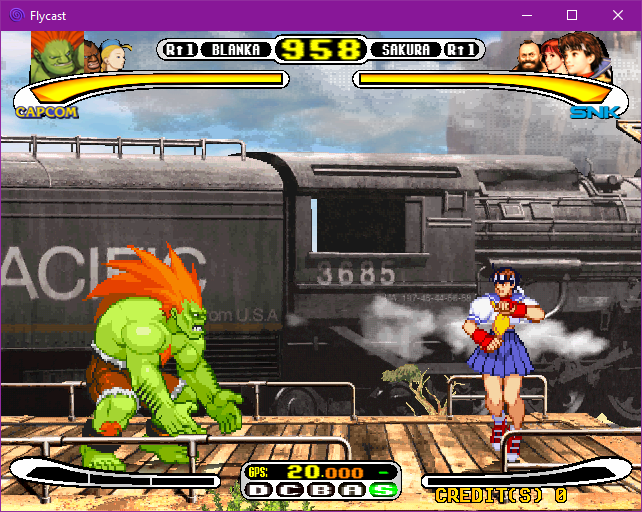
Flycast est un émulateur multiplateforme de Sega Dreamcast, Naomi et Atomiswave qui est basé sur Reicast. Informations ici.


Il prend en charge les jeux aux formats suivants:
– SEGA Dreamcast (CHD, CDI, GDI, CUE)
– SEGA Dreamcast utilisant WinCE
– SEGA NAOMI (.zip, .7z, .dat/.lst)
– SEGA NAOMI GD-ROM (.zip, .7z, .dat/.lst et .chd)
– Sammy Atomiswave (.zip, .7z)
 

Il ne prend pas encore en charge les jeux SEGA NAOMI 2, Hikaru et SEGA System SP.
 

Des packs de textures sont disponibles ici.


Builds automatiques (debug).
 

Télécharger Flycast v2.7 (9.4 Mo)

Site Officiel

En savoir plus…


https://getourbonus.com/fr/accueil

https://www.romspedia.com/