L’environnement de compilation complet destiné à Mame/Mess v0.208 et supérieur. Vous n’aurez besoin de rien d’autre pour compiler une version de Mame/Mess à partir de 0.208.
 
Avec ce package, les builds de MAME seront compilés avec GCC 9.2.

 
Update to latest tools.
Combined dual 32-bit/64-bit tools only (for those who have 64-bit Windows but wish to build for both 32-bit and 64-bit)
Includes (64-bit): GCC (Rev2, Built by MSYS2 project) 9.2.0
Includes (32-bit): GCC (Rev1, Built by MSYS2 project) 9.2.0


mame_msys2
 

Télécharger MAME Build Tools v7.0 [0.208 et +] (342 Mo)

Site Officiel

En savoir plus…

De la part de toute l’équipe, on vous souhaite un joyeux Noël plein de joie et de bonheur !


La version Windows de ce superbe émulateur Commodore C64, C128, VIC20, CBM-II, Plus4 et de tous les modèles « PET ».
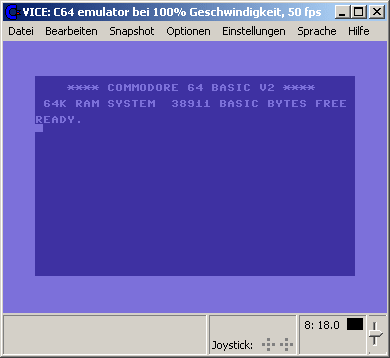


Les changements:

 General
- Remove support for Syllable OS, SCO, QNX4, QNX6, SGI, AIX, OpenStep/NextStep/Rhapsody, Solaris/OpenIndiana and remaining traces of Minix, NeXT, SKYOS, UNIXWARE, Sortix
- Remove remaining traces of support for WATCOM, MSVC, OpenWatcom
- Remove aRts support
- Remove YUV rendering
- Remove generation of .chm, .hlp and .info files. Please use the .pdf or .html
- skip building x64 unless --enable-x64 is passed to configure
- do not use the new/experimental 8580 filters unless --enable-new8580filter is passed to configure
- update pattern generator for uninitialized ram. changed defaults so all raminitpattern tests pass.
- remove block device disk image (rawdrive) "support". in linux it was never needed (just use the device file) and on windows it was never implemented.
- added support for the IP232 protocol that was used by the long lost VICE1.19 hack, and which is supported by tcpser for emulating DTR/DCD (carrier detect)
- various userport rs232 fixes
- always save gifs as gif89
- added a couple shift flags to keyboard maps to support virtual cbm/ctrl and mandatory pressed host modifiers. not all keymaps have been updated yet.
- ACIA IRQ fix
- create empty half tracks when mounting d64. fixes skew.d64
- new headless port that can be enabled by passing --enable-headlessui to configure. this can be used to build an emulator without video output, which may be useful for scripting.

Autostart fixes
- Implemented autostart for tapecart images (.tcrt)
- Automatically change drive type when autostarting disk images that do not work with the currently active drive.
- Make AutostartRunWithColon default
- fixed autostart when memory hacks are enabled (plus60k, plus256k, plus4)
- make auto-starting from tape also respect the 'basicload' option, loading absolute by default
- when using a disk image to autostart .prg files, remove the .prg extension from the temporary file name
- many detail fixes that make autostart work as expected in all emulators and in all configurations (eg C128 in 80 columns or C64 mode)

Snapshot fixes
- More strict checking and more explizit error reporting

6510 fixes
- Accurate emulation of ANE#imm and LAX#imm "magic constant" dependency on RDY. All occurrences of unstable use are being logged now. LAX#imm "magic constant" changed to 0xEF, which makes the problem cases "spectipede" and "turrican 3" work.
- fix: reset should set the I flag

VIC-II fixes
- Accurate emulation of the "VSP bug". Warnings about possible VSP related memory corruption are always logged, actual memory corruption is still optional.
- Fixed changing more than one colour register via monitor

VIC fixes
- new noise LFSR as reverse engineered by Lance Ewing.

SID fixes
- use model dependent floating output ttl values like in residfp

Monitor
- Support full expressions in the monitor conditional breakpoints.
- When deleting checkpoints, reset the index to 1 when there are no more checkpoints left
- Added 'RL' for rasterline and 'CY' for cycle in line to list of conditionals that can be used for breakpoints.
- in mc/ms commands show asterisk for 1s and dots for 0s, not the other way around
- adjust number of disassembled lines so the top line does not scroll out of the window when labels are used.
- Added "log" and "logname" commands to control logging to a file

vdrive
- added rudimentary support for CMD-style reading of the RTC
- respect error info in disk images (only when reading right now). Should trick some simple protections.
- report 65535 blocks free rather than 0 so that applications that query available disk space before saving work as expected, e.g. some BBSs

C-64 fixes
- added support for MAX Basic cartridge, new CRTID 61
- added clockport device for rrnet mk3
- fixed reading of 'open' clockport, fixed io dump for clockport devices
- implemented support for cartridge hardware revision in the crt format
- When attaching an Easyflash cartridge image, replace the EAPI driver with the one for the flash chip VICE supports. This way EF images that contain a different driver (for whatever reason) will still work.
- various keymaps added and/or fixed/updated.

C-128 fixes
- added proper C128D model type.
- various MMU fixes
- fixed broken memory mapping in C64 mode
- Completely rewritten VDC vertical handling code. VDC101 demo with it's vdc-split technique is now fully emulated. This rewrite attempts to emulate more how the VDC works internally, and how the video signal/screen react, so the border height etc is now more naturally handled.
- Various misc VDC fixes, e.g. show blank lines with certain register combinations

Gtk3 UI
- Implemented "restore display" (Alt+r). Resets the active window to its minimal/natural size. Handy when stretching the window and then not knowing you can make the window smaller again with resizing that same window until it doesn't get smaller.
- Change double-clicking images in smart/diskattach dialogs to 'open' instead of autostarting
- added options to select rendering backend and filter
- fixed opening files with UTF8 encoded filenames
- Make the (VTE) monitor display on top of the emulated machine window when in fullscreen
- copy only used icons into the distribution, which drastically reduced its size
- Added keyboard debugging to the statusbar
- Added * (all files) filter to the fliplist attach dialog. This will allow people to use Pi1541 *.lst files at their own peril.
- Add proper statusbar messages when using the fliplist.
- Add howto about creating a Gtk3-Windows cross-compiler on Debian with Fedora packages (aka FrankenVICE)
- only show the host keyboard mappings in the list for which we have a valid mapping, grey out symbolic/positional depending on what keymaps are actually available
- Move joystick settings to the joystick widget on the statusbar.
- Windows: add icons to binaries
- allow better control of the filter settings by removing tick marks of the sliders and adding spinboxes (6581+ReSID only)
- Fix the 'media recording' dialog to not show empty widgets when FFMPEG support is missing, show hint on compiling in FFMPEG instead.

SDL fixes
- make hotkeys only check left alt, which makes right alt (alt-gr) work in keyboard mappings.

macOS fixes
- make open-gl work
- binary distributions, font support, GTK3 dock icon
- fix missing icon theme, fixed pdf manual generation, improved build instructions
- fixed macOS make bindist when building out of tree
- Added instructions for building and debugging using Xcode


Site Vice Nightly builds (mise à jour automatique quotidienne).


Télécharger VICE (Dos) v3.1 (29.3 Mo)

Télécharger WinVICE (32 bits) v3.8.0 (38.8 Mo)

Télécharger WinVICE (64 bits) v3.10.0 (45.1 Mo)

Télécharger SDLVICE (32 bits) v3.1 (16.9 Mo)

Télécharger SDLVICE (64 bits) v3.1 (10.4 Mo)

Télécharger SDL2VICE (32 bits) v3.8.0 (32.2 Mo)

Télécharger SDL2VICE (64 bits) v3.10.0 (39.2 Mo)

Site Officiel

En savoir plus…

La crème des émulateurs CPC écrit en Java et sous Windows. Au début du projet, il reprenait les sources de JEMU écrites par R. Wilson et de celles d’Enhanced Emulator par Markus Hohmann. La mouture actuelle nommée Desktop est plus qu’un simple émulateur car elle intègre son propre environnement de bureau, et reprenant des caractéristiques de Windows (Menu Démarrer, icônes…). Elle contient entre autres un logiciel de dessin, une messagerie instantanée, une calculatrice pour votre Amstrad CPC, un tchat, une horloge et d’autres fonctionnalités.


Il dispose aussi d’un « Gamebrowser » situé sur le desktop, cochez l’option « Boot Games » situé en haut du browser : le jeu se lancera automatiquement via la commande qui s’adaptera à votre configuration AZERTY ou QWERTY !


L’icône BDD-Database (Bases De Données) vous donne -via un GUI- la possibilité de vous connecter sur plusieurs bases de données CPC : Amstrad.eu, CPC-Devilmarkus (JavaCPC games & demos) et la titanesque BDD CPC-POWER. Vous aurez un aperçu du titre avec même la prise en charge du multi-DSK et des sauvegardes d’état (.sna) ! Egalement est disponible la possibilité de vous connecter sur le site de la BDD en question par navigateur interne (celui de JavaCPC basé (app Internet Explorer) ou externe (le vôtre).


javacpc29e1javacpc29e2

 
– High accurate emulation of the Amstrad CPC homecomputer range
– Many useful features like internal YM-Player, JavaCPC paint and many more.
– Perfect AY-Soundchip emulation
– German, English and Spanish keyboard translations
– Virtual tapedrive, which supports CDT, CSW, WAV and MP3
– Built-in debugger features breakpoints and break instructions
– Advanced settings provide different AY-output routines to get the most preferred emulation
– Digiblaster emulation
– CRTC 0 and CRTC 1 are emulated to let almost every demo run fine

 
Site alternatif (sourceforge)

Télécharger JavaCPC Desktop v3.0.2 (47.6 Mo)

Site Officiel

En savoir plus…

L’objectif de ce projet est d’être un émulateur Nintendo DS rapide et portable.


Télécharger NooDS (32 bits) (2020/06/14) (2.5 Mo)

Télécharger NooDS (64 bits) (2026/08/10) (3.6 Mo)

Site Officiel

En savoir plus…

De nouveaux patchs sont disponibles sur le site de nos partenaire de chez la TRAF (et sur notre miroir), de quoi s’occuper de nombreuses heures 🙂
 
traf


Site Officiel

Anciennement connu sous le nom de bsnes, il s’agit d’un émulateur de Colecovision/MSX/MSX2/NES/SuperNES/GameBoy/GameBoy Color/GameBoy Advance/NeoGeoPocket+color/WonderSwan+Color/SwanCrystal/SG1000/SC3000/GameGear/SMS/Megadrive/Mega-CD/PC-Engine/SuperGrafx, (et anciennement Nintendo DS) mais aussi les sous systèmes Super GameBoy, BS-X Satellaview et Sufami Turbo. En fait bsnes existe toujours mais n’est qu’un module de Higan (concernant la Super NES) tout comme bnes (non disponible séparément) avec la NES, bgb (non disponible séparément, et sans rapport avec BGB) pour la GameBoy N&B/Color, bgba (non disponible séparément) pour la GameBoy Advance et BWS pour la WonderSwan N&B/Color/Crystal etc. Il émule également toutes les puces d’améliorations supplémentaires: Super FX/FX2, CX4, DSP, SA-1 et beaucoup d’autres et se paye le luxe d’ajouter le module MSU-1 (voir ici) qui aurait pu être ce qu’aurait donné un SNES-CD si celui-ci avait été rendu public.
 

A présent, il n’y a plus qu’un seul binaire orienté sur la stabilité et l’absolu précision (il sert principalement aux développeurs ou à ceux qui cherchent une émulation Low Level de référence). A noter qu’un pack de shaders est disponible ici.

 
Higan
 
Les changements:
– added Sega CD emulation (BIN+CUE only)
– added Neo Geo Pocket + Neo Geo Pocket Color emulation
– added MSX + MSX2 emulation (cartridges only)
– added SG-1000 + SC-3000 emulation
– added ColecoVision emulation
– added boot ROM emulation for the WonderSwan + WonderSwan Color
– substantial accuracy improvements to the SNES and Game Boy emulation
– created an entirely new tree-view-driven user interface

 
A noter que la version 32 bits n’est pas officielle (réalisée par Lo v2).
 

Télécharger Higan (64 bits) v110 (3.0 Mo)

Télécharger Higan (32 bits) v110 (2.7 Mo)

Site Officiel

En savoir plus…

Nouvelle version de cet émulateur d’Amiga dont voici les améliorations:


New features/improvements:
– GUI high DPI support rewritten.
– Lagless vsync stability improvements.
– Added Trojan light gun preset to Game ports panel.
– On the fly chipset model switching compatibility improved.
– SPTI CD/DVD access mode now internally emulates all CD audio commands. All other commands are forwarded to the drive like previously.
– PCMCIA hot swap support improved. (PCMCIA SRAM and IDE needs to be set again if previously configured)
– My CPU tester detected edge cases, bugs and undocumented CPU behavior updates implemented. (More details in separate CPU tester note later)
– More compatible partition HDF default geometry calculation if size is 1000M or larger.
– CD32 pad does not anymore disable joystick second button if both CD32 and 2-button joystick is active simultaneously.
– Host directory/archive drag and drop to WinUAE window now supports mounting multiple items simultaneously.
– Debugger disassembler fixes and few very rarely used instructions dissemble now correctly.
 
Bugs fixed:
– Disk index pulses were not being generated when disk was being written (Cadaver v0.1 save disk writing)
– CDTV audio CD playing state restore fixed.
– A2024 monitor didn’t show full viewable area.
– 24-bit uaegfx RTG mode had random wrong color pixels in some situations.
– nrg CD images didn’t load correctly in relative path mode.
– Graphics glitch in some programs that also depended on display scaling/size (for example Alien Breed 3D)
– Disk swapper path modifications did nothing while emulation was running.
– Restoring CD32 or CDTV statefile with CD audio playing: start playing immediately, do not include normal CD audio start delays.
– Fixed possible crash when PPC emulation stopped emulated sound card audio.
– Quite special kind of CD32 pad button read code was not emulated correctly.
 
Other changes:
– Added separate 68000-68060 CPU tester/validator project based on UAE CPU core generator.
– Removed all 68020 cycle-exact CPU mode internal idle cycles. It mainly slowed down the CPU too much and didn’t match real world well enough.
 
New emulated hardware:
– Archos Overdrive HD (PCMCIA IDE adapter)
– ICD Trifecta (A500 IDE/SCSI controller)
– M-Tec Mastercard (SCSI expansion for M-Tec T1230 A1200 accelerator)
– Scala MM dongles
 
And more…


Télécharger WinUAE (x86) v6.0.3 (8.4 Mo)

Télécharger WinUAE (x64) v6.0.3 (10.8 Mo)

Télécharger WinUAE Shaders + Filters Pack (29/10/2017) (33 Ko)

Télécharger WinUAE Plugin + Extension Pack (21/06/2018) (13.6 Mo)

Site Officiel

En savoir plus…

Également disponible sous Linux, Xpeccy est un excellent et complet émulateur de:


– ZX Spectrum 48K
– Spectrum +2
– Spectrum +3
– Pentagon (128-512K)
– ZS Scorpion (256,1024) + ProfROM
– Pentagon 1024SL
– ATM Turbo 2
– ZXEvo BaseConf
– ZXEvo TSConf
– MSX1 (beta)
– MSX2 (alpha)
– Gameboy color

 
Forum alternatif
 
xpeccy


Télécharger Xpeccy v0.6 (2026/08/20) (9.8 Mo)

Télécharger Xpeccy (Win QT Libraries) (9.4 Mo)

Site Officiel

En savoir plus…

Applewin est un excellent émulateur Apple IIe pour Windows et développé par Tom Charlesworth. Applewin est basé sur la version originale 1.10.4 d’Oliver Schmidt.
 
– [Change #726] Disk II card: supported in slot 5 via ‘-s5 diskii’ command line.
use in conjunction with -s5d1 .
NB. No support via Configuration GUI for insert/ejecting images.
– [Change #737] Debugger: Changed ‘cycles’ to show the cycle delta since the step/breakpoint etc.
NB. Since 1.29.3.0 this has been the absolute cumulative cycle count.
– [Bug #740] Debugger: gr/hgr/dgr/dhgr commands will honour the state of the MIXED mode.
– [Bug #733] Fixed WOZ ‘Wasteland’ and also NIB ‘Wasteland’.
– [Bug #451] Debugger: fix for BPM[R|W] triggering on control-flow instructions’ target address.
– [Bug #355] For first-time installs of AppleWin, soundtype now defaults to WAVE (was NONE).
– [PR #730] Speed-up for ‘Color (RGB Monitor)’ video mode.


Télécharger AppleWin v1.32.1 (4.3 Mo)

Site Officiel

En savoir plus…

RetroBat est un ensemble de scripts en Batch et Powershell écrits pour configurer et lancer facilement EmulationStation pour Windows. Cette interface est conçu pour rassembler votre collection de ROM et exécuter des jeux avec des émulateurs compatibles tels que RetroArch.
RetroBat peut télécharger et installer tous les logiciels nécessaires pour une bonne expérience de jeu vidéo sur votre PC.
En outre il est conçu pour fonctionner en mode portable ce qui signifie que vous pouvez l’exécuter de n’importe quel répertoire ou via un périphérique de stockage amovible (tel qu’une clé usb).


Les changements:
Setup.bat mis à jour :
– Les scripts ont été réécris à partir de zéro pour plus d’efficacité.
– Le setup de RetroBat détecte si EmulationStation, RetroArch, Libretro Cores et 7-Zip sont installés et les
installe automatiquement si nécessaire.
– Le launcher de RetroBat détecte si le dossier d’installation à changé et démarre le setup pour mettre à jour l’emplacement.
– Installe et met à jour les logiciels séparemment.
– Installe et met à jour les thèmes pour EmulationStation.
– RetroBat Scripts peut être mis à jour à partir du setup.bat.
– Options de débogage.
– Ajout de launchers pour OpenBOR et RPCS3.
– Ajout dans le system list de ES : OpenBOR, MUGEN, PS3, Apple II, Famicom Disk System et SG-1000.
– Correction de divers bugs.
– Activez l’intro vidéo dans emulationstation.cfg
– Lancement de la vidéo d’introduction avant EmulationStation. Utilise emulationstation.exe –video (vlc)
au lieu de ffmpeg core.
– Activer/desactiver JoyToKey dans le fichier emulationstation.cfg.
– Lecture des paramètres de emulationstation.cfg pour définir la résolution ES en plein écran ou en fenêtre.


Télécharger RetroBat v8.3.1.1 (2.0 Go)

Site Officiel

En savoir plus…

Créé par Exzap, il s’agit du second émulateur de Wii U à être disponible au public mais le premier à pousser jusqu’à l’émulation de jeux commerciaux. Il peut décrypter les images Wii U qui utilisent le format Wud mais également les fichiers RPS ou RPL. La résolution interne peu aller jusqu’à 1920×1080 selon les jeux. A noter que pour le moment, un seul contrôleur est accepté, il s’agit du DRC (GamePad) de la Nintendo Wii U. Cette version n’est compatible que pour les Windows x64 (à partir de Windows 7) avec une carte graphique gérant OpenGL 4.1 (ou supérieur) ou Vulkan et il faudra posséder 4 à 8 Go de mémoire vive (Ram) pour le faire fonctionner. (Correspondance ID-Titre).
 
Un tuto est disponible ici.
 
cemu
 
Les changements:
 

En résumé:
– Added Vulkan renderer
– Miscellaneous improvements

 
En détails:
# New in 1.16.0c (public release):
general: Fixed memory searcher tool not being enabled in the menu after launching a game

gfxPack: rules.txt can now specify a filter to selectively apply the whole graphic pack only for a specific vendor (vendorFilter=) or renderer (rendererFilter=)

OpenGL/Vulkan: Fixed channel order for R5G5B5A1 textures (fixes colors of Luigi sprites in Super Mario 3D World)

Vulkan: Fixed a bug that could cause polygon explosions under rare circumstances
 

# New in 1.16.0b:
Vulkan: Fixed transform feedback on Nvidia GPUs
 

# New in 1.16.0:
general: Added Vulkan renderer

general: Updated shader cache
– The file name now uses the game’s titleId instead of the internal RPX hash
– Added zlib compression to reduce cache file size
– Cross compatible and shared between OpenGL/Vulkan
– Remains backwards compatible with pre-1.16.0 caches
– Vulkan has an additional vendor-specific cache for Vulkan pipelines. The cache is stored at shaderCache/driver/vk/
Be aware that an incomplete pipeline cache introduces stuttering despite already having a full shader cache

gfxPack: Introduced graphic packs version 4
Adds shader replacement support for Vulkan
Any pack that has not been updated for version 4 will show up with the indicator « may not be compatible with Vulkan »
Existing version 3 packs *may* still work with Vulkan, enable them at your own risk

general: Gamelist now loads icons asynchronously
general: Added a migration assistent that will detect if DLC is installed at the legacy locations (used by Cemu 1.15.10 and earlier) and ask to move it to the correct folder
general: The graphic pack window will automatically filter for the currently running game
general: Fixed a bug where crashlogs would be omitted from log.txt because Cemu closed before the asynchronous log writer finished
general: Fixed ‘dump WUD filesystem’ option not dumping any files

 
Note:
(#xx) refers to bug tracker issues resolved by this change. See http://bugs.cemu.info/projects/cemu/


A noter que des packs graphiques haute définition sont disponibles ici. Ils permettent, entre autre, d’augmenter la résolution native des jeux car contrairement à Dolphin et parce que la machine est techniquement différente il n’est pas possible à Cemu d’augmenter la définition autrement que par cette méthode.
A l’inverse, des packs SD (définitions standards et/ou basses) sont disponibles sur ce lien et permettent à certains PC manquant de performance de lancer des jeux en 60 FPS.

 
Une liste de compatibilité est disponible ici.

 
Site source.

Télécharger Cemu v2.6 (35.6 Mo)

Site Officiel

En savoir plus…


https://getourbonus.com/fr/accueil

https://www.romspedia.com/

