Steam ROM Manager permet, comme son nom l’indique, de gérer vos roms dans Steam et bien plus encore.


Added

  • Local icon support.
  • Parser support to local images and local icons.
  • Temporary glob cache.
  • Settings button to reset fuzzy list.
  • Warning is now shown if no user account found.
  • Option to disable the usage of Steam account credentials.
  • App’s position and state will now persist. Except for maximized state, it’s currently a little buggy.
  • User can now disable current Steam images that are shown in preview.
  • SRM now detects changes in parser configuration. These changes will persist until user presses « Save » or decides to undo all changes. Changes will be lost if user exits app.
  • Deleted configurations are can now be restored until app is closed.
  • User can now specify a custom « Start In » directory.
  • Parser configurations and app settings will now be strictly validated. If they are corrupted beyond recovery, error will be shown to fix errors manually.
  • Parser configurations and app settings from now will have versions. This will allow to automatically upgrade, update or remove deprecated entries.
  • A lot of new variables are now available for users to further customize « stuff ».
  • App can now automatically clear log before testing parser.
  • Navigation panel can now be resized. Maximum allowed width is 25% of viewport width.
  • Configuration unsaved status is now reflected near its title in navigation. It also shows if configuration is disabled or not.
  • Image urls are now cached for a session.


Changed

  • Changed fuzzy library from fuzzy to fuzzaldrin-plus.
  • Parser configuration will now have disable option instead of enable. Should be less confusing.
  • Recursive form is now adapted to work with angular’s reactive forms. Makes validation and change tracking easier.
  • Toggle button now uses css animations instead of svg.
  • Rewritten Preview page to improve performance when handling A LOT of apps.
  • Title modifier now supports and uses variables.
  • Image url retrieving is now aborted instantly.


Télécharger Steam Rom Manager v2.2.0 final (68,3 Mo)

Site Officiel

En savoir plus…

Un émulateur de Chip8 multi plateforme.


– Compatibility Mode and Vertical Wrap flags are stored in config.ini
– SDL updated to 2.0.6
– Code refactoring


Télécharger Chip8swEmu v1.1.2 (1.2 Mo)

Site Officiel

En savoir plus…

Créé par hex-usr (et basé sur Higan), il s’agit d’un émulateur de NES/VS.System/PlayChoice-10/SuperNES/GameBoy/GameBoy Color/GameBoy Advance/WonderSwan/WonderSwan Color/SwanCrystal/GameGear/SMS/Megadrive/PC-Engine mais aussi des sous systèmes Super GameBoy, BS-X Satellaview et Sufami Turbo, mais ajoute un lots de fonctionnalités en suppléments comme davantage de mappers NES, le NES Four Score, le Zapper, le Power Pad, l’adaptateur 4 joueurs, le VS. System (uniquement les jeux UniSystem n’utilisant pas le Zapper), le PlayChoice-10 mais aussi d’autres éléments à découvrir. Il est disponible en plusieurs langues.
 
L’auteur propose également un gestionnaire de paquet MSU1 nommé Mercurial-Magic ainsi qu’une application complémentaire nommée Launcher permettant de lancer des dossiers de cartouches avec des émulateurs non-higan.


nside

 
Cette version, compilée par notre ami Lo, est basée sur Higan 104r14.
 
Les modifications sont les suivantes:
 
-Super Famicom Justifier reset cursors to green/red
-Changed the Justifier cursors to green and red, same as higan.
-cart-pal: Change settings path to icarus/
-Changed cart-pal to use icarus’s settings instead of its own separate settings.
-cart-pal differs from icarus in that it supports more iNES mappers and will generate manifests for the VS. System, PlayChoice-10, FamicomBox, and Atari 2600, but at the end of the day, it still uses the same settings as icarus.

 
Lire le readme pour plus d’informations (assez importants).
 

Télécharger nSide (x86) v009.16 r528 (10.3 Mo)

Télécharger nSide (x64) v009.16 r528 (10.7 Mo)

Site Officiel

En savoir plus…

Créé par Weiv, il s’agit d’un émulateur de ZX Spectrum 48/128/+2/+3 pour Windows.


– Fixed a bug in Timex TC2048 menu item
– added Drag’n’drop
– fixed reading of large WAV files
– fixed work with temporary directory of ZIP files
– some fix of pause acceleration between blocks loading


Télécharger Spectramine v1.01b (8.1 Mo)

Site Officiel

En savoir plus…

Une version de VBA (basé sur la dernière version stable) créée par Sébastien Guignot aka kxu avec l’aide de Costis (object mosaic GP32), KVA (ARM/THUMB disassembler), kxu (GTK+ interface), Yann Parmentier aka kohai (new icons) et les ajouts de Nitsuja. Sa fonction première est de développer des fonctionnalités liées à la création de films via des enregistrements vidéos.

 
– Saves and loads the Movie Edit Mode in the INI file.
– Fixed RAM Watch/Search reopening.
– For now only one Lua script window is allowed to be open.
– Increased default columns widths in RAM Watch.
– Fixed gui.register() for Lua scripts.
– Now its regidtru can be called when paused.
– Added vba.registerloaded() and vba.registersaved() for Lua.
– Fixed the bug that the Lua console may be hidden with the ESCAPE key.
– Fixed possible crash when opening a GB movie.


Télécharger VBA Re-recording v24 LRC4 (svn 480) (2.4 Mo)

Télécharger VBA Re-recording v23.6 LRC4 (svn 480) (2.3 Mo)

Site Officiel

En savoir plus…

Voici un éditeur d’items pour Zelda BOTW tournant évidemment sous l’émulateur de WiiU nommé Cemu.


Quelques caractéristiques:


– Flèches infinies
– Restaurer des armes, des boucliers et des arcs non équipés / équipés
– Bloquer votre santé
– Bloquer votre endurance
– Utilisation illimitée d’Amiibo
– Puissances divines illimitées
– Changer la durabilité des articles

 
Installation:
1- Télécharger le fichier
2- Décompresser l’archive où vous le souhaitez (ne doit pas être dans le dossier Cemu)
3- Ouvrir Cemu et lancer une sauvegarde de votre jeu
4- Exécutez le programme et appuyez sur « Scan Memory » en haut à gauche
 
Par ailleurs un site de sauvegarde de jeu est disponible ici.


Télécharger Cemu BOTW Inventory Items Memory Editor v1.0.0.11 (116,2 Ko)

Site Officiel

En savoir plus…

Nouvelle version de cet émulateur de calculatrice HP71B.


Whats new:

– improved KML keyword « Scale », can also upscale the background image now
– added KML keywords « Opaque » and « Icon »
– better emulation of bus arbitration when two or more modules share the same address space
– improved HPIL module simulation
 
The improvements of the HPIL module simulation in detail:

– added some standard HP71B device capabilities answering data (SDA), status (SST), accessory ID (SAI) or device ID (SDI) frames
– added Interface Clear (IFC) frame support, a CONTROL ON on the master HP71B force all attached HP71B, even if they are in controller mode, into device mode
– added file transfers as device from and to the loop
– added remote control
– added support of HPIL interrupts/events
– added HPIL request feature


Télécharger Emu71 (-KML) v1.19 (175 Ko)

Télécharger Emu71 (+KML) v1.19 (1.4 Mo)

Site Officiel

En savoir plus…

Il s’agit d’un émulateur de TI-84 Plus CE / TI-83 Premium CE pour Windows, MacOS et Linux.


Télécharger CEmu TI (x86) v2.0 Dev (2025/03/04) (19.5 Mo)

Télécharger CEmu TI (x64) v2.0 Dev (2025/03/04) (11.7 Mo)

Site Officiel

En savoir plus…

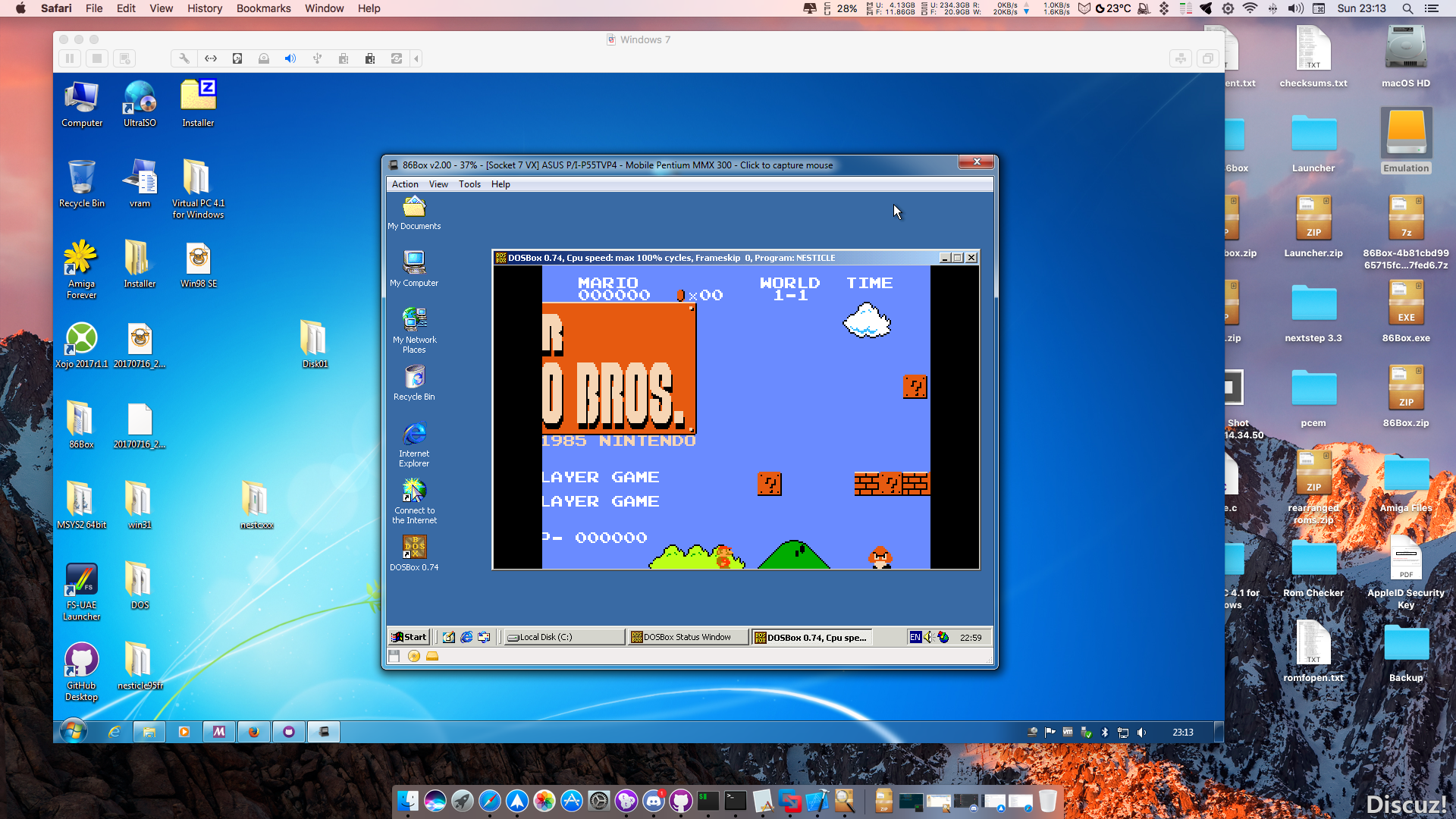
86Box (anciennement nommé PCem Unofficial, PCem Experimental ou PCem-X) est une branche non officielle de l’émulateur PCem, qui vise à émuler des machines compatibles IBM de la période 1981-2000. Cette branche ajoute plusieurs cartes mères émulées.


Télécharger 86Box (x86) v4.2.1 build 6130 (31.3 Mo)

Site Officiel

En savoir plus…

m64p (ou Mupen64Plus-GUI) est une interface graphique écrite en Qt5. Elle supporte tout ce que vous attendez d’une interface mupen64plus (sélection de plugins, édition de la configuration, gestion des sauvegardes, capture d’écran, pause, etc.).
 

Cette archive inclut Mupen64Plus + GlideN64 + une interface utilisateur.


Code source.

Télécharger Simple64 (x86) (2020/06/02) (20.6 Mo)

Télécharger Simple64 (x64) v2024.12.1 (46.5 Mo)

Site Officiel

En savoir plus…

Voici les derniers émulateurs (et aussi les plus fréquemment mis à jour) en cours de développements.


VDosplus: Emulateur de DOS.

Citra: Emulateur de 3DS.

Decaf: Emulateur de WiiU.

RPCS3: Emulateur de Playstation 3.

Redream: Emulateur de Sega Dreamcast.

CXBX: Emulateur de Microsoft X-Box.

Xenia: Emulateur de Microsoft X-Box 360.

Cen64: Emulateur de Nintendo 64 Préliminaire.


Télécharger vDosPlus (2018/03/01) (1.8 Mo)

Télécharger Citra (Final build) (2024/03/07) (140 Mo)

Télécharger Decaf-Emu Build 231109 (40.8 Mo)

Télécharger RPCS3 (WIP) v0.0.43 Alpha (2026/11/17) (35.5 Mo)

Télécharger Redream v1.5.0.1239 (3.1 Mo)

Télécharger Xenia v1.0.2844 (2026/11/17) (3.9 Mo)

Télécharger CXBX Reloaded v0.1.0 (1.3 Mo)

Télécharger Cen64 (WIP) (2022/10/02) (2.6 Mo)

Télécharger Cen64 (Debugger) r2015.01.18 + (DEV) r2017.04.23 (3.4 Mo)

Il s’agit d’un frontend pour Mednafen avec une interface originale et très complète, en voici quelques caractéristiques:


(BugFix) – New version downloads don’t stall at 100% anymore (but obviously you will still have to manually update until you are running this version)
(Enhancement) – Added setting to reformat game title case when displayed in the library. Options – no change, Title (Camel) Case, All Caps
(Enhancement) – Context menu option to delete ROM(s) from disk – currently only ROM games that are either uncompressed, or are the only ROM file within a zip file (disc-based games and 7zipped ROMs not supported)
(UI) – Re-styled the games library favourite ‘tick box’ so that it no longer looks terrible
(Enhancement) – Added the following controller configuration options: Saturn (light gun & mouse), SNES (superscope & mouse), PSX (guncon, justifier & mouse), PCE/PCE_FAST (mouse), PCFX (mouse), NES (zapper) and MD (mouse)
(UI) – Controller configuration now shows ‘pretty’ names for Keyboard & Mouse bindings (hovering over each binding does however show the actual mednafen command in a tooltip)
(BugFix) – Binding of tertiary controller settings is now possible
(Enhancement) – Compatibility and download links for mednafen 0.9.48
(Enhancement) – Added basic ROM/Disc inspector functionality
(BugFix) – Library game info text now auto-scrolls if right boundary is breached
(Enhancement) – Games library now converts/translates the majority of returned country codes (to give a more uniform display)
(BugFix) – Fixed library sidebar scroll events not bubbling through child items (so now library sidebar will vertically scroll with mousewheel whever the mouse is located on the sidebar)
(CodeChange) – Added custom DiscSN lookup library (for obtaining PSX game serials from disc images) and removed the BizHawk DLLs
(BugFix) – Fixed SlimDX.dll exception on some systems – implemented pre-req check on startup with option to install vcred_x86.exe if it is not detected (required for MedLaunch to work)
(BugFix) – Fixed (finally) exception generated when changing the GUI Zoom slider on non-English OSes
(BugFix) – Fixed exception generated when opening the Theme Changer on non-English OSes
(BugFix) – Fixed exception when importing configs on non-English OSes
(Enhancement) – Implemented SevenZipSharp library in place of SharpCompress. This gives better speed when dealing with/importing games within 7zip archives.
(BugFix) – ROMs within archives files now have their hash detected correctly
(Enhancement) – Multiple ROMs within archive files can now reside in nested subfolders within the archive itself
(Enhancement) – DAT lookup database (AsniDAT.db) now contains CRC32 and SHA1 hashes (along with MD5 that it had previously) – this reduces import/scan time for ROMs within archives
(Enhancement) – Major disc-scanning improvements, just point MedLaunch at the root folder for that system (psx, saturn etc.), and it will parse and import all games (and create .m3u files if they are needed). With multi-disc games, all the files for the game must be in the same folder or subfolder
(BugFix) – Fixed issue in DevBuild where mednafen update wasnt extracting all the files from the downloaded archive


Télécharger MedLaunch v0.5.8.1 (35,1 Mo)

Site Officiel

En savoir plus…


https://getourbonus.com/fr/accueil

https://www.romspedia.com/