GameEx est une interface graphique pour vos émulateurs. Elle sert également de lecteur vidéo, DVD et CD.


Certaines fonctionnalités de GameEx :
– lit aussi les fichiers audio.
– supporte les affichages LCD/VFD, ArcadeVGA.
– peut adapter son affichage pour les écrans larges, elle peut aussi tourner l’affichage de 90° (vertical).
– peut être contrôlée à distance, ou par une manette ou par la souris uniquement.
– supporte les contrôleurs arcade : HotRod, X-Arcade, SlikStik et IPAC.
– est compatible avec les interfaces entre PC et cartes arcade : U360, I-PAC, J-PAC.
– intègre un Jukebox qui supporte les fichiers ogg, mp3, wma, m4a, et flac.
– Les musiques peuvent être lues et changées pendant que vous êtes en train de jouer.


Ce frontend est disponible en version gratuite & payante (17 $) incluant de nombreuses autres fonctions.


Télécharger GameEx v14.62 (41,1 Mo)

Site Officiel

En savoir plus…

Il s’agit d’un frontend pour Mednafen avec une interface originale et très complète, en voici quelques caractéristiques:


– Responsive GUI that allows for a wide range of monitor resolutions
– No installation required
– Local (SQLite) auto-generated database where all settings are saved
– Built-in games library (with system filters and dynamic search)
– ROM scanner (for games library import)
– Game data (images, manuals etc) scraping
– Manual import of disk-based games (both single and multiple disk games with auto-m3u playlist generation)
– (Nearly) All Mednafen command line parameters available and configurable
– So far uses only Mednafen command line options (and not local configuration files)
– Optional per-system configuration options
– Built-in browser control with links to Mednafen help pages
– Built-in static netplay server selection along with the ability to specify a custom Mednafen netplay server to connect to

 
medlaunch
 

Télécharger MedLaunch v0.2.11.1 (7,4 Mo)

Site Officiel

En savoir plus…

Également disponible sous Linux, Xpeccy est un excellent et complet émulateur de:


– ZX Spectrum 48K
– Spectrum +2
– Spectrum +3
– Pentagon (128-512K)
– ZS Scorpion (256,1024) + ProfROM
– Pentagon 1024SL
– ATM Turbo 2
– ZXEvo BaseConf
– ZXEvo TSConf
– MSX1 (beta)
 
Forum alternatif
 
xpeccy
 
Les changements:
– Improved emulation of the beeper
– Fixed joint border ATM2 in color, due to this palette of colors 8-15 are not installed
– Added indicator of disk activity


Télécharger Xpeccy v0.6 (2016/11/11) (4,8 Mo)

Site Officiel

En savoir plus…

Créé par Ben Vanik alias Noxa (PSP Player), il s’agit d’un projet de recherche pour développer un émulateur Xbox 360. N’espérez donc pas jouer avec des jeux commerciaux de façon fluide avant un certains temps. Plus d’informations ici sans oublier le site de développement là.
 
xenia


Télécharger Xenia (x64) (2016/11/13) (1,5 Mo)

Site Officiel

En savoir plus…

Fuse (Free Unix Spectrum Emulator) est un émulateur tournant à l’origine sous Unix. Plusieurs portages ont été fait dont celui pour Windows. Les systèmes 16K, 48K, 128K, +2, +2A, +3, +3e, SE, TC2048, TC2068, TS2068, Pentagon 128 et Scorpion ZS 256 sont émulés.
 
– Emulation core improvements:
– Warn on inserting large disk image (thanks, Stefano Bodrato)(Fredrick Meunier)
 
– Miscellaneous improvements:
– Win32: Re-enable standard output for Windows builds (Sergio Baldoví).
– Win32: Minimum supported OS is now Windows 2000 (Sergio Baldoví).
– Various minor bugfixes.


Télécharger Fuse v1.3.1 (2,2 Mo)

Site Officiel

En savoir plus…

Nouvelle version de ce frontend multi-systèmes avec peu de nouveautés portant uniquement sur le support du dat PSP (no-intro) et des émulateurs PSP.


lusspace-psp
 
Réalisé par notre Space1 national, le spécialiste des screenshots de jeux. Il s’agit d’une interface multi-système qui prend en charge plus de 90 machines différentes, plus de 150 émulateurs, avec MAME et fichiers musicaux. Un GUI bien conçu, intuitif et clair.


Télécharger LusSpaceFE v1.23 (2.9 Mo)

Site Officiel

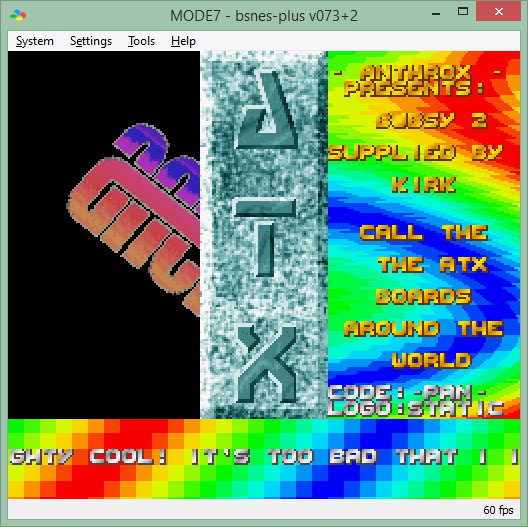
bsnes-plus (ou bsnes+) est un fork de bsnes (basé sur bsnes-classic) destiné à introduire de nouvelles fonctionnalités et améliorations, la plupart visant au débogage. Il s’agit donc d’une version améliorée de bsnes 073 ou l’on retrouve donc l’ancienne interface ainsi que les anciens menus. Plus d’informations ici.
 
bsnes+
 
bsnes64
 
Changements:
– add option to show hdot or hcounter in log
– only open debug log files at cart load time

 
Cette version est compatible avec le pack de shaders disponible ici.
 

Télécharger bsnes-plus (x86) v073+3a (5.6 Mo)

Télécharger bsnes-plus (x64) v05 (7.8 Mo)

Site Officiel

En savoir plus…

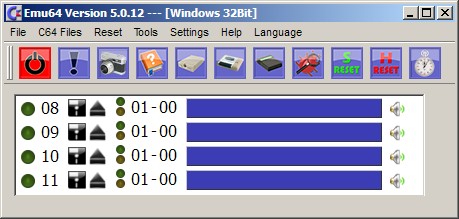
Il s’agit d’un émulateur de Commodore C64 en allemand et aussi en anglais.

 
emu64
 

– FileBrowser updated window for floppy, Datasette and cartridge
– Delete in the FileBrowser is now possible
– Courtesy of style64.org, C64_Pro-STYLE.ttf is now used for the DiskImage Inahltanzeigen.
– automatically hide the pointer about the C64 Bildschirm.Die time is adjustable
– The position and size of the C64 screen is located at the end now also noted and restored on next startup
– New graphics for the joystick solution, inserted by Selmiak
– Datasetten functionality were now completely ported
– Sound buffer was doubled
– FIXED BUG #47: at the end of the Setup window now also an open joystick mapping window is closed
– FIXED BUG #72: After the start should the C64 screen now always in the foreground to be
– BUGFIX #76: the status of the floppy disk icon window works again
– FIXED BUG #78: file name should now be sorted (update also helps)


Télécharger Emu64 (x86) v5.2.0 (21.9 Mo)

Télécharger Emu64 (x64) v5.2.0 (23.9 Mo)

Site Officiel

En savoir plus…

La dernière version béta publique de l’excellent WinUAE, l’émulateur Commodore Amiga. La traduction est signée Tradu-France.
 

winuae


– GUI created pre-formatted DD disks had wrong root block allocation in bitmap. (b7 or somewhere close)
– Enabling Quickstart mode didn’t reset all new memory parameters (autoconfig etc), only size.
– Fixed WASAPI sound hang if sound device disappeared/changed modes when emulation was waiting for too full buffer to empty.
– Handle AUDCLNT_E_INVALID_DEVICE_PERIOD and AUDCLNT_E_EXCLUSIVE_MODE_NOT_ALLOWED, do not disable sound.
– WASAPI sound attempts to re-open automatically if for example Windows sound control panel parameters have been changed.
– Changing CPU config during reset (for example using reset input event) didn’t always re-initialize all required CPU settings.
– Added RAM to UAESND board. (8M if Z3, 32k if Z2) Can be used for 1:1 physical/logical mapped sample set or sample data storage.
– UAESND sample type variable added, unused for now but if/when there needs to be compressed format support that can be transparently uncompressed using Windows codecs. (mp3 etc..). Sample set structure is not compatible with old version anymore.
– Added keyboard connected chipset option. Inserting keyboard on the fly does usual powerup keycode sequence like any real removable keyboard (for example A1000). Logica diagnostics ROM uses this to detect connected keyboard.
– Sprite to bitplane collision optimization, skip the collision calculation if collision bit(s) are already set (=program does not use collisions), previous fix removed (bad) optimization and unnecessarily increased CPU power requirements when program uses lots of sprites and does not care about collisions.
– Replaced Vector Falcon 8000 v7.1 ROM with correctly odd/even split version and added v7.6.


Télécharger WinUAE (Public Beta) [32 bits] v6.1.0 Beta 23 (5.3 Mo)

Télécharger WinUAE (Public Beta) [64 bits] v6.1.0 Beta 23 (8.5 Mo)

Télécharger WinUAE (Public Beta) [32 bits] v6.1.0 Beta 23 FR (5.4 Mo)

Télécharger WinUAE (Public Beta) [64 bits] v6.1.0 Beta 23 FR (8.5 Mo)

Site Officiel

En savoir plus…

Il s’agit d’un nouveau build de l’émulateur de X1/X1 Turbo nommé X Millennium et basé sur la version 0.26d disponible depuis quelques années déjà et qui était lui même basé sur X1Emu. Cette version ajoute des fonctions en provenance de Neko Project II.


xmillennium


Télécharger X Millennium v0.60a (115,3 Ko)

Site Officiel

En savoir plus…

Un émulateur de NES en chinois.
 
aprnes
 

Télécharger AprNes (2016/11/05) (202,0 Ko)

Site Officiel

En savoir plus…

Créé par Avery Lee (l’auteur de VirtualDub), il s’agit d’un émulateur d’Atari 8 bits (800/800XL/130XE) disponible en 32 et 64 bits. Il dispose de beaucoup d’options ainsi que d’une bonne compatibilité. Il prend en charge les jeux protégés conformément à l’émulation. Il s’agit d’une version de développement au stade de béta.


– Fixes reboot issue with Happy 1050. The problem was that the controller CPU was getting reset before the ROM banking logic, so sometimes it was trying to boot from one bank with the reset vector of the other.
– Rename Tiger 1050 -> Tygrys 1050. The firmware tag and device name have changed, so you will have to re-set those up.
– Reimplemented SIO transmissions from full drive to POKEY. This eliminates a byte delay that was causing Happy warp mode to fail, since it has a very fast speed switch between ACK and Complete.
– Drive emulation speed is now adjusted for NTSC/PAL. This is unfortunately the result of investigating high-speed write issues with the Speedy 1050, which turned out to be due to a marginal read loop on the drive side. Speedy 1050 high speed mode operates at a POKEY divisor of 9, or 32 computer cycles per bit. Reads are fine, but data frame writes are tight on the drive because the read loop is 180 cycles at 1MHz. In PAL, this just barely works because 320 cycles @ 1.77MHz comes out to 180.8 drive cycles, but in NTSC 320 cycles @ 1.79MHz = 178.7 drive cycles. This was causing the drive to lose a bit halfway through the data frame in NTSC. 🙁
– Disk change is now emulated, including the write protect sensor and the not ready bit on the 1050. This is necessary for the 1050 to recheck density and for enhanced drives to flush their track read buffer. As a result, you will now hear the motor spin up and possibly a seek when switching disks. The not ready status bit is also now continuously updated after type II/III commands, as this is required by the 1050 (and yet another omission in the FDC docs).
– Fixed FDC transfer timing being too fast for single density in 1050 drives.
– Read/write operations now fail on half tracks.
– Formatting is now supported for MFM formats (enhanced/double density).
– Tweaked the FDC to work around some firmwares locking up when trying to format a disk with formatting blocked (VRWSafe mode) because they cannot handle a write protect error on the Write Track command. 810 and 1050 now fail the format command quickly; some enhanced drive firmwares will still attempt the format, and for protected disks on those drives you will need to force the disk mode to full read-only (R/O).
– Fixed transmission errors with full drive emulation when SIO burst mode is enabled for disk drives; this is now ignored by the full drive emulator since it is not supported.
– Fixed a bug with the standard drive emulator not getting re-enabled when removing a full disk drive.
– The swap/rotate commands now work for full disk drives.
– Added .fdc and .riot commands in the debugger.

 
Topic des versions Beta.

Télécharger Altirra (Beta) v2.90 Test 13 (3,9 Mo)

Site Officiel

En savoir plus…



https://getourbonus.com/fr/accueil

https://www.romspedia.com/