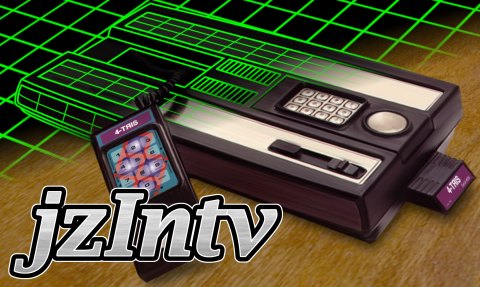
Il s’agit de la dernière version en cours de développement de cet émulateur de Mattel Intellivision, tournant sous Windows (mais sans interface graphique), Linux et OSX. Il utilise la librairie SDL.
0 commentaire



Il s’agit de la dernière version en cours de développement de cet émulateur de Mattel Intellivision, tournant sous Windows (mais sans interface graphique), Linux et OSX. Il utilise la librairie SDL.
Il s’agit d’un fork de DOSBox des plus intéressant, destiné à Windows Linux et MacOS et créé par Jon Campbell. Il possède une compatibilité excellente et met l’accent sur la précision d’émulation notamment en ce qui concerne l’émulation de Windows 3.x à ME. En outre il ajoute des améliorations en provenance d’autres builds comme DOSBox ECE avec l’émulation de la 3DFX en interne.

Les améliorations sont les suivantes:
– DOS filename handling fixed to retain uppercase conversion while not corrupting Shift-JIS double-byte characters
– MIDI settings can now be changed at runtime using CONFIG.COM
– Fluidsynth bugfix to correct segfault when switching to and from Fluidsynth MIDI output more than once
– Added -ro option to MOUNT.COM to allow mounting local folders read-only.
– Added -nocachedir option to MOUNT.COM to disable caching local file information when mounting a local folder
– New code to force 3Dfx OpenGL initial state to use GL_SMOOTH shading
– Linux/X11 bug fixes, including detection of Visual format change and code to keep the window on the screen even during SDL video mode changes
– PC-98: EGC bit shifter fixes and corrections. Screen shake in Touhou Project is emulated correctly now without errors
– PC-98: It turns out that the « page flipping » bit in PC-98 hardware is NOT double buffered and changes take effect immediately, therefore tearlines caused by page flipping mid-frame are normal. However, a hack to delay page flipping to vertical retrace to possibly alleviate tearlines is available.
– Fixed 3Dfx OpenGL code to prevent resizing at all costs including removal of the minimize button in the Windows title bar area
– Added code to disable (gray out) menu bar items that are not available while 3Dfx OpenGL emulation is running.
– Windows: Fatal errors (E_Exit) now display a message box in addition to sending to stderr, so that users who run the game without the command prompt can know what went wrong instead of DOSBox-X just disappearing suddenly from the desktop.
– New titlebar= dosbox.conf option to replace the running program name with a user defined string, if desired. (emendelson)
– New dosbox.conf option to control whether the Windows menu bar is initially visible.
– Fixed Windows builds to use SDL’s system WM events instead of fighting the SDL message pump over menu (WM_COMMAND) events.
– dosbox.reference.conf now uses MS-DOS (CR LF) line endings so that it can be edited on Windows systems using NOTEPAD.EXE
jGamebase est un port Java de Gamebase, une interface orientée rétro-gaming riche en fonctionnalités (boxarts, screenshots, liens vidéos…) pour lancer vos jeux.
Il supporte tout émulateur pour tout système and dispose de filtres de recherche.Il existe des bases de données pour Apple II, Atari ST, Coleco ColecoVision, Commodore Amiga, Commodore C64, Commodore VIC20, Nintendo NES, Nintendo SNES, et Sinclair ZXSpectrum. jGamebase vous permet de télécharger les bases de données en quelques clics.

Il s’agit d’une version de Neko Project II proposant un débogueur.

Télécharger Neko Project II Debug Edition (2018/02/01) (1.0 Mo)
Un émulateur de Sonclair Zx Spectrum (Z80 128K (Pentagon) AY/YM, Beeper, Beta Disk, Tape, Kempston Joystick/Mouse, Snapshots) basé sur UnrealSpeccy v0.37.3 par SMT. Créé pour être porté sur un maximum de plateforme (Windows, Linux, Mac, Symbian, WinMobile, Dingoo…).

Les changements:
– VTRDOS web source repaired
– ANGLE library more compatible (WinXP support)
– Drag and drop support
AIPC (Apple in PC) est un émulateur d’Apple //e écrit sous licence GPL.

Quelques caractéristiques:
– Emulates Apple //e enhanced computer
– Mockingboard and/or PHASOR card support
– Mouse Interface card support
– Disk II card with disk image (DSK, DO, PO, NIB, 2MG images supported)
– Mass storage (HDV, 2MG images supported)
– Joystick with NumPad or PC Joystick
– Various screen mode: Full screen, 2x mode, Scan line, Color/Mono/Green/Custom colors
– NTSC color approximation
– Save and restore running status
Les améliorations:
– improved the quality of double sized screen by using blend color
– added the ability to swap left and right speakers
Un joli frontend pour Mame (ou autres), très configurable. Emu Loader est une interface graphique qui se greffe principalement sur les émulateurs Arcade comme MAME, SEGA Model 2, SuperModel ou Daphne. Emuloader permet de gérer votre collection de roms, de vérifier vos jeux et de lancer vos émulateurs.

Il s’agit d’un multi-émulateurs émulant l’Atari 2600, le Commodore C64, C128 et le Vic20.

9 December – NewUI
– Added ability to select custom ROMs. (see 9 October for link and more info)
4 December – C128 Beta and NewUI
– Fixed a bug introduced with update on 5 August which wouldn’t allow tapes to load with the Commodore 128 in both C128 and C64 modes.
Il s’agit d’une version de développement de Snes9x dont le but est d’améliorer la gestion des fonctions d’enregistrement vidéos. On y retrouve également les améliorations d’autres builds en provenances d’OV2, Gocha, Nitsujrehtona, Air et bien sur Zones.
– Move libpng and zlib dependencies into submodules for the Windows build
– win32: disable sound sync when speed is not set to 100%
– win32: add -cartB parameter
– win32: merge multi rom load function
– win32: only enable dynamic rate control checkbox for xaudio2
– win32: add option to disable message scaling with epx
– win32: shorten faq, include link to dx9 runtime
– Fix NETPLAY_SUPPORT define I broke.
– Rendering Ranger R2 now seems to work without timing hack.
– Fix issue with expose on GTK+ 3.
– Fix assertion on PulseAudio driver exit.
– Fix warnings on GTK+ display driver with GTK+ 3.
– Some GTK+ 3 fixes.
– Clean up compiler warnings.
– Fix code gaff in reset in BSX code
– Fix missing break in pseudo-cycle SMP.
– List enumerated joysticks in terminal output.
– Remove some vestiges from sound code.
– win32: add dynamic rate control setting, implement for xaudio2
– win32: add volume control regular/turbo (closes #258)
– win32 libretro: switch toolkit to 141_xp
– Do not define NDEBUG if _DEBUG is defined
– Revert « Revert « Make SoundSync mutually exclusive with DynamicRateControl in GTK+ port. Disable S9xContinueUpdate. » »
– Reset time_ratio on preferences change. Use 4 fragments on OSS.
– Revert « Make SoundSync mutually exclusive with DynamicRateControl in GTK+ port. Disable S9xContinueUpdate. »
– Make SoundSync mutually exclusive with DynamicRateControl in GTK+ port. Disable S9xContinueUpdate.
– GTK: Update display on S9xContinueUpdate.
– Reset GFX.InterlaceFrame on PPU reset.
– Handle PulseAudio case where no data can be written.
– Revert « Also break out of S9xMainLoop in original location. »
– Also break out of S9xMainLoop in original location.
– Update config variable and sanitize input.
– Optimize rate control formula and remove placeholder copy-paste.
– Bump SDL requirement to SDL 2.0.
– Move newline.
– Merge remote-tracking branch ‘origin/ratecontrol’
– Remove debugging printfs.
– Update PulseAudio driver to full API.
– Don’t break interlace syncopation on frame skip.
– Change where we break S9xMainLoop/Scan for input (« Brunnis lag fix »)
– Increase the number of opcodes executed on the SA1 to 5 per S-CPU opcode.
– Update PortAudio driver to read/write API.
– Remove unconditional rate control on OSS.
– Add GTK+ preferences for dynamic rate control.
– Disable dynamic rate control by default.
– Add dynamic rate control for audio, based on Retroarch/Themaister’s paper
– Don’t break interlace syncopation on frame skip.
– Change where we break S9xMainLoop/Scan for input (« Brunnis lag fix »)
– Increase the number of opcodes executed on the SA1 to 5 per S-CPU opcode.
– Update Mac OSX version number and date strings
– Merge pull request #259 from NoSuck/unix_fullscreen
– unix: fix fullscreen property change timing
– Added Chou Aniki APU timing hack.
– Update copyrights.
– Merge pull request #257 from noabody/master
– Modify src/gtk/snes9x.ui to add scroll-box to gtk2+ cheat dialog.
– Merge pull request #256 from tmkk/macos_compat
– macosx: make compatible with 10.7-10.11 SDK
– macosx: fix Open ROM Image dialog doesn’t appear on recent macOS (issue 216)
– macosx: use bzero instead of ZeroMemory
– macosx: make musicbox compatible with a new S-SMP
– macosx: project file update, adding new S-SMP sources
– Allow fast-forwarding in games using the SPC7110 RTC
– Add support for Tengai Makyou Zero English patch mapping
– Release msu data and audio streams on exit, use unzClose when closing file
– win32: rework CHECK_MEMORY_LEAKS to dump after static object deinit
– Fix some on-exit memory leaks
– Properly report MSU-1 revision in the status register
– Make DEBUGGER compile again (without APU debugger)
– New attempt to fix RAM mapping for Light Fantasy (matches higan)
– Merge pull request #238 from megari/gtk_no_deprecated
– gtk: replace uses of deprecated functions with those of non-deprecated ones
– Merge pull request #223 from jristz/patch-2
– Minor update to es.po
– Update changes.txt
– Do not define NDEBUG for DEBUGGER
– win32: small readme updates
– Use same spc buffer size in all cases
– Load ignore checksum setting for all ports
– Merge pull request #227 from bonimy/update-gitignore
– Merge remote-tracking branch ‘refs/remotes/snes9xgit/master’ into update-gitignore
– Update .gitignore
Télécharger Snes9x (Interim/x86) v1.60.22 Re-recording (4.6 Mo)
Un émulateur de PSP écrit en Java. Codé par Mad et Shadow (PCSX2) et rejoint par Wrayal, Fiveofhearts, Hlide et Dreampeppers99. Il émule les jeux commerciaux mais nécessite une puissante configuration.

Liste de jeux compatibles.
Site de développement du projet.
Builds SVN automatiques (alternative).
Télécharger JPcsp (x86) v0.7 rev 0318d15e (26.4 Mo)

Il s’agit d’un multi-émulateur qui gère les systèmes suivants avec une superbe interface très simple d’utilisation.
Ordinateurs : Acorn Atom, Acorn BBC Micro, Acorn Electron, Commodore PET, Atari 8-bit, MSX
Consoles : Atari VCS 2600, Atari VCS 5200, Atari VCS 7800, ColecoVision, Magnavox Odyssey 2, Sega Master System, Sega Megadrive, Mattel Intellivision
Consoles portables : Atari Lynx, Sega Game Gear, Nintendo GameBoy
Vous aurez besoin de .NET Framework installé sous Windows. Pantheon est spécifiquement dédié aux jeux.
Le gros avantage est que ceux-ci sont téléchargés automatiquement en un clic sans que l’on ait besoin de faire quoi que ce soit d’autre. Il est bien dommage que Panthéon ne dispose pas de filtres, cela rend les jeux très pixelisés en raison des basses résolutions natives.
Il s’agit d’un émulateur de TI-84 Plus CE / TI-83 Premium CE pour Windows, MacOS et Linux.

Télécharger CEmu TI (x86) v2.0 Dev (2025/03/04) (19.5 Mo)

