Très bonne version « améliorée » basée sur MAME/MAMEUI Plus!
Elle permet d’intégrer entre autres des « MAME Arts » en plus


Télécharger MAME Plus! eXTended v0.152 r5123 (x86) (39,0 Mo)

Télécharger MAME Plus! eXTended v0.164 r5260 (x64) (45.3 Mo)

Site Officiel

En savoir plus…

La dernière version béta publique de l’excellent WinUAE. Traduite en Français.


Nouveautés :

-Correction d’un bug de positionnement en mode d’affichage programmé, cela devrait corriger les problèmes restants avec les coins droite/gauche de l’écran.
-Correction d’un problème avec le basculement en PAL entrelacé.
-Optimisation de l’émulation du CPU.
-Ajout de la configuration pu port entrant Slirp.
-Ajout de la configuration pu port entrant Slirp simple.
-Ajout de la sélection du port entrant slirp rapide.
-Ajout du code nettoyé slirp manquant depuis QEMU.
-Emulation complète des valeurs 6888x Packed-Decimal Real negative k-factor.
-Les premières et dernières scanlines dessinées étaient toujours détectées de manière incorrecte depuis quelques versions majeurs de WinUAE ce qui brisait le centrage vertical.
-Changement auto du périphérique d’entrée en utilisant les directions analogiques (avec les axes X et Y), avec les autres contrôles il peut y avoir des problèmes.
-Forcer le recalcule du centrage horizontal et vertical (si activé) quand le mode écran est détecté comme changé.
-Le changement des événements de l’entrée (mode warp, muet, etc..) supporte aussi l’état en marche/arrêt sans changement.
-Ajout de l’enregistrement audio/vidéo de l’entrée.


Télécharger WinUAE (Public Beta) v2.7.1 Beta 10 FR (4,7 Mo)

Site Officiel

En savoir plus…

Un émulateur de GameBoy N&B et color, Super GameBoy et GameBoy Advance créé par Mudlord (avec l’aide de Nach, Squall Leonhart, Spacy, DJRobX, Jonas Quinn) et basé sur VBA de Forgotten et de la « VBA development team ». Le but est de réunir un maximum d’améliorations en provenance des autres builds de VBA. Enfin le build ultime de VBA?


Core and code improvements
– Improvements to ARM/Thumb ASM (and C_CORE if the given preprocessor is set) that have improved various hardware behavior.
– Improvements to Memory access resolving issues with the wrong bytes being returned and fixes to a DMA Fetch that was not behaving properly.

– Resolved some issues occuring due to an abuse of opengl, hq3/4x filters now work without colour issues.

– Resolved regressions from 1206 and earlier without reintroducing the bugs that were fixed.


Games fixed

GBA
– Croket 2 – would freeze when walking to the left of the snowman
– Jurassic Park Builder/Creator – text would be scrambled
– Lufia – scrambled text on main menu after cancelling the load screen
– Moto GP – register not implemented
– Phantasy Star Collection – text regression introduced and subsequently fixed
– V-rally 3 – graphics regression introduced and subsequently fixed
– Megaman: Battle network 1-3 and possibly many others – hanging on start. (1204)
– Megaman Battlenetwork – freeze (1205)
– Mother 3 – Audio fix (1224, 1225)
– Metroid Fusion – broken (1225)
– Super Mario Advance 2 – screech
– Revenge of Shinobi – freeze on black screen starting first mission


GBC
– Duke Nukem – Hud and menu now work. GBC video emulation needs more work however, the hack used is not correct and might cause issues elsewhere. (1194, 1197, 1206)
– Zelda Oracles garbage line at bottom of intro (1206, 1214)


Pack de plugins graphique pour VBA-M.

Télécharger VisualBoyAdvance-M SVN 1229 (992,4 Ko)

Site Officiel

En savoir plus…

Wine vous permet d’exécuter des logiciels Windows sous d’autres systèmes d’exploitation. Avec Wine, vous pouvez installer et exécuter ces applications, exactement comme vous le feriez sous Windows.


winehq_logo_glass


Wine est toujours en cours de développement actif. Tous les programmes ne fonctionnent pas encore, mais il y a déjà plusieurs millions de personnes qui utilisent Wine pour faire tourner leurs logiciels.

Wine sera toujours du logiciel libre. À peu près la moitié du code source de Wine est écrite par des volontaires. Le reste est sponsorisé par des intérêts commerciaux, en particulier Codeweavers qui vend une version de Wine avec du support.

Wine dépend fortement de sa communauté d’utilisateurs. Les tests des utilisateurs composant notre base de données d’applications permettent de vérifier la façon dont les programmes fonctionnent, et toutes les réponses des forums proviennent de volontaires.


Les changements :

– More Task Scheduler support.
– Improvements for AVI encoding support.
– More VisualBasic interfaces in MSXML.
– Support for deflate content encoding in Wininet.
– Some fixes for monochrome printers.
– Various bug fixes.


Site Officiel

Le dernier build beta de Nintendulator.


Télécharger Nintendulator (Unicode) v0.975 Beta (2014/03/06) (464.1 Ko)

Télécharger Nintendulator (64 bits) v0.985 Beta (2026/08/22) (548 Ko)

Site Officiel

En savoir plus…

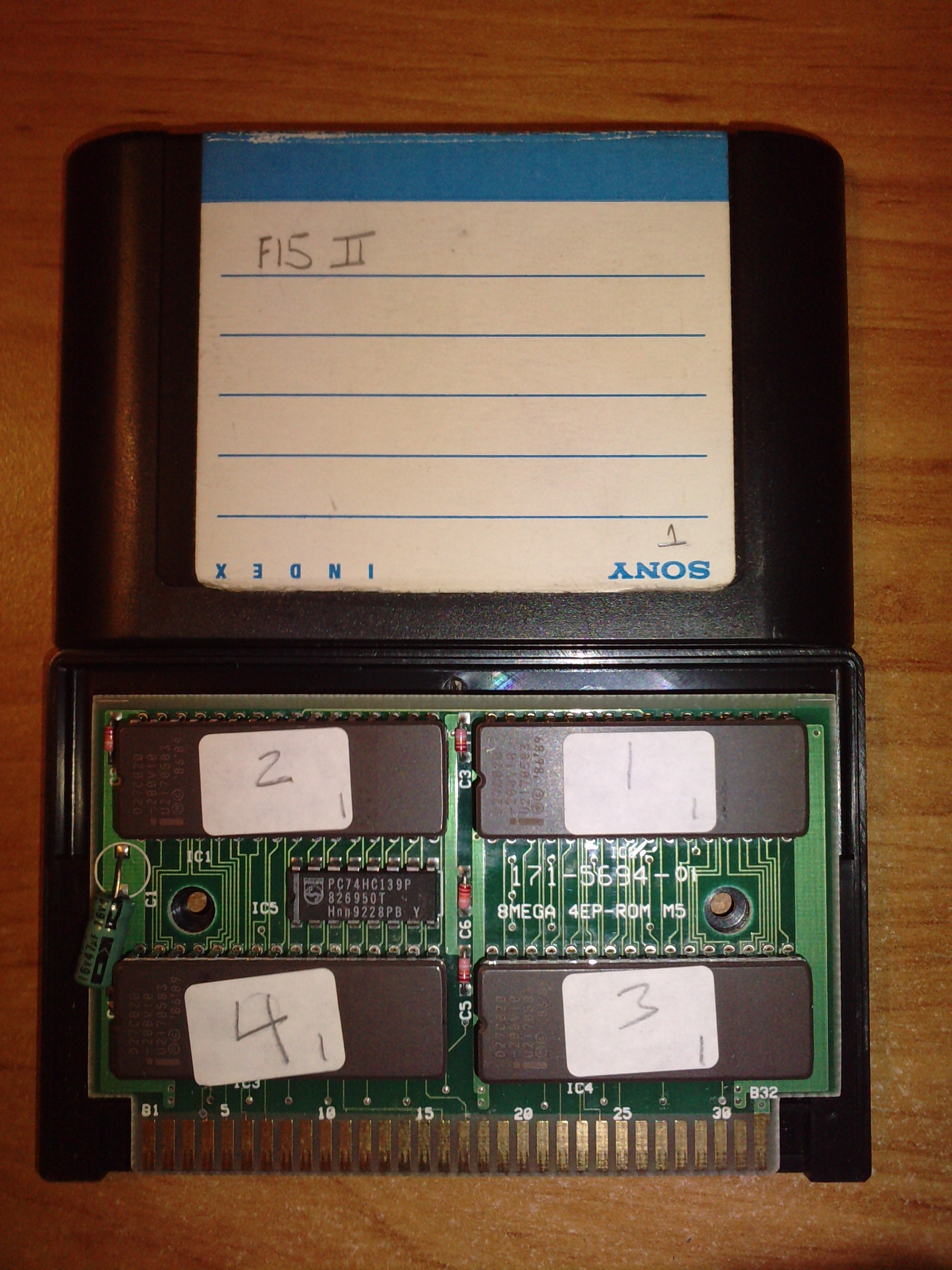
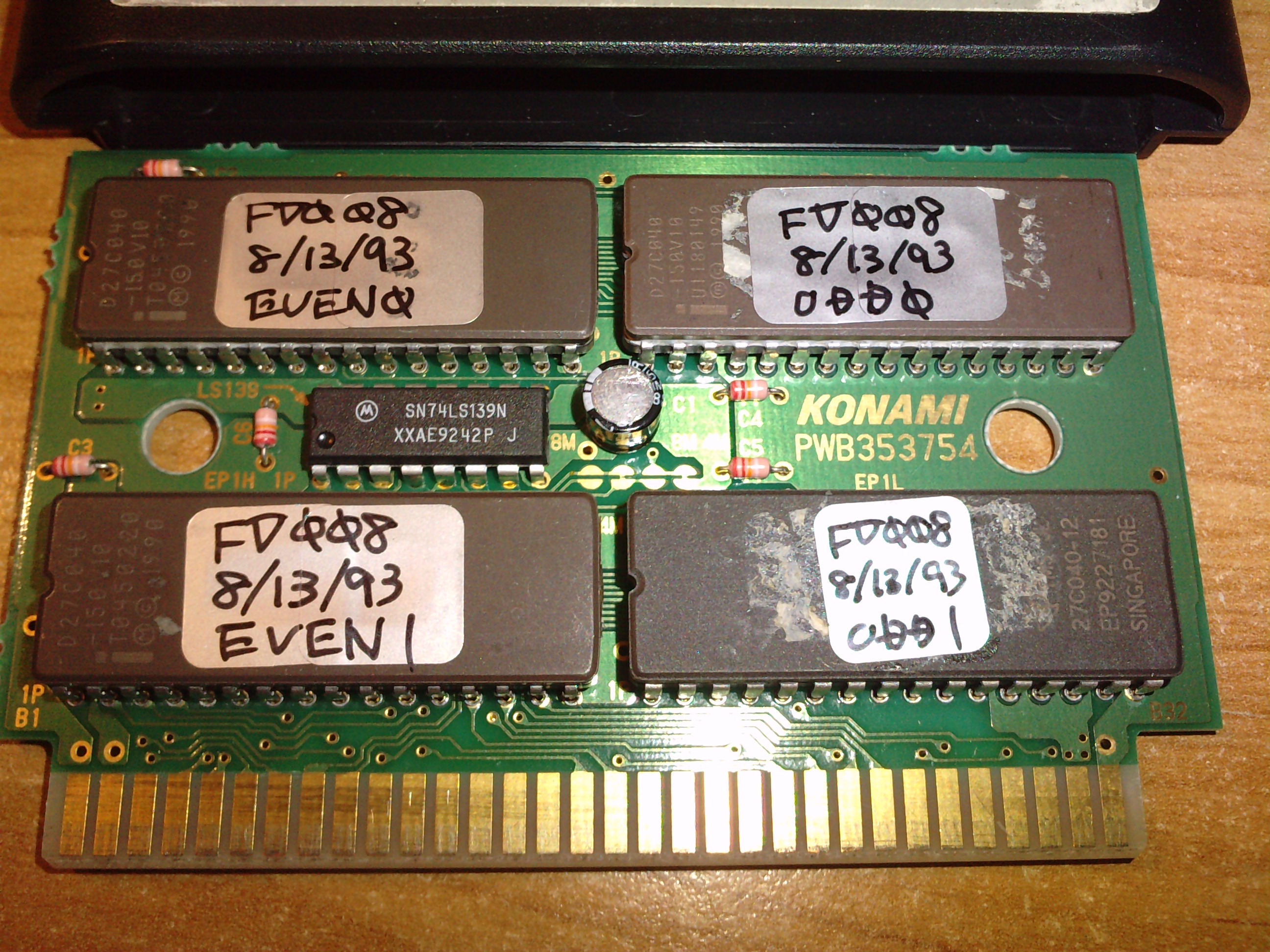
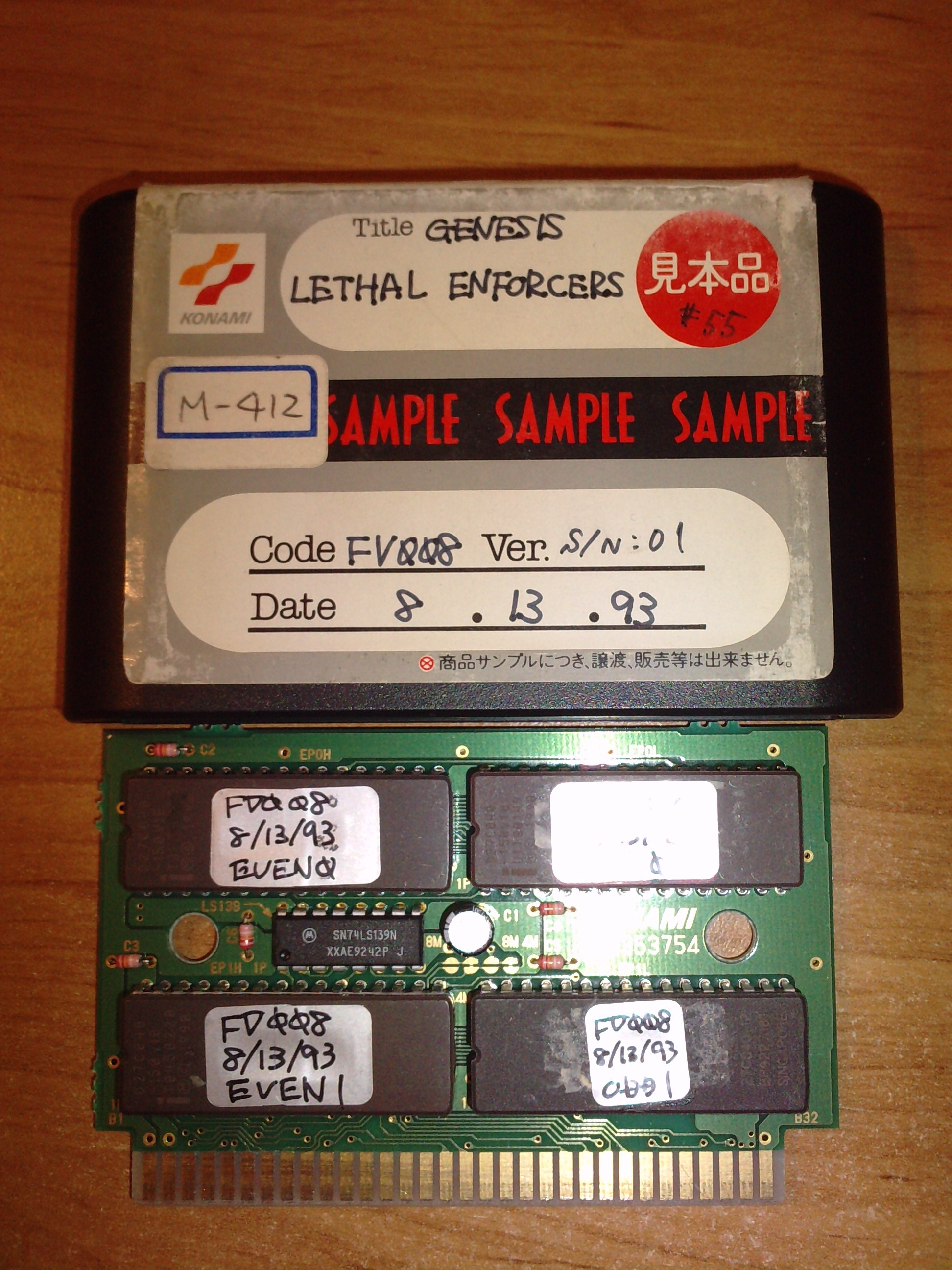
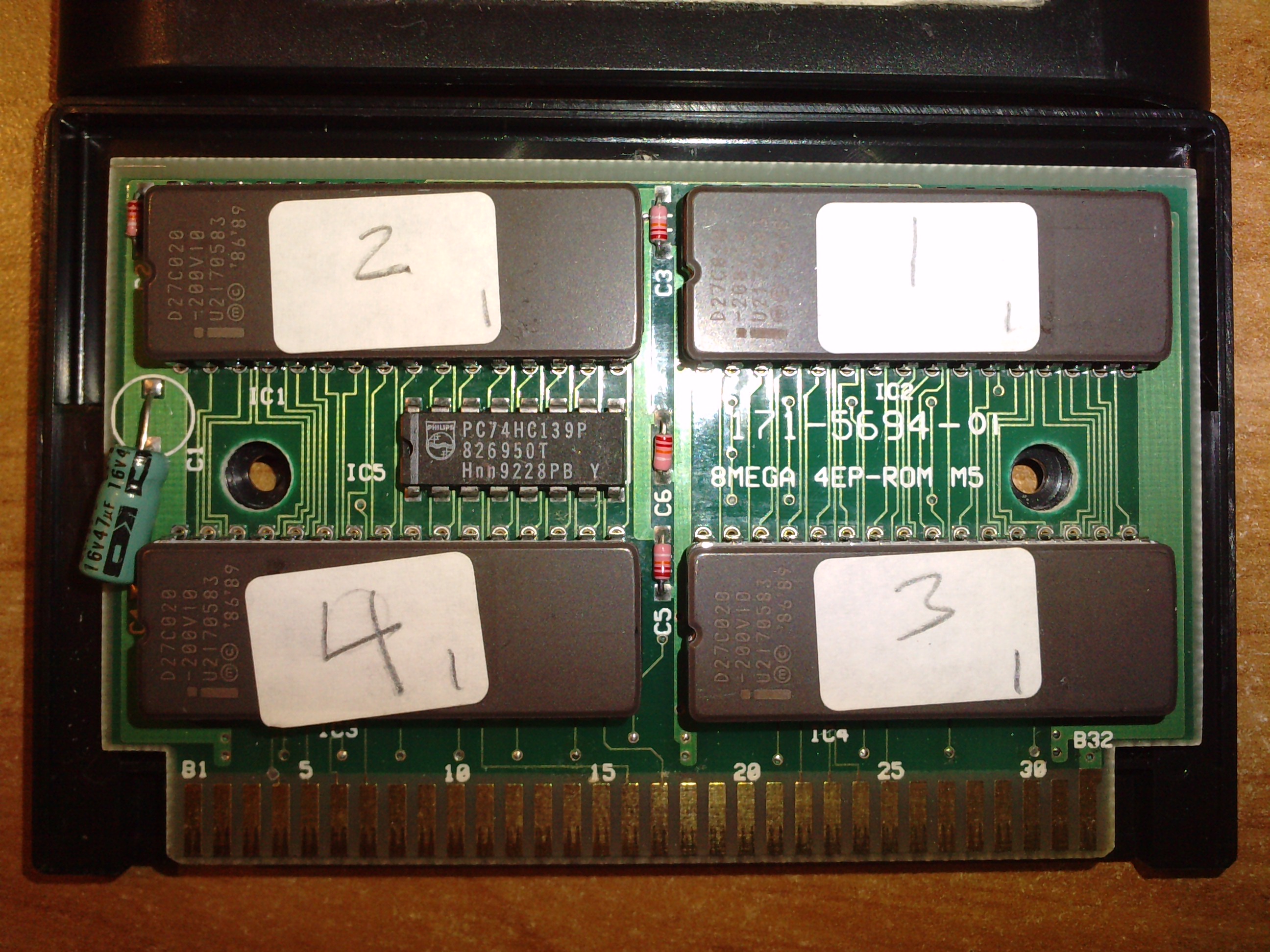
Voici deux nouveaux dumps de la part de Redfield1 pour la Sega Megadrive (Genesis).


J’ai dumpé ces protos via un RetroDE et il s’avère que le dump de F-15 Strike Eagle II ne diffère que par 2 différences via l’éditeur hexadécimale, il s’agit d’un dump de la version US proto.


ViewtyViewty


En ce qui concerne le Lethal Enforcer, il s’agit encore d’une version US mais avec beaucoup beaucoup de différences, par rapport a la version commerciale.
ViewtyViewty


Je ne te cache pas que je n’ai pas joué a ces jeux et ne les connaissant pas de base, je n’ai pas vu de différences.

 
Bref, à vous de voir 😉
 
F15 Strike Eagle II  (322 Ko)
Lethal Enforcers (1,50 Mo)
 

Hardcade est un FrontEnd Multi-émulateurs pour borne d’arcade avec PC Windows intégré ou pour n’importe quel PC sous Windows. Il supporte les plus grand systemes de jeux d’arcade ainsi que les meilleures consoles de jeux qui ont connu l’age d’or des jeux vidéo. Hardcade permet de cacher windows et d’avoir une seule et unique interface pour jouer à vos jeux d’arcade et jeux de consoles favoris. Il se pilote entièrement avec le joystick ou/et le clavier.
Bien qu’adapté pour être utilisé dans une borne d’arcade ou dans un PC dédié à l’émulation, il peut être utiliser sur un PC de bureau ou familial afin de le piloter avec le joypad ou le clavier. Le développement de Hardcade est étudié spécifiquement pour chaque émulateur qu’il supporte. Son utilisation est très simple et conviviale. Sa configuration demande très peu de connaissances et peu de temps.
Les modifications:


– Correction d’un bug pour les thèmes dans hardcade.exe les thèmes ne s’affichaient pas selon certains cas.
– Ajout possibilité de choisir les émulateurs en activant le joystick de droite à gauche, très utile pour ceux qui
jouent sur racing cab, pertmet de choisir l’émulateur avec le volant, ou le guidon en le tournant à droite ou à gauche.


Télécharger Hardcade v3.1.0c (13,6 Mo)

Site Officiel

En savoir plus…

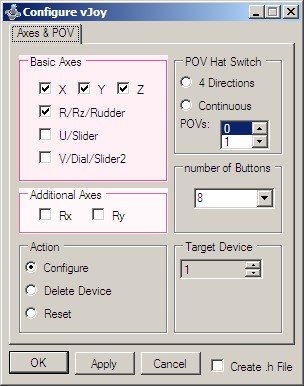
Il s’agit d’un pilote virtuel qui permet d’émuler les manettes et joysticks. L’avantage sur xPadder ou Joytokey est principalement sa gratuité.
vjoy


Changement:

– Periodic update of position data – as outcome: default positions


Télécharger vJoy v2.0.3 Beta (12.7 Mo)

Site Officiel

En savoir plus…


Tosec


Depuis 2000, La collection TOSEC est un des plus grand projets existants de préservation des roms & isos (avec Redump.org, Gamebase & Trurip).


TOSEC Status

Last Release
date: 2014-02-28
dats: 2,265
sets: 616,203
roms: 722,008
size: 4.36 TB

TOSEC-Main
dats: 1,296

TOSEC-ISO
dats: 160

TOSEC-PIX
dats: 809


The Old School Emulation Center
28/02/2014

Hello, and welcome to a brand new TOSEC release!

Lots of work continues on Commodore. Many thanks once again to the tireless
efforts of Crashdisk, mai, Duncan Twain and Vicman. We also have some nice new
additions from mictlantecuhtle and lots of SHA-1 corrections from Cassiel.

On the ISO side, Maddog has updated the Sega Dreamcast and NAOMI.

On the PIX side, Aral and friends have contributed a huge number of new and
updated DATs.

Many thanks to everyone who has contributed new images or offered any error
reports. Even though not all of these have been actioned/added to this release,
we promise to get to all these just as soon as possible! Your continued support
is genuinely appreciated.

All folders and contents should be self explanatory. All necessary CUEs are also
included. There are also some scripts included to assist in creating TOSEC folders,
and some ‘move’ scripts for those of you using RomVault.

For all the latest work-in-progress news, as well as expanded details on all
upcoming changes and additions, keep up to date by visiting us at: www.tosecdev.org

Enjoy!

The TOSEC Team


Site Officiel

Il s’agit d’une interface graphique écrite par Tyler J. Stachecki et destinée à l’émulateur de Nintendo64 nommé CEN64.


– Various bugs fix
  -Clean up config file


Télécharger Cen64 QT (Frontend) (2014/03/08) (18,2 Mo)

Site Officiel

En savoir plus…

MEAGRE (pour Multiple Emulator And Game Runner Environment) est une interface graphique supportant un ensemble d’émulateurs parmi lesquels on trouve:


DOSBox
ScummVM
WinFrotz
MAME
MESS
Gameboy Advance Emulators
NES emulators
SNES emulators
N64 Emulators
Sega Master System emulators
Apple II
Atari 2600 emulators
Atari 5200 emulators
Windows Based Executables


Télécharger MEAGRE v2.5.2.0 Fix (14,5 Mo)

Site Officiel

En savoir plus…

Il s’agit d’un éditeur de table pour Flippers.


– this is the final release to be based on DirectX 7

– add « To Collection » to the context menu to assign a selected element to a collection
– add moving of single selected collection in the collection manager

– add CurrentAngle() function to the gate object

– add « Is Toy » checkbox to disable collision handling on mesh primitives completely.

– add collision detection to mesh primitives together with hit threshold and hit event

– add Z offset to the backdrop options. With this settings you’re able to zoom in/out the table without changing FOV/Inclination/Layback settings
– add Z scale option to the backdrop options. With this setting you’re able to reduce/increase the overall depth of a table.

– add table dimension manager for an easy way to calculate real table dimensions into VP table units and vice versa

– add a ball throwing feature to VP. To use it check « Throw Balls in Player » in the debug window (ESC -> « Debug Window ») and by left clicking and holding the left mouse
  button you create a new ball and it throws the balls in that direction you move the mouse cursor when you release the left mouse button. If you click on a non
  moving ball you can reuse that ball and no new calls will be created. A right click on a ball will remove that ball from the table.

– add touch support for tablets (windows 8 and upwards)
  current mapping:
   upper left – add credit
   middle upper left – left magna save/2nd button
   middle lower left – left flipper
   lower left – start
   upper right – quit (press for 2 seconds to exit VP completely)
   middle upper right – right magna save/2nd button
   middle lower right – right flipper
   lower right – plunger

– add Alpha-Flasher element. Use this element to add (additive) alpha flashers instead of abusing the alpha ramp element. The flasher is a ‘dynamic’ element, that means it is not pre-rendered
  and it’ll be updated every frame.
  Limitations:
  If ‘Display Image In Editor’ option is selected and the flasher is rotated the image won’t rotate due to a DX7 limitation.
  If the flasher is not an additive alpha flasher you can colorize the image with ‘Color’ if you don’t want that effect set the color to blank white (RGB 255,255,255).

– add height offset to bumper element

– add additional (optional) parameters to PlaySound to increase/decrease the frequency, apply all the settings to an already playing sample and choose if to restart this sample from the beginning or not
  all parameters are now: PlaySound « name »,loopcount,volume,pan,randompitch,pitch,useexisting,restart
  pitch can be positive or negative and directly adds onto the standard sample frequency
  useexisting is 0 or 1 (if no existing/playing copy of the sound is found, then a new one is created)
  restart is 0 or 1 (only useful if useexisting is 1)

– per table setting of adaptive vsync (-1 = default, 0 = off, 1 = automatic detection, anything else: refresh rate in Hz)
– change per table settings for AA, FXAA and ball reflection (-1 takes the default from the video preferences, 0 forces off, 1 forces on)

– tweak key input code to save one frame (or more?) of lag

– change the old ‘Physics Max.Looptime’ setting to ‘Physics Max. Loops’
  it allows to specify the maximum number of iterations spent in the physics update.
  by setting it f.e. to 1, the rendered frame updates will -always- match the physics updates, everything above 1 allows for multiple physics updates per frame
  (2, 3 or 4 can be good values for this, as it slows down the physics temporarily if the FPS drop below 50, 33 or 25 in these cases).

– import/export of global physics options sets
– import/export of local/table physics options sets (that could then be reused globally of course and the other way round)
  Note that for local/table export the first found flipper is used to export the flipper physics settings (and for import all flippers will be assigned with the same settings)

– add optional ball trails/motion blur (also adjustable per-table)
– add script option ‘DisableLighting’ for balls to disable lighting. This also allows to change the color of the ball via ‘Color’ directly

– add enabled flag to flippers

– separate/new texture maps for the lighting of lights (more details) and bumpers (brighter)

– fix problem with DMD/VPinMAME window being hidden behind VP window

– secondary/backglass sound output (by DJRobX)
  if a sound effect contains ‘bgout_’ in the name or ‘* Backglass Output *’ in its path then it is played via the secondary sound output (music always)
  this can also be done with existing tables by using the new ‘To BG Out’ button in the sound manager

– script editor updated to use latest scintilla (3.3.9)


Site officiel de l’éditeur.

Télécharger Vpinball v9.21 (5,2 Mo)

Site Officiel

En savoir plus…



https://getourbonus.com/fr/accueil

https://www.romspedia.com/