Free42 est une ré-implémentation de HP-42S et de l’imprimante HP-82240.
0 commentaire



Free42 est une ré-implémentation de HP-42S et de l’imprimante HP-82240.
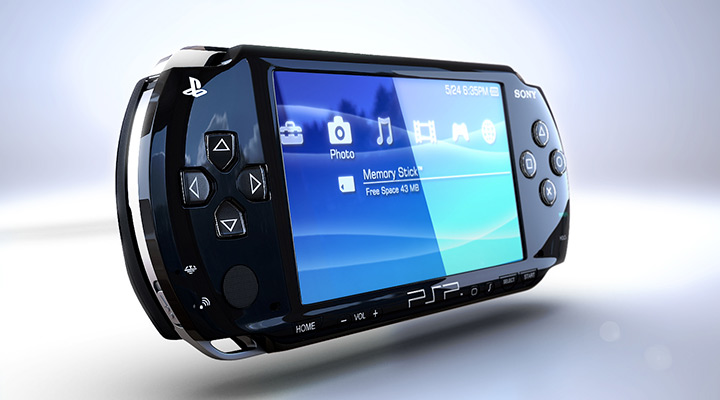
Un émulateur de PSP écrit en Java. Codé par mad et shadow (PCSX2) et rejoint par wrayal, fiveofhearts, hlide et dreampeppers99. Il émule quelques jeux commerciaux (tel que Puzzle Bobble Pocket ou Breath Of Fire III…) mais pas à pleine vitesse. Cet émulateur s’améliore progressivement.
Liste de jeux compatibles
Site de développement du projet.
Builds SVN automatiques.
Télécharger JPcsp (x86) v0.7 rev 3462 (17,0 Mo)
Créé par BUT, Emuman, K&K, Sword et Xvi. Mame Plus! est sans problème la meilleure version de Mame pour Windows, avec ou sans frontend. Support multi-langage, tirs automatiques, option anti-sortie, interface interne améliorée, interface de gestion des roms améliorée, effets vidéos supplémentaires (2xSai, RGB, hq3x, 2xPM…), meilleure gestion des contrôles, support de la NeoGeo en mode console, il regroupe également plein de correctifs et de drivers additionnels…
Site source n°1. Site source n°2. Site source n°3.
Télécharger Mame/MameUI Plus! (x86) v0.152 r5124 (24,3 Mo)
Il s’agit d’une interface graphique écrite par Tyler J. Stachecki et destinée à l’émulateur de Nintendo64 nommé CEN64.
– Fix issue on Windows
– Don’t show Output to Console on Windows where it doesn’t work
– Move « Output to Console » under settings instead of view
Il s’agit d’une interface graphique pour l’émulateur de Nintendo 64 nommé Mupen64Plus, par l’auteur de Cen64 QT.
Forum officiel.
Télécharger Mupen64Plus QT (Frontend) (2014/03/09) (18,3 Mo)
Un émulateur multi-consoles qui émule en vrac: Game Boy (N&B/Color), Game Boy Advance, Nes, Lynx, PC Engine (TurboGrafx 16), SuperGrafx, NeoGeo Pocket, PC-FX, WonderSwan (N&B/Color), accessoires ps1…
Il s’agit d’une version en cours de développement.
March 8, 2014:
        - Fixed compiler errors when compiling without the debugger.

        - Fixed a couple of memory leaks.

        - PSX: Made better use of exceptions in the loading and initialization code paths(and avoid leaking memory if a part of the
        process fails).

       - PSX: Protect against sound buffer overflow without causing a call to abort() so that using save states(when they're added)
        or power toggling/resetting in the debugger while in step mode is safer.

       - PSX: Output of debug messages to stdout and stderr is now controlled via the "psx.dbg_level" setting, whose default
        value of "0" disables almost all debug messages.  Set the setting to "3" to obtain roughly the same output as previous
        versions of Mednafen.

March 1, 2014:
        - Modified the simple interpolation pixel shader code to avoid using the GLSL 1.3 function "round()", for better compatibility
        with some OpenGL implementations.
Le frontend indispensable pour l’émulateur de Nintendo 64 nommé Mupen64Plus.
– speed up reading ROM list
– Check if core supports DelaySI/CountPerOp options
– Add support for OpenBSD plugin paths
– Fix search for cheats in mupencheats.txt
pfeMame (écrit par Gareth Finch) est un frontend pour MAME, écrit en Python. Il est multiplateforme (testé sur Linux – Ubuntu et Windows XP). Il comprend également une interface graphique destinées aux MameCab qui permet le contrôle à l’aide joystick / manette.
Il reste des exemplaires disponibles à la vente sur le site officiel pour les afficionados du bon vieil Amstrad CPC 🙂 . Un collector pour sûr ! Cyber-chicken est un shoot’m up simple et efficace reprenant la vue intérieure de l’anthique ‘Star Wars’ vectoriel sur Arcade. Mention spéciale à la jaquette du jeu 🙂
NEW AMSTRAD GAME RELEASED! This is a review for « Cyber Chicken » (also known as Cyber Huhn or Cyber-Huhn), with me opening up the package and recording live from my Amstrad 6128+!
This started life as an entry in the « Amstrad CPC 16KBs ROM Game Development Competition 2013 » (see here – http://www.cpcwiki.eu/index.php/Amstr…) and was the runner up.
However they decided to expand the game and release it commercially! And this is it!
If you’re quick, you may be able to still buy a copy!
Sorry for the crappy digital camera, and yes yes – I need to dust more!! (XYPHOE)
(c) AMC Soft / TFM 2014
Arcan peut tout faire ! Il s’agit d’un frontend couplé à un émulateur multi-système. Il emprunte le moteur de Mame, tout en proposant une interface inspirée de Raine.
Il fourmille d’options graphiques. Actuellement en plein développement, voici notamment quelques unes de ses fonctions.
– enhanced configuration, filtering and tuning for analog input devices
– support for 3D libretro cores
– support for libretro core options
– mouse-analog device translation
– (AWB) per game/per target coreoptions/input configuration
– (Gridle) custom layout can now include the game display as part of the layout
Un joli frontend pour mame (ou autres), très configurable et souvent mis à jour. Emu Loader est une interface graphique qui se greffe principalement sur les émulateurs arcade comme MAME, SEGA Model 2, SuperModel, Daphne. L’interface permet de gérer votre collection de roms, de vérifier vos jeux et de lancer vos émulateurs.
Les changements pour cette version sont les suivants :
Fixed
Categories from catver.ini are no longer loaded for DICE games so you can filter PinMAME without removing DICE games from the list
Controls parsing function was confusing and inaccurate (-listxml). Parse function is now perfect!
Number of players was set to blank if info not found in « nplayers.ini », when this file is available
In-game snapshot folder setting was being saved in EmuLoader.ini for MAME and HBMAME. Not required as they are read directly from emulators config files
Changed
Main menu and view mode buttons have dynamic item height to avoid waste of space. Also, icons were removed to clear the interface a little bit
Check menu and radio menu icons were finally moved to position 0 and 1 in ImageList components. All ImageLists updated
Even more interface tweaks (clean sweep mode ON)
File « leftpanel_btn_help.ico » renamed to « help.ico » (resources\main_icons\)
Settings for images folders and emulators selections moved from EmuLoader.ini to a new « \ini_files\folders_emulators.ini » file. You can now do a clean install without the need to set up images folders or emulators executables all over again 🙂
Moved and renamed file from « \ini_files\biosset.ini » to « \arcade\mame_biossets.ini » and file from « \ini_files\biosset_hbmame.ini » to « \arcade\hbmame_biossets.ini »
Favorites profile editor updated. Removed « Active Profile » text and added an icon to the active profile in the list. Hotkeys text updated
Removed
The following files are no longer used: « resize_window.ico », « option_radiogroup_off.ico », « leftpanel_btn_addgame.ico », « leftpanel_btn_deletegame.ico », « leftpanel_btn_add.ico », « leftpanel_btn_delete.ico »; « scanresult_game.ico », « copy.ico » (resources\main_icons\)
The following entries are no longer added for Daphne games since game names are completely different from MAME: controls, category, number of players
Added
Updated « DICE_XML.dat » file with an « Attack » alternate set, titled « Attack (set 2) » and named « attack2 ». I failed to see there was tho valid sets in « attack.cpp »
Note: Emu Loader rename its gamename to « attack » before loading in DICE emulator
New game tag: buttons count (controls info). Game details now show buttons count in controls list. You must create games list for all systems… again
All image categories have a default folder now. Folders are relative to the emulators selected. This is useful on a clean install and for new users
NOTE: in-game snapshots for MAME/HBMAME/UME are already set in mame.ini; hbmame.ini; ume.ini!
– Title snapshot: titles
– In-game snapshot: snap
– Marquee: marquees
– Flyer: flyers
– Cabinet: cabinets
– Control Panel: cpanel
– Control Panel Layout: cplayout
– PCB: pcb
– In-game Artwork: snapartwork
Added new options for « File » / « Export Games List » compatible with « MAME Content Manager Plus » util (game name only). Only MAME and HBMAME are supported
http://mcm.mameworld.info
Project64K est une version spéciale de Project64 l’émulateur Nintendo 64 incluant le jeu Multiplayer via le module kaillera, l’option p2p additionnelle ainsi que l’option AQZ (plugin). Project64k sur Kaillera ne peut pas synchroniser proprement plusieurs jeux mais les principaux fonctionnent parfaitement.
-Super Smash Brothers 64 (toutes les versions incluant ‘Quick Match Rom Hack’ par Madao)
-Super Mario 64 ‘Multiplayer Rom Hack’ / ‘Star Road Multiplayer’ Rom Hack
-Mario Kart 64 (toutes les versions)
Pour jouer à des jeux tels que Goldeneye007 ou Perfect Dark sur Kaillera, vous aurez besoin de Mupen64k, le projet alternatif de Project64k (moins stable).

