Il s’agit d’un fork de DOSBox des plus intéressant, destiné à Windows Linux et MacOS et créé par Jon Campbell. Il possède une compatibilité excellente et met l’accent sur la précision d’émulation notamment en ce qui concerne l’émulation de Windows 3.x à ME. En outre il ajoute des améliorations en provenance d’autres builds comme DOSBox ECE avec l’émulation de la 3DFX en interne.


Les améliorations sont à consulter sur le site officiel.
 

Télécharger DOSBox-X (Hx DOS) v2026.10.01 (9.7 Mo)

Télécharger DOSBox-X (LowEnd) v2026.10.01 (19.6 Mo)

Télécharger DOSBox-X (MinGW) v2026.10.01 (24.1 Mo)

Télécharger DOSBox-X (Visual Studio) v2026.10.01 (28.9 Mo)

Site Officiel

En savoir plus…

La dernière version béta publique de l’excellent WinUAE, l’émulateur Commodore Amiga. La traduction est signée Tradu-France.


Les changements ici.
WARNING: don’t use it you aren’t sure, this is « more beta » than usually.
 

Télécharger WinUAE (Public Beta) [32 bits] v6.1.0 Beta 21 (5.3 Mo)

Télécharger WinUAE (Public Beta) [64 bits] v6.1.0 Beta 21 (8.5 Mo)

Télécharger WinUAE (Public Beta) [32 bits] v6.1.0 Beta 21 FR (5.4 Mo)

Télécharger WinUAE (Public Beta) [64 bits] v6.1.0 Beta 21 FR (8.5 Mo)

Site Officiel

En savoir plus…

Les builds 32 bits de MAME compatibles XP et compilés par StHiryu sont à présent disponibles.


Télécharger MAME (XP) v0.289 (64.6 Mo)

Télécharger MAME(MESS) [32 bits] v0.289 (42.5 Mo)

Télécharger MESSUI (32 bits) v0.288.4 (28.3 Mo)

Télécharger MAMEUI32 v0.289.5 (63.2 Mo)

Télécharger HBMame (32 bits) v0.289.4 (18.5 Mo)

Télécharger HBMame GUI (32 bits) v0.289.4 (18.7 Mo)

Télécharger ARCADE (32 bits) v0.289.5 (33.6 Mo)

Page Officielle


Je rajoute le binaire de MAME version Arcade, compilé par moi-même et compatibles XP:

Télécharger MAME(Arcade) [32 bits] v0.289 (75.2 Mo)


Raine est un émulateur Arcade/NeoGeoCD ainsi qu’une excellente alternative à MAME.


En résumé:
Sorry guys, I’m out of motivation to finish the sdl2 port, I have committed my changes so far to git but it’s not finished. But as it is, the sdl-1.2 version can still be built without problem, and with the problems reported about the bad blits because of the opengl gui, it’s a good time to release something. So the changes are :

 
– the new Brazilian Portuguese locale
– curl now gets the rom from the full internet archive for raine instead of trying to guess where it can find it. As I said it’s quite slow, but as a remainder, when Antiriad was working on the f3 emulation, it took him a whole night to retrieve one of these roms, so it’s very fast compared to this ! 😉
– And reverted the opengl gui, meaning you get the fullscreen bugs back for the windows version, but it also fixes the emudx games + neo turf masters (you’ll probably have to disable the speed hacks in neocd options for neo turf masters). For those who prefer the opengl gui and don’t care about these fixes, just stay with 0.91.18 !
 

Hey, it would make a very nice final version for raine I think. Lots of locale, can even get its roms from the internet, nice way to finish it.
If ever I find some new motivation I might finish this sdl2 port one day, but nothing is less sure for now…
 

You’ll find the link to the download area somewhere at the top of the forum page…
And I’ll update the linux version PKGBUILD a little later…


Télécharger Raine (Dos) v0.96.6 (5.3 Mo)

Télécharger Raine (32 bits) v0.98 (7.2 Mo)

Télécharger Raine (64 bits) v0.98 (7.1 Mo)

Site Officiel

En savoir plus…

Un émulateur d’Amstrad CPC écrit en C++ et en assembleur.


Les changements:
– Snapshot sizes of up to 576 K (uncompressed only).
– Default snapshot size can be changed in configuration file.
– New option to use on-screen joystick as cursor keys.
– Several bug fixes, in particular in the context of ROM handling.


Télécharger CPCEMU (Win) v3.0.2 (2.8 Mo)

Site Officiel

En savoir plus…

GroovyMAME est un émulateur multi-systèmes basé sur MAME (Arcade + Consoles + Ordinateurs) et qui se focalise sur le rendu sur écran CRT (Moniteur de PC ou d’arcade avec fréquence particulière) car les auteurs sont convaincus que la technologie CRT est un must quand il s’agit de profiter de l’émulation dans toute sa splendeur. Cependant GroovyMAME peut être utilisé également sur écran LCD (principalement sur les modèles qui permettent un rafraîchissant à des taux personnalisés).


Beaucoup d’améliorations provenant de Groovy avaient été intégrées dans MAME il y a quelques temps rendant Groovy obsolète, mais depuis de nouvelles fonctions ont été développées en parallèles justifiant ces nouveaux builds.
 

A noter que des LiveCD sont également disponibles sur le site officiel.


Les changements:
 

– Sync with mame v0.234
– Correctly apply -keepaspect after implementation overhaul in baseline.


– New option -[no]syncaudio: Make audio synchronization (resampling) optional. Default is enabled. Disable to avoid sound wobble with erratic emulation speeds (like that caused by frame delay on some systems).
 

– New option -[no]autostretch: Make auto stretching feature optional. Default is enabled, so GM will apply the scaling mode (fractional or integer) that best fits the situation.
 

– New option -[no]autofilter: Make auto filter optional. Default is enabled, so GM will apply bilinear filtering when fractional scaling or an interlaced mode are used.
 

– New option -[no]interlace_force_even: Calculate all vertical values of interlaced modes as even numbers. Required by AMD APU hardware on Linux
 

– [Windows] Implement asynchronous rendering through native D3D9ex api (replace for old multithreaded -triplebuffer). This mode is selected automatically by -autosync. You can force it manually with -waitvsync -nosyncrefresh.
 

– [Linux] New option -sync_mode <0-4>: In combination with -syncrefresh, select the synchronization mode that offers the lowest latency based for the specific video driver. The default value is 2, which gives good results for both amdgpu and radeon on X11 and kms mode. Other modes are provided that could be useful with other hardware/driver combination.
 

sync   algorithm        amdgpu          radeon          radeon/kms      amdgpu/kms
mode
   0  -Swap(1)          perfect(1)      perfect         smooth          smooth
      -glFinish                                         lag 1 frame     lag 1 frame

   1  -Swap(0)          tearing         tearing         perfect         tearing/
      -drmWaitVBlank    perfect w/fd                                    stuttering
      -glFinish

   2  -Swap(1)          perfect(1)      perfect         perfect         perfect(1)
      -drmWaitVBlank
      -glFinish

   3  -drmWaitVBlank    tearing         perfect(2)      tearing         tearing
      -Swap(0)
      -glFinish
               
   4  -drmWaitVBlank    half speed      half speed      smooth          smooth
      -Swap(1)                                          lag 1 frame     lag 1 frame
      -glFinish

- Swap(x), x = Opegl swap interval (0 = immediate, 1 = v-sync)
(1) Low frame delay performance
(2) GM's pre-0.232 implementation
perfect = smooth + subframe latency


Note: amdgpu on X11 has tearing with mode 1, however tearing can be removed with frame delay, and when done, it offers better performance than mode 2.

 
Note sur la version D3D9EX (les builds ne sont valables que pour windows 7 ou supérieur):
Cette version intègre un patch Direct3D9Ex (également connu sous le nom de Direct3D 9.0L ou 9.L, le L faisant référence à Longhorn, nom de la base de code de Windows Vista) qui permet de bénéficier de certaines fonctionnalités introduites par l’utilisation des drivers WDDM tout en maintenant la compatibilité avec les applications écrites pour Direct3D 9. L’interface Windows Aero s’appuie sur D3D 9Ex et utilise certaines des fonctionnalités non présentes dans Direct3D 9 comme la possibilité de partager des surfaces DirectX entre plusieurs processus.

 
Pas de binaires 32 bits pour le moment.
 
MAJ: J’ai compilé les binaires 32 bits et le 64 bits non Ex.


Télécharger GroovyMAME (x86) v0.227 SwitchRes v0.017t (56.4 Mo)

Télécharger GroovyMAME (x64) v0.227 SwitchRes v0.017t (58.1 Mo)

Télécharger GroovyMAME D3D9Ex (x86) v0.227 SwitchRes v0.017t (56.4 Mo)

Télécharger GroovyMAME D3D9Ex (x64) v0.289 SwitchRes 2.22f (98.5 Mo)

Miroir officiel

Forum officiel

Site officiel

En savoir plus…

Un émulateur ultra précis de Gameboy N&B/Color pour Windows et MacOs proposant également un débogueur.


Les changements ici
 

Télécharger SameBoy v1.0.5 (1.6 Mo)

Site Officiel

En savoir plus…

NegaMAME, qui se combine avec le frontend NegaTron, se comporte exactement comme MAME officiel mais il ajoute une commande que les frontends tiers peuvent utiliser pour récupérer les informations manquantes dans MAME depuis la version 0.186, aidant ainsi Negatron à retrouver un accès complet à toutes les fonctionnalités qu’il avait déjà en 2015 (avant l’intégration de MEWUI devenu l’interface interne dans MAME).


Télécharger NegaMAME v0.289 (78.9 Mo)

Site Officiel

En savoir plus…

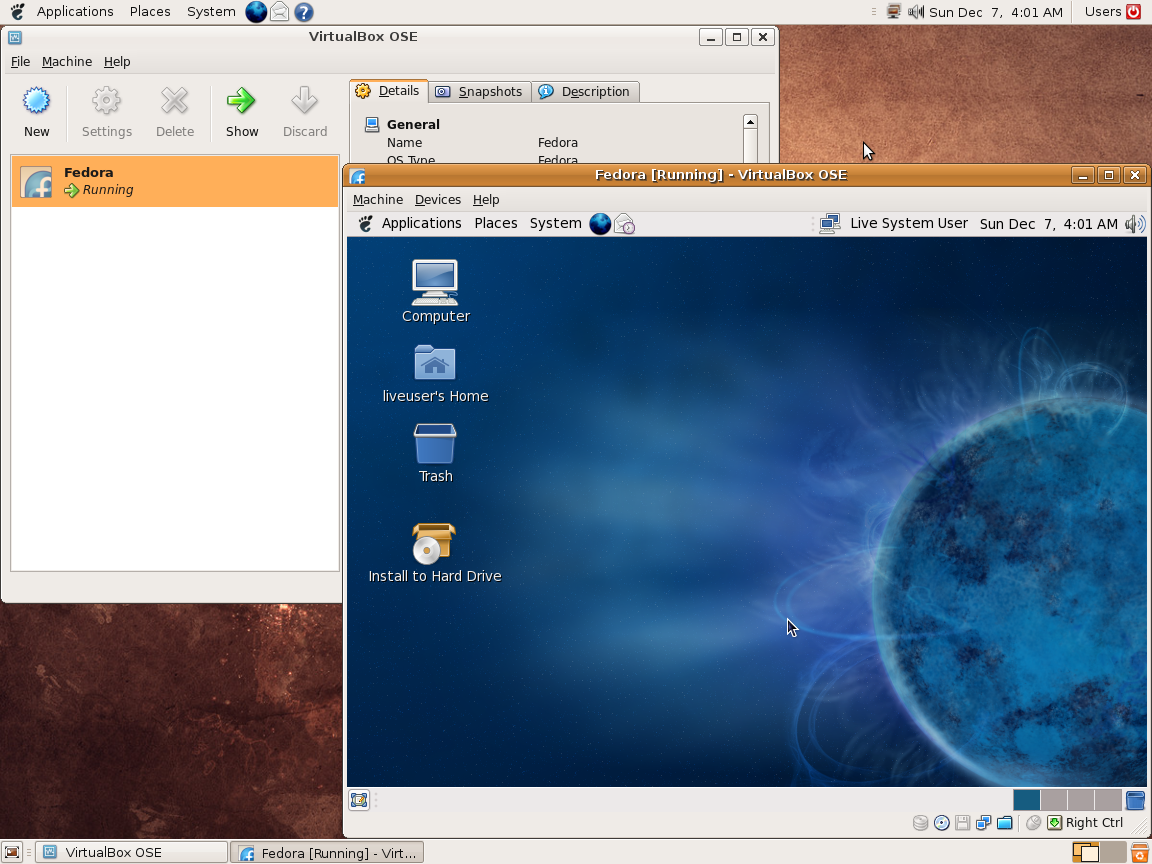
Ce programme permet d’émuler un PC sous plusieurs OS. Il tourne sous Windows, Linux ou Mac. Il permet de faire tourner des machines virtuelles sous différents OS (Windows de tout type, Linux, FreeBSD OS/2 etc.).


Vitualbox est également open-source et gratuit (pour les particuliers). Les solutions existantes de virtualisation étant soit très chères pour le particulier, soit incomplètes au niveau du support des systèmes, VirtualBox propose donc une alternative intéressante à Vmware et VirtualPC.
 
Les améliorations sont lisibles ici.


Télécharger VirtualBox v7.2.22 (170 Mo)

Télécharger VirtualBox - Oracle VM VirtualBox Extension Pack v7.2.22 (19.1 Mo)

Site Officiel

En savoir plus…

bsnes-plus (ou bsnes+) est un fork de bsnes (basé sur bsnes-classic) destiné à introduire de nouvelles fonctionnalités et améliorations, la plupart visant au débogage. Il s’agit donc d’une version améliorée de bsnes 073 ou l’on retrouve donc l’ancienne interface ainsi que les anciens menus. Plus d’informations ici.
 
Il s’agit d’une version WIP (en cours de développement) dite « instable » basée sur les dernières sources GIT du projet.


Changements:
– Merge pull request #291 from alttpo/fix-288-retina
– ruby: more Qt portable devicePixelRatio usage, preferring qreal version where available
– ruby: scale opengl output by devicePixelRatio; fixes 1/4 surface bug on high-dpi displays such as retina
– Merge pull request #293 from charasyn/spc-dump-immediate
– Allow for dumping an SPC file immediately via config option
– Some fixes

 
Cette version est compatible avec le pack de shaders disponible ici.
 
A noter que la version 32 bits n’est pas officielle (réalisée par Lo v2).
 

Télécharger bsnes-plus (x86) WIP v05.60 (2020/05/09) (7.6 Mo)

Télécharger bsnes-plus (x64) WIP v05.105 (2025/03/23) (12.5 Mo)

Site Officiel

En savoir plus…

Il s’agit d’un frontend multi-émulateurs qui va mettre en avant les « box art ».


– better support for Apple M1 chip Macs
– skeuomorphic plastic menu redesign


Télécharger Nostlan (Gratuit) v2.6 (115 Mo)

Site Officiel

En savoir plus…

Il s’agit d’un ficher XML (anciennement un .DAT) regroupant plusieurs informations retraçant l’historique des avancées de l’émulation des jeux ainsi que des informations sur eux au sein de MAME (arcade/consoles/ordinateurs), il comporte également une section « tips and tricks ». En anglais.


Télécharger Mame History v2.89a (5 Ko)

Site Officiel

En savoir plus…


https://getourbonus.com/fr/accueil

https://www.romspedia.com/