Dolphin est un émulateur permettant de faire tourner des jeux GameCube et Wii sous Windows, Linux, macOS et sur les appareils Android récents. Il est distribué sous licence GNU GPLv2+.
Ce fork ajoute la prise en charge OpenXR afin de permettre la réalité virtuelle sur les versions Windows compatibles.[Consoles de salon] DolphinXR v0.3
DolphinXR est une version VR de Dolphin, construite sur la base de DolphinVR mais entièrement repensée pour offrir une expérience OpenXR moderne, flexible et personnalisable.
Le projet est né d’une frustration face aux limites du Dolphin VR original: de nombreux jeux restaient injouables à cause de problèmes de rendu, les « codes de masquage » ne résolvaient qu’une partie des défauts, et certains titres comme Metroid Prime 3 offraient une expérience VR très dégradée (scanner cassé, performances faibles, carte inutilisable…).
Cette nouvelle version apporte une approche beaucoup plus robuste: réglages visuels et shaders ajustables en temps réel, création de profils VR personnalisés par jeu en quelques minutes, et une architecture pensée pour permettre à la communauté de rendre encore plus de titres jouables en VR.
Points forts :
– Rendu DirectX 11 et Vulkan
– Suivi complet 6DoF
– Prise en charge des manettes VR
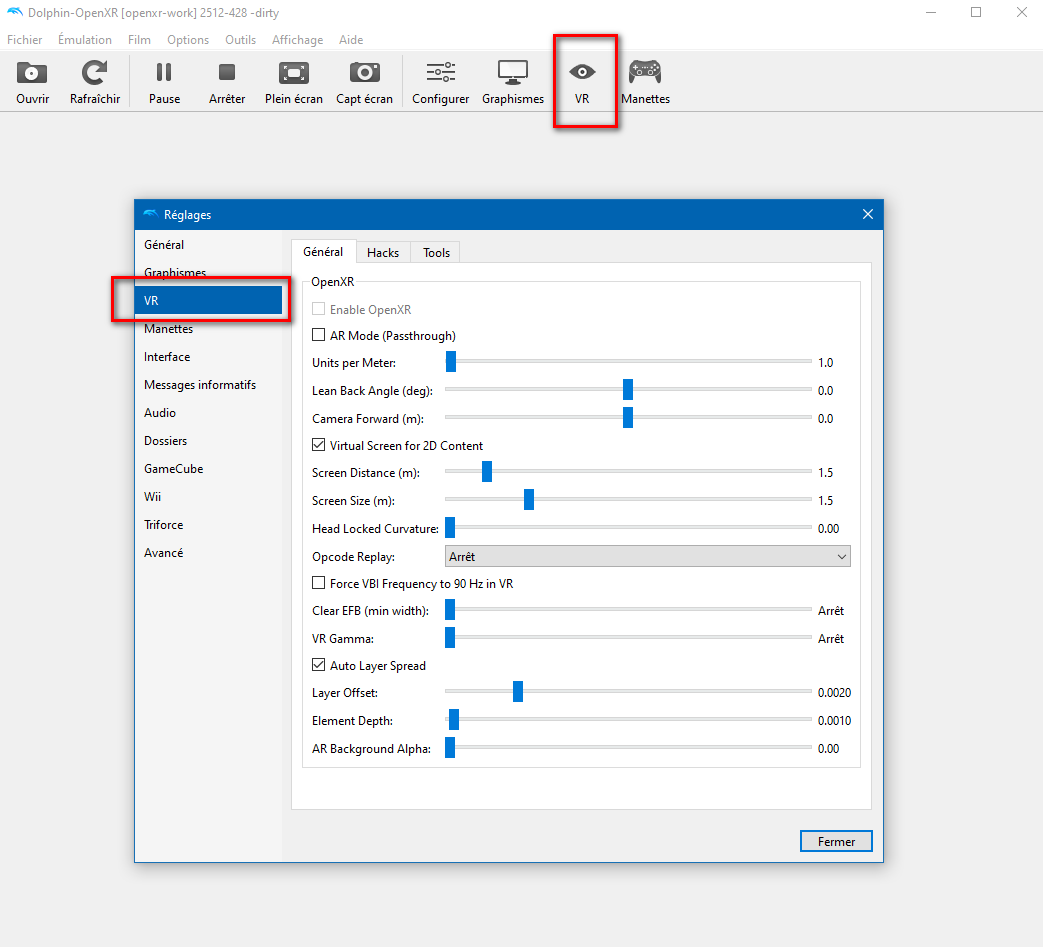
– Paramètres VR étendus, avec support pour créer et utiliser des profils VR personnalisés par jeu
– Shader Hunter avec plusieurs options d’override: Skip, Fullscreen, Virtual Screen, Headlock, Units per Meter et Flag
– Premiers travaux sur Elements Hunting
– Raccourcis VR personnalisables
– Compatibilité avec les jeux Triforce
– Support de relecture d’opcodes pour convertir du gameplay 30/60 Hz en 90 Hz
Les changements sont les suivants:
Highlights
– Added DirectX 12 and OpenGL renderer support.
– Added OpenXR asynchronous mode for Vulkan and DirectX 12.
– Added passthrough support for Meta Quest headsets.
– Added foveated rendering to improve performance on Quest.
– Introduced a new VR configuration panel for binding controls directly in VR.
– Improved the Texture Override, Hide Code, and Shader Hunter tools.
OpenXR and VR
– Added OpenXR asynchronous mode for Vulkan and DirectX 12.
– Added an eager frame heartbeat for native VR frame-rate operation.
– Added a new VR configuration panel for controller bindings.
– Added new camera and controller anchor overrides.
– Added a new « Screen pane » override.
– Updated the Wiimote pointer to use absolute pointing.
– Fixed Wii MotionPlus gyroscope behavior.
Meta Quest
– Added passthrough support for Meta Quest headsets.
– Added foveated rendering to improve performance.
– Added a new first-launch screen for applying recommended Quest bindings.
– Newly created shaders can now be used on Quest.
– Added basic support for 2D Cinematic Mode.
2D Virtual Screen
– Added True Depth support.
– Added automatic « Remove EFB » handling.
– Fixed 2D screen clamping when using Vulkan.
Rendering and Compatibility
Added support for:
– Frame size detection from XFB copies.
– Small 3D viewports.
– Render-to-texture viewport detection.
– Improved handling for games that do not support Immediate XFB.
– Improved viewport scissor clipping behavior.
– Improved compatibility with games using unusual viewport configurations.
– Fixed Ubershader and visual glitches when using Vulkan Multiview.
Tools
– Greatly improved the Texture Override tool.
– Improved the Hide Code tool.
– Shader Hunter can now use Family Hash matching instead of only Exact Hash matching.
Stability and Bug Fixes
– Fixed a Vulkan crash that could occur after opening and closing DolphinXR multiple times.
– Fixed several rendering and visual issues.
– Various other bug fixes and stability improvements.



0 commentaire