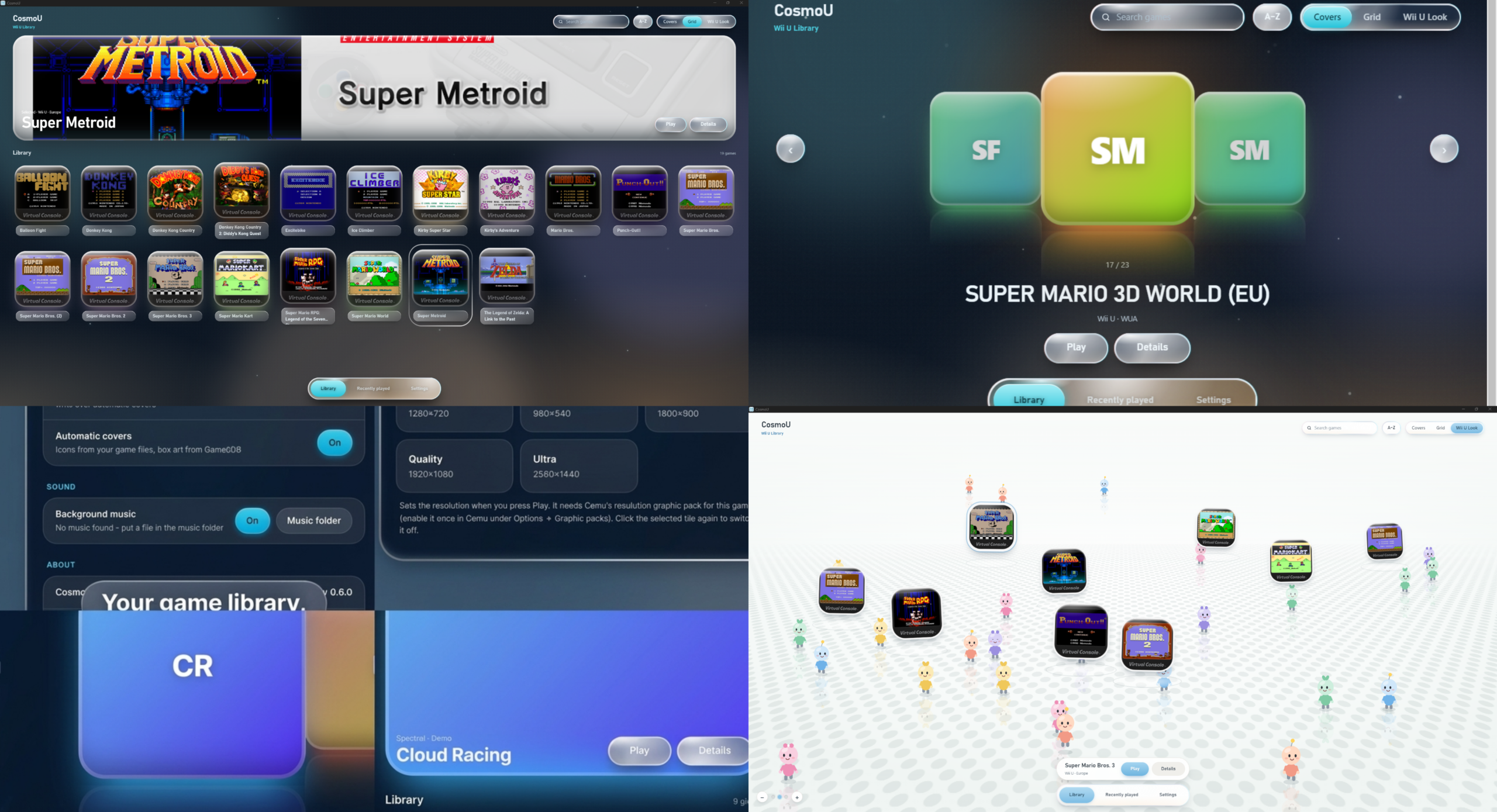
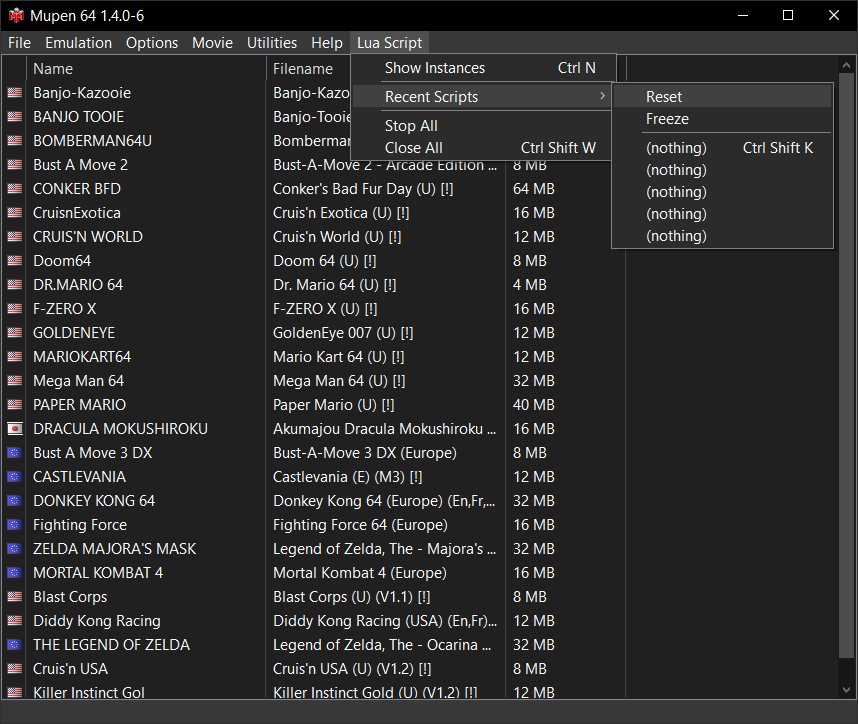
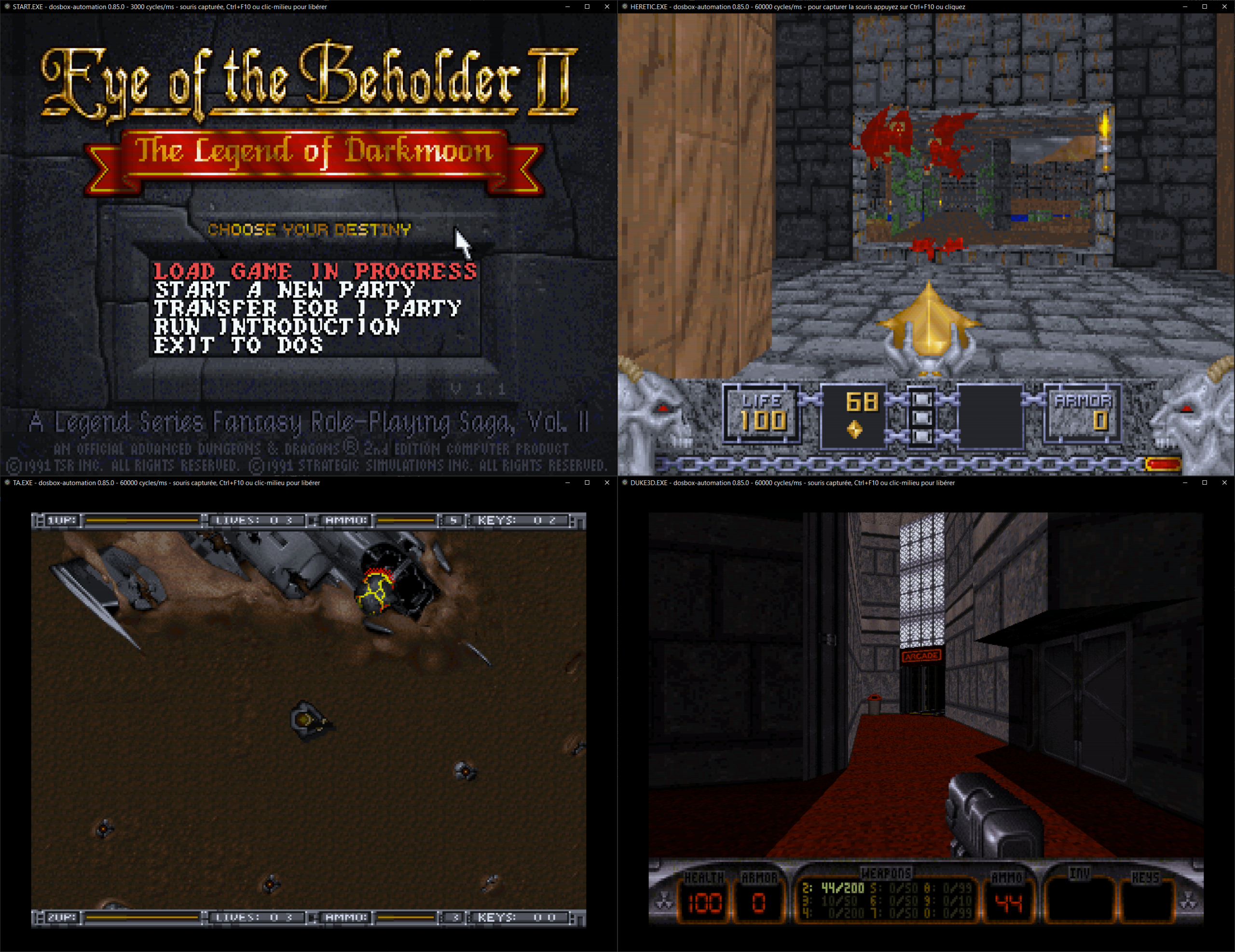
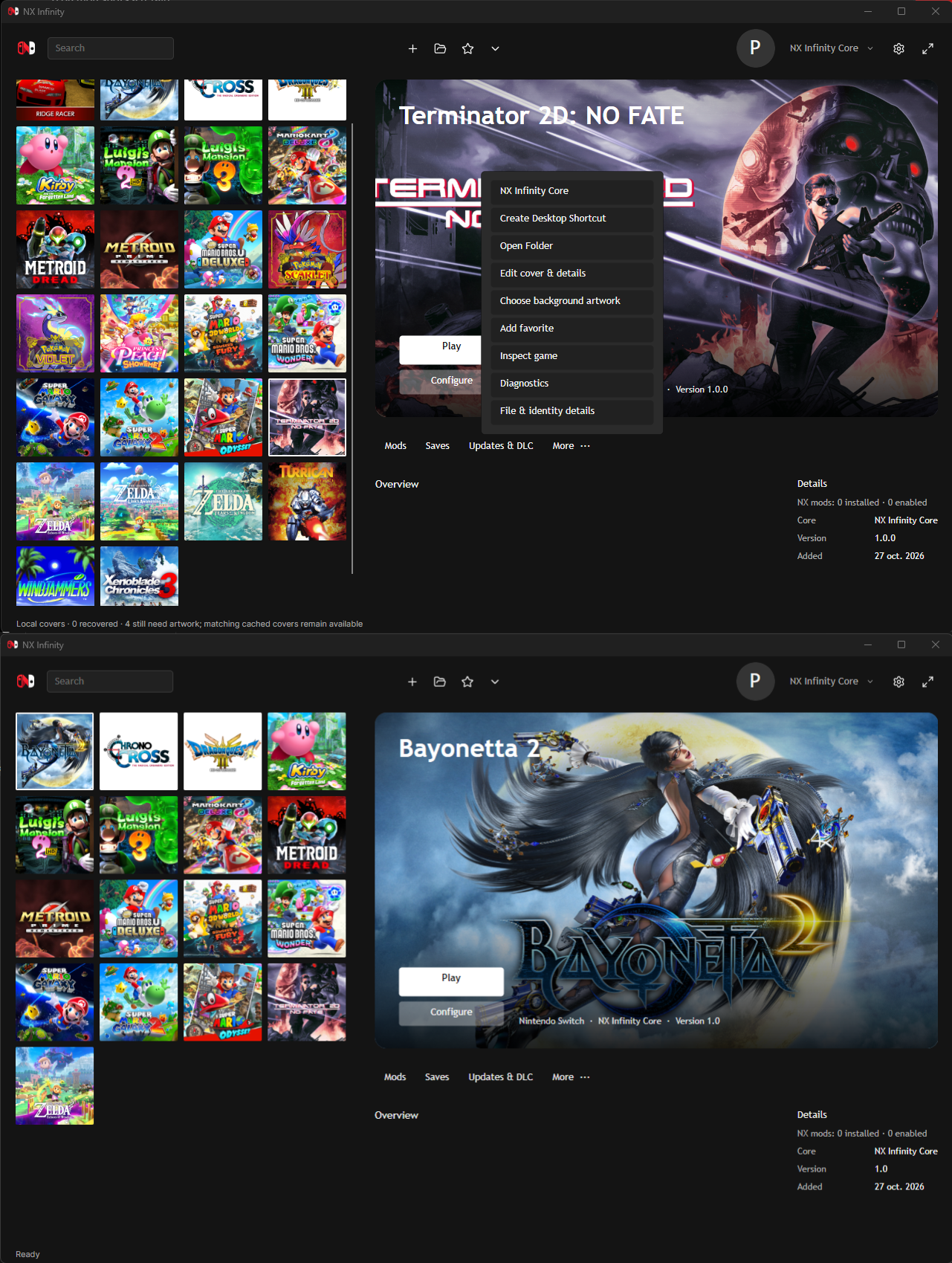
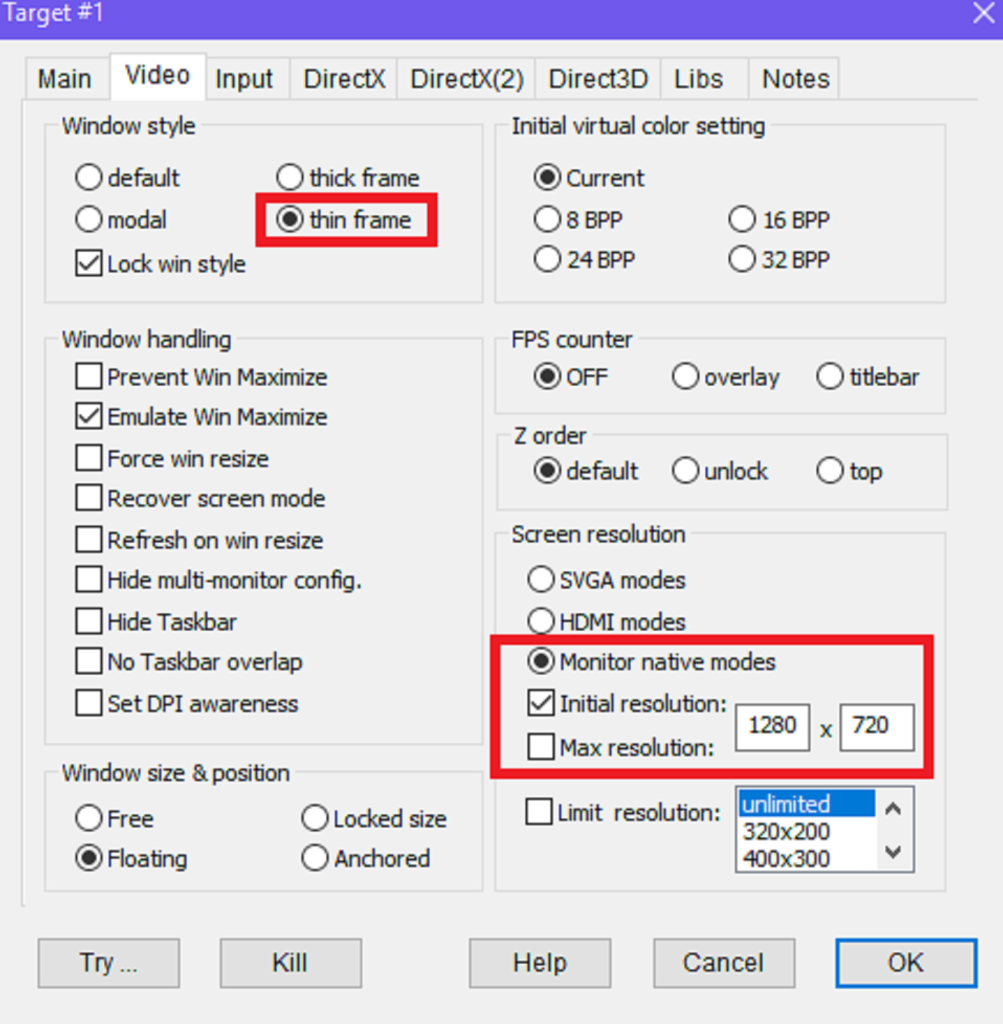
Il s’agit d’un émulateur de Nec PC6001 basé sur PC6001V v1.25.


Les changements:
– Changed screen rendering from QGraphicsView/QGraphicsScene based implementation to QML/Qt Quick based implementation.
– Changed the virtual keyboard to a QML/Qt Quick based implementation and removed dependency on Qt Graphics Scene (QGraphics* classes).
– Added key repeat support to the virtual keyboard.
– Removed the hardware acceleration setting and safe mode along with the migration to QML/Qt Quick.
– (Android) Restored the ability to share snapshots and TAPE(SAVE) exports with other applications, which had been unavailable due to changes in Qt.


Site proposant les sources.
 

Télécharger PC6001VX (XP) v2.21 (8.8 Mo)

Télécharger PC6001VX (32 bits) v4.0 beta 2 (15.9 Mo)

Télécharger PC6001VX (64 bits) v4.5.0 (37.4 Mo)

Site Officiel

En savoir plus…

Deecy est un émulateur de Dreamcast très expérimental écrit en Zig.


Les changements sont les suivants:
 
– Game specific settings.
– Support for CDROM XA (Mil-CDs) in CHD files.
– Expose serial port on Linux for easier development (see —scif launch parameter).
– Many smaller fixes, tweaks and optimizations.


Télécharger Deecy v0.6.3 (33.0 Mo)

Site Officiel

En savoir plus…

Émulateur Gameboy Color écrit en C++ pour Windows et Android.


Les changements sont les suivants:
 
– Improved graphics and game compatibility, including better support for previously glitchy titles.
– Added optional Game Boy Colour palettes for original Game Boy games, with a greyscale option.
– Updated save states; older save states are no longer compatible.
– Improved overall emulation accuracy and fixed various gameplay and display issues.
– Added link play between Android and Windows, with a new connection screen.
– Improved Android full screen presentation and fixed restart-related crashes.


Télécharger RetroGBm v26.9 (453 Ko)

Site Officiel

En savoir plus…

POM2 est un émulateur Apple II moderne et open source, capable d’émuler plusieurs machines de la famille Apple II, de l’Apple ][ original de 1977 jusqu’à l’Apple //c+ de 1988. Il vise une émulation très précise du matériel, avec un rendu vidéo synchronisé au niveau du cycle CPU.


Il prend notamment en charge l’Apple ][, ][+, //e, //e Enhanced, //c et //c+, ainsi que deux variantes PAL, dont le //c « Le Chat Mauve ».
 
Parmi ses particularités, POM2 propose un rendu NTSC composite, des effets CRT/phosphore, une vue 3D en voxels, le rewind, l’émulation de nombreuses cartes d’extension comme les Mockingboard, Phasor, Super Serial Card, CFFA 2.0 et Uthernet, ainsi que la prise en charge des imprimantes ImageWriter II.
 
L’émulateur gère de nombreux formats de disquettes et supports Apple II (.dsk, .do, .po, .nib, .2mg, .2img, .woz, .hdv) et intègre une émulation fidèle du Disk II. Il dispose également d’un support réseau via Uthernet et peut même fonctionner directement dans un navigateur grâce à WebAssembly.


Télécharger POM2 v0.9.1 (5.5 Mo)

Site Officiel

En savoir plus…

UPX (sigle de l’anglais Ultimate Packer for eXecutables) est un logiciel libre permettant de compresser des fichiers exécutables. C’est un programme gratuit, distribué sous licence GNU GPL.
 
Le programme permet de compresser un exécutable, utilisant la technologie de compression sans pertes UCL, de sorte que le programme une fois lancé se décompresse lui-même.


Plus d’informations ici. Liste des changements .
 

Télécharger UPX (Dos) v5.2.1 (764 Ko)

Télécharger UPX (32/64 bits) v5.2.1 (1.2 Mo)

Site Officiel

En savoir plus…

Il s’agit d’un puissant utilitaire de compression/décompression gratuit. Très utile, il permet de compresser en zip avec un taux de compression bien plus élevé que les autres compresseurs de format. De plus son célèbre format 7z permet de compresser jusqu’à 50% de + que le zip classique sur certaines archives et davantage que le format RAR (de Winrar). Installer la dernière version est indispensable, car de nombreux fichiers disponibles sur Emufrance sont recompressés avec les derniers algorithmes. Si une ancienne version est utilisée, il se peut que parfois les fichiers ne soient plus décompressibles.


Il est également capable de décompacter beaucoup de formats d’installeurs que plusieurs programmes utilisent (ce qui évite parfois une installation forcée). Très recommandé si vous voulez utiliser ZipMax, outil de l’auteur de ClrMAMEPro.
 
Les améliorations sont les suivantes:
 
– Improved support for Joliet ISO images and Compound archives.
– Some bugs and vulnerabilities were fixed.
– CVE-2026-58052 : 7-Zip failed to preserve the Mark-of-the-Web when extracting a crafted archive.

 
NB: Si des anciennes archives avaient des problèmes pour être ouvertes/extraites (ce qui devrait être très rare et dans des cas spécifiques), lire cette page.


Télécharger 7-Zip (x86) v26.03 (1.3 Mo)

Télécharger 7-Zip (x64) v26.03 (1.6 Mo)

Site Officiel

En savoir plus…

Emu80 est un émulateur de plateformes « Radio-86RK », « Partner », « Apogee », « Mikrosha », « specialist », « Orion », « Micro-80 », « UT-88 » pour Windows.


Version 4.0.571 from 07.09.2026
– [+] Added a build with an integrated MCP server for interaction with AI assistants
– [+] Added basic support for the ZX Spectrum clone – « Byte » PC
– [+] Added support for Specialist-MX² with the vinxru SD controller
– [*] Significantly improved Z80 CPU emulation; the emulation core has been replaced with an implementation by Manuel Sainz de Baranda (https://github.com/redcode/Z80)
– [*] Added support for dynamic shaders; the crt-geom-dynamic shader has been added as an example
– [*] Added a Specialist configuration for a QWERTY keyboard (https://zx-pk.ru/content/653-Вперёд-к-мечте!-От-JCUKEN-к-QWERTY-на-Специалисте)
– [*] Maximum speed multiplier increased to 32x (slowdown is increased accordingly)
– [*] Okean: added a configuration with REL.4 ROM version; thanks to the retro-computer.ru computer museum for the firmware
– [*] Orion Z80-Card II: added a platform configuration dialog
– [*] Specialist: AY moved to ports 14h-15h
– [*] When saving a screenshot, an automatically generated filename based on the current date and time is now suggested
– [*] Added information about the CF interface and « Mir » OS to the RK-86 quick reference
– [*] Added an « addr » output to the register object
– [*] Reworked the Specialist-MX configuration; the SpecMxMemPageSelector object has been removed
– [*] Added the defaultPage property to the AddrPageMapper object
– [*] Added the DebugInfo object
– [-] Fixed bugs that could sometimes cause the emulator to crash on startup or shutdown
– [-] Korvet: fixed frame interrupt timings; missed interrupts could sometimes occur
– [-] Fixed reading of some incorrectly formatted WAV files
– [-] Minor fixes to VN59 emulation
– [-] Fixed the Qt5 build when using GCC 16
– [-] Fixed a bug where the integer scaling option was not remembered
– [-] Added display of the Z80 CPU R register in the debugger
– [-] Fixed timer mode 4 of the VI53
– [-] Fixed the behavior of the « Use Z80 mnemonics for 8080 » option
– [-] ZX Spectrum: fixed loading of 48K SNA snapshots in 128K mode

 
[+] Innovation
[*] Change / improvement
[-] Bug fixed
[!] Known issue

 
Site de développement.
 

Télécharger Emu80 v4.0.571 (21.4 Mo)

Télécharger Emu80 QT v4.0.571 (28.3 Mo)

Site Officiel

En savoir plus…

Hades est un émulateur de Nintendo GameBoy Advance en cours de développement, il vise à atteindre un équilibre satisfaisant entre convivialité, vitesse et précision.


Actuellement, Hades présente les caractéristiques suivantes:
 

– Une précision décente
– Correction des couleurs
– Sauvegarde rapide (également connue sous le nom de Save State)
– Support de l’horloge en temps réel (RTC)
– Support des contrôleurs de jeu
 

C’est le troisième émulateur à passer les benchs de la cartouche AGS Aging Cartridge utilisée pour tester les systèmes Game Boy Advance.
 

Les nouveautés:
 
– Center correctly the window on the screen when starting the emulator.
– Add a confirmation modal to reset the game when saving cheats.
– Add a minimum height to the `Code` input field in the Cheats window.
– Remove static declaration of `cheat_hook_impl` in `gba/cheat/cheat.c`.
– Add AND and OR assign instructions to the Codebreaker implementation.
– Initial implementation of Gameshark and Codebreaker codes.
– Misc fixes


Télécharger Hades v1.1.1 Build 260908 (4.8 Mo)

Site Officiel

En savoir plus…

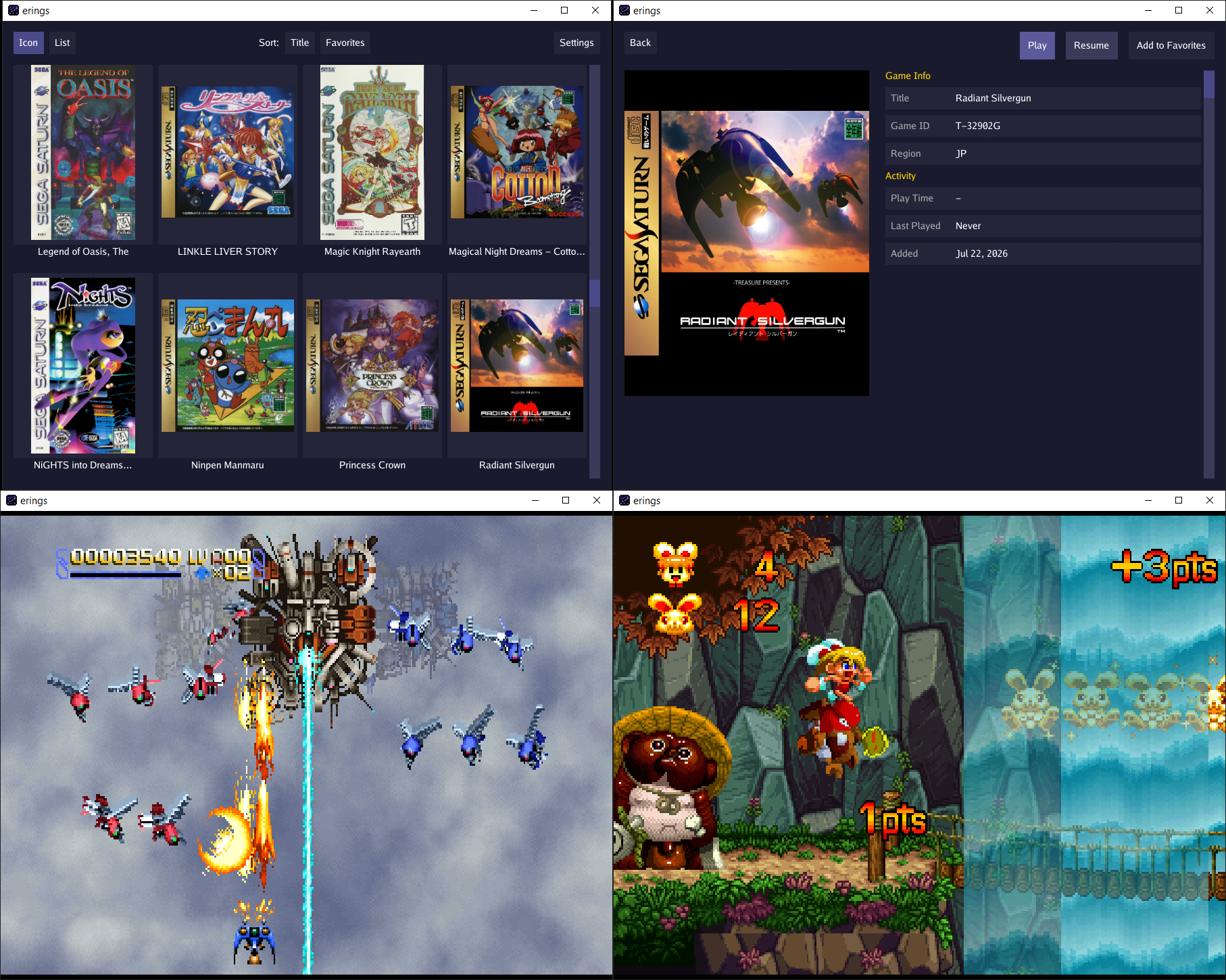
Erings est un émulateur Sega Saturn conçu avant tout comme un lecteur de jeux simple et accessible, plutôt que comme un outil d’émulation matérielle parfaite. Son objectif principal est de vous permettre de profiter de la majorité du catalogue officiel dans d’excellentes conditions, sans vous soucier de réglages techniques complexes ou de fonctionnalités de développement inutiles.
 
Fonctionnant via l’interface bureau épurée eblitui, il est totalement optimisé pour une utilisation sur grand écran avec une navigation à la manette pour un joueur solo. Il prend en charge les images disque au format .chd et .cue/.bin, gère les zones NTSC et PAL, intègre les succès RetroAchievements, et conserve automatiquement vos sauvegardes internes ainsi que vos save states d’une session à l’autre.
 
Côté matériel, il embarque la cartouche d’extension RAM 4 Mo et la carte MPEG. Pour vous simplifier la vie, il inclut un BIOS HLE évitant la recherche de fichiers externes, tout en gérant le patch de région si vous utilisez des BIOS originaux. En résumé, passez Erings en plein écran, installez-vous confortablement et relancez vos jeux Saturn préférés en toute simplicité.


Les améliorations sont les suivantes:
 
– Refactor SH2 to stepped per instruction instead of stepped per cycle. Improves performance. Additional accuracy of stepping per cycle was not being utilized.
– Expand platform and controller support for rumble.


Télécharger Erings v0.4.2 (9.4 Mo)

Site Officiel

En savoir plus…

Nouvelle version de cet émulateur de Playstation 2, celle-ci n’est compatible qu’à partir de Windows 10.


Un rapport des améliorations avec illustrations, est visible ici.
 
Le détails ci-dessous:
 

- [ci skip] PAD: Update to latest controller database. (PCSX2 Bot)
- GS/DX11: DS as RT/UAV binding fixes. (lightningterror)
- Achievements: Fix deadlock when enabling achievements in FullscreenUI (SternXD)
- GHActions:MacOS: Add MoltenVK patch for older GPUs (TellowKrinkle)
- GS:VK: Use swizzle value compatible with MoltenVK on older GPUs (TellowKrinkle)


Un tutorial est disponible ici et un pack de shaders (probablement incompatible avec les versions 2.0 et supérieur). Pack de textures ici et , et Patchs disponibles ici (écran large, correction de bugs, fréquence d’images, etc).
 
Et si vous voulez davantage d’effets graphiques, un site expliquant comment customiser l’émulateur avec Reshade et autre shaders, est disponible ici.
 
NB: Notez que la version 64 bits est à présent la seule version stable possible. Il est également recommandé de tout reconfigurer car les changements sont trop nombreux entre la précédente version et celle-ci.
 
Site de développement du projet.

Télécharger PCSX2 (32 bits | XP/Vista) v1.4.0 / v1.6.0 (14.8 Mo)

Télécharger PCSX2 (32 bits | 7/8/8.1) v1.6.0 (6.2 Mo)

Télécharger PCSX2 (64 bits) v2.8.2 (24.5 Mo)

Site Officiel

En savoir plus…

Créé par Avery Lee (l’auteur de VirtualDub), il s’agit d’un émulateur d’Atari 8 bits (800/800XL/130XE) disponible en 32 et 64 bits. Il dispose de beaucoup d’options ainsi que d’une bonne compatibilité. Il prend en charge les jeux protégés conformément à l’émulation. Il s’agit d’une version de développement au stade de béta.


Topic des versions Beta.

Télécharger Altirra (Beta) v4.50 Test 20 (7.7 Mo)

Site Officiel

En savoir plus…

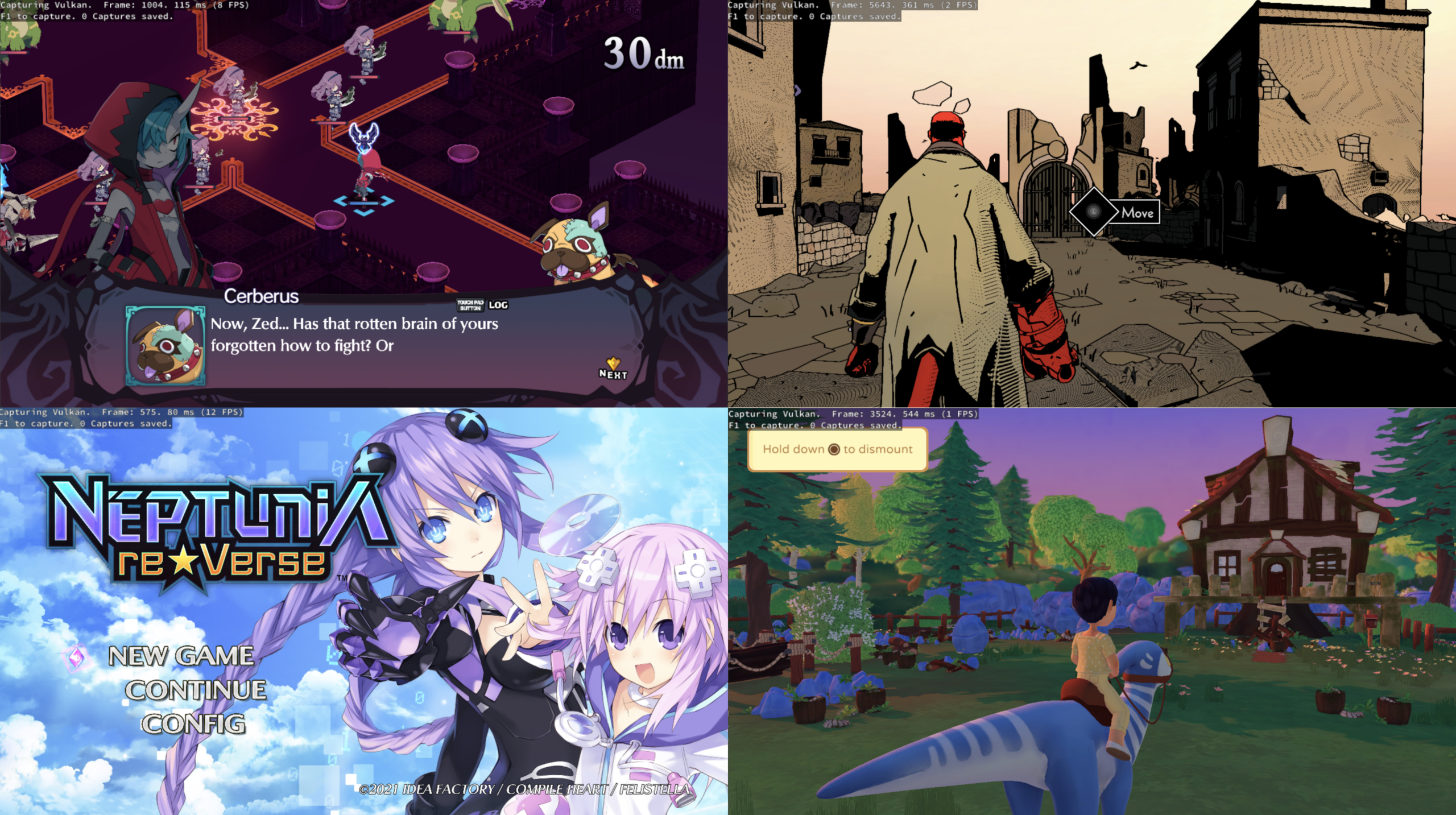
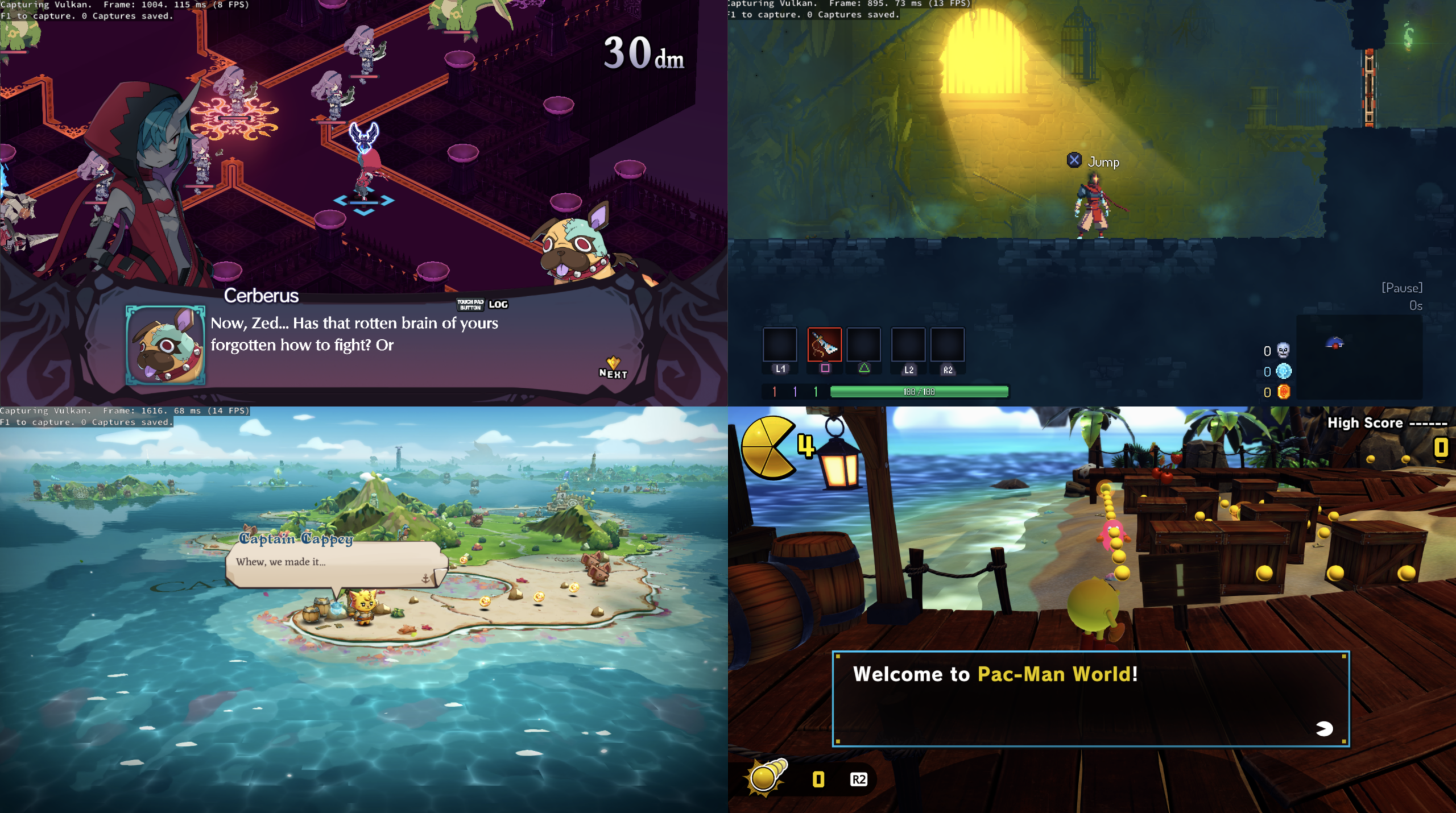
PS5PCEM est un émulateur PlayStation 5 expérimental et un projet de recherche sur l’interopérabilité, développé en Zig. Il permet notamment l’exécution native de code x86-64, le chargement d’exécutables PS5 déchiffrés, l’exécution de commandes graphiques AGC, la traduction de shaders RDNA2 vers SPIR-V et le rendu via Vulkan.


Fonctionnalités
– Exécution native du code x86-64 invité sous Windows.
– Chargement des exécutables ELF/SELF, relocation, liaison des modules et gestion du TLS.
– HLE de plusieurs fonctions du firmware PS5.
– Exécution des flux de commandes AGC pour le GPU.
– Traduction progressive des shaders RDNA2 vers SPIR-V.
– Rendu Vulkan avec gestion des render targets, du depth/stencil et du MSAA.
– Gestion de la mémoire GPU et des textures avec notamment le detiling.
– Prise en charge du VideoOut Vulkan.
– Audio hôte et lecture H.264/AAC via FFmpeg.
– Support des contrôleurs DualSense et DualShock via HID.
– Support XInput et clavier.
– Gestion des sauvegardes par titre.
– Lanceur Windows natif avec jaquettes locales, profils de contrôleurs et lancement direct des jeux.
– Jusqu’à huit titres récents peuvent être conservés dans le lanceur.
– Plusieurs jeux atteignent désormais le gameplay et certains sont déjà jouables, mais la compatibilité, les performances, les graphismes, l’audio et la stabilité restent variables selon les titres et le matériel.


Jeux ayant atteint différents niveaux de fonctionnement
– Terminator 2D: No Fate
– Jets ‘n’ Guns 2
– Asterix & Obelix: Slap Them All!
– The Precinct
– Cat Quest III
– Jurassic Park Classic Games Collection
 

Les captures et résultats présentés par le projet sont des résultats de développement et ne constituent pas nécessairement des indications de compatibilité générale.
 

Configuration
– Windows 10 version 2004 ou ultérieure.
– Processeur x86-64.
– GPU compatible Vulkan 1.2.
 

Développement
PS5PCEM est développé en Zig et est distribué sous licence GNU GPL v3 ou ultérieure.
 

Le projet ne fournit ni jeux, ni firmware PS5, ni clés, ni bibliothèques système de la console.
 

État du projet
PS5PCEM est toujours en développement actif. L’émulation PS5 reste incomplète et la compatibilité varie fortement selon les jeux. Le projet dispose néanmoins déjà d’une implémentation fonctionnelle de plusieurs éléments importants de l’architecture PS5, notamment l’exécution x86-64, le système graphique RDNA2/AGC, la traduction des shaders et le rendu Vulkan.
 

Les changements:
 
Playable and completable games
– Terminator 2D: No Fate — Fully playable and completable; completed without reported problems
– Asterix & Obelix: Slap Them All! — Fully playable and completable
– Cat Quest III — Fully playable and completable
– Jurassic Park Classic Games Collection — Fully playable and completable
 
Launcher: eight interface languages
– Add Simplified Chinese, Spanish, Arabic and Portuguese alongside English, Russian, German and French. Navigation, game-library prompts, input settings, saves, preferences and status/error messages are translated.
– Expand language selection to two rows, with matching click areas and room for the sound, FPS and project-information panels.
– Give Arabic text right-to-left paragraph direction and appropriate alignment, preserving centered buttons and the original direction of paths and key names.
– Preserve existing saved language IDs and restore all eight choices after a restart. Update Windows executable and installer version metadata to this release.
 
Ghost of Yōtei: beyond the intro
– Restore continuous intro playback at approximately the stream’s native 30 FPS in ReleaseFast on the current RTX 3070 Ti host. Sampled movie frames take about 30–32 ms, without the former freeze after a few pictures.
– Correct Videodec2 picture fields, 256-byte NV12 row alignment, picture-specific acknowledgements and end-of-stream draining. Separate decoder instances and derive cadence from the stream so clips neither race to the end nor stall on the guest’s former 100 ms polling timeout.
– Advance through streamed menu-resource loading and into the animated loading indicator, Digital Deluxe Bonus, Gift of the Northern Star, Pre-order Bonus, and brightness calibration. The reference captures show readable text, confirmation glyphs, and the calibration wolf image, instruction and slider.
– Render parts of the interface and 3D background; the maintainer observed trees in the scene and heard menu music. Audio-library support now includes more of the interfaces bound by the title, including AudioOut2 speaker/port state and queued-grain accounting.
– Unblock the menu resource catalog and asynchronous scene work, preserve compute queue ownership and completion labels, and retire validated SDK 1.1 command ranges without repeatedly replaying stranded work.
– Verification boundary: the complete bonus/brightness sequence was verified on reference build 796a484. The latest renderer was checked through the intro into scene loading, but that full sequence has not been repeated on this release candidate. A complete title menu, its full animated background and gameplay are still unverified. Scene preparation and UI remain very slow: reference runs took minutes to prepare resources and seconds per UI frame. See the build-specific investigation.
 
Cat Quest III and Jurassic Park rendering
– Fix Cat Quest III’s upside-down world and intro composition while retaining the UI’s orientation. Procedural fullscreen passes preserve their UV direction.
– Preserve fragment coverage, alpha-to-coverage state and stencil-only passes. This removes the observed menu-text corruption and keeps language-list text visible and clipped inside its panel instead of covering it with a white fill.
– Implement the original AGC interpolant-mapping interface used by Cat Quest III. Adventure-selection artwork and labels, mountains and other scenery now use the correct vertex-to-fragment exports.
– Honor registered RGBA/BGRA scanout formats. The captured island now has blue sea and sky and the expected character/scenery colors instead of swapped red and blue channels.
– Restore Jurassic Park startup rendering, including its title logo, confirmation prompt, collection cover art and animated preview. Respect explicit color disable and DX clipping while retaining reset-depth extent recovery for Ghost of Yōtei’s active HTILE-backed surfaces.
 
3D shaders, materials and GPU correctness
– Recover pointer-backed and indirect material resources through scalar/vector register moves, VCC offsets, restored execution masks, branches and bounded loops. Support large global texture tables and mixed sampled-image dimensions at runtime, with typed bounds and validation of malformed descriptors.
– Execute bounded absolute/FLAT memory reads used by scene shaders and report the first unmapped active address. Resource recovery now follows instructions actually visited, avoiding invented bindings from inactive shader branches.
– Correct wave32/wave64 masks, both words of vector conditions, SAVEEXEC operand order and SCC, unsigned carry, lane identity and cross-subgroup synchronization. Preserve DPP row/permutation behavior and whole-quad execution.
– Add or correct explicit-LOD image gathers and depth comparisons, array gradients, RDNA2 sampling operands, fragment storage-image writes, BC4 and RG16 SNORM sampling, visible array-layer uploads and mixed integer exports.
– Preserve flat attribute channels and scalar spills. Support D16 loads into previously undefined vector registers, high-halfword stores, scene mask comparisons and bounded GDS word reads/writes.
– Apply uniform HTILE clears to resident depth images, preserve stencil during depth-only clears, support matching D32 depth bias, and improve depth/stencil barriers and compute-buffer synchronization.
– Retain descriptors, prepared render targets and image pins until queued draws finish using them, preventing cache eviction or command flushes from invalidating live GPU work.
 
Performance and runtime stability
– Cache translated graphics SPIR-V with explicit memory/entry limits and cheaper field serialization. Reuse compatible smaller prefixes of uploaded buffers while retaining exact descriptor bounds.
– Cat Quest III opening-island samples improve from roughly 148 ms (~6.8 FPS) to a 124 ms median (~8 FPS) on the test host. Shader-translation work drops from about 40 to 7 ms and buffer uploads from about 124–127 to 65–75 MiB per sampled frame. The later capture has a local co-op HUD, so this is an observed comparison of the same area, not a controlled benchmark of identical frames.
– Reuse prepared graphics/compute resources and driver compute-pipeline caches; index resident sampled images by guest address and shader control flow for resource recovery. Share immutable FLAT snapshot headers and retain more small storage images within the cache budget.
– Prefer host-cached readback memory, cache reads of resident compute buffers, accelerate Windows x64 memory fills, and reuse swizzle offsets for volume/MSAA copies. Reduce scene index checks and unnecessary depth readbacks.
– Fix Windows placeholder handling when a small guest mapping occupies the tail of a coalesced reservation, preventing the observed Cat Quest III startup HostCommitFailed. Bound permission checks to overlapping mappings and prevent thread diagnostics from suspending their own calling thread.
 
Validation and remaining limits
– Build the launcher and runner in ReleaseFast. Exercise all eight launcher languages across settings, library, controls and saves, including restart persistence and visual checks of the four new translations.
– Focused checks during development cover guest-memory mapping, interpolant mapping, shader caching and Vulkan scanout/orientation, fragment coverage, stencil/UI and HTILE behavior. Shader changes include targeted SDK GPU probes; this does not establish correctness for every game or shader.
– Jurassic Park’s collection frontend still has a known AvPlayer handle-pool limit when repeatedly cycling preview videos; later previews can become static. The maintainer’s playable/completable report concerns the games themselves.
– Ghost of Yōtei’s full menu and gameplay remain work in progress. Other titles can still have missing graphics, stalls or crashes; consult the status document for each title’s observed milestone.
 
Downloads and requirements
– Windows x64 portable ZIP, per-user installer, and SHA256SUMS.txt are attached to this release. Keep ps5pcem.exe and game-run.exe together.
– Windows 10 2004 or newer, x86-64, with a Vulkan 1.2-capable graphics driver.
– Games, firmware, keys and console system software are not included.
– These prototype binaries are not Authenticode-signed, so Windows may show an Unknown Publisher or Microsoft Defender SmartScreen warning.


Télécharger PS5PCEM v0.3.0 alpha 4 (16.1 Mo)

Site Officiel

En savoir plus…


https://getourbonus.com/fr/accueil

https://www.romspedia.com/