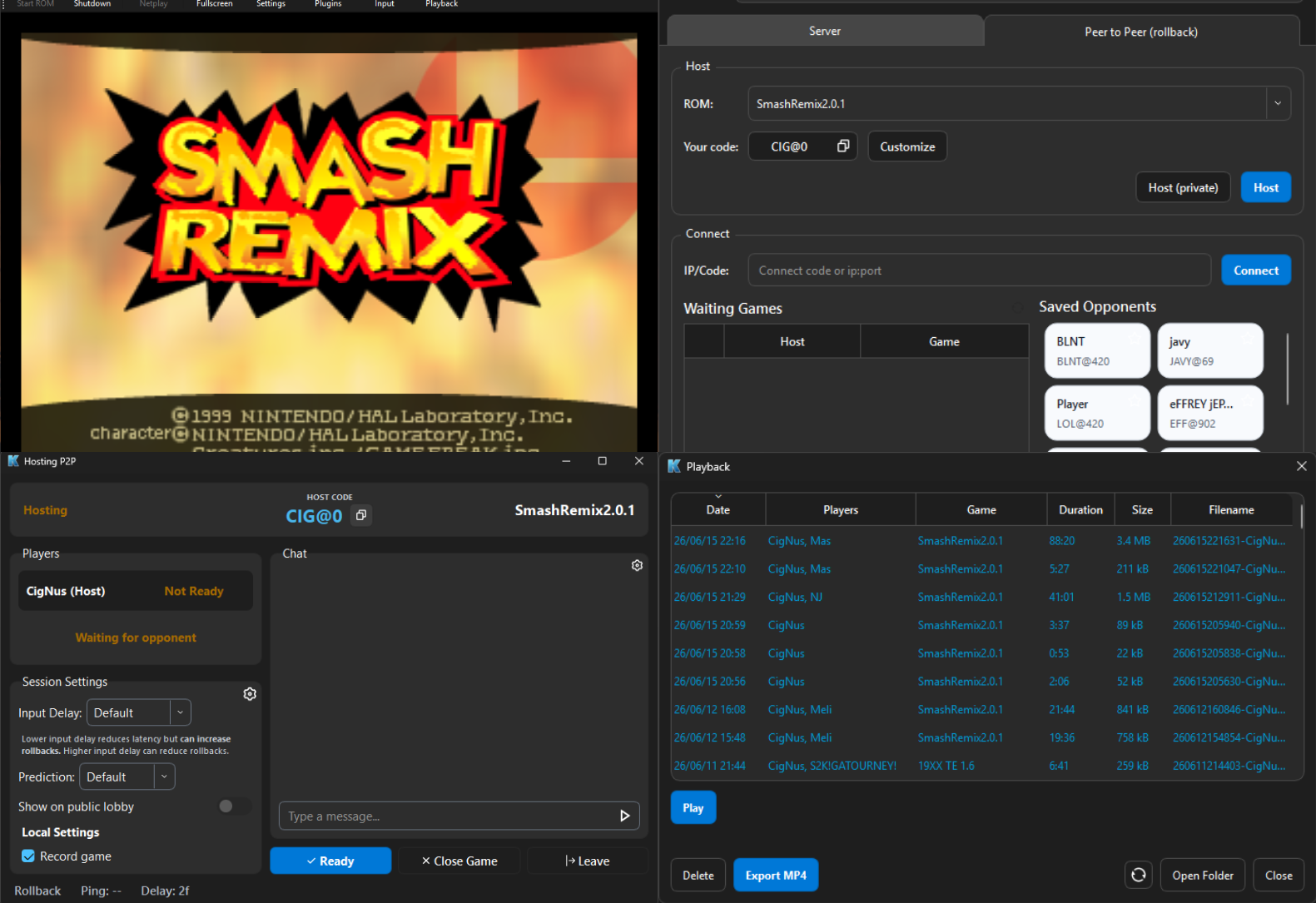
RMG-K (pour Rosalie’s Mupen GUI – Kaillera+ GekkoNet) est un fork de RMG (Rosalie’s Mupen GUI), une interface graphique open source écrite en C++ intégrant l’émulateur Mupen64Plus. Cette version met l’accent sur le jeu en réseau via les protocoles Kaillera et GekkoNet, avec la prise en charge des serveurs Kaillera classiques et des connexions directes entre joueurs (P2P). Elle propose notamment un navigateur de serveurs, un chat intégré en jeu, l’enregistrement et la lecture de parties en réseau, ainsi que la prise en charge de manettes Nintendo 64 et GameCube. Disponible gratuitement sous Windows et Linux.
 
Les nouveautés:
 
Jump into games already in progress
– Late join: if a match has an open seat, you can join the room mid-game. The host clicks Add to Game and you’re in after a pause of a few seconds. Nobody else’s game restarts.
– Rejoin after a drop: if you get disconnected, the host can add you back the same way.
– Start solo: hosts can start a match alone and add friends as they show up.
– Hosts can turn late join on or off for each room.
 
Save files
– Matches now start from the host’s save file, so everyone has the same unlocks.
– You can also start from a fresh blank save without picking a file.
 
Better replays
– New playback controls: a timeline you can click or drag to skip anywhere, 10-second jump buttons and playback speed from 25% to 400%.
– Bookmarks: mark your favorite moments. They’re saved inside the replay file.
– Faster video export, with the option to show chat in the exported video.
– Faster catch-up when you start watching a live match partway through.
– Spectators now see the right player names, even when people join or leave mid-match.
– Everyone in the room when a game starts can save a replay of it.
 
Fixes and improvements
– Smoother rollback: fixed a bug that could cause glitches or crashes after a rollback, and fixed several causes of desyncs.
– Players who lose their connection get a clear message instead of a frozen game.
– Fewer repeated pop-up messages during matches.
– Lobby chat stays scrolled to the newest message, and pressing Enter in room chat works as expected.
– New /lagstats command and button to check your connection quality during a match.
– No more stutter when resizing the window or switching to fullscreen.
– Player names on controller ports now show on Linux.
– Japanese translation of the lobby, used when your system language is Japanese.
– On laptops with two graphics cards, RMG-K now uses the faster one.

 
What’s Changed
– Translate rollback lobby UI to Japanese by @crossn in #225
– Stop watching a live replay when the lobby connection closes by @jtl3d in #226
– Show port labels on Linux for lobby, rollback P2P and live replays by @jtl3d in #228
– Watch live replays with the match’s exact ROM by @jtl3d in #227
– Use the lobby’s live replay keyframe interval by @jtl3d in #229
– GLideN64: keep compiled combiners on resize and fullscreen toggle by @jtl3d in #230
– Let the lobby decide rollback player drops by @jtl3d in #231
– Keep lobby chat scrolled to the newest message by @jtl3d in #233
– Fix rollback desyncs from SRAM and unused controller ports by @jtl3d in #234
– Only use japanese if it’s set as the default language by @nickthename in #236
– Add players to a running rollback match by @jtl3d in #235
– Fix desktop file entry to use proper executable name by @gilwiljam in #129
– fixed bugs with rejoining and ports, allowed 1p to start alone by @jtl3d in #240
– Speed up spectate catch-up and MP4 export by @jtl3d in #241
– added rollback /lagstats command and button by @jtl3d in #242
– remove unnecessary headers by @Jay-Day in #244
– Publish test builds from master by @Jay-Day in #245
– Fixes from late-join testing on master by @jtl3d in #247
– made late join an option by @jtl3d in #248
– Resolved: Rollbacks executing potentially invalid instructions by @Ownasaurus in #249
– Rollback save data: start matches from the host’s save by @jtl3d in #250
– Save data: start from a blank save without picking a file by @jtl3d in #251
– Enter in room chat no longer opens the save picker by @jtl3d in #252
– updates to playback ui/ux by @jtl3d in #254
– late joinable games can be recorded if present when rom starts by @jtl3d in #255


Télécharger RMG-K v0.9.16 (46.7 Mo)

Site Officiel

En savoir plus…

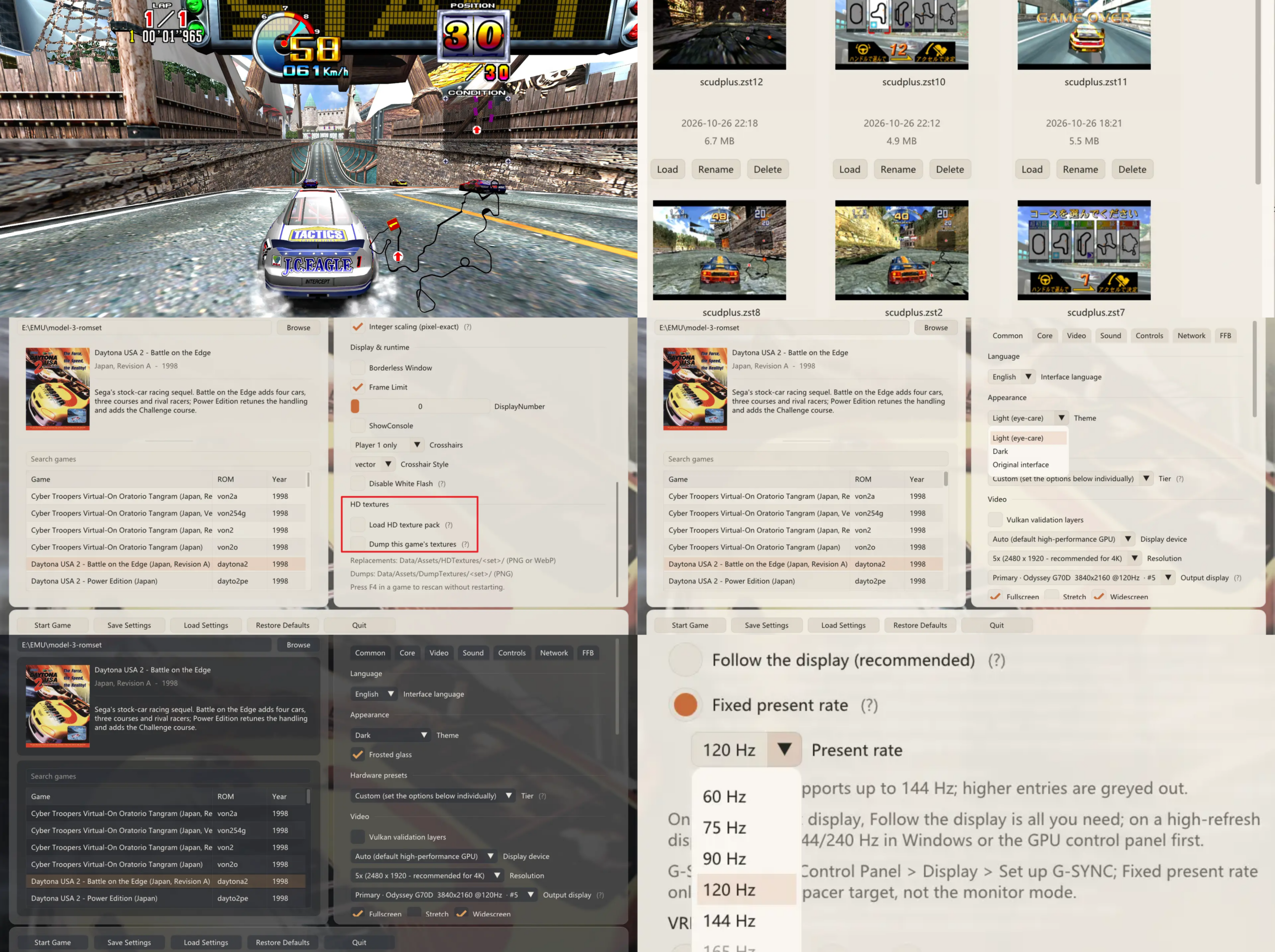
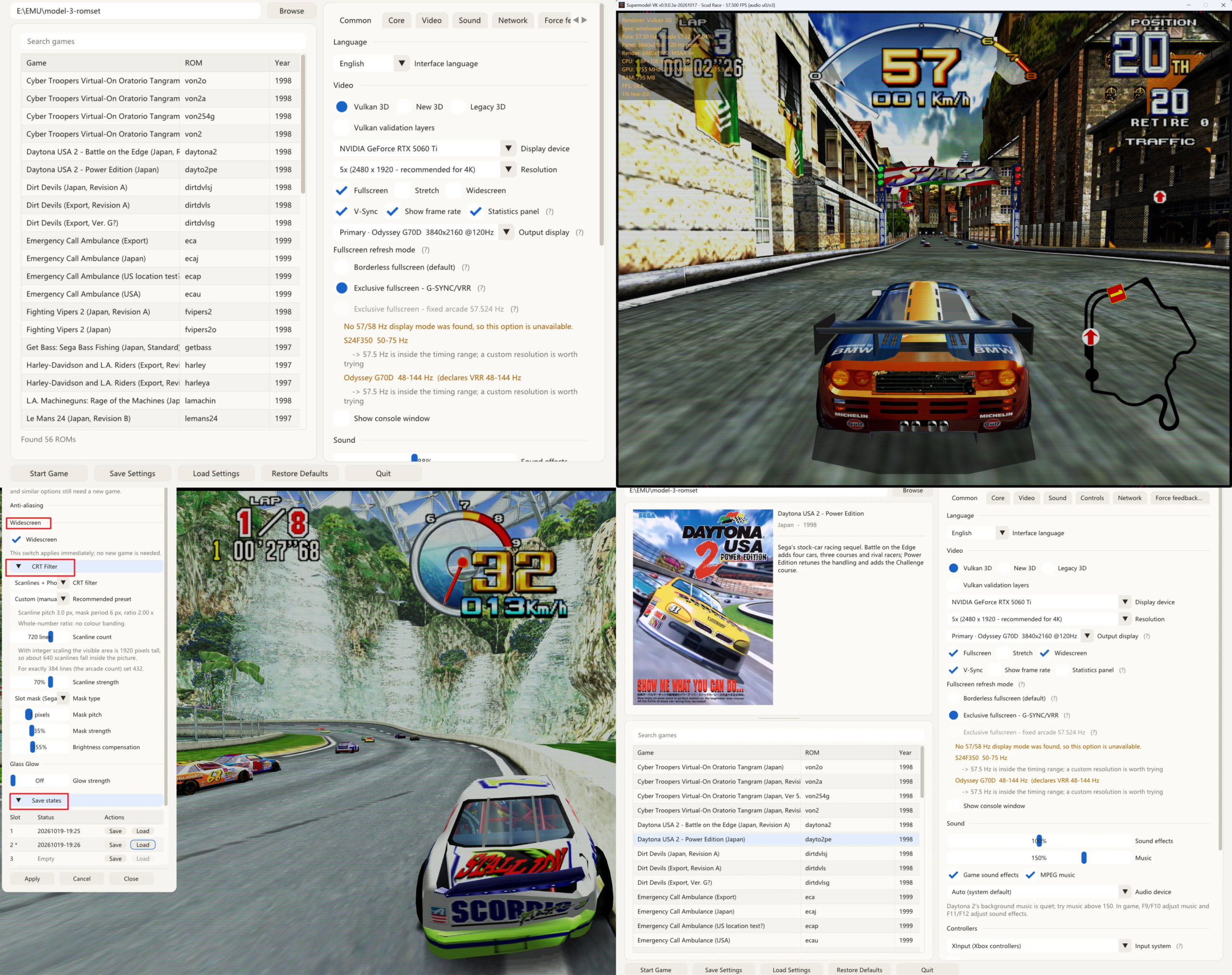
Anciennement SuperModel-VK, Model 3-Vulkan est une évolution indépendante de Supermodel, l’émulateur open source de la borne d’arcade Sega Model 3. Il propose une architecture de rendu Vulkan 1.3, des améliorations graphiques, une gestion audio modernisée et une interface graphique dédiée à la configuration de l’émulateur.


Caractéristiques:
– Émulation de la Sega Model 3 (1996-1999).
– Nouveau moteur de rendu Vulkan 1.3, avec un exécutable OpenGL 4.1 alternatif pour les systèmes incompatibles.
– Améliorations graphiques: filtrage anisotrope EWA, nouveau traitement de la géométrie par shaders et réduction des artefacts visuels.
– Système de transparence à plusieurs modes, dont un mode reproduisant le tramage matériel de la borne pour améliorer certains effets de fumée, de neige et de brouillard.
– Prise en charge des packs de textures HD aux formats PNG et WebP, avec génération automatique des mipmaps.
– Affichage panoramique avec extension du champ de vision 3D, sans déformation de l’image.
– Synchronisation à la fréquence originale de la borne (57,524 Hz), avec prise en charge du VRR et de G-SYNC, et amélioration du rythme d’affichage sur les écrans à haute fréquence.
– Options de rendu CRT avec scanlines, masques de phosphore et effet de halo lumineux.
– Mise à l’échelle entière et rendu 3D en résolution native ou doublée, indépendamment de la résolution du HUD.
– Interface graphique autonome avec plusieurs thèmes, configuration de l’émulateur et lancement des jeux.
– Overlay en jeu accessible avec Tab et menu rapide proposant notamment 16 emplacements de sauvegarde d’état avec vignettes.
– Sauvegardes d’état compressées au format Zstandard (.zst), réduisant sensiblement leur taille.
– Audio exécuté dans un thread dédié afin de limiter les saccades, coupures et grésillements.
– Améliorations de l’émulation audio, notamment des corrections du traitement des effets sonores et de la réverbération.
– Prise en charge des manettes avec détection à chaud des périphériques sur les interfaces d’entrée modernes.
– Gestion des fenêtres et adaptation de l’interface aux changements d’écran et de mise à l’échelle DPI.


Télécharger Model3-Vulkan v0.9.9.8 (18.0 Mo)

Site Officiel

En savoir plus…

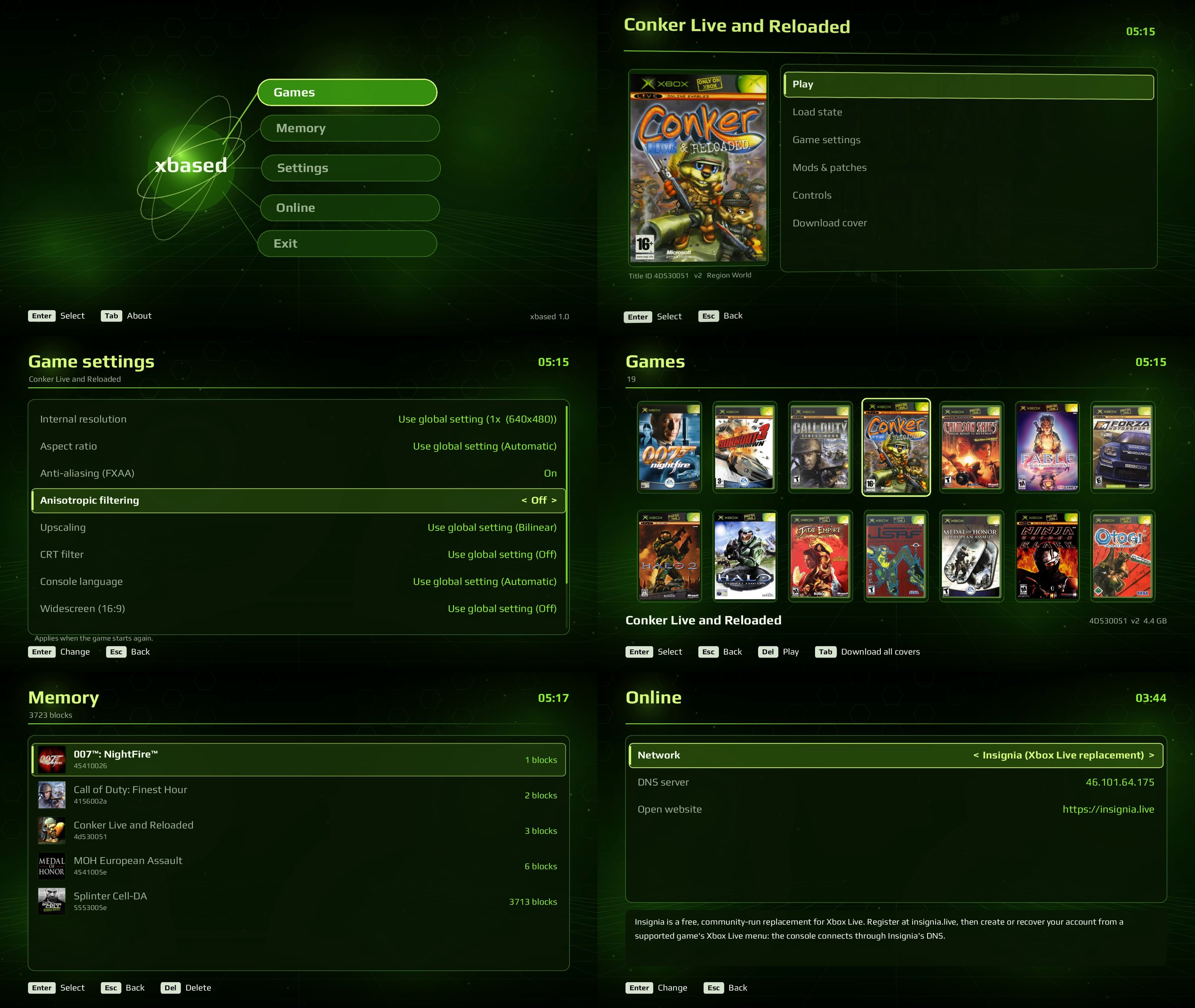
xbased est un émulateur open source de la Xbox originale pour Windows et Linux, développé en C++. Issu du projet hakuX de rfandango, il repose sur une réimplémentation du noyau Xbox, un moteur graphique NV2A utilisant Vulkan et un système audio MCPX. Il dispose d’une interface plein écran inspirée du tableau de bord de la console, entièrement pilotable à la manette. Il propose notamment une résolution interne jusqu’en 4K, des filtres CRT, la prise en charge des patches et mods IPS, les sauvegardes instantanées, quatre ports de contrôleurs et le jeu en réseau via Insignia, XLink Kai et System Link. Aucun BIOS, ROM MCPX ou disque dur Xbox n’est requis.


Télécharger xbased v1.1.15 (5.5 Mo)

Site Officiel

En savoir plus…

Voici les derniers émulateurs en développement de Switch 2 bénéficiant des mises à jour les plus fréquentes (plusieurs fois par jour.


Télécharger Instaurix v0.1.1 alpha (27.6 Mo)

(site)

Télécharger Eden NX2 (2026/10/29) (34.4 Mo)

(site)

Télécharger (Eglantine-Fork / Eden-Nx2) Droplet v0.2.0 (58.8 Mo)

(site)

Télécharger (Eglantine-Fork) Rdenno build 8 r261115 (109 Mo)

(site)

Télécharger (Eglantine-Fork) Selevet build 9 (24.1 Mo)

(site)

Télécharger (Eglantine-Fork) Orchid v0.10.0 (99.6 Mo)

(site)

Télécharger (Eglantine-Fork) Lichii build 341 (89.9 Mo)

(site)(Ally)

Télécharger (Eglantine-Fork) Lichii AMD Superior build 9 (131 Mo)

(site)

Télécharger (Eglantine-Fork) Lichii Conongnang build 16 (115 Mo)

(site)

Télécharger (Eglantine-Fork) Fritchii v6.1 (71.4 Mo)

(site)

Télécharger (Eglantine-Fork) PokeDinner v2.7.7 (62.0 Mo)

(site)

Télécharger (Eglantine-Fork) NovaS v0.2.3 (59.1 Mo)

(site)

Télécharger (Eglantine-Fork) SmileyTatsu build 20 v2 (66.6 Mo)

(site)

Télécharger (Eglantine-Fork) Notsapinho build 24 (65.0 Mo)

(site)

Télécharger (Eglantine-Fork) Anka v1.1.2 (52.2 Mo)

(site)

Télécharger (Eglantine-Fork) ZendNevs v2.0.5 (35.5 Mo)

(site)

Télécharger Eglantine v0.1.0 RC4 r261118 (68.9 Mo)

(site)


Quel fork(s) choisir?
 

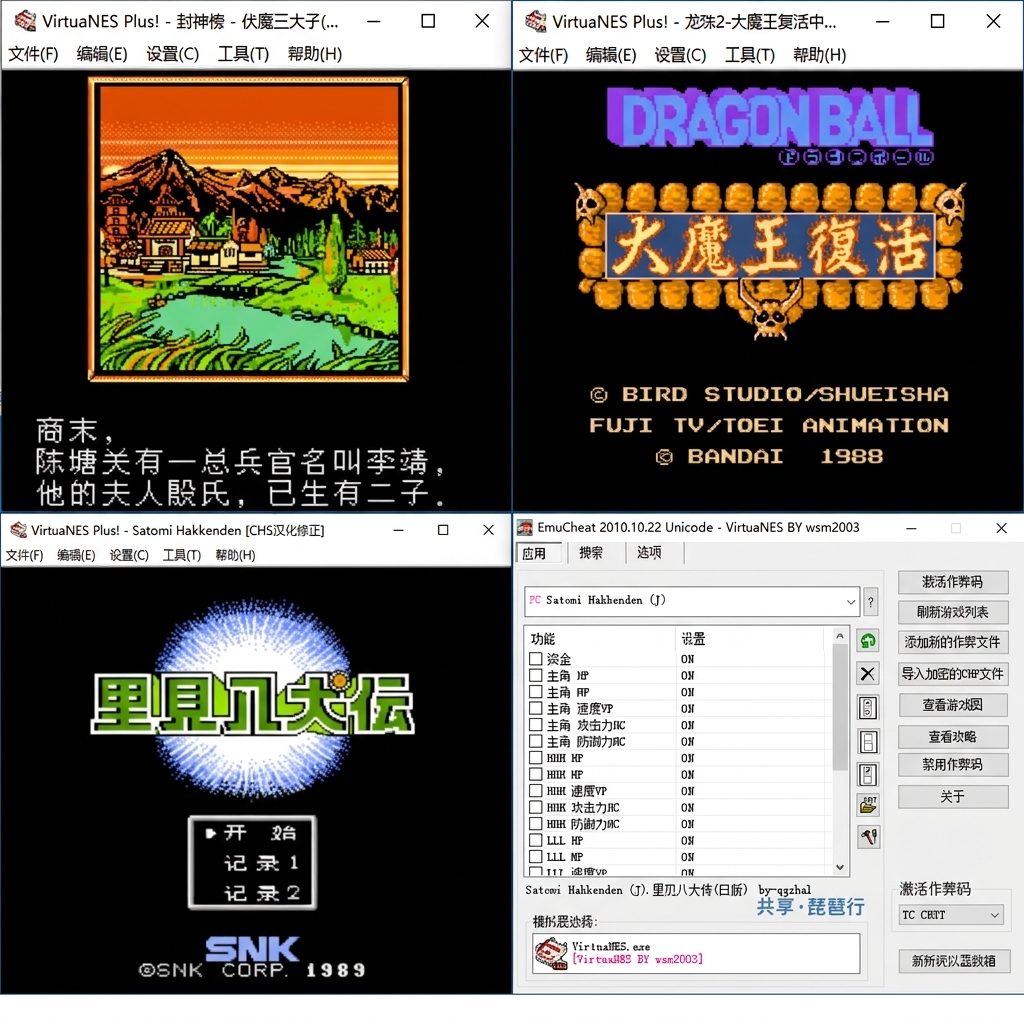
Cet émulateur NES/Famicom met particulièrement l’accent sur la compatibilité avec les jeux chinois et les nombreuses versions traduites de jeux Famicom. Le développeur estime que près de 99 % des jeux FC chinois devraient fonctionner correctement.


Les jeux chinois dont dispose actuellement le développeur ont été testés et pris en charge, mais de nombreux ROMs traduits ne sont pas disponibles pour lui et n’ont donc pas pu être vérifiés. Le projet corrige également directement dans le code de l’émulateur certains problèmes propres à des ROMs, notamment plusieurs jeux d’外星科技 (Waixing), comme 圣火徽章外传.


Le développeur précise toutefois que les tests restent limités et que des bugs peuvent subsister. Certains problèmes peuvent également provenir directement des ROMs plutôt que de l’émulateur.
 
Une version Android existait auparavant, mais son développement a été abandonné et elle ne sera plus distribuée.
 
Le code source peut être fourni sur demande, mais le développeur ne souhaite pas qu’il soit rendu public, notamment afin d’éviter que des versions modifiées soient commercialisées.
 

Télécharger VirtuaNES Plus! (2026/11/06) (2.7 Mo)

Site Officiel

En savoir plus…

Voici les derniers builds de Creamymami concernant MAME(Arcade).


– Caname c’est MAME(Arcade) ne supportant que les jeux CPS et Neo Geo.
– NMamex2 est un build de l’émulateur MAME(Arcade) sous Windows qui ne supporte que les jeux NeoGeo.
– Mame32k c’est MAME(Arcade) intégrant le module Kaillera (jeu en réseau).
– Mame32 More! est une version basée sur Mame Plus! mais compilée avec Kaillera.
 

Télécharger Caname v0.62.289 (2026/11/07) (2.4 Mo)

Télécharger NMamex2 v0.289 (2026/11/07) (1.7 Mo)

Télécharger Mame32K v0.67.289 (2026/11/07) (9.5 Mo)

Télécharger MAME32 More! v0.84.289 (2026/11/07) (12.2 Mo)

Site Officiel

En savoir plus…

Il s’agit de FBA Shuffle faite par Creamymami, contrairement aux versions de KOF2112, cette version est plus proche de la version officielle de FBA.
 
fba_shuffle_lang


Télécharger FBA Shuffle (x86) [Creamymami] v2.4.0 (2026/11/07) (6.6 Mo)

Télécharger FBA Shuffle (x64) [Creamymami] v2.4.0 (2026/11/07) (7.1 Mo)

Site Officiel

En savoir plus…

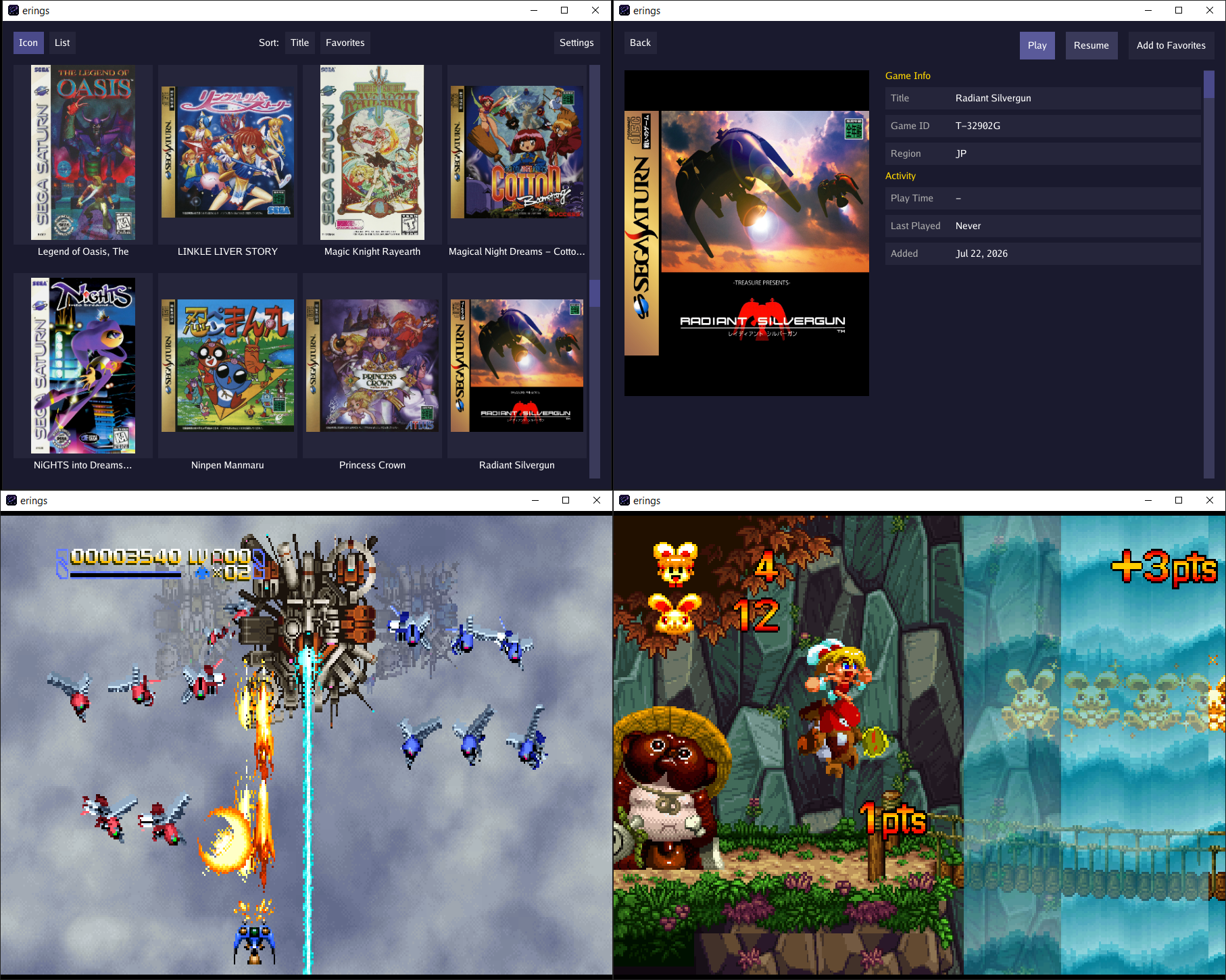
Erings est un émulateur Sega Saturn conçu avant tout comme un lecteur de jeux simple et accessible, plutôt que comme un outil d’émulation matérielle parfaite. Son objectif principal est de vous permettre de profiter de la majorité du catalogue officiel dans d’excellentes conditions, sans vous soucier de réglages techniques complexes ou de fonctionnalités de développement inutiles.
 
Fonctionnant via l’interface bureau épurée eblitui, il est totalement optimisé pour une utilisation sur grand écran avec une navigation à la manette pour un joueur solo. Il prend en charge les images disque au format .chd et .cue/.bin, gère les zones NTSC et PAL, intègre les succès RetroAchievements, et conserve automatiquement vos sauvegardes internes ainsi que vos save states d’une session à l’autre.
 
Côté matériel, il embarque la cartouche d’extension RAM 4 Mo et la carte MPEG. Pour vous simplifier la vie, il inclut un BIOS HLE évitant la recherche de fichiers externes, tout en gérant le patch de région si vous utilisez des BIOS originaux. En résumé, passez Erings en plein écran, installez-vous confortablement et relancez vos jeux Saturn préférés en toute simplicité.


Les améliorations sont les suivantes:
 
Features
– Add optional per-game deinterlacing for double-density interlaced games
– Add graphics API selection to the Renderer setting, including Direct3D 12 and Vulkan on supported Windows builds
– Enrich game information with native titles, box-back descriptions, player counts, cooperative play support, regional publishers and release dates, age ratings, and critic review scores
– Add an artwork carousel for front and back covers, disc images, flyers, and posters
– Add artwork download settings, a preferred box art region
– Add a button to turn off all cheats for a game
 
Fixes
– Save battery-backed data, resume state, and play time not always saving when closing the application window
– Prevent incomplete or conflicting file writes when saving configuration, library data, and game files
– Fix concurrent access to configuration, library data, achievements, and emulation pause and resume state
– Correct CHD self-referencing hunks and CD error-correction reconstruction
– Strengthen validation of CHD, FLAC, CUE/BIN, RAR, and compressed TAR files to reject corrupt data, invalid track layouts, unsafe file paths, and excessive decompression
– Correct alignment of misaligned memory accesses to work RAM, BIOS, and expansion RAM
– Stop MPEG video streams that exceed the card’s supported picture dimensions
– Fix Vulkan shader generation for 64-bit negation and conditional value assignments
– Keep the selected game visible when restoring the library list position
– Reset scrolling when changing detail or settings pages and correct directional navigation in settings
– Fix Backspace handling for Unicode search text and keep the search overlay within the window
– Scale screenshot previews to fit the preview area and GPU texture limits
– Validate input settings, reject empty game identifiers, and restore defaults for unsupported stored core options
– Require HTTPS for artwork, updates, and RetroAchievements requests, and validate achievement response sizes and image dimensions
– Restrict configuration file permissions to the owner
 
Changes
– Bundle game metadata, cheats, and rumble definitions with erings instead of downloading them separately
– Replace RetroArch RDB metadata and legacy CHT content handling with bundled game data
– Download artwork through a signed index and verify image hashes
– Improve keyboard and controller navigation with focusable scrollbars
– Group library buttons into add and remove actions and reorganize artwork settings
– Add Japanese font support and improve text spacing on game detail pages
– Improve Vulkan rendering performance and reduce graphics initialization overhead
– Separate application and core identity, and use the application name and version consistently in About, update checks, and download requests
– Update Go and supporting dependencies


Télécharger Erings v1.2.0 (13.0 Mo)

Site Officiel

En savoir plus…

DualSenseY est un outil puissant conçu pour contrôler et personnaliser les manettes Sony DualSense (PS5) sur Windows. Il offre des fonctionnalités avancées telles que le contrôle des LEDs, la configuration des gâchettes adaptatives, les vibrations haptiques, les commandes du microphone et même une fonction de capture d’écran via le bouton microphone de la manette.


Télécharger DualSenseY R59 (12.6 Mo)

Site Officiel

En savoir plus…

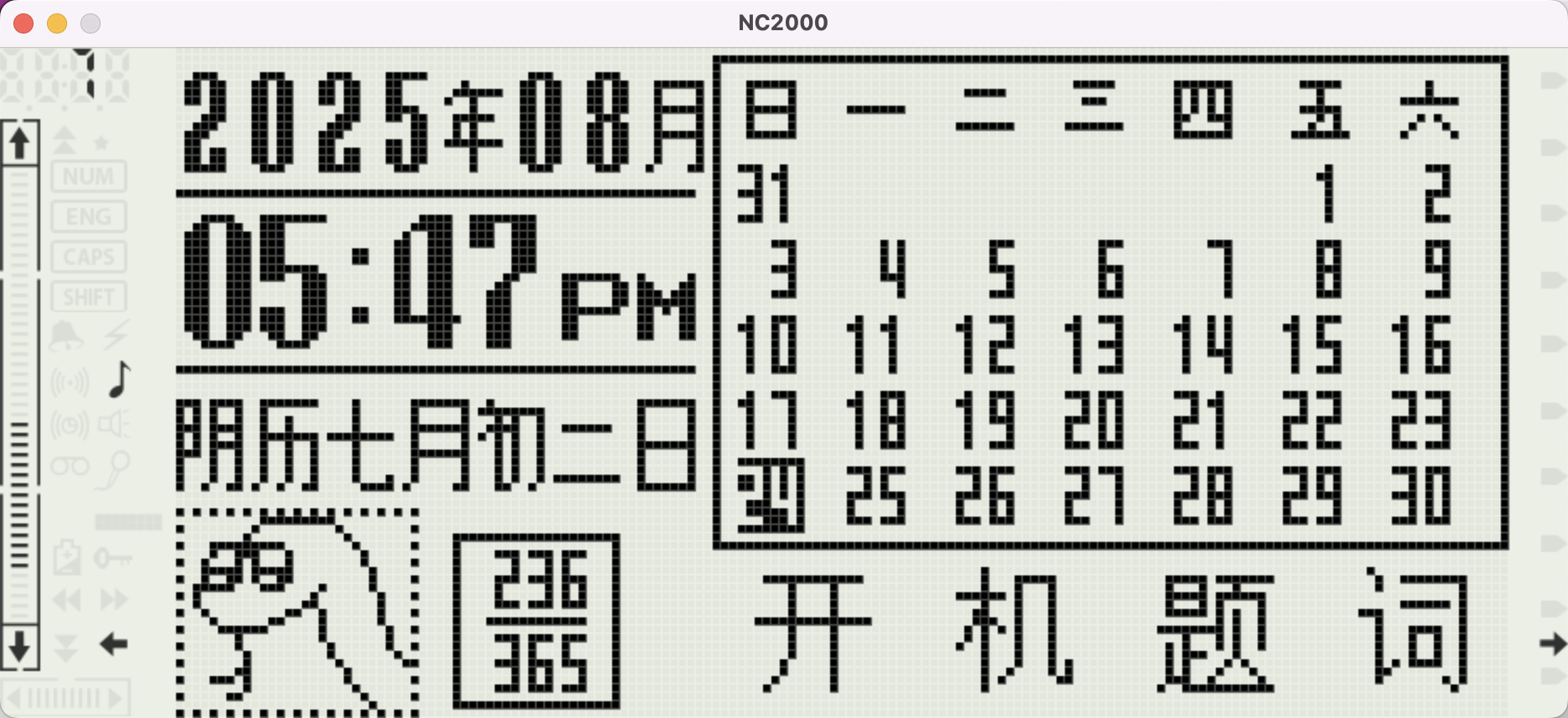
Le projet NC2000 est un émulateur open-source pour les appareils rétro nc2000/nc2600/nc1020, basés sur un CPU 6502. Il permet d’exécuter les firmwares originaux dumpés des machines physiques, avec compatibilité Windows/Linux/Mac.


Télécharger NC2000 (2026/11/15) (3.2 Mo)

Site Officiel

En savoir plus…

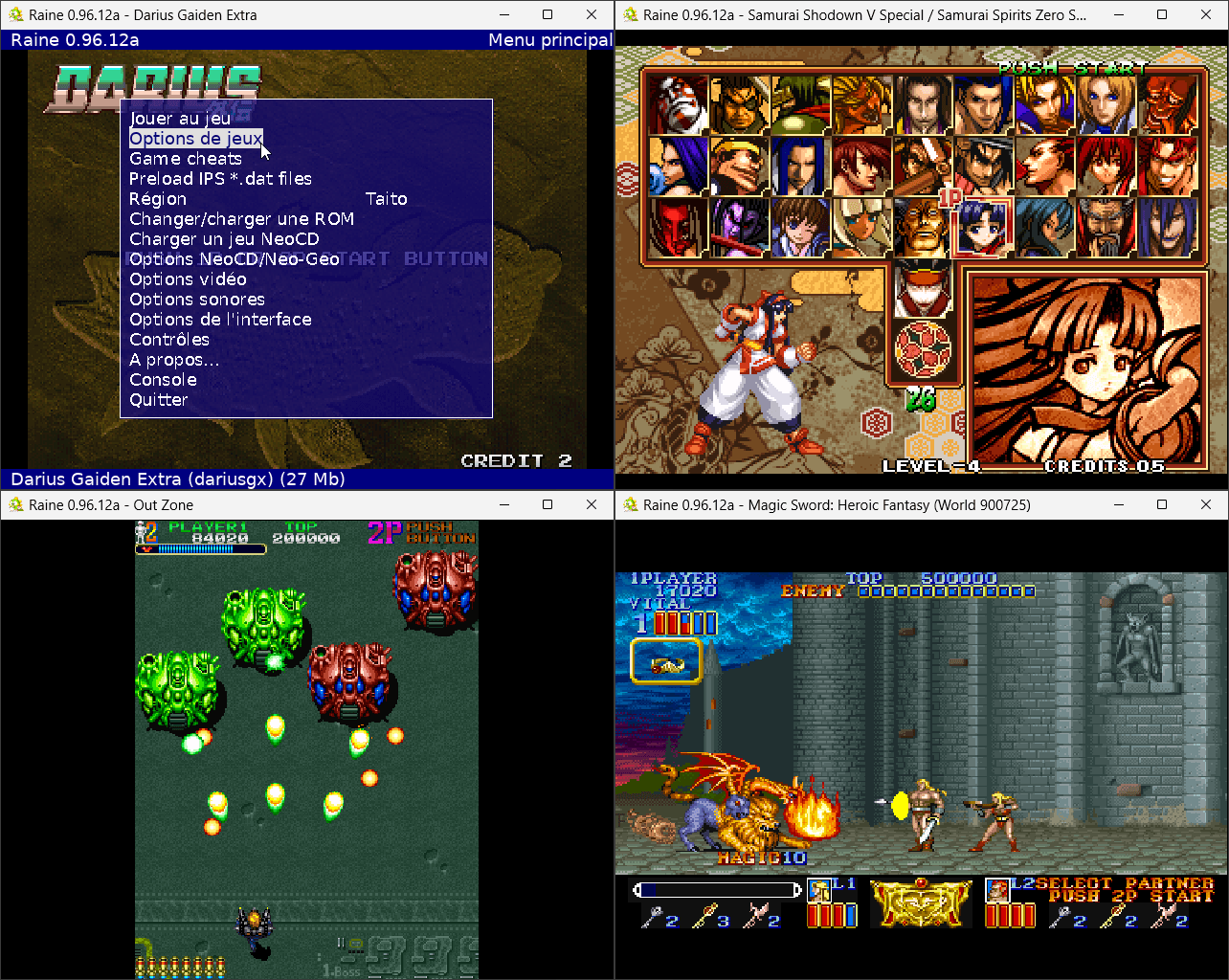
Raine est un émulateur Arcade/NeoGeoCD ainsi qu’une excellente alternative à MAME.


En résumé:
 
New drivers, mainly some japanese games that I never added because I couldn’t test them obviously, so:
– Quiz Daisousa Sen – The Last Count Down (quizdais), japanese and korean versions
– Quiz King of Fighters (quizkof), japanese/korean
– Quiz Meitantei Neo & Geo – Quiz Daisousa Sen part 2 (quizdai2)
– Mahjong Kyo Retsuden (mahretsu, playable with standard inputs, no plan to add the mahjong special inputs!)
– Chibi Marukochan Deluxe Quiz (marukodq)
– Last Hope (bootleg AES to MVS conversion,no coin support), with a patch so that it can be launched with any bios, even mvs.
– Minasan no Okagesamadesu! Dai Sugoroku Taikai (minasan), this one is a puzzle!
– Bakatonosama Mahjong Manyuuki (bakatono, another mahjong)
– Golden Axe neogeo by Hoffman (goldenaxeng), he removed his rom from itch for some reason, the rom is still available at other places on internet, easy to find.
– Xeno Crisis (Bitmap Bureau), this one is sold which didn’t make testing easy. but karasan0101 tested it and says it’s perfect.
– Robocop – Neo Geo Conversion (HB, Beta 13) by Teo Tormo (robocopng) from there: https://teo-tormo.itch.io/robocop-neogeo
– Double Dragon One (HB, Beta 3.2) by OzzyOuzo, sorry this one is unplayable because controls become unresponsive as soon as stage1 starts. So it’s marked as « partially working ». I fixed a bug it had on the fbi logo screen, but couldn’t find why the inputs disappear in game so far.
– The Eye of Typhoon (HB, Beta 7 Version) by OzzyOuzo (teot), I mainly included this one to see if it had the same controls bug, no, this one is fully playable, it’s from there: https://ozzyouzo.itch.io/teot
 
Except that: I finally decided to finish the palette emulation for neogeo (!), I added some experimental support for this dark bit, I didn’t want something as complex as what mame did, but the problem is that I don’t have a good place to check how it looks. So if someone knows a good game to check for that let me know. And while we are at it, there is also the « shadow » mode, which darkens the palette, normally it’s supposed to be used in pause, but all the games I tested didn’t use it! So for now I didn’t add anything for it, if someone knows for sure a place where it’s used, let me know!
 
Fixes:
– Now display curl error codes because it becomes increasingly difficult to download from internet archive these days. Oh well it was good while it lasted!
– Raine is now usable with a tiling window manager like hyprland in linux, specific to linux this one.
– Can now be compiled with zlilbng.
– The Neogeo id is now displayed at the bottom of the screen like what is done for neocd games, it allows to remove that from the too long game titles they have.
– Fix neogeo scanline counter ! This one prevented from playing robocopng at 1st, a very surprising bug which probably impacted some other neogeo games. Anyway it’s fixed.
– Lots of small but important fixes for the console.

 
A lire ici


Télécharger Raine (Dos) v0.96.6 (5.3 Mo)

Télécharger Raine (XP) v0.97.1 (6.9 Mo)

Télécharger Raine (32 bits) v0.98 (7.2 Mo)

Télécharger Raine (64 bits) v0.98 (7.1 Mo)

Site Officiel

En savoir plus…

Simple64X (développé par GamesExObscura) est un fork Windows de l’émulateur N64 Simple64 (basé sur mupen64plus), intégrant une bibliothèque de ROMs, des paramètres individuels par jeu, la mémorisation permanente des manettes, le changement à chaud des Controller Paks ainsi qu’une gestion de cartouches GB/GBC pour les jeux compatibles Transfer Pak.


Télécharger Simple64X v1.0 (51.9 Mo)

Site Officiel

En savoir plus…


https://getourbonus.com/fr/accueil

https://www.romspedia.com/