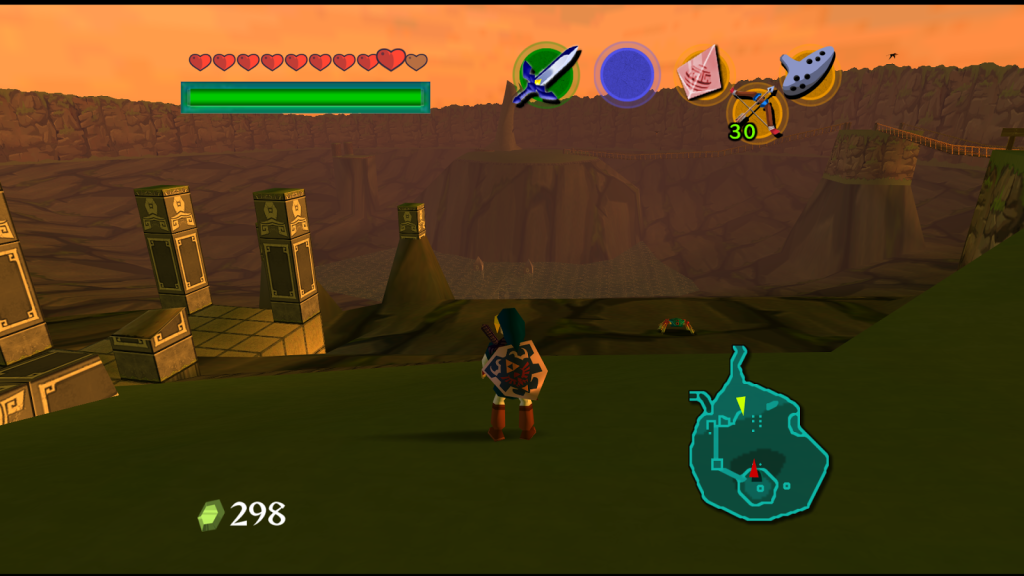
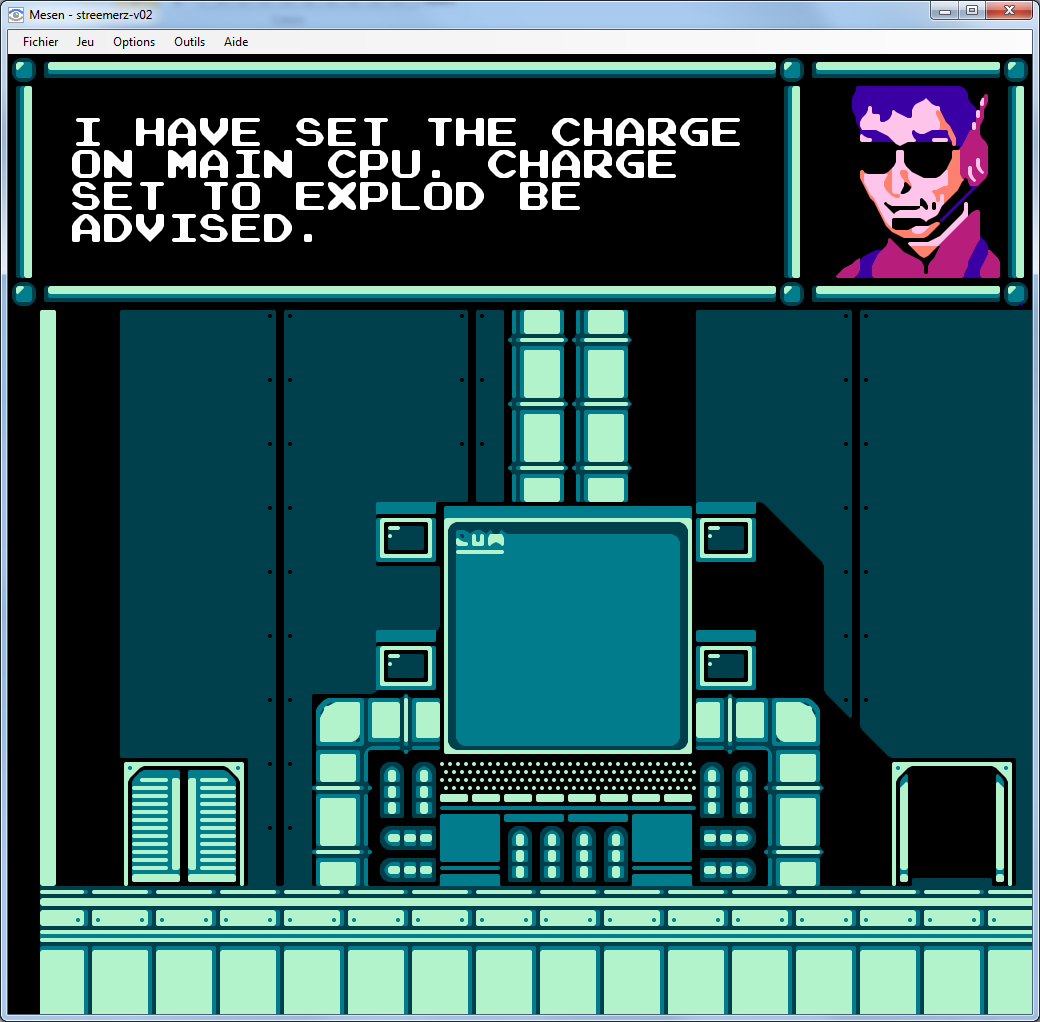
Il s’agit d’un émulateur de Nintendo NES (et aussi FDS, NSF, NSFe, VS System) écrit en C++ (interface en c#) gérant le multi threading et est capable de s’exécuter en mode 32 ou 64 bits automatiquement. Il s’attarde sur la précision, gère un ensemble de mappers et filtres graphiques (mais aussi les packs HD au format HDNes) ainsi que les extensions zip/7z, permet l’enregistrement vidéo, le jeu en ligne ou encore d’utiliser des codes de triches. De plus, il se mettra à jour automatiquement. En outre il dispose également d’un débogueur.


Il vous faudra disposer de Windows Vista, 7, 8, 8.1 ou 10 ainsi que DirectX 11 avec .NET Framework 4.5+ d’installé.

 
Mesen
 

New Features

– Linux: Mesen can now run under Linux (requires Mono and SDL2). This is still a work in progress and may contain bugs and crashes.
– UI: Mesen is now available in Portuguese (translation by ThallesAps)
 
Bug Fixes

– Audio: Improved square channel accuracy and fixed a sound mixing bug introduced in 0.6.0.
– Misc: Fixed issues with DirectInput controllers and the debugger.
– Overclocking: Fixed issues when using overclocking in games that use the DMC channel.


Télécharger Mesen v2.1.1 (33.5 Mo)

Site Officiel

Gonetz, celui-là même qui développait le plugin Glide64 (dernière version en 2012, ici) considéré comme un excellent plugin par beaucoup (bien que limité par l’architecture qu’il sert) s’est évertué à créer un nouveau plugin avec davantage de possibilités que Glide64 mais en utilisant cette fois-ci l’OpenGL (d’où le nom) qui est beaucoup plus puissant et qui permet de faire bien d’autres choses sans véritables limitations. Ce plugin utilise comme base glN64 de Orkin et, comme ceux basés sur RiceVideo, supporte les packs de textures hautes résolutions (voir ici où là). A noter qu’une version pour Android et Linux sont également disponibles.


Il s’agit très probablement du meilleur plugin vidéo pour émulateur de Nintendo64 !
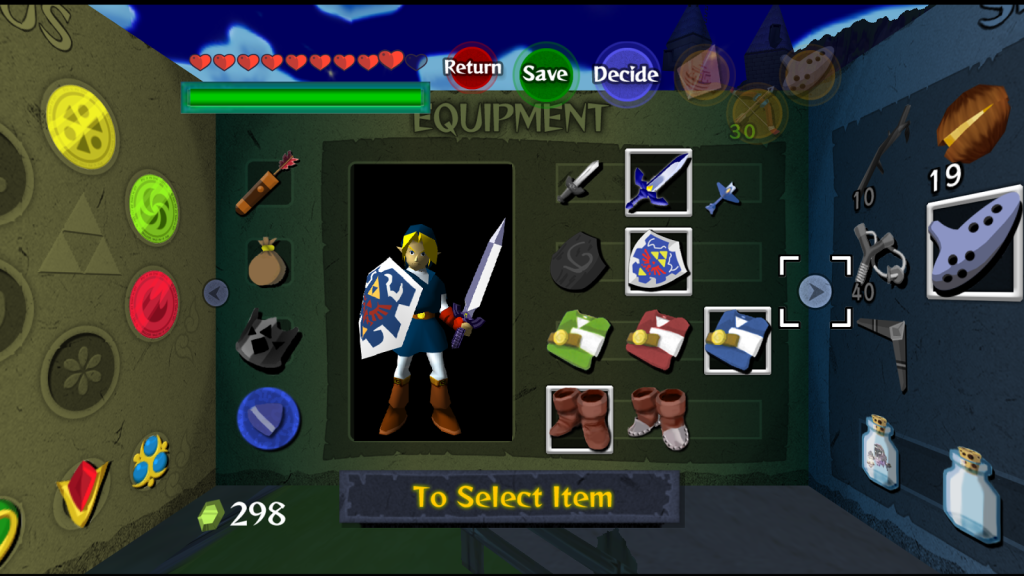
 

GLideN64_THE_LEGEND_OF_ZELDA_WS2 GLideN64_THE_LEGEND_OF_ZELDA_WS1


Il y a plusieurs fichiers dans l’archive:


    • Pour Mupen64Plus: Placer le fichier dll dans le dossier de l’émulateur et configurer l’émulateur pour utiliser le plugin GLideN64. Lancer n’importe quelle rom(s). La première exécution créera un fichier de configuration que vous pourrez alors éditer avec un éditeur de texte ou via un frontend.


    • Pour les émulateurs utilisant les spécifications de Zilmar: 1964, Mupen64, Project64 et autres. Copier les fichiers ‘dll’ et ‘ini’ dans le répertoire ‘plugin’ de l’émulateur correspondant et lancer la configuration vidéo de l’émulateur pour utiliser GLideN64 comme plugin graphique. Configurer les options de configurations vidéos selon votre goût et lire les info-bulles pour obtenir d’avantages d’explications.


    • Pour Linux Ubuntu64 avec l’émulateur Mupen64Plus: Créer des binaires efficaces distribuables pour Linux n’est pas évident, il n’y a donc aucune garantie que cela marche. La distribution du plugin au public sera donc open-source, vous pourrez donc y jeter un œil, le modifier et le compiler au besoin. A télécharger sur le projet officiel directement par les sources ou utiliser celles déjà présentes dans l’archive.

 
Voici les quelques explications sur cette nouvelle version:
 
Time is come to set new Release tag to master branch. 20 months passed since the first major public release. List of improvements made since that time is huge. Thus this new release gets new major version. Some statistics: since previous public release
 
* 690 commits to master
* closed over 450 various issues
 
Fixes in combiner, blender, texture loading, frame buffer emulation eliminated graphics issues, which plagued N64 emulation since the beginning and until recently required use of software rendering for correct emulation. Of course, hundreds of GLideN64 own bugs was squashed on the way. Detailed information about new features of this release can be found in my New Public Release articles.
 
Public release 1.0 took 8 month of my hard full-time work. It became possible as result of successful crowd-funding campaign on Indiegogo.
 
Now I ‘m working on the project as on my hobby, in my spare time. New major release took 20 months. It could take much more, but now I am not working alone. The project currently has 28 contributors.
My special thanks to:

  • purplemarshmallow: frame buffer emulation improvments, general fixes
  • Francisco Zurita aka fzurita: support of Android port, GLES fixes, general fixes
  • Logan McNaughton aka loganmc10: support of Raspberry Pi port, general fixes
  • Ryan Rosser aka Aquatakat: GUI design
  • matthewharvey: code cleanup and optimization
  • Gilles Siberlin aka Gillou68310: ucode decoding, general fixes
  • AmbientMalice: ini cleanup
Very special thanks to Sergey Povalihin aka angrylion for explanations of various aspects of RDP work. His advices helped me to fix many tricky issues.


Also, my thanks to all users of https://github.com/gonetz/GLideN64. Your bug reports and feedback greatly help us to improve quality of the program.
Speaking of quality: we still have over 200 open issues. Not all of them are bug reports. Feature requests and suggestions are in that list too. Nevertheless, list of known issues is still large. There are games, which are not supported at all. The work will continue.

Internalization: at this moment only two translations are up to date:

  • Spanish, thanks to Víctor « IlDucci »
  • French, thanks to baptiste0602


Other translation files built from translations for previous release, so lots of text left untranslated.


Télécharger GLideN64 PR 4.0 fix (4.3.29 DEV) (10.9 Mo)

Site Officiel

En savoir plus…

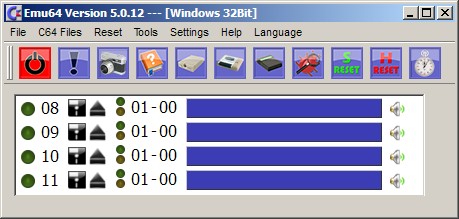
Il s’agit d’un émulateur de Commodore C64 en allemand et aussi en anglais.

 
emu64
 

– Stereo SID is now also integrated in 5.xxx and can be configured
– Stereo SID – 6 channel mode (new) (both SID’s on both channels)
– If the second SID is also set to IO $ d400, this is delayed by 1000 cycles (pseudo-stereo)
– Position and size are now also stored in the TapeWindow
– You can now create your own ROM sets (Kernal / Basic / Char / 1541-Dos).
– Restore NMI (RESTORE BUTTON) is default to DELETE
– Each C64 key can now be intuitively assigned a physical key
– Now you can create an empty EasyFlash image again
– BUGFIX # 90 : Emu64 should start again faster (long waiting time at « C64 class is initialized »)
– BUGFIX # 73 : Emu64 can now also under Windows by closing C64 screens quit
– BUGFIX # 53 : AltGr + Return is now also under Windows (Fullscreen) = ok
– BUGFIX # 81 : Easy Flash LED works again = ok


Télécharger Emu64 (x86) v5.2.0 (21.9 Mo)

Télécharger Emu64 (x64) v5.2.0 (23.9 Mo)

Site Officiel

En savoir plus…

SSE pour « Steven Seagal Edition » est un émulateur d’Atari ST basé sur le STeem original v3.2 de 2004. Il emprunte également des améliorations en provenance de Hatari.


Les améliorations sont les suivantes :
 

– Remove HD/TOS warning (a ‘bad idea’ fix).
– No warning for STF/T206, they’re compatible.
– Reorganisation of option names in steem.ini (example, there were « Options » and « Option » sections). Because of that, first startup may be confusing, but it had to be done one day.
– If, unlikely as it is, Steem crashes, it will report the exception number and position in a message box, and then close cleanly if possible.
– Auto select TOS on load snapshot: try to match country.
– Clicks on some DMA sounds (Talk Talk 2).
– Reading Joypads when the program doesn’t respect conventions (Substation).
– WD1772: delay on SEEK when DR=TR (Suretrip II STW).
– ACIA transmission on accelerated ST (option C1 for 6301 and MIDI).
– MC68000: some timing corrections (using Yacht table).
– Drive speed in « accurate » mode (Necrosys, Oh No More Froggies).
– Joystick port 0 with option C1 (TNT).
– Screenshot with normal (small) size (D3D build).
– Win64 build: fix some GUI crashes.
– File handle leak when using ArchiveAccess.dll.
– CAPS some drive sounds missing.
– Some crashes on load snapshot (option C2).
– Crash on change R/W when STW/HFE disk inserted.
– Save as Neo: save correct resolution.
– Resetting in medium resolution could cause shifted planes, low resolution display.
– Fullscreen crisp rendering: trash when switching resolutions
– DefaultSnapshot in ini file interfering with dropping disk image file on Steem


Télécharger Steem SSE (D3D) [32 bits] v4.2.1 R3 (6.8 Mo)

Télécharger Steem SSE (D3D) [64 Bits] v4.2.1 R3 (7.6 Mo)

Site Officiel

En savoir plus…

Il s’agit d’une branche de l’émulateur de Microsoft X-Box CXBX, apportant certains modifications et améliorations diverses.


cxbx_reloaded
 
Branche Darkrush3760
Branche LukeUsher


Télécharger CXBX Reloaded (2016/12/24) (908,7 Ko)

Site Officiel

En savoir plus…

GameEx est une interface graphique pour vos émulateurs. Elle sert également de lecteur vidéo, DVD et CD.


Certaines fonctionnalités de GameEx :
– lit aussi les fichiers audio.
– supporte les affichages LCD/VFD, ArcadeVGA.
– peut adapter son affichage pour les écrans larges, elle peut aussi tourner l’affichage de 90° (vertical).
– peut être contrôlée à distance, ou par une manette ou par la souris uniquement.
– supporte les contrôleurs arcade : HotRod, X-Arcade, SlikStik et IPAC.
– est compatible avec les interfaces entre PC et cartes arcade : U360, I-PAC, J-PAC.
– intègre un Jukebox qui supporte les fichiers ogg, mp3, wma, m4a, et flac.
– Les musiques peuvent être lues et changées pendant que vous êtes en train de jouer.


Ce frontend est disponible en version gratuite & payante (17 $) incluant de nombreuses autres fonctions.


Télécharger GameEx v14.70 (41,1 Mo)

Site Officiel

En savoir plus…

Un émulateur multi-système écrit en Java et qui émule les machines suivantes: AC1, BCS3, C-80, HC900, Hübler/Evert-MC, Hübler-Grafik-MC, KC85/1, KC85/2, KC85/3, KC85/4, KC85/5, KC87, Kramer-MC, LC-80, LLC1, LLC2, PC/M, Poly-Computer 880, Schachcomputer SC2, SLC1, VCS80, Z9001, Z1013.


Télécharger JKCemu v0.9.6 (3,9 Mo)

Site Officiel

En savoir plus…

MAME Content Manager Plus est un programme simple qui permet de trier et selectionner les roms que vous voulez garder sur votre PC. Il permet de facilement renommer ou effacer les roms MAME en utilisant les catégories : Adult, Quiz, Mahjong, Puzzle, etc.


Les changements sont visibles ici.


Télécharger MAME Content Manager Plus v1.1.1 (946,2 Ko)

Site Officiel

En savoir plus…

Une nouvelle version de développement est disponible sur le site git officiel, en voici les changements depuis la version stable v4.7.3:


– CompuMate PAL ROM now displays in correct mode
– RESPM is fixed for 8 pixel players -> Frostbite displays correctly
– Fix spurios dispatch after RESPx for wide players -> Fixes glitch in Missile Command
– Frame rate stabilization
– Side effects of NUSIZ during decode are modelled -> Meltdown seems correct now
– Emulate final reset of more movement required counter -> Fixes glitch in Masters of the Universe
– Delay ENABL by one cycle -> fixes Super Challenge Football
– Fix INPT5
– Fix positioning regressions introduced between pre1 and pre2
– « Mega Bitmap Demo » now displays correctly; this is the first time that this ROM has ever worked in any emulator
– RESMP matches real hardware fo 16 and 32 pixel players
– Starfield includes an effective description of modulation effects seen on real hardware (players not included for now)
– Frame and TV mode detection are improved, fixes multiple glitched ROMs
– Exception in Yar’s revenge is fixed
– Keyboard controllers et. al. now work
– Delay for REFP[01] — fixes Strawberry Shortcake
– Sprite positioning during extenden hblank has been adjusted. This fixes glitches in numerous games.
– Several Stella features like PAL color loss are currently not implemented in the 6502.ts core
– State saving is broken; don’t try it, otherwise the emulation will lock up
– The debugger is functional for both cores, except for the TIA stuff
– The keyboard controller is currently broken with the 6502.ts core, as are other ROMS that use registers related to paddles (CompuMate, etc)
– The 6502.ts core currently exhibits minor horizontal positioning glitches in some ROMs

 
A télécharger sur le site officiel.
 

Site Officiel

Conçu pour gérer les roms MAME, ClearMAMEPro supporte également tous les dats au format CM, mais aussi XML, permettant de gérer efficacement vos collections de roms & isos. Le manager le plus complet.
 
clrmamepro


Changement :

– fixed: falsely create sampleOnly sets from empty sets (MAME >.180 genpin issue)
 
clrmamepro
 

Télécharger ClrMAME Pro (x86) v4.050 (3.9 Mo)

Télécharger ClrMAME Pro (x64) v4.050 (4.5 Mo)

Site Officiel

En savoir plus…

Un excellent frontend multi-systèmes axé sur la simplicité d’utilisation.


Les nouveautés sont les suivantes:

– New “Presenter” theme added.
– mGalaxy_Runway : Database > Hidden items can be restored to ‘Visible’.
– mGalaxy_Runway: Database > Show/hide Hidden items (displayed in a different text format)
– mGalaxy_Runway: Database > Show/hide Missing items (displayed in a different text format)
– mGalaxy_Runway: Database > New database server added.
– mGalaxy_Runway: Database > Media download extended to movies, clear logos, fan arts.
– Game description cleaned up from parenthesis and brackets (and their content) [Option]
– Game list animation when scrolling [Option]
– Game list with logo images [Option]
– mGalaxy_Runway: Mame database creation further simplified.
– “Catver.ini” & “nplayers.ini” automatically downloaded when missing.


Télécharger mGalaxy v6.2 (7.3 Mo)

Site Officiel

En savoir plus…

Créé par Avery Lee (l’auteur de VirtualDub), il s’agit d’un émulateur d’Atari 8 bits (800/800XL/130XE) disponible en 32 et 64 bits. Il dispose de beaucoup d’options ainsi que d’une bonne compatibilité. Il prend en charge les jeux protégés conformément à l’émulation. Il s’agit d’une version de développement au stade de béta.


– Adds the ability for the compatibility engine to supply cartridge types and adds a bunch of 5200 cartridges to the internal list. This is to address the annoying issue of trying to decide whether a headerless 5200 cart image is 16K one chip or 16K two chip, for which autodetection isn’t good enough and the user can only guess. This also allows the emulator to auto-switch to the 5200 profile without having to confirm that the cartridge is a 5200 cart first. This can be expanded to computer carts as well — this is a test flight. If there is an issue, the internal compatibility list can be turned off in Options.

– The compatibility editor has also gotten some usability improvements. It is now modeless, there are keyboard shortcuts for save/compile, compiling automatically saves, and the external compatibility DB is auto-reloaded. The procedure is still a bit clumsy, but the process is: add title, add alias (select cart/disk checksum), then add tag for compatibility action. Build > Compile to save the source file and build the engine file. Afterward, the file can be set up as the external DB in Options, and the editor will reload it on subsequent compiles. I think I’m going to stick with the current FNV checksum after all; if there does turn out to be a problem that requires switching to another algorithm, I’ll add a scan command that can automatically convert the checksums as long as you still have the matching images.

– The disk explorer will now allow write access to a disk that has only minor VTOC/bitmap errors, i.e. free blocks marked as allocated. This is fairly common and was getting in the way of some testing. As some point I should add a fix VTOC option. It will still block write access to a filesystem that has more serious errors like cross-linked files or allocated blocks marked as free.

– Added a delay to the modem emulation between ATA and reporting CONNECT to try to fix an issue with Carina II missing the latter when it tries to quickly close and reopen R:.

 
Topic des versions Beta.

Télécharger Altirra (Beta) v2.90 Test 21 (3,9 Mo)

Site Officiel

En savoir plus…


https://getourbonus.com/fr/accueil

https://www.romspedia.com/