DS4Windows est un programme portable qui vous permet d’obtenir la meilleure expérience lors de l’utilisation d’un DualShock 4 sur votre PC, en émulant un contrôleur Xbox 360, beaucoup de jeux deviennent alors accessibles.

 
– Integrated UDP server that can be used with Cemuhook. UDP server is disabled by default and can be enabled in the Settings tab.


Télécharger DS4Windows (original) (x86) v3.3.3 (2.6 Mo)

Télécharger DS4Windows (original) (x64) v3.3.3 (2.6 Mo)

Site Officiel

En savoir plus…

Il s’agit d’une interface graphique dédiée à Cemu utilisant la plateforme Node.js. Vous devrez installer NW.js sur votre ordinateur pour espérer exécuter le programme.


– Wiiudb version 20180728145947
– Optimizations


Télécharger Cemu Loader v2.1.0 (70.1 Mo)

Site Officiel

En savoir plus…

Fuse (Free Unix Spectrum Emulator) est un émulateur tournant à l’origine sous Unix. Plusieurs portages ont été fait dont celui pour Windows. Les systèmes 16K, 48K, 128K, +2, +2A, +3, +3e, SE, TC2048, TC2068, TS2068, Pentagon 128 et Scorpion ZS 256 sont émulés.


Emulation core improvements:
– Z80 flags register is now correct after SCF and CCF (Sergio Baldoví).
 
Miscellaneous improvements:
– Factor out common paths code between Linux and generic UNIX (Alberto Garcia and Fredrick Meunier).
– More improvements disabling phantom typist after finishing loading TAP or standard ROM TZX files (thanks, Alberto Garcia) (Fredrick Meunier).
– Saving and loading binary data no longer increments tstate count or triggers breakpoints (thanks, Sergio Baldoví) (Philip Kendall).
– « Variant » Alkatraz loaders (e.g. Gauntlet 3 and Shadow Dancer), « Variant » Search Loader programs (e.g. Lotus Esprit Turbo Challenge and Space Crusade) and Dinaload loaders (e.g. Astro Marine Corps) are now accelerated (Philip Kendall).
– Stop RZX playback/recording on machine reset/change (Sergio Baldoví).
– Various minor bugfixes.


Télécharger Fuse v1.10.1 (3.6 Mo)

Site Officiel

En savoir plus…

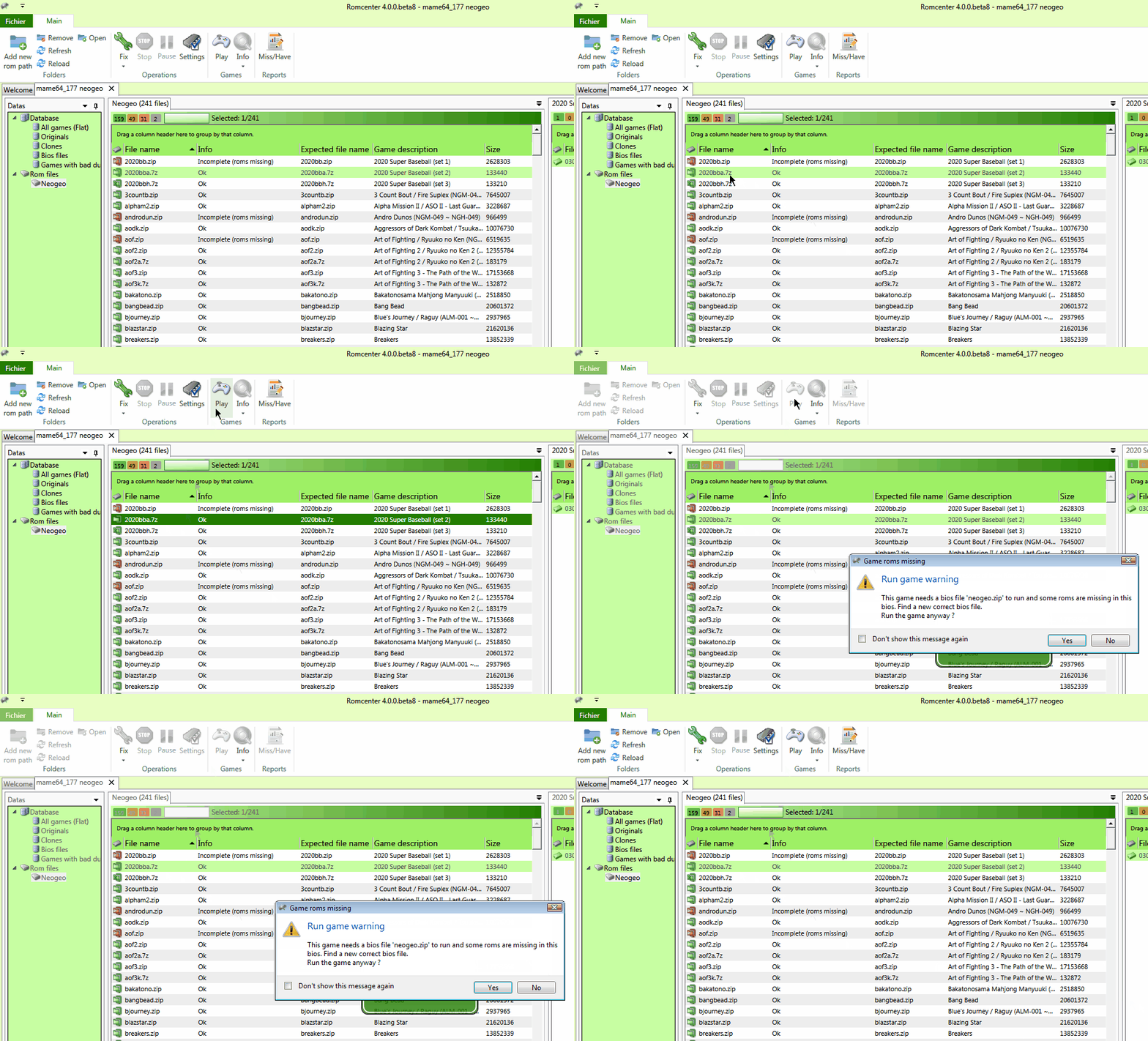
RomCenter est une très bonne alternative à ClrMAMEPro et plus accessible. RomCenter va vous permettre de gérer et d’organiser votre collection de jeux émulés sur votre PC. L’application met à votre disposition des outils de gestion très pratiques. Vous pourrez identifier les ROM défectueuses, portant un mauvais nom ou tout simplement manquantes et résoudre les problèmes en toute simplicité. Il s’agit de la version en cours de développement.
 
rc
 
Les changements sont les suivants:
 
– Add fds plugin
– Add pcengine plugin
– Improve A7800 plugin
– Improve lynx plugin
– Improve gbx plugin
– Improve genesis plugin
– Improve snes plugin
– Add exception handler to some commands
– Add games info menu (linked to planetemu and arcadeitalia web sites)
– Add restart when language is changed
– Add internationalization and add french translation
– Use ‘release’ configuration for building
– Clean up code
– Fix db tab not saved after an update or a cleanup
– Fix update db: database path changing when dat selected
– Fix #93: random crc with lynx plugin
– Fix #97: samples status not set
– Fix crash when changing tab before previous was loaded
– Fix crash when closing non existant db
– Fix db error when canceling, improve cancelation when removing/renaming
– Fix dir not found bug
– Fix fb alpha dat import with rom of crc 0 (no dump)
– Fix gui message loop when db is not valid
– Fix incorrect chd extension
– Fix interface less responsive when fixing a lot of files
– Fix msg ‘rdt not found’ when leaving rc
– Fix properties folder buttons not implemented
– Fix troubles with empty folders
– Fix validation not always done when creating db
– Fix view not refreshed when removing comment
– Fix error when logging an early crash
– Trunc files data before adding to db
– Improve db connection pool managment
– Improve play game selection
– Stop displaying errors once cancelled


Télécharger RomCenter (WIP) v4.0 RC4 (13.3 Mo)

Site Officiel

En savoir plus…

Il s’agit d’un front-end (sous MacOS/Linux et Windows et qui nécessite une version récente de Java) pour MAME, dont la spécificité est de simplifier toute la gestion de ce qu’a apporté MESS en mai 2015. Lancer un jeu d’arcade avec MAME a toujours été relativement simple mais lancer un jeu sur console ou même lancer un soft sur un ordinateur est une autre paire de manche. C’est là où Négatron fait la différence.


De prime abord, Négatron a une interface similaire à MAMEUI. Mais dès que Négatron détecte la sélection d’une console ou d’un ordinateur, il donne accès à un nouveau volet présentant les paramètres utiles pour ces types de machines, par exemple l’accès au « software list » pour une console ou l’ajout de cartes d’extension pour un ordinateur.


Il est aussi compatible avec les MAME EXTRAs, cette suite informative montrant les flyers, les screenshots, etc. liés aux jeux.


Negatron


Les habitués de MAME, MAME EXTRAs et autres applications frontales peuvent considérer Négatron comme étant une application dérivée de MAME32/MAMEUI. En effet, MAMEUI est une application à la conception ancienne, montrant son âge. Négatron est une tentative de moderniser le concept en se concentrant sur les options les plus utiles. Veuillez simplement suivre cette procédure en 3 étapes pour bien commencer :


  • Téléchargez et installez la dernière version de Java,
  • Téléchargez et installez la dernière version de VLC media player (attention : la largeur en bits des versions de Java et VLC installées doivent correspondre, que ce soient des versions 32 bits ou 64 bits)
  • Téléchargez et décompressez la dernière version de Négatron,
  • Lancez Négatron comme suit :
    • Sur Linux, lancez Negatron.sh,
    • Sur Mac OS X, lancez Negatron.command,
    • Sur Windows, lancez Negatron.bat.


Dans la gestion des machines, seul QMC2 arrive au même niveau mais au prix d’une interface compliquée alors que Négatron a été pensée pour être aussi intuitif que possible.
 
Les changements à lire ici.


Télécharger Negatron v1.0.2 (104 Mo)

Site Officiel

En savoir plus…

Applewin est un excellent émulateur Apple IIe pour Windows et développé par Tom Charlesworth. Applewin est basé sur la version originale 1.10.4 d’Oliver Schmidt.
 
– [Bug #564] Fixed ‘Save State on Exit’ not working correctly when there’s a Configuration change to the hardware.
– [Bug #556] Reverted default so that ALT+TAB is not hooked Support new command line switch: -hook-alt-tab to support hooking ALT+TAB.
– [Bug #558] Reverted default so that ALT GR’s fake LEFT CONTROL is not hooked. Support new command line switch: -hook-altgr-control to suppess ALR GR’s fake LEFT CONTROL.

 
applewin


Télécharger AppleWin v1.32.1 (4.3 Mo)

Site Officiel

En savoir plus…

Deux nouveaux dumps sont disponibles sur le site de SMSPower et sur notre miroir.


Miroir Officiel

Site Officiel

De nouveaux patchs sont disponibles sur le site de nos partenaire de chez la TRAF (et sur notre miroir), de quoi s’occuper de nombreuses heures 🙂
 
traf


Site Officiel

Il s’agit d’un émulateur de Nintendo NES (et aussi FDS, NSF, NSFe, VS System) écrit en C++ (interface en c#) gérant le multi threading et est capable de s’exécuter en mode 32 ou 64 bits automatiquement. Il s’attarde sur la précision, gère un ensemble de mappers et filtres graphiques (mais aussi les packs HD au format HDNes) ainsi que les extensions zip/7z, permet l’enregistrement vidéo, le jeu en ligne ou encore d’utiliser des codes de triches. De plus, il se mettra à jour automatiquement. En outre il dispose également d’un débogueur.
 
Il vous faudra disposer de Windows Vista, 7, 8, 8.1 ou 10 ainsi que DirectX 11 avec .NET Framework 4.5+ d’installé.
 
A noter qu’il est à présent très probable que Mesen soit devenu l’émulateur le plus précis (devant Nestopia UE/puNES/Bizhawk) et en passe de devenir le meilleur émulateur de NES disponible tout simplement.


New Features
– Compatibility: Added support for 29 new mappers.
– VS System: VS DualSystem games are now supported.
– Audio: Improved audio/video synchronization with dynamic resampling.
– Debugger: New features and tools (text hooker), UI improvements, performance improvements and bug fixes.
– Tools: Added history viewer tool.
– UI: Added some new options (per-game overscan, audio reduction during rewind, etc.)
 
Bug Fixes
– PPU: Improved PPU memory bus emulation (fixes Touhou Rououmu homebrew)
– Fixed emulation issues with a number of boards (FK23C, JY Company, MMC1, etc.)


Télécharger Mesen v2.1.1 (33.5 Mo)

Site Officiel

Créé par Avery Lee (l’auteur de VirtualDub), il s’agit d’un émulateur d’Atari 8 bits (800/800XL/130XE) disponible en 32 et 64 bits. Il dispose de beaucoup d’options ainsi que d’une bonne compatibilité. Il prend en charge les jeux protégés conformément à l’émulation. Il s’agit d’une version de développement au stade de béta.


Topic des versions Beta.

Télécharger Altirra (Beta) v4.50 Test 29 (7.7 Mo)

Site Officiel

En savoir plus…

Ce projet fait suite au projet de AloneCoder lui même basé sur le code créé par SMT, il est développé par deathsoft.
Il s’agit d’un émulateur ZX Spectrum conçu pour tourner sous Windows 2000/XP/Vista/7. Il porte le surnom de « Unreal » car il possède des fonctions que n’ont jamais eu les vrais Spectrum telles que : sauvegarder/chargement rapide, capture d’écran, pause, accélération…


Traduction par Google trad:
 
!! The instruction ld a, i has been fixed (in pv, iff1 was returned instead of iff2). (savelij)
!! Fixed downloading files through the interception procedure ROM 0x056B (goodboy, Jerri)
!! Support for downloaders from Bill Gilbert through interception of ROM 0x056B (they do not pass point 0x0564 because of which autorun tape did not work).
+ Added 3 fire buttons for kempston joystick by dock from velesoft https://velesoft.speccy.cz/kmturbo2008-cz.htm
KFIRE1 (analogue KFIRE), KFIRE2, KFIRE3
+ Added support for fuller joystick (with three fire buttons) on the dock from velesoft https://velesoft.speccy.cz/kmturbo2008-cz.htm
Enable FJoystick = 1
Directions / buttons (similar to kempston): FLEFT, FRIGHT, FUP, FDOWN, FFIRE1 (FFIRE analog), FFIRE2, FFIRE3
* Dialogues with NGS and Z-Controller settings completed
* Extended volume range for NGS from 8000 to 8192
* Fixed setting the volume of GS / NGS in z80 mode, correctly earned the volume control in gui (sound tab)
!! Fixed high-level emulation of GS (via bass), added processing of commands 0x42, 0x45, 0x46, 0x47, 0x66, 0x67, 0x68
(test on the game REX (3 versions,
Cyrax: https://vtrd.in/gs/REX1+2GS.ZIP ,
CPG: https://vtrd.in/gs/REX12_GS.ZIP (set the memory limit GS 512k),
Tron z: https://vtrd.in/gs/REX12GS.zip ))
The priority processing of samples in GS channels was done (it should be noted, however, that high-level GS emulation allows
Question the effects in all 4 channels, because To play .mod file, use separate stream in bass (separate 4 channels))
Added the ability to save the saps and .mod file from the debugger dialog, the dialog itself has been reworked from ListBox to ListView
Fixed the playback of sounds in this dialog (now it is done in the background, not in the polling loop)
Playing samples and. Mod files is done at the sampling frequency from the settings in the config, and not at 11025
Fixed frequency table generation (now the table is calculated by the frequency formula for a uniformly tempered story)
!! Fixed the work of ADS 3.0 (the mode of testing the rotation speed of the disk) (did not work because it was impossible to format the track with the number 80,
was spoiled in the version where the download / recording of mini and large images was done)
@ Now when creating an empty floppy disk, formatting is done on the maximum number of tracks, in this case the real number of tracks is set in the drive
(80 or more / less depending on the image being uploaded)
Such floppy disks can be formatted to the maximum number of tracks by the track recording command, while saving the image will save all the tracks
!! Fixed processing of hardware reset VG93, after that normally earned BestView (without errors in the form of a yellow border) (Alexandr Medvedev)
+ Detecting a diskette change through the status bit write protect (earned detect in jemini commander, monster commander) (sand)
+ Added support for the ULA +
+ Added saving / loading ULA + palette to files with .pal extension
(it is convenient for games to not always load the palette in the form of .tap, it is enough to load one time. tap,
and then save the palette as a .pal file and then use it already)
 
PS We test and report bugs if no bugs are found, after a week lay out the sorts.
(Check the operation on windows xp).
 
The version from 21.07.2018 turned out to be important (for C ++ code refactoring, bugs crept into the Z80 emulation).
The new version will be posted soon after fix bugs.
 
I posted a new version of 24.07.18 (a pendant bug in the z80 code was found and erased, the processor’s performance was verified by the zexall test).


Télécharger UnrealSpeccy (deathsoft) v0.39 fix (2.3 Mo)

Site Officiel

En savoir plus…

dgVoodoo est un glide wrapper mais aussi un wrapper DirectDraw/Direct3D (v3 à 8) vers Direct3D11. Pour simplifier grandement, ça émule une carte 3DFX qui va pouvoir gérer la bibliothèque propriétaire Glide (Glide 2.11, Glide 2.45, Glide 3.1 et Napalm) mais également les vieilles cartes graphiques compatibles DD/D3D v1 à v8. Quel est l’intérêt ? Jouer aux anciens jeux qui fonctionnent mal sur les nouvelles cartes graphiques (parce qu’ils ont été optimisés pour le Glide ou de vieilles versions de DirectX et non pour d’autres API telles que OpenGL ou DirectX v11) ou tout simplement utiliser un émulateur qui lui aussi utilise le Glide. Cette version est destiné à Windows Vista/7/8/10 avec DirectX 11 (ou supérieur) d’installé et vous devez posséder une carte graphique (compatible DirectX Level 10.1) supportant les Shaders Model v4 ou v5.
 
glquake
 
Vous aurez besoin de ces bibliothèques pour activer certaines fonctions graphiques.
 
Les changements:

 
– Adding support for QEmu (x64 Glide binaries for Kjliew’s Glide patch)
– Fixing regression bug appearing in 2.55.1, related to adapter handling (causing crashes and other error anomalies)
– Adding value ‘max’ to option ‘DirectXExt\ExtraEnumeratedResolutions’
– Adding new config element ‘GeneralExt\Environment’ for QEmu and DosBox
– DDraw Blit colorfill fixed on 8bpp surfaces with forced resolution or MSAA (Colin McRae Rally)
– DXGI swapchain fullscreen switch fix (Full Throttle, Sam & Max)
– Simulating GF4 driver more precisely with the ‘GF4 Ti 4800’ video card type (Splinter Cell: Defense Ministry shadows)
– Fix for special D3D8 behavior of vertex buffer locks (Lego Soccer Mania)
– D3D8 pixel shader validator bug fixed (Mage Knight – Apocalypse)
– Small fix in guTex* Glide function family (Turok demo)


Télécharger dgVoodoo v2.87.6 (35.2 Mo)

Télécharger 3Dfx splash / D3D Compiler for DgVoodoo2 v4.x (3.2 Mo)

Site Officiel

En savoir plus…


https://getourbonus.com/fr/accueil

https://www.romspedia.com/