Les dernières versions de GameEX/Arcade et PinballX sont disponibles ci-dessous.


Sachez que même si je ne les news pas souvent, les archives sont quand même très rapidement mises à jour sur notre site.
 

Télécharger PinballX v7.32 (328 Mo)

Télécharger GameEx v19.98 (460 Mo)

Télécharger GameEx Multiplatform Arcade Edition v19.97 (271 Mo)

Site Officiel

En savoir plus…

Un excellent émulateur Nintendo NES pour windows et linux.


– Updated translation from Crowdin (thx to Алексей Тимонин, MS-PC, tch_oscomp, Ömercan Kömür, Matheus).
– Added Chinese translation (thx to owomomo).
– Added an option to show frames and lags counters.
– Rewritten the audio of the VRC7.
– Implemented the project « Cycle-accurate emulation of Yamaha OPLL » of Nuke.YKT :
https://github.com/nukeykt/Nuked-OPLL
– Many thx to Nuke.YKT for his wonderful work.
– Updated the icon and the banner of the info page.
a big thank you to the papirus icon theme guys for letting me use
their icon (https://github.com/PapirusDevelopmentTeam/papirus-icon-theme)
thanks also to the unknown author of the banner who, unfortunately, I
was unable to identify.
– Increased compatibility with OpenGL shaders.
– Fixed many bugs and crashes that prevented some OpenGL shaders
(https://github.com/libretro/glsl-shaders) from loading and functioning correctly.
– Implemented the ability to select the resolution of the fulscreen.
– Added the option to automatically set the refresh rate based on the
region of the rom used (50/100Hz for PAL/Dendy roms, 60/120Hz for NTSC)
if the monitor supports them. The rewriting of the fullscreen management
allowed to correct some bugs present for a long time (for example under
Linux/BSD the fullscreen window did not always identify the real screen
size available because it did not take into account the various task
bars and menu bars).
– Fixed initial positioning of the emulator window.
– If, in a multi-monitor environment, the window is positioned on a
display that is no longer connected upon restart, the position may no
longer be valid and the emulator window may not be visible.
– Implemented the ability to view the menu bar in fullscreen mode
through a configurable shortcut (default is ALT+M).
– Implemented the double click management on the menu bar:
left button hides toolbar and statusbar
right button hides the whole gui (as when using the shortcut ALT+G « Toggle GUI in window »).
– Now it’s possible to use the ESC as a shortcut.
– The code is now QT6 compatible.
– Added the ability to customize NTSC filters in video settings.
– Fixed the aspect ratio of the NTSC filters in fullscreen mode.
– Updated to FFmpeg 4.4.
– Fixed video recording in HENC format at high quality.
– Added support for the Opus audio format in audio recording.
– Added an option to change CPU/PPU alignment at power-up/hard reset.
– Added this 3 options for the Famicom Disk System
– « Insert disk 1 side A at power-up/reset »
– « Switch the disk/side automatically »
– « Use fast forward when loading the BIOS or disk/side »
in the « Settings->General ». They are activated by default and do what is written in the description.
– Now, by default, only one instance of the emulator is allowed to run.
– To allow the execution of more instances it is necessary to enable the
new option in « Settings->General ».
– Added the management of the double click when selecting a rom from a compressed archive.
– I honestly don’t know why I haven’t already implemented it.
– Fixed inversion of controller mode NES/Four Score.
– Added the cmd line option « –hidden-gui » to start the emulator with
hidden GUI (useful for frontends) and that it’s also possible to do with
the shortcut ALT+G.
– Rewritten overlay and widget for save slot selection and increased the number of slots to 12.
– Added an option to re-enable the sprite limit when a game needs it (https://wiki.nesdev.com/w/index.php/Sprite_overflow_games).
– Added support for subtitles of TAS videos. They will appear in the info bar with center alignment.
– Rewritten the cheat editor to make it easier and more manageable.
– Added sample rates of 96000 and 192000 and improved the selection of the
sample rate of audio codecs that don’t provide information about those supported.
– Rewritten the input management through gamepads and joysticks.
– Added multithreading management.
– In the Linux version added the dependency to libudev.
– Increased the emulation speed by 7-10%.
– Eliminated (especially in the windows version) blocks and slowdowns
of the emulation in the case of gamepads configured but not connected to
the start of the emulator.
– Uniformed the management of inputs on all the various ports.
– Separeted joystick/gamepads configuration from the port configuration,
now each gamepads will have its own configuration.
– Added an option to set the deadzone
– Added a new tool: « Joypad/Gamepad Debug ». With this you can see the info
on the connected devices, it is also possible to disable the reading of
certain axes and buttons from the gamepad status reading routine. In addition
to debugging reasons, it is an option to be able to use gamepads that send
incorrect values on some axis or button while still allowing their use.
– Added automatic recognition of the type of gamepad with relative
configuration. Supported for now Steam Controller (only under Linux),
Xbox 360 Controller and Playstation 3 (thx to Gianmarco Trentadue for for the donation) and 4
controllers which are the ones I had at my disposal. It should also work with Xbox One controllers but
I couldn’t check it as I didn’t have any.
NOTICE : All buttons bindings will need to be reconfigured.
– Fixed many many many other bugs.

 
Un pack de shaders est disponible ici.
 

Télécharger puNES OpenGL (x86) v0.111 (21.7 Mo)

Télécharger puNES OpenGL (x64) v0.111 (23.9 Mo)

Télécharger puNES D3D9 (x86) v0.111 (21.8 Mo)

Télécharger puNES D3D9 (x64) v0.111 (24.1 Mo)

Site Officiel

En savoir plus…

De nouveaux dumps sont disponibles sur le site de SMSPower et sur notre miroir.


Miroir Officiel

Site Officiel

Il s’agit d’un puissant utilitaire de compression/décompression gratuit. Très utile, il permet de compresser en zip avec un taux de compression bien plus élevé que les autres compresseurs de format. De plus son célèbre format 7z permet de compresser jusqu’à 50% de + que le zip classique sur certaines archives et davantage que le format RAR (de Winrar).


Il est également capable de décompacter beaucoup de formats d’installeurs que plusieurs programmes utilisent (ce qui évite parfois une installation forcée). Très recommandé si vous voulez utiliser ZipMax, outil de l’auteur de ClrMAMEPro.
 
Les améliorations depuis la 21.06 sont les suivantes:
 
– 7-Zip now can extract VHDX disk images (Microsoft Hyper-V Virtual Hard Disk v2 format).
– New switches: -spm and -im!{file_path} to exclude directories from processing for specified paths that don’t contain path separator character at the end of path.
– In the « Add to Archive » window, now it is allowed to use -m prefix for « Parameters » field as in command line: -mparam.
– The sorting order of files in archives was slightly changed to be more consistent for cases where the name of some directory is the same as the prefix part of the name of another directory or file.
– TAR archives created by 7-Zip now are more consistent with archives created by GNU TAR program.

 
NB: Si des anciennes archives avaient des problèmes pour être ouvertes/extraites (ce qui devrait être très rare et dans des cas spécifiques), lire cette page.


Télécharger 7-Zip (x86) v26.06 (1.3 Mo)

Télécharger 7-Zip (x64) v26.06 (1.6 Mo)

Site Officiel

En savoir plus…

BletchMAME est un frontend pour MAME. Contrairement aux autres existants (et qui fonctionnent comme des lanceurs tout en conservant l’interface utilisateur interne de MAME), BletchMAME remplace l’interface utilisateur interne de MAME par une interface graphique plus conventionnelle pour offrir une expérience plus conviviale dans un certain nombre de domaines (tels que les profils, la configuration des entrées et un certain nombre d’autres éléments). Bien que BletchMAME soit conçu pour prendre en charge toutes les machines que gère MAME, il convient particulièrement à la partie émulation d’ordinateur.


– Enabled Link Time Optimization for Release builds
– Made BletchMAME aware of the CHD Diff path (-diff_directory)
– Fixed an issue that could cause the UI to hang whenever MAME was invoked
– Fixed an issue that could cause the MAME window to not be properly attached to BletchMAME’s window when starting an emulation session
– Fixed a bug that caused LUA errors when using fixed slot devices in MAME versions 0.227 and after
– Various Auditing improvements
– Various build improvements [Davide Cavalca]


Télécharger BletchMAME v3.0 (9.3 Mo)

Site Officiel

En savoir plus…

Un gestionnaire de roms avec une interface aussi claire que Romcenter et axé sur la simplicité avec un nombre limité de fonctions. Une référence désormais.
 
L’immense avantage de ce manager est de pouvoir scanner n’importe quel repertoire de roms , en VRAC & ensuite -en fonction de ce que vous avez comme dats- de les ranger et replacer automatiquement. (très utile si vous avez des tonnes de dats (TOSEC). Il vous permet réellement de collectionner des centaines de collections avec un gain de temps considérable par rapport aux autres managers. Il convertit également les zips au format Torrentzip afin de faciliter le partage à travers les fichiers torrent.
 
romvault2.1
 
Les changements sont visibles ici.


Télécharger RomVault v3.8.0 (1.7 Mo)

Site Officiel

En savoir plus…

Un émulateur multi-système écrit en Java et qui émule les machines suivantes: AC1, BCS3, C-80, HC900, Hübler/Evert-MC, Hübler-Grafik-MC, KC85/1, KC85/2, KC85/3, KC85/4, KC85/5, KC87, Kramer-MC, LC-80, LLC1, LLC2, PC/M, Poly-Computer 880, Schachcomputer SC2, SLC1, VCS80, Z9001, Z1013.


Télécharger JKCemu v0.9.8.8 (5.3 Mo)

Site Officiel

En savoir plus…

Un émulateur Sinclair QL shareware tournant sous Windows 9x/NT/2X/XP/Vista/7/8/10/11.


– Resizable main window.
– Compatibility improvements.
– Precise QL speed emulation.
– Dot matrix printer emulation.
– Mount .ZIP files as disks.
– Use .QLPAK single-file QL software archives.
– Smart full screen upscaling.
– Access microdrive images and floppy images.
– QL Sampled Sound System.
– Improved display emulation when running on Windows 7.


Télécharger Q-emuLator v4.0.4 (4.1 Mo)

Site Officiel

En savoir plus…

XRoar est un émulateur Dragon32/64 mais aussi Tandy CoCo.
 
xroar
 
– Open IDE images in binary mode under Windows [by Tormod Volden]
 

Télécharger XRoar (x86) v1.13.1 (2.6 Mo)

Télécharger XRoar (x64) v1.13.1 (2.5 Mo)

Site Officiel

En savoir plus…

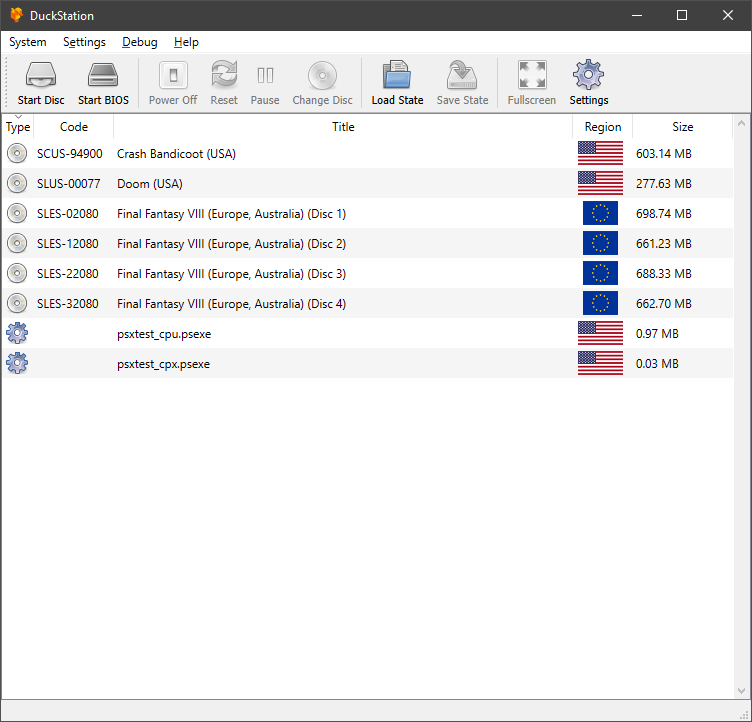
Il s’agit du meilleur émulateur de PlayStation One, devant ePSXe et pSX.


Caractéristiques:
– CPU Recompiler/JIT (x86-64, armv7/AArch32 and AArch64)
– Hardware (D3D11, OpenGL, Vulkan) and software rendering
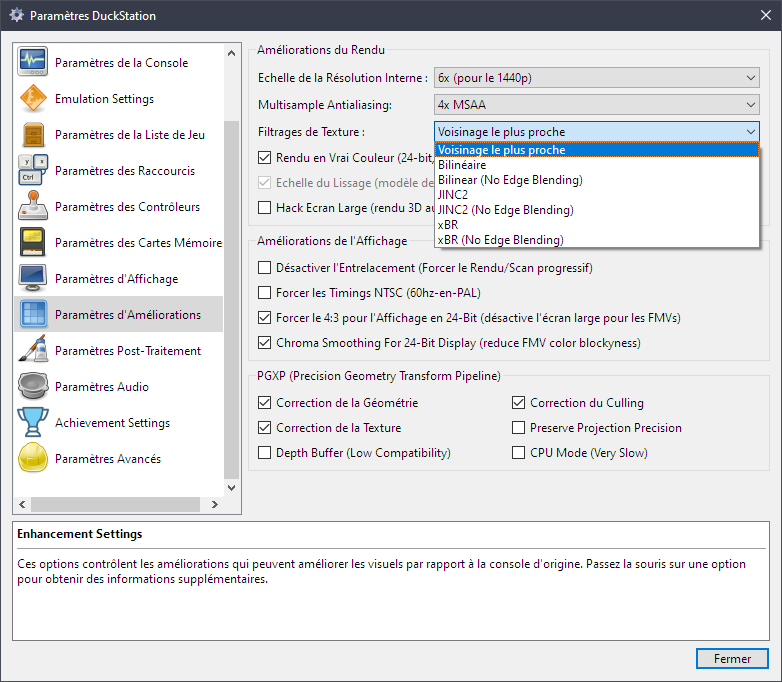
– Upscaling, texture filtering, and true colour (24-bit) in hardware renderers
– PGXP for geometry precision, texture correction, and depth buffer emulation
– Adaptive downsampling filter
– Post processing shader chains
– « Fast boot » for skipping BIOS splash/intro
– Save state support
– Windows, Linux, highly experimental macOS support
– Supports bin/cue images, raw bin/img files, and MAME CHD formats.
– Direct booting of homebrew executables
– Direct loading of Portable Sound Format (psf) files
– Digital and analog controllers for input (rumble is forwarded to host)
– Namco GunCon lightgun support (simulated with mouse)
– NeGcon support
– Qt and NoGUI frontends for desktop
– Automatic updates for Windows builds
– Automatic content scanning – game titles/regions are provided by redump.org
– Optional automatic switching of memory cards for each game
– Supports loading cheats from libretro or PCSXR format lists
– Memory card editor and save importer
– Emulated CPU overclocking
– Integrated and remote debugging
– Multitap controllers (up to 8 devices)
– RetroAchievements

 
Configuration requise:
– A CPU faster than a potato. But it needs to be x86_64, AArch32/armv7, or AArch64/ARMv8, otherwise you won’t get a recompiler and it’ll be slow.
– For the hardware renderers, a GPU capable of OpenGL 3.1/OpenGL ES 3.0/Direct3D 11 Feature Level 10.0 (or Vulkan 1.0) and above. So, basically anything made in the last 10 years or so.
– SDL, XInput or DInput compatible game controller (e.g. XB360/XBOne). DualShock 3 users on Windows will need to install the official DualShock 3 drivers included as part of PlayStation Now.


Les améliorations sont:
 
Preview Build:
– Warning fix (Connor McLaughlin)
– c440593: CPU/CodeCache: Add InvalidateAll() method (Connor McLaughlin)
– Invalidate instead of flushing code cache on memory state (Connor McLaughlin)
– Don’t disable recompiler for runahead (Connor McLaughlin)
– Don’t disable fastmem for runahead (Connor McLaughlin)
– Get rid of trailing nulls in GetWorkingDirectory() (Connor McLaughlin)
– Possible fix for multi-track images (Connor McLaughlin)

 
Development Build:
– 28ebc46: remove check for xbox one as it doesn’t work on series consoles (tunip3) #2636
– 6253003: Update Bug Report! (Anderson_Cardoso) #2639
– b0cd59e: Add version number to the Windows executable (qurious-pixel) #2658
– 8ccee29: Disable AppX signing for PRs (qurious-pixel) #2665
– Fix incorrect operator (Connor McLaughlin)
– 764c6e4: Rewrote gamedb with revisional hashes (Silent) #2668
– e38ee51: Fix progress bar not starting from 0 when verifying the data track (Silent) #2668
– 85ea9a6: Add image verification (Silent) #2668
– 6a005f0: Set DSRINPUTLEVEL and CTSINPUTLEVEL to true for Armored Core (gameblabla) #2669
– e6b6ff6: Revert « Add version number to the Windows executable » (Connor McLaughlin) #2672
– Set version in rc files at build time #2672 (Connor McLaughlin)
– 45a2e0d: Update compatibility list (Connor McLaughlin)
– Fix gcc warning (Connor McLaughlin)
– Should include common types not core types (Connor McLaughlin)
– Fix warnings in gcc debug build (Connor McLaughlin)
– Fix unused variable warning (Connor McLaughlin)
– Remove unused variable in DrawEnhancementsOverlay (Connor McLaughlin)
– 5367a63: Update README.md (Connor McLaughlin)
– Save/load autofire to input profiles (Connor McLaughlin)
– Reduce log level of IRQ request command (Connor McLaughlin)
– Fix possible crash on startup in SizeChanged (Connor McLaughlin)
– 34ace7d: Atualização Português do Brasil (Anderson_Cardoso) #2673
– d8e2fac: Update Simple-Chinese Translation to latest. (zkdpower) #2681
– bcbe93a: Fixup IsValidPSExeHeader (Silent) #2683
– 58f0549: Common/ProgressCallback: Elide some redundant updates (Connor McLaughlin)
– Special case immediate GetlocP after play/read before int (Connor McLaughlin)
– Fix building (again) (Connor McLaughlin)
– IDXGIDevice is not a parent of ID3D12Device (Connor McLaughlin)
– Fix cuesheets with absolute paths #2688 (Silent)
– Remove Android beta link (Connor McLaughlin)
– d7b9132: Update SDL game controller database (Connor McLaughlin)
– ae92ce8: Update game database with NeGcon entries from PiperCalls (Connor McLaughlin)


Stable Build:
WIP


Télécharger DuckStation v0.1 build 12XXX (71.6 Mo)

Site Officiel

En savoir plus…

Il s’agit d’une version modifiée de VICE qui aborde les problèmes de performance et de compatibilité avec certains CPU.


Télécharger VICE Cloanto20 v3.1 (2.0 Mo)

Site Officiel

En savoir plus…

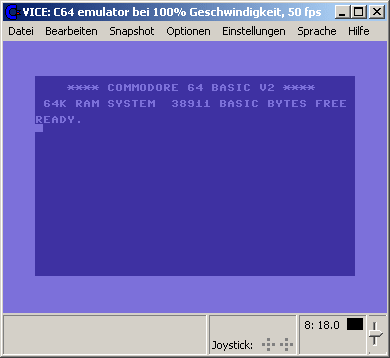
La version Windows de ce superbe émulateur Commodore C64, C128, VIC20, CBM-II, Plus4 et de tous les modèles « PET ».


Les changements:

* Changes in Vice 3.6
=====================

We welcome to the team:

- June Tate-Gans who added the dual screen mode (for x128) to the SDL UI.

- Pablo Roldan aka durandal, who contributed improvements and fixes to the
  RS-232 emulation.


** general
----------

- Warp mode status will no longer be saved in config files.

- Increased autostart reliability.

- Changing host audio settings no longer resets the emulated sound chip.

- Added hardware flow control to the userport RS-232 emulation.

- Added selection of control lines behaviour for userport RS-232 emulation.

- Fixes to ACIA hardware flow control, DCD and DSR lines behaviour, register
  reset values.

- (Re-)added tun/tap support for Ethernet emulation, including support for
  "capabilites", so it can work without root/Administrator rights

- "Device Traps" and "True Drive Emulation" can now be selected per 
   drive/device.

- Various fixes related to keyboard mappings. For details please read
  https://sourceforge.net/p/vice-emu/mailman/message/37380515/

- Fixed problems related to Caps-Lock and Shift-Lock emulation

- Added support for piping printer output and RS232 I/O through an external
  executable on Windows.

- Fliplist (.vfl) support tweaked to be compatible with devices like sd2iec,
  pi1541 and Turbo Chameleon. Fliplists in the old format can still be loaded,
  newly created ones will always use the new format (see manual).

- Removed pointless "dither" column from palette files and -format.

- Some improvements in the 1520 plotter emulation.

- Extend images directly from 35 to 40 and then 42 tracks, as other sizes are 
  not used anywhere else in the world

- More realistic implementation of tape wobble.

- Fixed p64 wraparound.

- Added option to write out the raw data produced by reSID (for debugging).

- Made 48kHz the default for sound output, since that is what most modern stuff
  uses natively.

- Log the random seed and added a commandline option to set a seed, useful to
  reproduce things that depend on randomness.

- At exit log all resources with non default values, and a reconstructed
  commandline, which should make it easier for people that are reporting bugs.

- when mounting Dxx GCR images, add a reasonable skew per track to make the
  disk layout a bit more realistic

- Remove tearing in screenshots.


** build system
---------------

- Remove linking to vice libraries for petcat and cartconv.

- All targets can now be built separately (e.g. 'make x64sc').

- Fixed building on cygwin.

- removed support for building with embedded ROMs

- Made the new 8580 filter implementation the default for configure.


** Joystick fixes
-----------------

- New Superpad64 emulation.

- New spaceballs joystick adapter emulation.

- New MultiJoy joystick adapter emulation.

- New Inception joystick adapter emulation.

- New Microflyte analog joystick emulation.

- New userport SNES pad (Petscii) emulation.

- New Trapthem joyport SNES pad emulation.

- New Protopad emulation.

- New plus4 Synergy 3-port joystick adapter emulation.

- Extended Ninja joyport SNES pad adapter to 3 ports.

- All SNES pad buttons are supported now.

- Joystick adapters with more than 1 port are always mapped to the extra
  joysticks from now on.

- Joystick adapters with only 1 port are mapped to the port they are attached
  to.

- SIDcard joystick of the plus4 is now always mapped to extra joystick #4.

- New autofire button support.

- New virtual I/O simulation device for the joyport, allows pins to be changed
  by the user from the monitor.


** Userport fixes
-----------------

- Only one userport device can be attached to the userport at a time from now
  on.

- New virtual I/O simulation device for the userport, allows pins to be changed
  by the user from the monitor.


** Tapeport fixes
-----------------

- Only one tapeport device can be attached at a time from now on.


** C64 fixes
------------

- Added REX Ramfloppy loading & saving of the RAM contents.

- Added support for "Hucky's EPROM Cartridge", implemented as a variant of the
  RGCD cartridge.

- Added "Turtle Graphics II" cartridge emulation.

- Added "IEEE Flash 64" cartridge emulation.

- Added "Freeze Frame MK2" cartridge emulation.

- Super Snapshot V5 fixes.

- WarpSpeed emulation matches the behaviour of the real hardware better.

- Renamed "H.E.R.O. Bootleg" cartridge type to "Drean".

- Fixed REU floating bus behaviour (256KiB REU).

- Removed GEORam sizes smaller than 512KiB - Those never existed.


** C128 fixes
-------------

- Added VDC interlaced rendering support

- Added Interlaced Sync mode to VDC (Interlaced Sync and Video was already
  implemented) Both modes now work with the new interlace-aware renderers.

- VDC memory mirroring behaviour improved.

- VDC busy flag behaviour improved.

- Fixed 2Mhz mode unconnected memory space reads.

- Added missing SDL symbolic keymap for US keyboard


** VIC20 fixes
-------------

- Added VIC interlaced rendering support

- Added support for .crt files

- Added support for screenshots in native vic20 format

- Added "VIC-1001" model

- Don’t update VIC potx / poty registers more often than every 512 cycles.


** Plus4 fixes
-------------

- Added "jacint1 1MB Cartridge" emulation

- Added "c264 magic cart" emulation

- Added "Plus4 multi cart" emulation

- Added support for .crt files


** PET fixes
------------

- New datasette #2 emulation.

- Added support for .t64 files

- Monitor IO dump for CRTC improved with internal register dump, interlace
  status and layout fixes

- Overhaul PET CB2 sound output sample generation.


** CBM2 fixes
-------------

- Fixed datasette emulation (only with .tap files right now)


** VSID fixes
-------------

- Fixed various issues with threading.

- Implemented proper STOP of playback.


** C1541 fixes
--------------

- Add `bpoke` command: directly write one or more byte into a block.

- Make the `chain` command accept a '[@unit:]filename' argument.

- Make the `extract` command detect circular track/sector links.


** cartconv fixes
-----------------

- Added support for the new extended CRT V2 format, which now supports all
  other CBM computers (see manual for details).

- Added support for C128, VIC20 and Plus4 cartridges.


** petcat fixes
-----------------

- correctly align (5 digit) line numbers.

- Added support for Mega65 BASIC


** Monitor fixes
----------------

- Make the `device` command switch to computer when not given an argument.

- Add `warp [on|off|toggle]` command.

- Fix not being able to delete the final character on a line with DEL.

- Drive CPU emulation now catches up to main CPU automatically.

- Snapshots autostarted from monitor will immediately update the screen
  (interlaced screens not fully supported).

- Fixed various user input performance and consistency problems.

- 'chis' command now prints a 12 digit cycle counter.

- 'chis' command now works for drives

- Fixed execution order of multiple -moncommands arguments.

- Fixed single-stepping on "secondary" CPU (eg Z80 in x128).

- Fixed Z80 disasssembler, all opcodes are supported now.

- Make the CPU bank the default, not RAM.

- In x64sc, fixed reading 0/1 when CPU bank is active.

- Fixed display of multicolor sprites.

- Fixed assembling indirect absolute JMP with zero page argument.


** SDL fixes
------------

- New SDL2 dual window support (VDC in x128).

- New automatic SDL2 host joystick hot-plug rescan.

- New SDL2 rescan host joysticks menu item.

- Removed unneeded items from some SDL menus.

- New D67 image creation menu items.

- Fixed relative paths in the SDL file/directory selection dialog.

- New host joystick axis mapping support for emulated paddles and analog 
  joysticks.

- Mapping of host joysticks menu now shows what the pins are already mapped to.

- Add application icons to SDL1.2 binaries.

- Fixed display corruption and OpenGL detection on some machines


** GTK3 fixes
-------------

- Added bicubic rendering, which improves the look of a resized window with the
  CRT filter enabled.

- Remove sandbox mode.

- Fixed statusbar recording status widget display issues.

- Fixed C128 function ROM settings.

- Add setting colors of the monitor.

- Add 'Cartridge -> Default cartridge' to settings. This allows the user to
  see the current default cartridge, unset it and set another cartridge as
  default.

- Fix 'extend image' dialog.

- Fix display of joystick names with non-ASCII glyphs.

- Improve widgets setting file paths: use the directory of a file's path in
  dialogs as the default directory.

- Media recording dialog: remember previously used audio/video codecs when
  starting a new recording.

- Fix VSID not allowing .MUS files to be added to the playlist.

- Allow unlimited host controllers for joysticks

- Fix resetting of scroll position in RAM reset pattern view.

- Fix loading 'vice.ini' inside a Windows bindist: load from the root directory,
  not the bin/ subdirectory.

- Fix toggling pause mode when taking a quick screenshot.

- Fix various layout issues in the settings.

- Add 'Add current image to fliplist' and 'Clear fliplist' items to drive widget
  popup menu.

- Remove userport joystick swapping.

- Add swapping of controlport joysticks' emulated devices.

- Add saving/restoring the 'fullscreen decorations' state.

- Add joystick autofire settings.

- Simplify userport devices settings.

- Simplify tapeport devices settings.

- Use checkboxes in menus for toggleable items.

- Add 64x64 pixels icons.

- Fix tape autostart via a tape's 'directory'.

- Status bar: overhaul layout, add small row with LEDs for Pause/Warp.

- Status bar: add support for dual-drive units.

- Status bar: add support for two datasettes.

- Status bar: fix directory popup menus to display the correct directory for
              dual-drive units and to autostart the correct file.

- Status bar: display main/drive CPU JAMs in the messages row, rather than in
              the CPU/FPS widget, properly remove JAM messages on reset of
              affected device.

- Add customizable keyboard shortcuts ('hotkeys'). Those who were missing the
  old WinVICE hotkeys can use gtk3-winvice-legacy.vhk

- Immediately apply color changes of the monitor.


Site Vice Nightly builds (mise à jour automatique quotidienne).


Télécharger VICE (Dos) v3.1 (29.3 Mo)

Télécharger WinVICE (32 bits) v3.8.0 (38.8 Mo)

Télécharger WinVICE (64 bits) v3.10.0 (45.1 Mo)

Télécharger SDLVICE (32 bits) v3.1 (16.9 Mo)

Télécharger SDLVICE (64 bits) v3.1 (10.4 Mo)

Télécharger SDL2VICE (32 bits) v3.8.0 (32.2 Mo)

Télécharger SDL2VICE (64 bits) v3.10.0 (39.2 Mo)

Site Officiel

En savoir plus…



https://getourbonus.com/fr/accueil

https://www.romspedia.com/