m64p (ou Mupen64Plus-GUI) est une interface graphique écrite en Qt5. Elle supporte tout ce que vous attendez d’une interface mupen64plus (sélection de plugins, édition de la configuration, gestion des sauvegardes, capture d’écran, pause, etc.).
 

Cette archive inclut Mupen64Plus + GlideN64 + une interface utilisateur.


Code source.

Télécharger Simple64 (x86) (2020/06/02) (20.6 Mo)

Télécharger Simple64 (x64) v2024.12.1 (46.5 Mo)

Site Officiel

En savoir plus…

Un excellent frontend multi-systèmes axé sur la simplicité d’utilisation.


Les nouveautés sont les suivantes:
 
– WebRadio added to available background music sources.
– Thousands of web radio directly available from the mGalaxy interface.
– MAME rom type filtering removed from mGalaxy (Preference Menu).
– This filtering is now achieved in Runway during database creation.
– Extended gamepad/joystick controller compatibility (no more limited to Xbox 360 controller only)
– Mouse compatible interface (no more limited to keyboard or gamepad)
– mGalaxy_Runway: Runway now trims logo images with a transparent pixel border.
– A standalone application is also available to treat existing logo folders: TrimOnTransparency.zip
– Theme customization: all themes now come with a setting panel.
– mGalaxy_Updater: new application to update/patch mGalaxy on new release.
– mGalaxy_Runway: auto folder assignement.
 
Once a folder has been picked, mGalaxy will check the neighbourhood to find :
– the roms folder (folder name should contain ‘rom’, ‘game’)
– the screenshots folder (folder name should contain ‘snap’, ‘screen’)
– the videos folder (folder name should contain ‘movie’, ‘video’)
– the covers folder (folder name should contain ‘cover’, ‘box’, ‘marquee’)
– the logos folder (folder name should contain ‘logo’)
– the arts folder (folder name should contain ‘art’, ‘back’, ‘illus’)


Télécharger mGalaxy v10.1 (172 Mo)

Site Officiel

En savoir plus…

Play! est une tentative de créer un émulateur PlayStation 2 sous Windows / MacOS / iOS / Android. Il est actuellement écrit en C / C + + et utilise un système de mise en cache / de recompilation d’instruction pour obtenir de meilleures performances tout en émulant le CPU.
 
L’émulateur peut faire fonctionner quelques jeux, mais très moyennement dans la plupart des cas. L’objectif de l’auteur est d’atteindre un niveau de qualité qui permettra à quiconque de jouer son jeu favori PlayStation 2 sur son PC.
 
play

 
– Move macOS specific files to a separate folder.
– Display Pov Hat binding ref value.
– Add sleep to prevent high CPU usage.


Télécharger Play! (x86) GIT v0.77 (2026/10/25) (8.9 Mo)

Télécharger Play! (x64) GIT v0.77 (2026/10/25) (10.3 Mo)

Site Officiel

En savoir plus…

Il s’agit d’un émulateur de Playstation. (Builds automatiques).

 
19.11.2018 – added .chd file support
9.11.2018 – XA-ADPCM (streaming audio) and Red Book audio support – music should play in most games, SPU samples interpolation (sounds less harsh), Pitch modulation support (used by few games), refactored CDROM reading and cue parsing subsystems, various fixes, hardware (OpenGL) rendering
27.08.2018 – Support for digital controller, DualShock (without vibrations) and mouse. Two controllers are supported (no multitap for now)
19.08.2018 – Memory card support
11.08.2018 – Partial SPU implementation – sound working


Télécharger Avocado (x86) r784 (2.2 Mo)

Télécharger Avocado (x64) r784 (2.4 Mo)

Site Officiel

En savoir plus…

DS4Windows est un programme portable qui vous permet d’obtenir la meilleure expérience lors de l’utilisation d’un DualShock 4 sur votre PC, en émulant un contrôleur Xbox 360, beaucoup de jeux deviennent alors accessibles.


– Disabled AllowDrop setting for DS4Form
– Removed formatting from profiles listbox
– Increased timeout for tracking second instance exclusive mode workaround
– Fixed Run At Startup option. Window security issues caused problems with the last release
– Reverted to using asInvoker in manifest file
– Fixed start minimized option
– Removed unnecessary SetVisibleCore override
– Changed options form check after clicking window close button. Ensures app does not crash if profile editor is still open while on Controllers tab
– Changed ErrorReport option for project build settings. It does seem to matter even outside the IDE
– Fixed issue with app not being restored from launching a second session


Télécharger DS4Windows (original) (x86) v3.3.3 (2.6 Mo)

Télécharger DS4Windows (original) (x64) v3.3.3 (2.6 Mo)

Site Officiel

En savoir plus…

Emu80 est un émulateur de plateformes « Radio-86RK », « Partner », « Apogee », « Mikrosha », « specialist », « Orion », « Micro-80 », « UT-88 » pour Windows.


Merci à Breaker pour la news.
 
+ Innovation
* Change / Improvement
– Fixed a bug
!! Known issue
 
Changes in version 4.0.307:
+ Added support for RK-SD controller for RC-86 and Apogee (currently only in read only mode)
+ New option: « show only the visible area », hides the region of the damping of the beam on TV (for now only VG75)
+ New option: « widescreen (16: 9) », calculates the aspect ratio for 16: 9 TV
+ Option to copy graphic screen to clipboard (Alt-Ins) (qt)
+ Added display of screen sizes in the status bar (qt)
+ Added AssociateFiles.cmd script for associating emulator with program files, added file type icons
(association is made for the current user, cancel associations – DeassociateFiles.cmd) (qt)
+ Added RestoreSettings.cmd script to restore emulator default settings in case of problems (qt)
– Fixed loading of certain file types from the command line
– Fixed emulator crash in alternate font mode for UT-88 and Micro-80
– Alt-S key combination did not work in full screen mode (qt)
– Fixed saving screenshots in wx / SDL version
– Other minor fixes

 
Site de développement.
 

Télécharger Emu80 v4.0.571 (21.4 Mo)

Télécharger Emu80 QT v4.0.571 (28.3 Mo)

Site Officiel

En savoir plus…

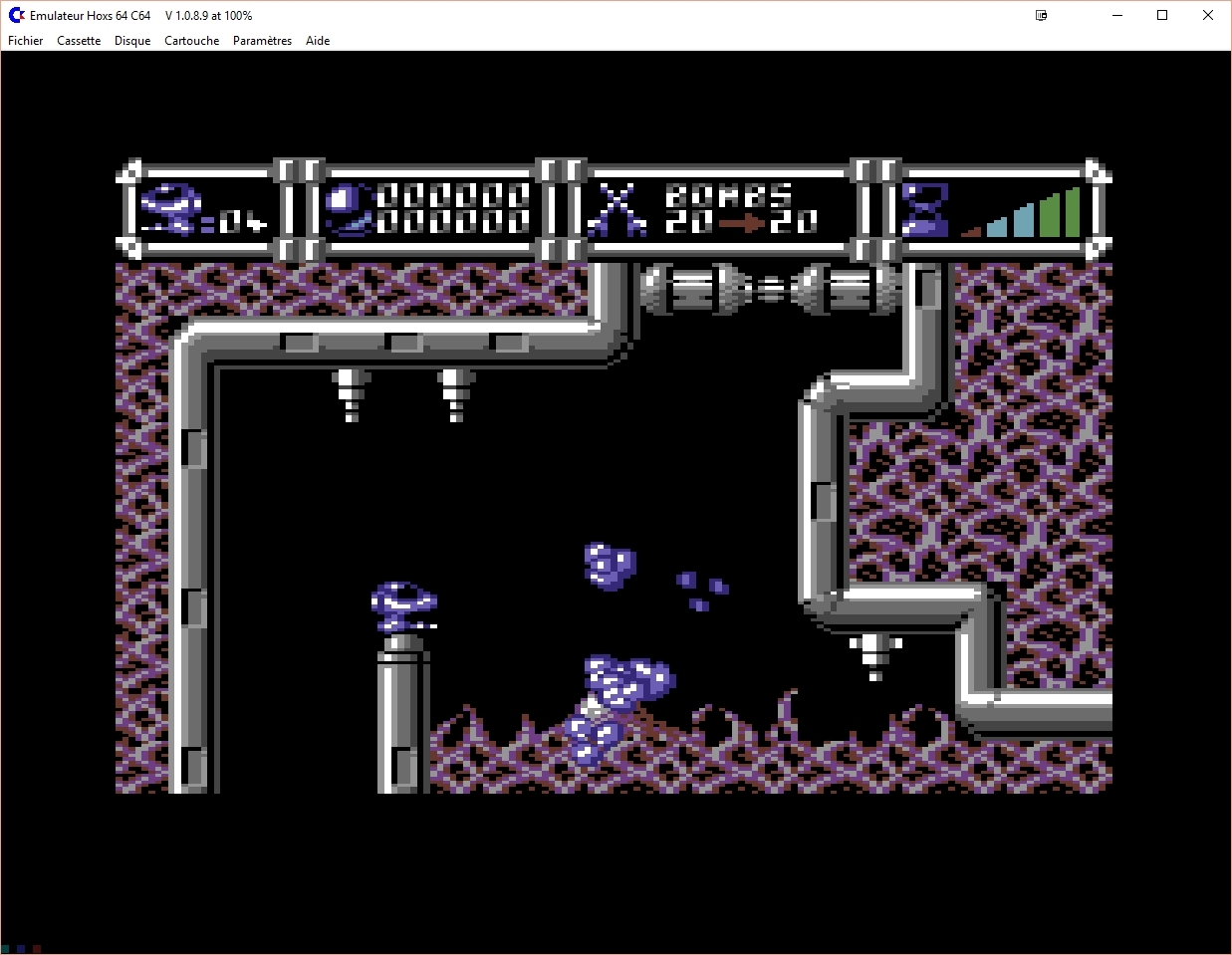
Hoxs64 est un émulateur Commodore 64 tournant sous Windows avec DirectX 9 au minimum. Il est encore en développement, si bien que s’il manque quelques choses maintenant, elle sera là plus tard (dixit l’auteur) 😉
 
hoxs1

hoxs2
 

1) SID envelope timing fixes. SID sustain register cycle accurate response to changes. Update to the SID noise write back behaviour.


Télécharger Hoxs64 (x86) v1.1.2.9 (4.4 Mo)

Télécharger Hoxs64 (x64) v1.1.2.9 (5.1 Mo)

Télécharger Hoxs64 (9X/2K) v1.0.23 (503 Ko)

Télécharger Hoxs64 Français (9X/2K) v1.0.23 (542 Ko)

Télécharger Hoxs64 Français (x86) v1.1.2.9 (3.7 Mo)

Télécharger Hoxs64 Français (x64) v1.1.2.9 (3.7 Mo)

Site Officiel

En savoir plus…

Plugin de contrôle créé par AQZ permettant de jouer en réseau sur internet (il s’agit d’une alternative au plugin Kaillera).
Il est conseillé d’utiliser ce plugin avec les plugins de contrôle « Jabo DirectInput7 » ou « N-Rage’s Direct-Input8 ».


Code source.

Télécharger AQZ Netplay Input Plugin r142 (326 Ko)

Site Officiel

En savoir plus…

LaunchBox a été conçu comme une interface attrayante pour DOSBox, mais a depuis été élargi pour supporter à la fois les jeux PC modernes et les consoles émulées. DOSBox continuera d’être une priorité principale pour LaunchBox.


Il peut rechercher dans la database TheGamesDB.net (une base de données en ligne communautaire qui permet à quiconque de contribuer) pour les metadatas & box-arts. Il peut exporter les fichiers image, dispose d’une meilleure compatibilité avec dropbox.


LaunchBox comprend des processus d’importations automatiques pour Steam, D-Fend Reloaded, et les fichiers ROM pour des gains de vitesse.


LaunchBox-3.6


Télécharger LaunchBox v14.1 (502 Mo)

Site Officiel

En savoir plus…

Les packs de screenshots pour MAME d’Antopisa sont disponibles.


Antopisa
 
Snapshots update:
Artwork Preview: 20 new & 2 upd (tot. 2,950 png) UPDATE 1 pack, 3.51Mb
Bosses: 5 new (tot. 1,530 png) UPDATE 1 pack, 108Kb
Ends: 25 new (tot. 975 png) UPDATE 1 pack, 985Kb
GameOver: 50 new & 3 upd (tot. 7,550 png) UPDATE 1 pack, 992Kb
HowTo: 10 new (tot. 1,740 png) UPDATE 1 pack, 247Kb
Logo: 30 new (tot. 2,480 UPDATE 1 pack, 265Kb
Scores: 25 new & 1 upd (tot. 7,160 png) UPDATE 1 pack, 515Kb
Select: 1 del, 21 new & 1 upd (tot. 4,435 png) UPDATE 1 pack, 1.22Mb
Snap: 1 del, 104 new & 78 upd (tot. 39,606 png) UPDATE 1 pack, 4.76Mb
Titles: 1 del, 104 new & 9 upd (tot. 39,606 png) UPDATE 1 pack, 2.80Mb
Versus: 5 new (tot. 1,160 png) UPDATE 1 pack, 123Kb
Warning: 35 new (tot. 960 png) UPDATE 1 pack, 133Kb
 

Other resources update:
Artworks (Original): 3 new (tot. 1,127 png) UPDATE 1 pack, 1.71Mb
Artworks (Alternate): 1 upd (tot. 199 png) UPDATE 1 pack, 17.8Mb
Artworks (WideScreen): 25 new & 3 upd (tot. 800 png) UPDATE 1 pack, 185Mb
Flyers: 25 new & 4 upd (tot. 4,935 png) UPDATE 1 pack, 58.4Mb


Site Officiel

Miroir Officiel 1

Miroir Officiel 2

En savoir plus…

Applewin est un excellent émulateur Apple IIe pour Windows et développé par Tom Charlesworth. Applewin est basé sur la version originale 1.10.4 d’Oliver Schmidt.
 
[Change #574] Add support for PAL/European or custom 8K video ROMs:
– Added new command line switch: -videorom
– Replaces the video ROM for the Enhanced //e.
– Support video ROM sizes of 4K, 8K and 16K (top 8K only).
– NB. The rocker switch is set to the European video ROM position.
F10 (for //e or Enhanced //e models) emulates the PAL //e’s rocker switch (under the keyboard).
– Use to toggle between European or US video ROM.
[Change #583] Added new switch: ‘-no-hook-alt’:
– Used to prevent left/right ALT from emulating Open/Solid Apple keys.
– For European keyboards where AltGr is needed to type keys like ‘[‘,’]’.

 
applewin


Télécharger AppleWin v1.32.1 (4.3 Mo)

Site Officiel

En savoir plus…

La dernière version béta publique de l’excellent WinUAE, l’émulateur Commodore Amiga. La traduction est signée Tradu-France.


Les changements sont visibles ici


Télécharger WinUAE (Public Beta) [32 bits] v6.1.0 Beta 21 (5.3 Mo)

Télécharger WinUAE (Public Beta) [64 bits] v6.1.0 Beta 21 (8.5 Mo)

Télécharger WinUAE (Public Beta) [32 bits] v6.1.0 Beta 21 FR (5.4 Mo)

Télécharger WinUAE (Public Beta) [64 bits] v6.1.0 Beta 21 FR (8.5 Mo)

Site Officiel

En savoir plus…


https://getourbonus.com/fr/accueil

https://www.romspedia.com/