Il s’agit d’un fichier permettant à MAME/MAMEUI de connaître la procédure à suivre pour l’initialisation d’un jeu.


gameinit


Télécharger GameInit.dat v0.193 (42,2 Ko)

Site Officiel

En savoir plus…

Gonetz, celui-là même qui développait le plugin Glide64 (dernière version en 2012, ici) considéré comme un excellent plugin par beaucoup (bien que limité par l’architecture qu’il sert) s’est évertué à créer un nouveau plugin avec davantage de possibilités que Glide64 mais en utilisant cette fois-ci l’OpenGL (d’où le nom) qui est beaucoup plus puissant et qui permet de faire bien d’autres choses sans véritables limitations. Ce plugin utilise comme base glN64 de Orkin et, comme ceux basés sur RiceVideo, supporte les packs de textures hautes résolutions (voir ici où là). A noter qu’une version pour Android et Linux sont également disponibles.


Il s’agit très probablement du meilleur plugin vidéo pour émulateur de Nintendo64 !


GLideN64_THE_LEGEND_OF_ZELDA_WS2 GLideN64_THE_LEGEND_OF_ZELDA_WS1


Il y a plusieurs fichiers dans l’archive:


    • Pour Mupen64Plus: Placer le fichier dll dans le dossier de l’émulateur et configurer l’émulateur pour utiliser le plugin GLideN64. Lancer n’importe quelle rom(s). La première exécution créera un fichier de configuration que vous pourrez alors éditer avec un éditeur de texte ou via un frontend.


    • Pour les émulateurs utilisant les spécifications de Zilmar: 1964, Mupen64, Project64 et autres. Copier les fichiers ‘dll’ et ‘ini’ dans le répertoire ‘plugin’ de l’émulateur correspondant et lancer la configuration vidéo de l’émulateur pour utiliser GLideN64 comme plugin graphique. Configurer les options de configurations vidéos selon votre goût et lire les info-bulles pour obtenir d’avantages d’explications.


    • Pour Linux Ubuntu64 avec l’émulateur Mupen64Plus: Créer des binaires efficaces distribuables pour Linux n’est pas évident, il n’y a donc aucune garantie que cela marche. La distribution du plugin au public sera donc open-source, vous pourrez donc y jeter un œil, le modifier et le compiler au besoin. A télécharger sur le projet officiel directement par les sources ou utiliser celles déjà présentes dans l’archive.

 
Voici les quelques explications sur cette nouvelle version:
 
Today is time to set new Release tag to master branch. Previous Public Release made year ago. Time to set the new milestone. Some statistics: since previous public release
* over 600 commits to master
* closed over 250 various issues
 
During the year I tried to describe main project’s achievements. Lets make a brief retrospective:
 

  • The year started from a massive code refactoring. The source code changed drastically. Direct calls to graphics API totally removed from main code. Main code works with graphics via proxy class, which passes graphics call to a graphics back-end. Currently there is one back-end, which uses OpenGL. The refactoring allowed me and other developers to make OpenGL back-end dynamically adoptable for abilities of user’s GPU. Thus, the same code works without recompilation for GL ES 2.0, GL ES 3.X, OpenGL 3.X, OpenGL 4.X. The more your GPU can do, the better and faster result you will get. With VAO/VBO support it became possible to use OpenGL core profile and finally port GLideN64 to MacOsX.
  •  

  • After the code refactoring I made major modification of frame buffer and video interface emulation. It was very large and complex work, but the results were rewarding. Fixed lots of old issues, the frame buffer emulation code became simpler.
  •  

  • Long awaited support for Resident Evil 2. The way this game programmed makes it hard to emulate on PC hardware. Many special code required to emulate it properly.
  •  

  • HLE fixes. Most users prefer to use GLideN64 in High Level Emulation mode (HLE), which not only runs much faster than Low Level Emulation (LLE) but also allows them to use widescreen mode and per-pixel lighting. HLE mode has its own issues caused by incomplete or missing implementation of game’s microcode. Most of Nintendo microcodes are documented and their implementations work without issues. However, there are many custom microcodes, created by other developers. Documentation for these microcodes is not available for emu devs. To support custom microcode, its assembler code must be reverse-engineered. This work requires skills and patience. The first results in microcode decoding obtained in 2016, when Gilles Siberlin decoded microcode for Kuiki Uhabi Suigo. This year olivieryuyu, the main beta tester of GLideN64, decided to take microcode decoding task and step by step he achieved outstanding results:
     

    • T3DUX microcode decoded. Last Legion UX, Shin Nihon Pro Wrestling Toukon Road – Brave Spirits and Shin Nihon Pro Wrestling Toukon Road 2 – The Next Generation now playable with HLE.
    • Custom lighting method used by Acclaim games decoded. Armorines – Project S.W.A.R.M., South Park, Turok 2 – Seeds of Evil, Turok 3 – Shadow of Oblivion now look much better with HLE.
    • F3DAM microcode decoded. This is custom microcode, which only one game uses: Hey You, Pikachu! Now this game is fully playable with HLE without major graphics issues.
    • F3DFLX microcode decoded. This custom microcode is used to draw vehicles in F-Zero. With implementation of this microcode, the vehicles got reflection effect in HLE mode.
    • Zelda Majora’s Mask point-lighting. This game uses custom lighting method, which graphics plugins developers could not properly implement for many years. Finally, olivieryuyu decided to decode it and he succeeded.
    • Star Wars – Rogue Squadron. This game was co-developed by Factor 5 and LucasArts. Factor 5 created very complex and very large microcode to port this game on N64. HLE implementation of the game was near impossible because of amount of work necessary to decode and implement that microcode. This summer me and olivieryuyu decided to take it. We achieved first very modest results and started crowdfunding campaign on Indiegogo to support our hard work. Luckily, the campaign was supported and this support encouraged us in our efforts. The game became fully playable in HLE to the end of summer.

     
    Also, Gilles Siberlin has very promising results with HLE implementation of BOSS ZSort microcode for World Driver Championship and Stunt Racer. It should be ready to next release.

  •  

  • Of course, the number of changes is much larger than I could highlight in this blog. Among the most noticeable changes are:
     

    • Fixes in software depth buffer render made Body Harvest fully playable. The game suffered from problems with collisions detection.
    • Emulation of YUV-to-RGB color space conversion allowed to work with YUV textures without hacks and finally fix problems with Projectile Effects in Killer Instinct Gold.
    • Both Vigilante 8 games became playable after fixes with frame buffer emulation. There are still many glitches in menus, but at least menus are rendered. Game play looks ok.
    • Gauntlet legends now can boot in HLE mode and works without flickering. This result requires changes not only in graphics plugin, but also in core and RSP, and currently available only with mupen64plus. Thanks LegendOfDragoon for support of this game in GLideN64.
    • Many fixes made in GLideNHQ library, which responsible for texture enhancement and hires texture packs support.


Acknowledgements:
  • Thanks to all backers of « Star Wars – Rogue Squadron » campaign on Indiegogo. You made this project possible.
  • Thanks to all my patrons on www.patreon.com/Gliden64 Your support is important for me.
  • Thanks to all users of https://github.com/gonetz/GLideN64. Your bug reports and feedback greatly help us to improve quality of the program.
  • Special thanks:
    • Francisco Zurita aka fzurita: Mupen64Plus FZ, GL ES fixes, general fixes
    • Logan McNaughton aka loganmc10: m64p project, general fixes
    • Ryan Rosser aka Aquatakat: GUI design


Very special thanks to olivieryuyu, who boosted HLE emulation forward this year.


Notons que le plugin n’est visiblement plus compatible XP (toutefois il peut potentiellement l’être encore étant donnée que les sources sont disponibles).
 

Télécharger GLideN64 PR 4.0 fix (4.3.29 DEV) (10.9 Mo)

Site Officiel

En savoir plus…

Voici les derniers émulateurs (et aussi les plus fréquemment mis à jour) en cours de développements.



VDosplus: Emulateur de DOS.

Citra: Emulateur de 3DS.

Decaf: Emulateur de WiiU.

RPCS3: Emulateur de Playstation 3.

Redream: Emulateur de Sega Dreamcast.

CXBX: Emulateur de Microsoft X-Box.

Xenia: Emulateur de Microsoft X-Box 360.

Cen64: Emulateur de Nintendo 64 Préliminaire.


Télécharger vDosPlus (2018/03/01) (1.8 Mo)

Télécharger Citra (Final build) (2024/03/07) (140 Mo)

Télécharger Decaf-Emu Build 231109 (40.8 Mo)

Télécharger RPCS3 (WIP) v0.0.43 Alpha (2026/11/16) (35.5 Mo)

Télécharger Redream v1.5.0.1239 (3.1 Mo)

Télécharger Xenia v1.0.2844 (2026/11/16) (3.9 Mo)

Télécharger CXBX Reloaded v0.1.0 (1.3 Mo)

Télécharger Cen64 (WIP) (2022/10/02) (2.6 Mo)

Télécharger Cen64 (Debugger) r2015.01.18 + (DEV) r2017.04.23 (3.4 Mo)

Il s’agit d’un fork de DOSBox des plus intéressant, destiné à Windows Linux et MacOS et créé par Jon Campbell. Il possède une compatibilité excellente et met l’accent sur la précision d’émulation notamment en ce qui concerne l’émulation de Windows 3.x à ME. En outre il ajoute des améliorations en provenance d’autres builds comme DOSBox ECE avec l’émulation de la 3DFX en interne.


dosbox-x
 

Les améliorations sont les suivantes:

– Removed non-recursive page fault option, it is always « on » now
– Removed dynamic x86 core, 32-bit builds no longer have « dynamic » core
– IRQ cascade cleanup and fixes
– BAT files given on command line are now processed after registration of ULTRASND and BLASTER environment variables
– PC-98 DOS console emulation updated to decode Shift-JIS in CON driver instead of INT 10h hackaround
– PC-98 DOS console emulation fixed to recognize certain double-byte encodings that yield single-wide characters and print appropriately.
– DOSBox shell welcome text fixed to display a proper box using box/line characters in PC-98 mode, instead of letting the IBM PC charset draw rows and columns of katakana. (basic2004)


Télécharger DOSBox-X (Visual Studio) v2026.10.01 (28.9 Mo)

Site Officiel

En savoir plus…

Un émulateur d’Hitachi MB-S1 Model05 créé par Sasaji.
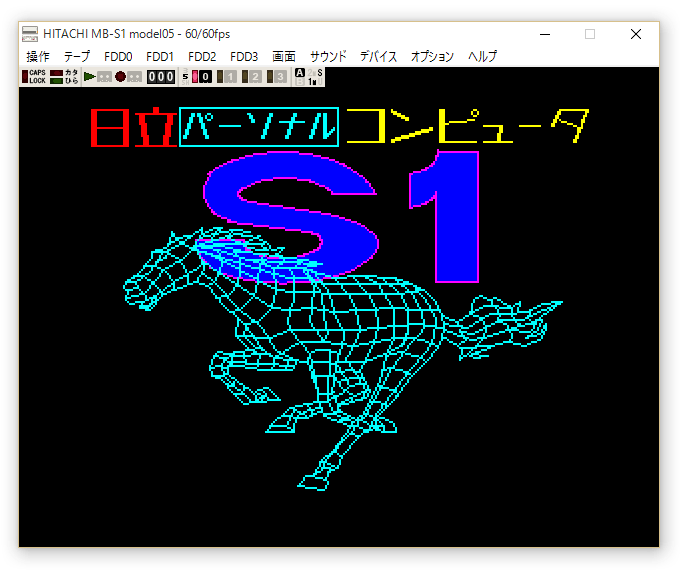


Télécharger Hitachi MB-S1 Model05 (x86) v0.9.4 (602 Ko)

Télécharger Hitachi MB-S1 Model05 (x64) v0.9.4 (668 Ko)

Site Officiel

En savoir plus…

Il s’agit du seul émulateur Basic Master disponible (très bon, au demeurant !), connu également sous le nom de Bml3mk5. Cliquez sur « En savoir plus » pour la description résumée de ce système.
Des versions avec debuggeur sont disponibles sur le site officiel.
 

mark5


Télécharger Hitachi Basic Master Level3 MARK5 (x86) v2.1.4 (479 Ko)

Télécharger Hitachi Basic Master Level3 MARK5 (x64) v2.1.4 (520 Ko)

Télécharger Hitachi Basic Master Level3 MARK5 (SDL) v2.1.4 (2.3 Mo)

Site Officiel

En savoir plus…

Un multi-émulateur russe dont l’interface est en anglais.


Il émule les machines suivantes:
Apogee ,Bashkiria-2M rom, Bashkiria-2M disk, BK-0010, BK-0010_01, BK-0010fdd, Korvet, Lik, Lik2, Lvov, Lions PK-01, Mikro-80, Mikrosha, Mikrosha (cas), Orion-128, Orion-128z80-Card-ll, Orion-Pro, Orion-Pro 2, Partner, Pc junior, Radio-86RK, Radio-86RK (cas), Radio-86RK 4K, Radio-86RK color, Specialist, SpecialistMX, SpecialistRamfos, Spektr-001, UT88, UT88 (cas), Vector06c, Vector06c-z80, YUT-88, ZX Spectrum 48 et ZX Spectrum 48 (cas).


Télécharger EMU v1.01 (2016/12/26) (1,6 Mo)

Site Officiel

En savoir plus…

Un émulateur de PSP écrit en Java. Codé par Mad et Shadow (PCSX2) et rejoint par Wrayal, Fiveofhearts, Hlide et Dreampeppers99. Il émule les jeux commerciaux mais nécessite une puissante configuration.
 
jpcsp
 
Liste de jeux compatibles.
Site de développement du projet.
Builds SVN automatiques (alternative).
 

Télécharger JPcsp (x86) v0.7 rev 0318d15e (26.4 Mo)

Télécharger JPcsp (x64) v0.7 rev 00ac4d6 (29.1 Mo)

Site Officiel

En savoir plus…

Créé par Avery Lee (l’auteur de VirtualDub), il s’agit d’un émulateur d’Atari 8 bits (800/800XL/130XE) disponible en 32 et 64 bits. Il dispose de beaucoup d’options ainsi que d’une bonne compatibilité. Il prend en charge les jeux protégés conformément à l’émulation. Il s’agit d’une version de développement au stade de béta.


– New unified system configuration dialog to reduce menuitis by combining almost all of the system configuration commands into one big paged dialog. This dialog also now has contextual hover-over help for each option. Most of the commands have now been removed from the menu, but the menu commands are still there and can still be key-bound. This includes sub-pages that used to be separate dialogs, like speed options and devices.
– Reorganized menu and keyboard shortcuts to move some commonly used commands from Alt+Shift+key to just Alt+key, particularly disk and system configuration. You’ll need to reset keyboard shortcuts to default to see this, or rebind the commands yourself.
– The profiler is now integrated into the performance analyzer. It’s not completely finished, but you can now generate a profile view from either a time range or the entire trace. Toolbar has also been redone.
– Command-line help has been cleaned up so it’s no longer an unformatted mass of text shoved into a message box. Obsolete switches have been removed and some formerly undocumented switches are now listed. There are now also /d3d9 and /d3d11 switches.
– There is now an FDCWTDATA logging channel to interpret the Write Track data during a format in full disk emulation mode, making it easier to interpret the track layout used by firmware.
– Default sector interleave for disk images has been updated and there is now an option in the Disk Drives dialog to change the interleave on an existing disk image to several common interleave patterns. This allows using accurate sector timing with high-speed operation without having to reformat disks to get them into proper interleave.

 
Topic des versions Beta.

Télécharger Altirra (Beta) v4.50 Test 28 (7.7 Mo)

Site Officiel

En savoir plus…

Créé par Avery Lee (l’auteur de VirtualDub), il s’agit d’un émulateur d’Atari 8 bits (800/800XL/130XE) disponible en 32 et 64 bits. Il dispose de beaucoup d’options ainsi que d’une bonne compatibilité. Il prend en charge les jeux protégés conformément à l’émulation.
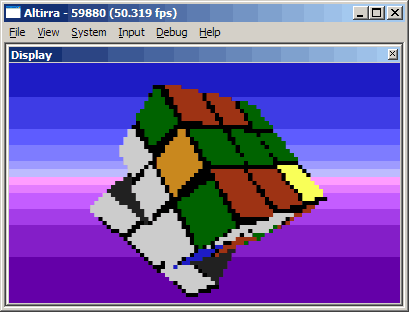


[changes]

  • Devices: Internal device tree storage has changed. Device trees may need to be remade.
  • Input: Added detection and button naming for DualShock 4 controllers.
  • VBXE: VideoBoard XE configuration has been moved from the menu to a device entry.

 
[features added]

  • Cassette: Added initial support for turbo tape decoding.
  • Cassette: Mounted tape is now persisted along with other mounted images.
  • Cassette: %%-age position is now shown on HUD.
  • Cassette: Improved FSK decoder.
  • Cassette: Added analysis tool to compare raw signal against FSK and turbo decoder outputs.
  • Cassette: Added option to export decoded tape back out as audio.
  • Debugger: History pane now has a more powerful loop detector that can handle larger loops and call/loop nesting.
  • Debugger: History pane can now label each instruction with tape position.
  • Debugger: .tapedata command now accepts position by sample (-s).
  • Debugger: Added bsc command to change condition on a breakpoint.
  • Debugger: Undocumented store and read/modify/write instructions are now shown with write symbols rather than read symbols.
  • Debugger: Extended .pia command output.
  • Debugger: .basic_dumpline now supports reading program text from extended memory.
  • Debugger: ~ (target info) command displays coprocessor types and speeds.
  • Debugger: Added support for per-instruction breakpoints.
  • Debugger: u (unassemble) command now has switches to track 65C816 M/X/E state.
  • Debugger: Memory access breakpoints are now supported in banks $01-FF.
  • Debugger: added bta (set tracepoint on memory access) command.
  • Debugger: db/dw/dsb/dsw/dsd expression operators now accept 24-bit addresses.
  • Debugger: Symbols can now be present above bank 0.
  • Devices: Added browser device (B:).
  • Devices: Added feature to IDEPlus 2.0 to guard against NVRAM corruption on reset during clock reads.
  • Devices: Added XEL-CF adapter emulation.
  • Devices: Added Rapidus Accelerator emulation.
  • Devices: An automatic reboot is now requested before adding or removing devices that practically require one.
  • Disk: ATX images are now saved with a unique creator code.
  • Disk: Added support for ATX images with MFM tracks.
  • PCLink: Added option to use creation timestamps passed in commands.
  • SCSI: Fast/slow block storage speed is now implemented on SCSI buses.
  • UI: Added support for per-monitor V2 DPI awareness in Windows 10 Creator’s Update.
  • VBXE: Added option to emulate FX1.24 or FX1.26 behavior.
  • VBXE: Overlay collision detection is now implemented.
  • VBXE: Improved blitter timing precision to sub-scanline.

 
[bugs fixed]

  • AltirraOS: Fixed polarity of CKEY flag.
  • ATBasic: Added compatibility workaround for programs that use locations 183 and 184 to read the current DATA line.
  • Cartridge: Fixed error when loading untagged cartridge from drag-and-drop stream source.
  • Cheats: Fixed sorting issues in active list.
  • CPU: Fixed 65C816 being reverted to emulation mode when changing CPU speed dynamically.
  • CPU: Interrupts in 65C816 emulation mode now force K=0.
  • CPU: Fix incorrect extra cycle for opcode $04 (NOP zp).
  • Debugger: Disassembly window now scrolls properly above bank 0.
  • Debugger: Improved breakpoint and stepping behavior with coprocessors.
  • Debugger: Fixed incorrect execution history timings for Percom disk drives.
  • Debugger: Fixed crash when toggling breakpoints through UI on top of hidden break/tracepoints from loaded symbols.
  • Debugger: Fixed crash with certain command alias patterns using wildcards.
  • Devices: Fixed IDEPlus 2.0 to have internal SDX at higher priority than external cart.
  • Devices: Fixed MIDI SysEx message parsing issues with MidiMate emulation.
  • Disk: Tightened validation when mounting MyDOS filesystems.
  • Disk: Fixed crash when expanding archives in filesystems with empty directories.
  • Display: Improved display recovery when secondary monitors are turned on or off.
  • Display: Added workaround for breaking change in Windows 10 build 1709 that caused D3D9 exclusive fullscreen mode to not render.
  • Display: Fixed some reporting and stability issues in custom D3D9 shader effect system.
  • IDE: Serial number field in identify command data is now padded with spaces.
  • PCLink: Directory search operations now return creation time instead of last write time.
  • POKEY: Serial output data is now truncated when the output clock is stopped.
  • POKEY: Fixed keys not being immediately recognized in raw mode when exiting init mode.
  • UI: Fixed /type not working on cold boot.
  • UI: Fix garbage when pasting text copied from WordPad.
  • VBXE: Attribute map is now constrained to 43 cells rather than a lower limit of 8 pixels horizontally.
  • VBXE: Added emulation of color 0 bug in GR.11 in FX1.24 core.
  • VBXE: Blit pattern width field is now 6 bits instead of 7.
  • VBXE: Overlay priority is reset to $FF at top of XDL.


Télécharger Altirra v4.40 Stable (8.3 Mo)

Site Officiel

En savoir plus…

De nouvelles infos sur MAME sont disponibles sur le site officiel de Haze.


Site Officiel

HBMAME (HomeBrew MAME) est une version non officielle de MAME(Arcade) permettant l’ajout de nombreux jeux maison et hacks divers. A noter que des packs de snaps et artworks sont disponibles sur le site officiel.


Les changements:
Sync with Mame v0.193
 
Les builds sont tous compilés par notre ami Lo.
Les versions sans GUI sont estampillées 191, ce n’est qu’un oubli de changement de version.


Télécharger HBMame (32 bits) v0.289.4 (18.5 Mo)

Télécharger HBMame (64 bits) v0.289.4 (50.2 Mo)

Télécharger HBMame GUI (32 bits) v0.289.4 (18.7 Mo)

Télécharger HBMame GUI (64 bits) v0.289.4 (50.7 Mo)

Site Officiel

En savoir plus…


https://getourbonus.com/fr/accueil

https://www.romspedia.com/

