Emu80 est un émulateur de plateformes « Radio-86RK », « Partner », « Apogee », « Mikrosha », « specialist », « Orion », « Micro-80 », « UT-88 » pour Windows.


Merci à Breaker pour la news.
 
+ Innovation
* Change / Improvement
– Fixed a bug
!! Known issue
 
Changes in version 4.0.277:
+ Configuration for PC « Face »
+ Download rks-files in a format with a name on Alt-F3 and Alt-L
+ New U command in the sender: skipping the current command without performing
+ The volume parameter « emulation.volume » is added to the configuration file
+ Two new parameters « cpu.debugOnHalt = yes » no and « cpu.debugOnIllegalCmd = yes » to exit the debugger using the HALT command
and by an invalid command code (for i8080) respectively (you can add to the end of the conf file if necessary)
* Modified RK-86 monitor for launching RK-DOS under the U directive
* Instead of the Alt key, the Win (Meta) key can be used in key combinations. It can be useful in Linux.
* In the character generator of the RK, the « $ » sign is replaced by the currency symbol « ¤ »
* Changed the behavior of the emulator when refusing to select a file when exchanging with a tape recorder: temporary interception of interception
+ Limited support for writing wav files
+ Reading or writing wav when selecting it instead of rk
+ New configuration parameter « Acceleration when playing WAV », allowing you to set the acceleration ratio
emulator when loading wav files. In the global ini-file, it corresponds to the parameter « wavReader.speedUpFactor ».
– Fixed a bug that occurred when exiting the emulator with the set breakpoints
– Fixed the operation of the US, SS and ENG control keys on the Micro-80 and UT-88
– Fixed rks-file recording on the Specialist
– Fixed loading of some wav files that gave an error when opening
– Patched Specialist Monitor replaced with original
– Internal changes
 

A little explanation on how to work with wav-files: download the wav-file, you can either, as before, through Alt-W, or by selecting the wav-file in
response to a file name request issued by an input directive from a tape recorder. Similarly, if the file name requested by the
on the tape output directive, you can specify a file name with the extension wav: in this case, instead of rk *, the wav-file will be recorded. AT
The wav file only receives the output signal to the tape recorder, other sounds are not recorded.

 
Site de développement.
 

Télécharger Emu80 v4.0.571 (21.4 Mo)

Site Officiel

En savoir plus…

Un émulateur ultra précis de Gameboy N&B/Color pour Windows et MacOs proposant également un débogueur.


New/Improved Features

– The CGB boot ROM will now wait until the user finishes choosing a palette
New SDL GUI:
– More user friendly, settings are now more accessible
– Added configurable controls
– Added scaling filters (requires OpenGL 3.2 support)
– Added frame blending (requires OpenGL 3.2 support)
– Added joypad support to both the Cocoa and SDL ports
 
Accuracy Improvements/Fixes

– More accurate PPU timings
– The first frame after turning the LCD on is now skipped, as in hardware (Fixed Pokémon Pinball visual glitch)
– Accurate emulation of VRAM and OAM blocking
– More accurate emulation of MBC1
– Improved serial cable timing emulation
– Complete rewrite of the APU emulation (Fixed audio on several games)
– APU emulation is now sample-accurate in almost all case
– Audio is now rendered at 2MHz (like real hardware), downsampled to 96KHz (or 44.1 on Windows)
– Passes all of Blagg’s APU tests, as well as most of SameBoy’s (yet-to-be-released) APU tests
– Added 3 modes of high-pass filtering (Disabled, Emulate Hardware, and Preserve Waveforms)

– Fixed KEY1 being writable on a CGB in DMG mode
– Refined window behavior (Fixed visual glitches in Pokémon G/S/C)
– SCY latching is now correctly emulated
– Refined SCX’s effects on PPU timings
– Correctly emulate differences in interrupt timing when the CPU is in halt mode
– More accurate emulation of interrupt servicing. (Fixed Pinball Deluxe)
– Fixed OAM interrupt timing (Fixed Pinball Deluxe when emulating a DMG)
– Added 4 modes of color correction (Disabled, Correct Curves, Emulate Hardware and Preserve Brightness)
– Fixed EI behavior
 
Bug Fixes

– Fixed backtrace command in the debugger (first item did not appear correctly)
– Fixed a bug that prevented saving games after resetting the emulator
– Fixed several memory leaks
– Fixed a bug that caused black screens after loading a save state when emulating a DMG
– Fixed potential crashes when viewing OAMs in the VRAM viewer
 
Misc Internal Changes

– API improvements
– It is now possible to specify a boot ROM for the automatic tester
– The Libretro core is now merged into the main branch


Télécharger SameBoy v1.0.5 (1.6 Mo)

Site Officiel

En savoir plus…

Il s’agit de la version en développement du plugin audio d’Azimer utilisant le mode HLE (très performant).


Changements :

GPLv2 source is released with contributions. The changes made to WIP 10 are not in the repository.
 
Forum officiel.
 

Télécharger Azimer's Audio Plugin v0.70 WIP 10 (160 Ko)

Site Officiel

Site Officiel de développement

En savoir plus…

Nplayers : Exclusivement pour les frontends comme EmuLoader, MaLa etc.. ce fichier vous servira à classer les jeux par nombre de joueurs possibles : 1p, 2p, 1p+2p, 1p+2p alt, etc…


Nplayers32 : Exclusivement pour MameUI ou clone de celui-ci… ce fichier vous servira à classer les jeux par nombre de joueurs possibles : 1p, 2p, 1p+2p, 1p+2p alt, etc…


Télécharger Nplayers v0.278 (303 Ko)

Site Officiel

En savoir plus…

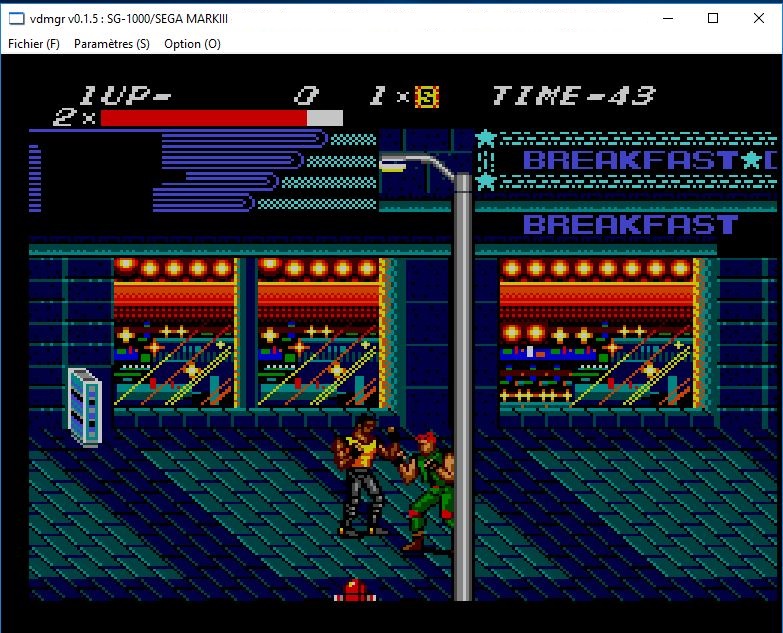
Il s’agit d’un émulateur multi-systèmes dont l’interface est multi-langues (la version française est assurée par Tradu-France). Il propose également un très bon débogueur. Les systèmes émulés sont les suivants: ColecoVision, le 8502, le GMC-4, le HVC-001, le MCS Basic-52, la MSX, le SC-3000+SF-7000, la NeoGeo Pocket, la Neo Geo Pocket Color, le SG1000, le TD4 et le Z80.
 
Voici les améliorations:
 
– Full SGM support Bug fix
– Fix ROM / RAM bank switching
-Initialize SGM expansion RAM


Télécharger vdmgr v0.2.7 (2.3 Mo)

Site Officiel

En savoir plus…

pantheon

 
Il s’agit d’un multi-émulateur qui gère les systèmes suivants avec une superbe interface très simple d’utilisation.
Ordinateurs : Acorn Atom, Acorn BBC Micro, Acorn Electron, Commodore PET, Atari 8-bit, MSX
Consoles : Atari VCS 2600, Atari VCS 5200, Atari VCS 7800, ColecoVision, Magnavox Odyssey 2, Sega Master System, Sega Megadrive, Mattel Intellivision
Consoles portables : Atari Lynx, Sega Game Gear, Nintendo GameBoy


Vous aurez besoin de .NET Framework installé sous Windows. Pantheon est spécifiquement dédié aux jeux.


Le gros avantage est que ceux-ci sont téléchargés automatiquement en un clic sans que l’on ait besoin de faire quoi que ce soit d’autre. Il est bien dommage que Panthéon ne dispose pas de filtres, cela rend les jeux très pixelisés en raison des basses résolutions natives.


Télécharger Pantheon v16.754 (138 Mo)

Site Officiel

En savoir plus…

Il s’agit d’un émulateur de Nintendo NES (et aussi FDS, NSF, NSFe, VS System) écrit en C++ (interface en c#) gérant le multi threading et est capable de s’exécuter en mode 32 ou 64 bits automatiquement. Il s’attarde sur la précision, gère un ensemble de mappers et filtres graphiques (mais aussi les packs HD au format HDNes) ainsi que les extensions zip/7z, permet l’enregistrement vidéo, le jeu en ligne ou encore d’utiliser des codes de triches. De plus, il se mettra à jour automatiquement. En outre il dispose également d’un débogueur.
 
Il vous faudra disposer de Windows Vista, 7, 8, 8.1 ou 10 ainsi que DirectX 11 avec .NET Framework 4.5+ d’installé.
 
A noter qu’il est à présent très probable que Mesen soit devenu l’émulateur le plus précis (devant Nestopia UE/puNES/Bizhawk) et en passe de devenir le meilleur émulateur de NES disponible tout simplement.


New Features

– Input: Added support for 20 more peripherals (including controllers, barcode readers, keyboards, mice, external storage devices, etc.)
– Video: Added a 60.0 FPS mode to reduce dropped frames
– Video: Added support for exclusive fullscreen mode (Windows only)
– Video: Added option to rotate the display (for homebrew games)
– Performance: Minor performance enhancements on Windows (~5%) and large gains on Linux by enabling LTO (25-30%)
– Movies: Rewrote movie file format from scratch to be a lot more flexible, and editable by hand. (Old .mmo files are no longer supported)
– Debugger: Several enhancements and a number of additions/changes to the Lua API.
– Accuracy: Improved FDS IRQ emulation
 
Bug Fixes

– General: Several miscellaneous bugs have been fixed.
– Debugger: A large number of small bugs and usability issues have been fixed.
– HD Packs: Fixed performance issues with HD Packs in CHR RAM games (over 2x faster)


Télécharger Mesen v2.1.1 (33.5 Mo)

Site Officiel

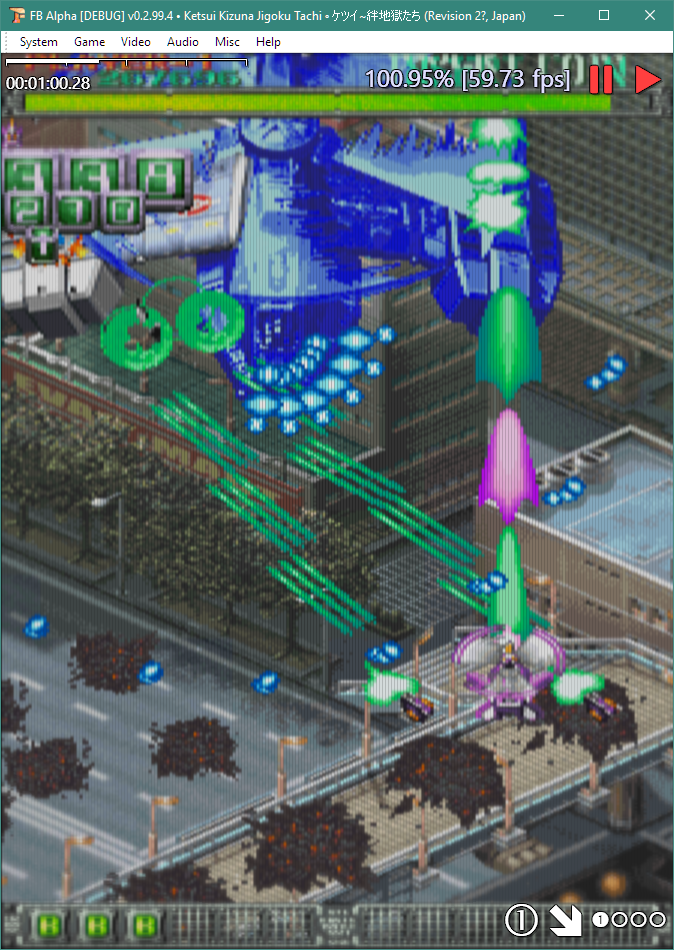
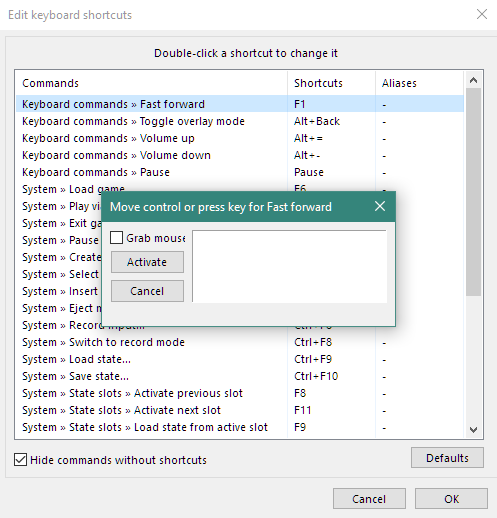
Il s’agit d’un build « spécial » de FBA créé par Jan Klaassen, l’un des développeurs.


Ce build apporte un lot de changements dont certains seront ajoutés officiellement par la suite dans la branche officielle.
 
En attendant il fait office de build de test et/ou de build alternatif à l’instar des autres constructions non officielles comme Shuffle ou Plus!.
 
Les changements sont:
 
changes in 0.2.99.10:

– changed some default settings
– added guru meditation box for recoverable errors (uses yellow text in place of red)
– added some safety tests for dx9 blitter and icc parser
– updated documentation
 
changes in 0.2.99.9:

– changed default display colour profile to sRGB
 
changes in 0.2.99.8:

– fix resizing window to smaller than original image size in dx9 blitter with multipass effects
– fix dx9 blitter SM1.4 shader support (only used for SM1.4 level hardware)
– enable dx9 blitter compatibility for legacy gpu support (AKA SM1.4 shaders compiled as SM2.0)
– add high performance version of overlay shader (used in combination with legacy gpu shaders)
– add colour controls to dx9 blitter
– add proper gamma correction to dx9 blitter (old gamma controls are disabled)
– add colour correction to dx9 blitter
– perform cubic filter in linearised RGB (except when running on PS1.4 hardware)
– precompile shaders for faster initialisation (VS build only, SM1.4 is unavailable when this is enabled)
– removed menu option for fm interpolation (should always be on)
– fixed sound not switching off when opening record input / save state dialog
– fixed clearing inputs (crashed when built with gcc)
– fixed version/info string generation with gcc
– updated documentation


Vous pouvez découvrir les nouvelles fonctionnalités et autres changements en allant sur le forum officiel.
 
Site du build.
 

Télécharger FBA SP Build v0.2.99.12 (7.8 Mo)

Forum Officiel

En savoir plus…

A l’instar de MAMEinfo pour MAME(Arcade), le fichier MESSinfo vous permet de suivre les changements entre les versions concernant les différents systèmes émulés par ce multi-émulateurs.


Télécharger MESSinfo.dat v0.193 (5,1 Mo)

Site Officiel

En savoir plus…

VV est un émulateur d’ordinateur russe sorti en 1987 : le Vector-06c.

 
Merci à Breaker pour la news.


Quoi de neuf:
– Added 4: 3 zoom mode for full screen mode


Télécharger Virtual Vector v6.90 (1.1 Mo)

Site Officiel

En savoir plus…

Il s’agit du Frontend GameEX mais optimisé pour les jeux d’arcade.
 
Il est plus léger, possède des améliorations cosmétiques et prend en charge les nouveaux thèmes vidéo de chez EmuMovies.
 
Il prend en charge les systèmes de MAME et d’arcade et présente les différences de caractéristiques suivantes par rapport à la version standard de GameEx:
 
– Supporte les thèmes vidéo.
– Moins de code. Plus léger. Moins d’options.
– Design optimisé pour les écrans de télévision et d’arcade.
– Support des résolutions basse (640 x 480).
– Apparence plus proche d’un HyperSpin.


Télécharger GameEx Multiplatform Arcade Edition v19.97 (271 Mo)

Site Officiel

En savoir plus…

GameEx est une interface graphique pour vos émulateurs. Elle sert également de lecteur vidéo, DVD et CD.


Certaines fonctionnalités de GameEx :
– lit aussi les fichiers audio.
– supporte les affichages LCD/VFD, ArcadeVGA.
– peut adapter son affichage pour les écrans larges, elle peut aussi tourner l’affichage de 90° (vertical).
– peut être contrôlée à distance, ou par une manette ou par la souris uniquement.
– supporte les contrôleurs arcade : HotRod, X-Arcade, SlikStik et IPAC.
– est compatible avec les interfaces entre PC et cartes arcade : U360, I-PAC, J-PAC.
– intègre un Jukebox qui supporte les fichiers ogg, mp3, wma, m4a, et flac.
– Les musiques peuvent être lues et changées pendant que vous êtes en train de jouer.


Ce frontend est disponible en version gratuite & payante (17 $) incluant de nombreuses autres fonctions.


Télécharger GameEx v19.98 (460 Mo)

Site Officiel

En savoir plus…


https://getourbonus.com/fr/accueil

https://www.romspedia.com/