Voici un éditeur d’items pour Zelda BOTW tournant évidemment sous l’émulateur de WiiU nommé Cemu.


Quelques caractéristiques:


– Flèches infinies
– Restaurer des armes, des boucliers et des arcs non équipés / équipés
– Bloquer votre santé
– Bloquer votre endurance
– Utilisation illimitée d’Amiibo
– Puissances divines illimitées
– Changer la durabilité des articles

 
Installation:
1- Télécharger le fichier
2- Décompresser l’archive où vous le souhaitez (ne doit pas être dans le dossier Cemu)
3- Ouvrir Cemu et lancer une sauvegarde de votre jeu
4- Exécutez le programme et appuyez sur « Scan Memory » en haut à gauche
 
Par ailleurs un site de sauvegarde de jeu est disponible ici.


Télécharger Cemu BOTW Inventory Items Memory Editor v1.0.0.11 (116,2 Ko)

Site Officiel

En savoir plus…

Nouvelle version de cet émulateur de calculatrice HP71B.


Whats new:

– improved KML keyword « Scale », can also upscale the background image now
– added KML keywords « Opaque » and « Icon »
– better emulation of bus arbitration when two or more modules share the same address space
– improved HPIL module simulation
 
The improvements of the HPIL module simulation in detail:

– added some standard HP71B device capabilities answering data (SDA), status (SST), accessory ID (SAI) or device ID (SDI) frames
– added Interface Clear (IFC) frame support, a CONTROL ON on the master HP71B force all attached HP71B, even if they are in controller mode, into device mode
– added file transfers as device from and to the loop
– added remote control
– added support of HPIL interrupts/events
– added HPIL request feature


Télécharger Emu71 (-KML) v1.19 (175 Ko)

Télécharger Emu71 (+KML) v1.19 (1.4 Mo)

Site Officiel

En savoir plus…

Il s’agit d’un émulateur de TI-84 Plus CE / TI-83 Premium CE pour Windows, MacOS et Linux.


Télécharger CEmu TI (x86) v2.0 Dev (2025/03/04) (19.5 Mo)

Télécharger CEmu TI (x64) v2.0 Dev (2025/03/04) (11.7 Mo)

Site Officiel

En savoir plus…

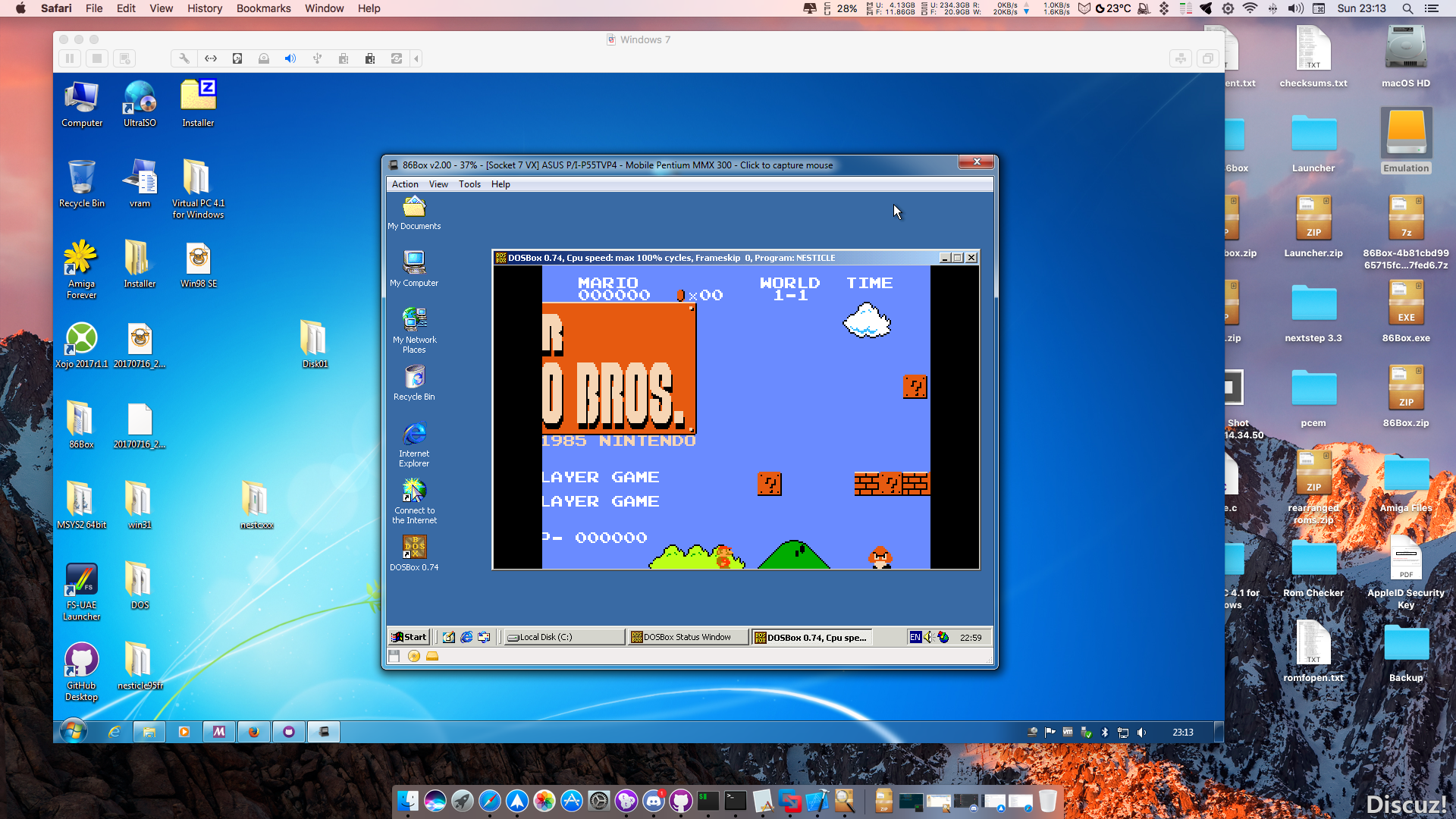
86Box (anciennement nommé PCem Unofficial, PCem Experimental ou PCem-X) est une branche non officielle de l’émulateur PCem, qui vise à émuler des machines compatibles IBM de la période 1981-2000. Cette branche ajoute plusieurs cartes mères émulées.


Télécharger 86Box (x86) v4.2.1 build 6130 (31.3 Mo)

Site Officiel

En savoir plus…

m64p (ou Mupen64Plus-GUI) est une interface graphique écrite en Qt5. Elle supporte tout ce que vous attendez d’une interface mupen64plus (sélection de plugins, édition de la configuration, gestion des sauvegardes, capture d’écran, pause, etc.).
 

Cette archive inclut Mupen64Plus + GlideN64 + une interface utilisateur.


Code source.

Télécharger Simple64 (x86) (2020/06/02) (20.6 Mo)

Télécharger Simple64 (x64) v2024.12.1 (46.5 Mo)

Site Officiel

En savoir plus…

Voici les derniers émulateurs (et aussi les plus fréquemment mis à jour) en cours de développements.


VDosplus: Emulateur de DOS.

Citra: Emulateur de 3DS.

Decaf: Emulateur de WiiU.

RPCS3: Emulateur de Playstation 3.

Redream: Emulateur de Sega Dreamcast.

CXBX: Emulateur de Microsoft X-Box.

Xenia: Emulateur de Microsoft X-Box 360.

Cen64: Emulateur de Nintendo 64 Préliminaire.


Télécharger vDosPlus (2018/03/01) (1.8 Mo)

Télécharger Citra (Final build) (2024/03/07) (140 Mo)

Télécharger Decaf-Emu Build 231109 (40.8 Mo)

Télécharger RPCS3 (WIP) v0.0.43 Alpha (2026/11/16) (35.5 Mo)

Télécharger Redream v1.5.0.1239 (3.1 Mo)

Télécharger Xenia v1.0.2844 (2026/11/16) (3.9 Mo)

Télécharger CXBX Reloaded v0.1.0 (1.3 Mo)

Télécharger Cen64 (WIP) (2022/10/02) (2.6 Mo)

Télécharger Cen64 (Debugger) r2015.01.18 + (DEV) r2017.04.23 (3.4 Mo)

Il s’agit d’un frontend pour Mednafen avec une interface originale et très complète, en voici quelques caractéristiques:


(BugFix) – New version downloads don’t stall at 100% anymore (but obviously you will still have to manually update until you are running this version)
(Enhancement) – Added setting to reformat game title case when displayed in the library. Options – no change, Title (Camel) Case, All Caps
(Enhancement) – Context menu option to delete ROM(s) from disk – currently only ROM games that are either uncompressed, or are the only ROM file within a zip file (disc-based games and 7zipped ROMs not supported)
(UI) – Re-styled the games library favourite ‘tick box’ so that it no longer looks terrible
(Enhancement) – Added the following controller configuration options: Saturn (light gun & mouse), SNES (superscope & mouse), PSX (guncon, justifier & mouse), PCE/PCE_FAST (mouse), PCFX (mouse), NES (zapper) and MD (mouse)
(UI) – Controller configuration now shows ‘pretty’ names for Keyboard & Mouse bindings (hovering over each binding does however show the actual mednafen command in a tooltip)
(BugFix) – Binding of tertiary controller settings is now possible
(Enhancement) – Compatibility and download links for mednafen 0.9.48
(Enhancement) – Added basic ROM/Disc inspector functionality
(BugFix) – Library game info text now auto-scrolls if right boundary is breached
(Enhancement) – Games library now converts/translates the majority of returned country codes (to give a more uniform display)
(BugFix) – Fixed library sidebar scroll events not bubbling through child items (so now library sidebar will vertically scroll with mousewheel whever the mouse is located on the sidebar)
(CodeChange) – Added custom DiscSN lookup library (for obtaining PSX game serials from disc images) and removed the BizHawk DLLs
(BugFix) – Fixed SlimDX.dll exception on some systems – implemented pre-req check on startup with option to install vcred_x86.exe if it is not detected (required for MedLaunch to work)
(BugFix) – Fixed (finally) exception generated when changing the GUI Zoom slider on non-English OSes
(BugFix) – Fixed exception generated when opening the Theme Changer on non-English OSes
(BugFix) – Fixed exception when importing configs on non-English OSes
(Enhancement) – Implemented SevenZipSharp library in place of SharpCompress. This gives better speed when dealing with/importing games within 7zip archives.
(BugFix) – ROMs within archives files now have their hash detected correctly
(Enhancement) – Multiple ROMs within archive files can now reside in nested subfolders within the archive itself
(Enhancement) – DAT lookup database (AsniDAT.db) now contains CRC32 and SHA1 hashes (along with MD5 that it had previously) – this reduces import/scan time for ROMs within archives
(Enhancement) – Major disc-scanning improvements, just point MedLaunch at the root folder for that system (psx, saturn etc.), and it will parse and import all games (and create .m3u files if they are needed). With multi-disc games, all the files for the game must be in the same folder or subfolder
(BugFix) – Fixed issue in DevBuild where mednafen update wasnt extracting all the files from the downloaded archive


Télécharger MedLaunch v0.5.8.1 (35,1 Mo)

Site Officiel

En savoir plus…

Une version améliorée de Neko Project II et Neko Project 21 (PC98XX) mais dont les principales informations sont en japonais (l’interface est disponible en anglais). Plus d’informations.


(Ancien thread | Nouveau thread)
 

Télécharger Neko Project II / Project 21 fmgen v0.83k8 (2017/09/25) (11,3 Mo)

Site Officiel

En savoir plus…

Le premier émulateur de Sega Model 3 créé par Bart Trzynadlowski, Ville Linde et Stefano Teso dans sa version de développement (voir ici) [source].



Les changements:

svn 665
– Fix the sky in one of the levels in virtua on. The problem was caused by the fact we didn’t split the mesh by the fog % burn through, so all the polys had the same value. We could use a vertex attrib, but % burn through fog is so rarely used and when it is, normally every poly in the mesh has the same value.
svn 664
– Fix tiny memory leak
svn 663
– update project files
svn 662
– update project files
svn 661
– work around for visual studio bug
svn 660
– fix missing header
svn 659
– cannot specify explicit initializer for arrays – fix for visual studio
svn 658
– New work-in-progress frame timing code (disabled by default, compile with NEW_FRAME_TIMING defined to activate it)
– New JTAG emulation, moved into its own class, CJTAG
– Removed game-specific sun clamp hacks from CNew3D (JTAG and Real3D emulation will call the appropriate method to configure this at run-time)
– Removed JTAG from Real3D save state data and reused some of that space for new state variables having to do with the internal JTAG-based config as well as new frame timing state variables
svn 657
– Added functions to safely read and write bools
svn 656
– Added functions to extract bits as integer values and updated comment about bit vector layout


Ajout:
– correction des musiques dans sega rally 2 (mix)
– correction musique 1er niveau 2joueurs (la cave rouge) dans vf3 (pas sûr de la modif, et donc cela peut éventuellement entrainer d’autre problèmes sonore sur d’autre jeux).(inclut officiellement)

 
Les fichiers sont compilés par spindizzi et/ou KOF2112, merci à eux.


Télécharger SuperModel v0.4 Build 261116 (5.2 Mo)

Télécharger SuperModel WIP (XP) v0.3a r862 (6.3 Mo)

Site Officiel

En savoir plus…

De nouveaux patchs sont disponibles sur le site de nos partenaire de chez la TRAF (et sur notre miroir), de quoi s’occuper de nombreuses heures 🙂
 
traf


Site Officiel

La version de développement de cet émulateur de NEC PC-6001 tournant sous Windows. Il nécessite DirectX 9.0 au minimum.
 
pc6001vw


Télécharger PC6001VW (Dev) v4.0 Alpha (2020/08/16) (891 Ko)

Télécharger PC6001VW (Dev) [XP] v4.0 Alpha (2020/08/16) (607 Ko)

Site Officiel

En savoir plus…

Il s’agit d’une sorte de plugin dédié à Cemu permettant de mettre en œuvre le décodage du h264 qui n’est pas dans le noyau.


Les changements:
– Adds « Custom timer » (which lets you enable replacment, more accurate and faster timer functions and scale the time) as well as « MM Timer Accuracy » menu if you still use the MM timer (both can be found under the Debug main menu)
 

Télécharger Cemu Hook v0.5.4.0 (4,8 Mo)

Site Officiel

En savoir plus…


https://getourbonus.com/fr/accueil

https://www.romspedia.com/