SSE pour « Steven Seagal Edition » est un émulateur d’Atari ST basé sur le STeem original v3.2 de 2004. Il emprunte également des améliorations en provenance de Hatari.


Les améliorations sont les suivantes :
 

Features
– Can copy from the ‘readme’ texts to the clipboard.
– Can use Steem on a second monitor (D3D).
– Optional borderless window fullscreen mode for even more compatibility (D3D).
– ‘Laptop’ fullscreen mode renamed ‘Max Resolution’, now with correct aspect ratio + optional ST aspect ratio (DD).
– Sound: more sampling rates are managed, up to 384Khz. Higher rates depend on your hardware. They can reduce aliasing in some cases (Star Trek, Union Demo).
 
Emulation improvements
– Hardware Expansions: Support for MonSTer alt-RAM.
– Blitter:
*Further improvements of blit mode bus arbitration.
*Note that those improvements increase overhead while having no practical use (game, demo…), but that’s the price of more precise emulation.
*Thx Cyprian for good test programs.
– YM2149: If option’C2′ is checked, an alternative, lower level YM2149 emulation inspired by MAME is used. Thx Couriersud.
– Timings: NTSC clock for the Mega ST, PAL clock for the STF and the STE.
 
Refactoring
– Former options ‘Interpolated Scanlines’ and ‘PAL Aspect Ratio’ have been merged into a new option ‘ST Monitor’.
– MFP: Timer B tick better following the ‘DE’ signal.
*More precise timers when the CPU is accelerated (sound routines).
*Some timing changes.
– CPU: 64bit cycle timers (Win64). This makes older memory snapshots incompatible.
 
Bugfixes
– CPU timing destination = .W (-An).
– GUI crash on select MIDI in (Win64).
– DC offset: sound is now centred on zero, start/stop shouldn’t click.
Note: PSG emulation produces positive-only values, DMA sound samples are signed.
– 2.5MB memory setting was forgotten at second cold reset.
– More compatible, less trashy fullscreen GUI (DD & D3D).
– Some other Fullscreen bugs (trash, wrong size…).


Télécharger Steem SSE (D3D) [32 bits] v4.2.1 R3 (6.8 Mo)

Télécharger Steem SSE (D3D) [64 Bits] v4.2.1 R3 (7.6 Mo)

Site Officiel

En savoir plus…

pfeMame (écrit par Gareth Finch) est un frontend pour MAME, écrit en Python. Il est multiplateforme (testé sur Linux – Ubuntu et Windows). Il comprend également une interface graphique destinée aux MameCab qui permet le contrôle à l’aide de joystick / manette.


pfemame_main

 
• In Linux (not Windows), using the ENTER key to run a game caused two event to be generated for reasons that I just could not find out. I have been able to work around this by using two different methods to capture the key press for Windows and Linux.
• Removed some empty linefeeds not needed when running verifyroms
• Have included the pfeMAME manual with the distributions now and have added a submenu under Help to view it
• General tidy up of some code – spacing, grammar, python-ish correctness etc
• Corrected some override code for the ultimatelistcontrol
• Used a better method for determining if a game has an icon or not – previous method was an ugly hack
• Have added a CLEAR ALL option to the file paths window. This is more useful for development than normal use
• Have added an AUTO FIND option to the file paths window. This is very handy as it just simplifies and speeds up the process of entering all of your folders. Under Linux only looks in \usr\games\mame – if it finds a match it adds it in, otherwise it is left empty so you know a match wasn’t found
• Changed the about dialog to use the wxpython inbuilt dialog
• Changed the singlechoice dialog to use the wxpython inbuilt dialog
• Removed my own coded singlechoicedialog and aboutbox include files from the distribution build as they are no longer used
• Changed the logfile file limit size to 512k before it creates a archive copy and then a fresh logfile.log. This was done to allow me to use the scrolledmessagedialog to display the logfile – this inbuilt control has a text size limit.
• Added a view option to display the logfile. Note, it will only display the currently active logfile (limited to 512k), not any archived log files (with a .1, .2, etc extension)
• Renamed the manual to pfeMAME_manual (added the underscore). Linux couldn’t find the file due to the space causing issues with subprocess.popen.
• Fixed a bug that prevented the pfeMAME manual from being opened under Linux – the method to open a PDF file under Linux and Windows is different as under Linux you need to essentially tell the system to use a default opener.
• Updated the manual – brought it up to date and corrected spelling and punctuation etc.
• Removed all references to mameinfo.dat as it was not actually required or used anywhere but you still had to select it in the folder paths. Also removed as a prerequisite in the manual.
• When selecting a star rating for a rom, the pop-up will now set its default value based upon what the current star rating for the rom is
• Fixed a bug that caused some games to throw an error to the console when trying to get the game info from the mameinfo.dat file. This was due to non ascii characters being in the file. Have added encoding to utf8 when reading the file to solve the problem (this was done using io.open as the standard open in python 2.7 doesn’t support built in encoding on open).
• Fixed a bug whereby a slightly malformed game snapshot (PNG) would cause a long delay and then a core assertion error at console when the image was being resized for display. I have trapped the error and a message is displayed for the user so that they can track down the offending image file. The long pause still happens as it takes a while for python to realise there is an issue while it gets stuck trying to resize the image.
• Have improved the code for displaying game information – could still be faster.
• Adjustments to column widths in game list table
• Have improved the ‘first time use’ message a bit to make it more useful.


Télécharger pfeMame (32 bits) v3.9.2 (119 Mo)

Télécharger pfeMame (64 bits) v1.008 (12.5 Mo)

Site Officiel

En savoir plus…

Il s’agit d’un très bon émulateur Amstrad CPC (464/664/6128 et compatibles) pour Windows conçu par Thomas Guillemin. Sugarbox est agréable pour sa simplicité d’utilisation.

 
Merci à Thomas pour la news 😉
 

sugarbox1 sugarbox2

 
Les changements :
– [Gate Array] : Fix mode changing : Imperial Mahjong now looks better !
– [Expansions] : Add support for the Playcity
– [Expansions] : Add support for the Multiface II cards.
– [Z80] : Complete recoding of the Z80 core. It now use the real M and T states, and handle WAIT states correctly. More accurate.
– [General] : ZIP support (only zip file at the moment) for tape and disks
– [IPF] : IPF created is striclty equivalent to the original dump (in term of MFM track)
– [IPF] : Minor fixes in IPF reading
– [DSK] : Fix some wrong behaviour. Dsk reading should be more reliable (and will no longer crash)
– [DSK] : Fix a bug in saving DSK file. It should no longer crash (anyway, if you can avoid using it, prefer HFE or IPF format !)
– [Emulation] : All peripherals are now running in the correct timings.
– [FDC] : Index detection fixed on Sector writing (Imperial Mahjong is able to save its configuration)
– [FDC] : Dump with missing tracks will no longer crash Sugarbox
– [FDC] : Fix wrong behaviour for double sided dumps that needs flipping of disk (fix altered beast double sided CTRaw)
– [FDC] : Fix wrong status than can set « Seek end » incorrectly in some cases


Télécharger SugarBox v0.28 (2.3 Mo)

Site Officiel

En savoir plus…

Nouvelle version de la suite de folders d’Antopisa pour MAME/MAMEUI et/ou Frontends conforme à la dernière version de MAME en date et valable aussi bien pour MAME, les frontends ou les clones de l’émulateur.

 
BestGames.ini: Inspiré du rankings.ini, ce fichier donne une note aux jeux d’arcade qu’émule MAME. Rappelez-vous que ce sont les évaluations personnelles d’Antopisa et que cela n’est pas forcément conforme aux avis généralement admis dans les magazines.
 
CHD-Info: Dans cette archive, vous trouverez trois fichiers: « CHD-Info_vXXX.txt », avec des informations détaillées sur tous les CHDs disponible dans MAME; « CHD_diff_vXXX_vXXX.dat » qui est un dat pour managers indiquant les changements entre les deux dernières versions publiées de MAME et « MAME_CHD_vXXX.dat » qui est un dat pour managers de roms listant tous les CHDs.
 
Series.ini: Ce fichier folder pour MAMEUI vous permettra de trier vos jeux par séries. Il est bien sûr à mettre dans le sous-répertoire Folders de MAME(Arcade).
 
Languages.ini: Un fichier ini pour MAME(Arcade) qui vous dira le langage qu’utilise le jeu: Japonais, Anglais, Chinois…
 
Version.ini: Il s’agit d’un fichier ini destiné à MAMEUI (Arcade + consoles + ordinateurs) mais également à MAME (v0.171 et supérieur) et permettant de connaitre, pour chaque jeux, la version de Mame dans laquelle ils ont été ajoutés.
Le pack qui inclut le « version.ini » propose également les fichiers dédiés à MAME: Arcade.ini (Liste des jeux d’arcade), Arcade_NOBIOS.ini (Liste des jeux d’arcade moins les BIOS) et MESS.ini (Liste des jeux consoles/ordinateurs).
 
Category.ini: Fichier destiné à MAME/MAMEUI/MESSUI et permettant de connaitre, pour chaque jeux, la version ou la catégorie de MAME dans laquelle ils ont été ajoutés. Fichier disponible dans l’archive « category.zip ».
 
Monochrome.ini:
Il s’agit d’un folder pour MAMEUI/MESSUI mais aussi pour MAME (v0.171 et supérieur), permettant de classer les jeux qui sont en noir et blanc. Fichier disponible dans l’archive « category.zip ».
 
Resolution.ini: Ce fichier répertorie toutes les machines émulées par MAME et triées par résolution d’écran. A mettre dans le dossier « Folders » de l’émulateur. Fichier disponible dans l’archive « category.zip ».
 
Screenless.ini: Ce fichier répertorie toutes les machines émulées par MAME (ou clones) qui n’affichent pas d’informations vidéo. Fichier disponible dans l’archive « category.zip ».
 
Cabinets.ini: Dédié à MAME (Arcade uniquement), il s’agit d’un fichier permettant de trier par type de borne d’arcade (on parle ici du meuble). Fichier disponible dans l’archive « category.zip ».
 
FreePlay.ini: Ce fichier dédié à MAME (Arcade seulement) permet de trier les jeux qui possèdent un mode « free-play ». Fichier disponible dans l’archive « category.zip ».
 
Driver.ini: Ce fichier classe les jeux qu’émule MAME par pilotes. Fichier disponible dans l’archive « category.zip ».

 
Catlist/Catver.ini: Collections de folders très utiles pour MAME/MAMEUI (FX/Plus!), contenant un tri par genre très complet, et aussi version, bios, aspect, orientation, résolution…
Le Catver est principalement destiné aux frontends. (il s’agit des versions d’Antopisa, en attendant les versions officielles).
 
Les fichiers seront à jour au fur et à mesure.
 

Télécharger BestGames.ini v0.280 (18 Ko)

Télécharger CHD-Info v0.288 (1.1 Mo)

Télécharger Series.ini v0.289 (59 Ko)

Télécharger Languages.ini v0.289 (103 Ko)

Télécharger Version.ini v0.289 (374 Ko)

Télécharger Category Inifiles pack v0.289 (1.2 Mo)

Télécharger Catlist (MAMEUI) v0.289 (275 Ko)

Télécharger Catver (Frontend) v0.289 (307 Ko)

Site Officiel

En savoir plus…

Il s’agit du Frontend GameEX mais optimisé pour les jeux d’arcade.
 
Il est plus léger, possède des améliorations cosmétiques et prend en charge les nouveaux thèmes vidéo de chez EmuMovies.
 
Il prend en charge les systèmes de MAME et d’arcade et présente les différences de caractéristiques suivantes par rapport à la version standard de GameEx:
 
– Supporte les thèmes vidéo.
– Moins de code. Plus léger. Moins d’options.
– Design optimisé pour les écrans de télévision et d’arcade.
– Support des résolutions basse (640 x 480).
– Apparence plus proche d’un HyperSpin.


Télécharger GameEx Arcade Edition v14.82 (60,3 Mo)

Site Officiel

En savoir plus…

GameEx est une interface graphique pour vos émulateurs. Elle sert également de lecteur vidéo, DVD et CD.


Certaines fonctionnalités de GameEx :
– lit aussi les fichiers audio.
– supporte les affichages LCD/VFD, ArcadeVGA.
– peut adapter son affichage pour les écrans larges, elle peut aussi tourner l’affichage de 90° (vertical).
– peut être contrôlée à distance, ou par une manette ou par la souris uniquement.
– supporte les contrôleurs arcade : HotRod, X-Arcade, SlikStik et IPAC.
– est compatible avec les interfaces entre PC et cartes arcade : U360, I-PAC, J-PAC.
– intègre un Jukebox qui supporte les fichiers ogg, mp3, wma, m4a, et flac.
– Les musiques peuvent être lues et changées pendant que vous êtes en train de jouer.


Ce frontend est disponible en version gratuite & payante (17 $) incluant de nombreuses autres fonctions.


Télécharger GameEx v14.82 (45,0 Mo)

Site Officiel

En savoir plus…

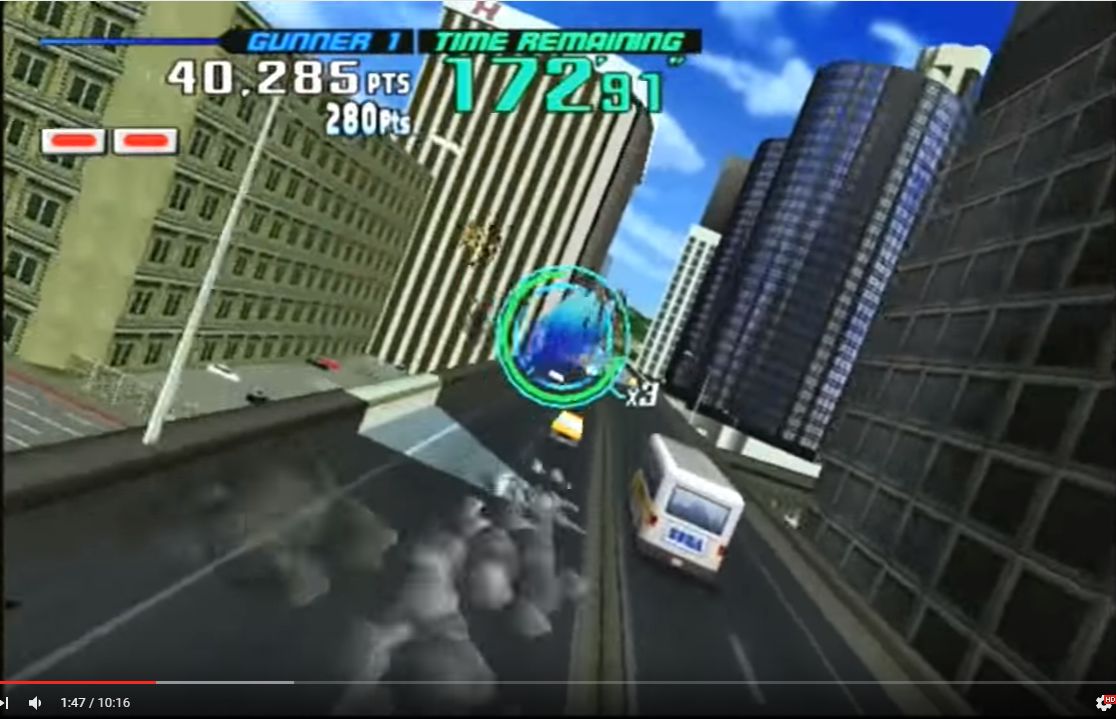
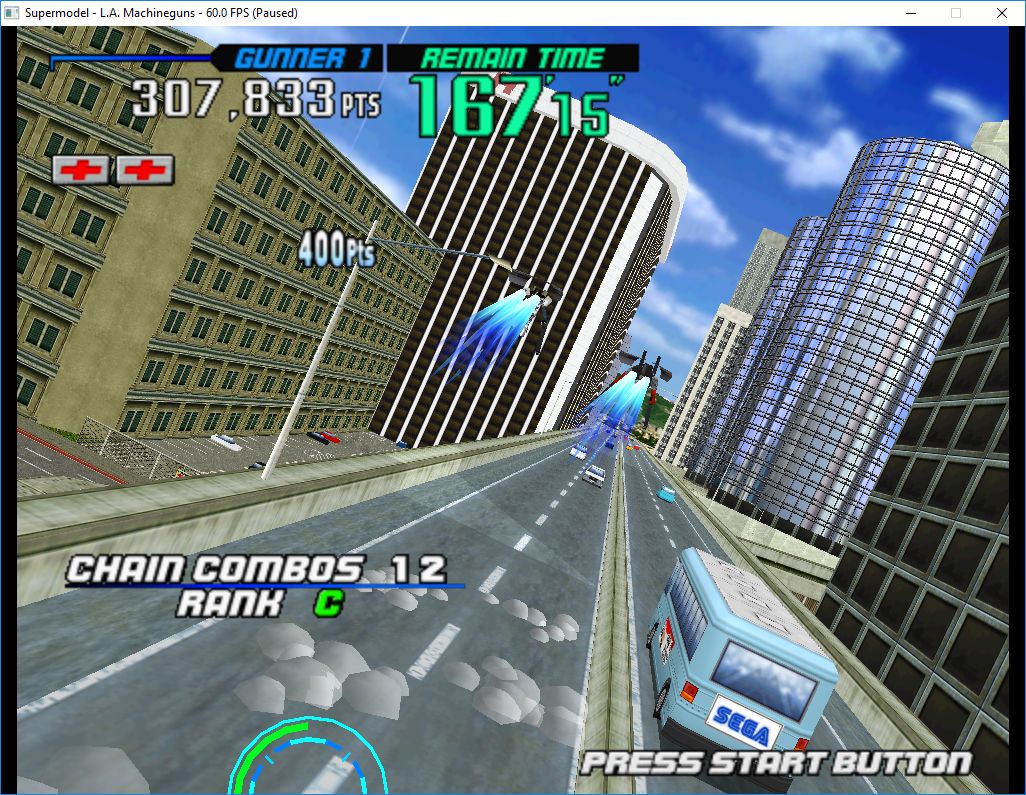
Le premier émulateur de Sega Model 3 créé par Bart Trzynadlowski, Ville Linde et Stefano Teso dans sa version de développement (voir ici) [source].

 
supermodel_actual

Wii version


supermodel_incorrectSupermodel (incorrect)


supermodel_vertexSupermodel with fixed shading

 
Les changements:
svn 617
– Clamp the ambient light to a max of 0.75. LA Machine guns seems to use an ambient value of 1, which is full bright for everything. But for some reason the hardware seems to treat this as ~ 0.75. – This fixes various missing shading in the game. This doesn’t seem to have any negative effects on other games I have tested. Clamping in the shader as we might need the full range of values for fixed shading.
svn 616
– remove WIP code
svn 615
– convert sun angle coordinate system outside of the shader


test et test32:
– correction des musiques dans sega rally 2 (mix)
– correction musique 1er niveau 2joueurs (la cave rouge) dans vf3 (pas sûr de la modif, et donc cela peut éventuellement entrainer d’autre problèmes sonore sur d’autre jeux).

 
Les fichiers sont compilés par spindizzi et/ou KOF2112, merci à eux.


Télécharger SuperModel v0.4 Build 261117 (5.2 Mo)

Télécharger SuperModel WIP (XP) v0.3a r862 (6.3 Mo)

Site Officiel

En savoir plus…

Il s’agit d’un ficher DAT regroupant plusieurs informations retraçant l’historique des avancées de l’émulation des jeux ainsi que des informations sur eux au sein de MAME (arcade/consoles/ordinateurs), il comporte également une section « tips and tricks ». En anglais.


Télécharger History.dat v1.87 (4,3 Mo)

Site Officiel

En savoir plus…

DS4Windows est un programme portable qui vous permet d’obtenir la meilleure expérience lors de l’utilisation d’un DualShock 4 sur votre PC. En émulant un contrôleur Xbox 360, beaucoup de jeux deviennent alors accessibles.


– Fixed device battery status display for tray icon
– Added prompt when closing the application if any controllers are connected. Change provided by Aziz Rafsanjani
– Added rotation angle adjustment settings for LS and RS
– Change for Sony dongle connection to only have a virtual XInput controller available if a controller is synced to the dongle
– Fixed version comparison in DS4Windows.exe updater routine
– Fixed issue with latency messages being displayed multiple times unnecessarily in log
– Added smoothing routine for gyro mouse
– Tweaked mouse offsets used for gyro mouse and base gyro sensitivity multiplier
– Fixed some invalid URLs regarding the updater in DS4Windows.exe


Télécharger DS4Windows v1.4.83 (1,2 Mo)

Site Officiel

En savoir plus…

Les fichiers de DOCyoyo_49 ont été mis à jour :


Emuloader default.el :
Default.el permet de diffuser la liste des jeux dont des records sont dans MAMESCORE avec le Front-end Emuloader. Placez default.el dans le répertoire « resources\favorites » de Emuloader.


Mamescore.ini :
Ce fichier permet de diffuser la liste des jeux dont des records sont dans MAMESCORE. Placez mamescore.ini dans le dossier « folders » de votre MAME (si ce dossier n’existe pas, créez-le!) Lancez ensuite MAME et vous découvrirez sur la gauche un nouvel icone « mamescore » contenant la liste des jeux.


Story.dat :
Conçu par DOCyoyo_49, ce fichier va permettre d’afficher dans MAME les records établis sur MAMESCORE. Utile pour avoir une idée des scores à battre et du niveau des joueurs.
Téléchargez story.dat et copiez-le dans le répertoire de votre MAME (le fichier doit se trouver dans le même dossier que l’executable de MAME).


Télécharger Emuloader default.el v0.205 (32 Ko)

Télécharger Mamescore.ini v0.205 (21 Ko)

Télécharger Story.dat v0.205 (801 Ko)

Site Officiel

Voici l’ensemble des screenshots et icônes de MAME réunis dans des packs à télécharger….
Le dats est disponible ici.


Télécharger MAMEUI Screenshots Pack (Update) up to v0.258 (5.6 Mo)

Télécharger MAMEUI Icons Pack v0.289 (43.5 Mo)

Site Officiel

En savoir plus…

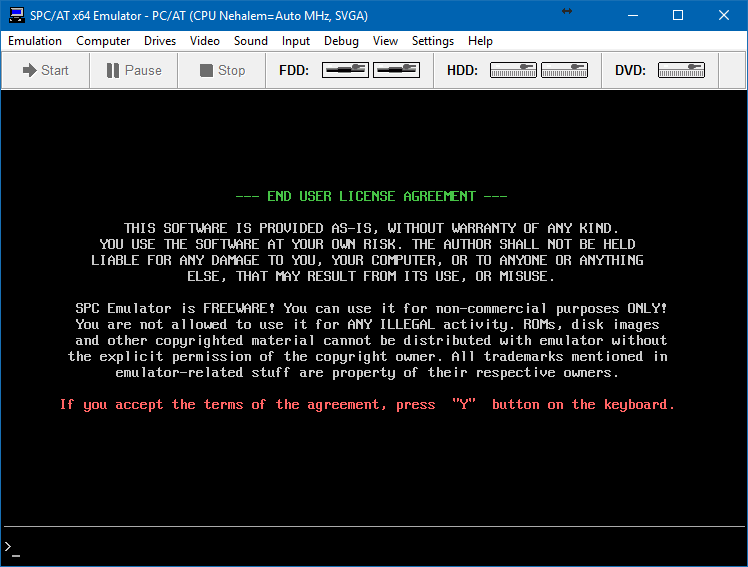
Un émulateur de PC/AT écrit par WadiM (site de dev ici).


Les changements sont les suivants:
CPU:
– Recent CPU generations are added (up to Kaby/Zen);
– XSAVE/XRSTOR are supported in standard form (Sandy Bridge/Bulldozer);
– FXSAVE and FXRSTOR optimizations are supported now (Venice);
– RDTSCP and MSR TSC_AUX support (Nehalem/Winsdor);
– RDPID instruction support (Read Processor ID);
– MSR TSC_ADJUST is implemented (Haswell);
– CLZERO instruction is implemented (Zen);
– CLAC/STAC instructions are implemented (Broadwell/Zen);
– RDRAND instruction is added (Ivy Bridge/Excavator);
– RDSEED instruction is added (Broadwell/Zen);
– UMIP support (User-mode instruction prevention);
– RDFSBASE/RDGSBASE/WRFSBASE/WRGSBASE support (Ivy Bridge/Steamroller);
– PCLMULQDQ instruction is implemented (Westmere/Bulldozer);
– MOV CR8 using LOCK is implemented (Winsdor);
– SSE4a extension is implemented (Agena);
– 5-level paging is implemented (future models; for Kaby now).
 
VIDEO:
– some SVGA scanline fixes (Alpine Linux x64 now workable in graph mode).

 
Site alternatif (Archive.org)
 

Télécharger SPC Emulator (PC/AT) v0.98.1 (2,28 Mo)

Site Officiel

En savoir plus…


https://getourbonus.com/fr/accueil

https://www.romspedia.com/